Health monitoring suite
This section allows you to monitor the overall health of your store. Navigate to System -> Tools -> Health Monitoring Suite to access it. Messages are grouped into separate tabs by category.
The extension automatically gathers all health metrics through scheduled cron jobs.
Alerts
The main tab contains a list of monitoring results and recommendations.
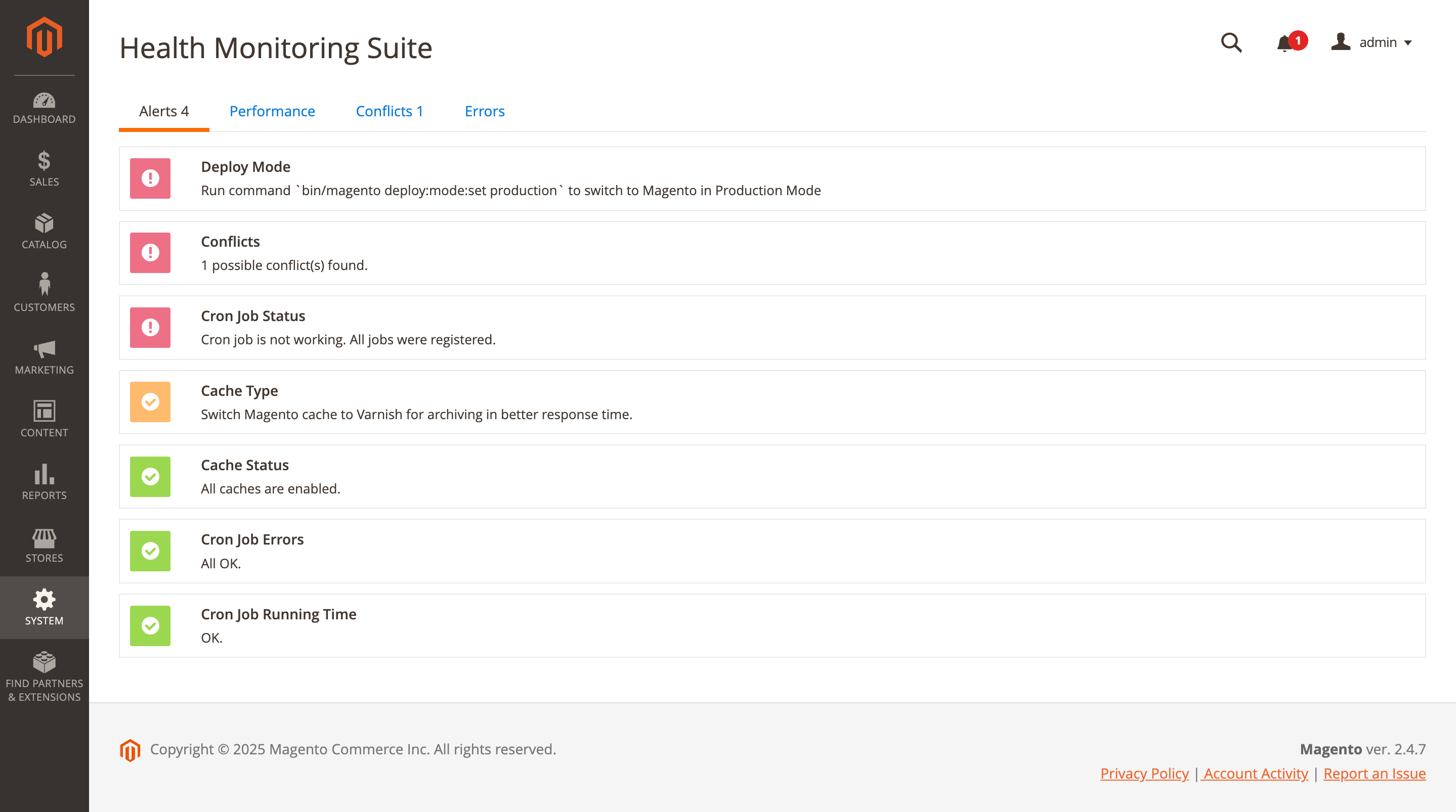
The following information is presented:
- Deploy mode: displays the current Magento application mode.
- Conflicts: reports potential module conflicts and shows their count.
- Cron job status: shows the current status of the cron system.
- Cache type: indicates which caching mechanism is being used.
- Cache status: displays the status of all cache types.
- Cron job errors: shows whether cron errors are present and how many.
- Cron job running time: displays the execution status and timing of cron tasks.
Performance
This tab displays a list of checks along with detailed information about detected changes.
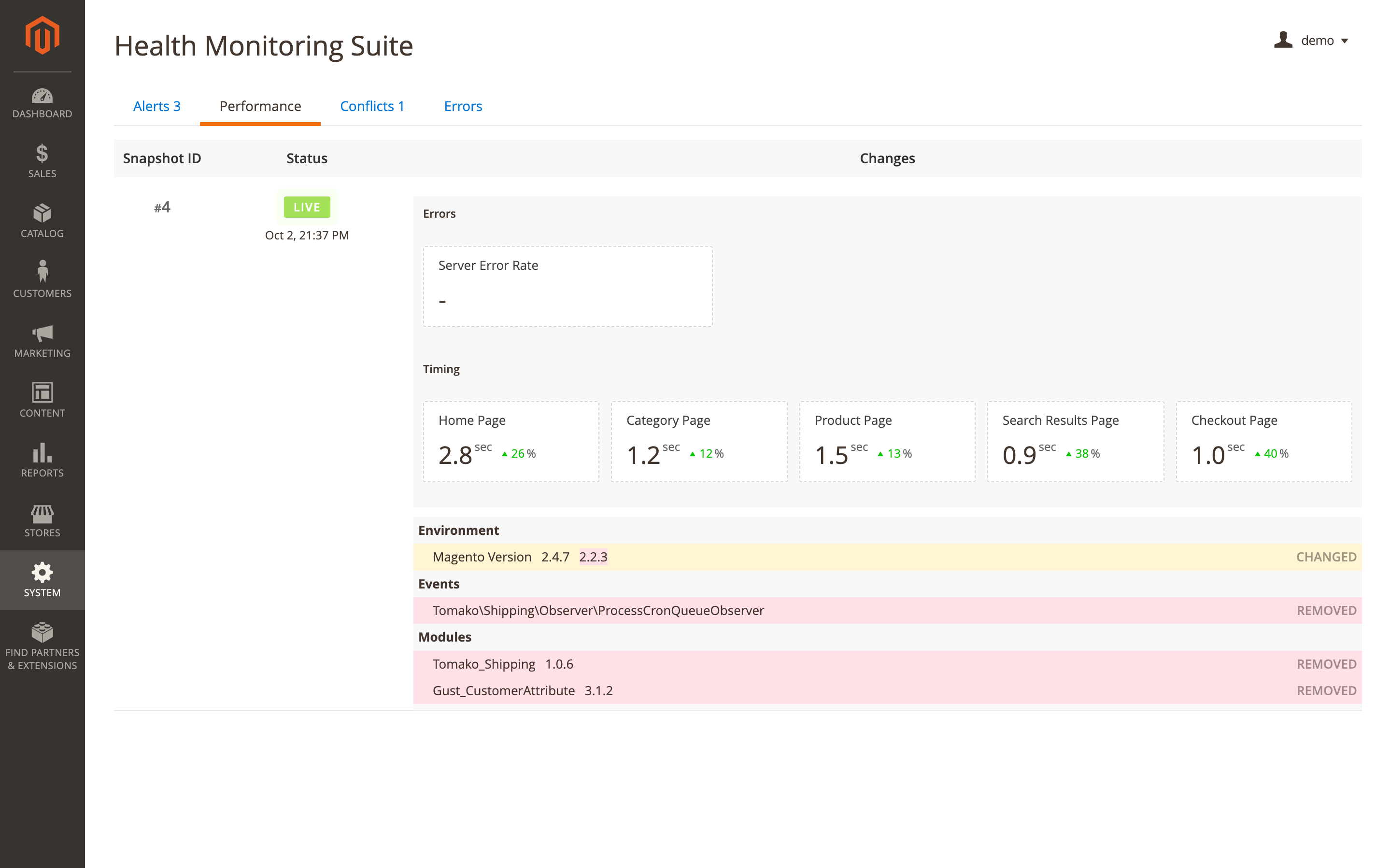
The following information is presented:
- Snapshot ID: sequential identifier of the check.
- Status: displays the check status and the date it was executed:
- Live: the most recent snapshot.
- Archived: previous snapshots stored for history.
- Changes: shows detected changes if available:
- Errors: displays the server error rate.
- Timing: shows the average page load time and the percentage change compared to the previous snapshot. The following page types are measured:
- Home page
- Category page
- Product page
- Search results page
- Checkout page
- History: displays a list of tracked changes with detailed information:
- Environment
- Modules
- Events
- Plugins
Conflicts
Use the Conflicts tab to get more details about potential conflicts in your store.
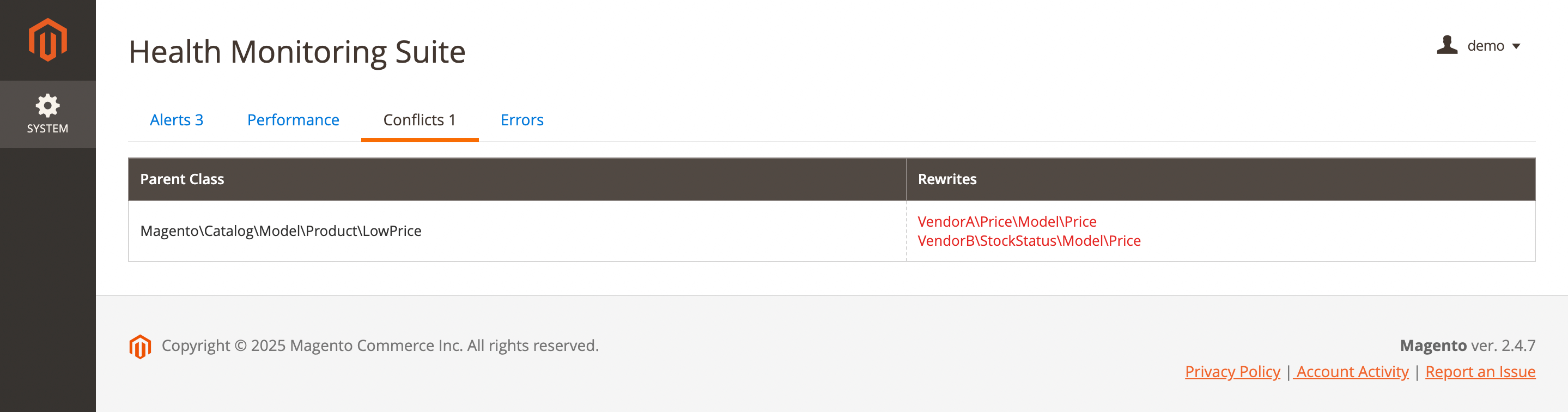
The following information is presented:
- Parent class: displays the original class that is being extended or overridden.
- Rewrites: shows classes that rewrite (override) the parent class, indicating possible conflicts between modules.
Please note: the module displays a notification every time it detects a change in the source code. Some 3rd party extensions may override Magento classes after installation — this behavior is acceptable and does not require any action or fixes.
Errors
This tab shows detailed information about store errors.
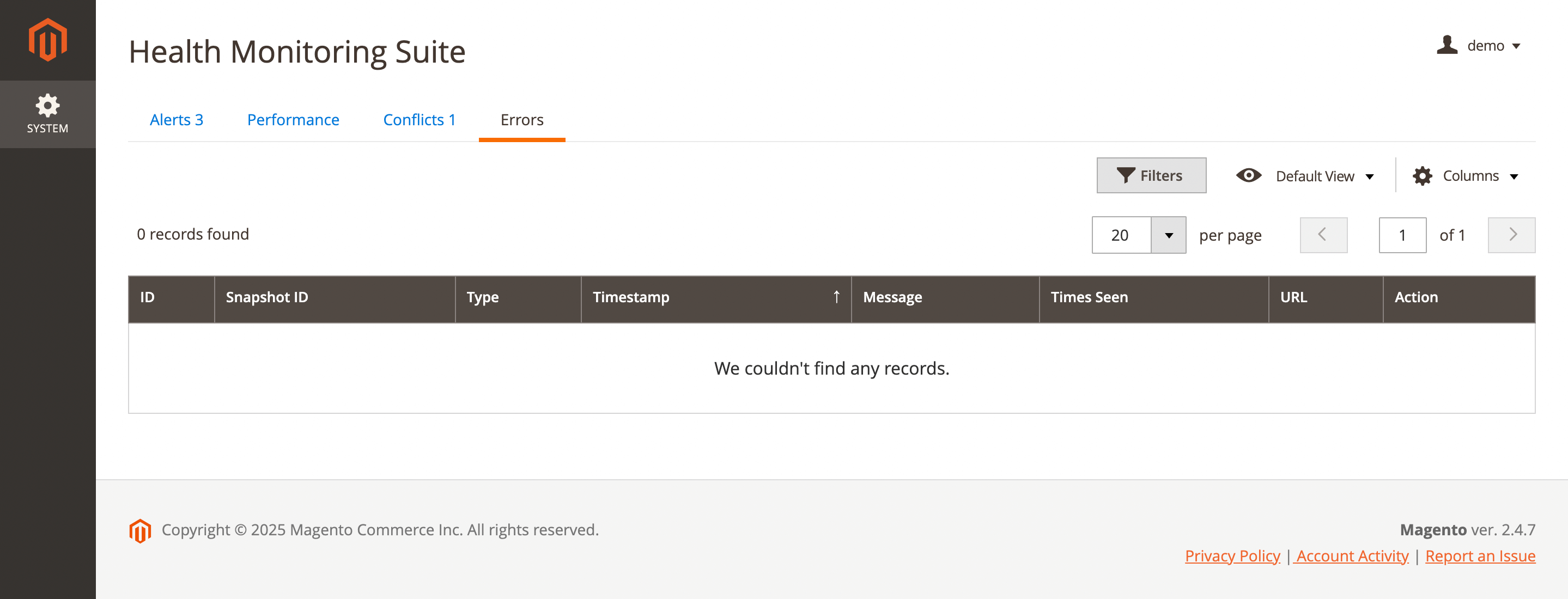
The following information is presented:
- ID: unique identifier of the error record.
- Snapshot ID: reference to the snapshot in which the error was detected.
- Type: error type (for example: PHP error, exception, warning, JS error).
- Timestamp: date and time when the error occurred.
- Message: error message or exception text.
- Times Seen: number of times this error has occurred.
- URL: page URL where the error was detected (if available).
- Action: available actions, such as marking the error as resolved or viewing more details.