Index management
All functions of Asynchronous Reindexing extension are combined on a single dashboard, located at System -> Tools -> Index Management.
The page consists these sections:
- Index list: include all indices defined in your store.
- Last run with two tables:
- Timeline indexer: shows the list of completed and scheduled cron tasks, along with their real-time statuses.
- Reindex history log: a history table which holds the last 9 reindexing schedules.
Index list
Indices table contains all indices that are registered on your store.
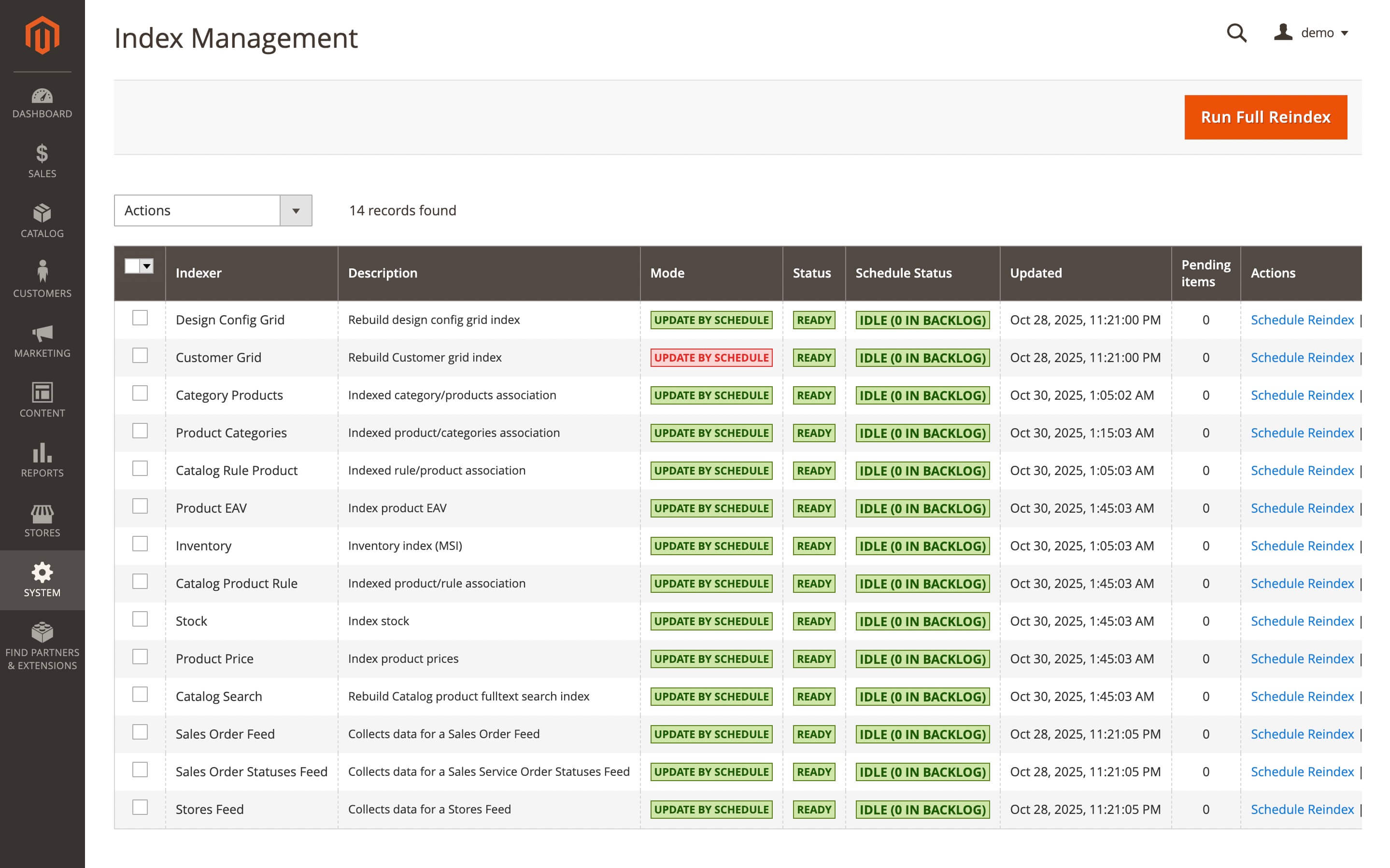
Contains the following fields:
- Indexer: name of the index.
- Description: short description of that index.
- Mode - mode of update. There are two available modes:
- Update on Save: indexed data will be updated on their next change. For example, when a new product is added to the indexed category, a reindex will also be made.
note
Update on Save is the default Magento mode.
- Update on Schedule: the index will be updated on the next start of our cron task.
- Update on Save: indexed data will be updated on their next change. For example, when a new product is added to the indexed category, a reindex will also be made.
- Status: status of current index
- Updated: date of latest update
- Pending Items: number of schedules
- Actions: actions that can be performed on the current row. There's two possible actions you can take:
- Schedule Reindex: schedule index update
- Run Reindex: run reindex now
Timeline indexer
The Timeline indexer displays the real-time status of each index, including completed, pending, and scheduled indexing tasks.
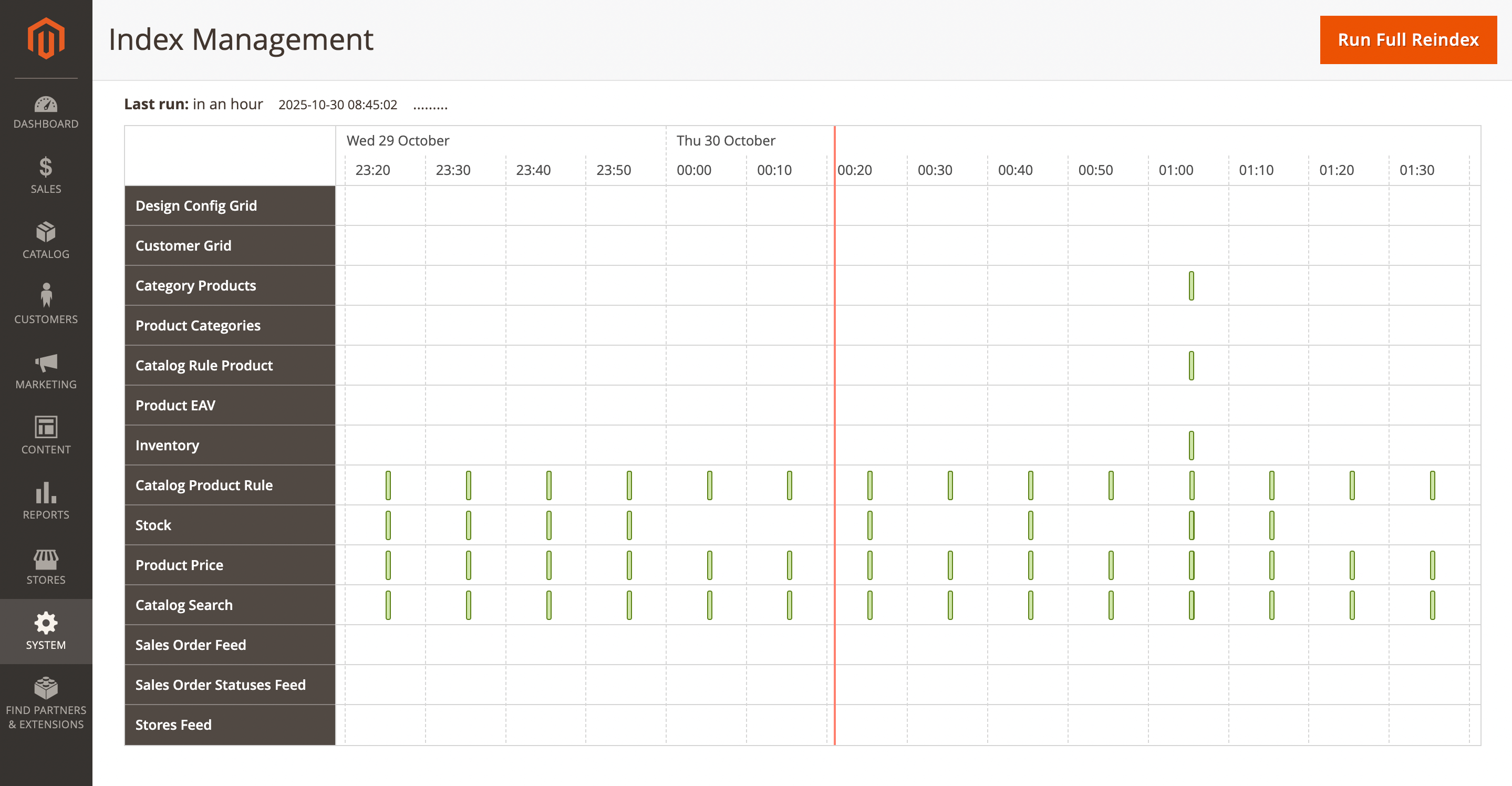
Contains the following data:
- The default index name.
- A calendar of completed and scheduled tasks in real time.
- The indexation type and status (successful / error).
By default, the timeline displays the current date and time. Use the scroll to view additional data.
Reindex history log
History log holds records about any reindex actions performed in your store.
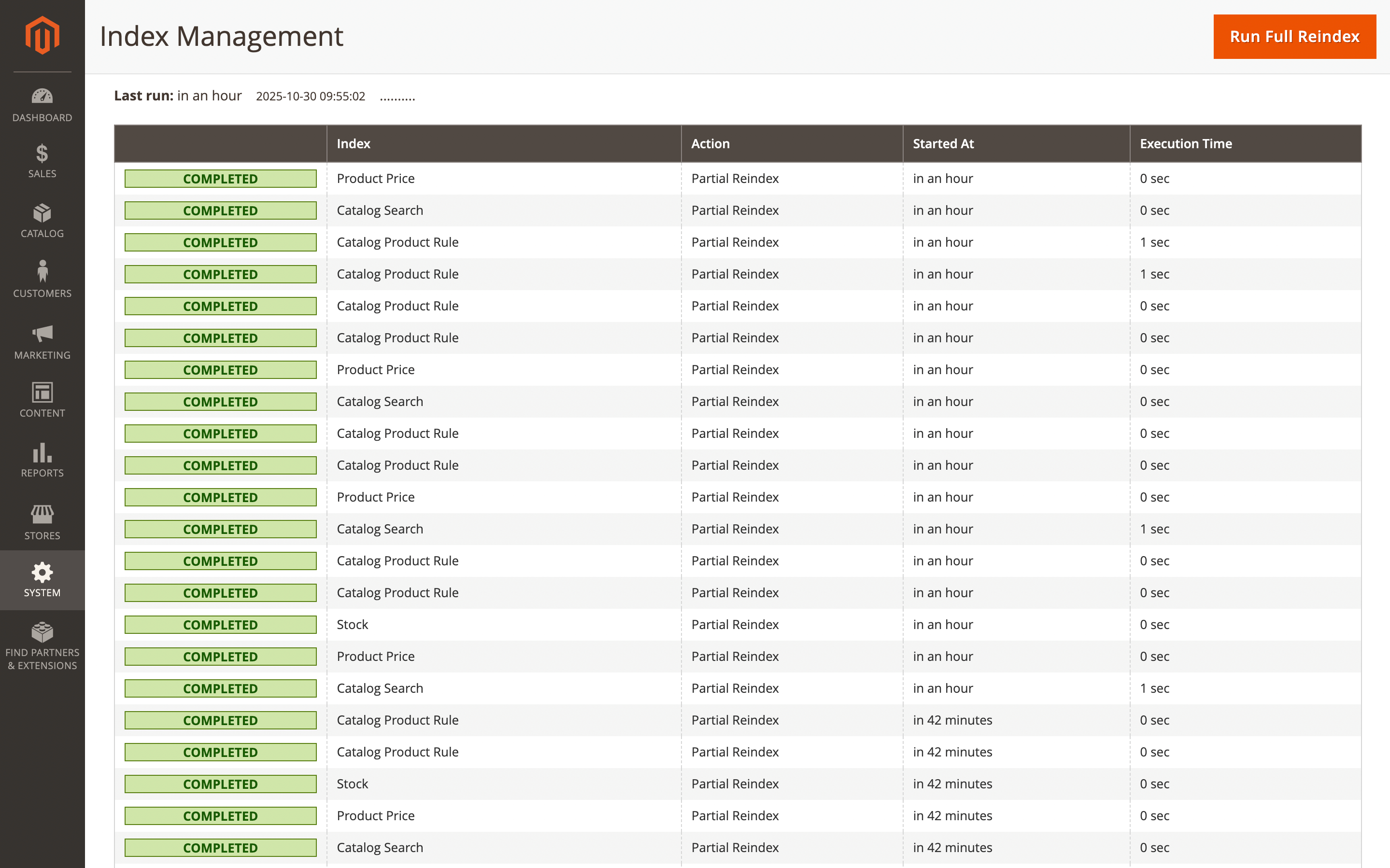
It allows you to track not only errors in the reindexing, but also the performance:
- Status of last update: although unnamed, it displays the status of the latest reindex.
- Index: name of index.
- Action reindex: details about index process (e.g.
Partial reindex,Full reindex). - Started at: when reindex was started.
- Execution Time: time that was spent for the reindexing.
Unfortunately, our extension does not store precise information on reindex error - it just displays the summary in terms of whether it was completed, or failed.
To determine which exception occurred, you need to run a manual reindexing, after which a full error will be displayed in the top message box.