FTP settings
Plenty of marketplaces will not fetch a file from you - they expect you to deliver it, to their server, on their schedule. Affiliate networks in particular still run on FTP.
Fill this tab in and the extension uploads the finished feed automatically after every generation. No cron script of your own, no manual downloads, no one forgetting.
Check your marketplace merchant account for the FTP/SFTP details, or ask their support for credentials.
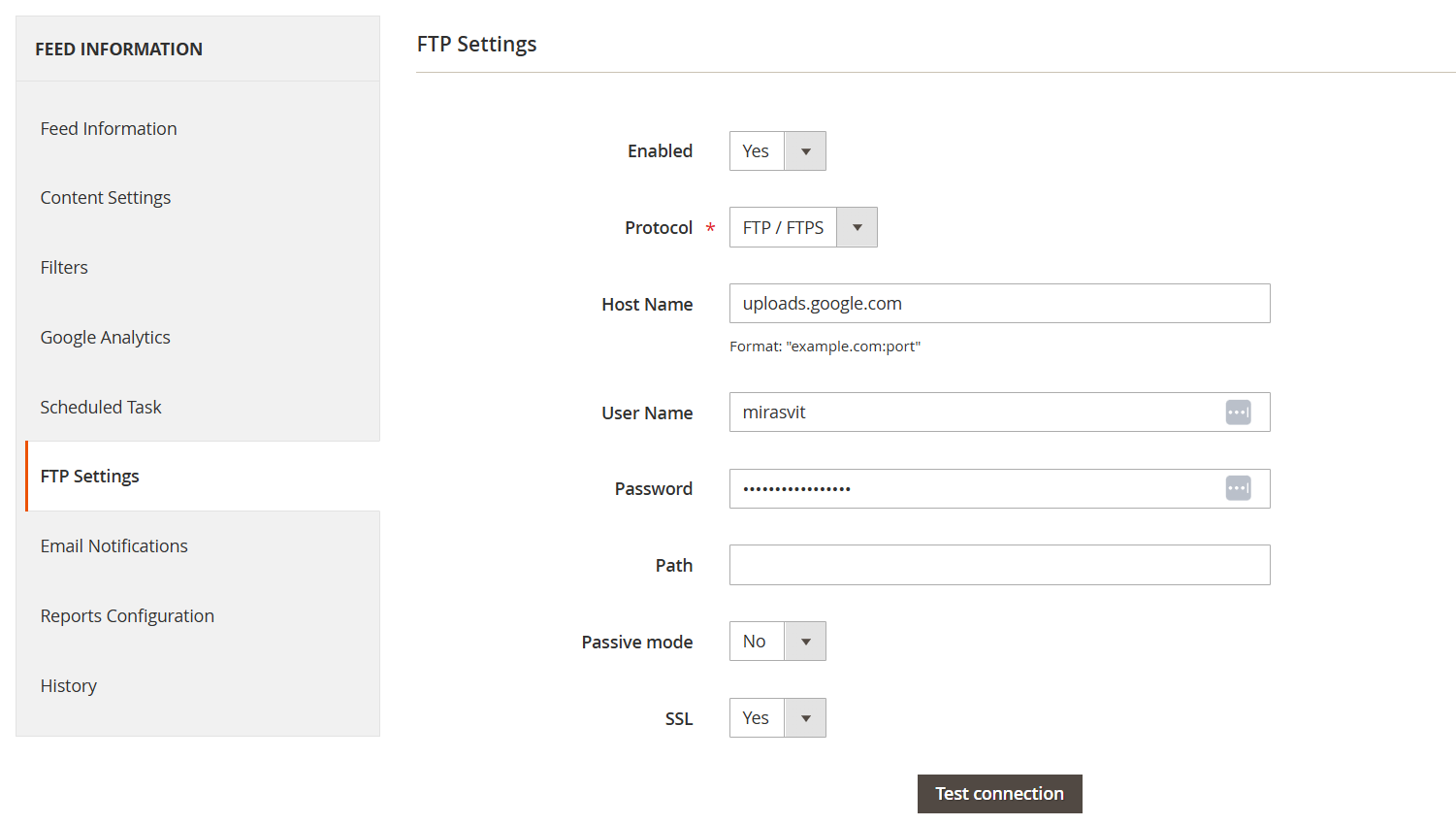
- Enabled (Yes/No): turns on automatic upload for this feed.
- Protocol (FTP/SFTP): how the file is transferred.
- FTP (file transfer protocol): the standard method.
- SFTP (secure file transfer protocol): encrypted. Use it whenever the other end supports it.
- Host name: the destination server, as
example.com:port. The port is optional and depends on the provider. - User name: the FTP/SFTP account username.
- Password: the account password.
- Path: the directory on the remote server where the file should land, usually dictated by the marketplace. Left empty, the file goes to the root directory.
- Use private key (Yes/No): (SFTP only) authenticate with an SSH private key instead of a plain password.
- Private key filename: (shown when Use private key is Yes) the filename of your private key, e.g.
my_key.pem. Upload the key file to thevar/sftp_keys/folder in your Magento root - the extension reads it from there by filename. If the key itself is passphrase-protected, put the passphrase in Password. - Passive mode (Yes/No): (FTP only - hidden when Protocol is SFTP) how the connection is established. If uploads hang with no error, this is the first thing to flip.
- SSL (Yes/No): (FTP only - hidden when Protocol is SFTP) encryption for the connection. Some servers refuse anything else.
Test Connection
Do not wait for a failed nightly run to find out the password was wrong. Test Connection checks the whole path end to end, right now:
- that the host name, user name and password are accepted;
- that the server actually supports the protocol you picked;
- that the path exists, if you specified one;
- that your passive mode and SSL choices match what the server expects.
A failure usually comes down to one of these:
- wrong credentials;
- a missing port in the host name;
- a firewall on either end blocking the connection;
- passive mode or SSL set the way the server does not want;
- a path that does not exist on the remote side.
The test only verifies that the server is reachable and the destination exists. It leaves the remote folder completely untouched, so it is safe to run against a directory a marketplace is actively watching.