Smart attributes
This page describes smart attributes - a group of special attributes added by Dynamic Categories extension.
Is new
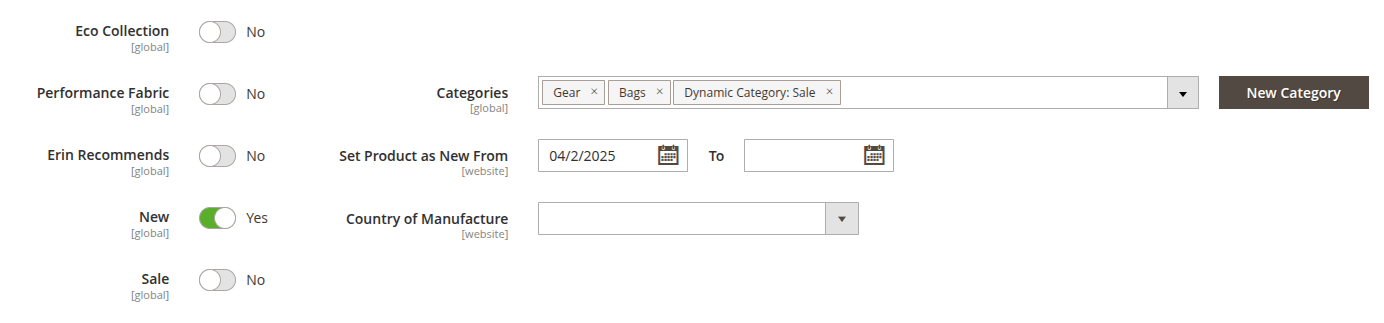
Is new: adds products with the New status or products which date range from Set Product as New From configuration includes the current date. Both of these configurations are placed in product's general settings.
Is salable
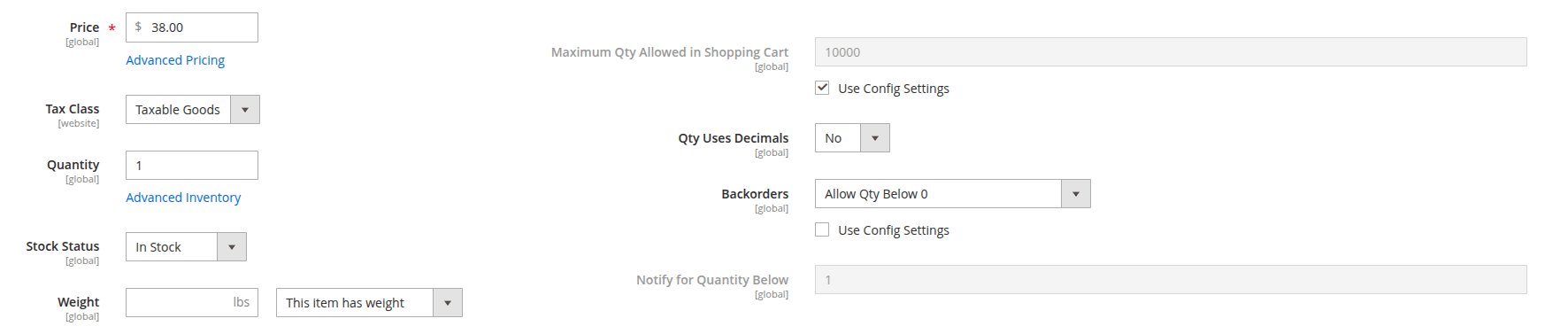
Is salable: adds products that have at least 1 item in stock (Quantity field) or has backorder status with the appropriate option in Backorders configuration.
Has active special price
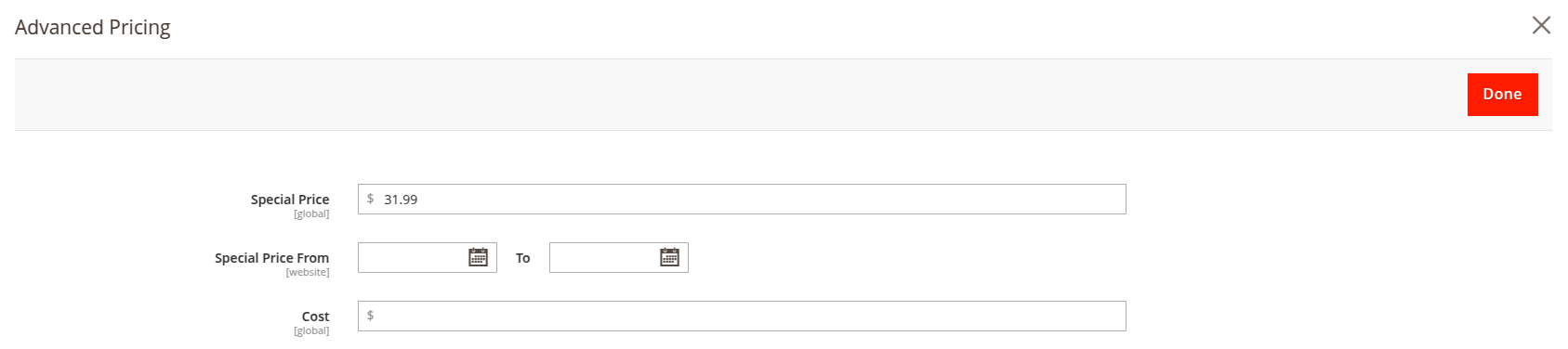
Has active special price: adds products which Special Price is lower than regular price and date range is empty or includes the current date.
Is discounted
Is discounted: adds products whose current price is lower than their regular price — for example, because of an active Catalog Price Rule (Marketing -> Promotions -> Catalog Price Rule) or Special price.
Percent discount
Percent discount: adds products by the discount percentage between the regular price and the current (final) price. For example, use the >= operator with value 20 to select products discounted by at least 20%.
Product type
Product type: adds products of a selected product type (e.g., Simple, Configurable, Virtual, Bundle, Downloadable, Grouped).
Rating
Rating[1...5]: adds products with the appropriate number of rating stars. Integer or decimal values (with dot as a separator) are allowed.
If you want to add a product with a fractional rating, check its percentage rating by hovering the cursor over the rating on the frontend. Then, use the following formula to calculate the value for the smart attribute condition: (5/100) × (percentage shown on the frontend)
Number of reviews
Number of reviews: adds products by number of approved reviews in the Product Reviews section.
Created
Created: adds products based on how many days ago they were added. Only integer values are allowed. A value of 0 means today.
Stock quantity
Stock quantity: adds products based on the value entered in the Quantity field of the product.
MSI
Source: defines a source of the same physical location of products. New source can be added in Stores -> Inventory -> Sources.
Only one source parameter can be specified at once.