How to create kits using the Suggest Kits feature
The Suggest Kits tool allows you to automatically generate product kit ideas based on your store’s historical sales data. This helps identify product combinations that customers frequently purchase together, making it easier to create effective bundles.
Use Suggest Kits to:
- To quickly create bundles that are statistically likely to convert.
- To discover cross-selling opportunities based on actual purchase patterns.
- To automate kit creation without manually analyzing orders.
Steps to create a kit using Suggest Kits
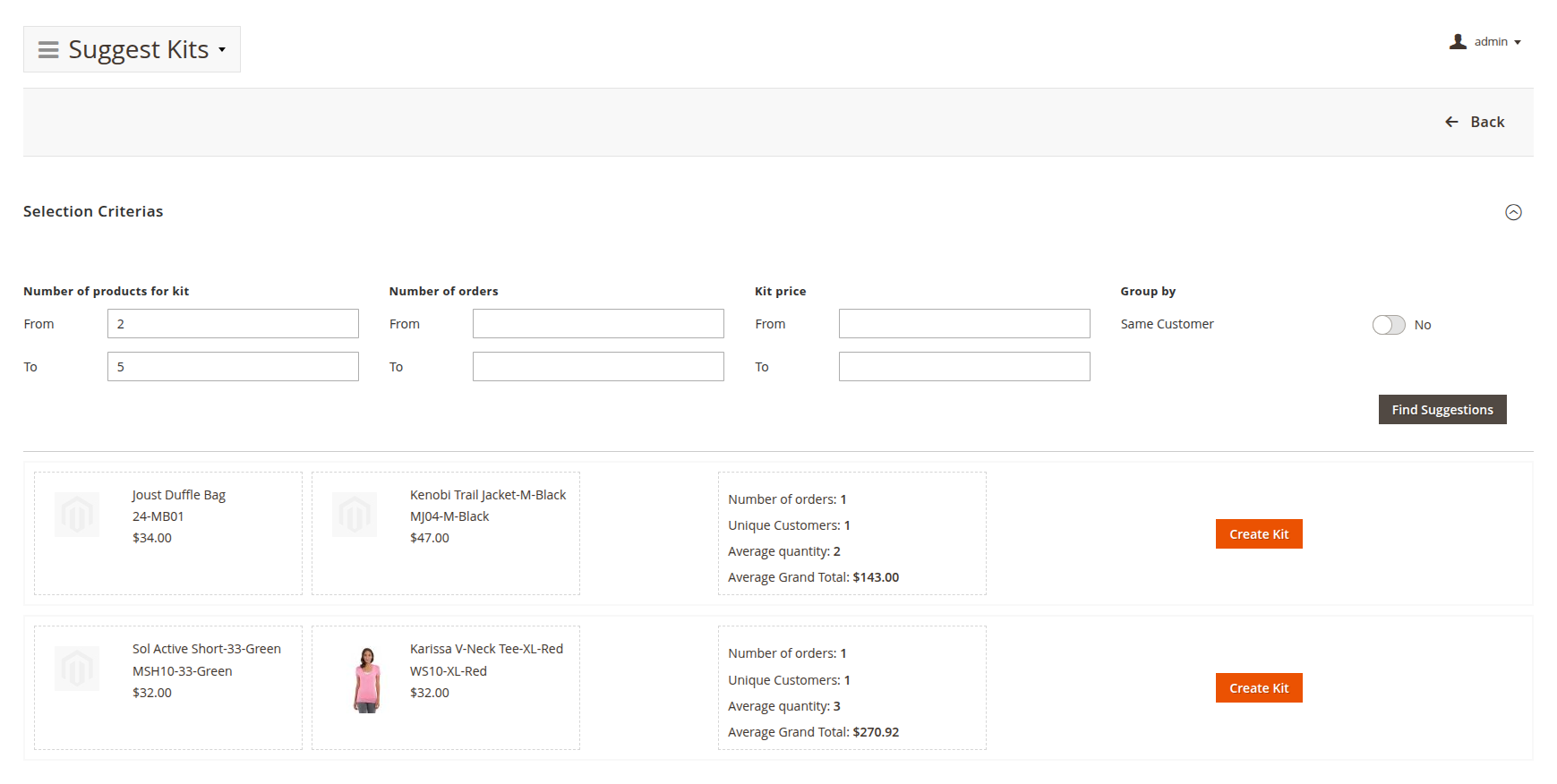
- In the Magento Admin, go to Catalog -> Product Kits -> Suggest Kits.
- Adjust the Selection Criteria to match your needs:
- Number of products for kit – the smallest and largest number of products in a suggested kit.
- Number of orders – only suggest kits found in at least (From) and at most (To) the specified number of orders. An order counts when it contains every product of the kit. Only the latest 100,000 orders are counted.
- Kit price – only suggest kits whose total price, at the products' current prices, falls within the specified range.
- Group by – how products are combined into kits:
- Same Customer off (default) – products bought together in one order.
- Same Customer on – products bought by one customer, across all of their orders. Guest orders are left out. Number of orders then counts, for the customers who bought every product of the kit, their orders that contain any of those products.
- Click Find Suggestions to generate kit ideas.
- Review the list of suggested kits. Up to 50 kits are listed, the most often bought first; on a tie, the kit with more products comes first. With Same Customer on, these are the kits bought by the most customers, listed by their number of orders.
- Select a kit from the list and click Create Kit to save it.
note
Create Kit is shown only when the admin user's role has both Suggest Kits and Manage Kits checked under Catalog -> Product Kit, in System -> Permissions -> User Roles on the Role Resources tab.