
Magento 2 Product Bundle Discount: Product Kits
Product Kits shows discounted product sets on the product page and in the cart, so shoppers add the whole kit in one click. Set a discount for each item with six discount types, and build kits by hand, by rules or from your order history.
- Discounted kits on product and cart pages
- Six discount types, set per item
- Smart kits filled by product conditions
- Kit suggestions from your order history
- Configurable, grouped and bundle items
- Optional items and free gifts
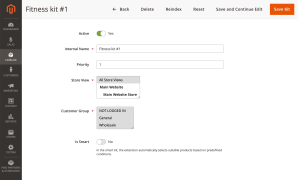
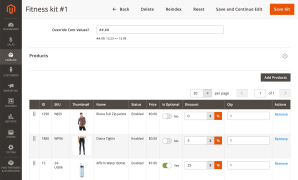
Sell Products Together with a Discount on Every Item
A Magento bundle product is a separate product with its own page, so shoppers have to find it to buy the set. It accepts only simple and virtual products, and its discount applies to the bundle as a whole, not to each item.
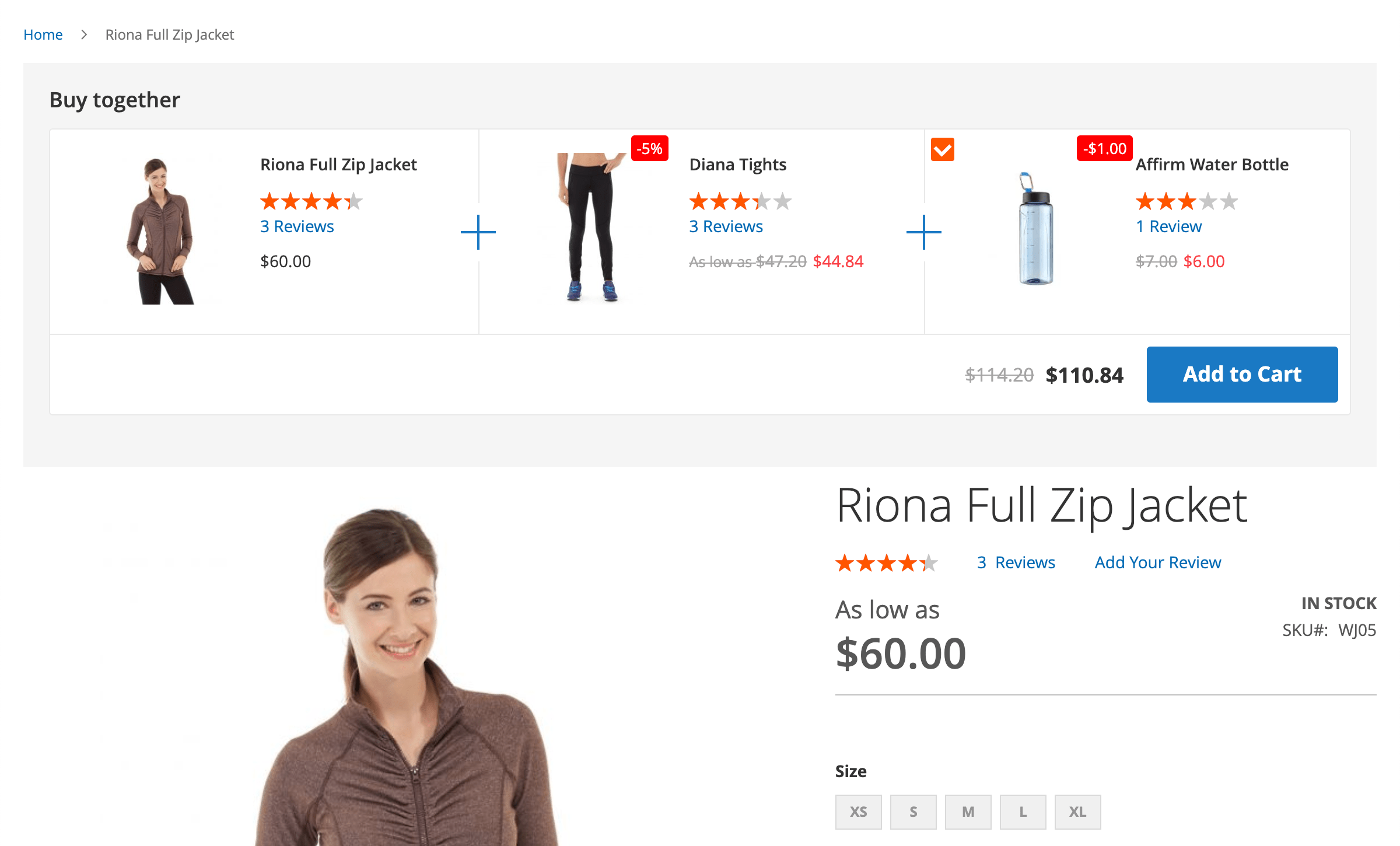
Product Kits shows a discounted set on the product page and in the cart, added in one click. Each item gets its own discount, and kits take configurable, grouped and bundle products. Build them by hand, by rules or from order history.
How Does It Work?
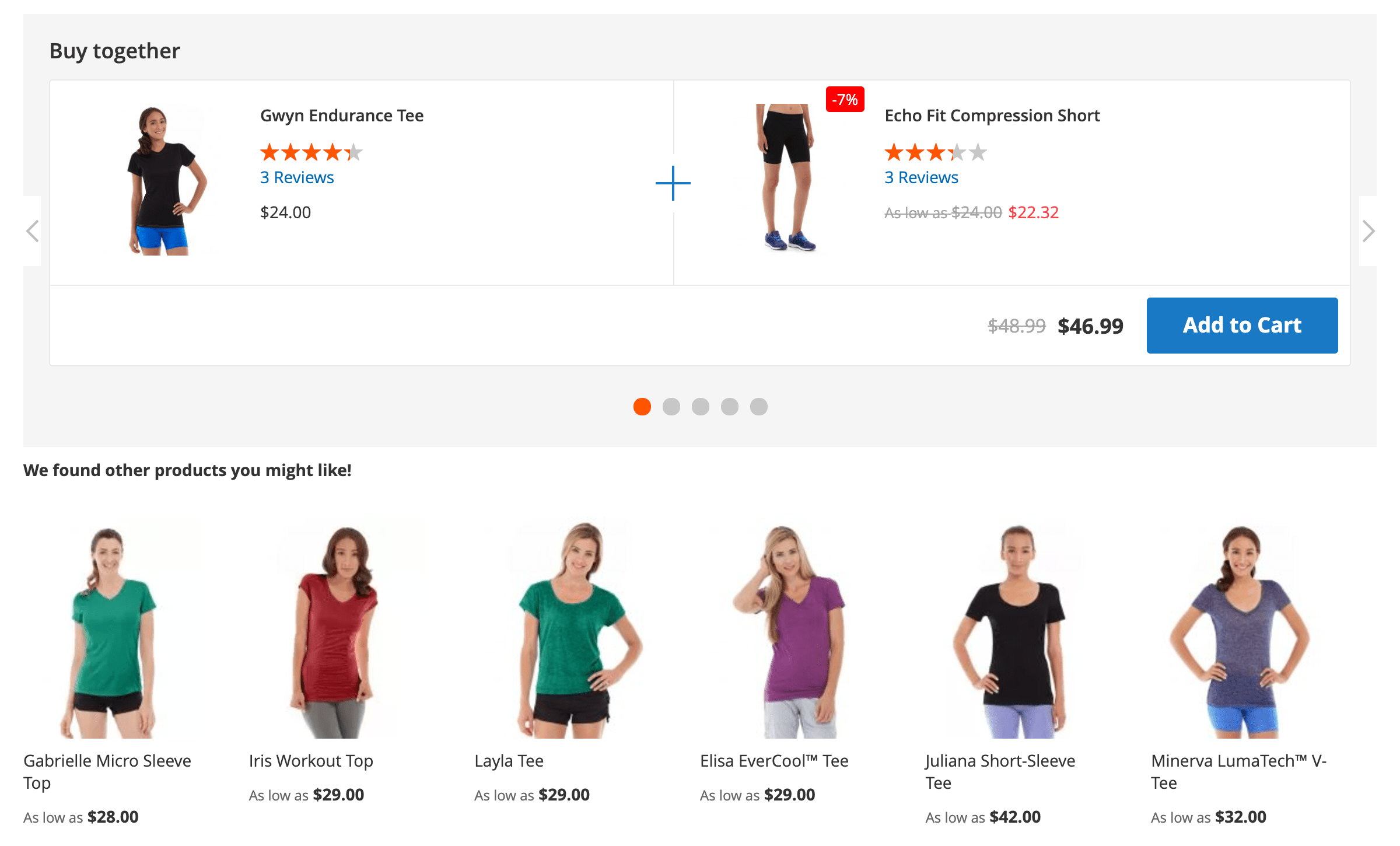
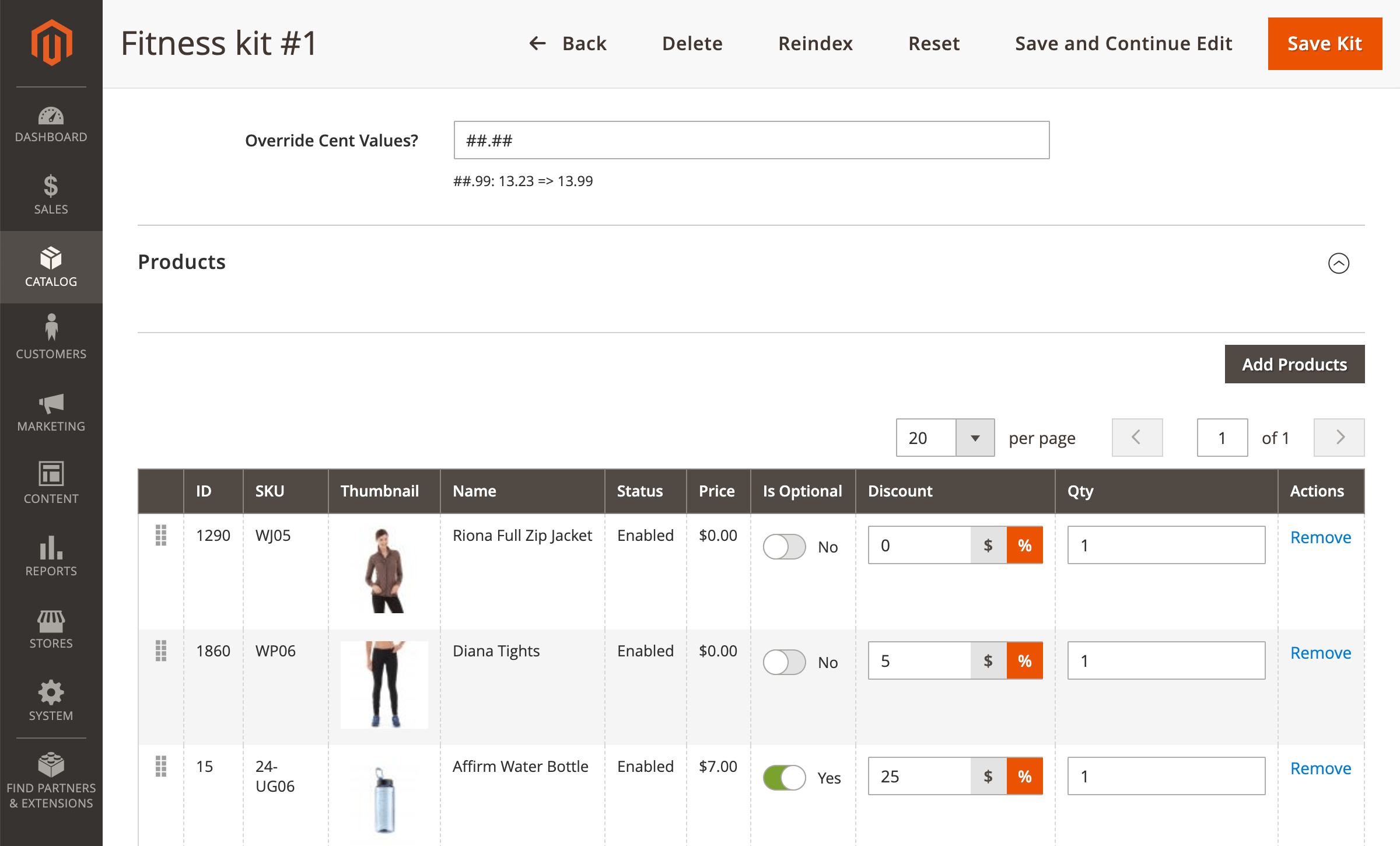
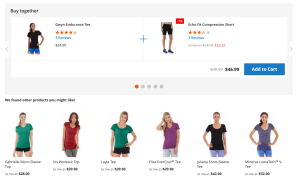
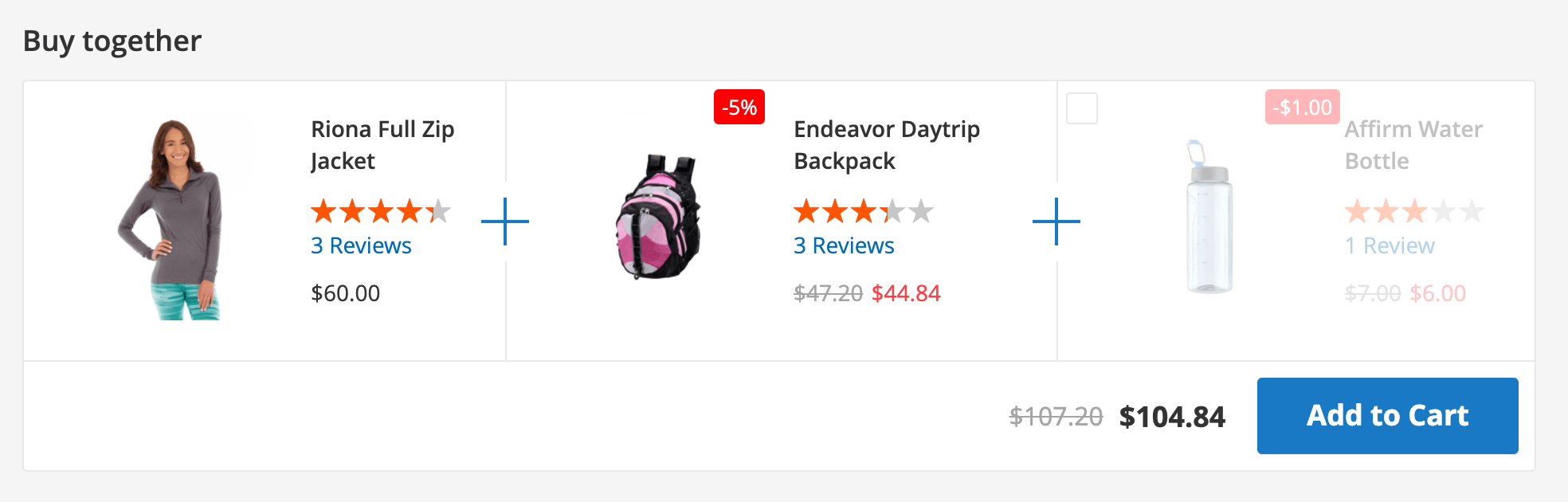
The kit block shows the product the shopper is viewing (the kit's primary product) together with the other kit items and their prices, like a combo offer. Shoppers can untick optional items and add the rest to the cart without leaving the page. In the cart, the module shows kits for the products already added.
Product Kits vs Magento Bundle Products
Both sell several products as a set, but they work in different places and price the set differently.
- Where shoppers see it. A bundle product is a separate catalog item. A kit is an offer on the page of the product shoppers already chose, and in the cart.
- What goes in. A bundle accepts simple and virtual products. A kit takes simple, configurable, grouped and even bundle products, and shoppers pick the size or color of a configurable item inside the kit.
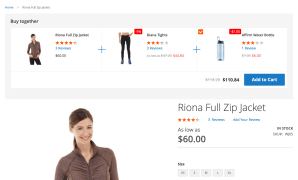
- How the discount works. A bundle has one discount for the whole set. A kit sets a discount for each item: a fixed amount, a percentage, a final price, or a discount that depends on how many items the shopper takes.
- How kits are built. A bundle is set up by hand. Kits can also fill themselves from product conditions or come from your order history.
Build Kits by Hand, by Rule or from Order History
Fill kits automatically
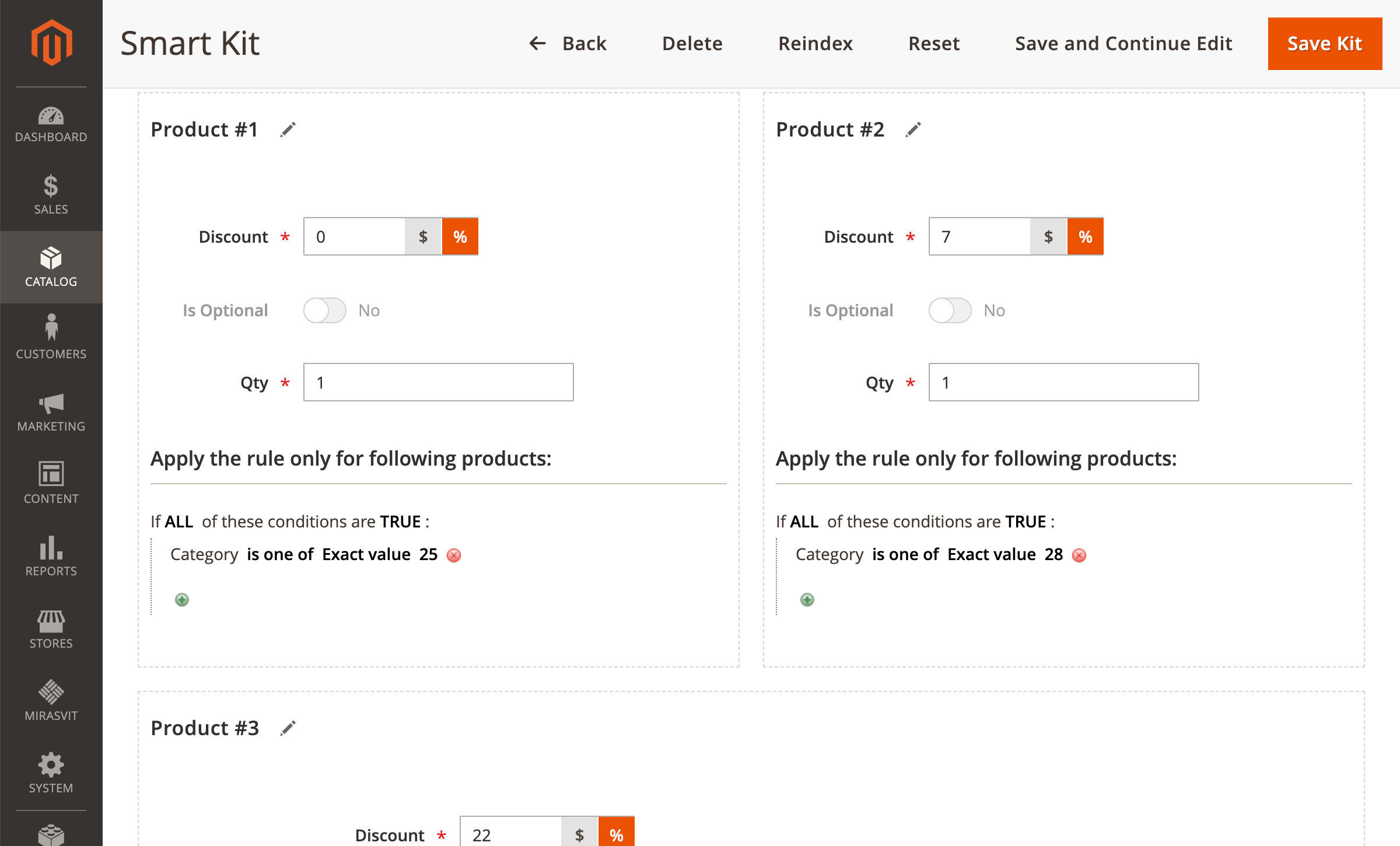
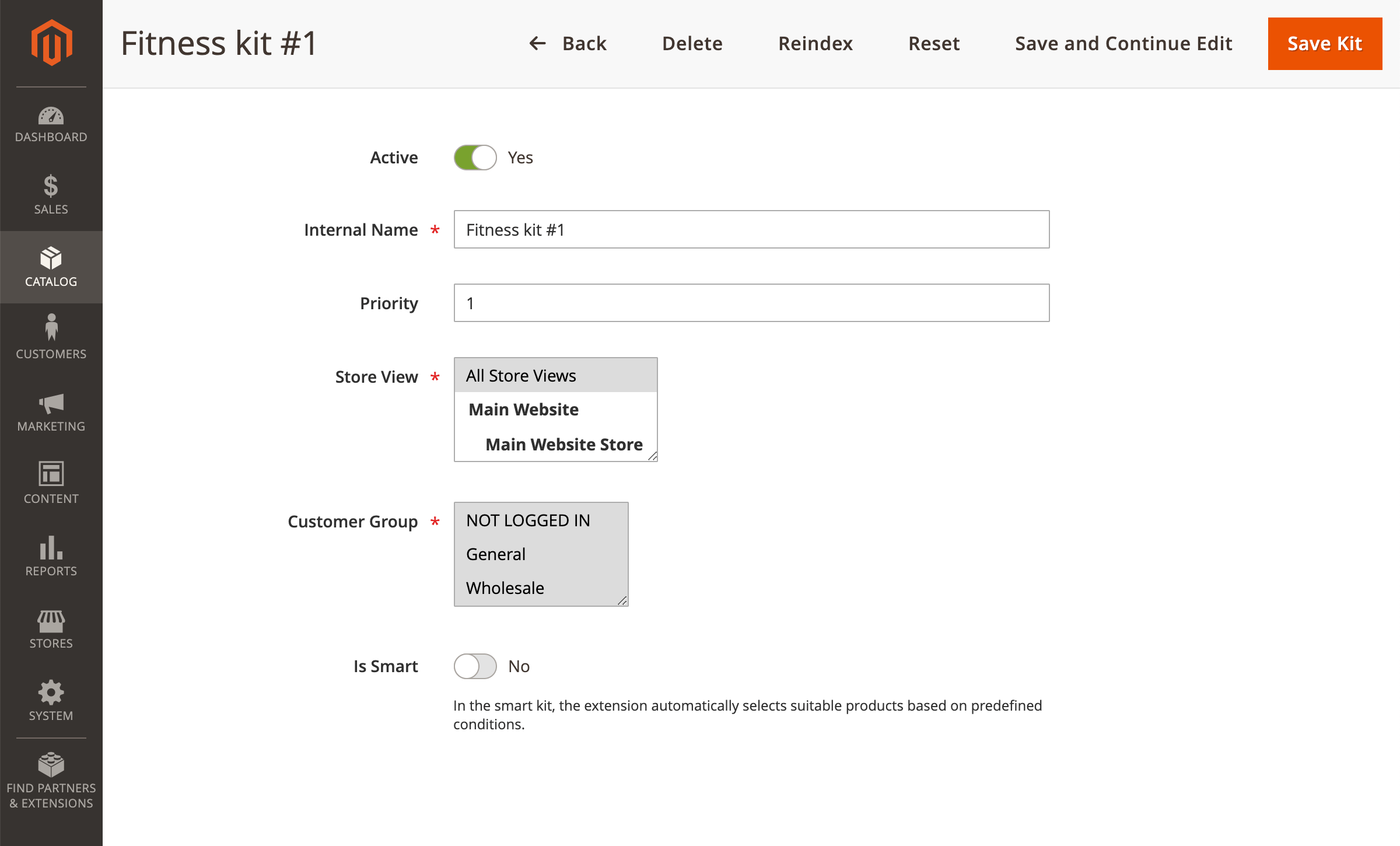
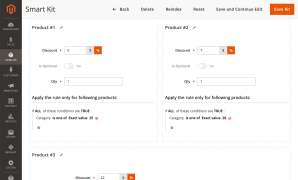
With smart kits, the extension fills a kit position with products that match the conditions you set, for example any bag from one category under a set price. When products change, the kit updates on its own.
You can also add products to kits by hand, or mix both in one kit.
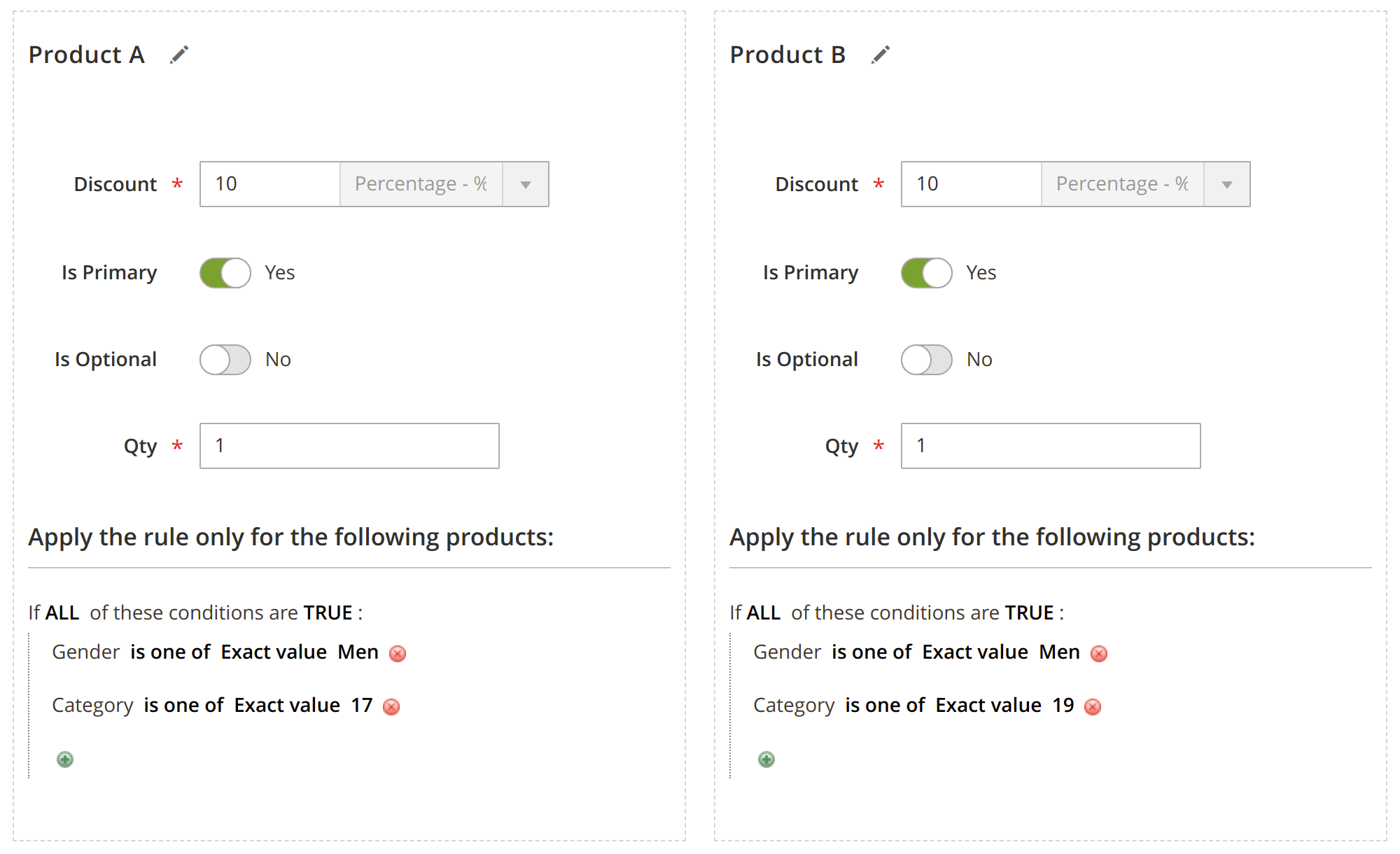
Add as many products to as many kits as you need
A single kit can hold any number of products, and one product can be part of several kits.
Kits accept simple, configurable, grouped and bundle products, so you can even put a standard bundle into a kit.
Let your order history suggest kits
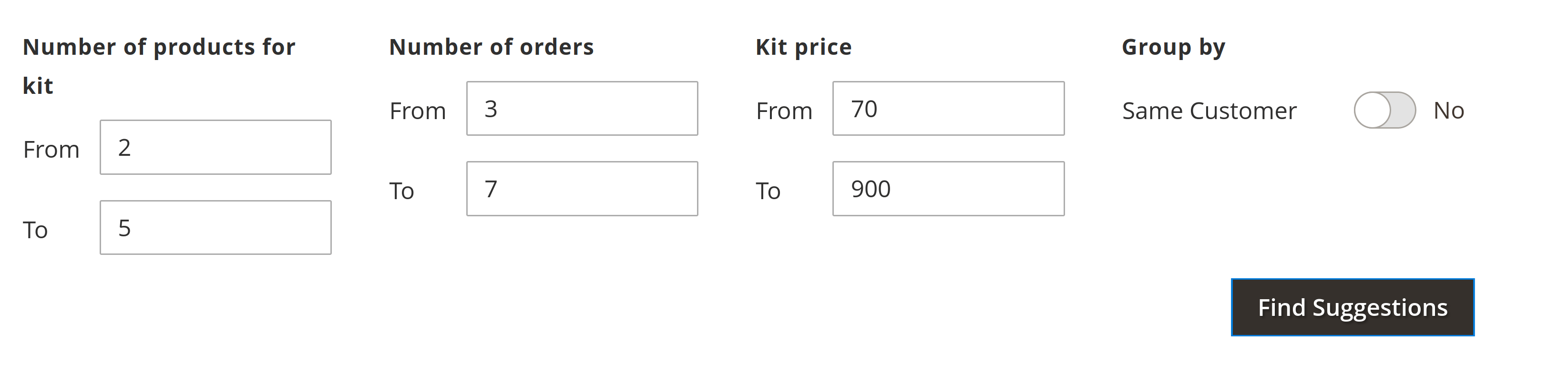
Suggest Kits looks through your past orders and proposes product combinations that customers actually bought together. Set the number of products in a kit, the number of orders a combination must appear in and the kit price range. You can also group by customer to find products bought by the same customer, not only in the same order.
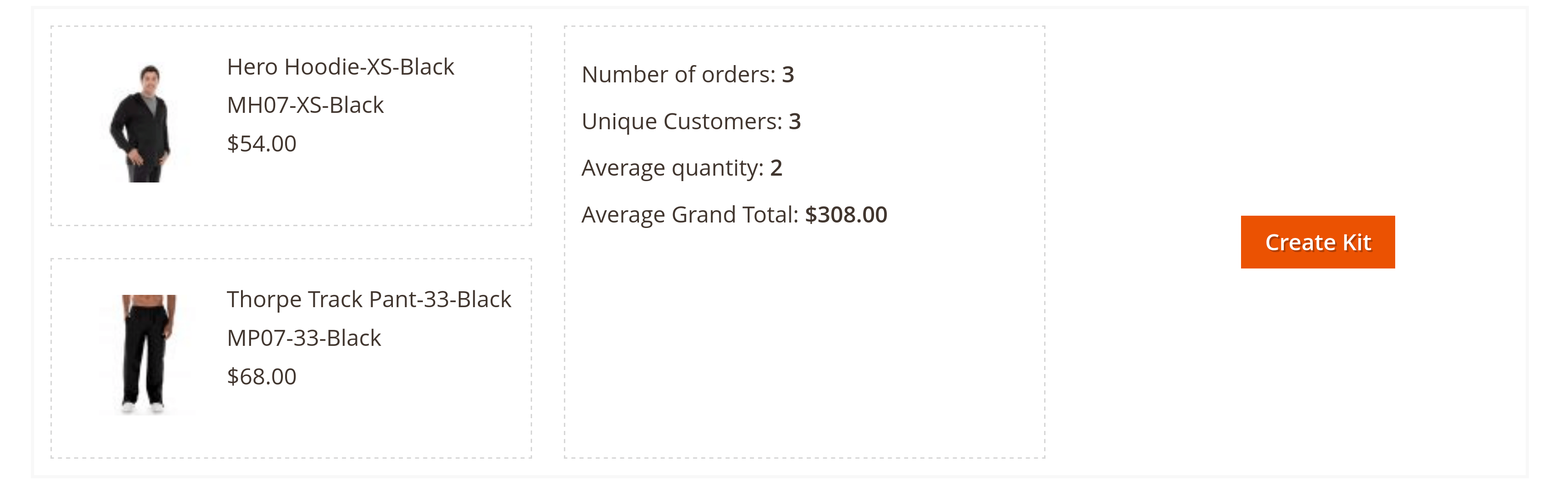
Click Suggest Kits and review the proposed combinations. Each one shows how many orders and unique customers bought it and their average order total, and Create Kit turns it into a kit.
Check every combination before it goes live

The preview lists every combination of the kit with its prices and discounts under the current settings, so you can check what shoppers will pay before you turn the kit on.
Let Shoppers Build Their Own Kit
Let shoppers pick from several products
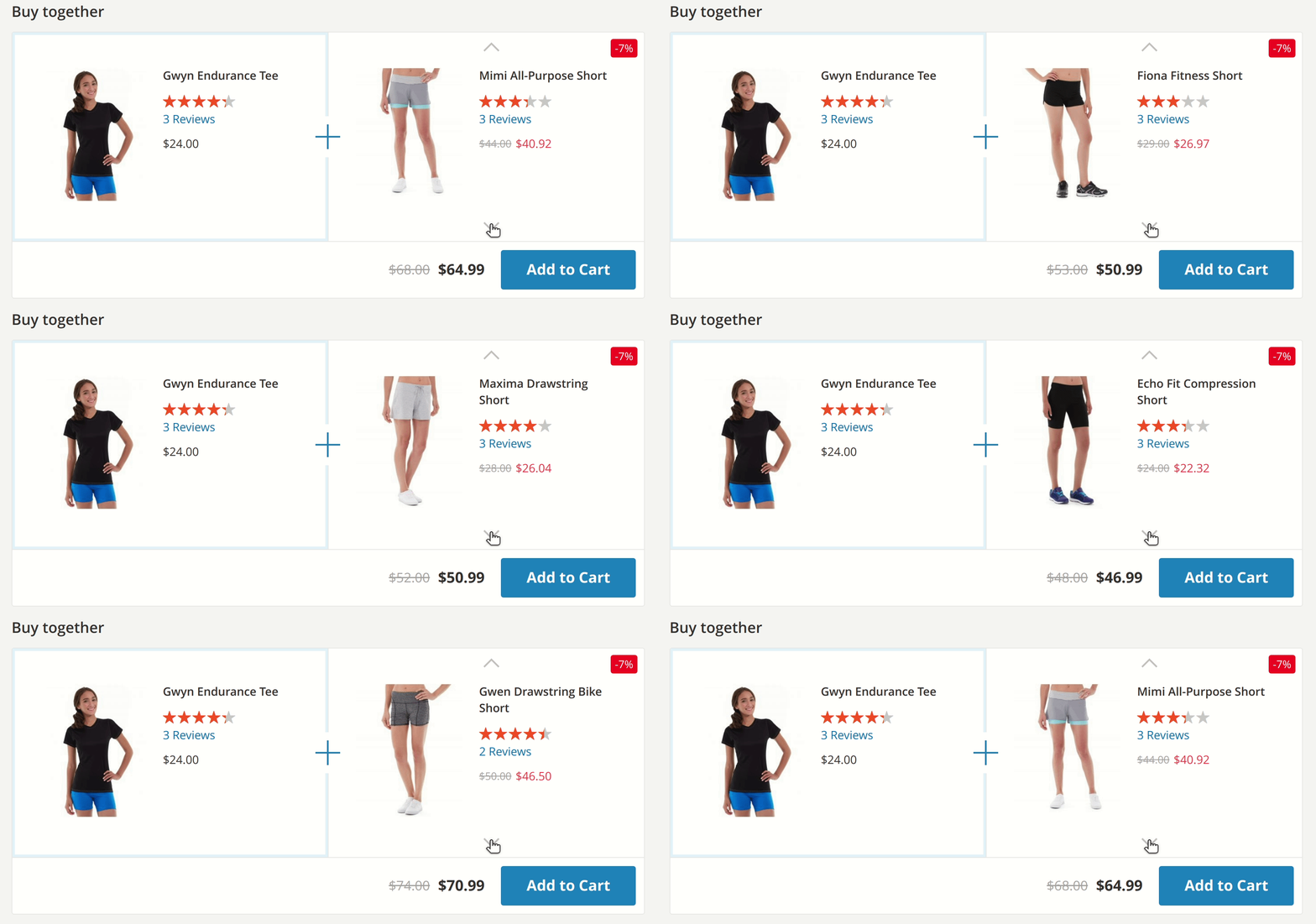
A smart kit position can offer several products that match its conditions, and shoppers pick the one they want. One kit then fits more tastes than a fixed set.
Make some items optional
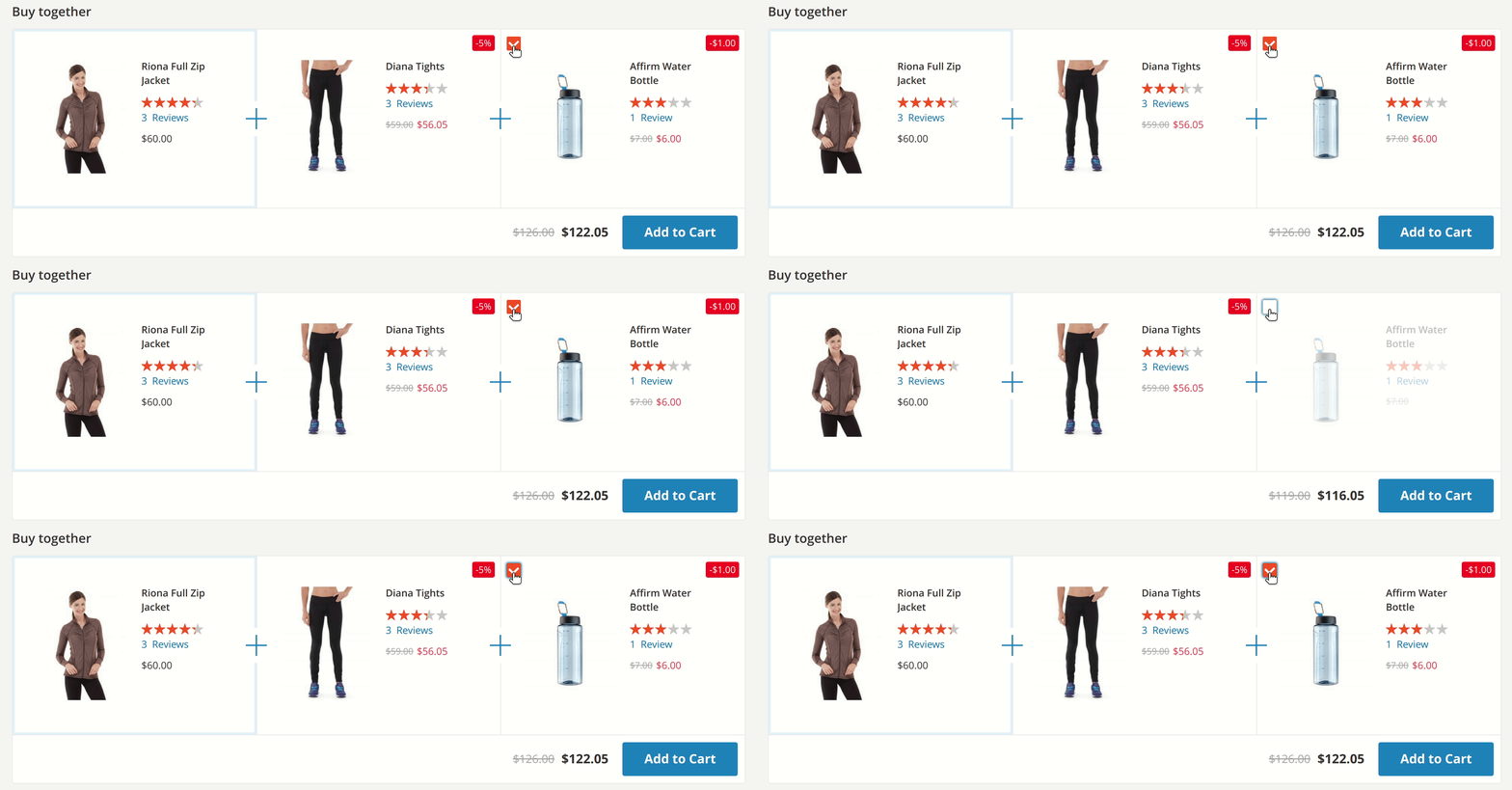
Mark kit items as optional and shoppers can buy only part of the kit. An unticked item goes back to its regular price, and the rest of the kit keeps its discount.
Six Discount Types
Most bundle extensions offer a fixed or percentage discount. Product Kits adds discounts that depend on the item's position in the shopper's kit and on how many items the shopper takes, so the discount grows as shoppers add more items. We built these types on merchant requests.
Make it simple and understandable
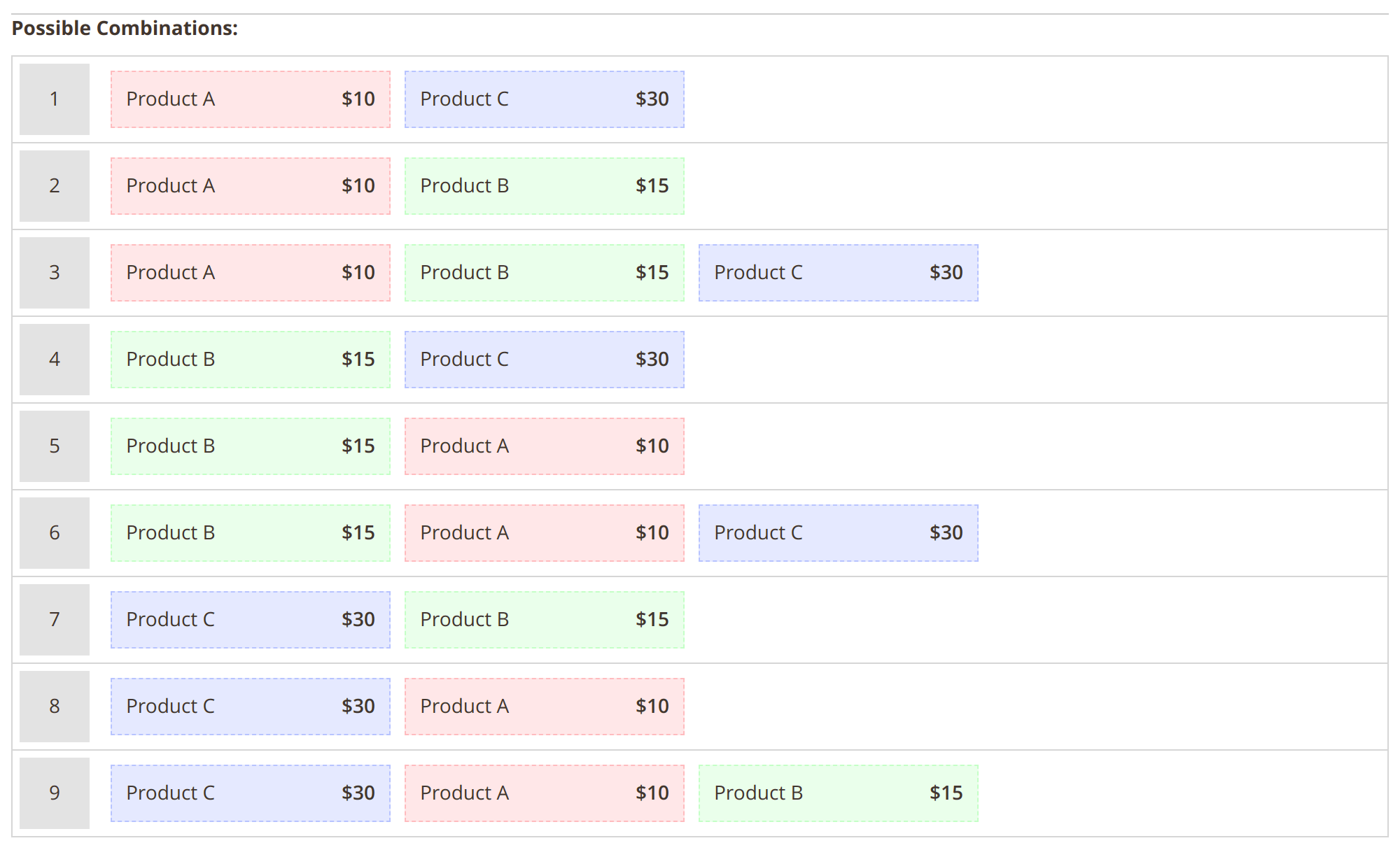
This option takes a fixed amount off the product's price. Your customers will easily see how much they save.
Cover more products efficiently
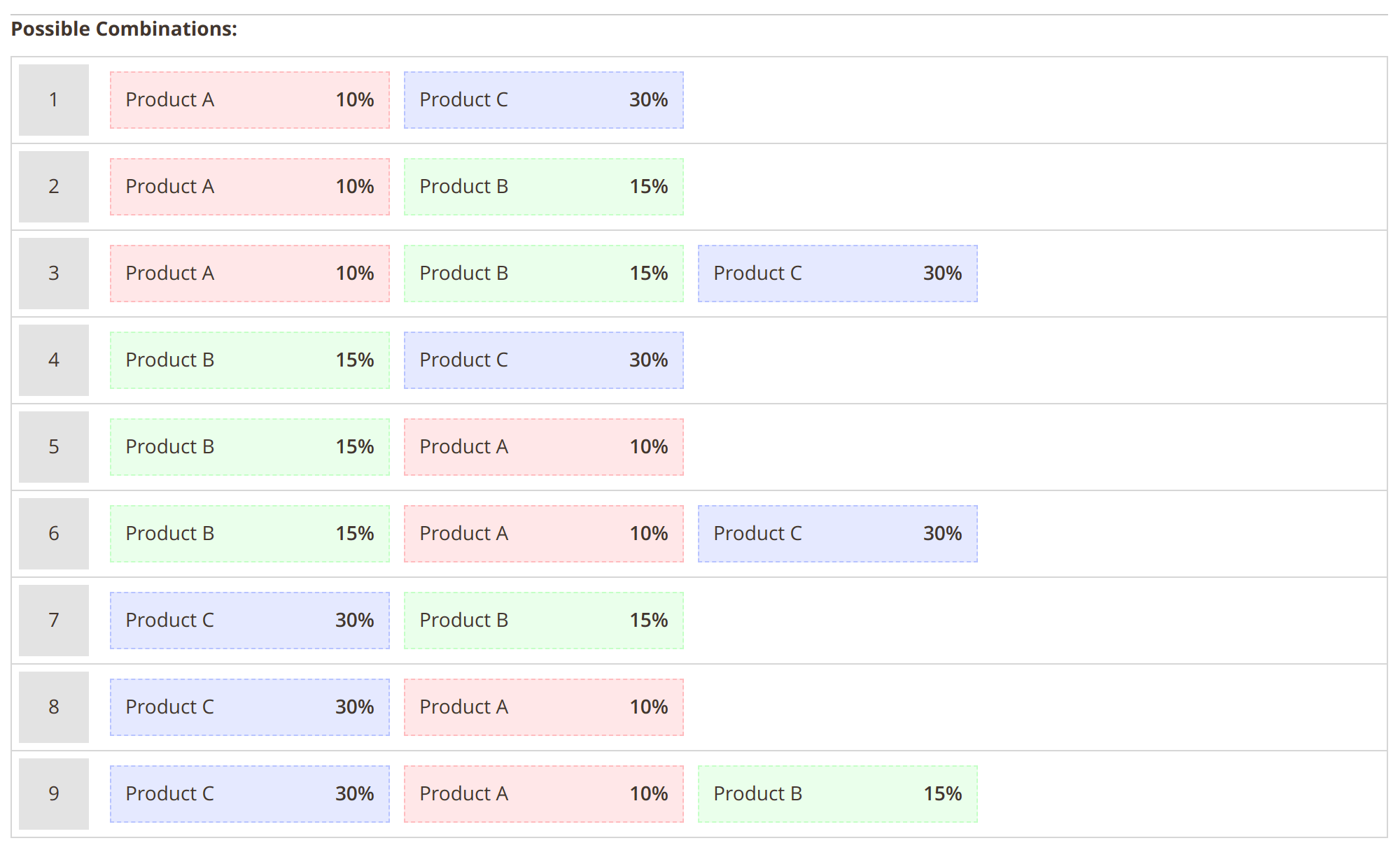
If kit items have very different prices, a fixed discount can be too generous on cheap items and too small on expensive ones. A percentage discount scales with each product's price, so the promotion spreads more evenly.
Create different discounts for different positions
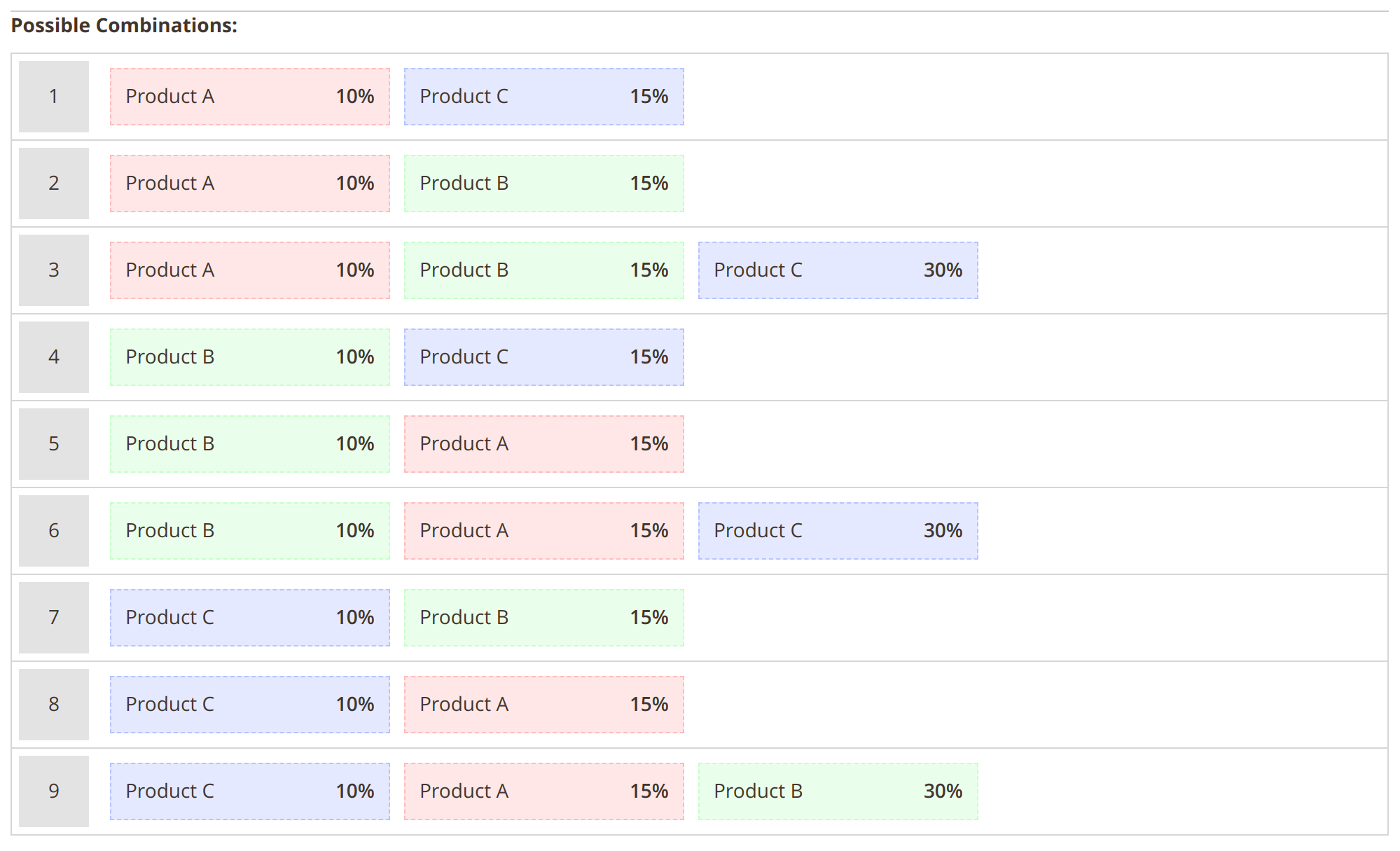
This is a more advanced option. The discount depends on each product's position in the customer's kit.
Let's say your kit consists of products A, B and C. All of them can be the kit's primary products, and all of them are optional. The first discount is 10%, the second discount is 15% and the third discount is 30%.
If the kit's combination is AB where A is the primary for the customer, product A will receive a 10% discount and product B will be discounted by 15%. If the kit's combination is CAB where C is the primary for the customer, product C will receive a 10% discount, product A will receive a 15% discount and product B will receive a 30% discount.
Reward shoppers for taking more items
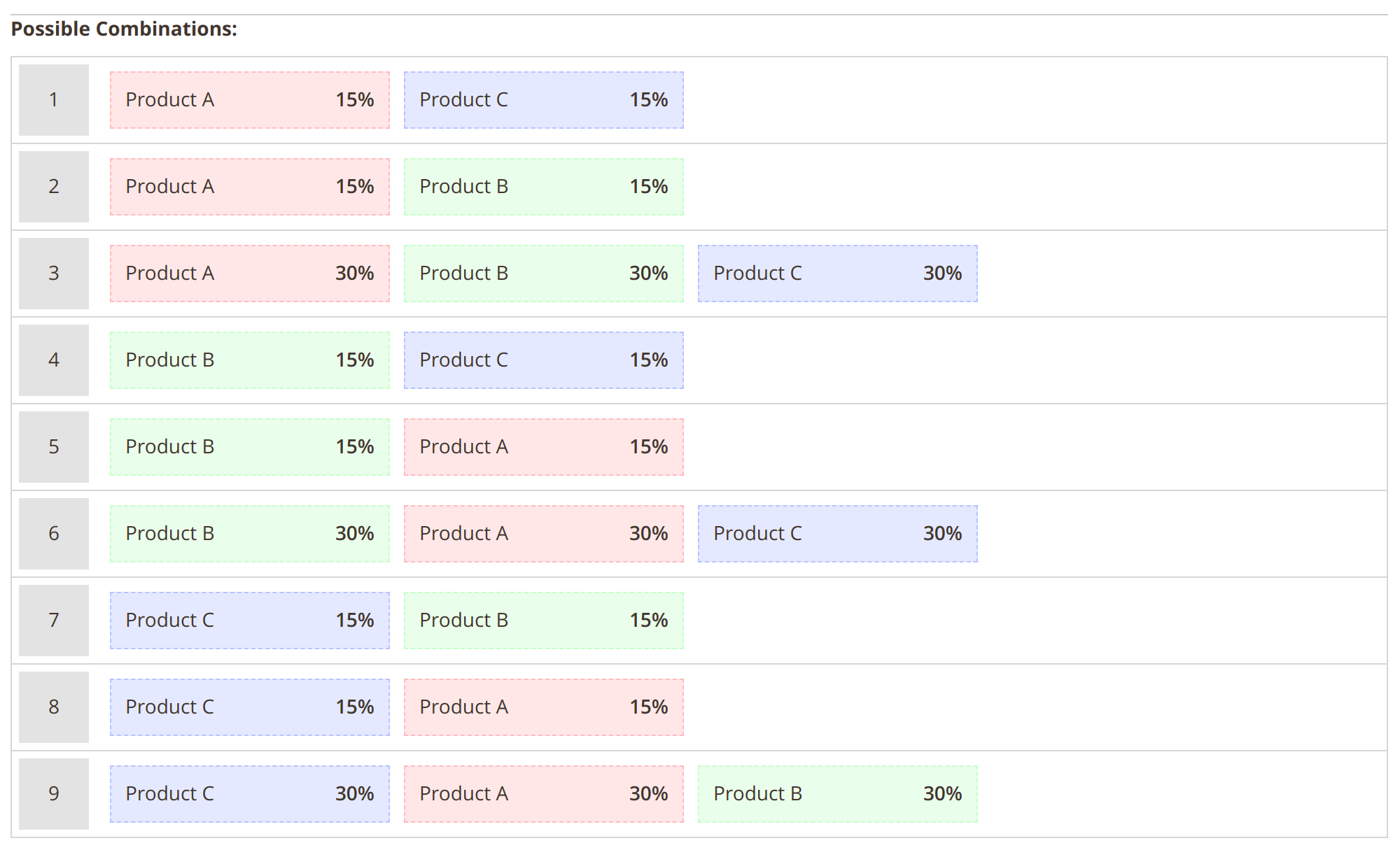
Relative Kit discounts depend on the number of products the shopper takes from the kit. This is most useful if you have three or more products in the kit, and some of them are optional.
Let's say you have a kit with products A, B and C. All of them can be primary products, and all of them are optional. The first discount is 10%, the second discount is 15% and the third discount is 30%.
If the kit's combination is ABC, all of them will have a 30% discount regardless of which product is primary for the customer. If the kit's combination is AB, both of them will have a 15% discount regardless of which product is primary for the customer.
Set the price the shopper pays
Instead of a discount, set the final price of a kit item, for example $49 for a case that usually costs $65. Set it to $0 to add a free gift to the kit.
Customize everything
This type of discount lets you assign a separate discount type to each product in the kit. That way you'll be able to set the rules exactly as you want them.
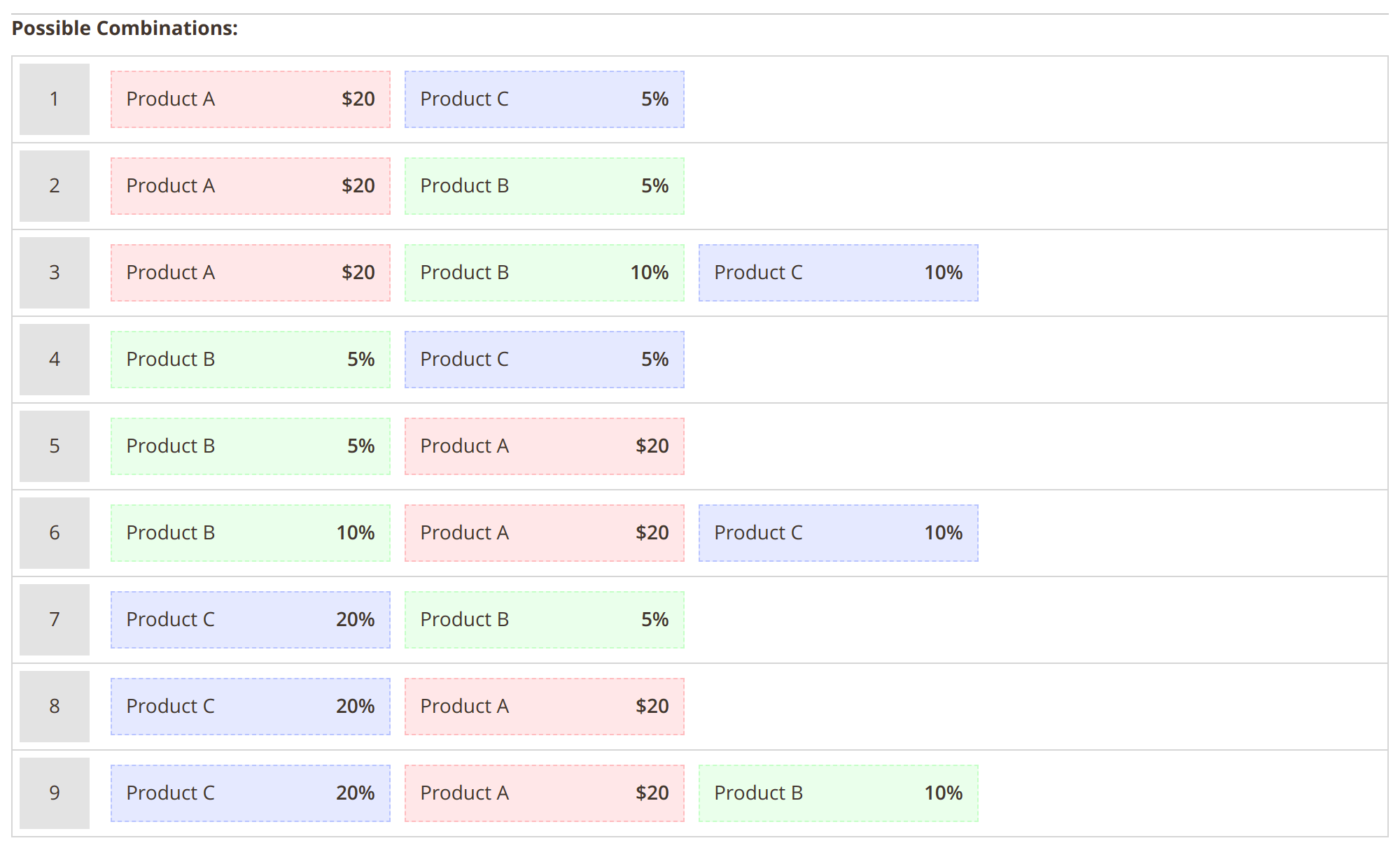
Let's say you have a kit with products A, B and C. All of them can be primary products, and all of them are optional. Product A's discount is $20 USD. Product B's discount is kit-relative 5%. Product C's discount is relative 10%.
Product A's discount will always be $20 USD. Product C's discount will be 20%, 5% or 10% depending on its position in the customer's kit. Product B's discount will be either 5% or 10% depending on the number of products in the kit.
Prices, Savings and Free Gifts
Nicer prices increase sales
The prices of kit items don't always add up to an attractive number. Set a price pattern such as ##.99, and a kit item that would cost 187.23 is sold for 187.99.
Show customers how good the deal is
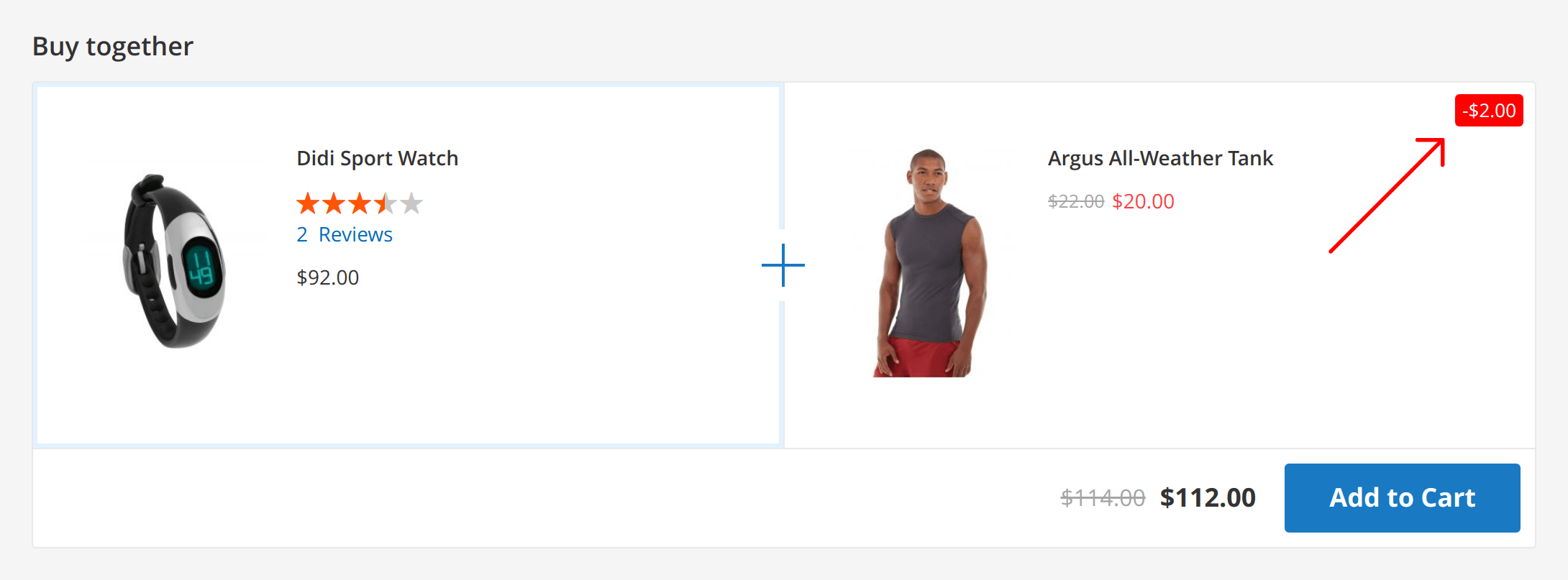
The kit block shows the exact amount the shopper saves. You can show the final price and the kit price, or add the original price as well, so the discount on each item is visible. A label marks kit items in the cart.
Add a free gift
Add one or more products with a final price of $0 or a 100% discount, and show your own discount text, such as "Free Gift", next to them.
Decide how kits work with coupons
Kit items get the kit discount instead of other cart price rules. Turn on Skip discounted products, and items that already have another discount don't get the kit discount on top. In cart price rules, the conditions "Has Kit" and "Is part of a Kit" let you include or exclude kits from a coupon.
Run Kits Like Campaigns
- Schedule. Give a kit start and end dates for a seasonal offer.
- Target. Show a kit only on selected store views or to selected customer groups, for example wholesale buyers, and set its priority when several kits apply.
- Health status. The kits grid shows which kits are live. A red status explains what stops a kit from showing, such as an expired schedule, no primary item or no valid product combination.
- Stock. Each item is checked for enough stock for its kit quantity, with Multi-Source Inventory (MSI) support. Backordered and out-of-stock items can be allowed in the settings.
- All kits on one page. A widget lists every active kit, so you can build a "Bundle deals" page or category. Another widget places a kit block on any page with a product.
- Multi-store. Set the kit title and discount label for each store view. The interface ships in 15 languages.
- Placement. Put the kit block into any layout container of your theme.
The extension works with the Hyvä theme through a separate compatibility package. For headless storefronts, a GraphQL query returns the kits offered for a product. To show products bought together automatically, without a kit discount, see Frequently Bought Together. Setup details are in the user manual.
The ability to create product bundles manually or automatically
The ability to set discounts on products within the bundle
The ability to restrict bundles to specific customer groups or store views
The ability to track the performance of your bundles
Pros:
The extension is very easy to use.
It offers a number of features that allow you to create flexible and effective product bundles.
It is well-supported by the developer.
Cons:
The extension can be a bit expensive.
It can be a bit complex to set up if you are not familiar with Magento 2.
Overall:
Magento 2 Buy Together - Product Kits is a great extension that can help you increase your average order value and cross-sell products to your customers. It is easy to use and offers a number of features that allow you to create flexible and effective product bundles. I highly recommend this extension to anyone who is looking for a way to improve their Magento 2 store.
Recommendation:
If you are looking for a way to increase your average order value and cross-sell products to your customers, I highly recommend Magento 2 Buy Together - Product Kits. This extension is easy to use and offers a number of features that allow you to create flexible and effective product bundles. I have been using this extension for my own store and I have seen a significant increase in my average order value.
Save time by starting your support request online and we'll connect you to an expert.
What happens to a kit when one of its products runs out of stock?
A kit has no stock of its own: the module checks each item for enough stock for its kit quantity, with Multi-Source Inventory (MSI) support. If a required item runs out, the kit isn't shown. If an optional item runs out, the kit is shown without it. In a smart kit position, another product that matches the conditions takes its place.
You can allow backordered and out-of-stock items in kits in the settings.
How is a product kit different from a Magento bundle product?
A bundle product is a separate catalog item with its own page and one discount for the whole set. A kit is an offer on the page of the product the shopper is viewing and in the cart, with a discount for each item. Kits can also fill themselves by rules or come from your order history.
Can I add configurable, grouped or bundle products to a kit?
Yes. Kits accept simple, configurable, grouped and bundle products. Shoppers choose the options of a configurable item inside the kit block before adding the kit to the cart.
Do kit discounts work with coupons and cart price rules?
Kit items get the kit discount instead of other cart price rules. With Skip discounted products turned on, items that already have another discount don't get the kit discount on top.
Cart price rules get two extra conditions, "Has Kit" and "Is part of a Kit", so you can include or exclude kits from a coupon. See the module's documentation for the kit settings.
Can I give a product away as a free gift in a kit?
Yes. Set the item's final price to $0 or give it a 100% discount, and show your own discount text, such as "Free Gift", next to it.
Can kits be created through an API, and does the extension support headless storefronts?
Kits are created in the Magento admin. For headless storefronts, a GraphQL query returns the kits offered for a product, so your frontend can display them. The GraphQL support comes as a separate package at no extra charge for Product Kits customers.
Can kits have different titles on different store views?
Yes. Set the kit block title and the cart discount label for each store view in the kit form. Store views without their own text use the default.
mirasvit/module-product-kit-hyva is gone: the kit carousel, the kits on product, cart and CMS pages and the add-to-cart option step are now part of Product Kits itself. There is no second package to find and keep in step, and on a Luma store the Hyvä part simply stays dormant. Composer removes the companion package by itself when you upgrade.mirasvit/module-product-kit-graph-ql is gone; the mstProductKitOfferKits query and the cart kit_options fields used by headless and PWA storefronts are part of Product Kits itself. Composer removes the companion package by itself when you upgrade.Hyva_MirasvitProductKit is gone, not renamed — You only need to act if you referenced it yourself: in a custom di.xml, a layout file, or a deployment script that enables modules by name.Hyva_MirasvitProductKit::*.phtml are now Mirasvit_ProductKit::*.phtml, and they are shared with Luma. The RequireJS widgets Mirasvit_ProductKit/js/kit, js/kit-list and js/debug were replaced by Mirasvit_ProductKit::js/product-kit.js. A theme override or a RequireJS mixin aimed at the old files is simply not read any more, with no error to say so. An override of kit.phtml that still starts the old widget through x-magento-init makes the browser request scripts that do not exist and log 404 errors.bin/magento hyva:config:generate and rebuild your theme's Tailwind CSS.Mirasvit\ProductKit\Service\CurrencyService was removed. Check any custom code that injects it before upgrading.docs/ folder has been removed; the up-to-date manual is published online, so you always read the current version instead of whatever shipped with your installed release.Model\Total\Quote\Discount, Model\Total\Invoice\Discount, Ui\Kit\Source\RuleSource, and the Ui\Suggester\Form\Control\{Save,SaveAndContinue,Delete,Reset}Button classes. None of them were referenced by the module, but check any custom code or theme that extends or injects them before upgrading.?debug=kit to a storefront URL printed internal kit diagnostics and layout block names to any visitor. It is now gated behind a new Stores > Configuration > Mirasvit Extensions > Product Kit > General > Developer Mode setting, which ships disabled — turn it on only on staging or development stores.Blog
 Andriy Kovalenko
We are committed to being open and transparent with our customers. When you purchase our module, you automatically receive one year of free support service and free updates.
Why is this important?
- Seamless Installation and Configuration: We understand that setting up a new module can take time to configure according to your specific needs. That’s why we offer a full year of free support. Our experienced team is here to assist you with installation, configuration, and any questions you might have. We're eager to share our expertise to ensure you get the most out of your purchase.
- Stay Updated with Magento (Adobe Commerce) Releases: Magento releases new versions approximately every three months. These updates can sometimes introduce compatibility challenges. To keep your store running smoothly, we provide a year of free access to the latest versions of our modules, ensuring that you can upgrade Magento and our modules without encountering any obstacles.
- Subscription Included: Renewing your subscription ensures continued access to the latest updates and support from our team. This means you can be confident that any issues you encounter with the extension will be resolved quickly and efficiently. You can cancel your subscription at any time without any additional fees.
These are our primary. A major portion of our new clients come from referrals from our existing clients. Our professional team of developers, marketers and support staff have invested the best knowledge and experience in the field into our work, so you know you can come back to us again and again.
One year free and high quality support. We go to great lengths to provide maximum satisfaction with every module you have purchased in our store. By helping you with installation, configuration, answering your every question, we do all our best to eliminate any possible problems.
30-days money back guarantee. If you are not satisfied with our extension performance for any reason, we provide a full refund.
We constantly add new features to all our modules, and are always interested in hearing your opinion and implementing your suggested features in our future developments.
We provide an expanded user guide for every aspect of our extension, so you can find answers for all your burning questions.
You can customize extension according to your needs and requirements.
The Module is easy to install and upgrade, just follow our step-by-step user guide. Additionally, the extension is ready to use with the Hyvä theme.
No core modifications. The extension has been tested in a Magento Cloud environment and is fully compatible with it.