Configuration settings
All settings for the extension are located under Stores → Configuration → Mirasvit → EU Withdrawal Button. They can be set globally or per store view. This section describes every option.
General
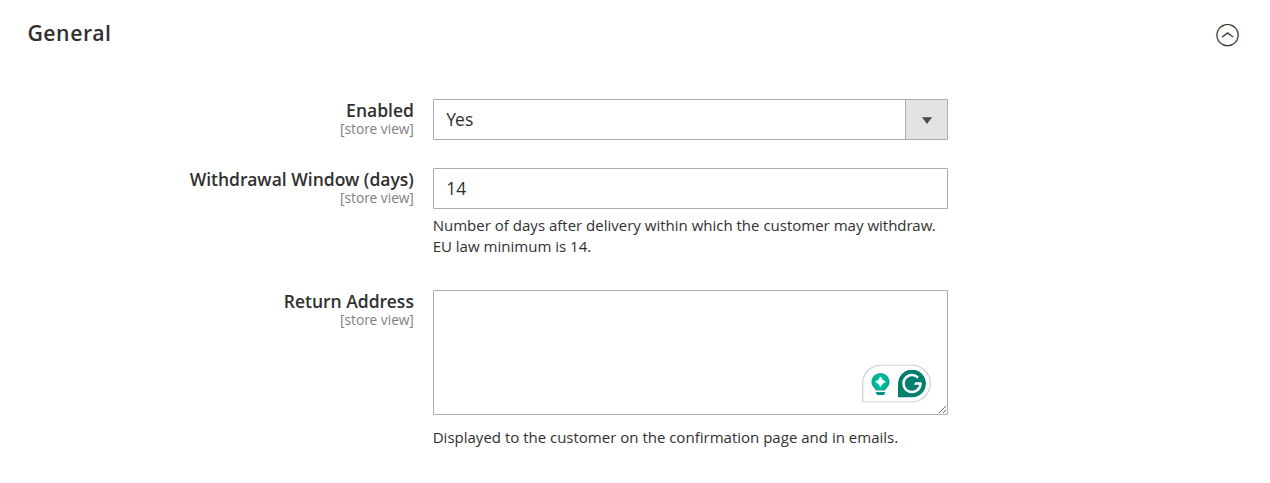
These settings control whether the withdrawal function is active and the core rules it follows.
-
Enabled: turn the withdrawal function on or off. While it is off, the storefront button is hidden and the EU Withdrawal admin menu is not shown.
-
Withdrawal Window (days): the number of days after the order during which a customer may withdraw. The EU legal minimum is 14. Once the window has passed for an order, the button stops appearing for it.
-
Return Address: the address shown to the customer on the confirmation page and in the emails, telling them where to send returned goods.
Email
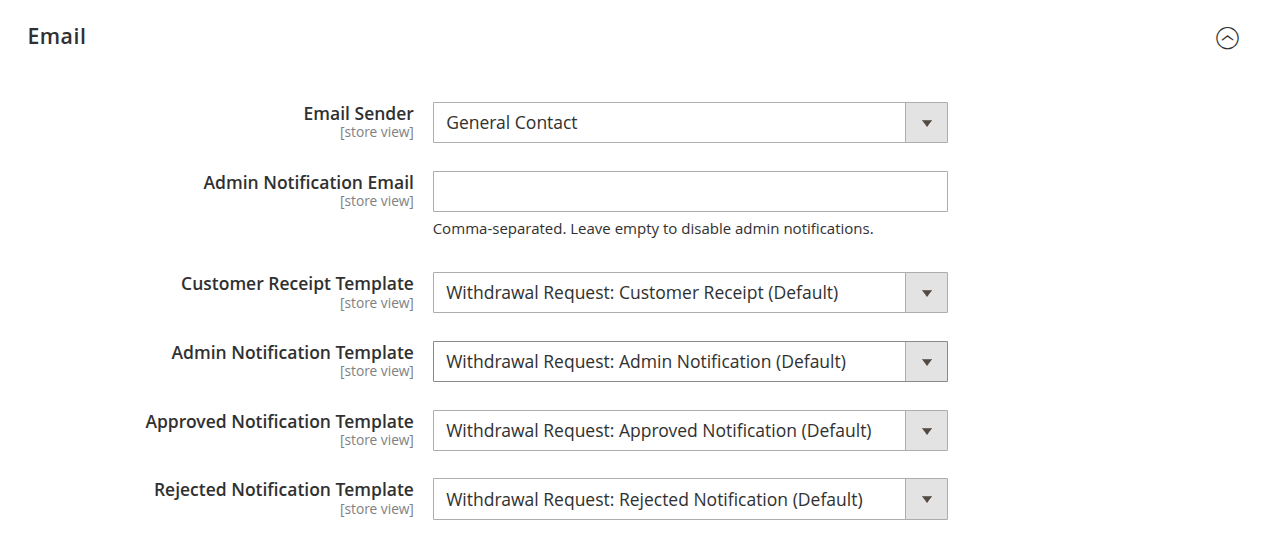
These settings define who sends and receives the withdrawal notifications, and which template each message uses.
-
Email Sender: the store email identity used as the sender for all withdrawal notifications.
-
Admin Notification Email: one or more recipients, comma-separated, that receive an alert each time a new request is submitted.
NoteLeave this field empty to disable admin notifications. Customer emails are not affected by this setting.
-
Customer Receipt Template: the template for the receipt email sent to the customer when a request is submitted. This email serves as the customer's confirmation that the withdrawal was received.
-
Admin Notification Template: the template for the alert sent to the admin recipients on each new request.
-
Approved Notification Template: the template for the email sent to the customer when a request is approved.
-
Rejected Notification Template: the template for the email sent to the customer when a request is rejected.
To change the wording of any of these messages, see How to customize the email templates.