
Withdrawal Button for Magento 2
Since 19 June 2026, EU law requires online stores that sell to EU consumers to show a withdrawal button: a simple way for shoppers to cancel a purchase contract online.
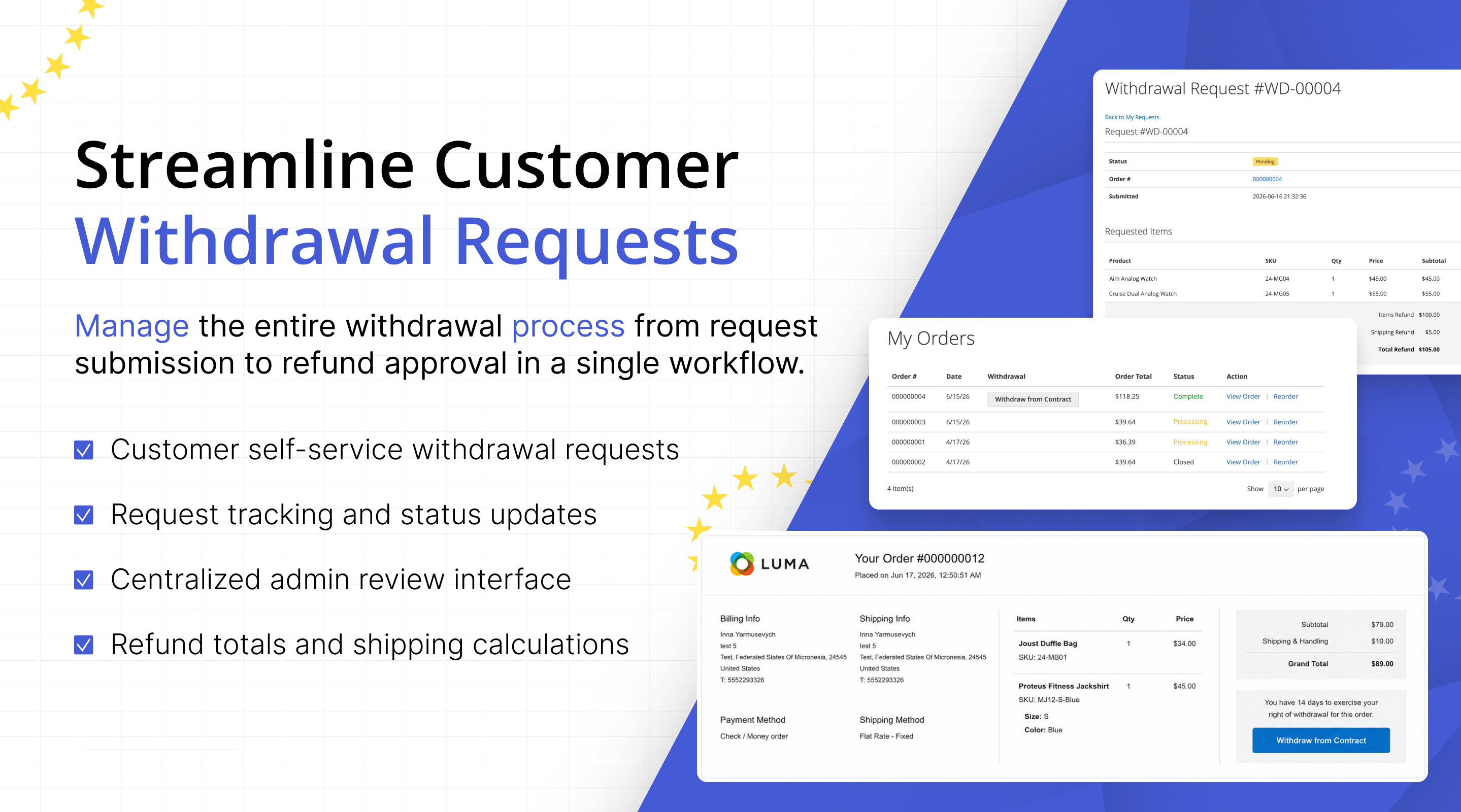
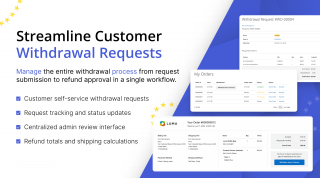
The Withdrawal Button extension adds that function to Magento 2: the two-step cancellation flow Article 11a describes, an automatic email receipt, and an admin queue to handle every request.
- Show the withdrawal button required by EU law since 19 June 2026
- Get the two-step withdrawal flow from Article 11a built in
- Count the withdrawal window from the order or shipment date
- Exclude made-to-order and personalised products
- Send an automatic, timestamped email receipt
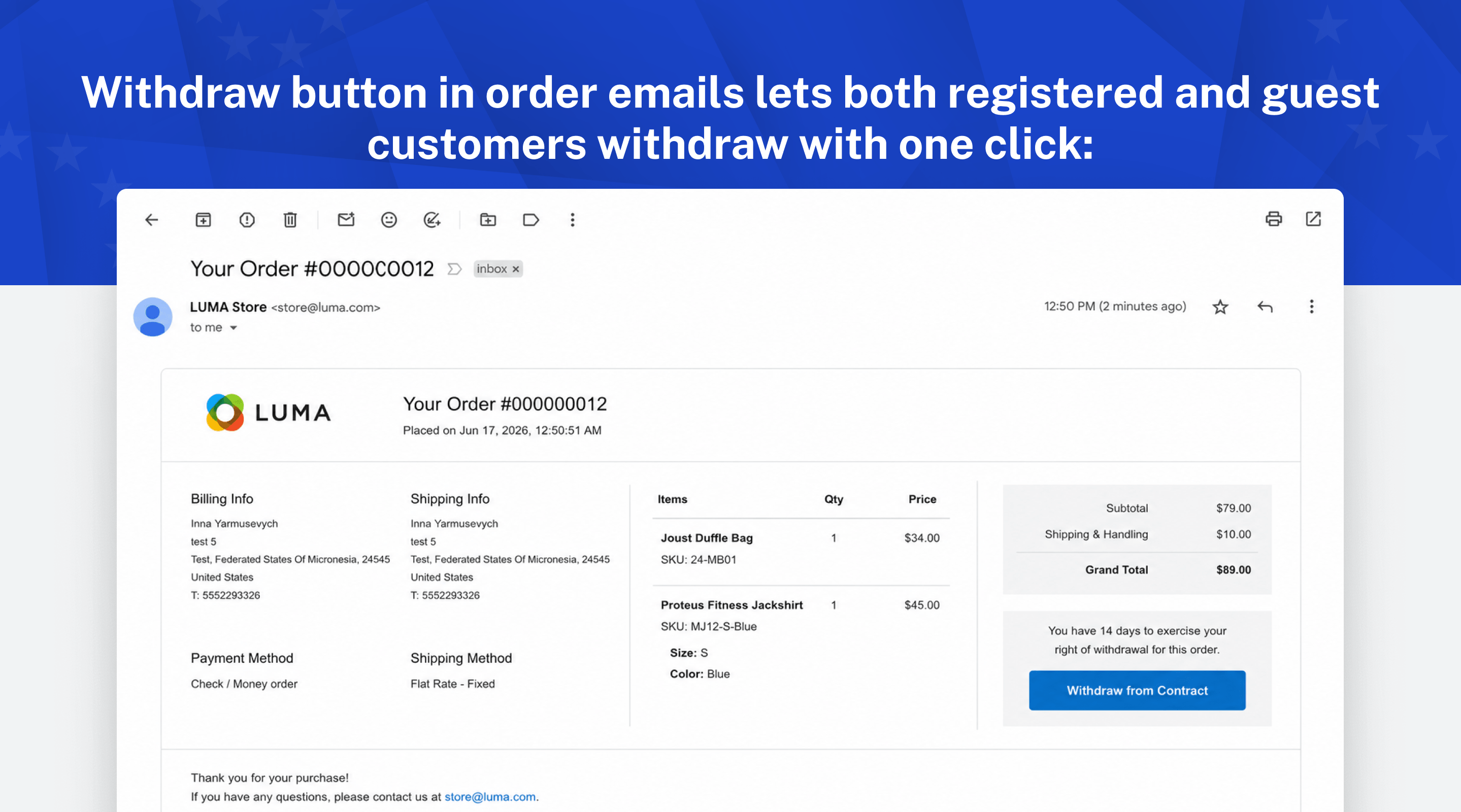
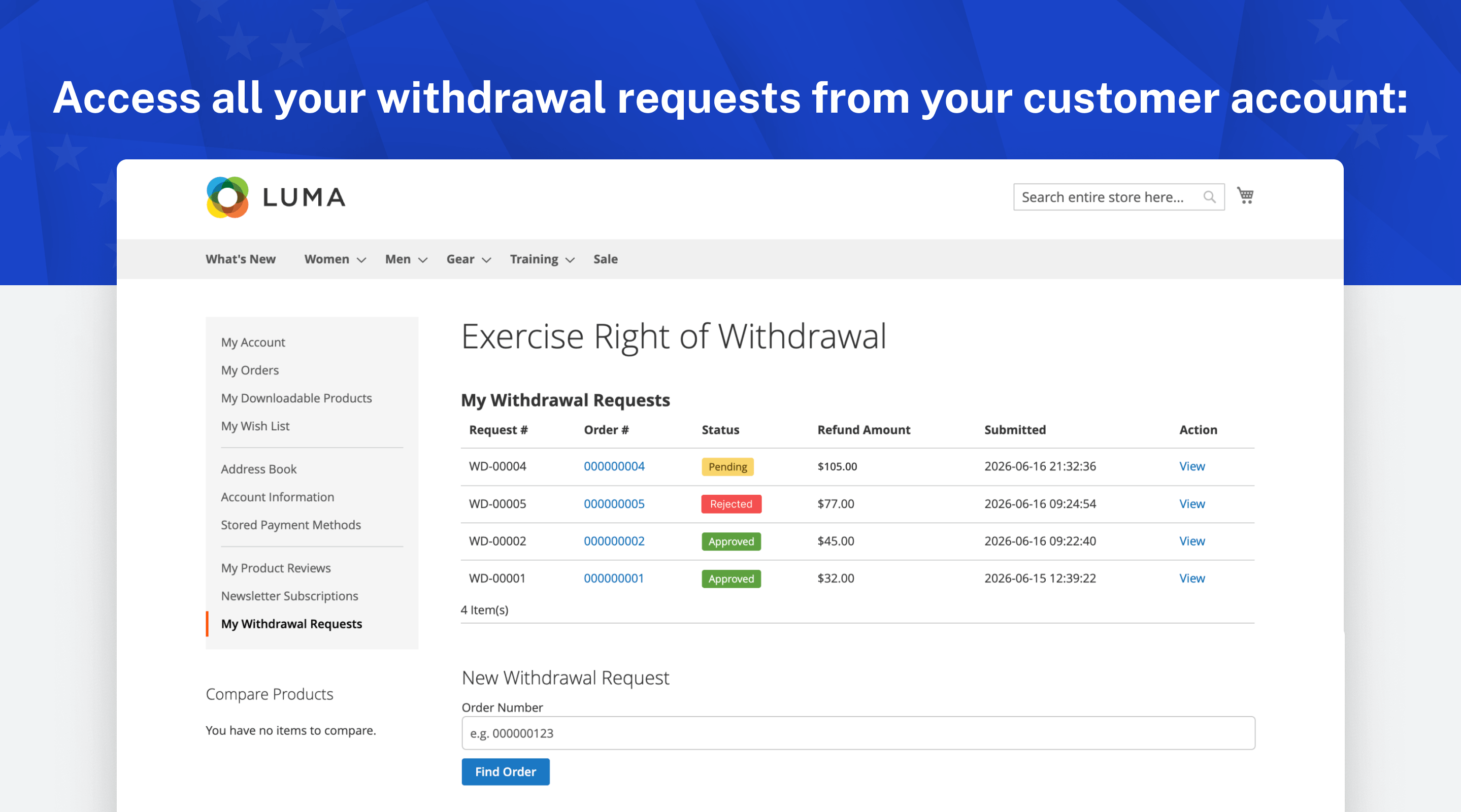
- Let guests withdraw with an order number and email, no account needed
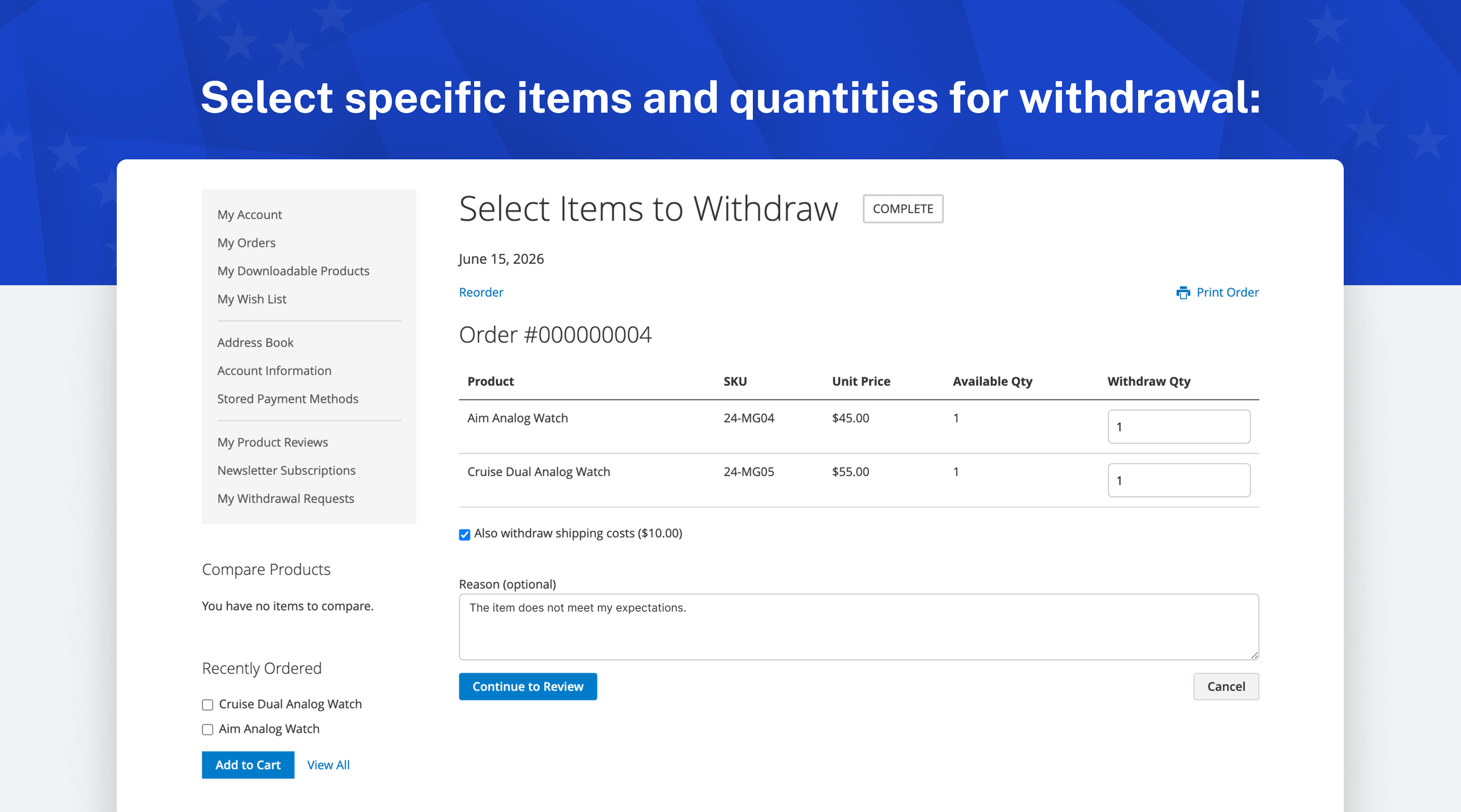
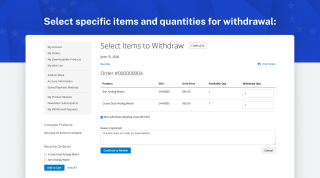
- Let customers withdraw a whole order or single items by quantity
- Process requests from an admin queue with filters and CSV export
- Route approved withdrawals into Magento credit memos and refunds
Business Value
The Magento 2 Withdrawal Button extension adds the EU withdrawal function required since 19 June 2026. Article 11a of the amended Consumer Rights Directive (2011/83/EU) asks online stores that sell to EU consumers for a clearly visible way to withdraw from a contract online. In Germany it is known as the Widerrufsbutton.
If customers aren't told about their right of withdrawal and where to find the function, the withdrawal period can stretch from 14 days to 12 months and 14 days.
It is a standalone extension, so no custom development is needed. Luma and Hyvä templates come in one package, and it runs on Magento Open Source and Adobe Commerce, versions 2.3 to 2.4.9.
-
The clock is managed for you: The withdrawal button shows for the number of days you set, counted from the order date or from the latest shipment, and disappears when that window closes. In shipment mode, an order that hasn't shipped yet stays open for withdrawal. An order past its window can't be cancelled through your store.
-
No queue of cancellation emails: Customers and guests submit and confirm cancellations themselves, and you act on them from one screen. A spike after a holiday sale or a faulty batch doesn't turn into messages your team answers one by one.
-
Keep refunds under control: Customers can cancel just the items they want to send back instead of the whole order, so you refund only the withdrawn items and quantities, at the price with tax the customer paid. Products that are made to order or personalised can be excluded.
-
Be able to prove it: Every cancellation is recorded in your own Magento database and confirmed to the customer in writing. If a shopper or a regulator ever questions one, you can show it was received and handled properly.
How the Two-Step Withdrawal Flow Works
The Article 11a flow, built in
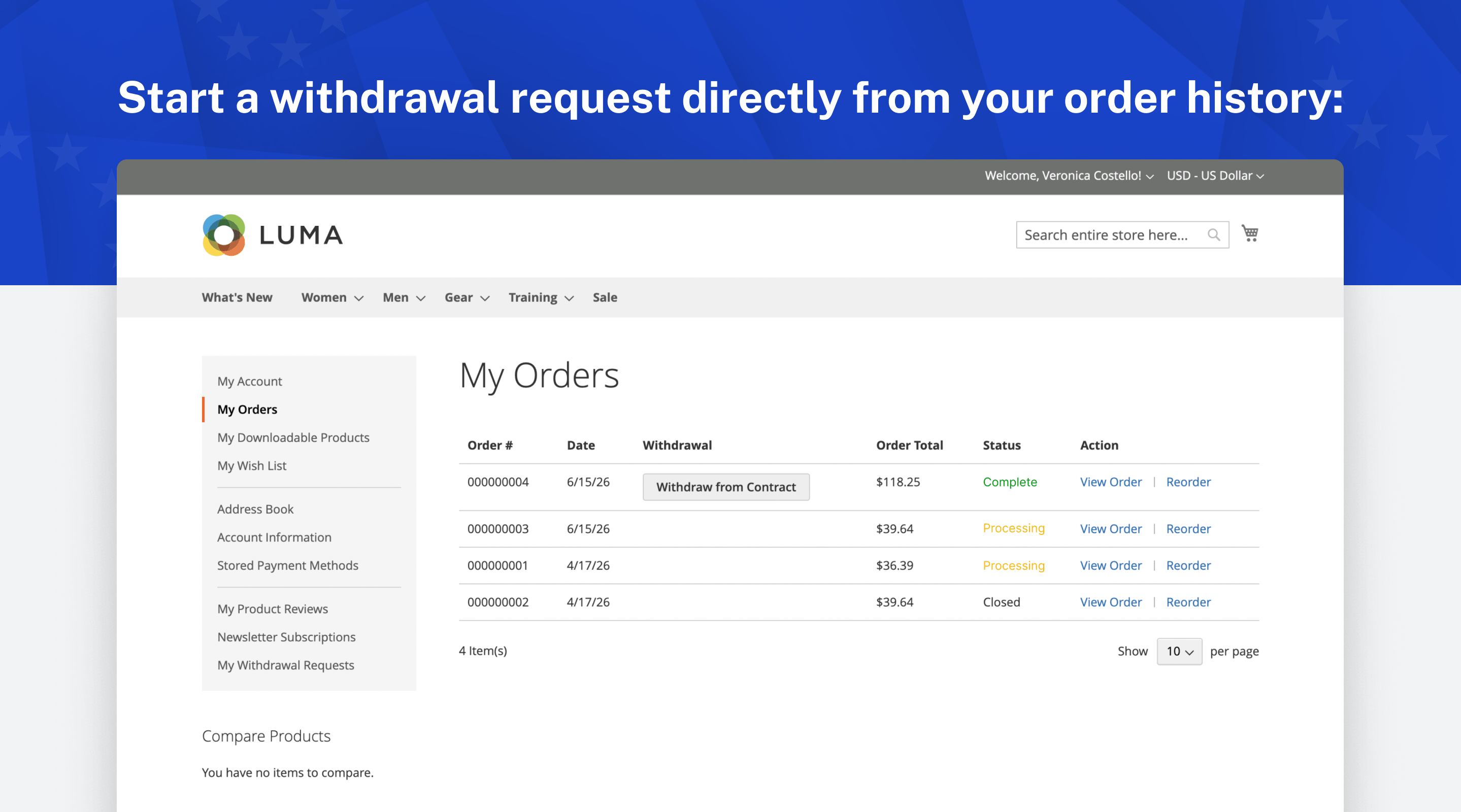
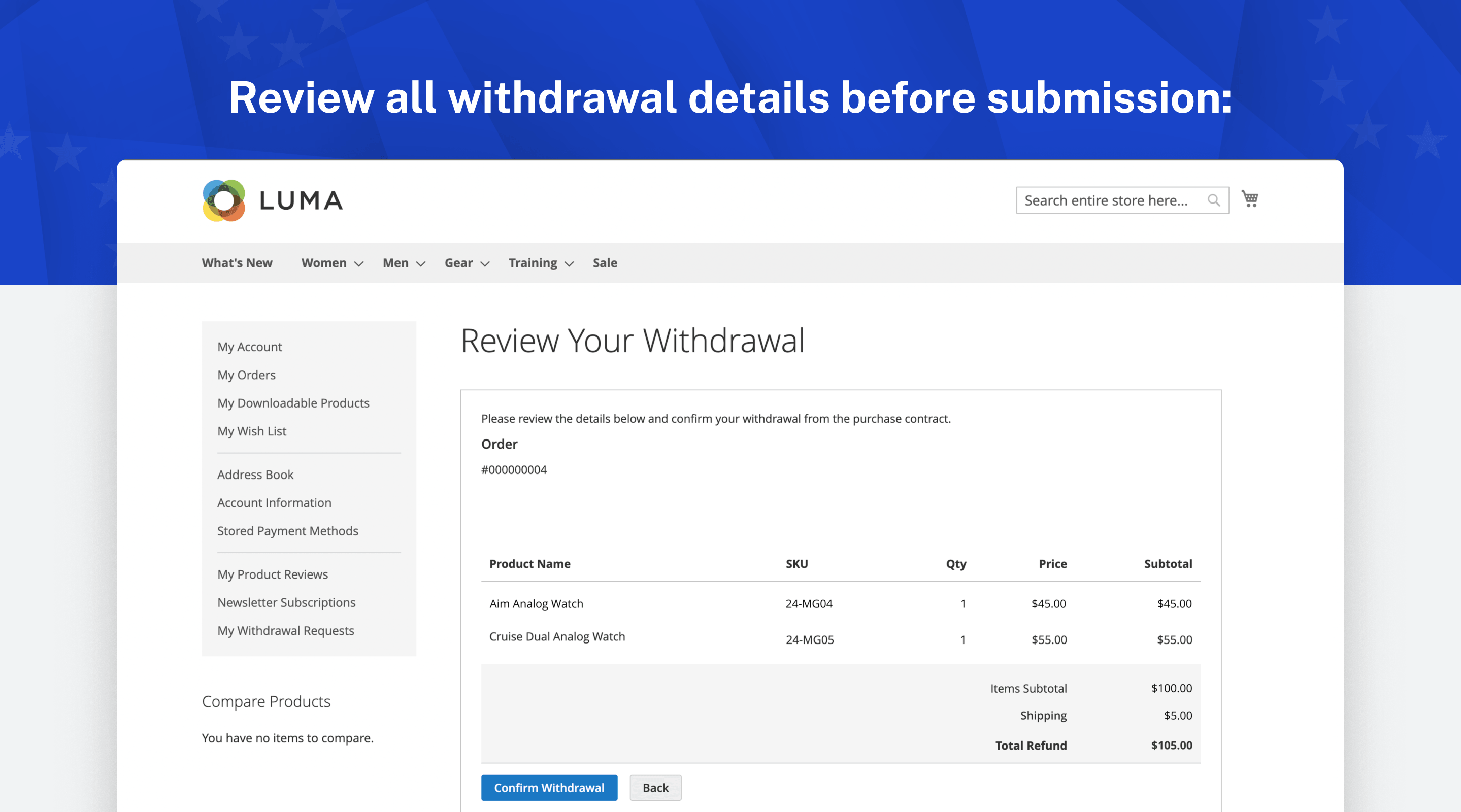
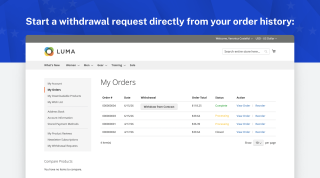
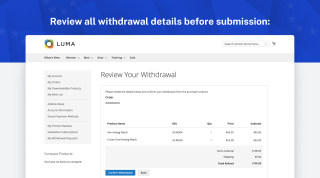
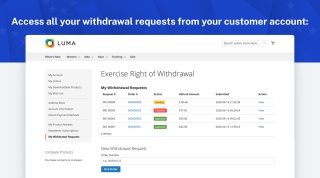
A Withdraw from Contract button appears on the order while the withdrawal window is still open. The customer opens the order from their account or, as a guest, enters the order number and email address. They choose which items to withdraw, can add a reason if they want to, review the summary, and confirm.
The request is placed in your admin queue, and the customer immediately receives a confirmation email that shows when it was submitted. The request itself is stored with the same timestamp, so you have dated proof that it was received.
A guest sees an order only after proving it is theirs, and opens their request through a private link. Canceled and closed orders can't be withdrawn. The customer guide walks through each step.
Whole Order or Single Items
Customers choose what to withdraw
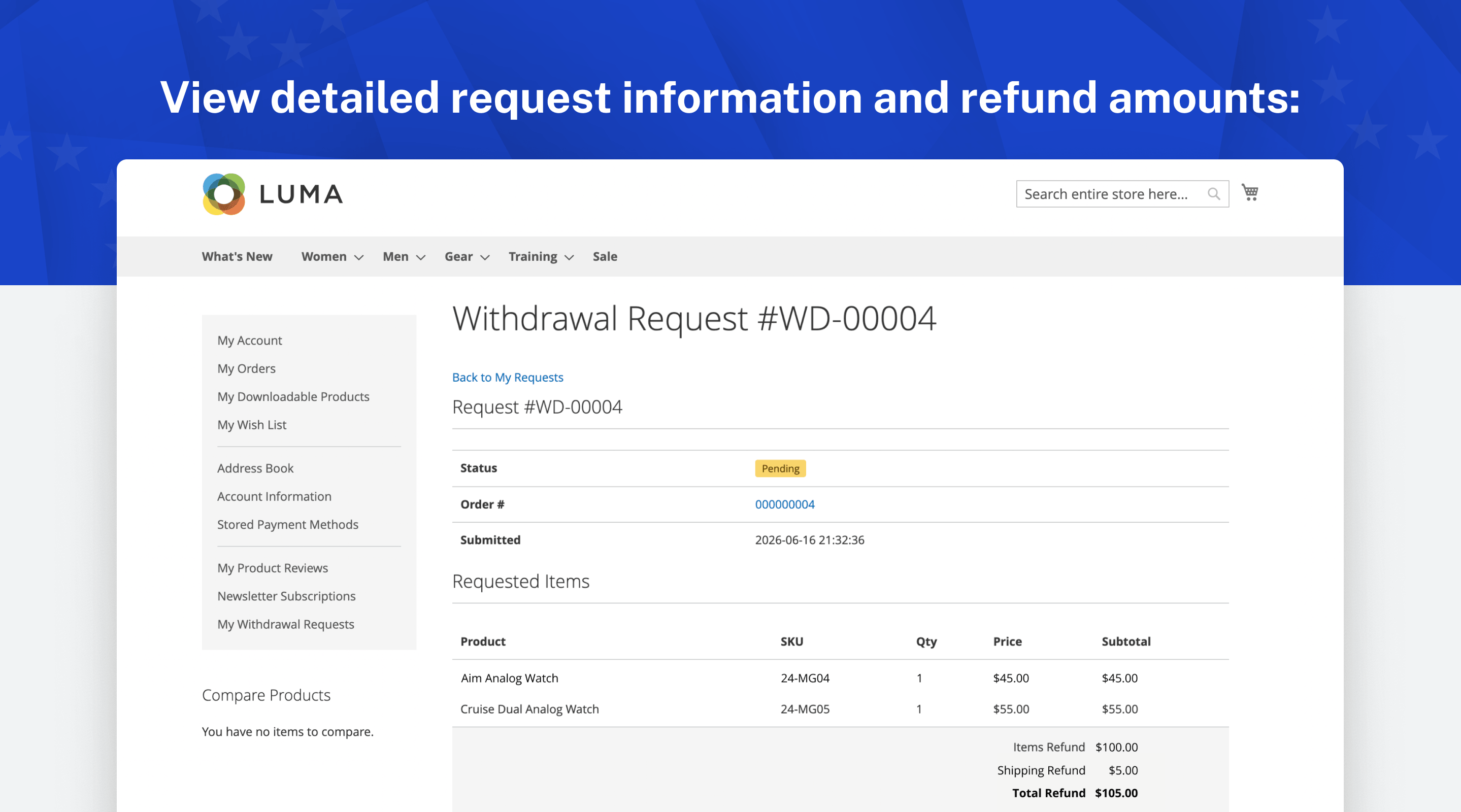
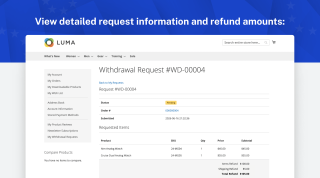
On the item selection step, the customer chooses which items to withdraw and how many of each, up to the quantity they ordered. Items, shipping, and the refund total are shown with tax, at the price the customer actually paid, on this step, on the review page, and in the emails.
Quantities already covered by a pending or approved request are taken out of what is available, which prevents the same item from being withdrawn twice. A request that you reject frees its items again, so the customer can submit a corrected one.
Goods made to order or personalised are exempt from the right of withdrawal. Set the product's Withdrawal Eligible attribute to No, and the item still appears in the flow with a note that it can't be returned, but it can't be added to a request.
Receipts and an Audit Trail You Can Show
Compliance is easier to defend when you can produce a record
Every cancellation is stored in Magento itself, with nothing sent to an outside service.
Each request keeps its own reference number, the related order, the items and quantities, the refund amount, the submit time, the customer's IP address, and the optional reason. The request also keeps its current status (pending, approved, or rejected), your note, and when it last changed. The customer receives a confirmation email with the same details, which serves as their proof of cancellation, and you can export the full list as CSV.
Process Requests From One Admin Queue
Withdrawal requests sit next to the rest of your order work
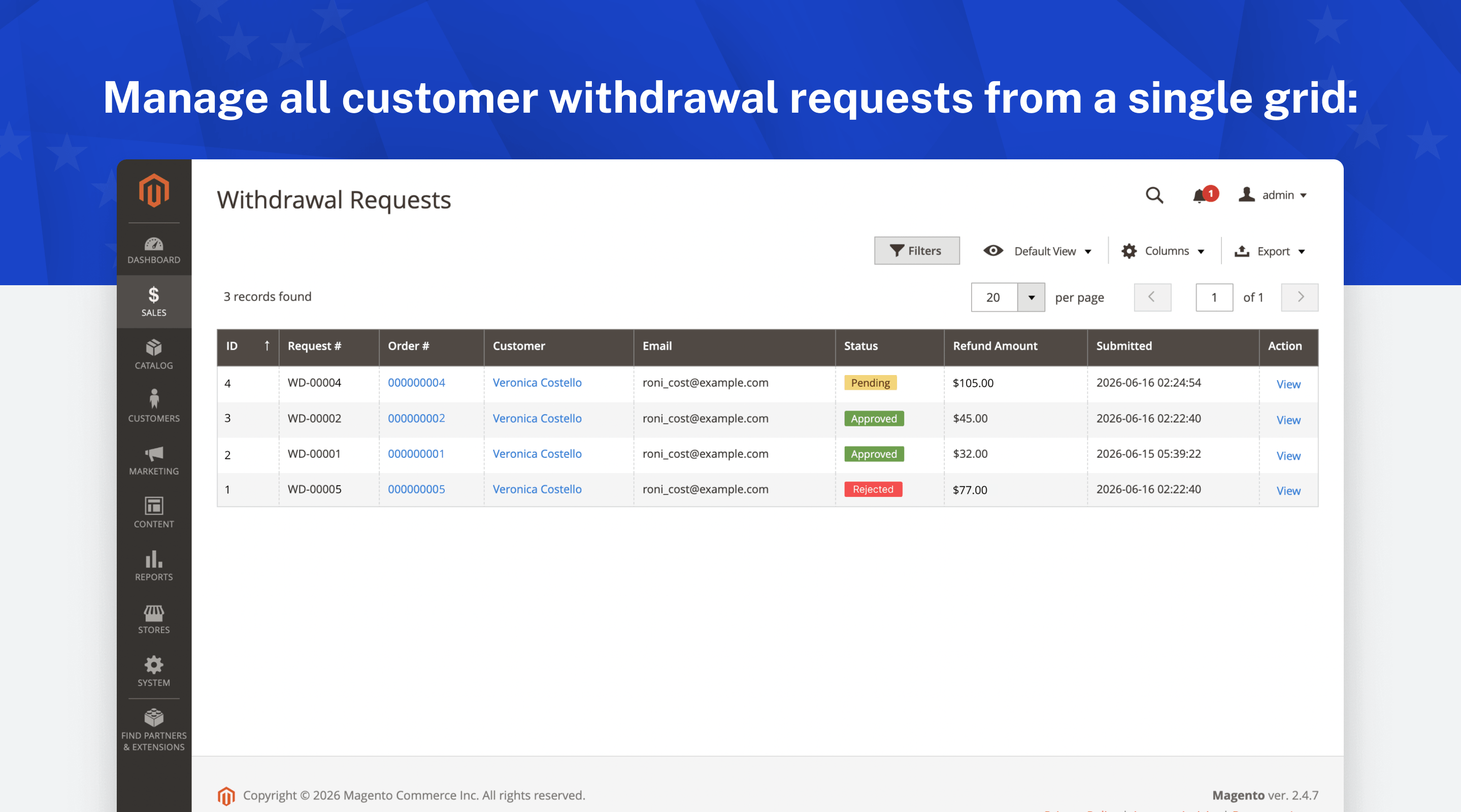
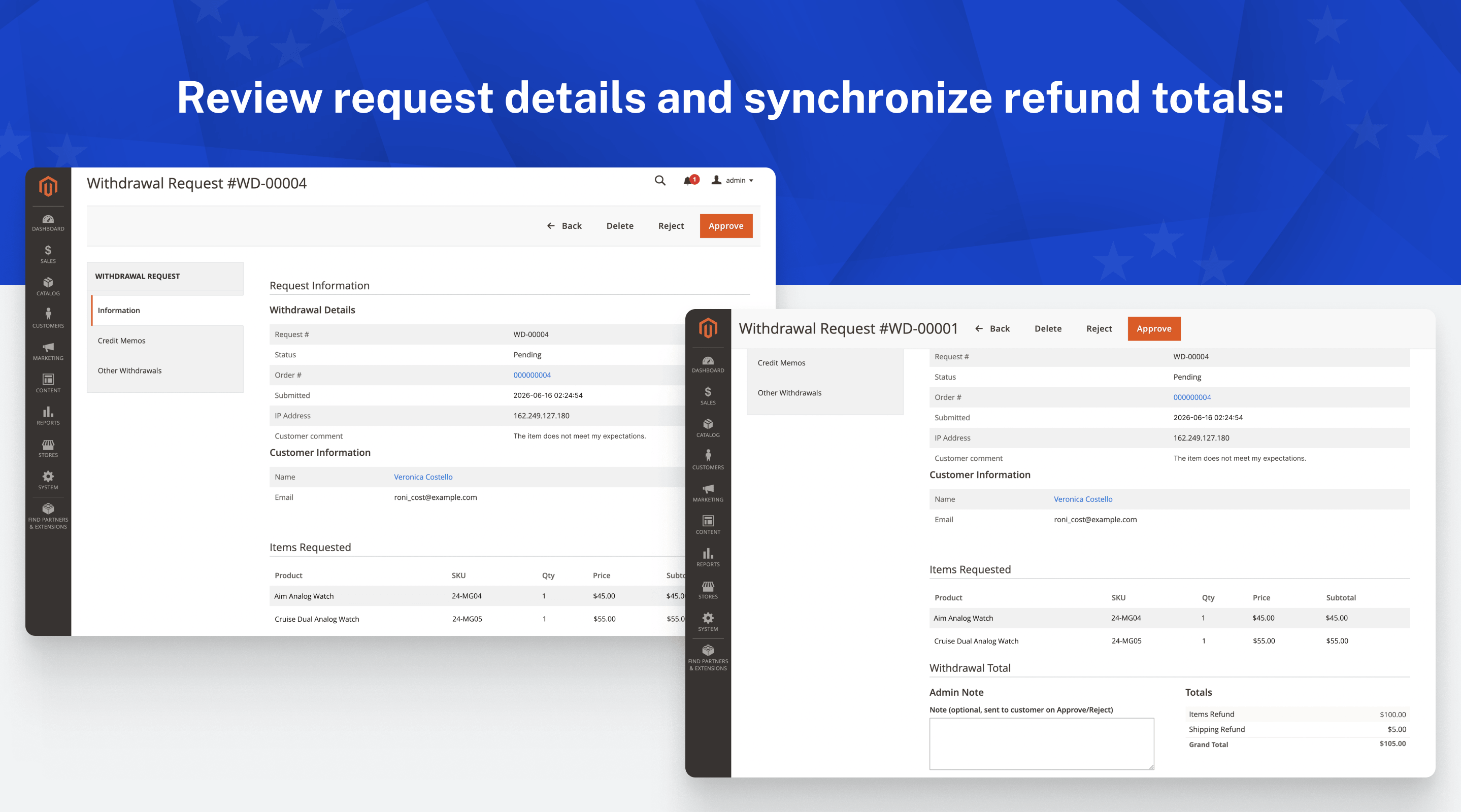
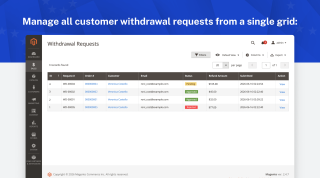
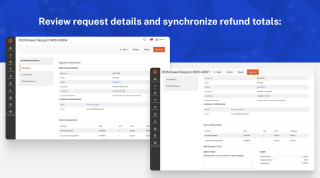
The extension adds a dedicated grid under Sales in the Magento admin. From the queue you can open a request, see the order alongside the items being withdrawn, and approve or reject it with an optional note. The customer gets an automatic email about the decision. The same requests also show up on the customer and order pages in the admin, so you can see a customer's withdrawal history in context.
You can narrow the grid down to what you need:
- Filter by status, so open requests stay separate from closed ones.
- Filter by date, customer, or order number to find a specific request.
- Export the current view to CSV when accounting needs the records.
Each new request can trigger an alert email to the recipients you set per store view, so no request goes unnoticed. See how to process a request in the user guide.
Refunds That Finish the Job
From an approved request to a completed refund
After you approve a request, click Create Credit Memo on the request page. Magento's standard credit memo screen opens with the items and quantities from the request already filled in, plus shipping when the whole order is withdrawn. You review it and confirm the refund yourself.
You choose how the money goes back. With standard Magento, it returns to the original payment method. If you also run our Store Credit & Refund extension, the same credit memo can return the amount as store credit, keeping the money in your store for the customer to spend again.
Each credit memo is linked back to its withdrawal request, and the request's Credit Memos tab shows the order's credit memos next to it. Shipping is refunded only when the whole order is withdrawn.
Languages and Multi-Store Setup
Configure each store view on its own
Settings apply at the store-view level, so a multi-store setup can run different values per storefront.
Per store view you can set the withdrawal window in days and whether it counts from the order date or the shipment date, the return address shown to customers, the email sender, the admin notification recipients, and the template for each customer and admin email. The interface text uses Magento's standard translation system, so you can translate it for each locale the same way you translate other modules.
Themes and Technical Fit
Drops into a standard Magento store
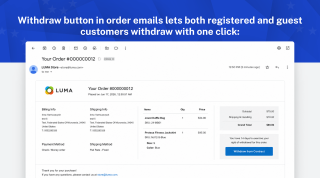
The withdrawal button is added to the order confirmation email, the order view, the customer account, and the footer without editing templates.
The extension ships both Luma and Hyvä storefront templates, and it runs on Magento Open Source and Adobe Commerce. Each release is tested automatically on Magento Open Source 2.4.5 and 2.4.9, Adobe Commerce 2.4.9, Mage-OS, and Hyvä.
Save time by starting your support request online and we'll connect you to an expert.
Is the withdrawal button mandatory for my store?
How do I add the EU withdrawal button to my Magento 2 store?
What makes the flow compliant rather than just a cancel button?
When does the withdrawal period start: at order or at delivery?
Can I exclude custom-made or personalised products?
Can guests withdraw, or only registered customers?
Does this handle the refund as well?
Does it replace my returns (RMA) process?
What customer data does the extension store?
What happens if my store still has no withdrawal function?
Which languages are included?
Will it work with my Hyva storefront?
Does buying this give me legal advice?
Blog

 Andriy Kovalenko
We are committed to being open and transparent with our customers. When you purchase our module, you automatically receive one year of free support service and free updates.
Why is this important?
- Seamless Installation and Configuration: We understand that setting up a new module can take time to configure according to your specific needs. That’s why we offer a full year of free support. Our experienced team is here to assist you with installation, configuration, and any questions you might have. We're eager to share our expertise to ensure you get the most out of your purchase.
- Stay Updated with Magento (Adobe Commerce) Releases: Magento releases new versions approximately every three months. These updates can sometimes introduce compatibility challenges. To keep your store running smoothly, we provide a year of free access to the latest versions of our modules, ensuring that you can upgrade Magento and our modules without encountering any obstacles.
- Subscription Included: Renewing your subscription ensures continued access to the latest updates and support from our team. This means you can be confident that any issues you encounter with the extension will be resolved quickly and efficiently. You can cancel your subscription at any time without any additional fees.
These are our primary. A major portion of our new clients come from referrals from our existing clients. Our professional team of developers, marketers and support staff have invested the best knowledge and experience in the field into our work, so you know you can come back to us again and again.
One year free and high quality support. We go to great lengths to provide maximum satisfaction with every module you have purchased in our store. By helping you with installation, configuration, answering your every question, we do all our best to eliminate any possible problems.
30-days money back guarantee. If you are not satisfied with our extension performance for any reason, we provide a full refund.
We constantly add new features to all our modules, and are always interested in hearing your opinion and implementing your suggested features in our future developments.
We provide an expanded user guide for every aspect of our extension, so you can find answers for all your burning questions.
You can customize extension according to your needs and requirements.
The Module is easy to install and upgrade, just follow our step-by-step user guide. Additionally, the extension is ready to use with the Hyvä theme.
No core modifications. The extension has been tested in a Magento Cloud environment and is fully compatible with it.