How to configure role permissions
AI Agent Connector uses Magento's role-based access control (ACL) to determine which tools each admin user can access. You can also make a role read-only and configure per-role restrictions for the Database Reader tool.
Tool permissions
-
Navigate to System -> Permissions -> User Roles and click on a role.
-
Open the Role Resources tab.
-
Set Resource Access to Custom. With All, the role has every permission and the resource tree, including MCP Tools, is not shown.
-
Expand the MCP Tools section.
-
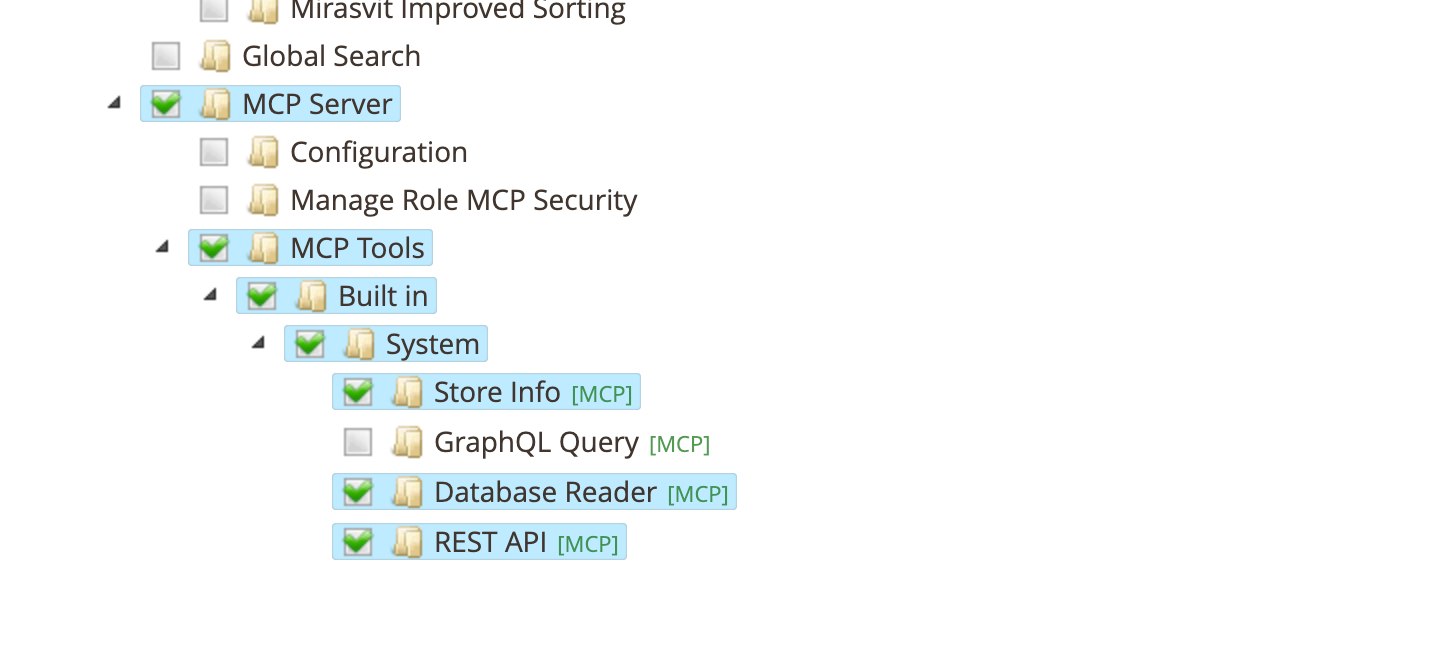
Enable or disable individual tools. The tree is built dynamically from all registered tools:
- MCP Tools
- Built in
- System
- Store Info — access to store configuration data
- GraphQL Query — execute GraphQL queries and mutations
- Database Reader — execute read-only SQL queries
- REST API — call Magento REST API endpoints
- Cache Manager — list cache types and clean, flush, enable, or disable them
- Cron Checker — diagnose the cron scheduler and job run history
- Indexer — list indexers and invalidate them for reindexing
- Log Reader — inspect log and report files under
var/logandvar/report
- System
- Built in
Third-party tools appear as additional groups under MCP Tools, organized by vendor and module.
- MCP Tools
- Click Save Role.
The AI client can only use tools that are enabled for the authorizing admin user's role. If a tool is disabled in the role, the AI client will not see it in the tool list.
Make AI clients read-only
To let AI clients read store data but not change it, use the Write access setting instead of disabling tools. It covers every built-in tool that can change data (REST API, GraphQL Query, Cache Manager, Indexer and Media Upload), and those tools stay available for reading.
- For the whole store, go to Stores -> Configuration -> Mirasvit Extensions -> MCP Tools -> Tools -> Write Access, set Write access to
Read-onlyand click Save Config. - For one role, open the role's MCP Info tab, set Write access to
Read-onlyand click Save Role. To let one role write while the store is read-only, set it toRead-writeinstead.
The role setting wins over the store setting in either direction. Writes are refused from the next request. An AI client that loaded its tool list earlier may still show write operations until it reconnects. See MCP Tools Settings for what read-only blocks in each tool.
Database Reader restrictions per role
In addition to ACL-based tool access, you can configure per-role restrictions for which database tables the Database Reader tool can access.
- Navigate to System -> Permissions -> User Roles and click on a role.
- Open the MCP Info tab.
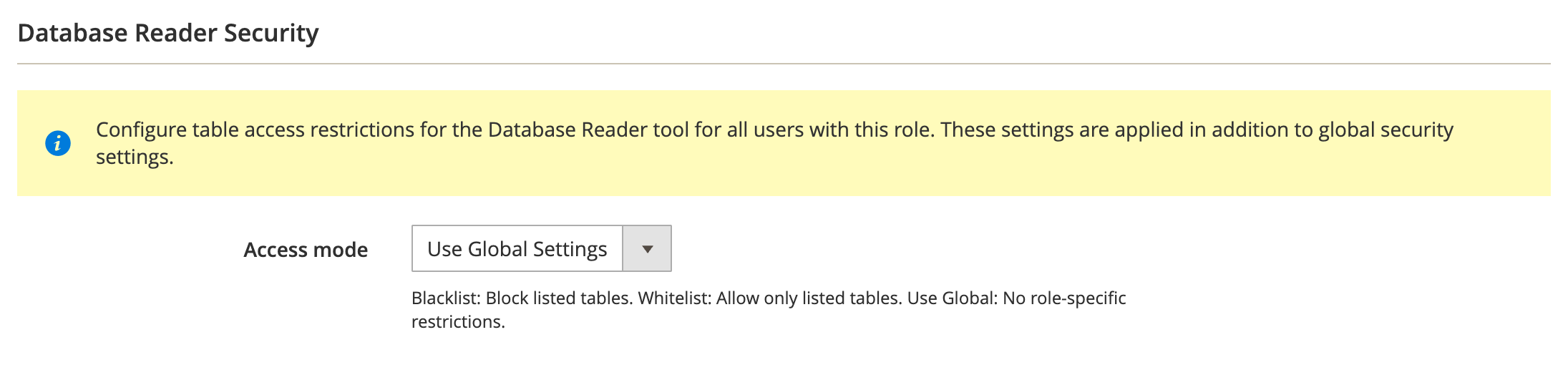
- Configure the Database Reader Security section:
-
Access mode:
- Use Global Settings: inherits the access mode from global configuration
- Blacklist: tables matching the patterns are blocked for this role
- Whitelist: only tables matching the patterns are accessible for this role
-
Table patterns: one pattern per line. Use
*as a wildcard. These patterns are applied in addition to global settings.
- Click Save Role.
How global and role patterns combine
Both global and role-specific patterns are enforced. Role patterns add restrictions on top of global settings — they cannot grant access to tables blocked by global configuration.
Example:
- Global setting: whitelist mode with
sales_*,catalog_* - Role setting: whitelist mode with
sales_order
Result: the user with this role can only access the sales_order table. Even though the global whitelist allows all sales_* and catalog_* tables, the role whitelist further restricts access to just sales_order.
Log Reader restrictions per role
In addition to ACL-based tool access, you can configure which var/log files the Log Reader tool can access for a specific role.
-
Navigate to System -> Permissions -> User Roles and click on a role.
-
Open the MCP Info tab.
-
Configure the Accessible var/log File Patterns field:
- One pattern per line (e.g.
system.log). Use*as a wildcard. - When empty, the role inherits the global configuration.
- The
var/reportdirectory is always accessible and is not affected by this field.
- One pattern per line (e.g.
-
Click Save Role.
Cache Manager and Indexer permissions
The Cache Manager and Indexer tools rely on Magento's core permissions in addition to their own ACL resources:
-
Cache Manager: each write action maps to a core Cache Management permission —
cleanrequires Flush Magento Cache,flushrequires Flush Cache Storage, andenable/disablerequire Toggle Cache Type. Thestatusaction is always available. See the Cache Manager page. -
Indexer: the
invalidateaction additionally requires the core System -> Index Management -> Invalidate index permission, plus the store-config switch Allow Index Invalidation. Thestatusaction is always available. See the Indexer page.
MCP Tools permissions tree
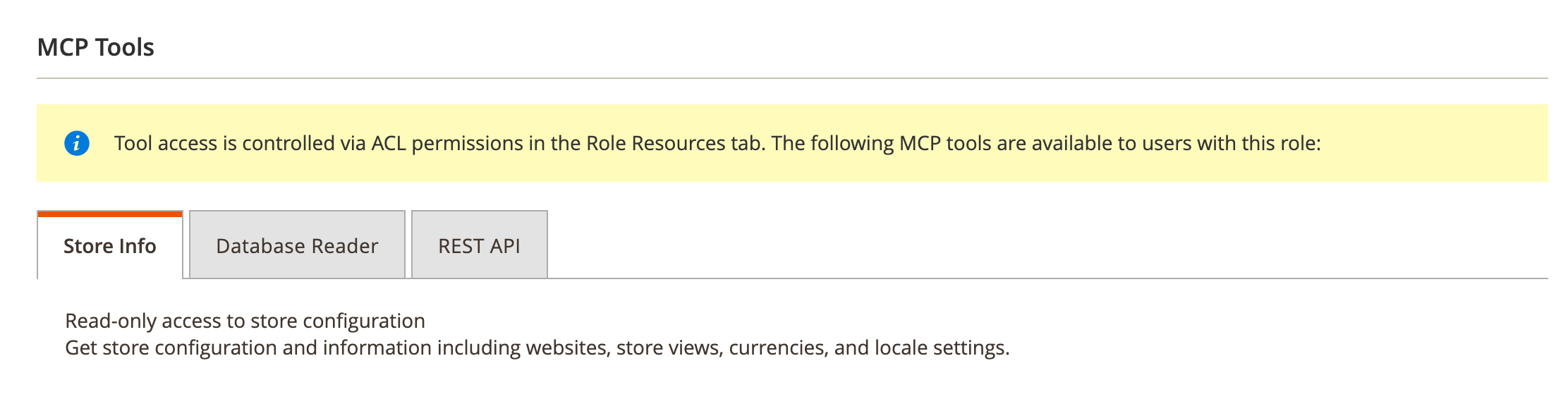
The MCP Info tab also displays the full MCP Tools permissions tree, showing which tools are available to the role. This mirrors the ACL configuration from Role Resources and serves as a quick reference.