General settings
The settings for the Mirasvit Automatic related products extension are located in your Magento admin panel under Stores > Configuration > Mirasvit Extensions > Related Products.
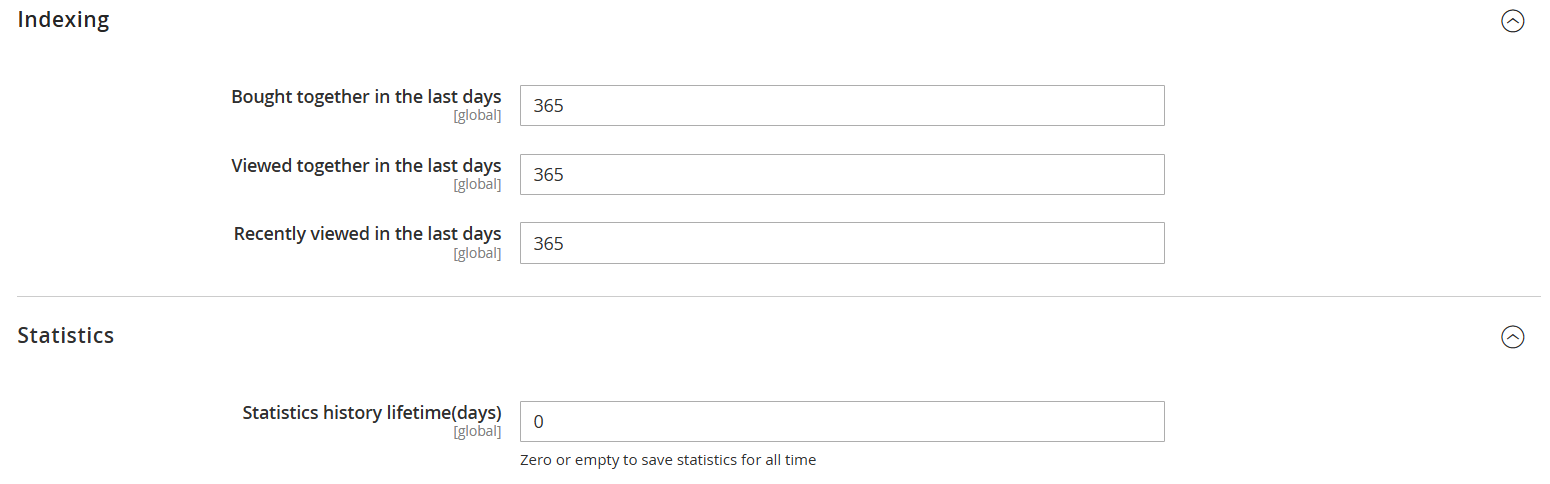
Indexing
Settings related to how the extension collects and updates product relation data.
-
Bought together in the last days: number of days to look back when building “Frequently Bought Together” recommendations. Example:
365means the system uses one year of order history. -
Viewed together in the last days: number of days to consider when generating recommendations based on products that customers often view together. Example:
365means the system analyzes one year of view history. -
Recently viewed in the last days: number of days to track a customer’s browsing history for the “Recently Viewed” block. Example:
365means recently viewed products are tracked for up to one year.
Statistics
Settings related to storing and analyzing recommendation performance.
-
Enable tracking: defines whether the extension records impressions and clicks for its recommendation blocks. Can be set per store view, so you can switch tracking off on one storefront and leave it on for another.
- Set to
Yes(default) to record every time a block is shown and every click on a product inside it. - Set to
Noto stop recording. The storefront no longer sends tracking requests at all, so the extension adds no tracking load to your pages.
Turning tracking off does not change what your shoppers see: recommendation blocks are still built and displayed exactly as before. Statistics collected earlier are kept, and switching the setting back to
Yesresumes recording.noteWhile tracking is off for every store view, the Analytics column of the Product Blocks grid shows
Statistics tracking is disabledin place of impressions, clicks and CTR. Orders and Revenue stay visible, because they are counted when an order is placed rather than collected by tracking. - Set to
-
Statistics history lifetime (days): defines how long to keep analytics data (impressions, clicks, orders, revenue) in the database.
- Set a number (e.g.,
90) to store statistics for that many days. - Set to
0or leave empty to keep all data without time limits.
- Set a number (e.g.,
How Orders and Revenue are counted
The Orders and Revenue columns of the Product Blocks grid credit each block for the purchases it influenced. Both are counted when an order is placed, not collected by tracking, so they are unaffected by the Enable tracking setting above.
Credit goes to the last block the shopper clicked before placing the order. A single order never credits two blocks.
-
Orders counts the whole order once. One order placed after a click on a block adds
1to that block. -
Revenue counts only the value of the ordered items that block actually showed, not the value of the whole order. A shopper who clicks a recommendation and then also buys something they found on their own credits the block with the recommended item alone.
Per item, the credited value is the row total including tax, minus that line's discount. Shipping belongs to no item and is therefore credited to no block. A configurable product counts once, as the line the shopper sees in the basket. A grouped product is credited through the group: Magento never records the group itself on the order, so the block is credited with whichever of its products the shopper actually bought.
A shopper can click a block and then buy nothing it recommended. That block gets
+1order and0revenue, which is correct: it influenced the visit, but none of what was bought.
Figures recorded before you upgrade are kept exactly as they are and are never recalculated. Because
earlier versions did not record which products a block had shown, an order placed after a click that
predates the upgrade credits 0 revenue rather than the order total. Those are precisely the clicks
the previous figure overstated, so expect per-block revenue to read lower - and more accurately - for a
period after upgrading, until new clicks replace the old ones.