Shipping methods
Optimize your store’s checkout experience by configuring flexible and dynamic shipping methods that cater to different customer segments. The right shipping method can boost customer satisfaction by offering the best delivery options tailored to your business needs.
General information
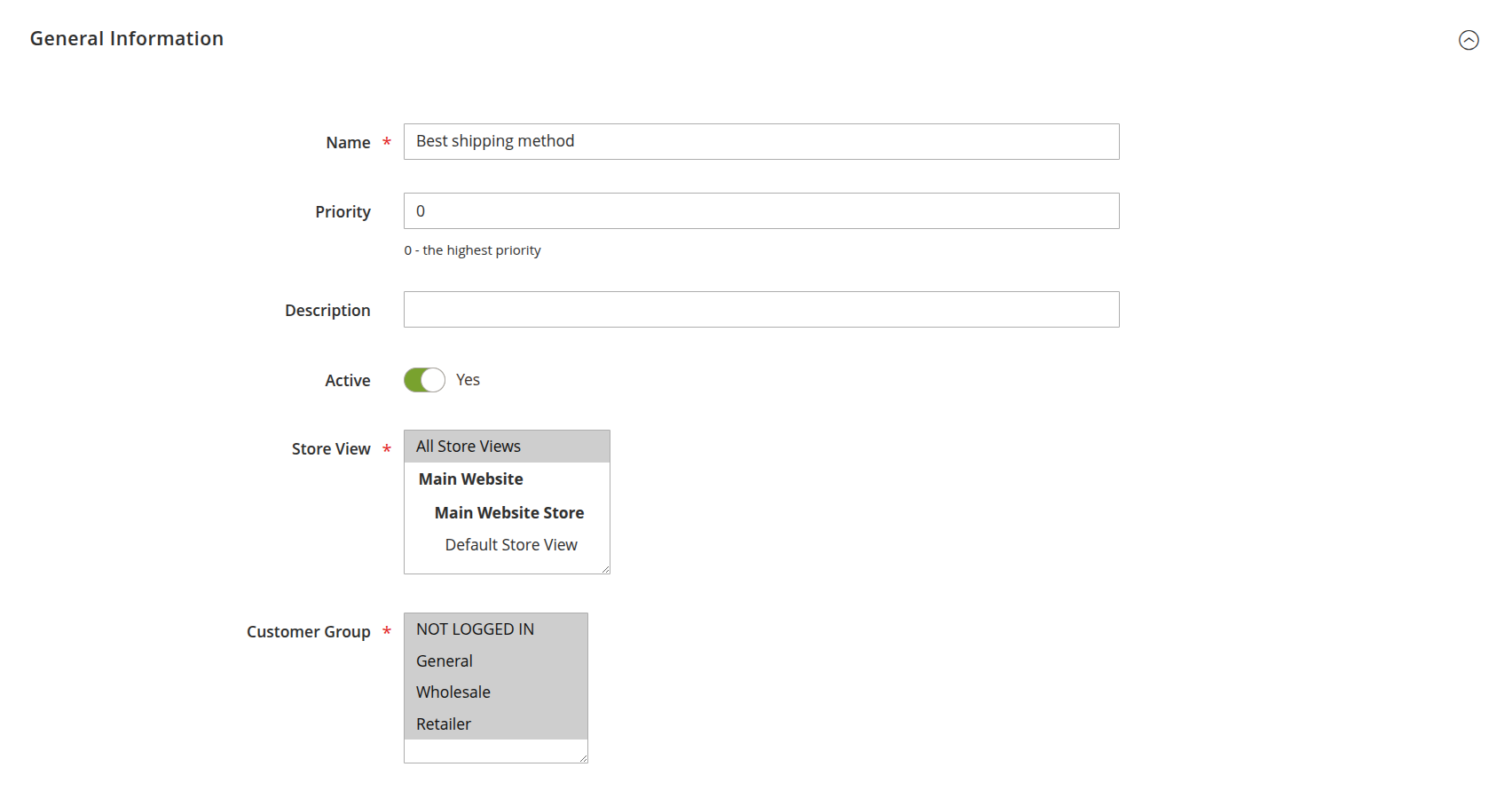
- Name: define the shipping method name that appears on the frontend during checkout, providing clarity and trust for your customers.
- Priority: sets the sort order in which methods are evaluated and displayed at checkout when several table-rate methods are active. The lower the number, the higher the priority (0 is the highest).
- Description: add an internal description for the shipping method. This description helps your team easily identify each method in the admin panel.
- Active: enable or disable the shipping method. Easily control which methods are shown, giving you flexibility to adjust offerings based on availability or business strategy.
- Store view: choose the store views where the method will be available. This feature allows you to target specific regions or languages, ensuring that your global customers are always presented with the most relevant shipping options.
- Customer group: select the customer groups eligible for this shipping method. Whether you're offering exclusive shipping deals for VIP customers or specific rates for wholesalers.
Carrier settings
In addition to the methods you create under Stores -> Shipping Table Rates -> Methods, the carrier itself is configured once under Stores -> Settings -> Configuration -> Sales -> Shipping Methods -> Shipping Table Rates by Mirasvit. These settings apply to the carrier as a whole.
- Enabled: turns the Shipping Table Rates carrier on or off for the store.
- Title: the carrier title shown above its methods at checkout.
- Method Name: the fallback method name used when a matching rate has no more specific name.
- Calculate Handling Fee: whether the Handling Fee below is applied as a fixed amount or a percentage of the shipping cost.
- Handling Fee: an extra fee added on top of the calculated shipping cost.
- Include Virtual Products in Price Calculation: whether virtual (non-shippable) products in the cart are included when calculating rates.
- Sort Order: the carrier's position relative to other shipping carriers at checkout.
- Ship to Applicable Countries: restrict the carrier to all countries or a specific list.
- Ship to Specific Countries: the countries the carrier is available for, when "Specific Countries" is selected above.
- Show Method if Not Applicable: show the method (as unavailable) instead of hiding it when no rate matches.
- Displayed Error Message: the message shown to customers when no rate could be calculated.