How to process a withdrawal request
All requests are managed under Sales → EU Withdrawal → Withdrawal Requests.
The request grid
The grid lists every withdrawal request. You can filter, sort, and export it.
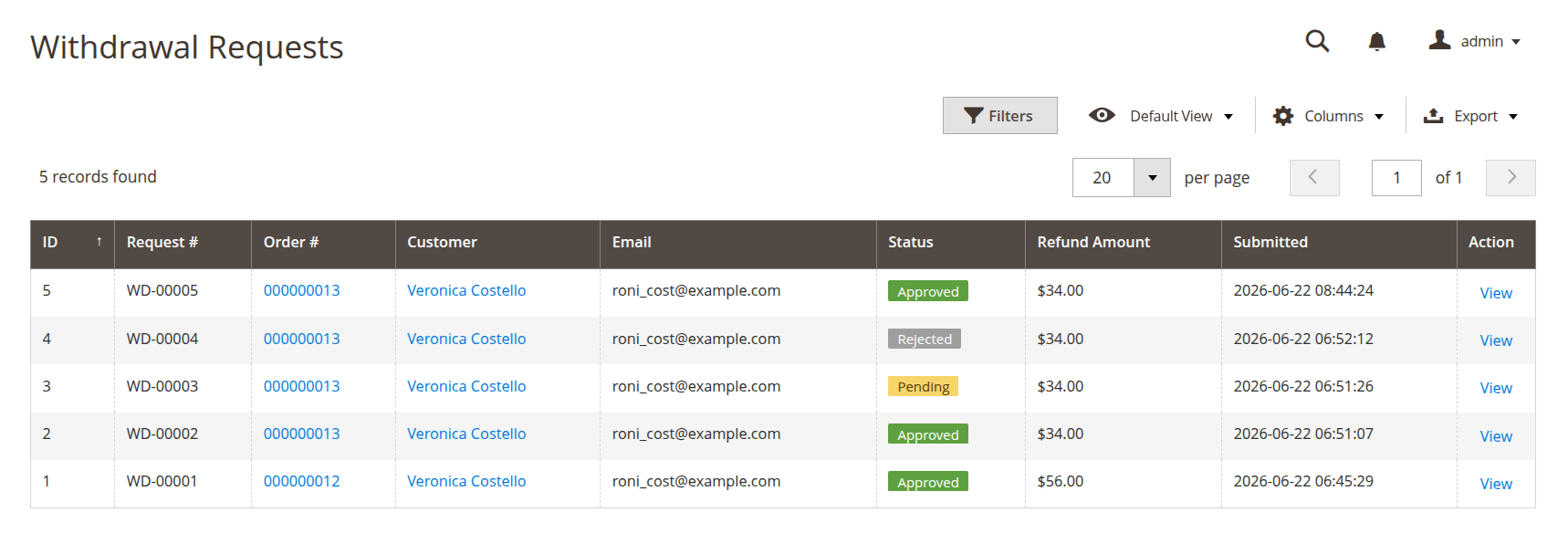
The grid shows these columns:
- ID — internal record ID.
- Request # — the reference number, such as
WD-00001. - Order # — the related order, linked to its order page.
- Customer — the customer's name.
- Email — the email on the request.
- Status — Pending, Approved, or Rejected.
- Refund Amount — the requested item total.
- Submitted — the date and time the request was created.
Use the column filters to narrow the list by status, date, customer, order, or amount, and use the Export button to download the current view as CSV or Excel XML.
Open a request
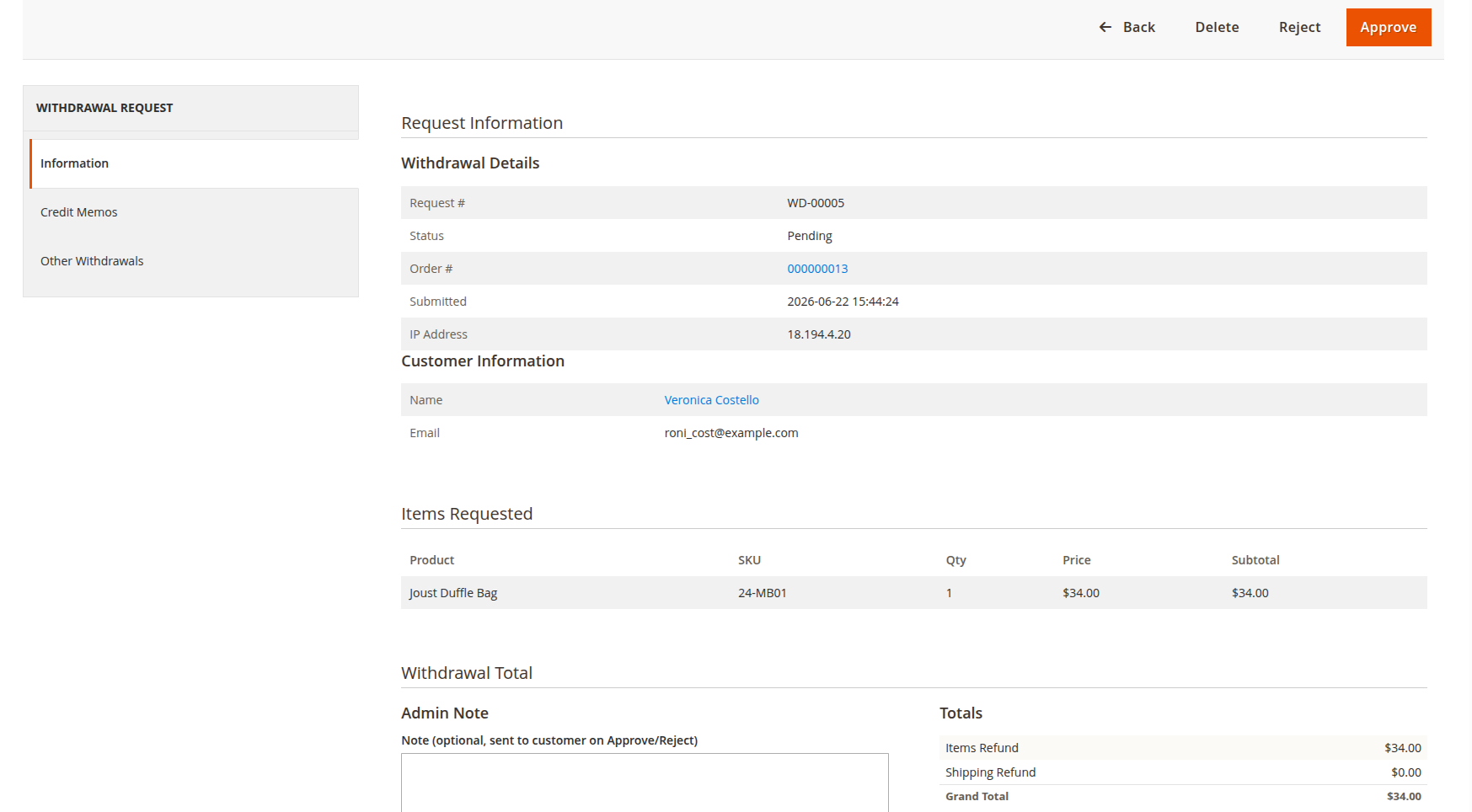
Click a row to open the request. The detail page shows the customer details, the selected items and quantities, the refund and shipping amounts, the customer's reason, the submit time, and the customer's IP address. The order the request belongs to is shown alongside.
Approve or reject
Only Pending requests can be approved or rejected.
- Approve — sets the status to Approved and sends the approved notification email to the customer. You can add an optional admin note.
- Reject — sets the status to Rejected and sends the rejected notification email. The items on a rejected request become available again, so the customer can submit a corrected request.
Create a credit memo
Once a request is Approved, you can turn it into a refund.
- Open the approved request.
- Press Create credit memo.
The extension opens Magento's standard New Credit Memo screen for the order, pre-filled with the withdrawn items and their quantities. If the whole order was withdrawn, the shipping refund is pre-filled too. Review the amounts and complete the credit memo the way you normally do, so the refund and any stock return follow your usual process.
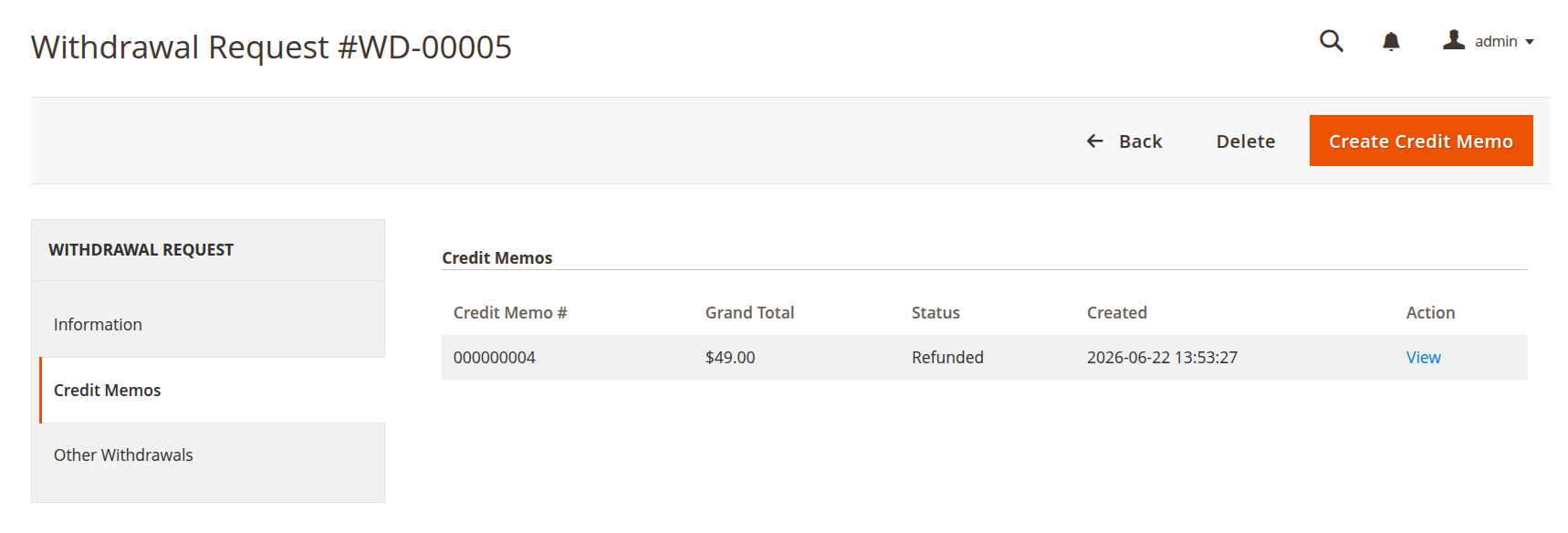
The created credit memo is linked back to the withdrawal request and listed on its Credit Memos tab, so you can see what was refunded against each withdrawal.
A customer's withdrawal requests also appear on the customer page and the order view page in the admin, so you can see their history in context.