How a customer submits a withdrawal
This guide describes the storefront flow, the one your customers follow. It runs in two steps, as the directive requires: the customer states the intent to withdraw and identifies the order, then confirms on a summary page.
Where the button appears
While an order is inside the withdrawal window, the Withdraw from contract button is shown in several places, with no template editing needed:
- in the order confirmation and other order emails;
- on the order view page in the customer account;
- in the customer account order list;
- in the store footer.
Step 1 — find the order
The starting point depends on whether the customer is logged in.
- Logged-in customers choose the order from their order history. The extension uses the email on the account to look it up.
- Guests open the withdrawal page and enter the order number and the email used on the order. No account is required.
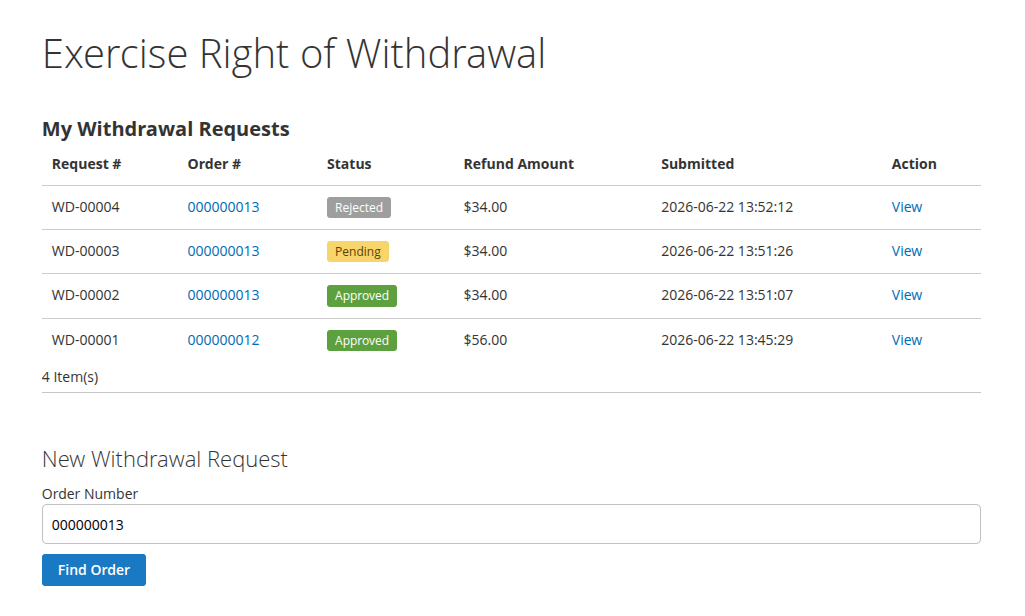
If the order is not found, the window has closed, or every item has already been requested, the extension shows a message and the flow stops.
Step 2 — select items and review
The customer selects which items to withdraw and the quantity of each. Shipping can be refunded only when the whole order is withdrawn.
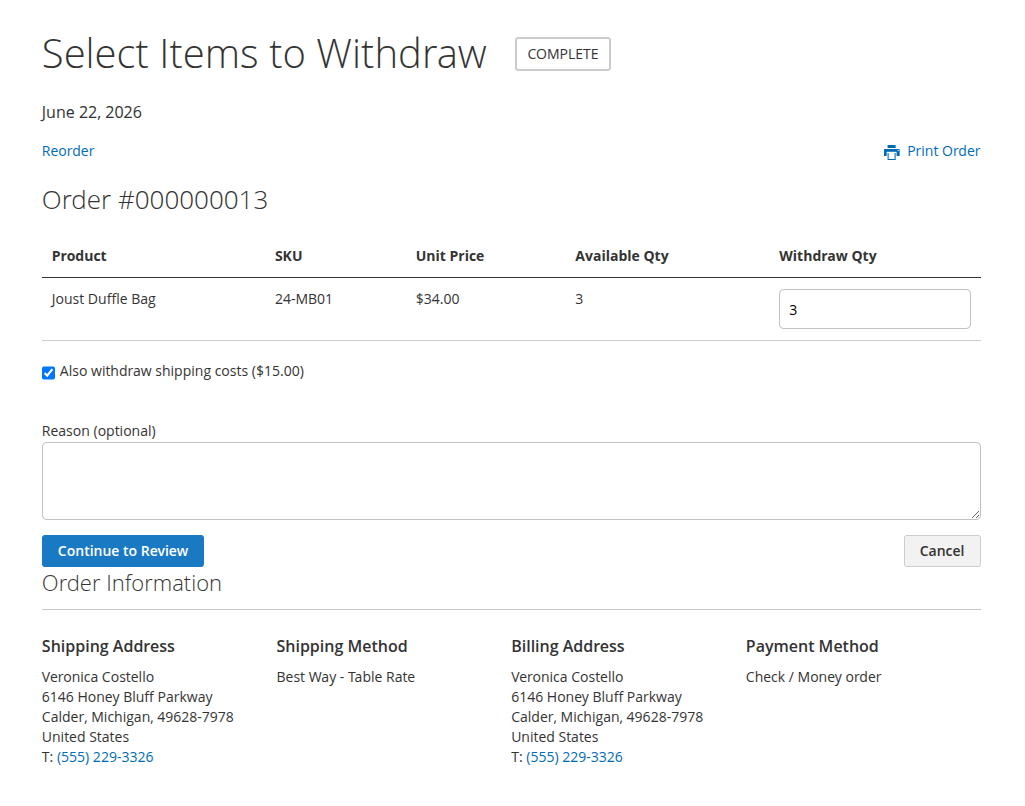
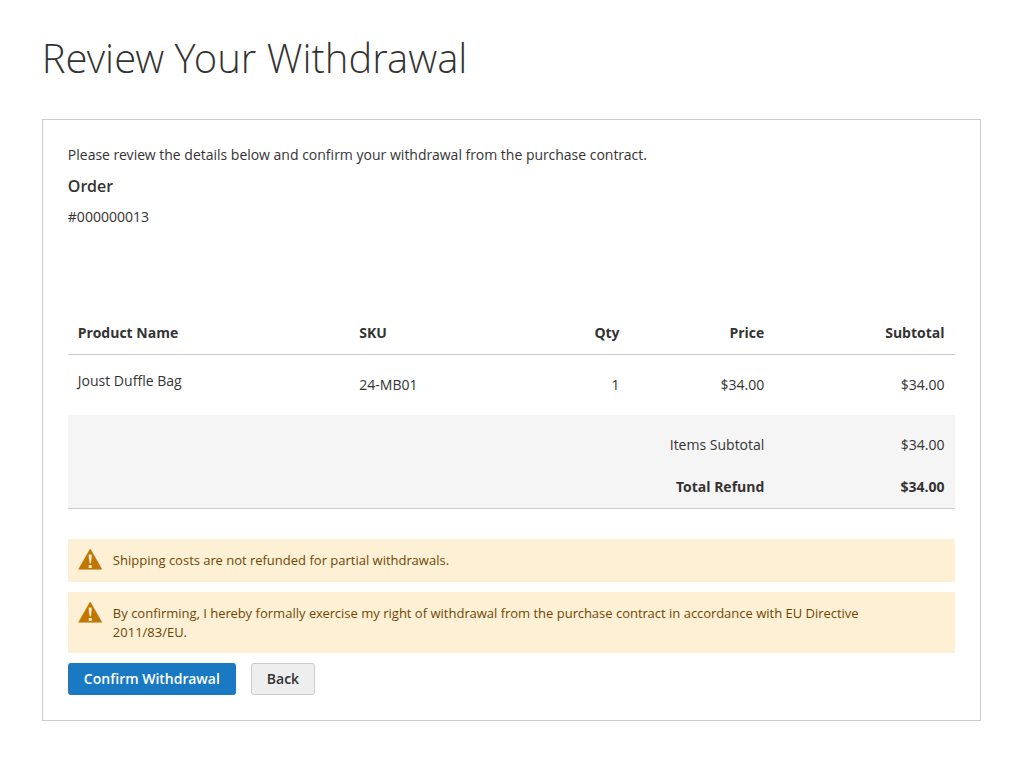
The customer can optionally add a reason, then continues to the review page. This page summarizes the order, the selected items, and the refund amount. Nothing is submitted until the customer presses the confirmation button.
After confirmation
When the customer confirms:
- the request is created with the Pending status and a reference number such as
WD-00001; - the customer receives the receipt email, which notes that it serves as their confirmation;
- the admin recipients receive a notification, if an address is configured.
The customer then sees a success page.
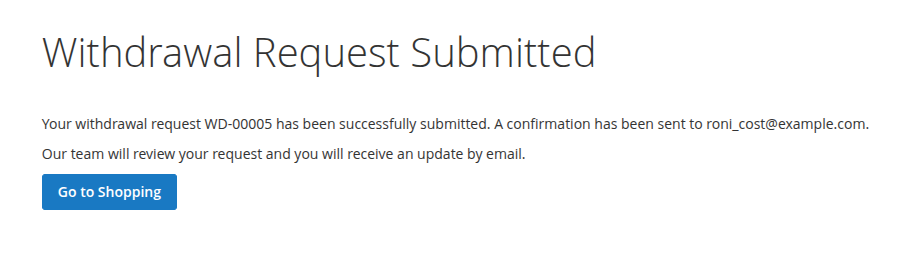
The request is now waiting for you to process it, as described in How to process a withdrawal request.
Quantities already covered by a pending or approved request are removed from what is available, so the same item cannot be withdrawn twice. If you reject a request, its items become available again and the customer can submit a corrected one.