Warm rules
Use Warm rules to configure how the extension should warm URLs. Every page is assigned to exactly one rule: the active rule with the highest priority whose conditions match that page. Pages are then warmed rule by rule, from the highest priority rule down to the lowest, and within each rule they are ordered by popularity.
Navigate to System -> Page Cache Warmer -> Warm Rules to access the detailed records. By default, the extension provides the All Pages rule, which will warm all your store pages. You can use an existing configurable rule or create your own rules according to your store-specific goals.
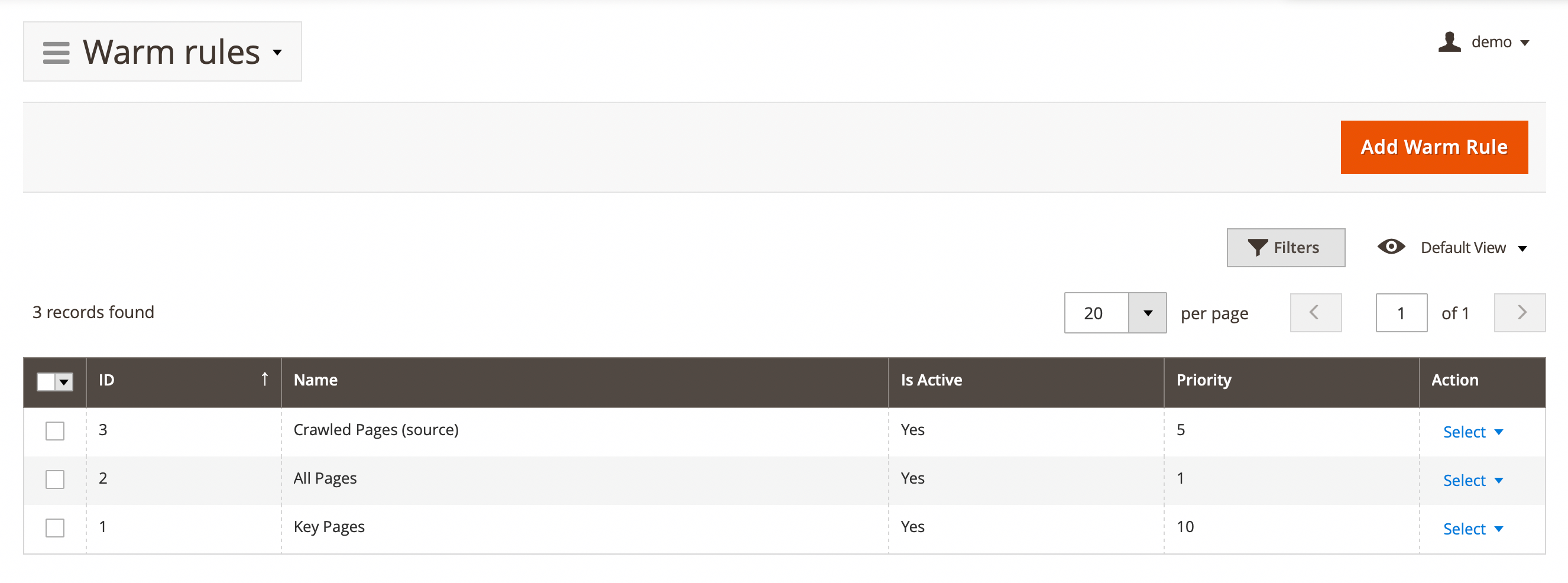
Here, you'll find the following fields:
- ID: ID of the rule.
- Name: internal warm rule name.
- Is active: source status.
- Priority: priority of rule execution. The higher the value, the greater the priority. Use values between 1 and 100. When several rules match the same page, only the rule with the highest priority warms it.
- Action: actions on the selected emails in the queue:
- Edit: allow see and edit trigger.
- Delete: allow delete source.
Explore the single rule settings bottom.
General information
Set rule name and priority.
- Name: warm rule name.
- Is active: enable or disable source.
- Priority: use to set the execution priority of the rule when triggered by cron.
Page conditions
Set the exact conditions under which pages will be warmed.
- Conditions (leave blank for all pages)
- Customer group: specify for which default Magento customer groups the rule will warm URLs.
- Page type: select the types of pages that will be warmed.
- Popularity: use to select pages based on popularity.
- Product type: use to select products by type. The available default Magento product types are:
Simple,Bundle,Downloadable,Configurable,Grouped,Virtual. - Store: use if you have more than one store view and prefer to warm them separately.
- URL: allows you to specify an exact URL.
- URIs from the Source that: use to warm only URLs obtained from the specified source.
Request modifiers
Add additional headers to the warmers' requests if the server requires any for correct responses. Can be also used to alter existing headers like User-Agent. To check the real request for warming pages go to the Pages section and select the Show curl request option in the Action column for any URL.
- HTTP Headers: use to add custom parameters in the header.