How to warm pages
Tracking page status and warming them up is the primary function of the extension. By default, pages are warmed up by Magento cron, but they can also be warmed up using the alternative methods described below.
Warm page via cron
This is default way, when extension run with cron and warm URLs depend on Warm rules and page priority. The frequency of the warm-up will depend on the schedule of your Magento cron job.
Warming jobs run in the separate cache_warmer cron group, not in the default group. If your server runs cron only for selected groups, make sure the cache_warmer group runs too. See Configuring the extension.
If you have used a custom warming level, you can set your own warming frequency in the Job schedule field.
Warm page via Magento backend
To initiate the warming of a specific page, open System -> Page Cache Warmer -> Pages, and use the filter to find the page that needs to be warmed.
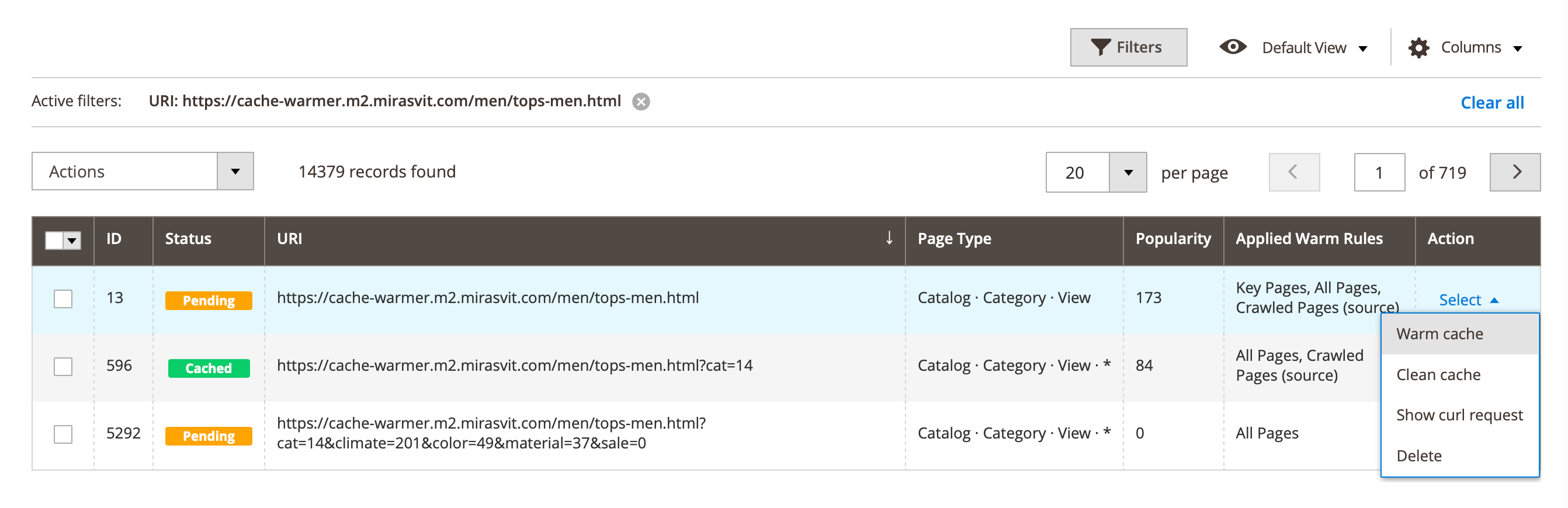
Start the warming process through the Warm page in the Action column. Once the warming is complete, the page will refresh, and a message will appear confirming the successful warming. The page status will change to Cached.
Warm page via CLI commands
It is used for debugging the warming process.
To warm a single page manually, get the curl request from the Action column in System -> Page Cache Warmer -> Pages and run it in your server's command line.
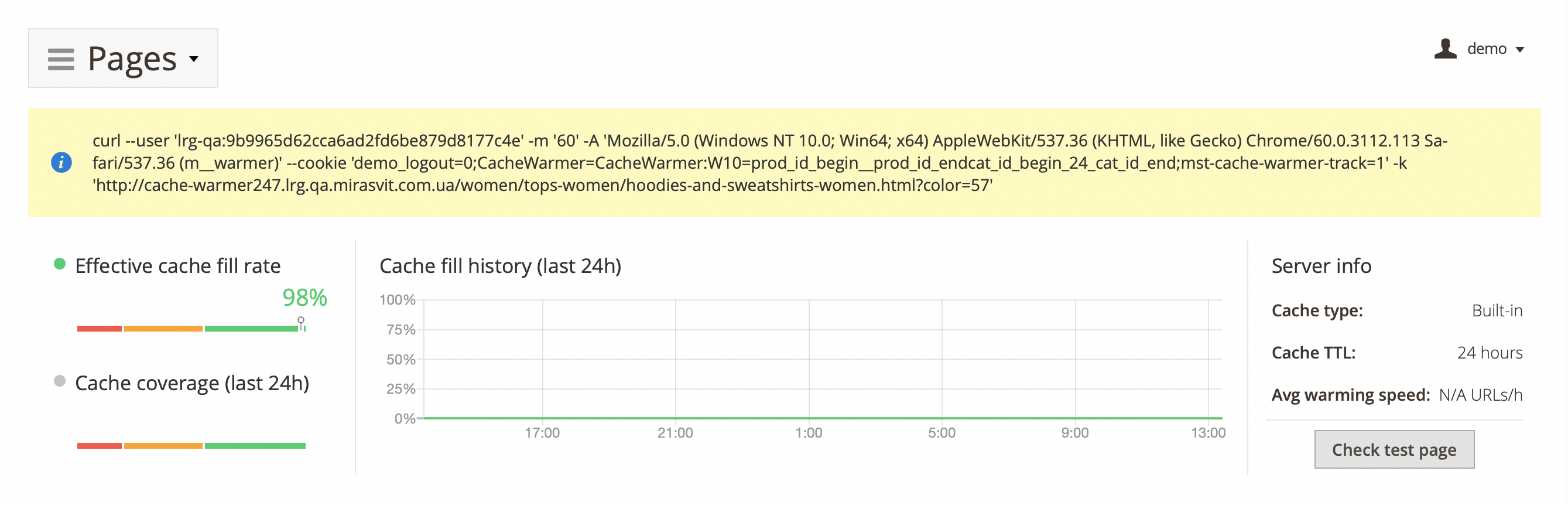
Use the -I flag in the curl request to see only headers in the response.
To warm a group of pages based on specified conditions, use CLI commands.
To warm all pages for specified customer group with ID = 2 run command below:
bin/magento mirasvit:cache-warmer:crawl --customer-group-id 2