Authors
Authors let you show who wrote an article and who checked it. An author has a name, a job title, a short bio and a photo. On the article page, the author's name appears under the title, and an author box follows the article text. Search engines also receive the author's details as structured data.
Managing authors
You can manage authors in the Content -> Knowledge Base -> Authors grid. Click Add New Author to create one.
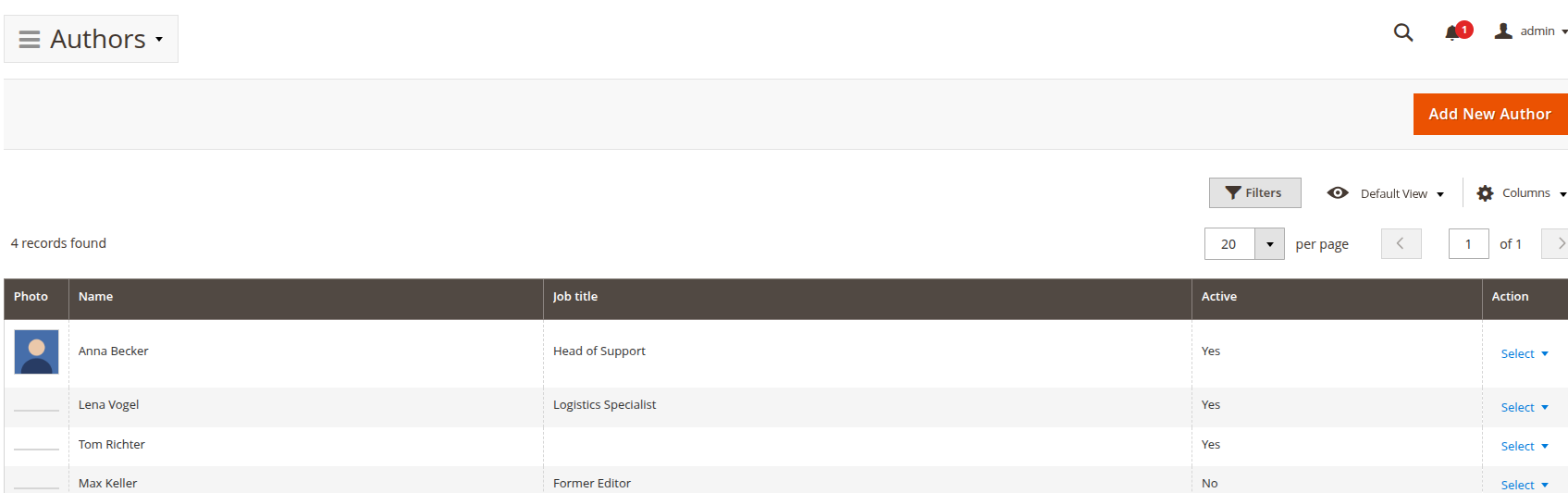
The grid shows each author's photo, name, job title and whether the author is active. More columns, such as the bio, the profile links and the dates, can be added from Columns.
Author information
-
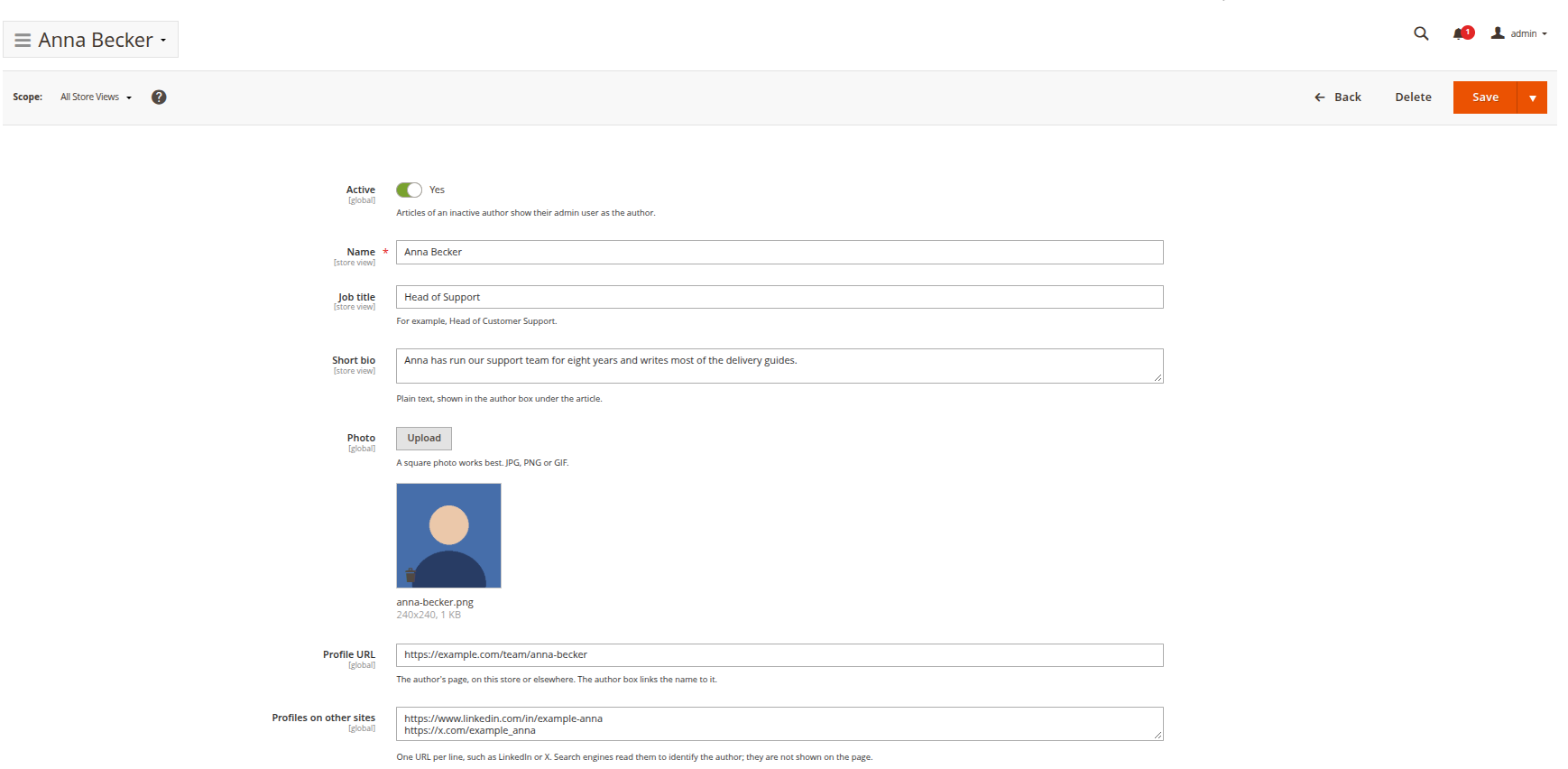
Active: an inactive author is not shown on the storefront. Articles by an inactive author show their Author (the admin user) instead, as articles without an author do. An inactive reviewer is not shown.
-
Name: the author's name, shown on the article page and in article lists. Required.
-
Job title: shown under the name in the author box, for example
Head of Customer Support. -
Short bio: a few sentences of plain text, shown in the author box.
-
Photo: shown in the author box. A square photo works best. Upload a JPG, PNG or GIF file.
-
Profile URL: the author's page, on your store or elsewhere. The author's name in the author box links to it.
-
Profiles on other sites: the author's profiles elsewhere, such as LinkedIn or X, one URL per line. They are not shown on the page: search engines read them to identify the author.
NoteProfile URL and Profiles on other sites accept only full addresses that start with
http://orhttps://. A link entered twice is saved once.
Store views
Name, Job title and Short bio can differ per store view, for example to translate them. Choose a store view in the Scope switcher at the top of the form (it appears once the author is saved), clear Use Default Value under a field, enter the store view's text and save. Select Use Default Value again to go back to the default.
Active, Photo, Profile URL and Profiles on other sites are the same on all store views.
On a store view, an empty field means "use the default". A store view cannot blank out a value that the default sets.
Deleting an author
Click Delete on the author's form. Articles by that author show their Author (the admin user) again, and articles reviewed by that author no longer show a reviewer.
Adding an author to an article
Open the article in Content -> Knowledge Base -> Articles and choose the author in the General Information section.
-
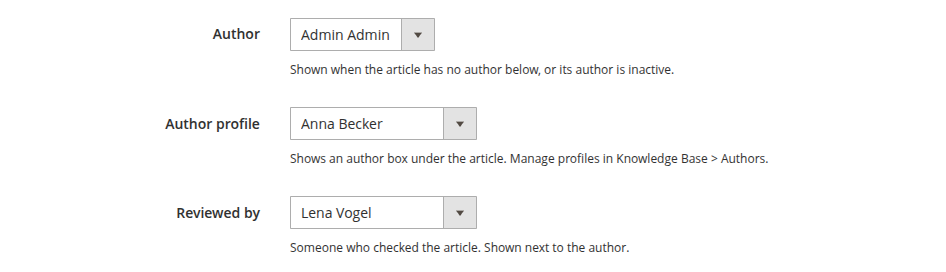
Author profile: the article's author. The list includes inactive authors, marked
(inactive). -
Reviewed by: someone who checked the article, such as a subject expert. Optional.
The existing Author field (the admin user) stays. It is shown when the article has no author profile, or when its author profile is inactive.
On the storefront
With an author profile, the line under the article title shows the author's name instead of the admin user's. With a reviewer, it adds Reviewed by and the reviewer's name.
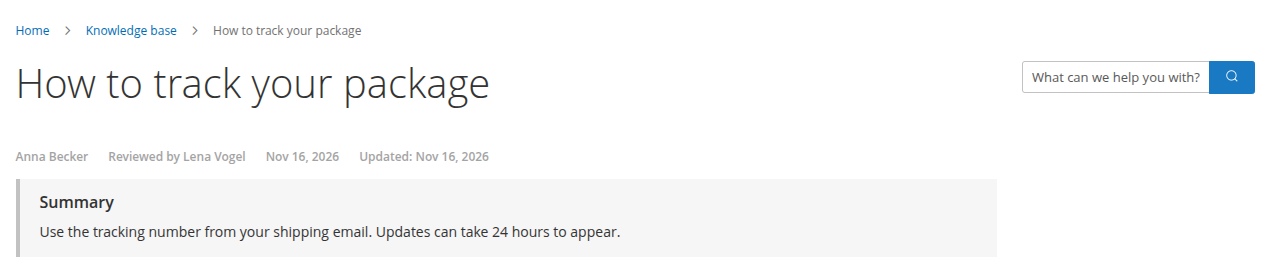
Under the article text, an author box shows the photo, the name (linked to the Profile URL, when set), the job title and the short bio. Empty fields are left out.

Article lists on category, tag and search result pages show the author's name too. They do not show the reviewer.
To hide the author's name, the reviewer and the author box everywhere, turn on Hide article's author in the configuration settings.
Structured data
For articles with Are Rich Snippets Enabled? set to Yes, the article's structured data (JSON-LD) describes the author as a person, with the name, job title, photo, profile URL and Profiles on other sites. Only filled fields are included. A reviewer is added as reviewedBy.
With Hide article's author turned on, the structured data includes neither the author profile nor the reviewer.