How to group product reviews
Review grouping lets a product page show the reviews of related products together with its own, so a new or low-traffic product isn't left with an empty review block. You can group products that are already linked by a native relation (configurable, grouped, bundle) and, with Review Groups, pool products that share nothing but the same real-world item — for example the same shirt sold as two separate colour listings.
1. Group products linked by a relation
Go to Stores -> Configuration -> Mirasvit extension -> Advanced reviews -> Review Grouping and turn on the relation types you want to pool:
- Group configurable products — pools reviews across a configurable product and its child SKUs.
- Group grouped products — pools reviews across a grouped product and its members.
- Group bundle products — pools reviews across a bundle and its components.
All three are No by default, so nothing changes until you opt in. See the Review Grouping settings for the full list of options.
2. Create a Review Group
For products that aren't linked by a native relation, go to Marketing -> Advanced Reviews -> Review Groups.
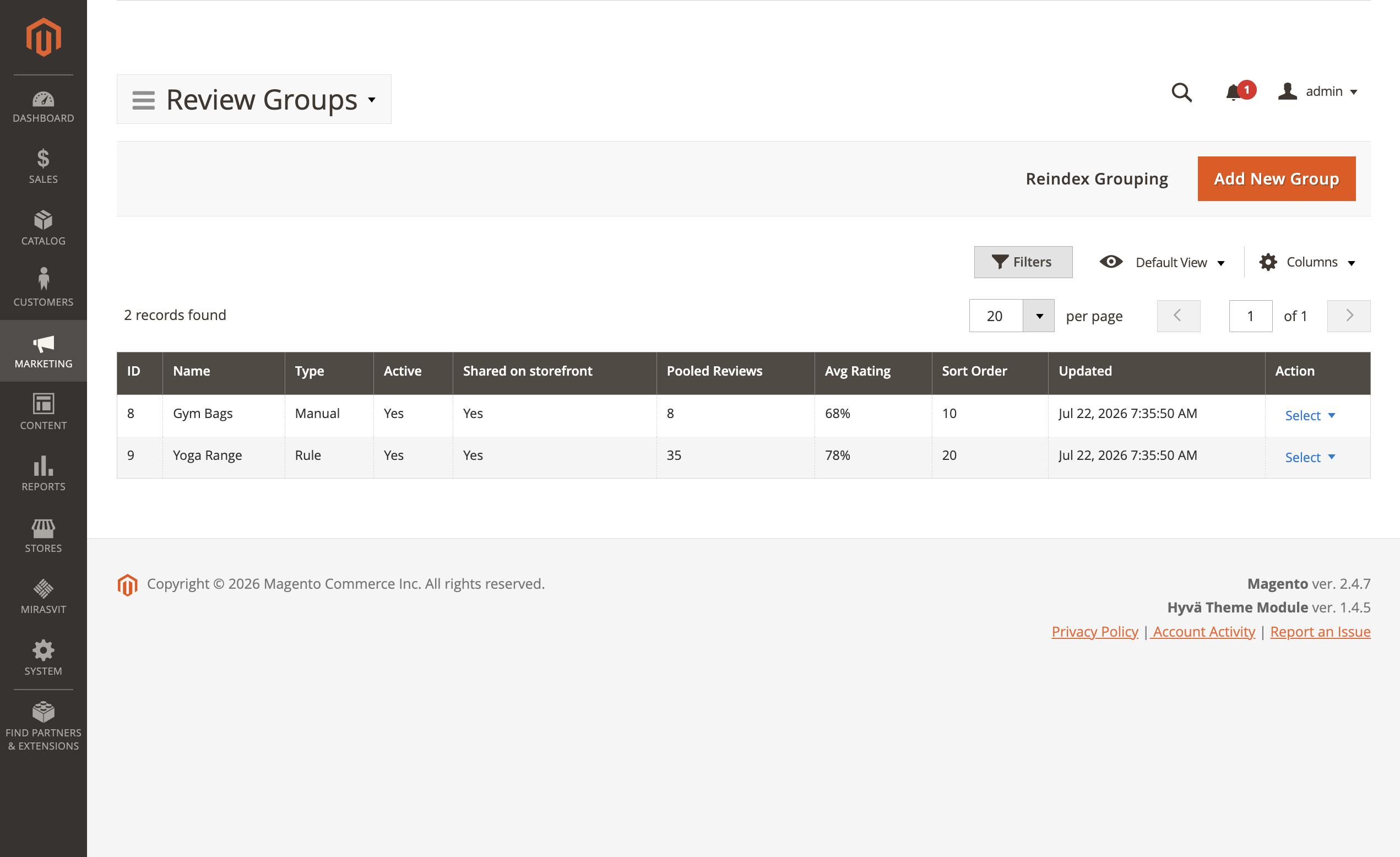
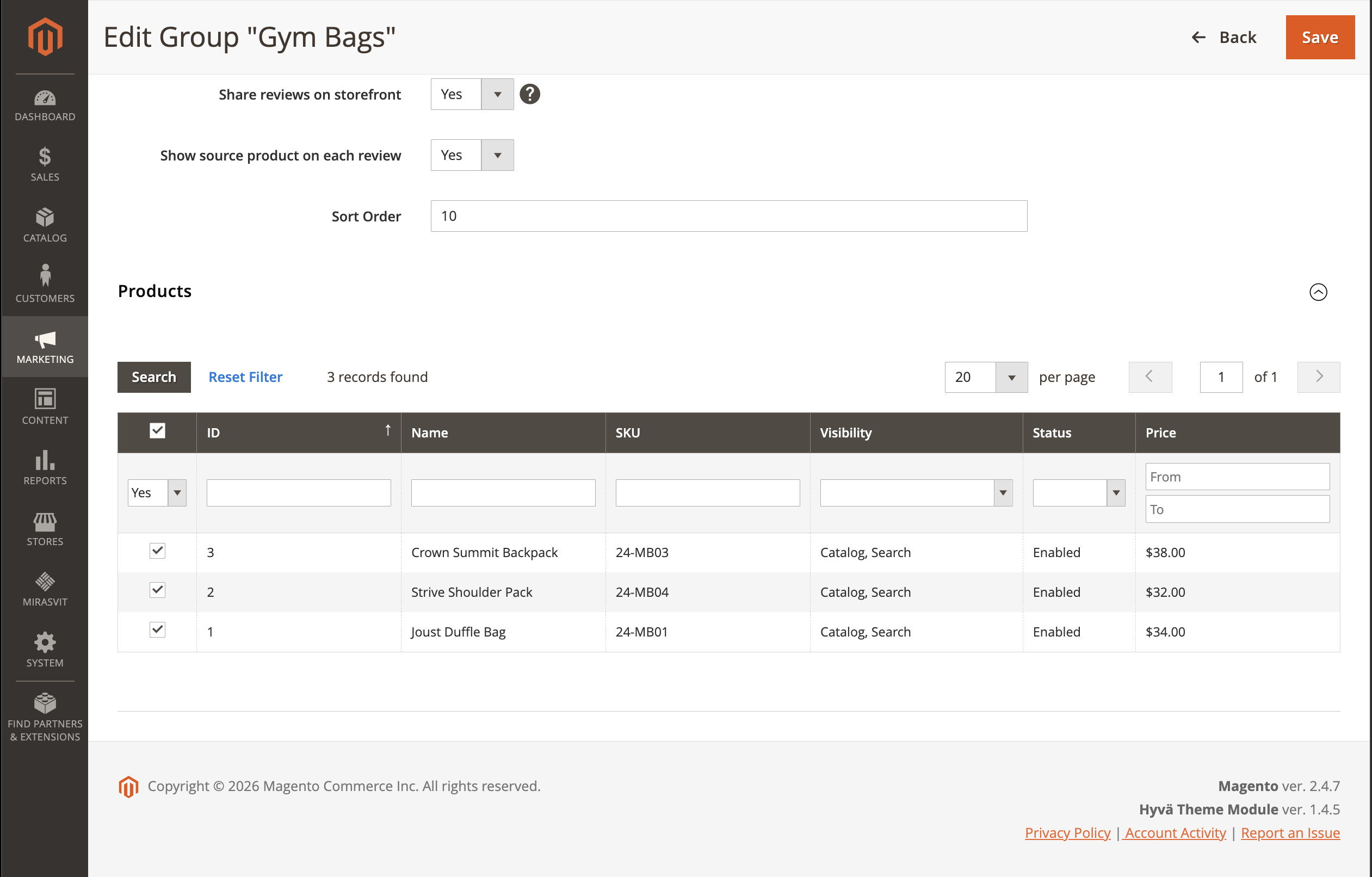
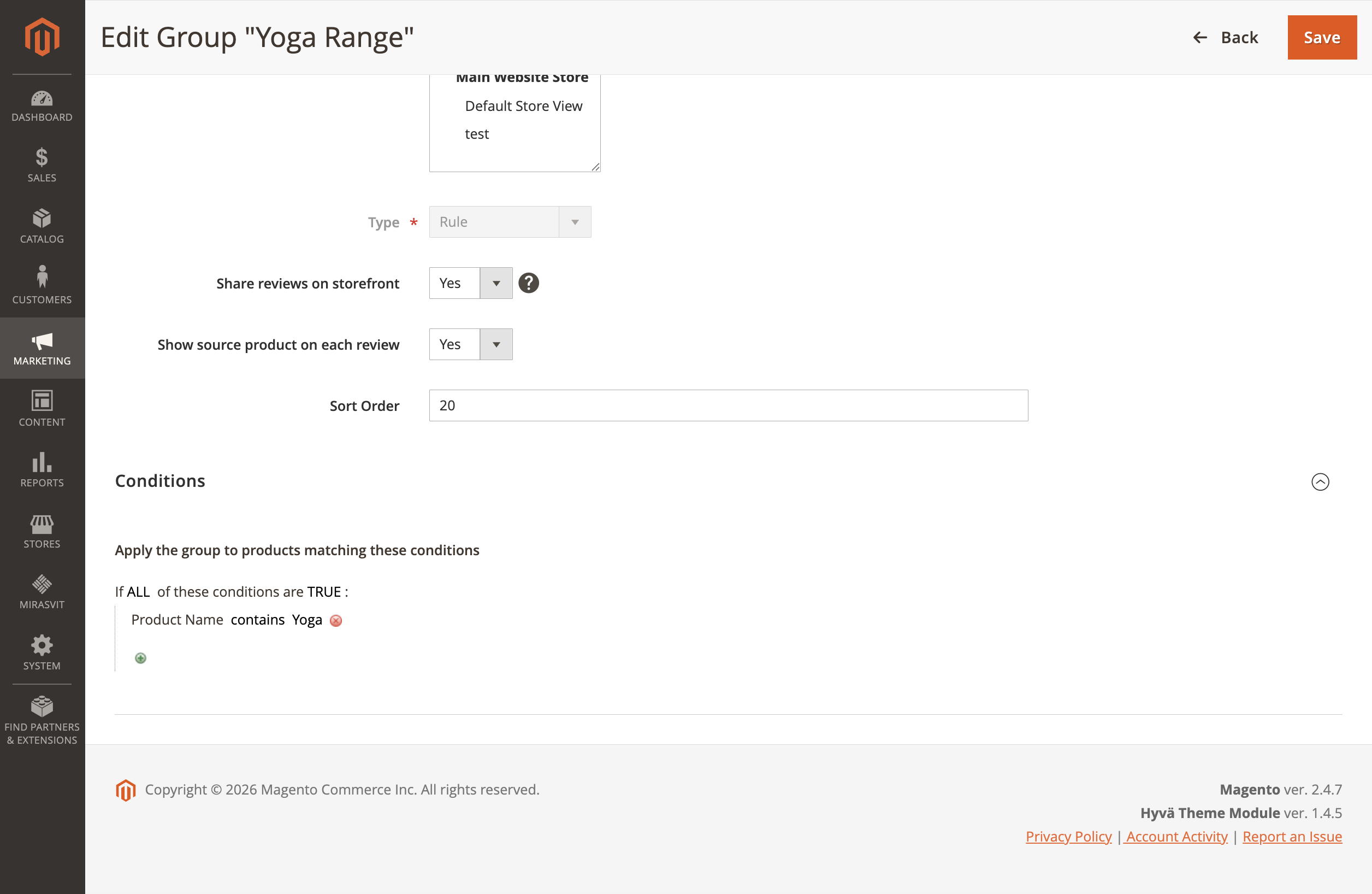
Click Add New Group and fill in the form:
- Name — an internal label for the group.
- Active — set to
Yesto make the group take effect. - Stores — limit the group to specific store views, or leave empty for all.
- Type — choose how products are added to the group:
- Manual — pick products from the product grid.
- Rule — match products by conditions on any product attribute (name, colour, attribute set, and so on), using the same condition builder as catalog price rules. Products are matched automatically and kept up to date.
- Share reviews on storefront — set to
Yesto pool the reviews on the storefront. Set toNofor a reporting-only group (see below). - Show source product on each review — show the Reviewed: / Bought: origin line under each pooled review.
- Sort Order — the order in which groups are applied.
Click Save.
Reporting-only groups. With Share reviews on storefront set to No, shoppers keep seeing each product's own reviews, while the Review Groups grid still shows the group's combined Pooled Reviews and Avg Rating — useful for comparing how a whole product family is rated without changing the storefront.
3. Rebuild the review pools
Review pools are maintained by the mst_review_group indexer, which updates itself from product-relation changes and group edits (on schedule or on save, depending on your indexer mode).
After your first setup, or after a bulk product import, rebuild the pools with either:
- the Reindex Grouping button on the Review Groups grid, or
- the command line:
php -f bin/magento indexer:reindex mst_review_group
New and edited reviews refresh the pooled counts on their own and never change group membership.
4. What shoppers see
On a product page that pools in other products' reviews:
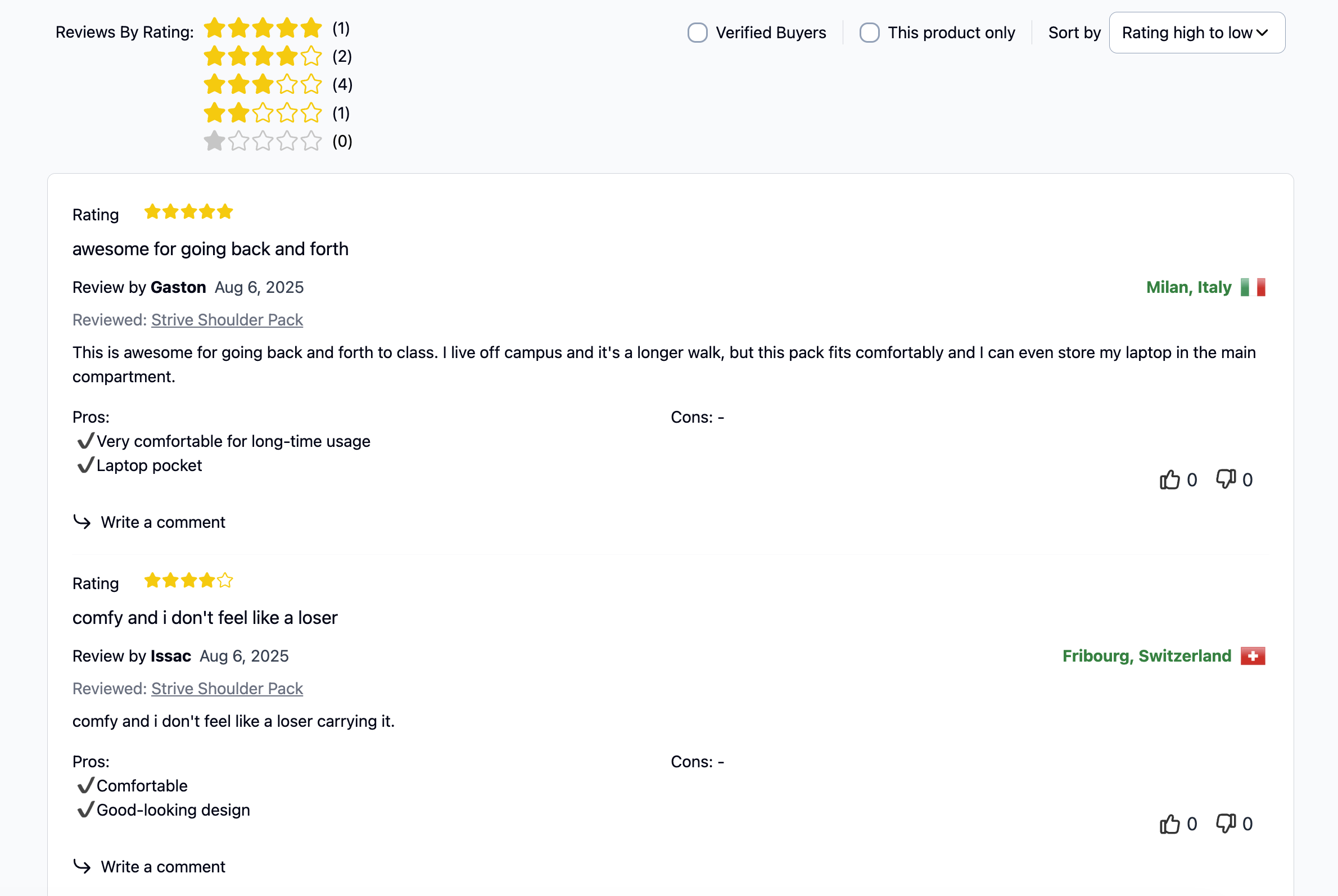
- The review list, its rating filter, sorting, pager and the Photos from Customers gallery all include the pooled reviews.
- A This product only checkbox appears next to Verified Buyers, letting the shopper narrow the list back to reviews of the product they're viewing. It is shown only when the page actually contains borrowed reviews.
- When Show source product on each review is on, each pooled review carries a muted Reviewed: <product> line (or Bought: <product> for a verified buyer) linking to the product the review was written for.
5. Keep an eye on large pools
Overlapping groups and rules can transitively merge many products into one pool. Open Marketing -> Advanced Reviews -> Review Groups and click Review Overlaps to see every pool built from two or more groups or relations — which sources merged, the product where they met, and the resulting size. Pools larger than the Cluster-size warning threshold (default 200) are highlighted, and an admin notification appears when a pool crosses it.
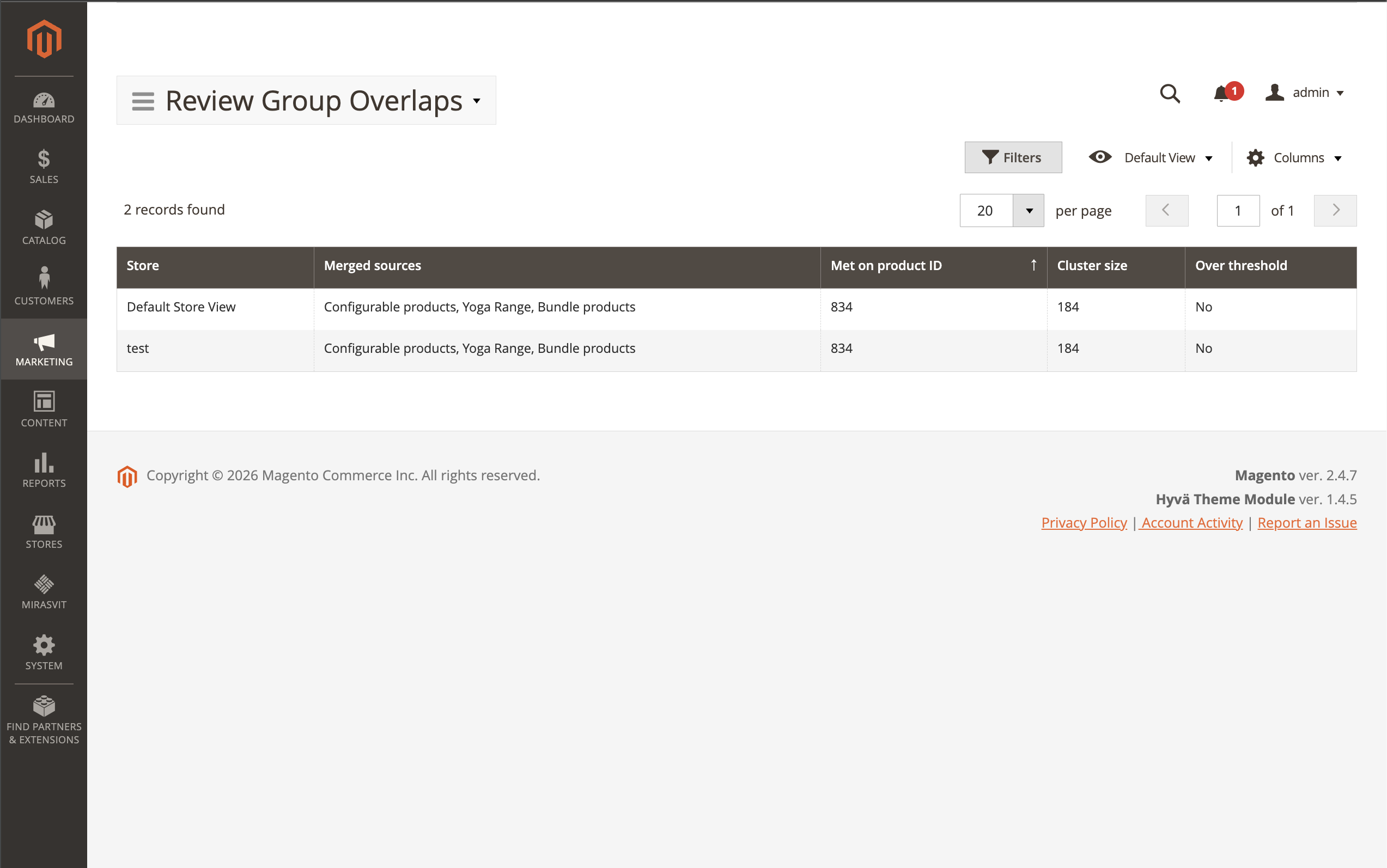
If a pool grows larger than you expect, tighten a Rule group's conditions, or set a Cluster-size hard cap in the Review Grouping settings to stop merging at a chosen size.