Filter SEO URLs
This section describes the settings for the SEO-friendly layered navigation URLs module that makes standard URLs more SEO valuable and human-readable.
These settings are located in Stores -> Configuration -> Filter SEO URLs.
To apply the settings, clear the Magento cache after making any changes to the options below
General settings
- Enable SEO friendly URLs: activates SEO-friendly URLs for layered navigation. This feature works with default Magento or Mirasvit Layered Navigation only.
Redirect of filter URLs with query parameters
When Enable SEO friendly URLs is set to Yes, a filtered page has one address: its SEO-friendly URL. If a shopper, a search engine or a bot opens the same filters in the standard Magento format, for example, from an old link, the page answers with a permanent redirect (301) to the SEO-friendly URL of the same filters:
/gear/bags.html?color=49&style_bags=24 redirects to /gear/bags/backpack-black.html
This is how the module works when SEO-friendly URLs are enabled, there is no separate setting. The redirect works on category, brand and All Products pages:
- The redirect leads to the same URL the filter links in the sidebar use. The order of parameters does not matter, so all variants of one filter combination lead to one address.
- Filters already applied in the SEO-friendly part of the URL are kept and combined with the ones from the query parameters.
- Other parameters, such as sorting or
utm_source, stay in the URL. The page numberpis removed. - Filter values that do not exist in the store are removed. If no valid filter remains, the redirect leads to the page without filters.
The following requests are not redirected:
- The search results page and landing pages.
- The Category filter (
cat), the Search filter and attributes with Enable SEO URL set to Disabled: these filters are always written as query parameters. - Requests with sorting and paging parameters only, for example,
?product_list_order=price. - Filtering via AJAX and infinite scroll requests.
If the request applies more filter options than the Max applied filters setting allows, it is redirected (302) to the page without filters right away, without the 301 redirect first.
URL structure
- URL format: URL format for filters:
- Short: displayed as
category/option1-option2-option3. - Short: displayed as
category/option1/option2/option3. - Short: displayed as
category/option1_option2_option3. - Long: displayed as
category/attr1/option1-option2/attr2/option2-option3. - Long: displayed as
category/attr1-option1-option2/attr2-option2-option3. - Long: displayed as
category/attr1:option1,option2/attr2:option2,option3.
- Short: displayed as
- Separator for filter names: separator between words in complex filter names:
- Do not use a separator: combines filter names without separation (e.g.,
Style Generalbecomes/stylegeneral). - Use "_" as a separator: places an underscore
_between words. - Use "-" as a separator: places a hyphen
-between words.warningUsing the hyphen as a word separator has limitations. Since it is also used as an option separator, aliases like
weight-heightand singleweightmay not be correctly recognized by the SEO filter route handler. - Use capital letter as a separator: converts
/stylegeneralto/styleGeneral.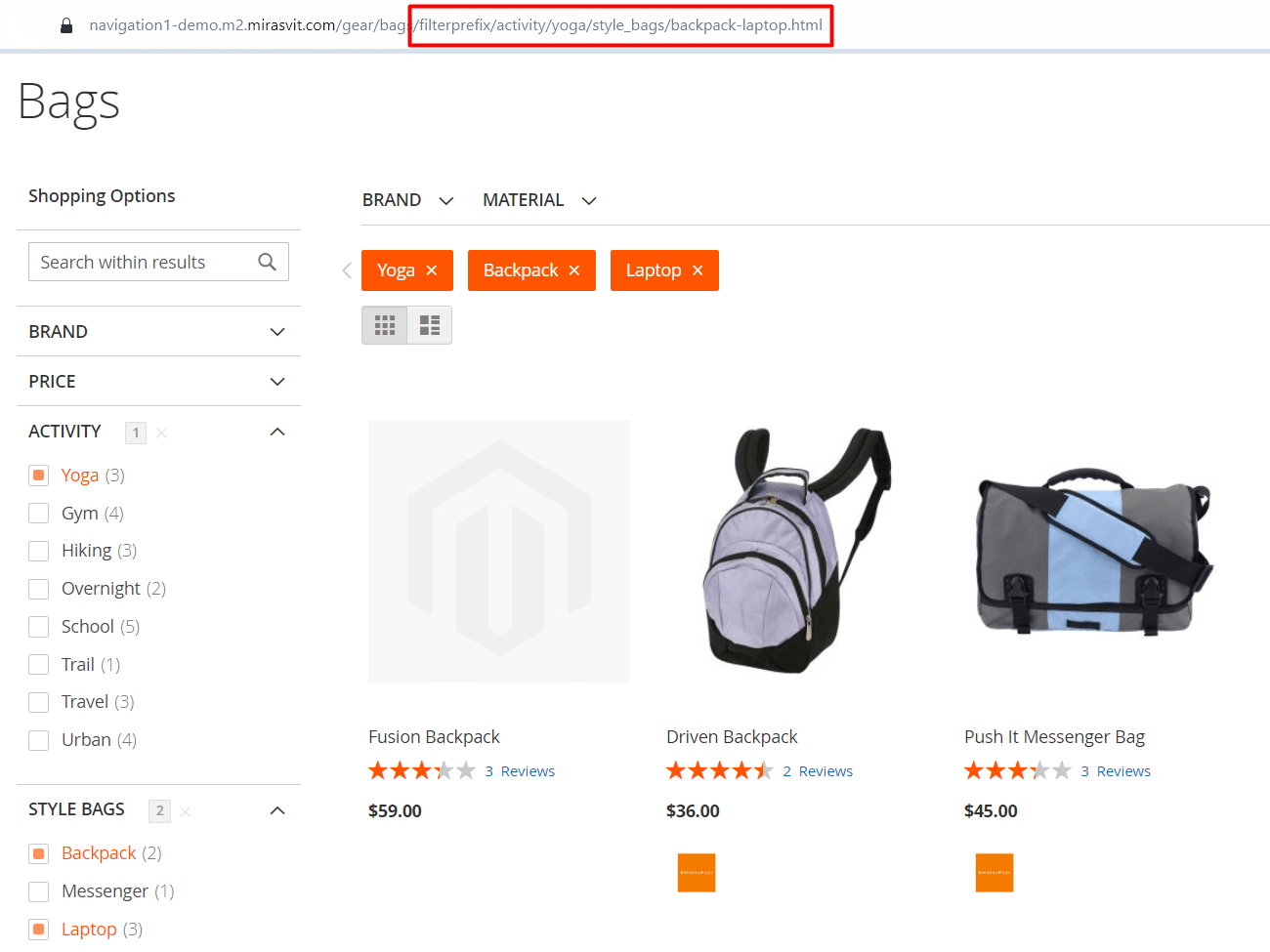
Long URL format with use _as a separator and filter prefix
- Do not use a separator: combines filter names without separation (e.g.,
- Use prefix for filters: adds a custom prefix before filters in URLs to improve readability. For example, with the prefix
filterprefix, a URL with applied filters will appear as/tops-men/filterprefix/material/cotton.html.
Rewrite configuration
This section of configurations is used to adjust alias generation based on the default option name or the name used for a specific store view. It can be helpful when encountering issues with filtering by inconsistent alias or to order all aliases to correspond to one format.
An alias is the name of a filter option used in the URL and is stored in Stores -> Attribute -> Product -> AttributeName -> SEO Filters tab -> URL Alias field.
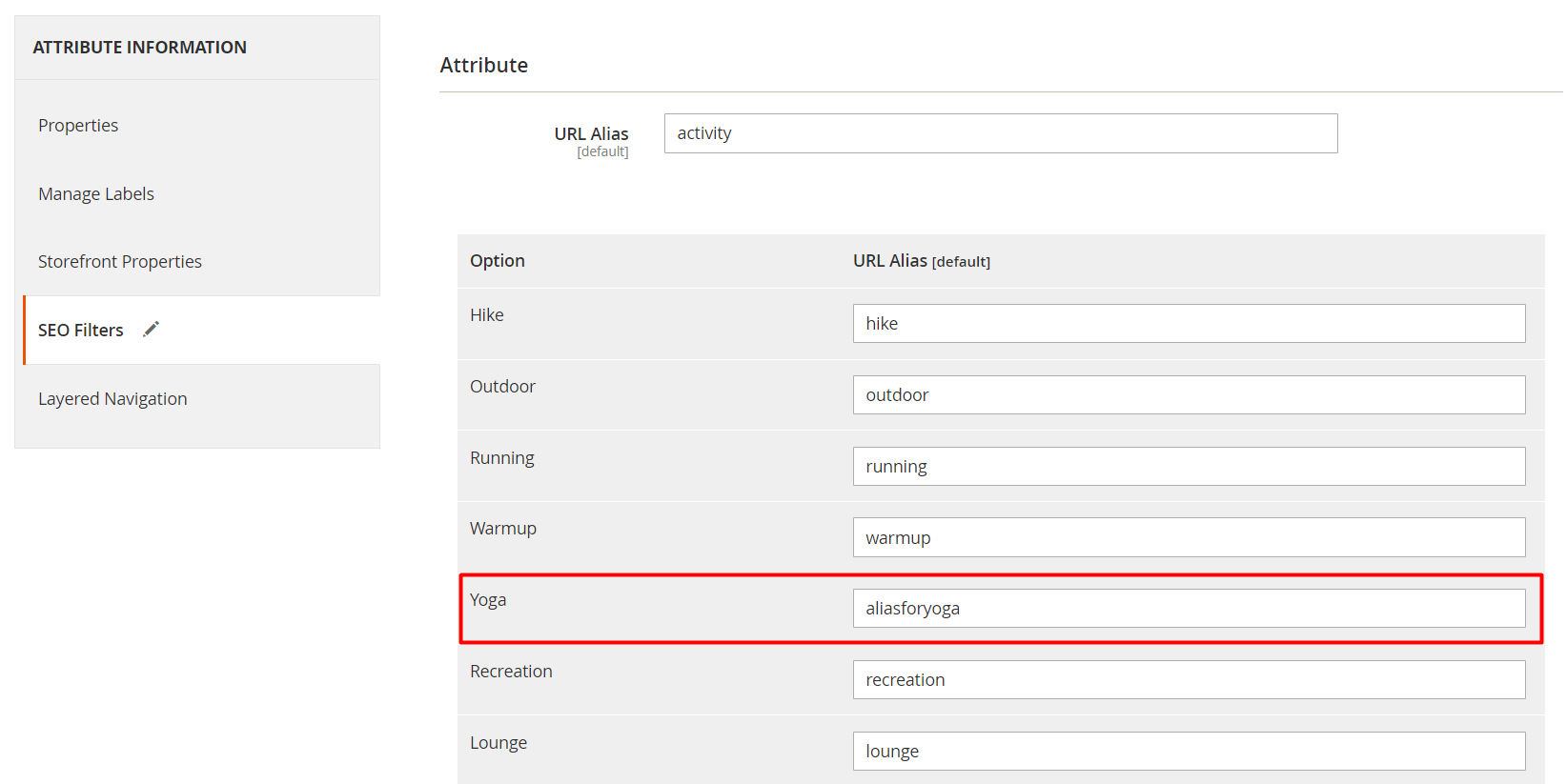
.../gear/bags/aliasforyoga.html- Rewrite alias source: the source for URL rewrite aliases:
- Store view label: uses store-specific labels set in appropriate fields of the attribute's options for URL aliases.
- Default (admin) label: ensures consistent aliases across all views, by generating aliases using the value from the 'admin' field of the attribute's options.
- Remove existing aliases: button removes all aliases and regenerates them in the scope defined by the Rewrite alias source setting. Be aware that all custom aliases will also be deleted. When the process is complete, a notification appears:
All (number) attribute and option aliases were removed. Aliases are automatically generated during the next filter usage.
