Account — AI Client Configuration
The AI Client Configuration section appears on the admin's My Account page. To access it, click your username in the top-right corner of the admin panel and select Account Setting.
This page allows each admin user to view their own AI client setup instructions without needing user edit permissions.
AI Client Configuration
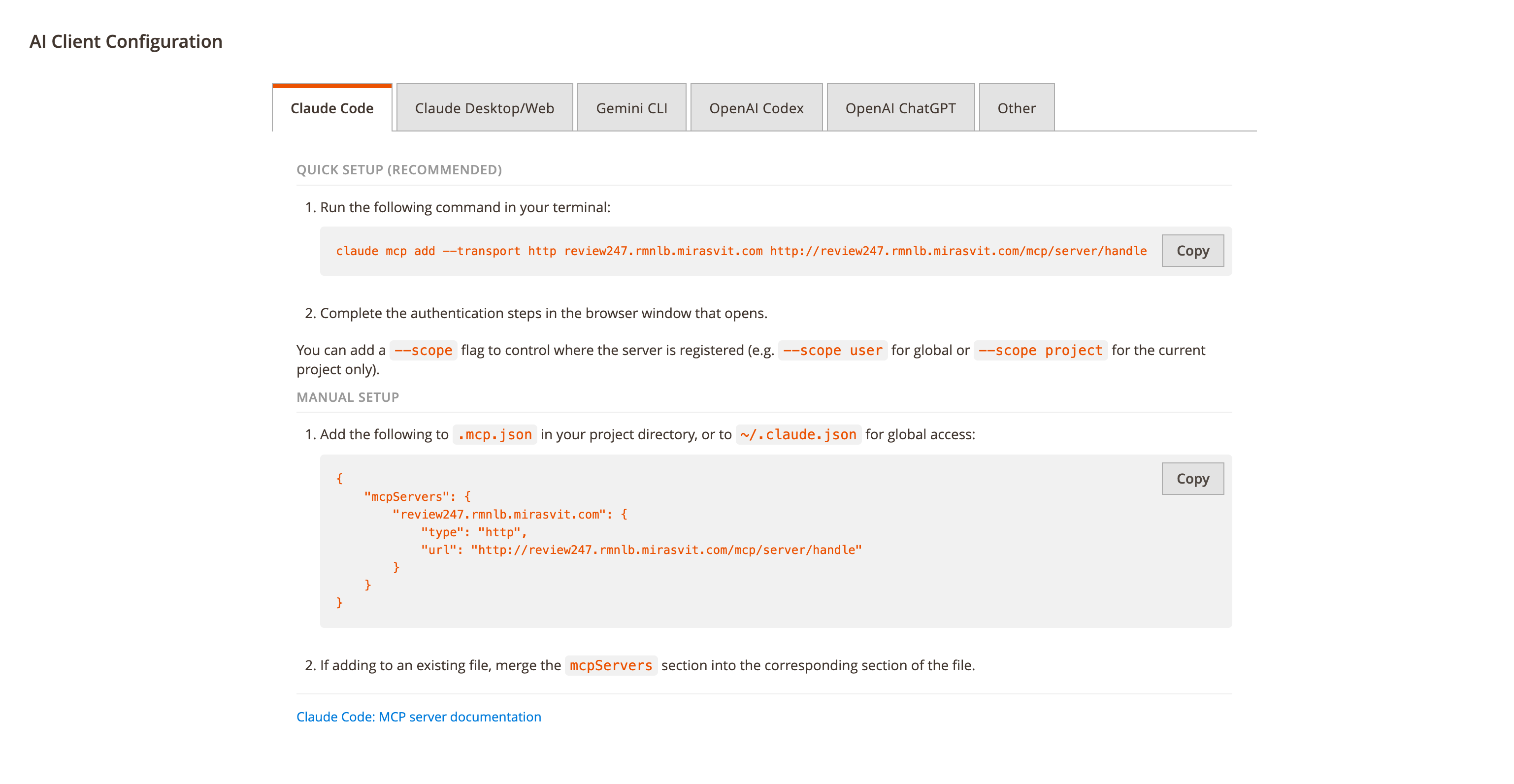
The section displays setup instructions for each supported AI client in a tabbed interface. Each tab contains:
- MCP Server URL and OAuth Authorization URL pre-filled for the current store.
- Quick setup command — a copy-able command to configure the client in one step.
- Manual setup configuration — a copy-able JSON configuration for manual setup.
The tabs are:
- Claude Code
- Claude Desktop/Web
- Gemini CLI
- OpenAI Codex
- OpenAI ChatGPT
- Other — generic MCP client configuration
note
The My Account page only shows the AI Client Configuration section. To manage MCP access status, view token summaries, or revoke tokens, use the Admin User — MCP Info tab on the user edit page.