MCP Tools Settings
All settings on this page are located at Stores -> Configuration -> Mirasvit Extensions -> MCP Tools.
For general settings, security, authentication, and logging, see the Settings page.
To apply changes, clear the Magento cache after modifying these settings.
Change Journal
- Enable Change Journal (default Yes): records every write an AI agent makes through the built-in tools, from MCP clients and Copilot alike, successful or failed. Turning it off stops new rows and keeps existing ones.
- Keep Journal Rows for (days) (default 90): older rows are removed daily. Empty or
0keeps rows forever. Rows hold the data agents sent, including customer and order details, so keep them no longer than you need. - Open Change Journal: opens the journal, see Change Journal.
Write Access
- Write access (default Read-write): whether AI clients may change store data through the built-in tools.
- Read-write: each tool's own permissions and settings decide what it may change.
- Read-only: every write through the built-in tools is refused:
- REST API: only
GETrequests run.POST,PUT,DELETEand the async and bulk endpoints are refused. - GraphQL Query: queries run, mutations are refused.
- Cache Manager and Indexer: only
statusis available. - Media Upload: only
checkandlistare available.
- REST API: only
In a read-only connection the AI client is not offered these operations at all, and the tools are marked read-only, so clients that allow only read-only tools (such as a ChatGPT workspace limited to read actions) can still use them.
The setting works on top of each tool's own permissions and settings: a write runs only when both allow it. A role can override it on its MCP Info tab, see User Role. Tools added by other extensions are not affected.
Database Reader
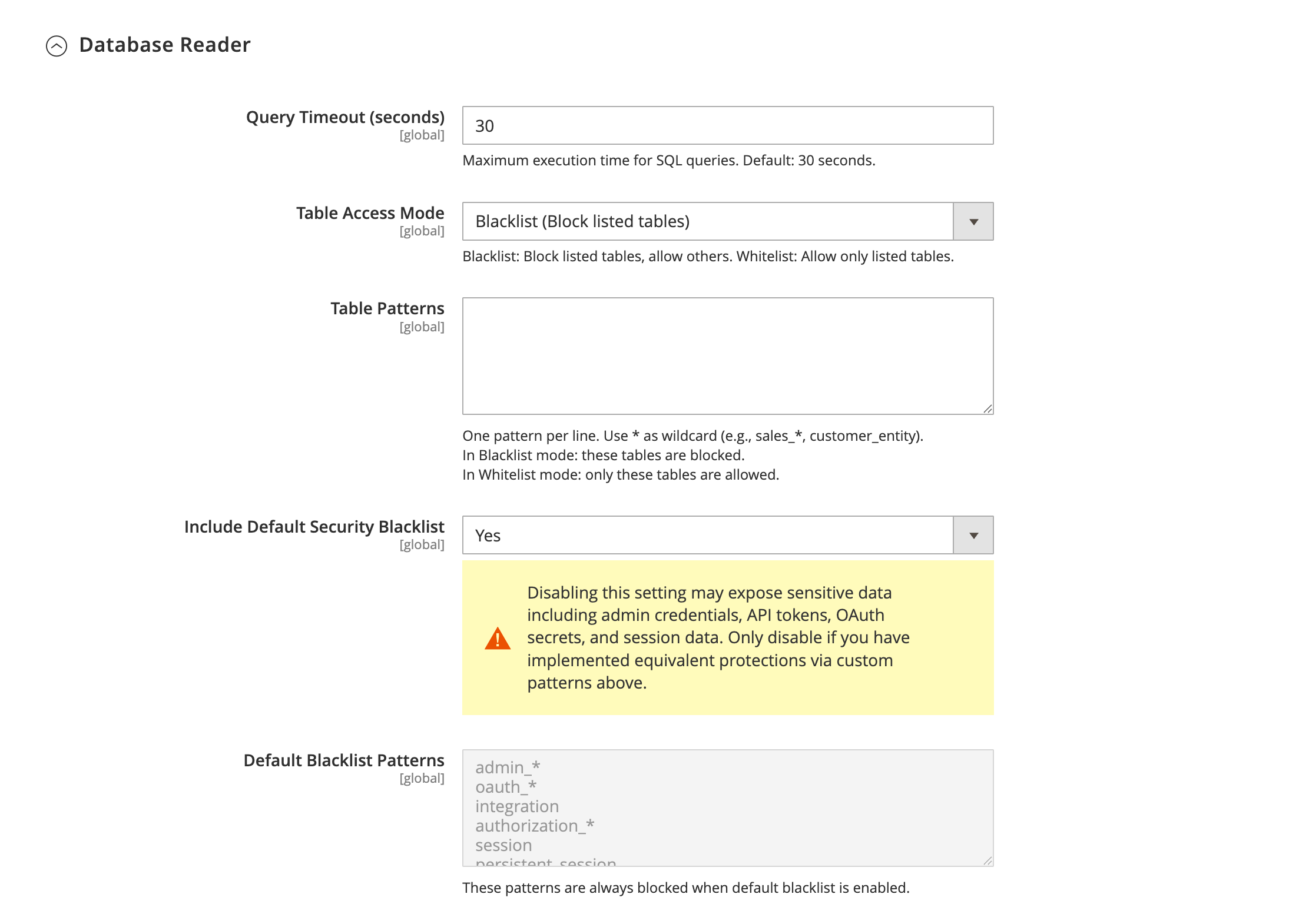
-
Query Timeout (seconds): maximum execution time for SQL queries. If a query exceeds this limit, it is terminated. Valid range: 1–300 seconds. Default: 30.
-
Table Access Mode: defines how the table patterns list is interpreted.
- Blacklist (default): tables matching the patterns are blocked. All other tables are accessible.
- Whitelist: only tables matching the patterns are accessible. All other tables are blocked.
-
Table Patterns: one pattern per line. Use
*as a wildcard (e.g.,sales_*,customer_entity). -
Include Default Security Blacklist: enables a built-in list of patterns that block access to sensitive tables (admin credentials, OAuth secrets, sessions, etc.). Default: Yes.
-
Default Blacklist Patterns (read-only): displayed when the default blacklist is enabled. Shows all built-in patterns that protect sensitive tables.
For details on how table access control works, see the Database Reader page.
Cache Manager
The Cache Manager tool has no store settings. Its actions are governed by the role's core Cache Management permissions — see the Cache Manager page.
Indexer
- Allow Index Invalidation (Yes/No, default No): controls whether the Indexer tool's
invalidateaction is available. When No, the tool is read-only. When Yes, theinvalidateaction becomes available to roles that also hold the core Invalidate index permission.
For details, see the Indexer page.
Log Reader
- Accessible var/log File Patterns: one file-name pattern per line. Use
*as a wildcard (e.g.system.log,*cron.log). When empty, everyvar/logfile is allowed. Thevar/reportdirectory is always accessible and is not affected by this list. The shipped default patterns aresystem.log,debug.log,exception.log, and*cron.log.
For details, see the Log Reader page.
Media Upload
- Allow writing to media storage (Yes/No, default Yes): set to No to make the Media Upload tool read-only. The AI client can still list existing media so it can reference it, but cannot upload or delete.
- Additional allowed file types: extensions to accept beyond the images Magento itself accepts (
jpg,jpeg,png,gif) — for examplepdf, csv, xml. Entities with their own file-type list, such as the product gallery, are unaffected.
For details, see the Media Upload page.