How to use data from other modules in reports
In general, data from third-party modules can be used in reports if the data exists in the database. The Config Builder lets you register the tables of a 3rd-party or custom extension and define relations between them and the native Magento tables. Columns of a table appear in the column picker only after the table is joined to an explore that reports use, so you'll typically need both: the table with its columns, and a relationship to a native Magento table.
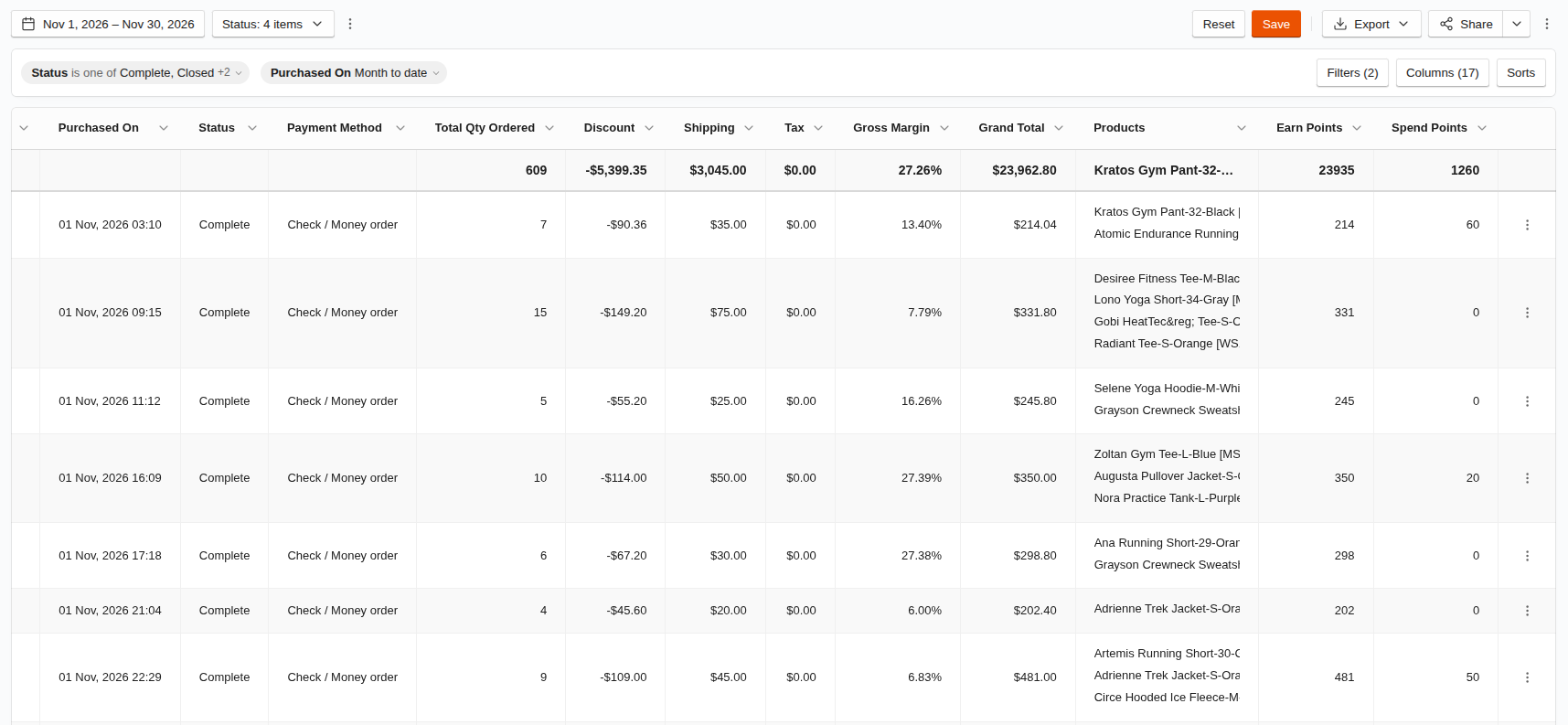
A common example is linking a third-party table to the sales_order table. For instance, consider enhancing an orders report with data from the Reward Points extension: the points spent and earned for each order. The Reward Points extension stores this data in the mst_rewards_purchase table.
1. Register the table
In the datasets section of the config, declare the table, its key column, and the columns you want to use in reports. Give the dataset a label: a dataset without one is hidden from the column picker.
2. Join the table to orders
In the explores section, add a relationship to the sales explore, which the order reports are built on. The condition links each purchase to its order.
Find the full config to include the Earn Points and Spend Points columns below:
{
    "datasets": [
        {
            "name": "mst_rewards_purchase",
            "label": "Reward Points Purchases",
            "group": "Sales",
            "sql_table_name": "mst_rewards_purchase",
            "columns": [
                {
                    "name": "purchase_id",
                    "kind": "dimension",
                    "type": "number",
                    "primary_key": true,
                    "hidden": true
                },
                {
                    "name": "earn_points",
                    "label": "Earn Points",
                    "kind": "measure",
                    "type": "number",
                    "aggregation": "sum"
                },
                {
                    "name": "spend_points",
                    "label": "Spend Points",
                    "kind": "measure",
                    "type": "number",
                    "aggregation": "sum"
                }
            ]
        }
    ],
    "explores": [
        {
            "name": "sales",
            "relationships": [
                {
                    "name": "mst_rewards_purchase-sales_order",
                    "join": ["mst_rewards_purchase", "sales_order"],
                    "condition": "mst_rewards_purchase.order_id = sales_order.entity_id",
                    "type": "11"
                }
            ]
        }
    ]
}
Once the relationship is set up, the columns of the third-party table can also be used in the expr of custom columns, for example mst_rewards_purchase.earn_points.
3. Add the columns to a report
Save the config, open an orders report, and add the Earn Points and Spend Points columns with the column picker. The columns are listed under the Reward Points Purchases dataset.
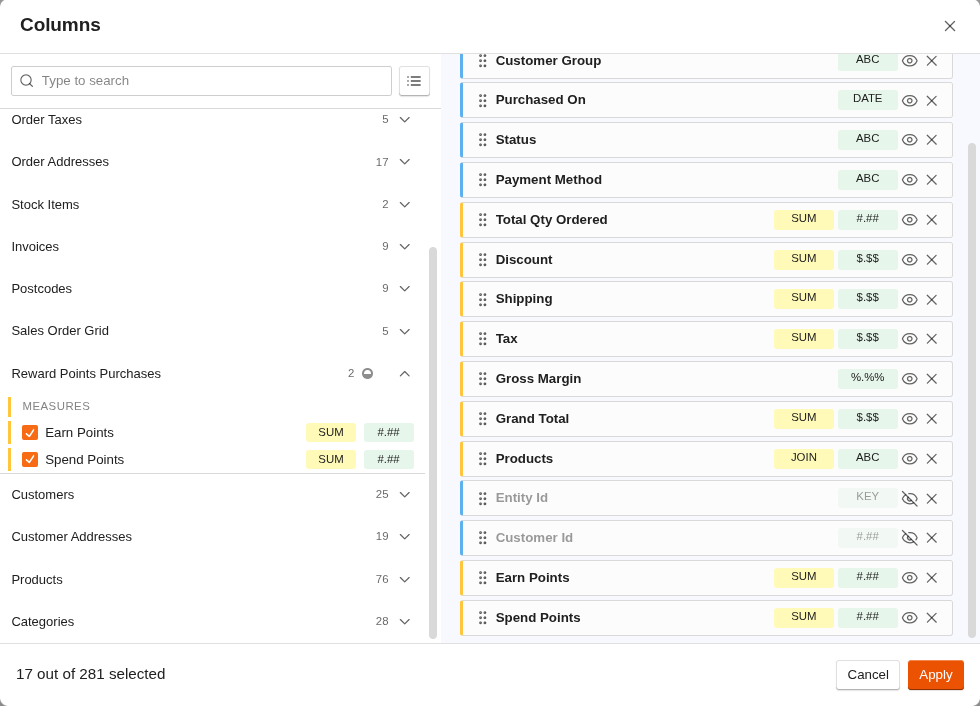
Here is the result with the columns added to the report: