Blog post edit page
Settings available when creating or editing a blog post in Blog MX.
Publish settings
Settings related to visibility, scheduling, and categorization.
-
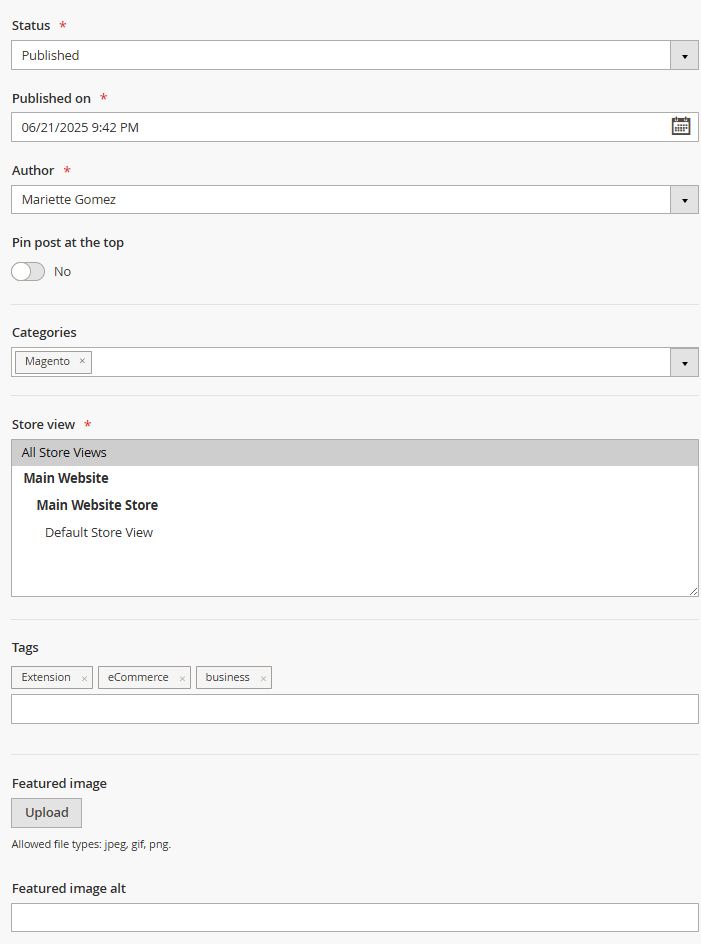
Status: defines the current state of the post. Options:
- Draft – post is hidden from the frontend.
- Pending review – post awaits approval.
- Published – post is publicly visible.
- Access by direct link - if enabled, the post can be viewed via a direct URL even if it is not published or listed in blog navigation.
-
Password: if set, visitors must enter this password (letters and digits only) to view the post.
-
Published on: sets the publication date that appears on the post and affects sorting.
-
Last modified on: the date the post was last updated. Left blank until the post is edited after publishing.
-
Author: selects the author profile for the post.
-
Pin post at the top (Yes/No): if enabled, the post appears at the top of blog lists.
-
Categories: assign one or more blog categories to organize the post.
-
Store View: select one or more store views where this post should appear.
-
Tags: comma-separated keywords used to group related content. Assigned tags appear on the post view page unless disabled in configuration.
-
Featured Image: the main image displayed for the post in lists and on the post page.
-
Featured Image Alt: used as the
altattribute for the featured image. Improves accessibility and helps with SEO by describing the image content for screen readers and search engines. If left blank, noalttext will be added.
Content
Main fields for post content and SEO configuration.
-
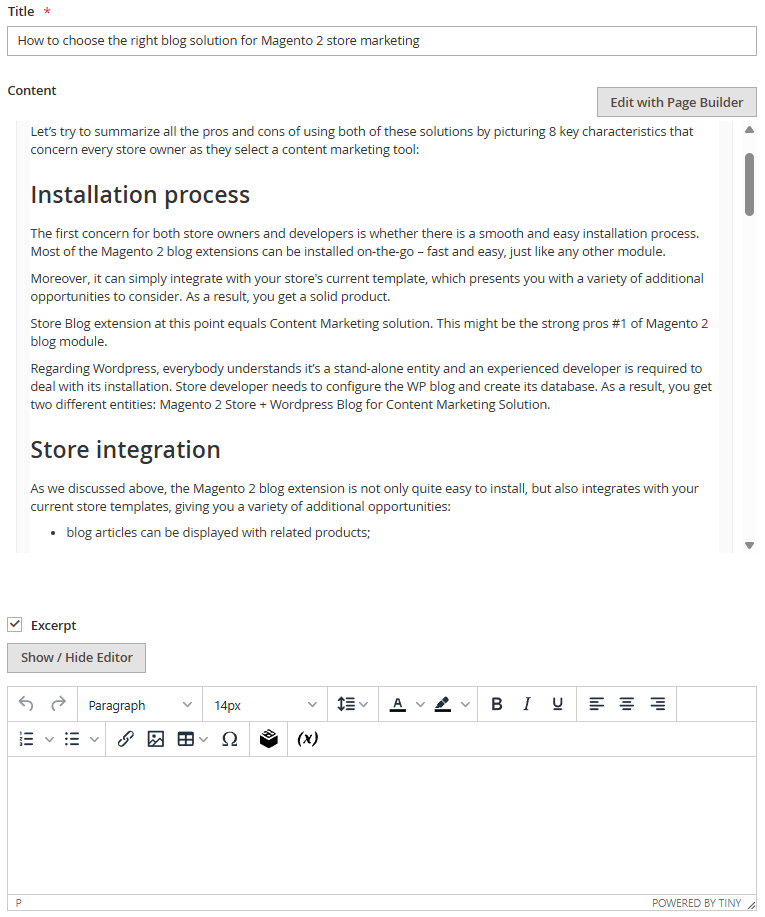
Title: the headline of the post shown on the blog page and in search engines.
-
Content: the body of the post. Supports formatted text, media, and HTML.
-
Excerpt: optional short description used in blog listings or widgets.
SEO
Search engine optimization settings for the post.
-
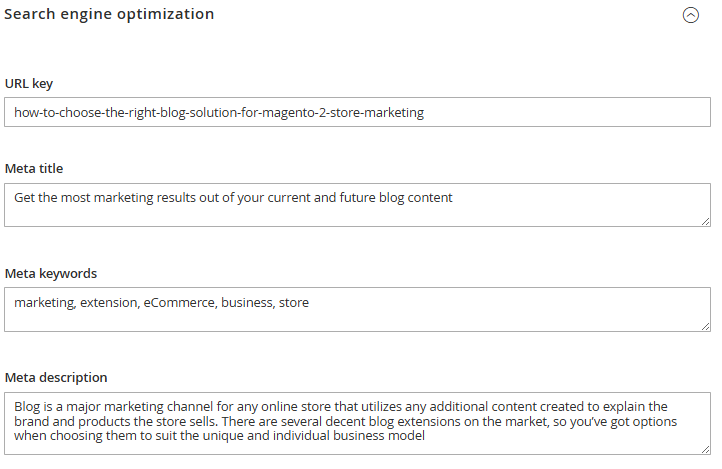
URL key: defines the post URL path (e.g.,
my-post). Auto-generated from the title if left blank. -
Meta title: sets a custom title for search engine results. Defaults to the post title if empty.
-
Meta keywords: optional comma-separated keywords (mostly deprecated in modern SEO).
-
Meta description: sets the description shown in search snippets. Defaults to content excerpt if empty.
-
Robots: overrides the global Default robots for blog pages setting for this post only. Leave as Use global blog setting to inherit from Stores > Configuration > Blog MX > SEO.
Related content
Link additional content to the post for better engagement and cross-promotion.
-
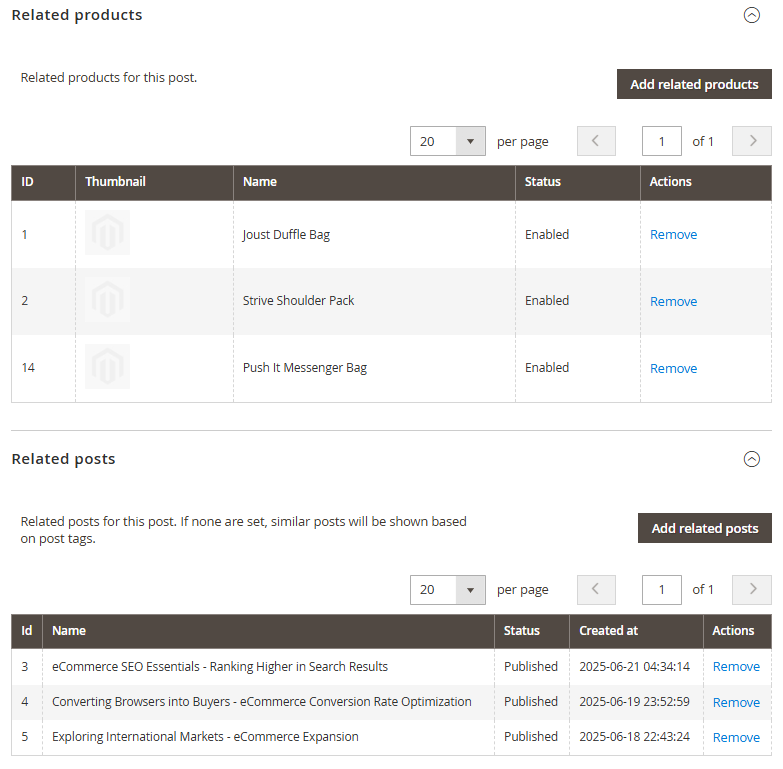
Related products: select Magento products related to the post.
- Related products source: where the related products come from:
- Manual: pick individual products yourself in the product picker below.
- From category: automatically pulls products from a selected catalog category.
- Source category: the catalog category products are pulled from, honoring its Is Anchor and Default Sort By settings. The number of products shown is set by Number of products from category in general settings.
- From Related Products rule: available only when the Related Products extension is installed. Links the post to a Related Products rule created in that extension, with its own sorting, stock, and product-limit settings.
- Order by / Direction: for the Manual and From category sources, sorts the related products by Default, Product name, Price, or Creation date, in Ascending or Descending order.
- Related products source: where the related products come from:
Manual products and the Related Products rule selection are global settings and can only be set while editing All Store Views.
- Related posts: manually link other relevant blog posts.
Trash
Deleting a post moves it to the Trash instead of removing it immediately - it disappears from the storefront right away, but can still be restored.
- Go to Content > Blog MX > Trash to view deleted posts.
- Restore: brings a post back exactly as it was, with its original URL and related-post links intact.
- Purge: permanently deletes a post from the Trash.
Posts left in the Trash are purged automatically after the Retention period (days) set in general settings.
Comments
This tab displays all comments submitted on the blog post, allowing easy management and moderation.
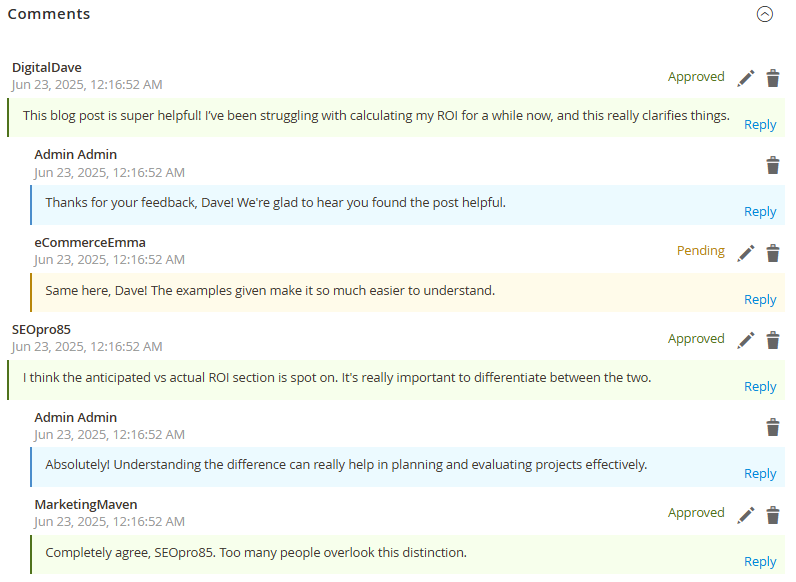
- Comments List: shows all user comments for the post, including the author, date, status, and content snippet.
- Moderation Controls: quickly approve, disapprove, edit, or delete individual comments.