Cross-links manager
This page describes the configurations used in the cross-links manager, a tool that allows you to turn any word in the store into an active link. Related settings are placed in Marketing -> Advanced SEO Suite -> Cross-links -> Add new link/Edit.
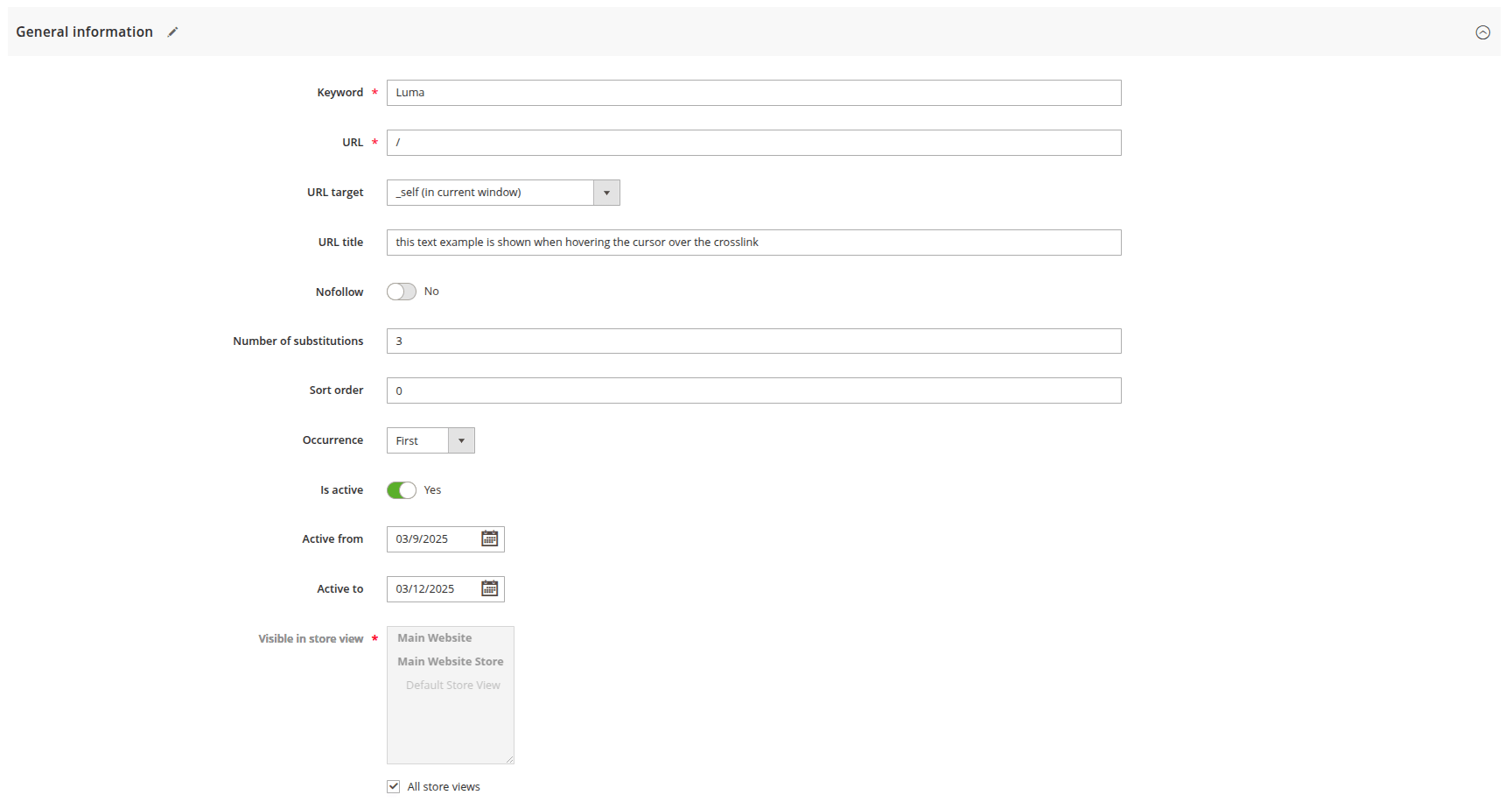
General information
- Keyword: defines the word which will be modified by adding the link.
- Link type: determines how the destination URL is resolved:
- Custom URL: enter a URL directly in the URL field (default behavior).
- Product by ID: enter a Magento product ID in the Entity ID field — the link destination is resolved automatically from the product's current URL rewrite. This keeps the link working even if the product's URL key changes.
- Category by ID: enter a Magento category ID in the Entity ID field — the link destination is resolved automatically from the category's current URL rewrite.
- URL: defines target URL of the link. Required when Link type is set to Custom URL.
- Entity ID: the product or category ID used to resolve the destination URL automatically. Required when Link type is Product by ID or Category by ID.
- URL target: sets where the link should open:
- _self(in current window): opens destination URL in the same window.
- _blank(in new window): opens destination URL in a new browser's tab.
- _self(in own frameset): opens the linked document in the same frame as it was clicked.
- _top(in full current browser window): opens the linked document in the full body of the window.
- URL title: defines the text shown when hovering over the cross-link.
- Nofollow: sets NOFOLLOW instruction for search robots.
- Number of substitutions: sets the maximum number of keyword replacements in the content of the page. If this number is equal to 0, then the number of replacements is unlimited.
- Sort order: sets a priority of the cross-link. If there are two cross-links with the same keyword, cross-link with lower number will be applied.
- Occurrence: specifies the direction of the search for keyword replacements:
- First: starts from the top-left.
- Last: starts from the bottom-right.
- Random: in a random manner.
- Is active: this slider enables/disables the cross-link.
- Active from: defines the start day when cross-link begins its work.
- Active to: defines the finish day when cross-link stops its work.
- Visible in store view: sets the scope of store views where cross-link will be active.