Redirects manager
This page describes settings used for redirecting from temporarily disabled, deleted or irrelevant pages.
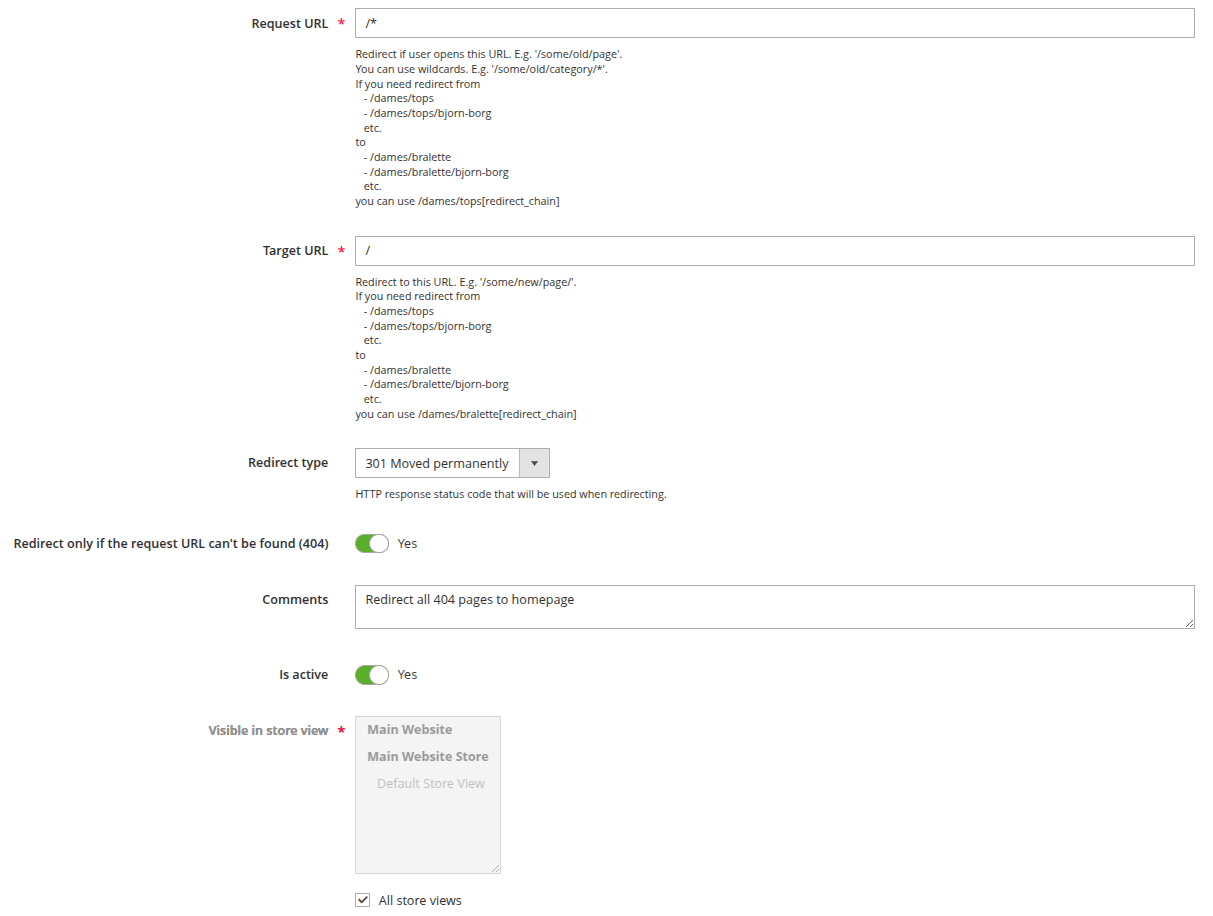
Configurations can be found in Marketing -> Advanced SEO Suite -> Redirects -> Add redirect/Edit.
General information
- Request URL: defines the URL address from which user will be redirected. Wildcards are allowed.
- Target URL: defines the URL address to which user will be redirected.
tip
If you need redirect from
/dames/tops,/dames/tops/bjorn-borg
to/dames/bralette,/dames/bralette/bjorn-borg
you can use/dames/tops[redirect_chain]as Request URL and/dames/bralette[redirect_chain]as Target URL. - Redirect type: sets HTTP response status code that will be used when redirecting:
- 301 moved permanently: used for permanent redirecting, meaning that links or records returning this response should be updated.
- 302 object moved: used when the requested resource has been temporarily moved to a new location.
- 307 temporary redirect: used when URL someone is requesting has temporarily moved to a different URI(user resource identifier), but will eventually be back in its original location.
- Redirect only if the request URL can't be found (404): if Yes is selected, redirect will work only if Requested URL returns 404 error.
tip
This configuration is especially useful when dealing with 404 Not Found issues in Google Search Console.
- Comments: sets the description for internal use. Visible only in admin panel.
- Is active: this slider enables/disables rewrite.
- Visible in store view: sets the scope of store views where redirect will be added.
Redirect list
The redirect list at Marketing -> Advanced SEO Suite -> Redirects shows all redirect rules, including those generated automatically by the auto-redirect feature.
- Source: indicates how the rule was created.
- Manual: created manually in the admin panel or imported.
- Auto: generated automatically when a product was disabled or deleted.
When a manual rule and an auto-generated rule share the same Request URL, the manual rule always takes priority. The auto-generated rule is skipped for that URL.
Auto-generated rules can be edited and removed the same way as manual rules. Re-enabling a disabled product removes its auto-generated rule automatically.