
Magento 2 AI Chatbot – eChat
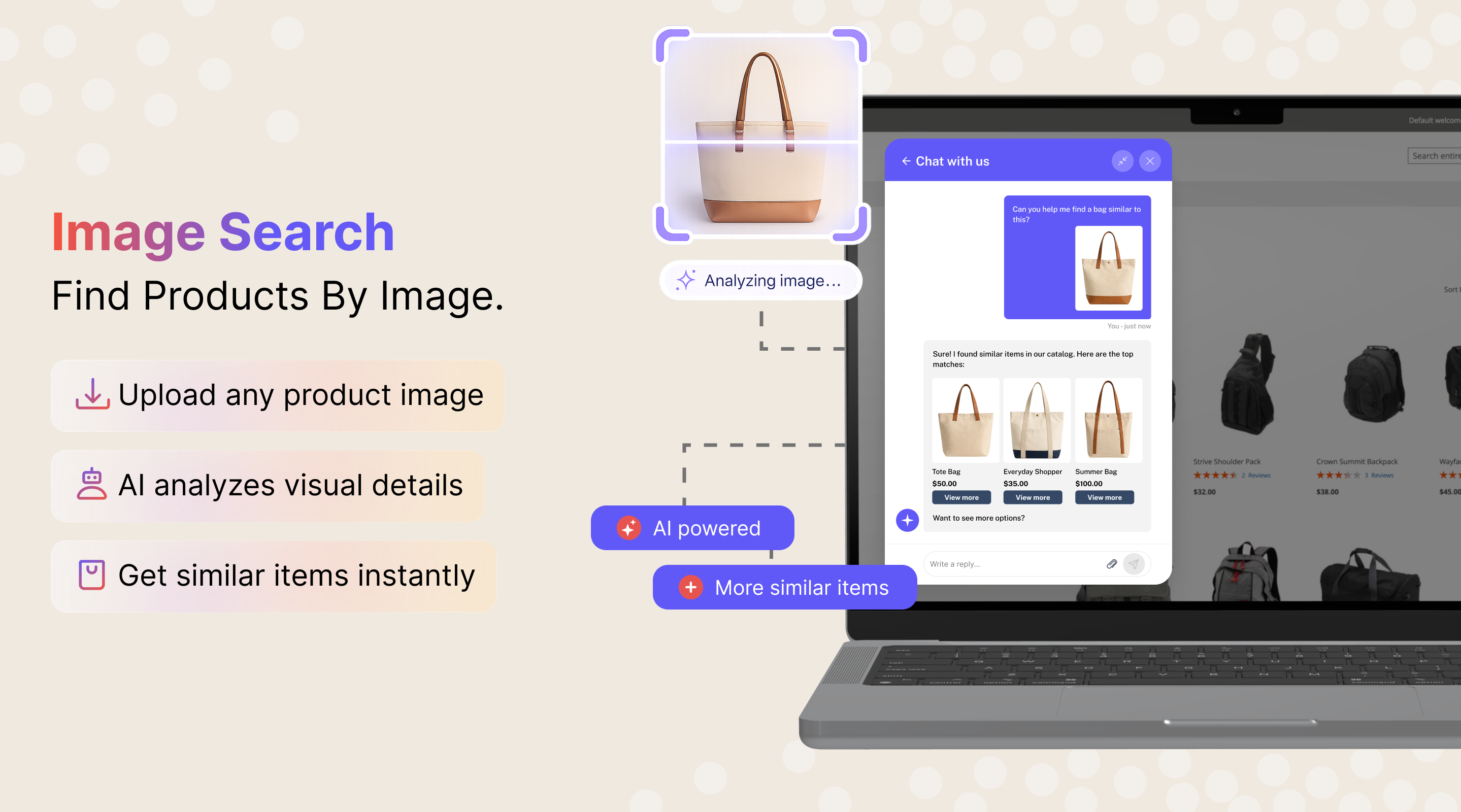
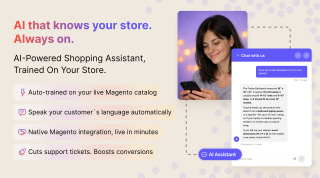
AI shopping assistant trained on your Magento catalog. Answers product questions, recommends items, and handles support queries, 24/7. Customers can check orders, download invoices, and manage tickets directly in the chat.
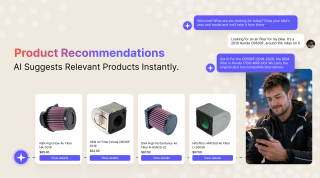
- AI-powered product recommendations and comparisons
- Instant answers to shipping, returns, and policy questions
- Auto-trained on your products, categories, and CMS pages
- Order & ticket self-service with secure email verification
eChat answers them instantly with product recommendations, policy info, self-service order tracking, and support ticket management, all trained on your catalog, no manual setup needed.
Still have questions? Book a call to see eChat in action.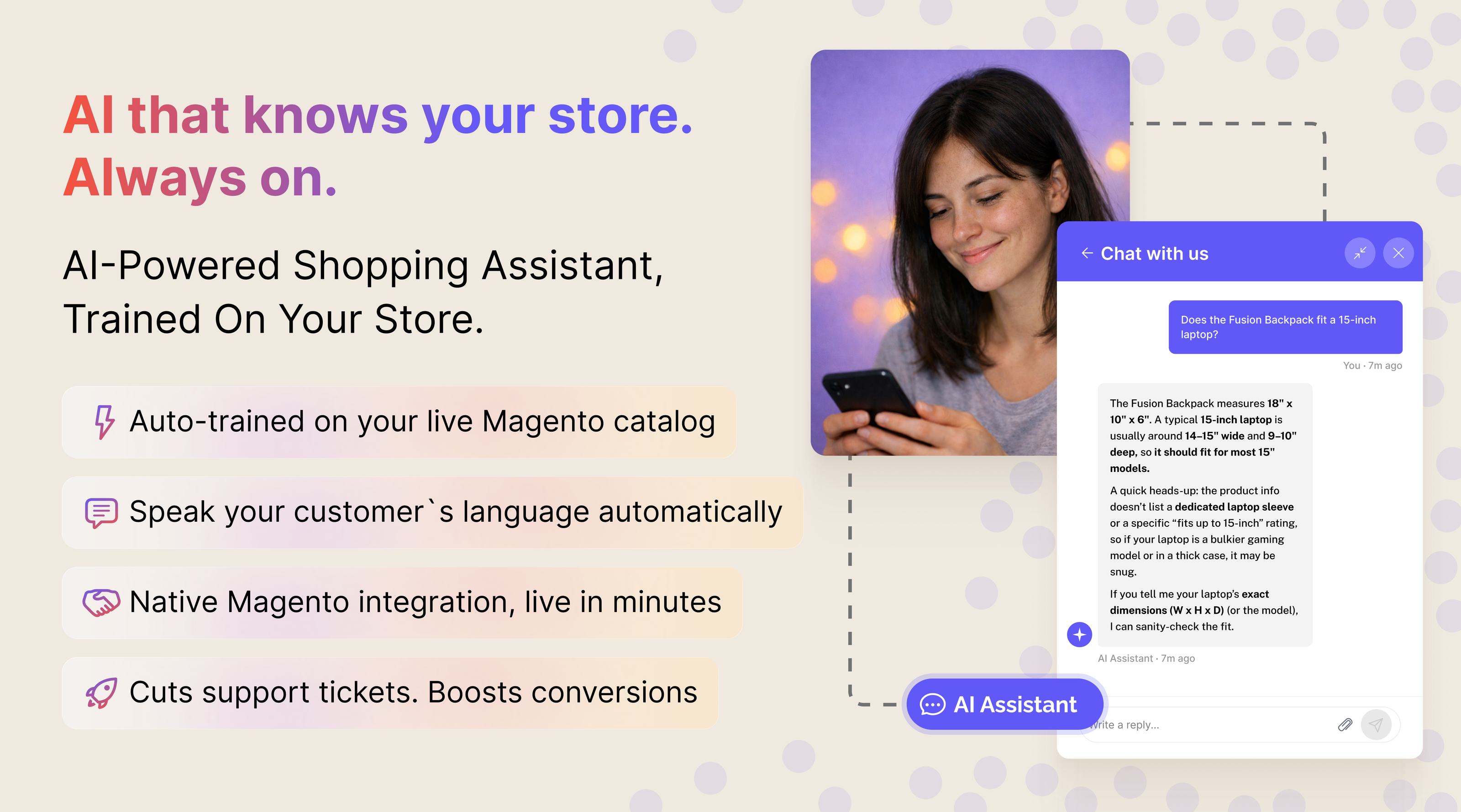
It's 11 PM and a customer is comparing two jackets on your store. They have a sizing question. No one is online. They leave, and so does the sale. Multiply that by every night, weekend, and holiday, and the lost revenue adds up fast.
eChat is an AI shopping assistant powered by a cloud service and trained on your Magento catalog. It answers product questions, recommends items, and handles common support queries instantly (median answer time: 5.7 seconds), in any language, around the clock.
What benefits do you get for your store?
Not a demo claim: over three months, eChat handled 3,766 conversations across dozens of live Magento stores, with no human agent behind any of them. Every number on this page comes from that data.
How It Works
Install & Connect
Install the Magento extension via Composer and connect it to the eChat cloud service. The extension syncs your catalog data with the cloud, which handles all AI processing.
eChat Learns Your Store
The extension automatically syncs your products, categories, and CMS pages with the eChat cloud service. It builds a knowledge base from your actual catalog data: names, descriptions, attributes, prices, and policies.
Customers Ask, eChat Answers
Shoppers type questions in the chat widget (product recommendations, size comparisons, shipping policies) and get accurate, context-aware answers drawn from your store content.
You See the Gaps and Close Them
Review conversation logs and customer ratings in the admin panel. Every question eChat couldn't answer lands in a separate queue, so you group the similar ones, answer once, and the knowledge base grows exactly where shoppers hit a wall.
eChat doesn't just answer questions. It actively helps customers find and choose the right products, turning hesitation into purchases. Across live Magento stores running eChat, 38% of all conversations start with a product question: shoppers use chat to decide what to buy, not just to complain.
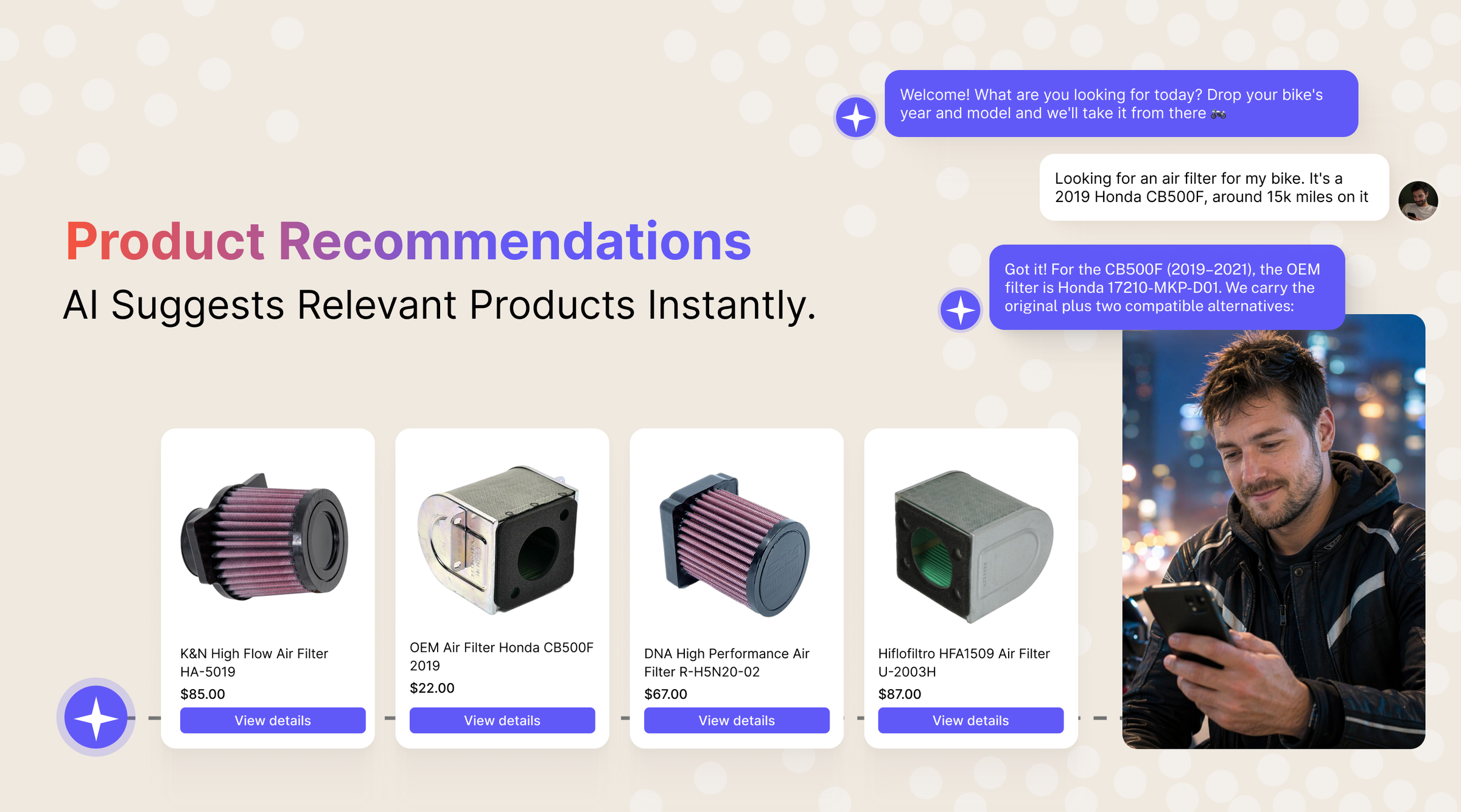
Product Recommendations
Customers describe what they need in plain language ("I want something to protect me from rain while running"), and eChat recommends matching products from your catalog with direct links.
By guiding shoppers to the right products at the moment of intent, eChat reduces bounce rates and increases the likelihood of a purchase.
Product Comparisons
Shoppers can ask eChat to compare products side by side. The bot analyzes attributes, prices, and descriptions to present a clear comparison, helping customers make confident decisions without leaving the page.
No more opening multiple tabs or scrolling between product pages. eChat brings the comparison to the conversation.
The most common support questions are the simplest ones. eChat handles them automatically so your team can focus on issues that actually need a human. In production it fully resolved about 50% of conversations on its own, and fully or partially resolved about 85%. Only 0.66% of shoppers asked for a live person, and honesty is the likely reason: the widget says it's an AI, so people just ask their question. We never pass the bot off as a human.
Store Policies & FAQ
eChat answers questions about returns, shipping, payment methods, and other store policies, pulling information directly from your CMS pages.
This dramatically reduces the number of repetitive inquiries your support team has to handle day after day.
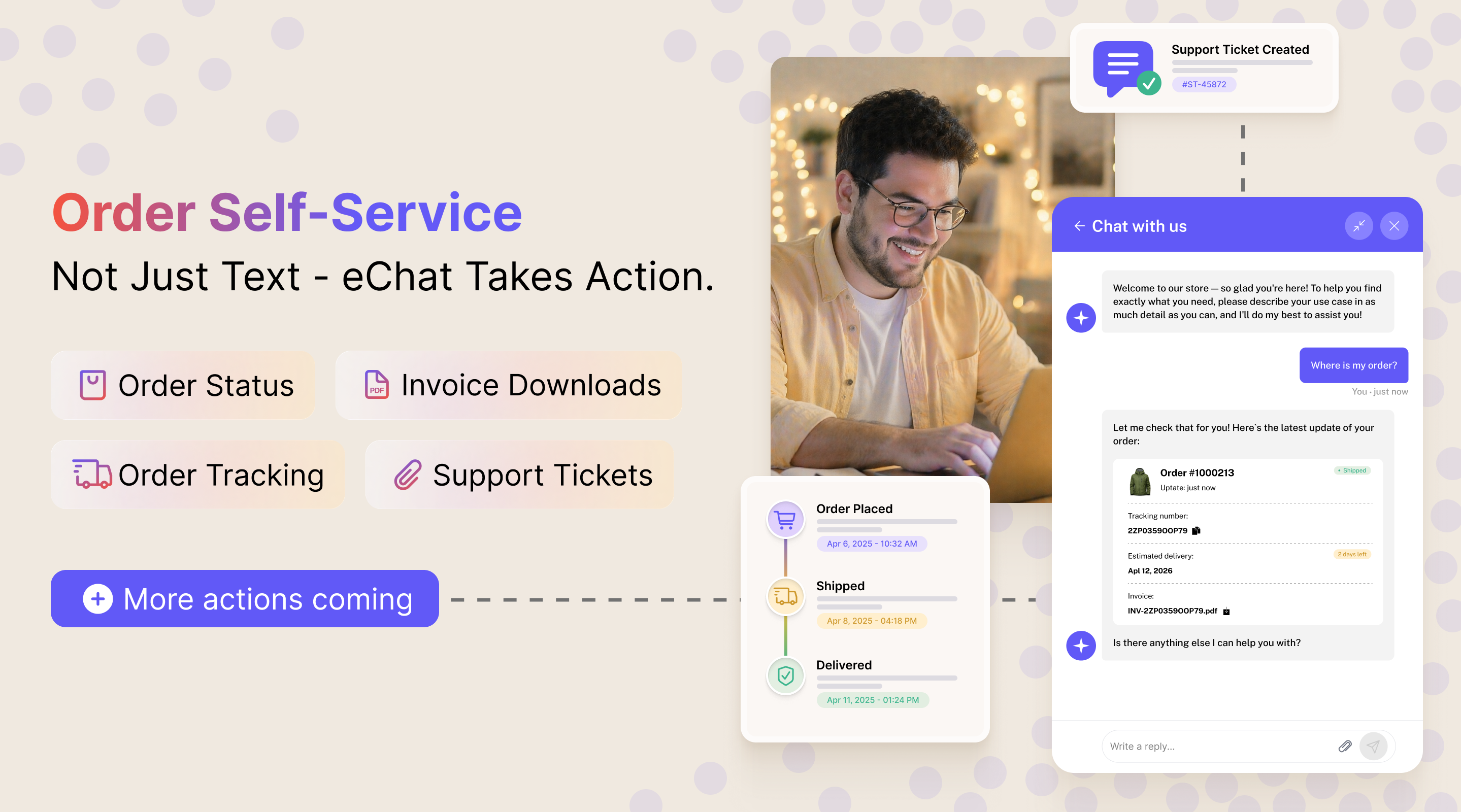
Most chatbots only generate text. eChat can use tools: it connects to your Magento store to look up real data, pull documents, and perform actions on behalf of the customer.
Order Status & Tracking
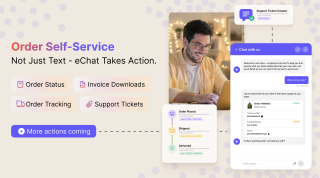
A customer asks "Where is my order?" and eChat looks up the order in Magento, returns the current status, and provides a tracking link. Real data, not a canned response: in a production audit, every order status and tracking answer eChat gave matched the live Magento data.
Invoice Downloads
A customer asks for an invoice and eChat fetches it from Magento, with a download link right in the chat. No logging in, no navigating the account dashboard.
Support Tickets
A customer wants to check on a ticket or create a new one, and eChat handles it in the conversation. When an issue needs a human, such as a refund or an order change, eChat collects the details first (order numbers, photos, verified email) and hands your team a ready-to-work ticket. Over three months of production data, eChat opened 133 such tickets on its own.
Secure Email Verification
Before accessing any personal data, eChat verifies the customer's identity. It sends a one-time code to their email, entered and confirmed right in the chat.
Four tools ship by default: create a ticket, look up order status, get tracking, and pull an invoice. Each one connects eChat to a specific part of your store, turning the chat into a real self-service hub.
A handoff is usually a limit on authority, not on understanding. eChat can read a return request perfectly well, but it has no right to process a return on your behalf, so it lays out your return terms and explains how to request one.
You draw that line yourself. Escalation scenarios pair a trigger situation with what eChat should do about it: route an unhappy customer to support and end the conversation, open a ticket right away, or hand over your contact details. The user manual covers how scenarios are configured.
When a handoff does happen, nobody is dropped into nowhere. eChat confirms the customer's email, pulls the request text, the conversation context, and the order number out of the chat itself, and hands your team a prepared case instead of a "hi, I have a problem".
eChat indexes all of your Magento content to provide accurate, store-specific answers:
- Products: names, descriptions, attributes, prices, and availability
- Categories: structure, navigation, and category-specific content
- CMS Pages: policies, FAQs, about us, shipping info, and more
- Knowledge Base: articles, guides, and help content from your knowledge base
When you add new products, update prices, or change a return policy, eChat picks up the changes automatically through reindexing. No manual updates, no stale answers.
Your content can stay in one language. eChat detects the shopper's language from their first word and runs the whole conversation in it: in production, shoppers chatted in 30+ languages while the catalogs and knowledge bases behind them stayed in English.
Hallucinations are mostly a reaction to a gap in your content: unable to find the information, the model starts filling it in. Instructions alone don't fix that, so eChat doesn't rely on them. An answer never goes straight to the shopper. A guard layer first checks the facts in it against your knowledge base.
We would rather name the number than pretend it's zero: in production, that layer still lets a false answer through roughly once every thousand conversations. That is why the two mechanisms work as a pair. Whatever the guard kills, and whatever the bot couldn't answer at all, goes into the unanswered-questions queue for you to fix at the source.
eChat vs Alternatives
See how an AI assistant built into Magento compares to the alternatives:
| eChat | Generic Chatbot | Manual Live Chat | |
|---|---|---|---|
| Setup Time | Minutes: install and go | Hours: manual configuration | Days: hire and train staff |
| Magento Integration | Native: reads your catalog directly | None: requires manual data entry | None: agents look up info manually |
| Product Knowledge | Auto-indexed from your store | Only what you manually enter | Depends on agent training |
| Hallucination Control | Answers fact-checked against your catalog | None: fills gaps with invented facts | Human judgment |
| Availability | 24/7, every day | 24/7, every day | Business hours only |
| Languages | 50+ with auto-detection | Varies, often limited | Depends on staff |
| Order Self-Service | Yes: status, tracking, invoices, tickets | No | Yes, but slow |
| Maintenance | Self-updating knowledge base | Manual updates required | Ongoing training |
| Cost | Fixed extension price | Monthly subscription | Salaries + overhead |
Comparing specific chatbot and live chat extensions for Magento 2? See how the main options compare on price, order lookup, human handoff and AI costs.
Built for Magento Store Owners
Customizable Widget
Match the chat widget to your store's branding (welcome messages, colors, position, and behavior), all configurable from the Magento admin panel.
Conversation Logs
Review every conversation in the Magento admin. See what customers are asking, how the bot responds, and identify opportunities to improve your store content or product information.
Lightweight & Fast
All AI processing runs in the eChat cloud service, not on your Magento server. The chat widget loads asynchronously and won't slow down your storefront. Your page speed scores stay intact.
Works with Any Theme
eChat is compatible with any Magento 2 theme. Whether you use Luma, Hyvä, or a custom theme, the widget integrates cleanly without conflicts.
Real Questions, Real Answers
Here's what customers can ask eChat, and get accurate, instant answers.
Cents, not dollars. Across our production data, the median conversation (usually three to five question-and-answer pairs) came to $0.028 of model cost. No human agent answers a question for three cents.
What drives the number is not message length but how much information the bot has to read before it can answer. One question is rarely one model call: a hard product question makes eChat search, open a page, see that it doesn't answer, open the next one, and come back to compare. A person researches a topic the same way, except a person isn't billed per token.
The heaviest conversations in our data were product consultations, the ones you least want cut short, and they still stayed within single dollars. That is why we don't recommend capping a conversation by cost. Abuse is a separate problem with a separate answer, and dedicated layers cut off anyone who dumps huge texts into the chat or tries to pull it away from your store's topic.
Across the stores in our production data, over 90% of what the bot knows is the catalog itself. The remaining 10% comes from CMS pages and content the merchant added on purpose. That is why the information most often missing is so unglamorous:
- live stock
- prices and current promos
- store addresses
- shipping terms
- self-service instructions
- sometimes even the company name, because it lives in the logo and nowhere in the data the chat reads
These are not AI blind spots. They are store blind spots that eChat makes visible. Two questions tell you how much preparation you need: what do customers ask about most, and is the answer already in your admin panel? If your product descriptions are complete and detailed, you may need no preparation at all.
When eChat Is Not the Right Fit
Two cases where we would tell you to wait:
- Your store has almost no traffic. A chatbot multiplies conversations that are already happening. It does not create visitors.
- Your answers live in your support team's heads. If the information was never published on the site, the bot will expose that gap in the first week. Content comes first: detailed product descriptions, policy pages, a basic FAQ.
There is also a limit on the role itself. We see eChat as an information helper, not a sales consultant. Selling is emotion, psychology, and the argument for this particular product, and a human is still stronger at that. If you run a live sales chat today, keep it. If you never had one, nobody was selling in this channel anyway, and now at least someone answers product questions at three in the morning.
Your customers have questions at every hour of the day. eChat makes sure they always get answers directly from your store's own content: accurate, helpful, and instant.
Save time by starting your support request online and we'll connect you to an expert.
Can eChat fully replace live chat on my store?
Often, yes. Across 3,766 production conversations handled with no human agent behind them, only 0.66% of shoppers asked for a live person. When most requests come down to finding information and handing it to the customer, a bot covers the channel.
Two honest exceptions. If your chats are complex and unique, or if your staff actively sell through chat, today's models don't reach the level of human communication. If you have a live sales chat today, keep it. If you never had one, nobody was selling in this channel anyway.
What do shoppers actually ask an AI chatbot?
Product questions dominate, which surprises most merchants who expect a support offload. In our production data, first messages broke down like this:
- 38% product selection, specs, and compatibility
- 25% greetings and small talk
- 29% other topics such as policies, returns, and contacts
- 8% order status and delivery details
Order status stays low because a logged-in Magento shopper is two or three clicks away from it. The chat works as a product-consultation channel, not only as support.
How many questions does eChat resolve on its own?
It fully resolved about 50% of conversations and fully or partially resolved about 85%. We deliberately keep those as two numbers instead of collapsing them into one smooth resolution rate, because full resolution and partial help are different things.
One caveat on the method: the conversations were scored automatically by a separate, more capable model, not read by hand. Only about 5% of shoppers explicitly wrote that the bot had helped. The full methodology is published here.
What does a conversation cost to run?
Cents. In our production data the median conversation, usually three to five question-and-answer pairs, came to $0.028 of model cost. The driver is not message length but how much information the bot has to read before it can answer.
One question is rarely one model call, so a hard product question costs more than a policy question. The heaviest conversations in our data were product consultations, the ones you least want cut short, and they still stayed within single dollars, which is why we don't recommend capping a conversation by cost. Abuse is a separate problem with a separate answer: dedicated layers cut off text dumps and attempts to pull the chat away from your store's topic.
Does eChat make things up?
Hallucinations are mostly a reaction to a gap in your content: unable to find the information, a model starts filling it in. eChat doesn't rely on instructions alone to prevent that. An answer passes through a guard layer that checks its facts against your knowledge base before the shopper sees it.
Even that layer isn't perfect. In production it lets a false answer through roughly once every thousand conversations, and we would rather name that number than pretend it's zero. Every question the bot couldn't answer, and every answer the guard killed, lands in the unanswered-questions queue so you can fix the source.
What do I need to prepare before launching eChat?
Mostly content. Over 90% of what the bot knows is your catalog itself, and the remaining 10% comes from CMS pages and content you add on purpose. Two questions tell you how much work is left: what do customers ask about most, and is the answer already in your admin panel?
If your product descriptions are complete and detailed, you may need no preparation at all. If support answers customers from a source the site has never seen, that source has to reach the bot's knowledge before launch, not after. The information most often missing is unglamorous: live stock, prices and promos, store addresses, shipping terms, and self-service instructions.
Which languages does eChat support?
The language is detected from the shopper's first word, and the whole conversation runs in it with no configuration on your side. In production, shoppers chatted in 30+ languages while the catalogs and knowledge bases behind them stayed in English.
The chat widget itself ships with ready-made translations for 15 languages, including German, French, Spanish, Italian, Dutch, Polish, Portuguese, Swedish, Czech, Turkish, Arabic, Japanese, Simplified Chinese, and Ukrainian.
Is eChat GDPR compliant, and where is shopper data stored?
The eChat service runs in Canada, which the EU recognises as giving personal data adequate protection, and replies come from the AI provider you connect with your own API key. The nightly sync sends your catalog, not your customers or orders. Order details are looked up live, only when a shopper asks, and guests confirm their email first.
You decide how long conversations are kept, can delete any conversation or erase a shopper by email for an erasure request, and can hold the widget back until cookie consent (Cookiebot, Magento's cookie notice, or any other consent tool). A Data Processing Agreement is published at echat.mirasvit.com/dpa, and the manual lists exactly what is stored and where.
Mirasvit\EChat\Tool\ToolInterface now runs only for a verified email, and its JS handler is ignored, so it always runs on the server. The email and verification_code arguments are added to its definition automatically, and the verified email is passed to it in $params['email']. Do not check a verification code inside the tool. A tool that returns only store-wide data, the same for every visitor (stock by SKU, opening hours, shipping rates), must implement the new Mirasvit\EChat\Tool\PublicToolInterface to stay public. Never mark a tool public if it returns orders, tickets, addresses or other customer datamst_echat group as a separate process. bin/magento cron:run runs every group, so most stores need no change. If your server runs only cron:run --group=default, add --group=mst_echat as wellsetup:di:compile works again on stores without the Magento_Csp module (a regression in 1.5.0). On stores that remove Magento_Csp, compilation failed because the module referred to a CSP class that does not exist there. Stores that keep Magento_Csp still have echat.mirasvit.com whitelisted as beforeBlog

 Andriy Kovalenko

 Oleksandr Drok
 We are committed to being open and transparent with our customers. When you purchase our module, you automatically receive one year of free support service and free updates.
Why is this important?
- Seamless Installation and Configuration: We understand that setting up a new module can take time to configure according to your specific needs. That’s why we offer a full year of free support. Our experienced team is here to assist you with installation, configuration, and any questions you might have. We're eager to share our expertise to ensure you get the most out of your purchase.
- Stay Updated with Magento (Adobe Commerce) Releases: Magento releases new versions approximately every three months. These updates can sometimes introduce compatibility challenges. To keep your store running smoothly, we provide a year of free access to the latest versions of our modules, ensuring that you can upgrade Magento and our modules without encountering any obstacles.
- Subscription Included: Renewing your subscription ensures continued access to the latest updates and support from our team. This means you can be confident that any issues you encounter with the extension will be resolved quickly and efficiently. You can cancel your subscription at any time without any additional fees.
These are our primary. A major portion of our new clients come from referrals from our existing clients. Our professional team of developers, marketers and support staff have invested the best knowledge and experience in the field into our work, so you know you can come back to us again and again.
One year free and high quality support. We go to great lengths to provide maximum satisfaction with every module you have purchased in our store. By helping you with installation, configuration, answering your every question, we do all our best to eliminate any possible problems.
30-days money back guarantee. If you are not satisfied with our extension performance for any reason, we provide a full refund.
We constantly add new features to all our modules, and are always interested in hearing your opinion and implementing your suggested features in our future developments.
We provide an expanded user guide for every aspect of our extension, so you can find answers for all your burning questions.
You can customize extension according to your needs and requirements.
The Module is easy to install and upgrade, just follow our step-by-step user guide. Additionally, the extension is ready to use with the Hyvä theme.
No core modifications. The extension has been tested in a Magento Cloud environment and is fully compatible with it.