
After Order Payment for Magento 2
Charge customers after the order is placed. Create an extra payment linked to the original order, send the customer a link, and let them pay in the regular cart with any payment method your store offers.
Customers see their extra payments in their account, guests pay by link, and your team tracks every extra payment in one admin grid. With Mirasvit Order Management, editing an invoiced order requests the difference automatically.
- Request extra payments on existing orders
- Send customers and guests a payment link
- Auto-request the difference after order edits
- Pay with any enabled payment method
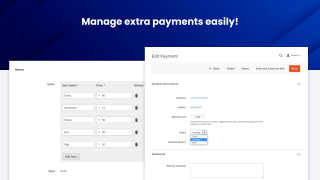
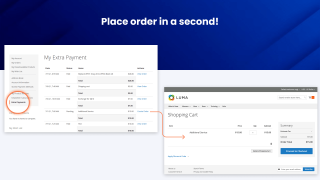
Charge a customer after the order is placed
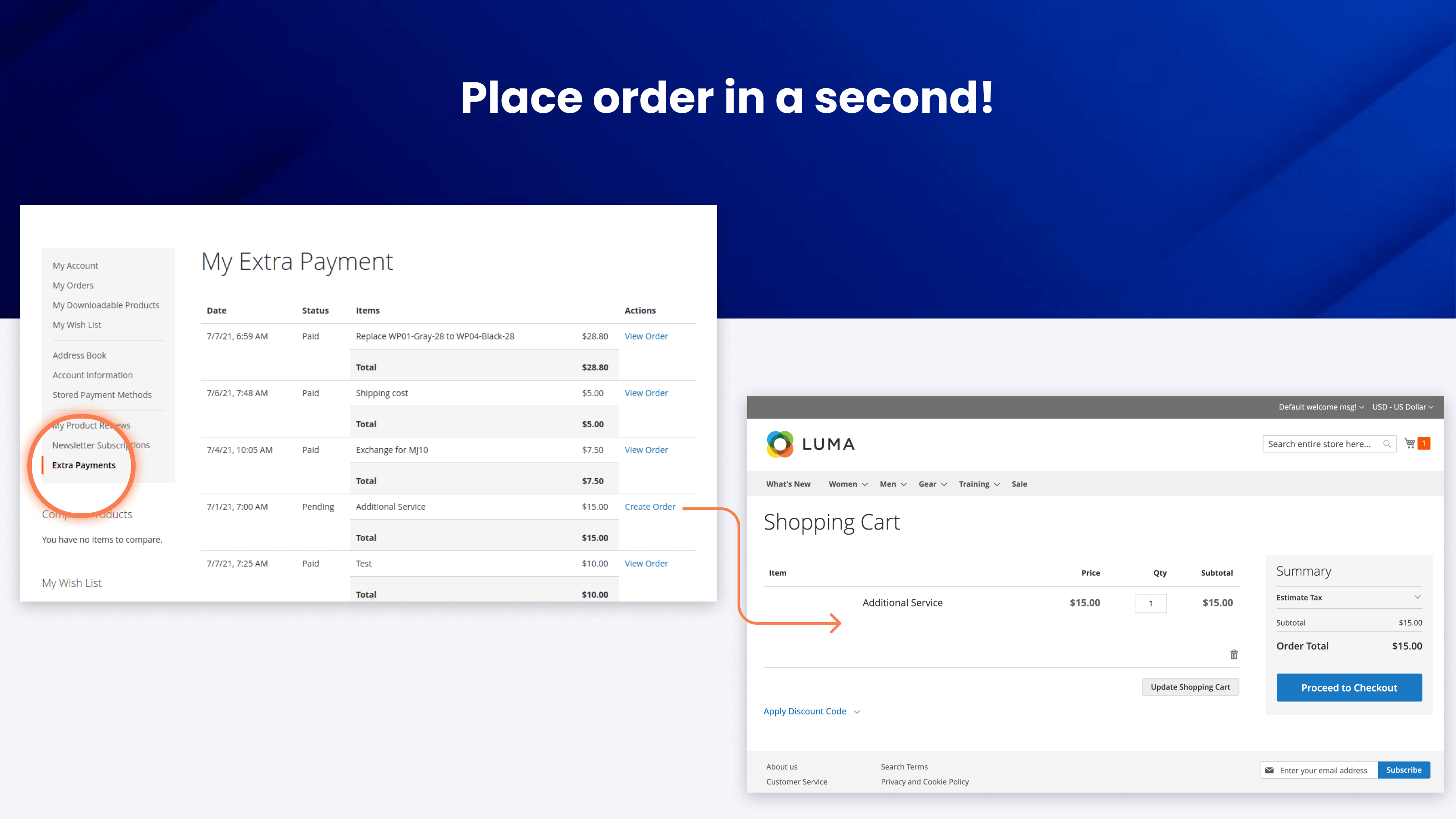
Request an additional payment for an existing order and send the customer a link to pay it
- Problem: After an order is placed, the amount often changes: the customer swaps a product for a more expensive one, asks for faster shipping, adds an item, or orders gift wrapping or insurance. Default Magento 2 has no way to ask for the difference. You can only create a new order or edit the existing one, and neither tells the customer what to pay or links the payment to the original order.
- Solution: After Order Payment (Extra Payment) creates an extra payment linked to the original order and customer. The customer opens it from their account or from a link you send, and pays in the regular cart with any payment method your store offers. The original order stays as it is, and the payment gets its own order number in your sales reports.
If a fee should be added automatically at checkout, for example for a payment method or a small order, use Checkout Extra Fee & Surcharge. Extra Payment is for charges you issue after the order has been placed.
Edited the order? The difference is requested automatically
If you edit an invoiced order with Mirasvit Order Management and the item total goes up, the extension creates an extra payment for the difference (items plus tax) and emails the customer a link to pay it. Older unpaid extra payments for that order are removed, so the customer only sees the current amount.
When the customer pays, the invoice for the difference is created on the original order automatically. Shipping changes are not included in the difference. Extra Payment comes as part of Order Management, so this works without a separate setup, and you can turn the email off and send the link yourself.
Issue an extra payment in a few clicks
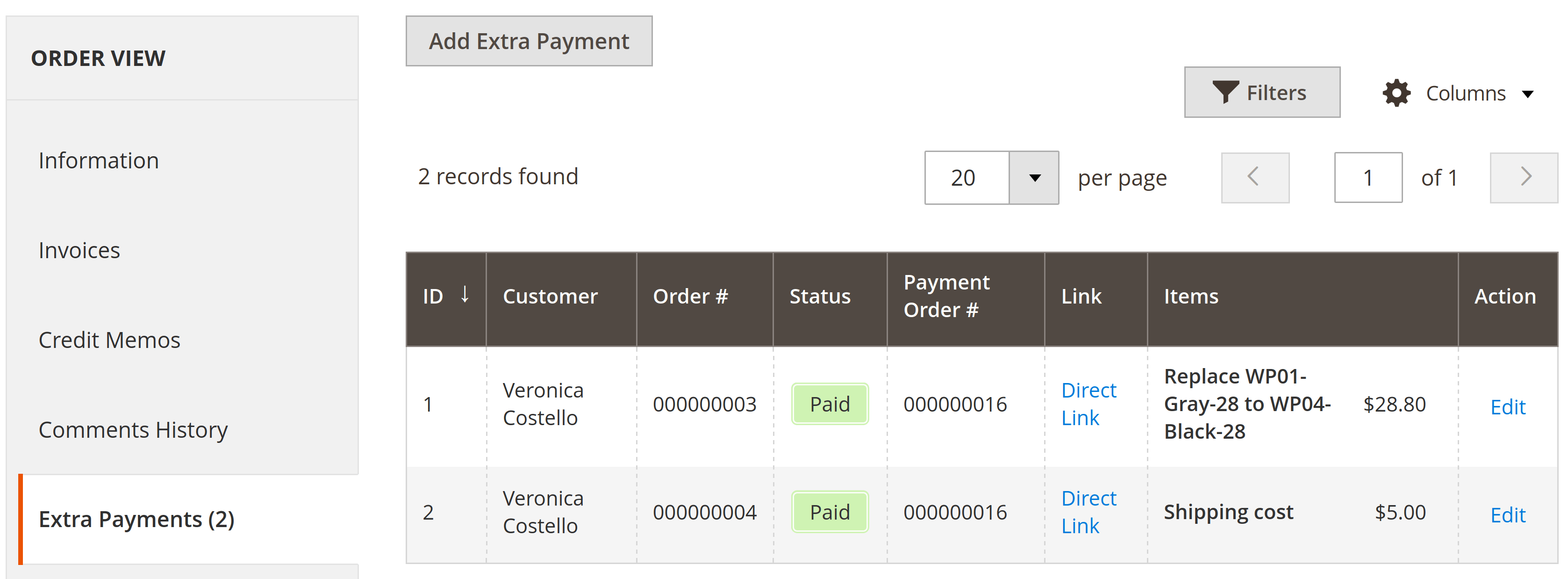
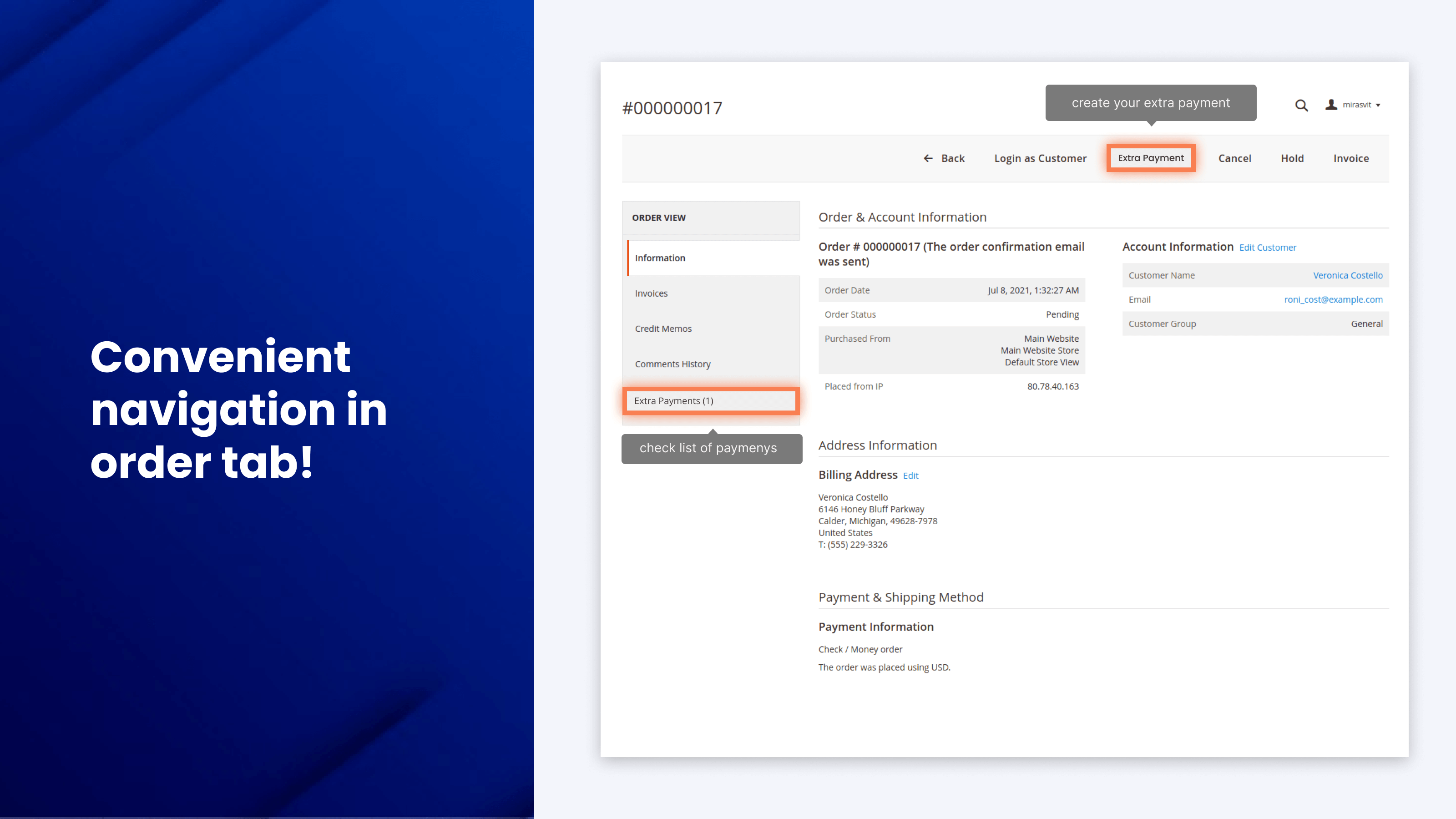
Create an extra payment from the order view page or from the customer's page in the admin. Each extra payment is linked to its order and customer.
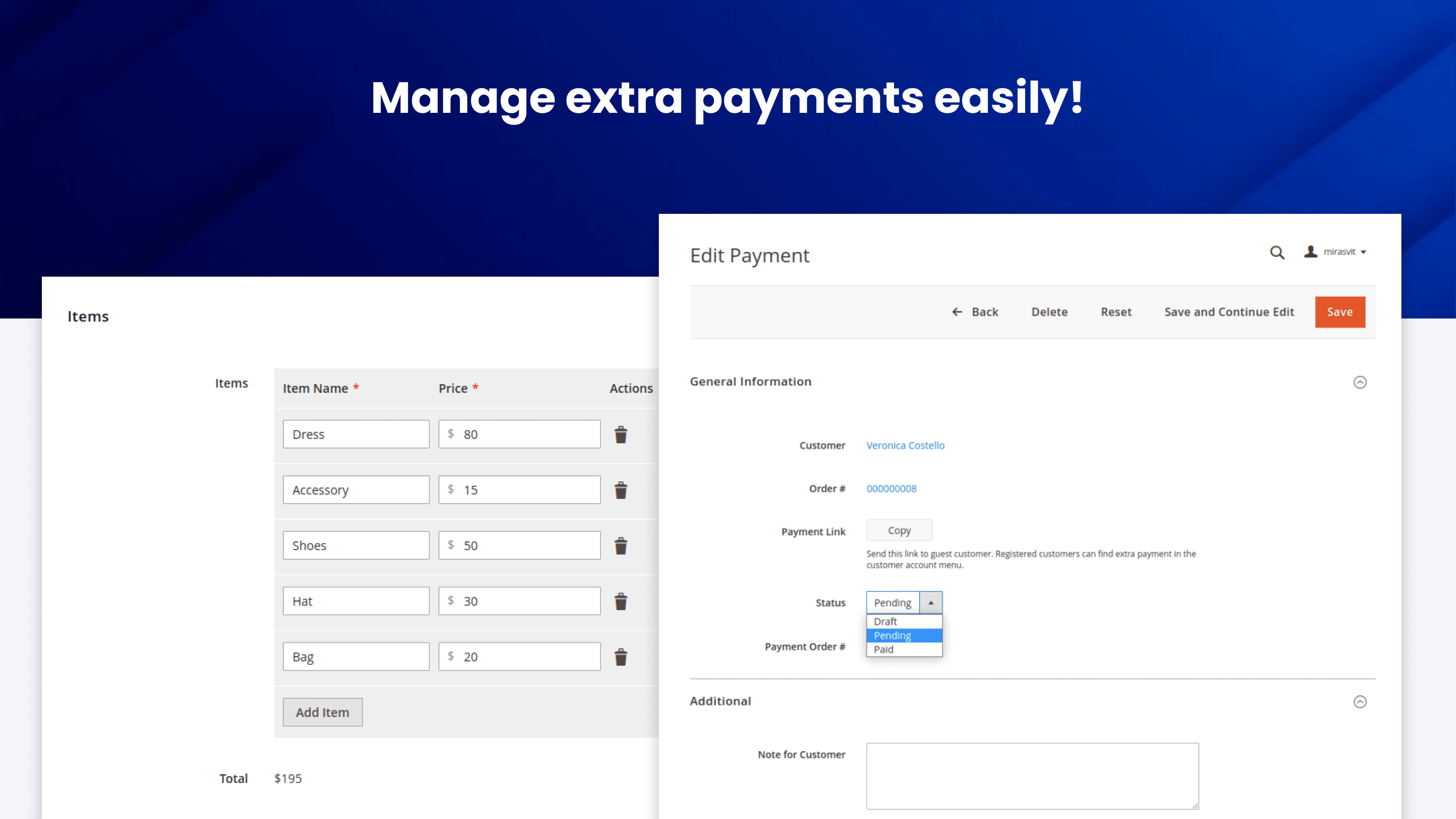
One extra payment can hold several items, each with its own name and price, and the customer sees the total. When you save it with an email template selected, the extension emails the customer a message with a button that opens the payment.
See the setup steps in the user manual.
All extra payments in one grid
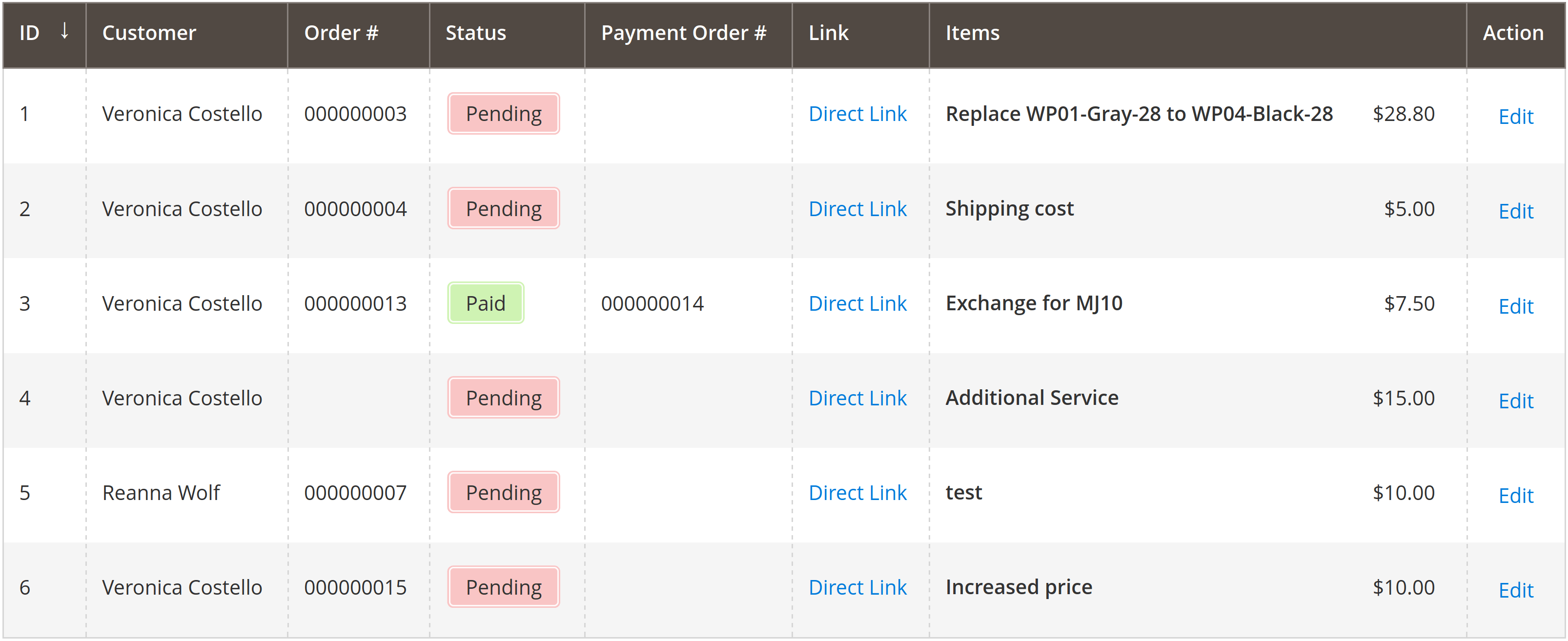
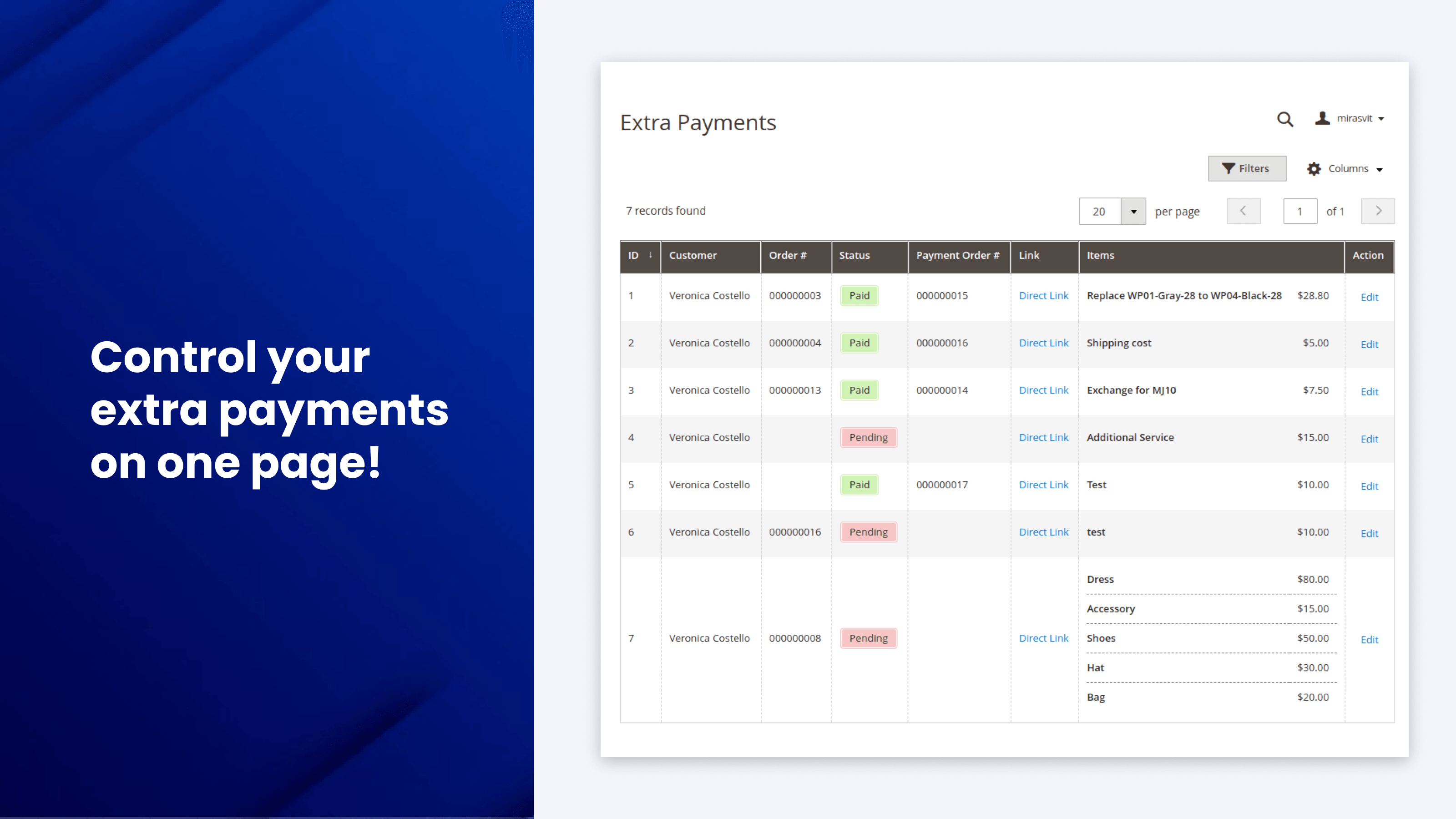
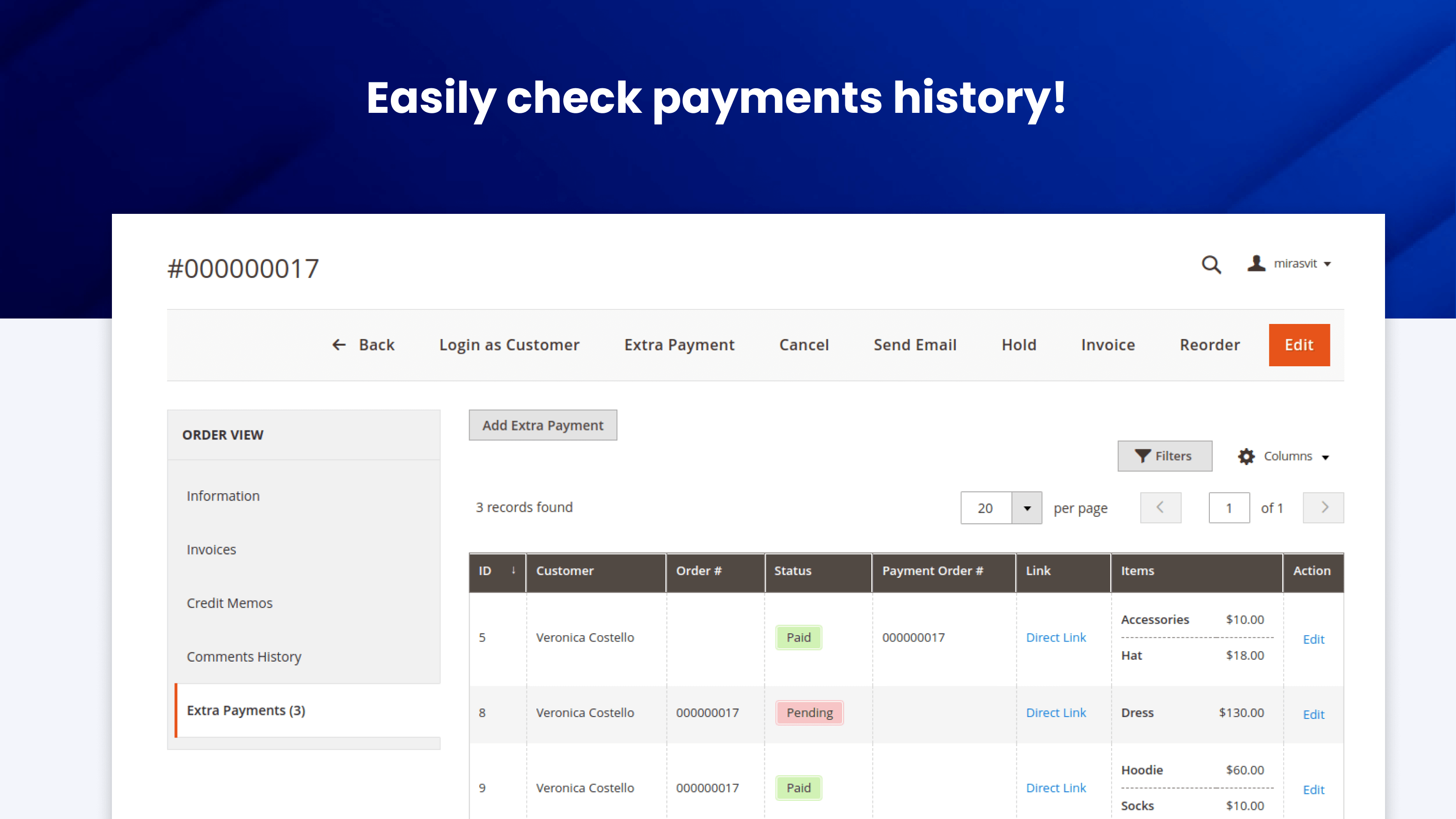
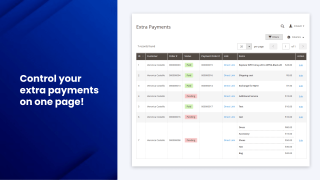
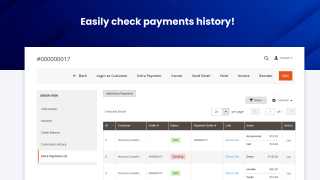
The Extra Payments grid shows the customer's name, the original order number, the status (draft, pending or paid) and the number of the order the customer placed to pay. It can also show the items, their prices, and both notes.
The Link column opens the payment exactly as the customer sees it, and you can filter the grid, for example by customer.
Extra payments are also visible where you work with orders. The Sales > Orders grid gets an Extra Payment Order column, and the order view page shows a notice when the order has an unpaid extra payment.
Clear status for every extra payment
When the customer places the order for an extra payment, the extension marks it as paid and links it to that order. The payment order is a regular Magento order with its own invoice, so you check the actual payment there, the same way as for any other order.
Extra payments in sales reports
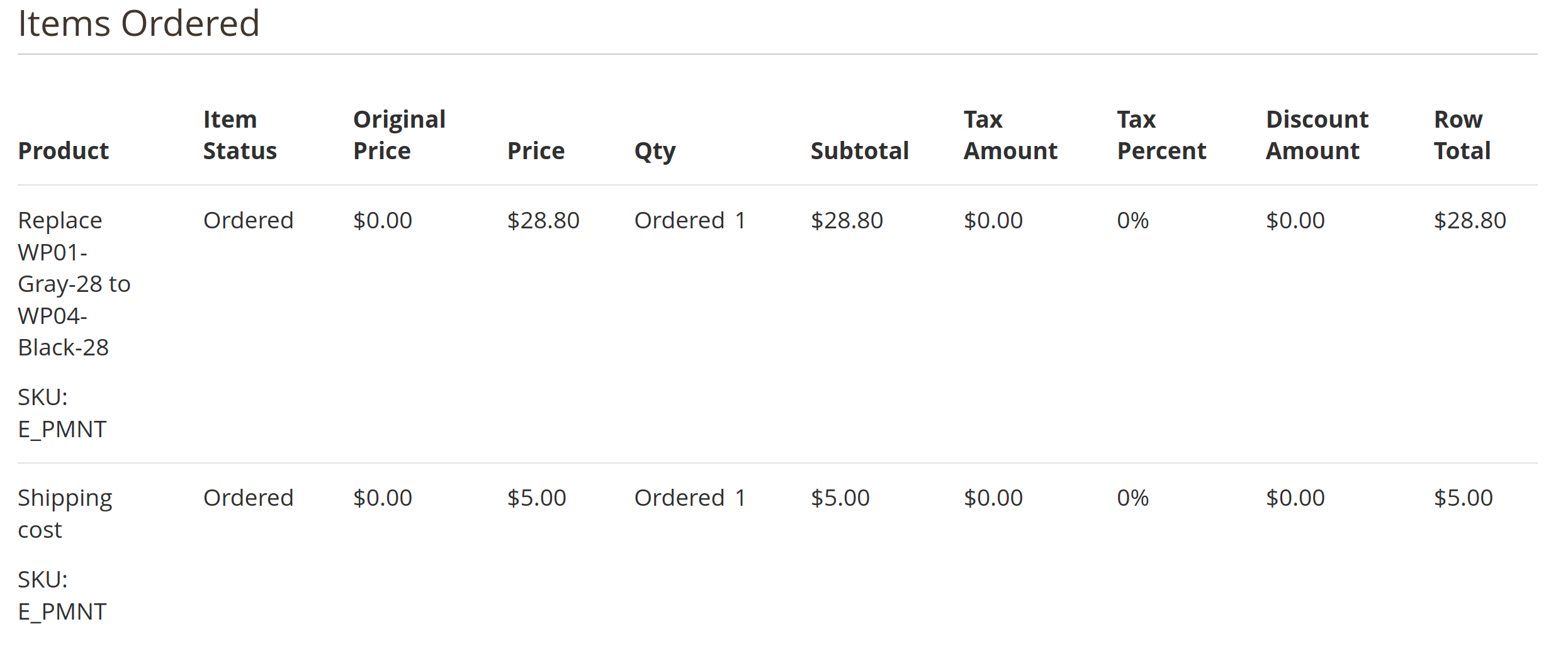
Each paid extra payment is a regular sale of a virtual product with the SKU E_PMNT. It appears in the order list in the admin and is counted in your sales reports like any other order.
Notes for the customer and for your team
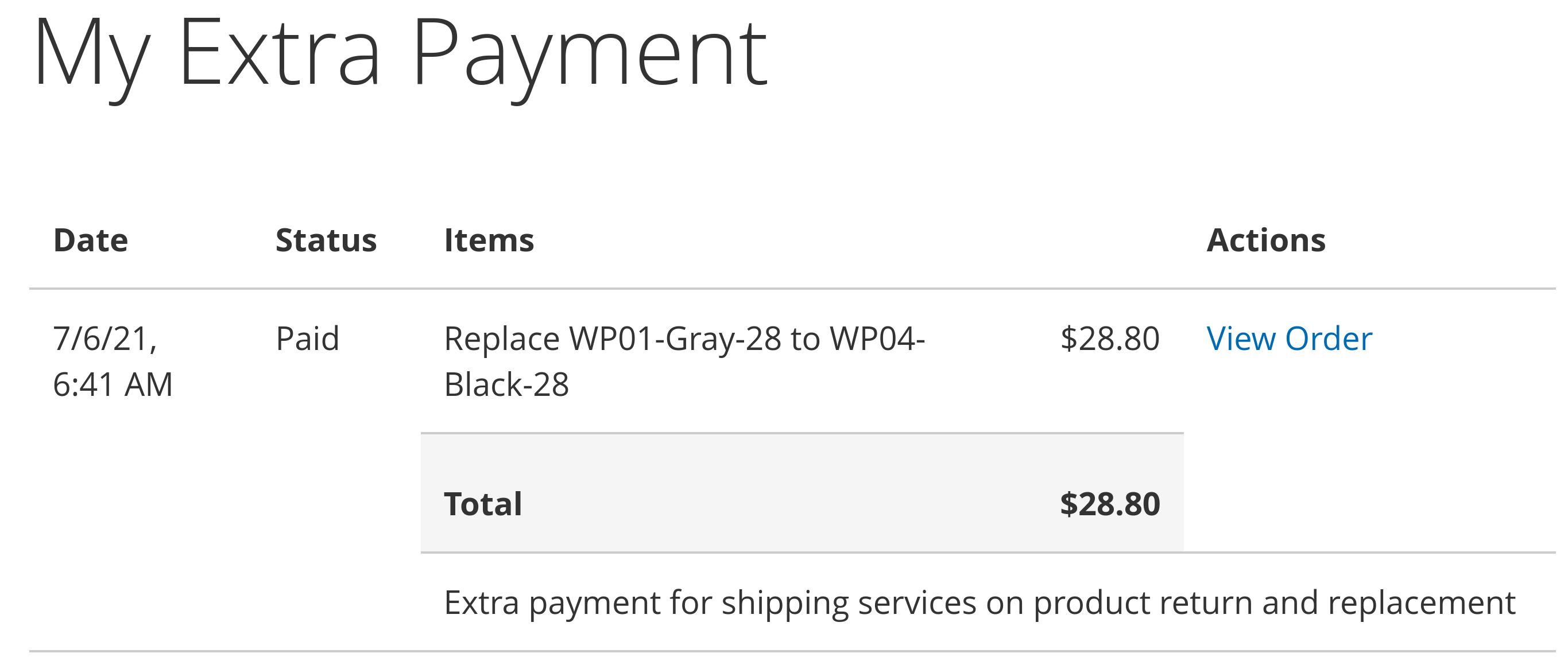
Every extra payment has two notes. The note for the customer explains what they are paying for. The internal note is visible only to your staff.
Extra Payments tab in the customer account
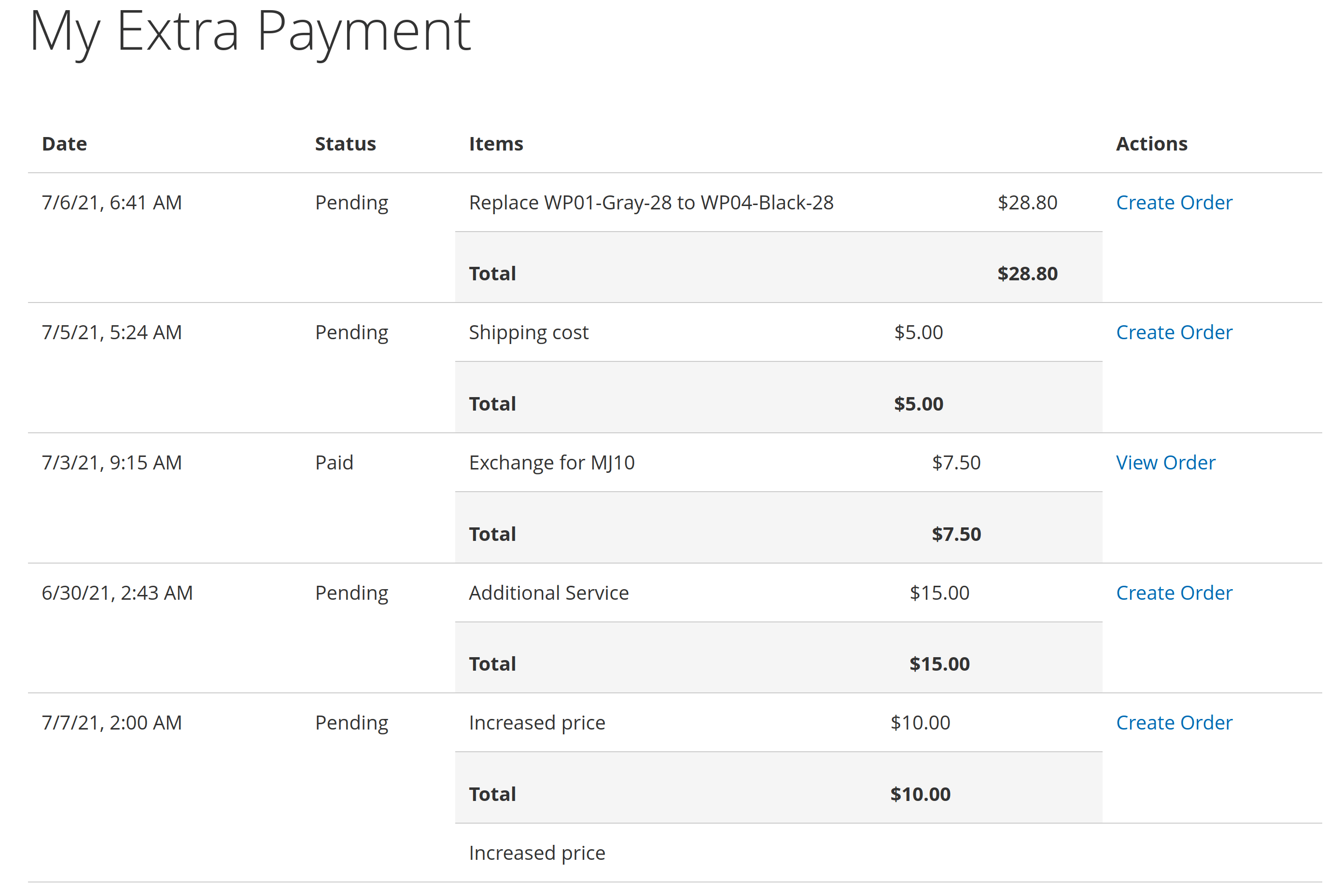
Customers see all their extra payments in the Extra Payments tab of their account: when each one was issued, its status, the items and the total.
One click takes the customer to the cart with the payment, and checkout works like any other purchase. The customer can't change the amount or the quantity in the cart. Customers can also open the details of extra payments they have already paid.
Extra payments for guest customers
Customers without an account can pay too. Create an extra payment and send the guest a link to it. The link takes them straight to the cart, where they pay like for any other purchase.
Any payment method, coupons included
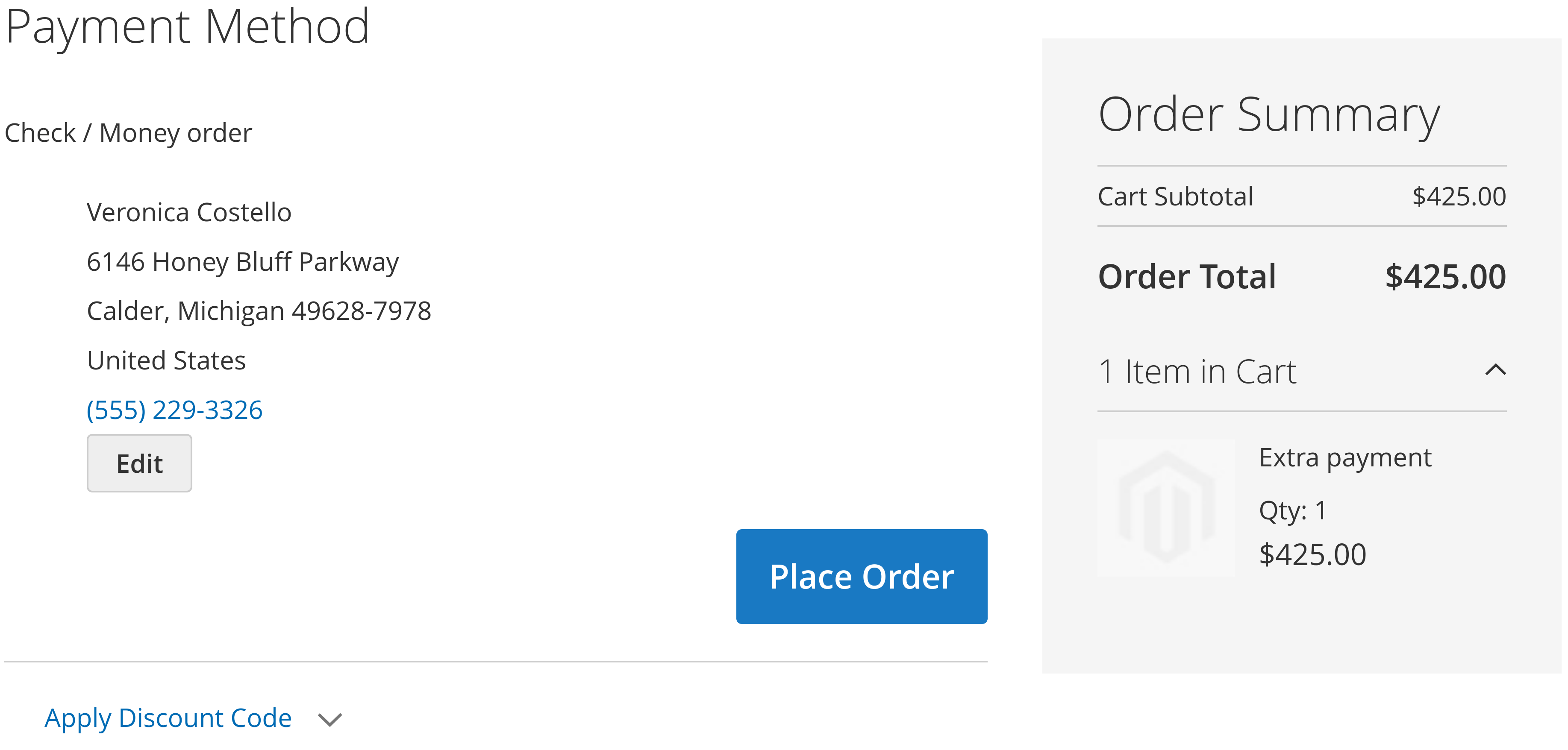
Because the extra payment goes through your regular checkout, the customer can pay with any payment method enabled in your store, not only the one used for the original order. Discount coupons work as well, if you allow them.
Why not just create a new order?
A new order or a second charge through the payment gateway gets the money, but it isn't connected to the original order. With Extra Payment, the charge stays linked to the order and the customer, the customer sees what they pay for in their account, guests can pay by link, and your team tracks every extra payment in one grid.
Automation and languages
The REST API lets you create, update and delete extra payments and send the payment email from your ERP or other systems. The extension is translated into 15 languages.
Save time by starting your support request online and we'll connect you to an expert.
How does an extra payment work in Magento 2?
Each extra payment is paid by buying a virtual product named Extra Payment Product (SKU E_PMNT). Its catalog price is 0.00, and the cart sets the price to the amount of the extra payment.
The product is set to Not Visible Individually, so customers never see it in the catalog. When the customer pays, Magento creates a regular order with its own number, linked to the original order.
How do I see which order an extra payment was paid with?
The Extra Payments grid shows both numbers: the original order and the order the customer placed to pay. In the Sales > Orders grid, the Extra Payment Order column shows the same link.
Can one extra payment include several items?
Yes. Add as many items as you need, each with its own name and price. The customer sees every item and the total, and pays the total at once. If you prefer one payment per order, add a single item.
Can customers use coupon codes on extra payments?
Yes. The extra payment goes through the regular cart, so customers can apply discount coupons if your cart price rules allow it.
Can guests pay an extra payment without an account?
Yes. Create the extra payment and send the guest its link. The link opens the cart with the payment, and the guest checks out like for any other purchase.
Is tax charged on an extra payment?
The extra payment is a regular product in the cart, so tax is calculated by your store's tax rules for the tax class of the E_PMNT product. Set that tax class to match how you want extra charges taxed.
What happens when I edit an order that is already invoiced?
If you edit it with Mirasvit Order Management and the item total goes up, the extension creates an extra payment for the difference (items plus tax) and emails the customer a link to pay it. After payment, the invoice for the difference is created on the original order automatically. Shipping changes are not included.
Can I turn off the automatic email?
Yes. The email sent after an order edit can be turned off in the extension settings, under Email Notifications. You can then copy the payment link from the Extra Payments grid and send it yourself.
Does it work with Hyvä and Hyvä Checkout?
The extension is Hyvä compatible. Customers pay an extra payment through your regular cart and checkout like any other product, so it doesn't need a separate checkout integration.
bin/magento setup:upgrade converts existing payments automatically in a one-time pass over the items column of the mst_extra_payment table — no action is needed, and a payment whose stored items cannot be read is left untouched and recorded in the log instead of being lostBlog

 Andriy Kovalenko

We are committed to being open and transparent with our customers. When you purchase our module, you automatically receive one year of free support service and free updates.
Why is this important?
- Seamless Installation and Configuration: We understand that setting up a new module can take time to configure according to your specific needs. That’s why we offer a full year of free support. Our experienced team is here to assist you with installation, configuration, and any questions you might have. We're eager to share our expertise to ensure you get the most out of your purchase.
- Stay Updated with Magento (Adobe Commerce) Releases: Magento releases new versions approximately every three months. These updates can sometimes introduce compatibility challenges. To keep your store running smoothly, we provide a year of free access to the latest versions of our modules, ensuring that you can upgrade Magento and our modules without encountering any obstacles.
- Subscription Included: Renewing your subscription ensures continued access to the latest updates and support from our team. This means you can be confident that any issues you encounter with the extension will be resolved quickly and efficiently. You can cancel your subscription at any time without any additional fees.
These are our primary. A major portion of our new clients come from referrals from our existing clients. Our professional team of developers, marketers and support staff have invested the best knowledge and experience in the field into our work, so you know you can come back to us again and again.
One year free and high quality support. We go to great lengths to provide maximum satisfaction with every module you have purchased in our store. By helping you with installation, configuration, answering your every question, we do all our best to eliminate any possible problems.
30-days money back guarantee. If you are not satisfied with our Magento 2 Extra Payment performance for any reason, we provide a full refund.
We constantly add new features to all our modules, and are always interested in hearing your opinion and implementing your suggested features in our future developments.
We provide an expanded user guide for every aspect of our Magento 2 payment link for existing orders, so you can find answers for all your burning questions.
You can customize Magento 2 after order payment extension according to your needs and requirements.
The Module is easy to install and upgrade, just follow our step-by-step user guide. Additionally, the extension is ready to use with the Hyvä theme.
No core modifications. The Magento 2 after order payment extension has been tested in a Magento Cloud environment and is fully compatible with it.