
Magento 2 Social Login Extension
Shoppers sign in and register with Google, Facebook, PayPal, Amazon, Yahoo, X or LinkedIn: no form to fill in and no new password. Works on Luma, Hyvä and headless storefronts through GraphQL.
- Google, Facebook, PayPal, Amazon, Yahoo, X and LinkedIn
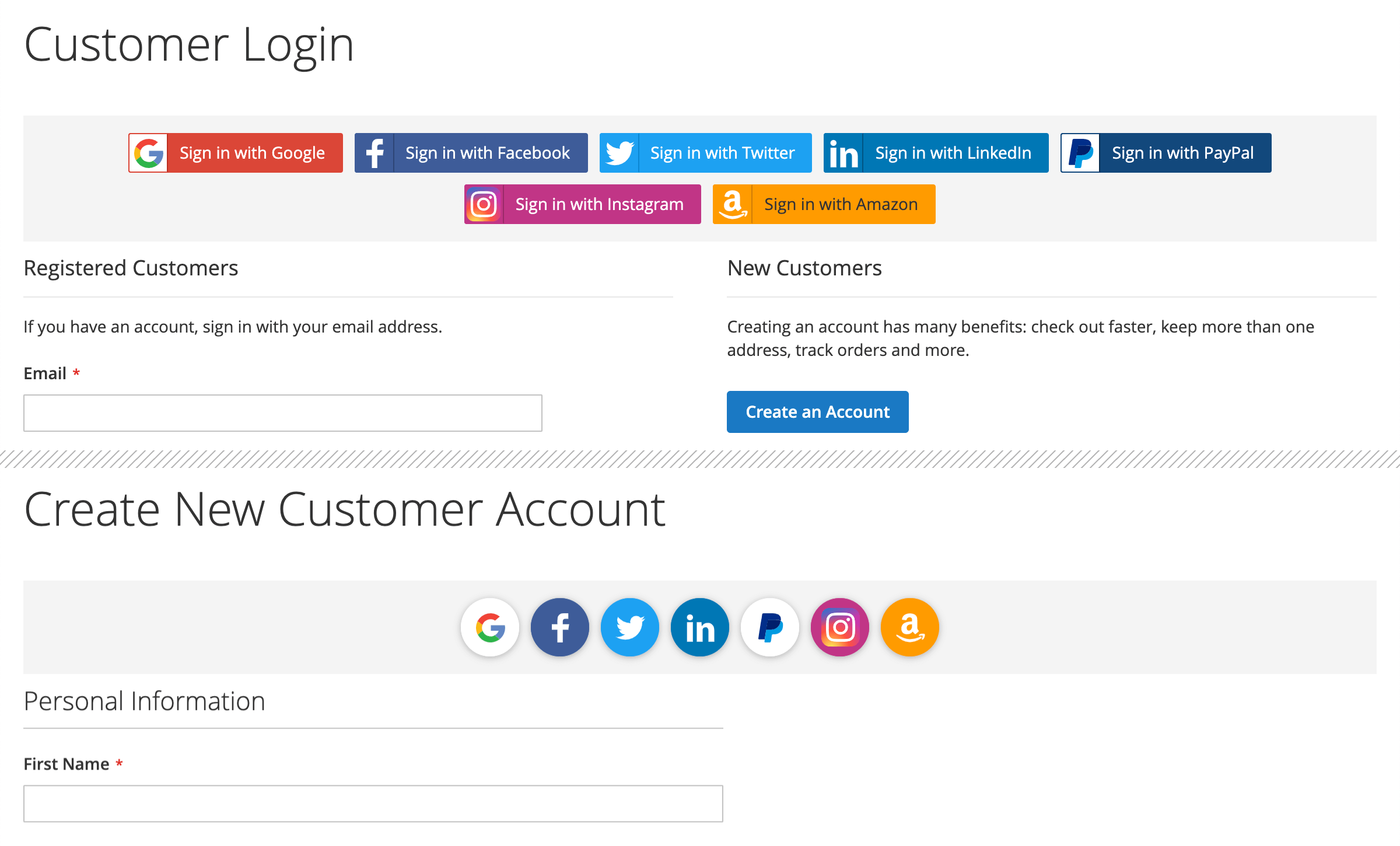
- Buttons on login, registration, popup and checkout sign-in
- Existing accounts linked by email, no duplicates
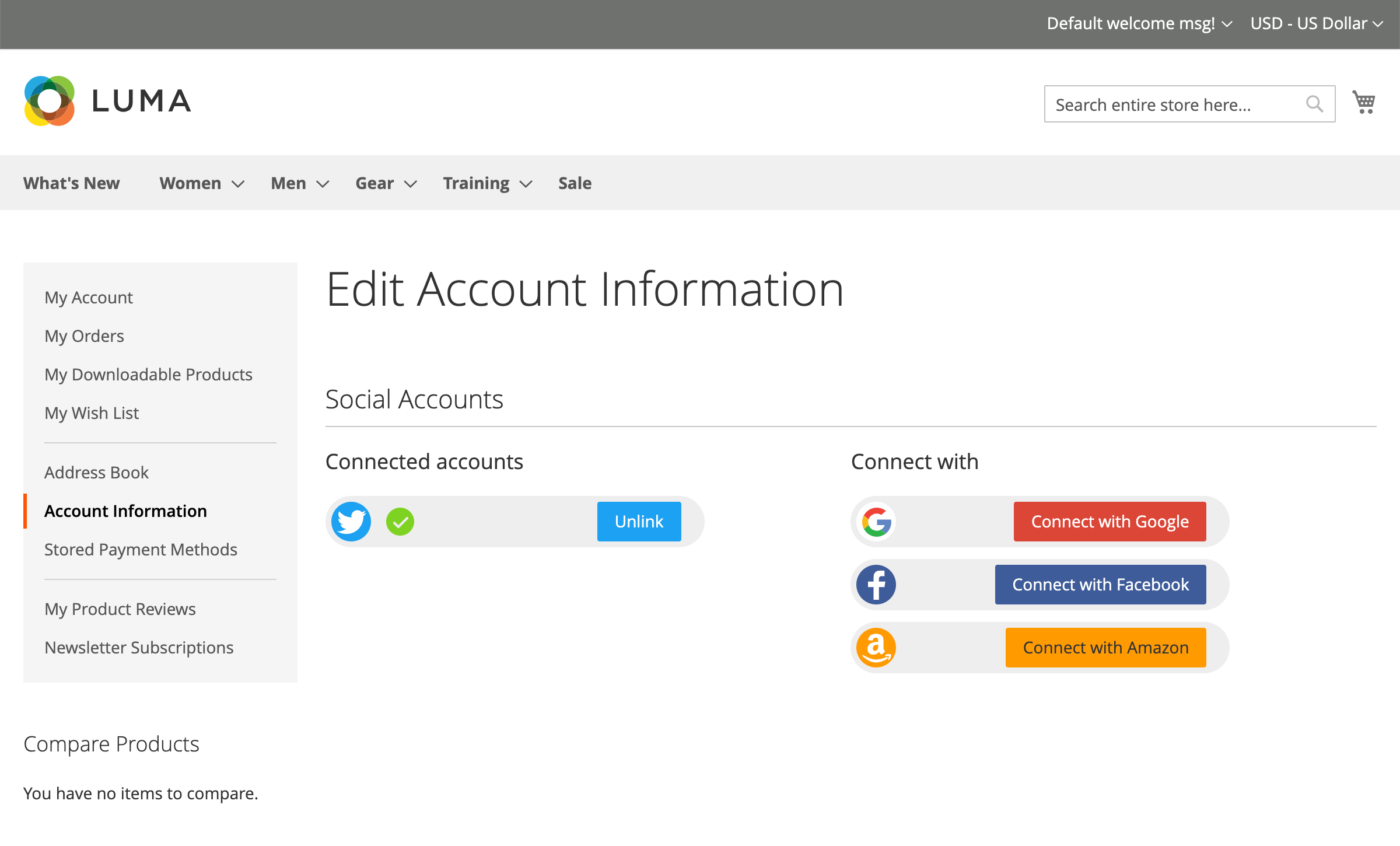
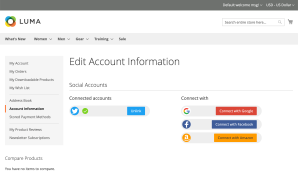
- Social Accounts block in My Account
- Hyvä built in, headless sign-in via GraphQL
- Redirect after sign-in
What does Magento 2 Social Login do?
Magento 2 Social Login lets shoppers sign in and create an account with Google, Facebook, PayPal, Amazon, Yahoo, X (Twitter) or LinkedIn. There is no form to fill in and no new password to remember: the shopper picks an account they already have, and Magento gets their name and email from it.
It works on Luma, on Hyvä and on headless storefronts. Hyvä support is built into the extension, and a PWA or other headless frontend signs shoppers in through GraphQL. The extension supports Magento 2.4.9 and PHP 8.4.
We use it on mirasvit.com ourselves: in 2025, 44% of new customer accounts on our store were created with Google sign-in.
Where the sign-in buttons appear
You choose the places in the settings, per store view:
- The customer login page, above or below the form
- The create account page, above or below the form
- The sign-in popup
- The "Sign In" step at checkout, so a guest can sign in without leaving the order
- A Social Accounts block in My Account, where customers see the accounts they have connected, link new ones and unlink them
Show full buttons with the network name or compact round icons, and set the order of the buttons for each network.
One customer, one account
- Existing customers are linked, not duplicated. If a shopper signs in with Google using the email of an account they already have, the social account is attached to that account instead of creating a second one.
- No confirmation email to wait for. An account created through a social network is marked as confirmed right away, because the network has already verified the email.
- Real names and emails. The name and email come from the shopper's Google or Facebook profile, not from a form where people type throwaway addresses.
- Safe linking. One social account cannot be attached to two customers, and unlinking only works from the customer's own account page.
- Redirect after sign-in. Send shoppers back to the page they came from, or to one URL you set.
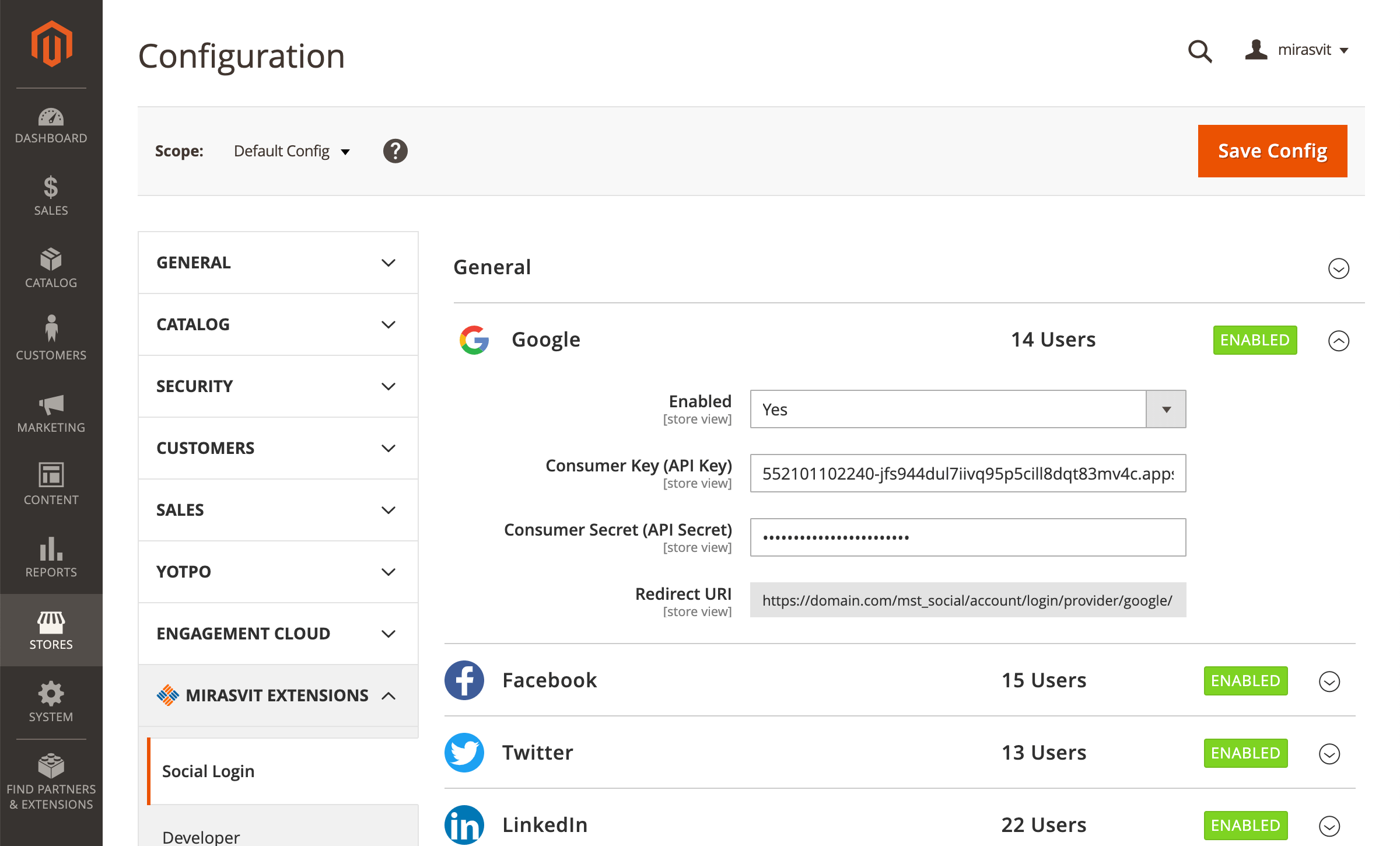
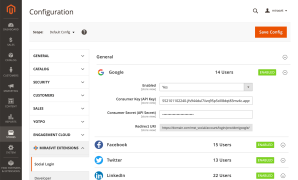
On the settings page, each enabled network shows how many customers use it to sign in.
Headless and Hyvä
If your store uses a standard Magento or Hyvä theme, the extension works out of the box. The headless part matters only for PWA or custom frontends built by developers.
Headless and PWA storefronts
A GraphQL query returns the networks enabled for the store, and a mutation exchanges a one-time sign-in code for a customer token. After the shopper signs in with Google or Facebook, the store redirects only to the storefront URL you whitelist, and the code expires after a short time you set. Accounts are created and linked the same way as on a standard storefront.
Hyvä and Luma in one extension
The same templates serve Luma and Hyvä, so there is no second compatibility package to install and keep in step. On Hyvä, the buttons on the login and registration pages and the Social Accounts block follow the theme's styling.
Setup for each network and for headless sign-in is described in the user manual.
Setting up a network
Each network needs an app in its developer console, for example a Meta app for Facebook login. Paste the app's key and secret into Stores > Configuration > Mirasvit Extensions > Social Login, and copy the Redirect URI that the extension shows next to them into the app. The sign-in buttons and texts are translated into 15 languages.
Save time by starting your support request online and we'll connect you to an expert.
Which social networks can customers sign in with?
Google, Facebook, PayPal, Amazon, Yahoo, X (Twitter) and LinkedIn. You enable each one separately and set the order of the buttons. Each network needs an app in its developer console; the user manual walks through the setup for every network.
How do I add Facebook login to Magento 2?
Create an app in the Meta developer console and add Facebook Login to it. In Magento, open Stores > Configuration > Mirasvit Extensions > Social Login > Facebook, enable it and paste the app's key and secret. The extension shows the Redirect URI to copy into the Meta app. The Facebook button then appears in every place you selected for the sign-in buttons.
Does it work with Hyvä?
Yes. Hyvä support is built into the extension, so there is no separate compatibility package. On Hyvä, the buttons appear on the login and registration pages and in the Social Accounts block in My Account. After installing or upgrading, rebuild the Hyvä theme styles once.
Can I use it on a headless or PWA storefront?
Yes. A GraphQL query returns the enabled networks with their sign-in links, and a mutation exchanges a one-time code for a customer token. The store redirects back only to the storefront URL you whitelist in the settings, so there is no open redirect.
Can the sign-in buttons appear on the checkout page?
Yes, on a Luma storefront: they appear in the sign-in step at checkout, so a guest can sign in without leaving the order. Placing the buttons elsewhere on the checkout page, for example under the email field, requires theme customization.
What happens if a shopper already has an account with the same email?
The social account is attached to the existing customer account, so the shopper keeps their order history and no duplicate account is created. Customers can see and unlink their connected accounts in My Account.
What customer data does the extension store?
The customer's name and email, plus the basic public profile the network returns, such as the profile ID. It does not post to social networks or read friends lists. If the network does not share an email address, the sign-in stops with a message, so every account has an email.
Is there a free version?
No. Social Login is a paid extension with one year of support and updates included. You get the full set of networks, Hyvä support built in, headless sign-in through GraphQL, and updates for new Magento and PHP versions.
npm run build in your Hyvä theme's web/tailwind directory once after setup:upgrade. Until then the button works, but unstyled.mirasvit/module-social-login-hyva is gone: the sign-in buttons on the login and registration pages and the Social Accounts block in the customer account are part of Social Login itself, and one template now serves Luma and Hyvä alike. There is no second package to find and keep in step, and on a Luma store the Hyvä part simply stays dormant. Composer removes the companion package by itself when you upgrade. On Hyvä, the "Or sign in with" caption still shows above the social buttons, as it did with the companion package.setup:upgrade, then deploy static content as usual:Hyva_MirasvitSocialLogin is gone, not renamed — You only need to act if you referenced it yourself: in a custom di.xml, a layout file, or a deployment script that enables modules by name.Hyva_MirasvitSocialLogin::login.phtml and Hyva_MirasvitSocialLogin::account/accountList.phtml are now Mirasvit_SocialLogin::login.phtml and Mirasvit_SocialLogin::account/accountList.phtml on both themes. An override at the old path is simply not read, with no error to say so. On Luma, the Mirasvit_SocialLogin/js/login script is replaced by Mirasvit_SocialLogin::js.phtml; a mixin on it is no longer loaded.Blog

 Andriy Kovalenko
 We are committed to being open and transparent with our customers. When you purchase our module, you automatically receive one year of free support service and free updates.
Why is this important?
- Seamless Installation and Configuration: We understand that setting up a new module can take time to configure according to your specific needs. That’s why we offer a full year of free support. Our experienced team is here to assist you with installation, configuration, and any questions you might have. We're eager to share our expertise to ensure you get the most out of your purchase.
- Stay Updated with Magento (Adobe Commerce) Releases: Magento releases new versions approximately every three months. These updates can sometimes introduce compatibility challenges. To keep your store running smoothly, we provide a year of free access to the latest versions of our modules, ensuring that you can upgrade Magento and our modules without encountering any obstacles.
- Subscription Included: Renewing your subscription ensures continued access to the latest updates and support from our team. This means you can be confident that any issues you encounter with the extension will be resolved quickly and efficiently. You can cancel your subscription at any time without any additional fees.
These are our primary. A major portion of our new clients come from referrals from our existing clients. Our professional team of developers, marketers and support staff have invested the best knowledge and experience in the field into our work, so you know you can come back to us again and again.
One year free and high quality support. We go to great lengths to provide maximum satisfaction with every module you have purchased in our store. By helping you with installation, configuration, answering your every question, we do all our best to eliminate any possible problems.
30-days money back guarantee. If you are not satisfied with our extension performance for any reason, we provide a full refund.
We constantly add new features to all our modules, and are always interested in hearing your opinion and implementing your suggested features in our future developments.
We provide an expanded user guide for every aspect of our extension, so you can find answers for all your burning questions.
You can customize extension according to your needs and requirements.
The Module is easy to install and upgrade, just follow our step-by-step user guide. Additionally, the extension is ready to use with the Hyvä theme.
No core modifications. The extension has been tested in a Magento Cloud environment and is fully compatible with it.