
Magento 2 Mass Product Actions
Mass Product Actions adds 10 bulk actions to the Magento 2 product grid: add products to categories, change prices by a percentage or a fixed amount, update attributes and attribute sets, manage related, up-sell and cross-sell products, and copy attributes, custom options and images from a template product. Large jobs run in the background.
- Adds 10 bulk actions to the product grid
- Add products to categories or remove them in bulk
- Change prices by a percentage or a fixed amount
- Mass assign related, up-sell and cross-sell products
- Copy attributes, custom options and images from a template product
- Run large updates in the background
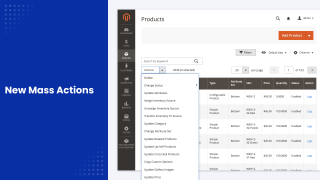
Bulk edit Magento 2 products from the product grid
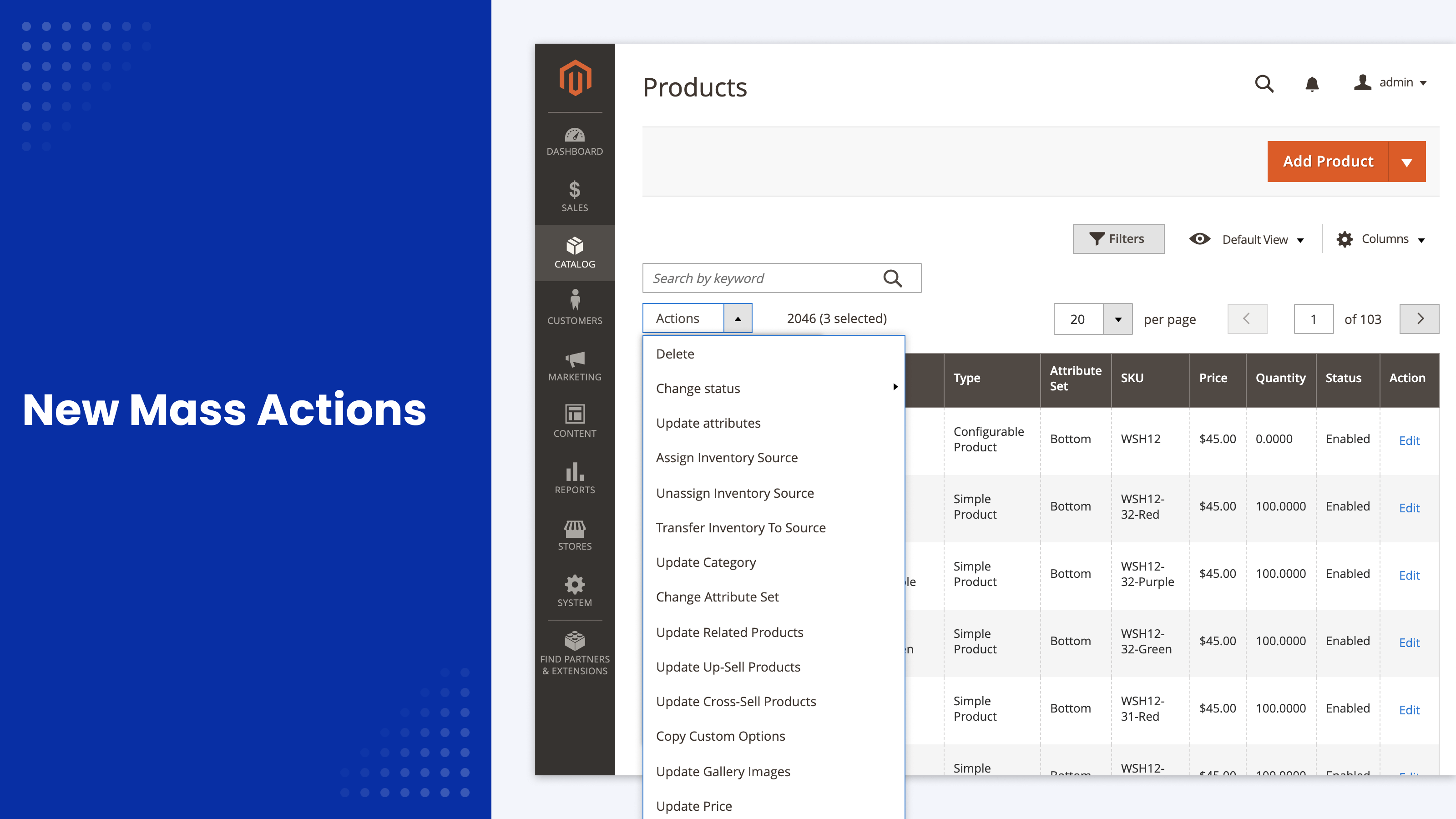
Out of the box, the Magento product grid can delete products, change their status, update attributes and assign inventory sources. That's it: you can't even add products to a category in bulk.
Mass Product Actions adds 10 bulk actions to the same grid. Filter and select products as usual, then:
- Add products to categories or remove them
- Change prices, costs and special prices by a percentage or a fixed amount
- Update attribute values for all selected products at once
- Move products to another attribute set
- Add, remove or copy related, up-sell and cross-sell products
- Copy attributes, custom options and gallery images from a template product
- Remove gallery images
Small updates run the moment you click the button. Large ones can go to the background queue, so the admin stays responsive. If you're comparing this with CSV import, the API or scripts, see our guide to 7 ways to run a Magento 2 mass product update.
One click per action
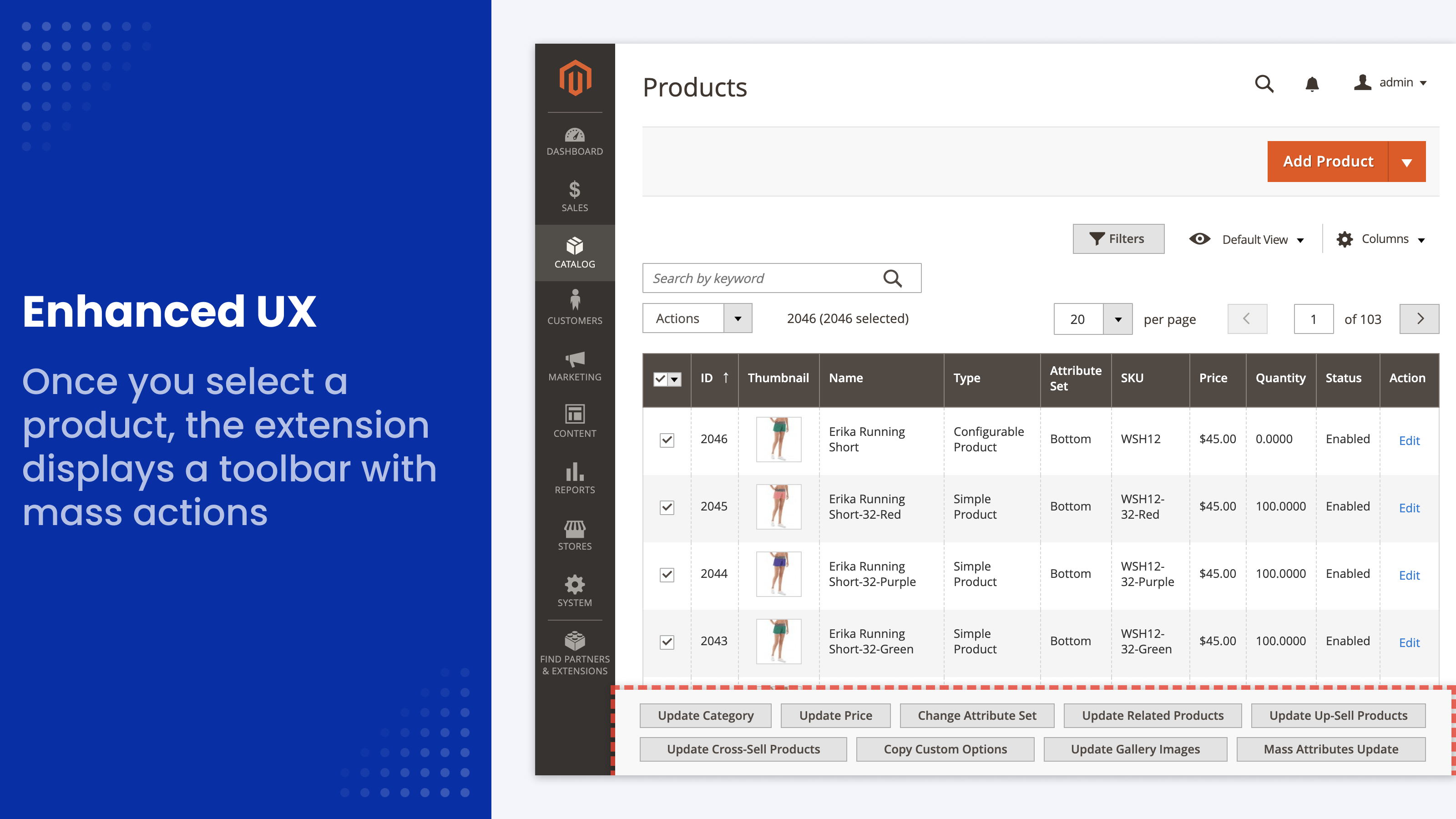
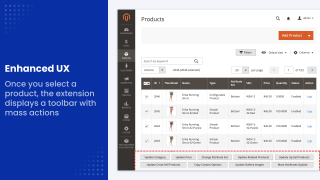
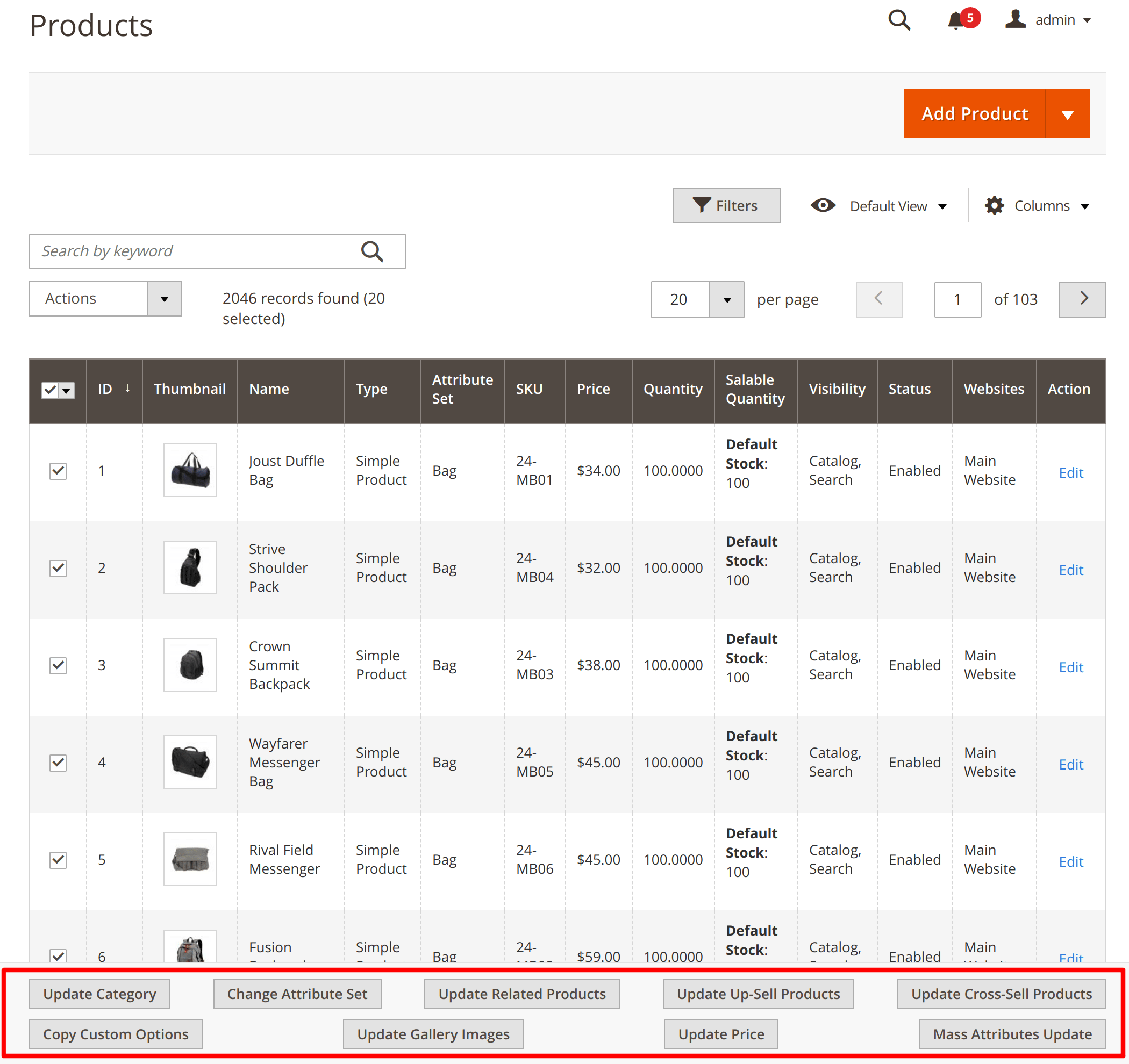
When you select products in the grid, a panel of buttons appears below it, one button per action. There is no dropdown to scroll through.
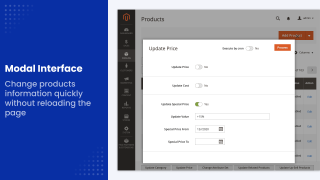
Each button opens its form in a pop-up on the same page. For attribute updates, you pick only the attributes you need and set their values right there, without loading the full attribute form.
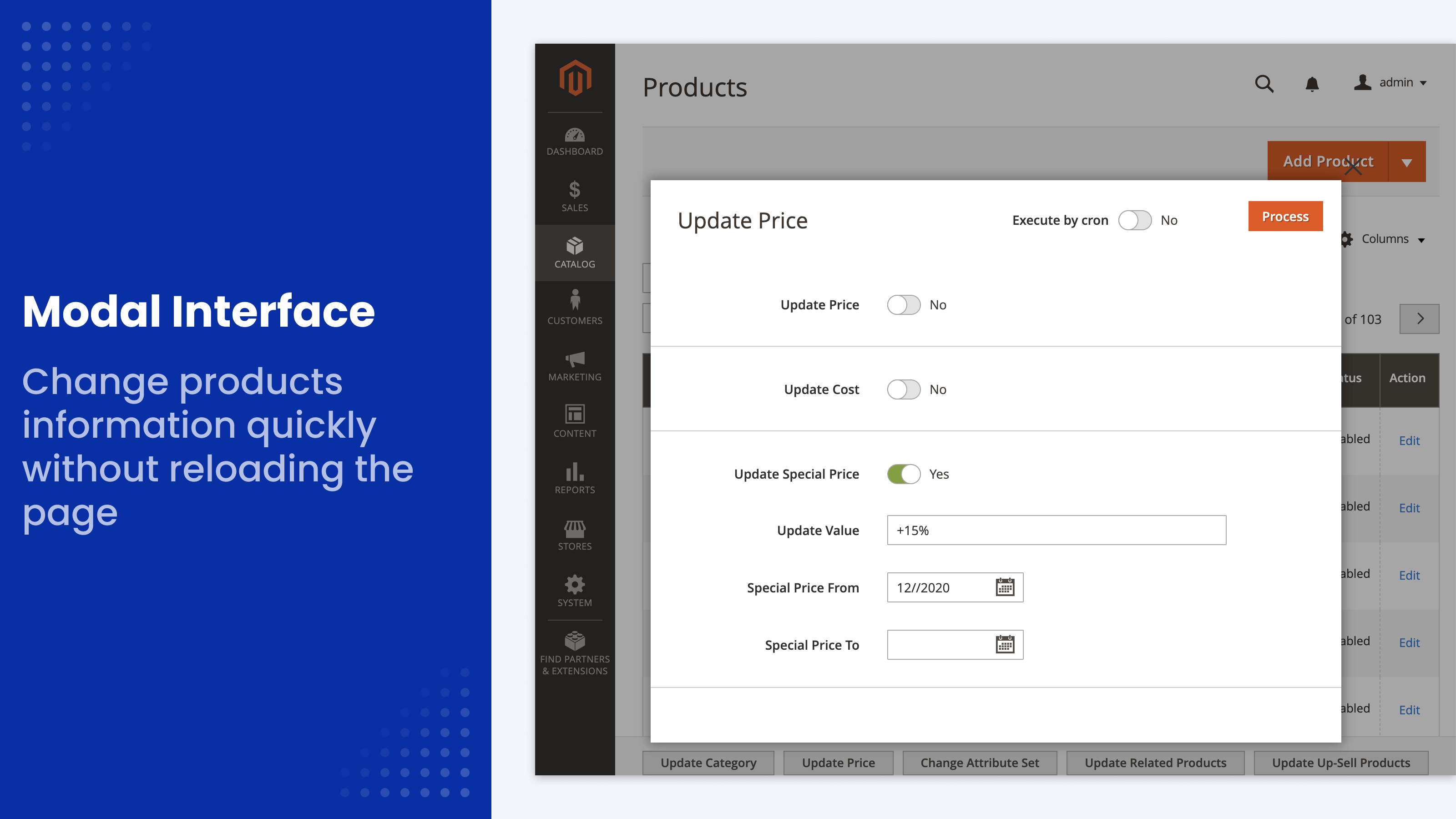
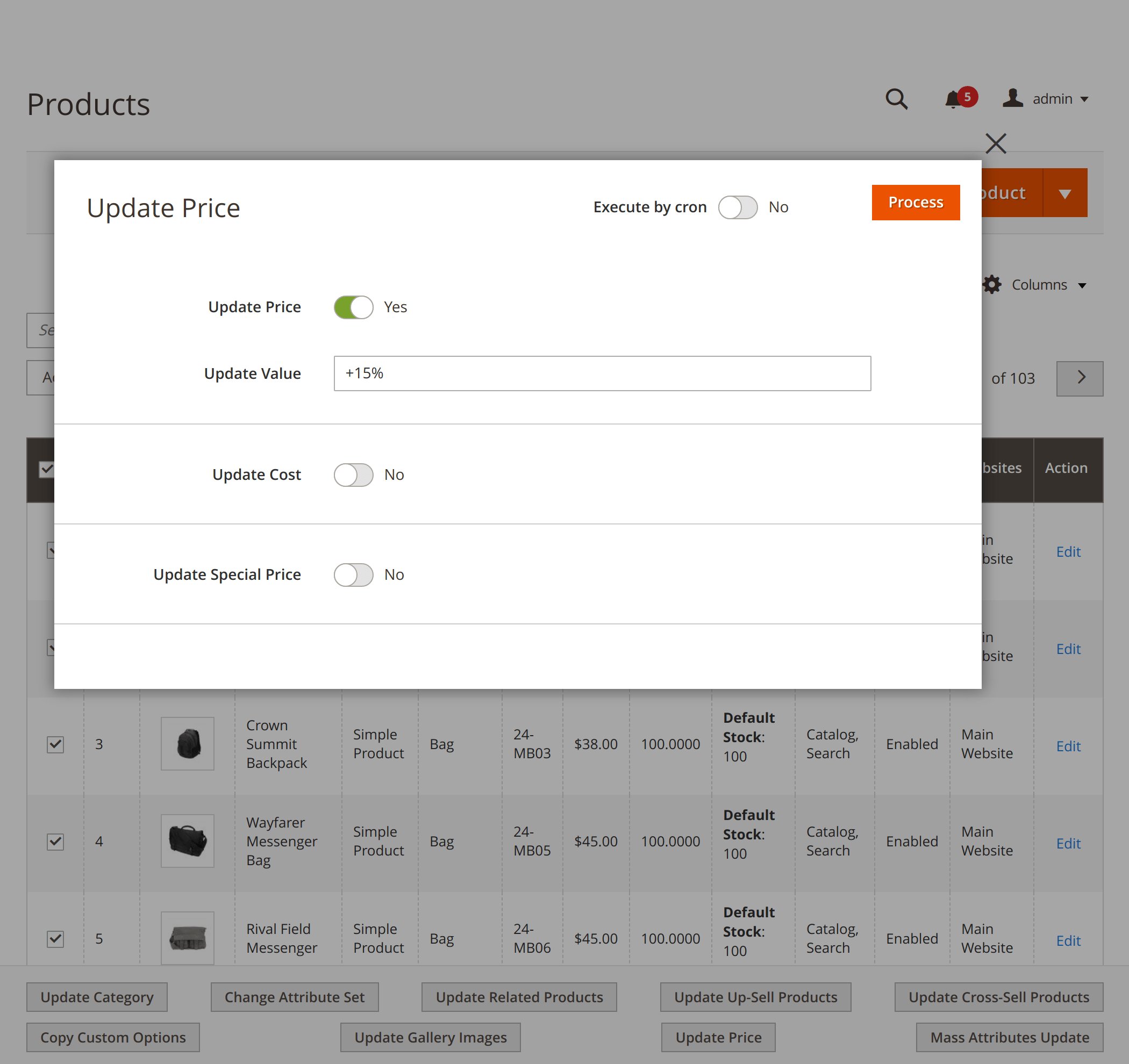
Bulk price update by percentage or amount
Update the price, cost and special price of the selected products in one action. For each of them, you can:
- Set a new value
- Add or subtract a fixed amount
- Raise or lower the value by a percentage
For a sale, calculate the special price from the regular price, for example 20% off, and set its From and To dates in the same form. A price never drops below zero.
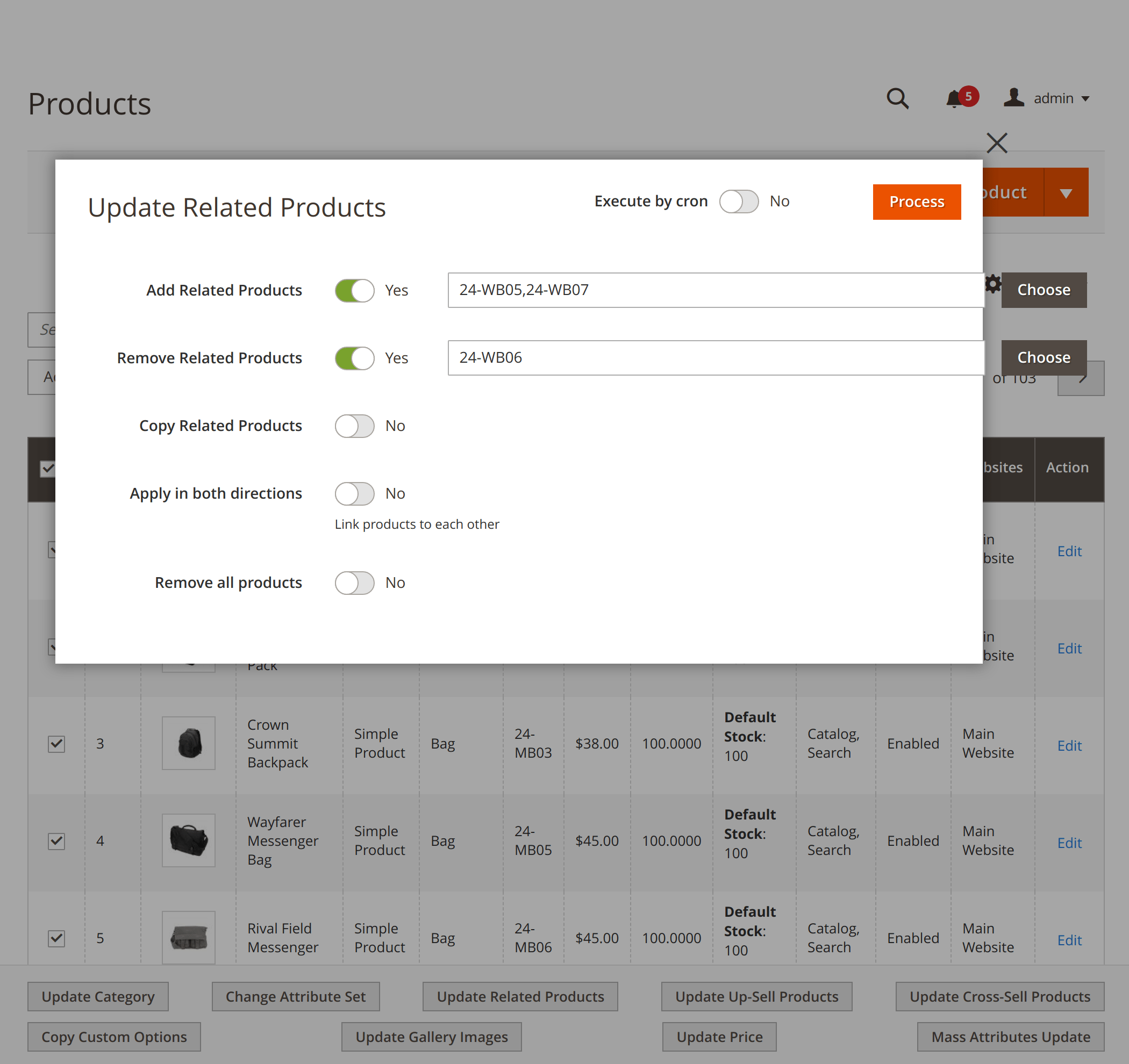
Mass assign related, up-sell and cross-sell products
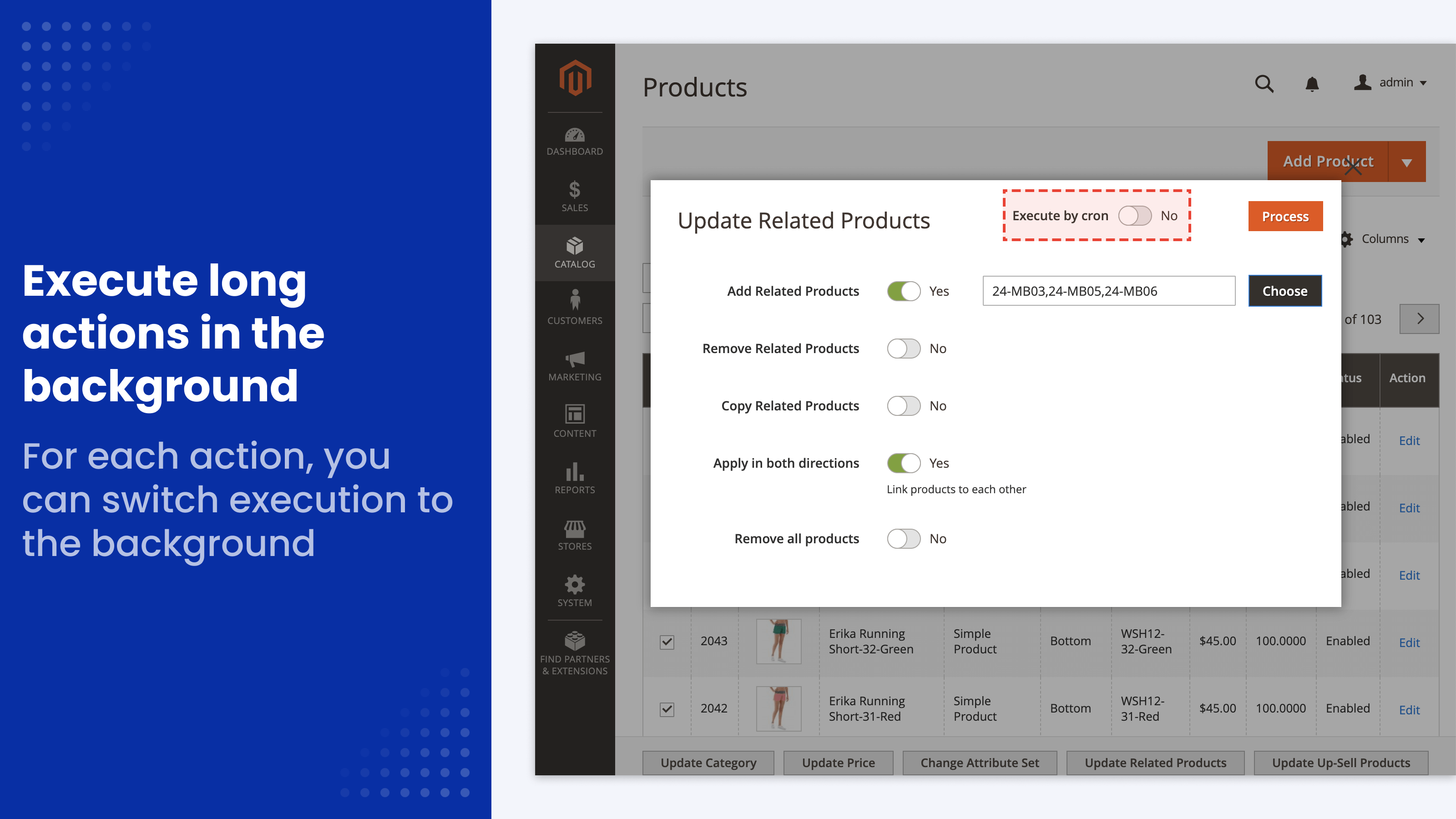
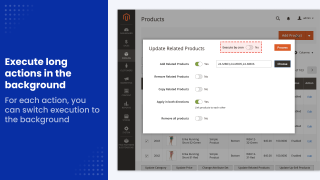
Related, up-sell and cross-sell lists each have their own action. For the selected products, you can:
- Add specific products by SKU
- Remove specific products
- Copy the list from another product
- Link both ways, so the products you add also point back to the selected ones
- Remove all products from the list
Copy from a template product
Set up one product the way you want, then apply it to as many products as you select.
Copy attribute values
Copy all attribute values from the template product, or tick only the ones you need. Besides your own attributes, the list includes the description and short description, meta title, meta description and meta keywords, weight, price and customer group prices.
Values set for individual store views are copied store view by store view, so translated descriptions and meta tags carry over too.
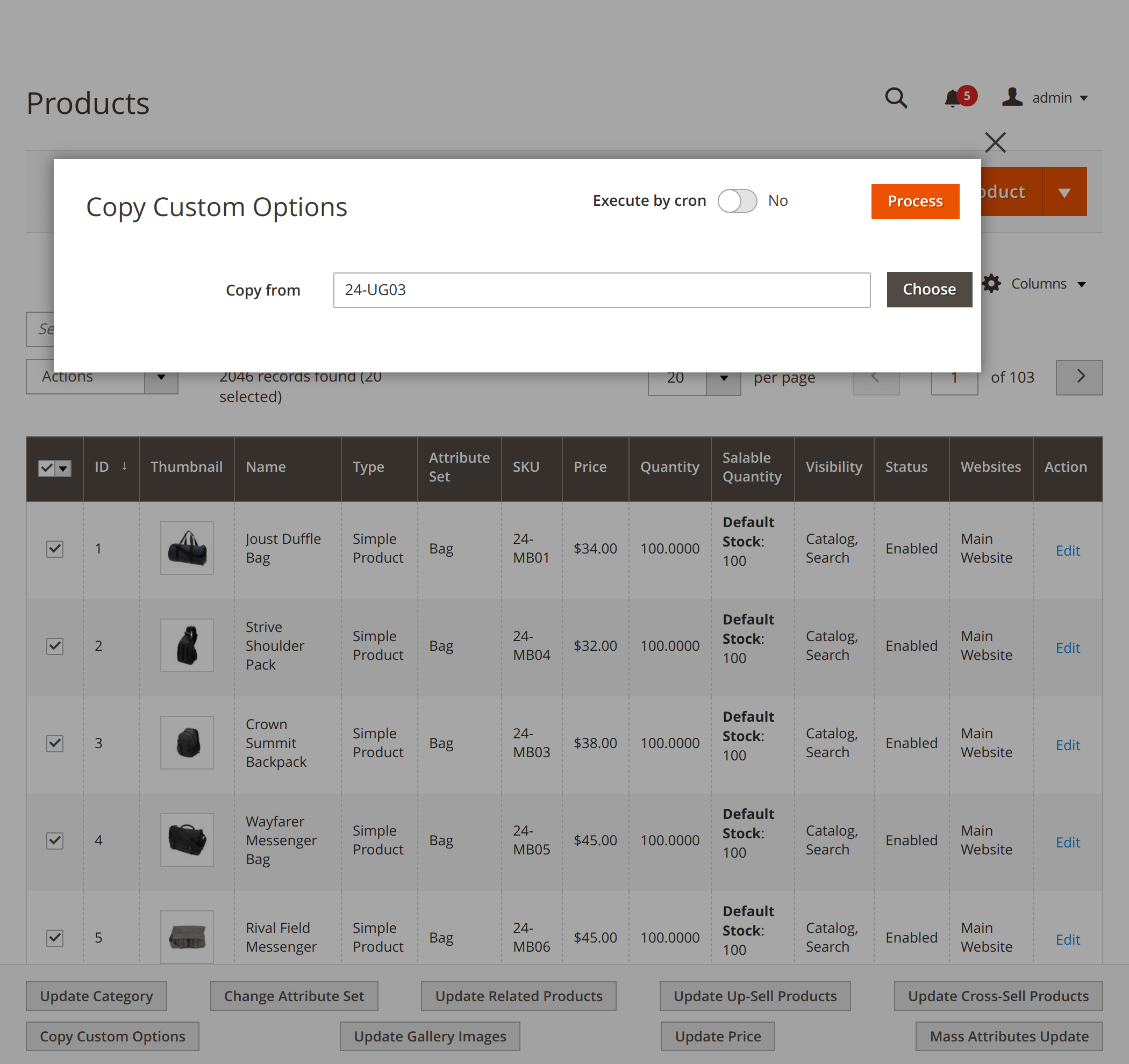
Copy custom options
Copy custom options, such as an engraving field or a size selector, from any product to the selected ones.
By default, the copied options are added to the options a product already has. Switch on Add/Update mode to replace the existing options instead.
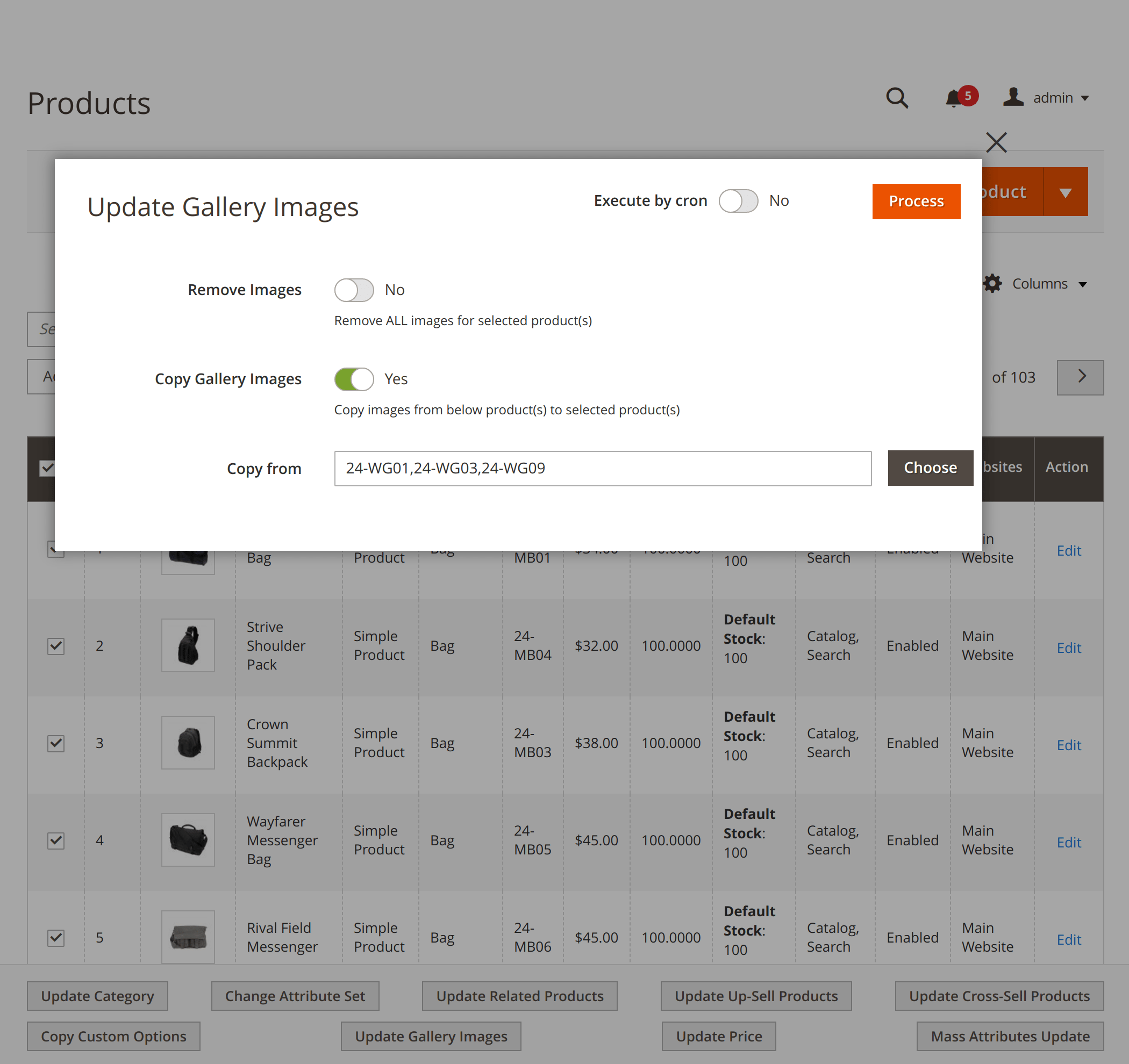
Copy or remove gallery images
Copy gallery images from one or more existing products to the selected ones, for example to give the simple products of a configurable product the same photos.
You can also remove all images from the selected products and, if you choose, delete the image files from the server.
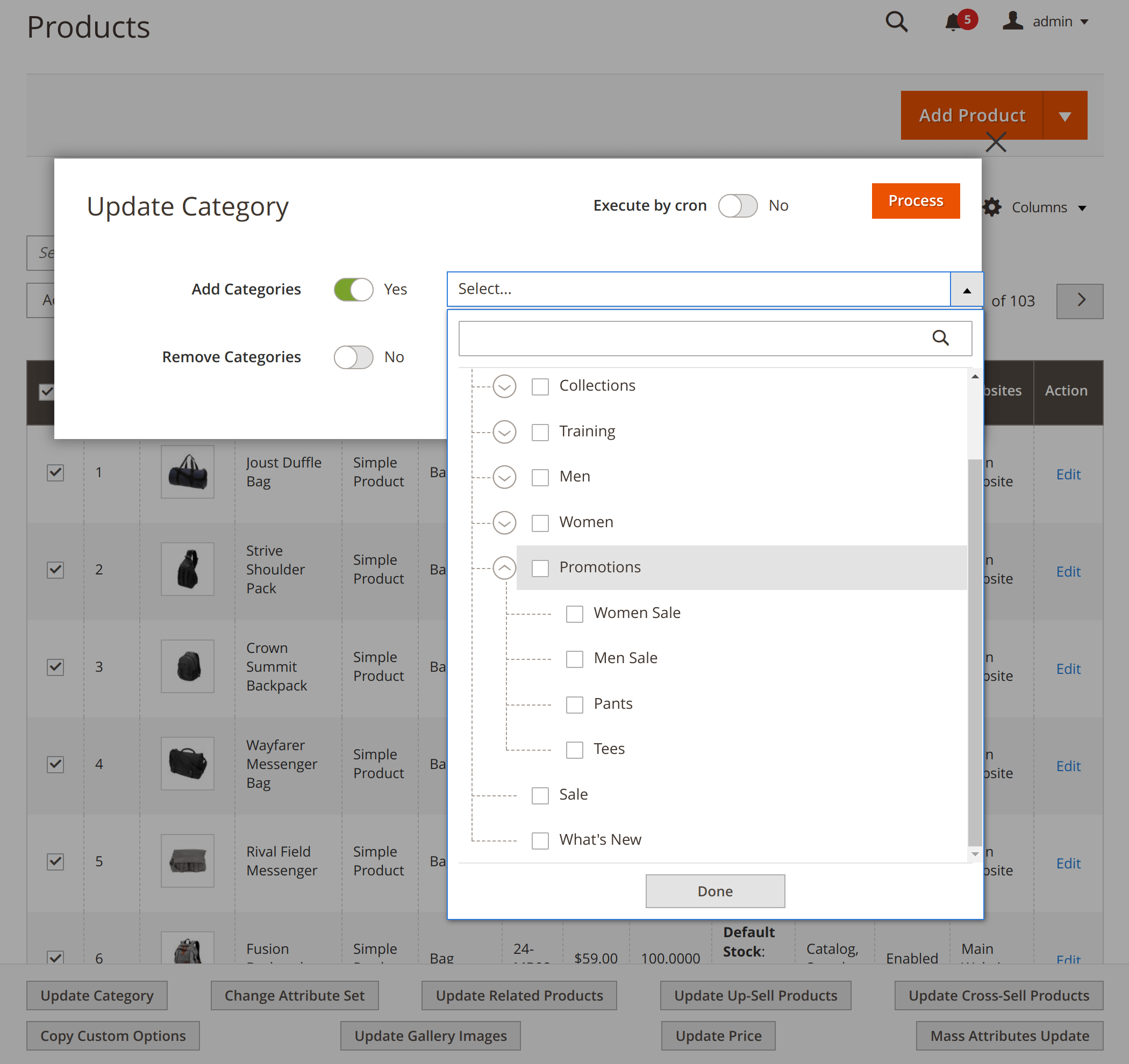
Categories, attributes and attribute sets
Add to or remove from categories
Pick categories from the category tree and add the selected products to them, or remove the products from them, in one action.
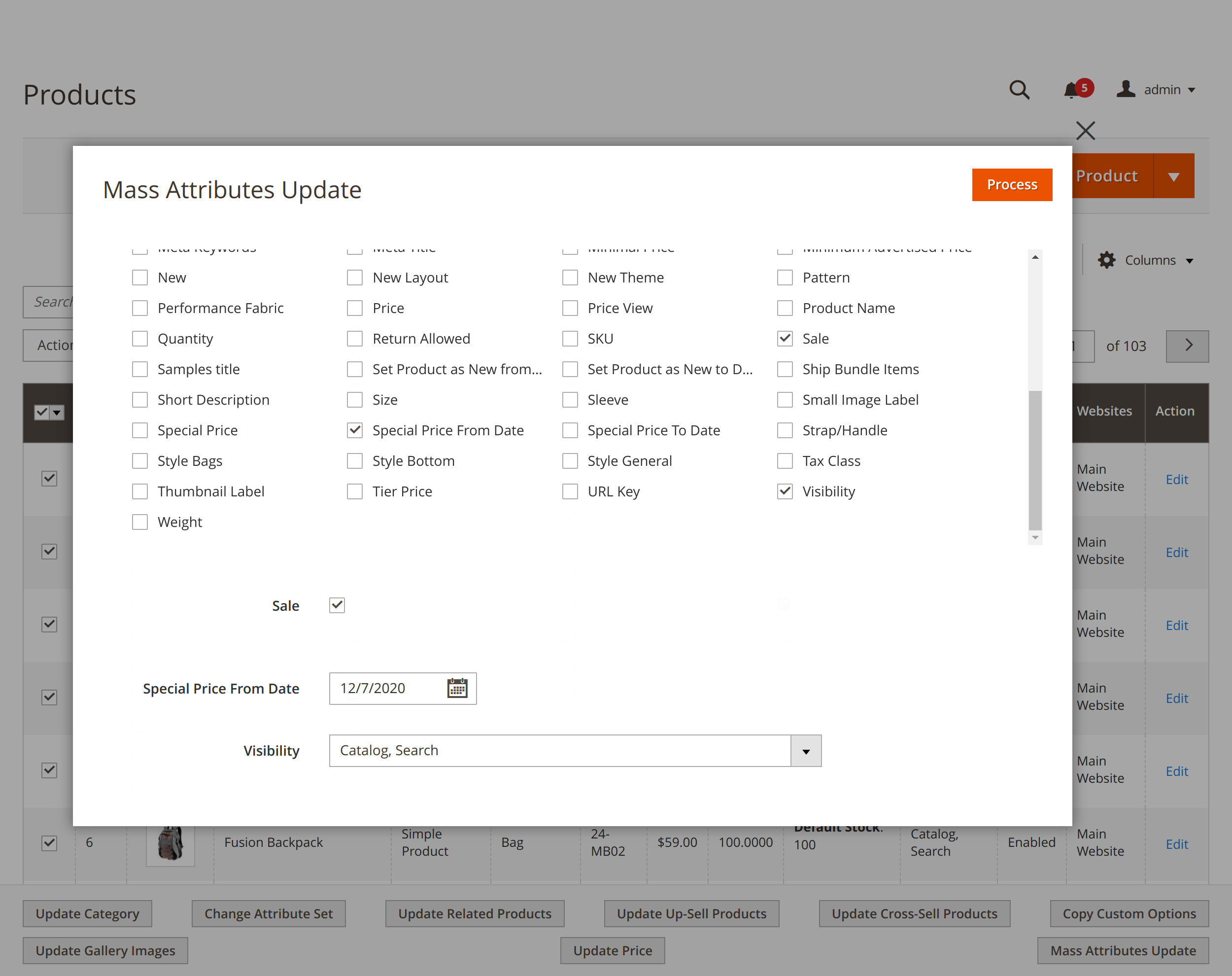
Update attribute values
Choose the attributes to change and set their values in the pop-up. The values are saved at the default (All Store Views) level for every selected product.
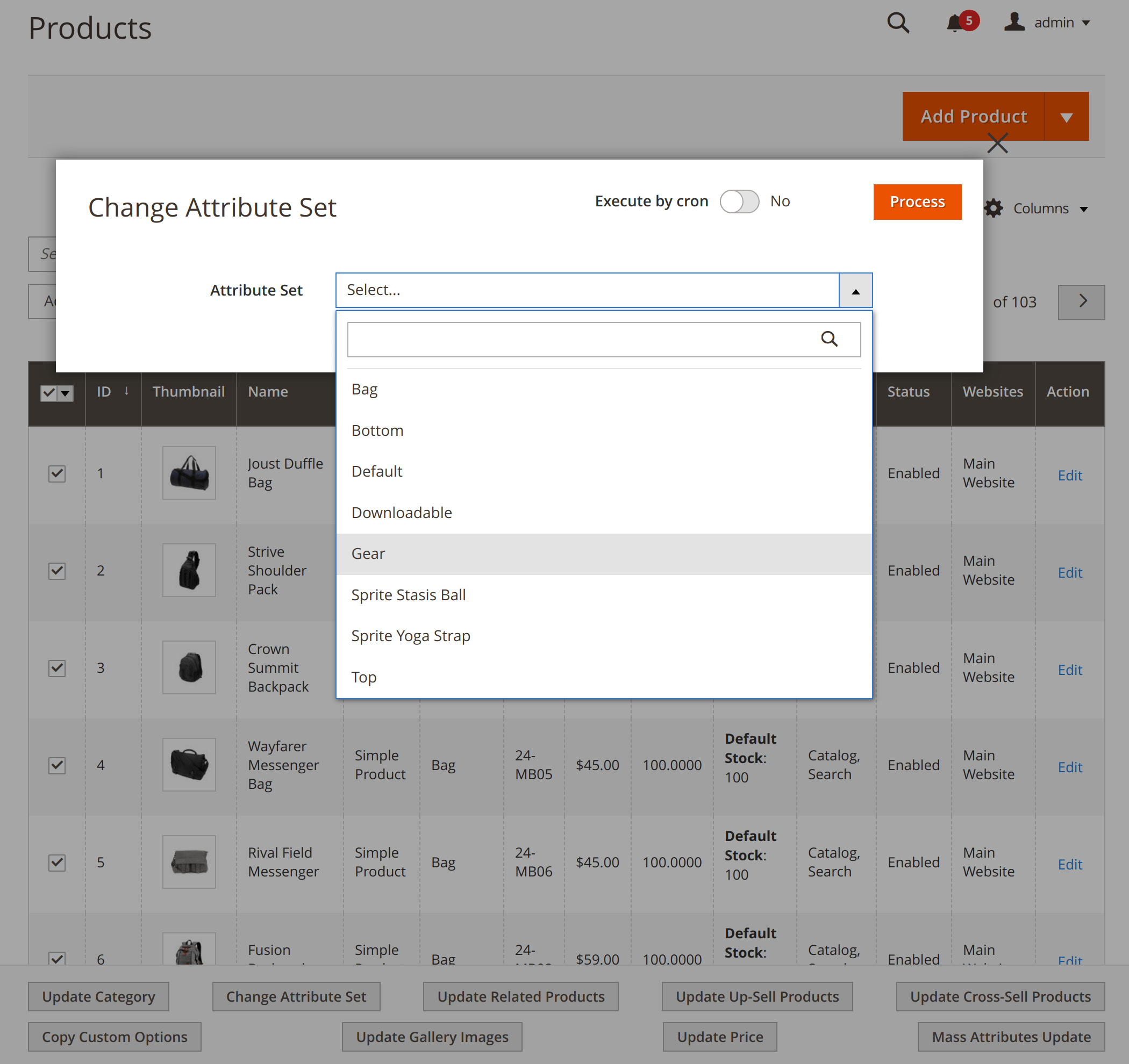
Change the attribute set
Move the selected products to a different attribute set in one action, for example after you split one broad set into several narrower ones.
Run now or in the background
By default, an action runs as soon as you click the button, and you see the result right away. For thousands of products, switch on Execute by cron in the action form: the job goes to the Magento message queue and runs in the background, so it doesn't lock you out of other admin work.
When a background action finishes, Magento shows an admin notification. If it fails, you get a notification about that too, so a failed job doesn't go unnoticed. The extension needs no configuration, and its admin interface is translated into 15 languages.
Thank you again!
Save time by starting your support request online and we'll connect you to an expert.
Which bulk actions does Mass Product Actions add to the product grid?
Ten actions: Update Category (add products to categories or remove them), Change Attribute Set, Mass Attributes Update, Update Price, Update Related Products, Update Up-Sell Products, Update Cross-Sell Products, Copy Attributes, Copy Custom Options and Update Gallery Images (copy or remove images). They work alongside Magento's own grid actions, such as Delete and Change Status.
The extension does not change stock quantities, website assignments or text with find and replace.
Can I bulk update prices by a percentage in Magento 2?
Yes. The Update Price action changes the price, cost and special price of the selected products. For each field you can set a new value, add or subtract a fixed amount, or raise or lower it by a percentage. The special price can also be calculated from the regular price, with From and To dates for a sale.
The extension does not apply its own rounding, and a price never goes below zero. Configurable products are skipped, because their price comes from their simple products: select the simple products to change it.
How do I mass assign related, up-sell and cross-sell products?
Select the products in the grid and click Update Related Products, Update Up-Sell Products or Update Cross-Sell Products. You can add specific products, remove specific products, copy the whole list from another product, or remove all products from the list.
Turn on Apply in both directions to link the products to each other, so the products you add also point back to the selected ones.
How does Mass Product Actions handle custom options?
The Copy Custom Options action copies custom options, such as an engraving field on a ring, from any product to the selected products. By default, the copied options are added to the options the product already has. With Add/Update mode switched on, they replace the existing options.
Can Mass Product Actions update attributes for a specific store view or customer group?
Mass Attributes Update saves values at the default (All Store Views) level. Filtering the grid by store view only selects the products, it does not save values for that store view. To set store-view-specific values on many products, set them on one product and use Copy Attributes: it copies values store view by store view.
The extension does not assign products to websites or customer groups. Customer group prices can be copied from a template product with Copy Attributes.
Can it update every product field?
Mass Attributes Update changes product attribute values, except image attributes, which are handled by the Update Gallery Images action. Some settings look like attributes but are properties of an attribute, such as an attribute's Search Weight. They are not product values, so they are changed in the attribute settings, not per product.
How large a catalog can Mass Product Actions handle?
There is no fixed limit on the number of selected products. The speed depends on your server and its load. Small batches run as soon as you click the button. For thousands of products, switch on Execute by cron in the action form: the job runs in the background through the Magento message queue, so you can keep working in the admin.
Where do I see the result of a background action?
When an action that runs in the background finishes, Magento shows an admin notification. If it fails, you get a notification about the failure as well, so a failed job doesn't go unnoticed. Actions that run immediately show a success or error message right after you click the button.
Does Mass Product Actions need any configuration?
No. After installation, the action buttons appear below the product grid in Catalog > Products as soon as you select products. There are no settings to configure. The user manual describes each action and its options.
Does it work with multivendor marketplace extensions?
Mass Product Actions works with standard Magento products, so you can, for example, assign a manufacturer or another attribute to products from many sellers at once. If your marketplace extension stores products the standard Magento way, it should work alongside Mass Product Actions.
Blog

 Andriy Kovalenko
 Roman Lobovskyi
 We are committed to being open and transparent with our customers. When you purchase our module, you automatically receive one year of free support service and free updates.
Why is this important?
- Seamless Installation and Configuration: We understand that setting up a new module can take time to configure according to your specific needs. That’s why we offer a full year of free support. Our experienced team is here to assist you with installation, configuration, and any questions you might have. We're eager to share our expertise to ensure you get the most out of your purchase.
- Stay Updated with Magento (Adobe Commerce) Releases: Magento releases new versions approximately every three months. These updates can sometimes introduce compatibility challenges. To keep your store running smoothly, we provide a year of free access to the latest versions of our modules, ensuring that you can upgrade Magento and our modules without encountering any obstacles.
- Subscription Included: Renewing your subscription ensures continued access to the latest updates and support from our team. This means you can be confident that any issues you encounter with the extension will be resolved quickly and efficiently. You can cancel your subscription at any time without any additional fees.
These are our primary. A major portion of our new clients come from referrals from our existing clients. Our professional team of developers, marketers and support staff have invested the best knowledge and experience in the field into our work, so you know you can come back to us again and again.
One year free and high quality support. We go to great lengths to provide maximum satisfaction with every module you have purchased in our store. By helping you with installation, configuration, answering your every question, we do all our best to eliminate any possible problems.
30-days money back guarantee. If you are not satisfied with our extension performance for any reason, we provide a full refund.
We constantly add new features to all our modules, and are always interested in hearing your opinion and implementing your suggested features in our future developments.
We provide an expanded user guide for every aspect of our extension, so you can find answers for all your burning questions.
You can customize extension according to your needs and requirements.
The Module is easy to install and upgrade, just follow our step-by-step user guide. Additionally, the extension is ready to use with the Hyvä theme.
No core modifications. The extension has been tested in a Magento Cloud environment and is fully compatible with it.