
AI Content Generator and Assistant for Magento 2
AI Assistant writes the content your catalog needs, inside the Magento 2 admin: product and category descriptions, meta tags, blog posts, ticket replies, and newsletters. It works with OpenAI (ChatGPT), Anthropic (Claude), Google (Gemini), and Grok (xAI), and bulk work runs as rules you can target by conditions and test with a dry run first.
- Generate content for products and categories
- Produce blog posts
- Respond to customer tickets
- Automate bulk generation with rules
- Test any bulk rule with a dry run
- Produce content in any language
- Choose the right AI for each task (OpenAI, Claude, Gemini, Grok)
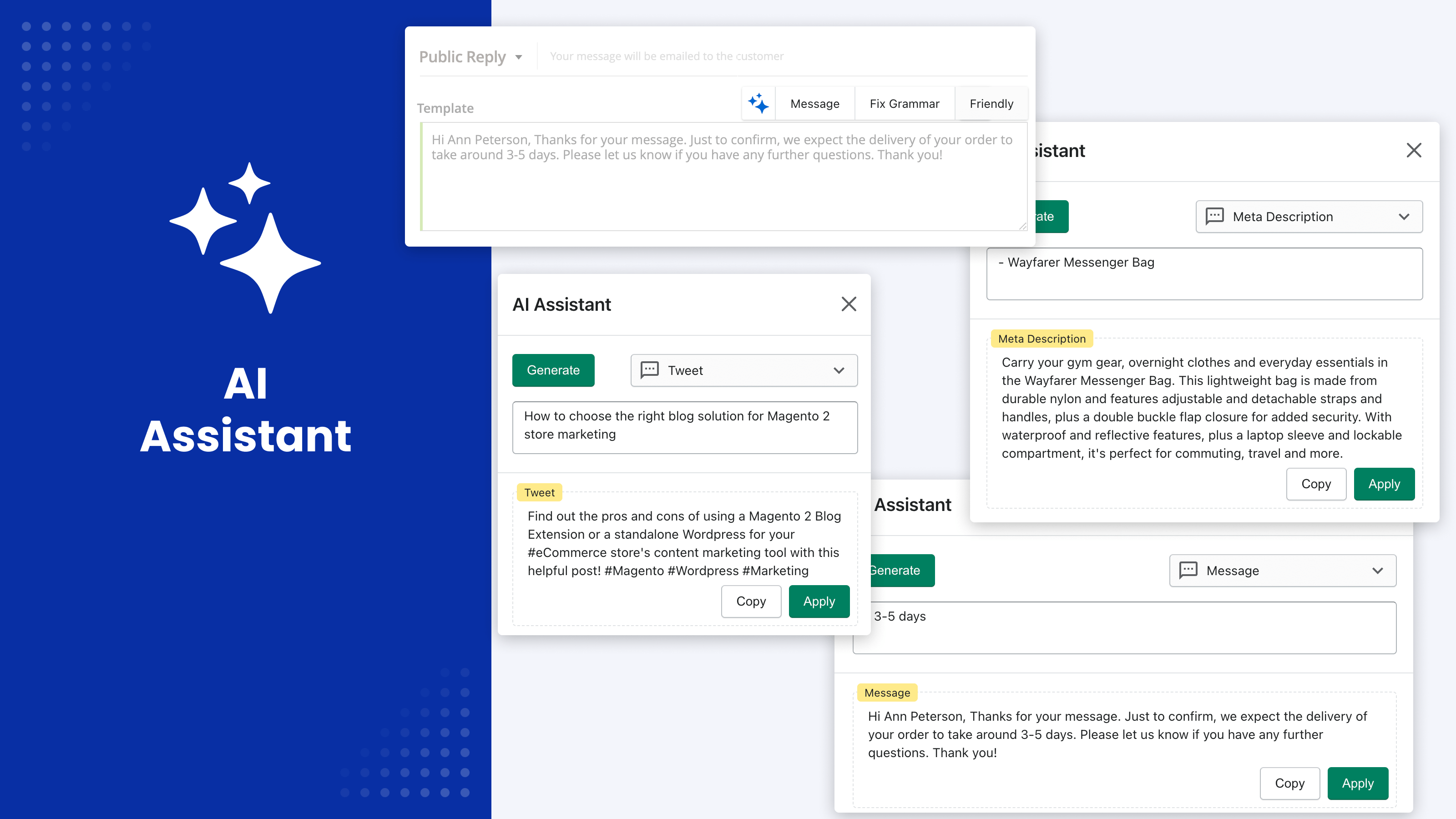
Writing unique content for a catalog is slow work, and it gets harder the moment you manage thousands of products or sell in several languages. Keeping one brand voice across every store view adds another layer of manual effort. Handing the job to an AI tool solves the writing and creates a new worry: what exactly will it overwrite?
AI Assistant generates product descriptions, meta tags, blog posts, ticket replies, and newsletters from your own prompts, inside the Magento admin. Bulk work runs as rules you can target by attribute conditions, test with a dry run, and scope to a single store view. Every change is recorded with the value it replaced.
Content Generation You Can Control
- Test any bulk rule with a dry run first: it reports what it would write without touching the database
- Target products by attribute conditions, the same way you build a cart price rule, instead of running over the whole catalog
- Add a regex condition so a rule rewrites a field only when the current value matches your pattern
- Get output you can apply as is: the built-in prompts instruct the model to return the value alone, with no preamble, explanation, code fences, quotes, or field labels
- Pick the provider and model per task: OpenAI, Anthropic Claude, Google Gemini, or Grok (xAI), each connected with your own API key
- Keep one brand voice in every language and store view through system messages and store context
- Decide who may generate at all: the buttons appear only for the admin roles you allow
- Review what happened afterwards: each rule keeps a log, and history stores the previous value of every field it changed
Streamlined Content Generation
Generate Product Descriptions and Meta Tags
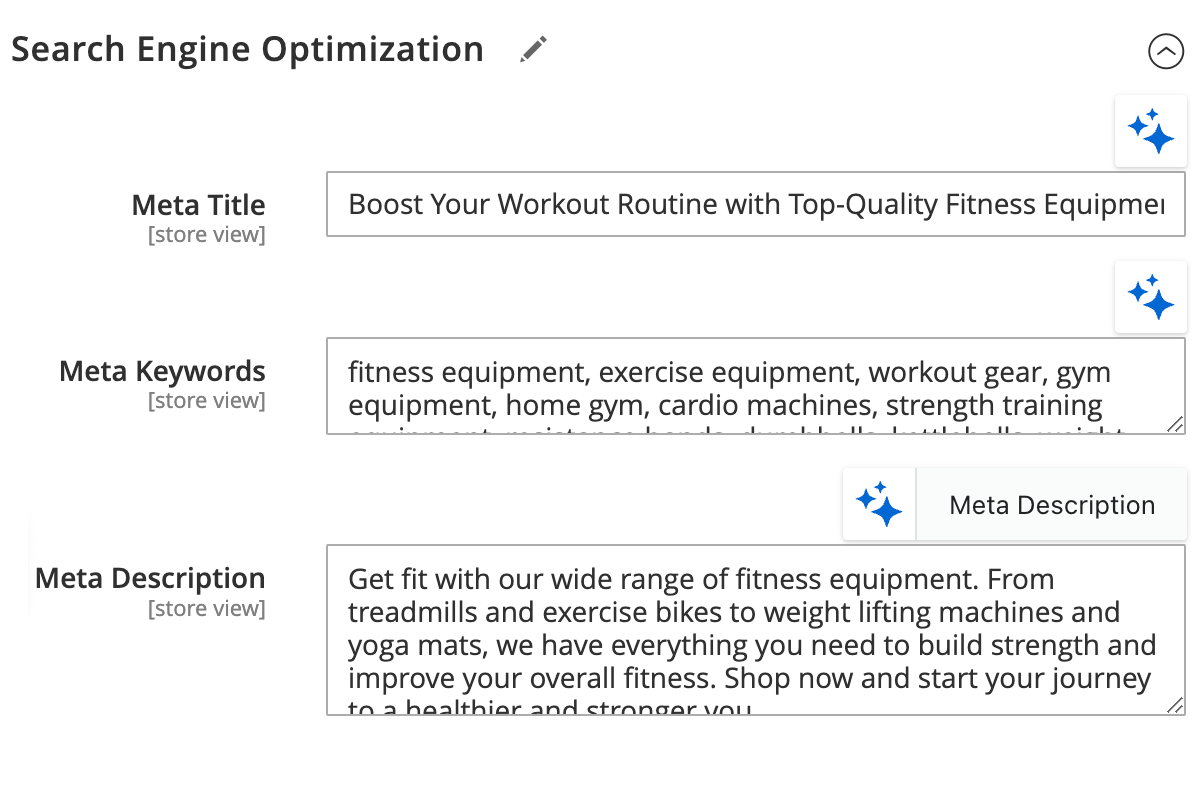
Generate short and long product descriptions along with meta titles, meta descriptions, and meta keywords, built from the product's own attributes. You choose which attributes feed the prompt.
The assistant also works on descriptions built in Page Builder and in the standard WYSIWYG editor, including fields you have moved out of the default Content tab.
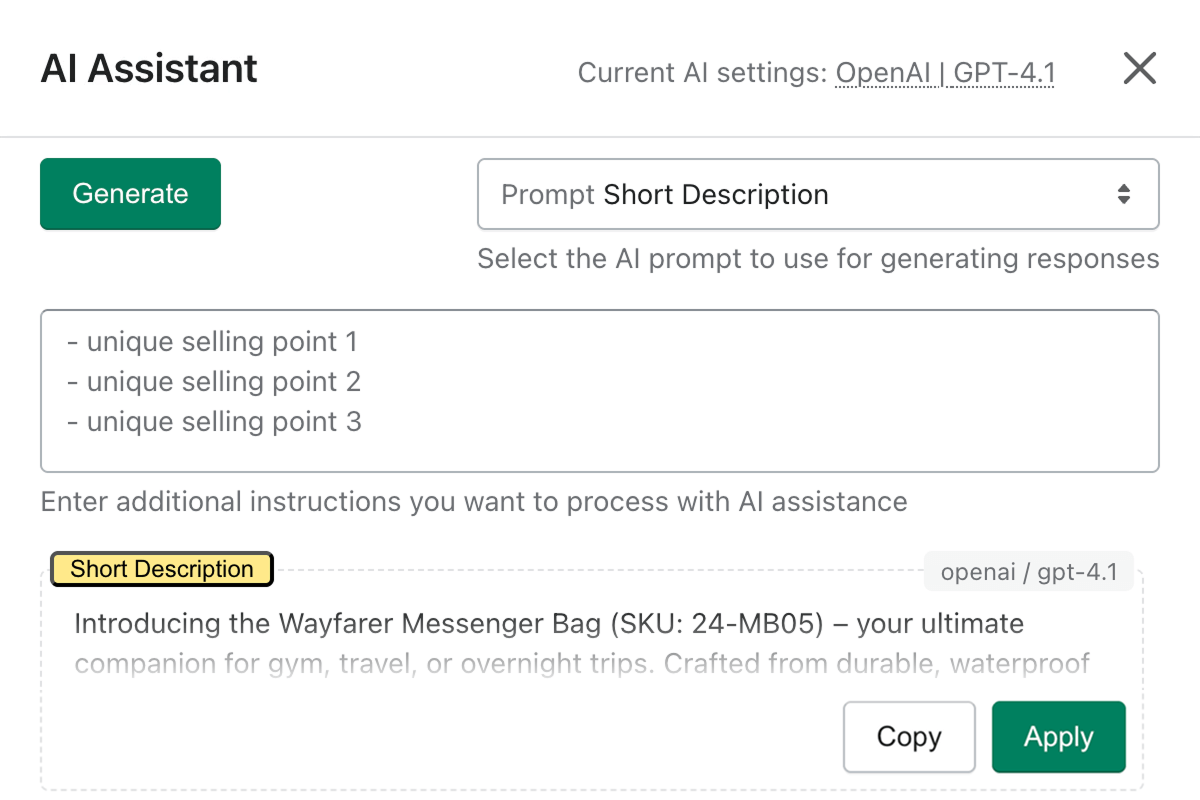
Generate Category Descriptions and Meta Tags
Generates the description and meta tags for each category, per store view. The prompt does not work from the category name alone: its context includes the parent category data and data from ten products inside the category, so the text describes what a shopper will actually find there.
Generate meta tags for CMS pages and blocks
The same prompts cover CMS pages and CMS blocks: meta title, meta description, meta keywords, and the content heading.
Create Blog Content Using the Magento 2 ChatGPT Extension
Draft blog posts inside the admin. Blog scopes work with Mirasvit Blog MX and with the Magefan and Amasty blog extensions; automation rules for posts and blog categories are available on Blog MX.
- Generate ideas for new posts
- Draft and refine articles
- Fix grammar, spelling, and tone
- Create social posts for each article
- Localize content per store view
Generate Answers to Helpdesk Tickets
Draft replies to customer tickets from the ticket's own history and built-in knowledge about your store, so an agent edits instead of writing from scratch. System messages let you fix tone and policy before anything reaches the customer.
This scope runs on Mirasvit Help Desk MX. Product, category, CMS, and newsletter scopes work on a stock Magento install.
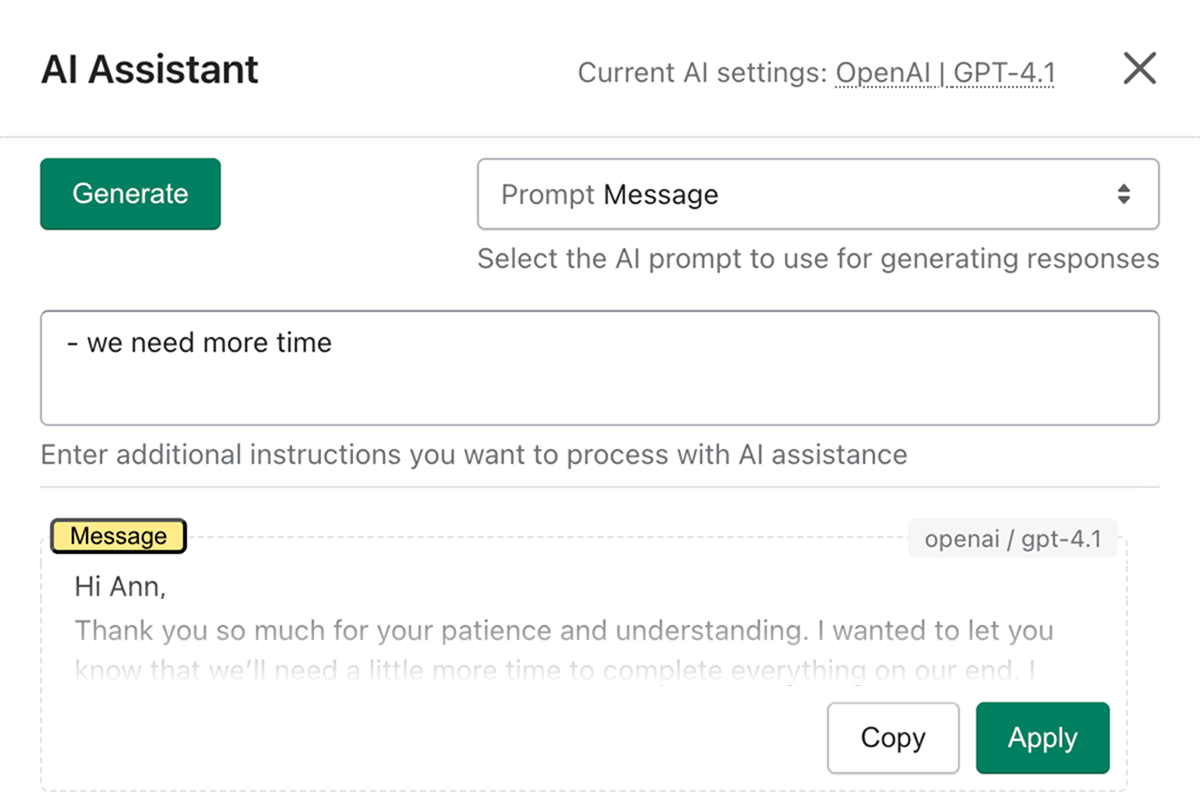
Create a Newsletter
Give it a list of key points and it writes the newsletter around them: subject line and body, for the standard Magento newsletter and for Follow Up Email.
Automate Your Own Tasks
Use it for any repetitive writing task in your store. Create your own prompts and rules, and point them at almost any field in the admin through a field selector. Add a system message to set the model's role, tone, and ground rules.
Bulk Content Generation With Rules
A rule pairs a prompt with a field and a set of records, then applies it in bulk. The parts that matter on a live catalog:
- Conditions. Select records with the standard Magento condition tree, by attribute, so a rule covers the 400 products missing a meta description rather than all 40,000.
- Dry run. Run a rule in test mode and it reports what it would write, without changing anything in the database.
- Regex guard. With a regex condition the rule updates a field only when its current value matches the pattern you set.
- Apply once, or overwrite. Decide whether a record is ever touched twice, and whether existing values may be replaced.
- Store scope. Run per store view, so translations and localized copy land in the right place.
- Batching. Cap a run at a set number of AI calls to spread a large rule over several days. The next run skips records that were already processed, so an interrupted run continues where it stopped instead of starting over.
- A log per rule. Every run is recorded on the rule's Logs tab, and history keeps the previous value of each field the rule changed.
Bulk runs are scheduled rather than fired from a button in the admin.
Translate Your Catalog Into Any Language
Translation runs as a rule, not a separate import. The prompt receives the current value of the field being translated, copies content from your base store view, and writes the result into the target view you selected, so each store view keeps its own localized text.
Because the model does the translating, you are not limited to a fixed list of languages, and the same system messages that hold your brand voice in English hold it everywhere else.
A Prompt Library, Not a Single Text Box
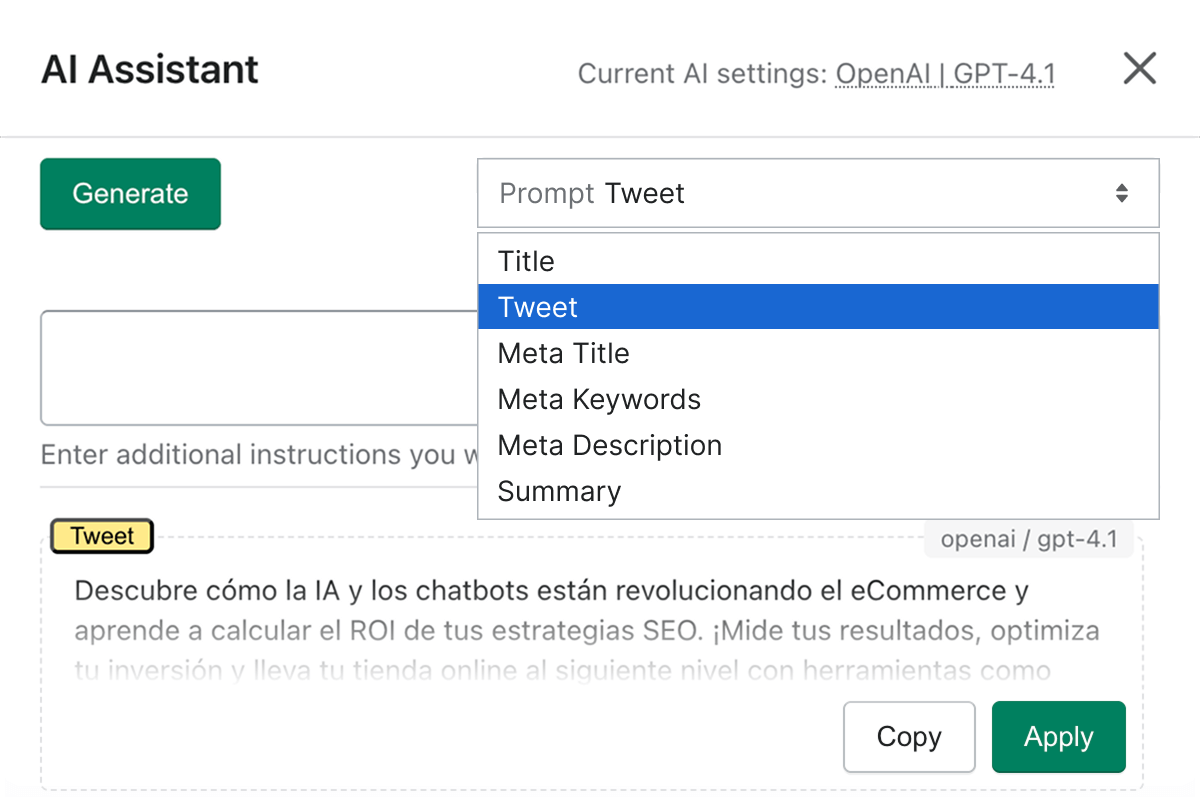
The module ships with ready-made prompts across eight scopes: products, categories, CMS pages, newsletters, blog posts, blog categories, helpdesk tickets, and brand pages. Product, category, CMS, and newsletter prompts work on a stock Magento install; the rest activate when the matching Mirasvit extension is present.
Every prompt is editable, and you can add your own:
- Choose the provider and model for this prompt alone, or inherit the module or global default
- Select which product or category attributes go into the prompt
- Attach a system message to set role, tone, and ground rules
- Turn on web search so the model can look up current information while it writes
- Attach a spec sheet, price list, or photo to the request so the model writes from the real document instead of guessing
- Use image variables so the model can look at the product, category, or post images before describing them
- Tune how varied the output is, and convert the result to HTML when a field needs it
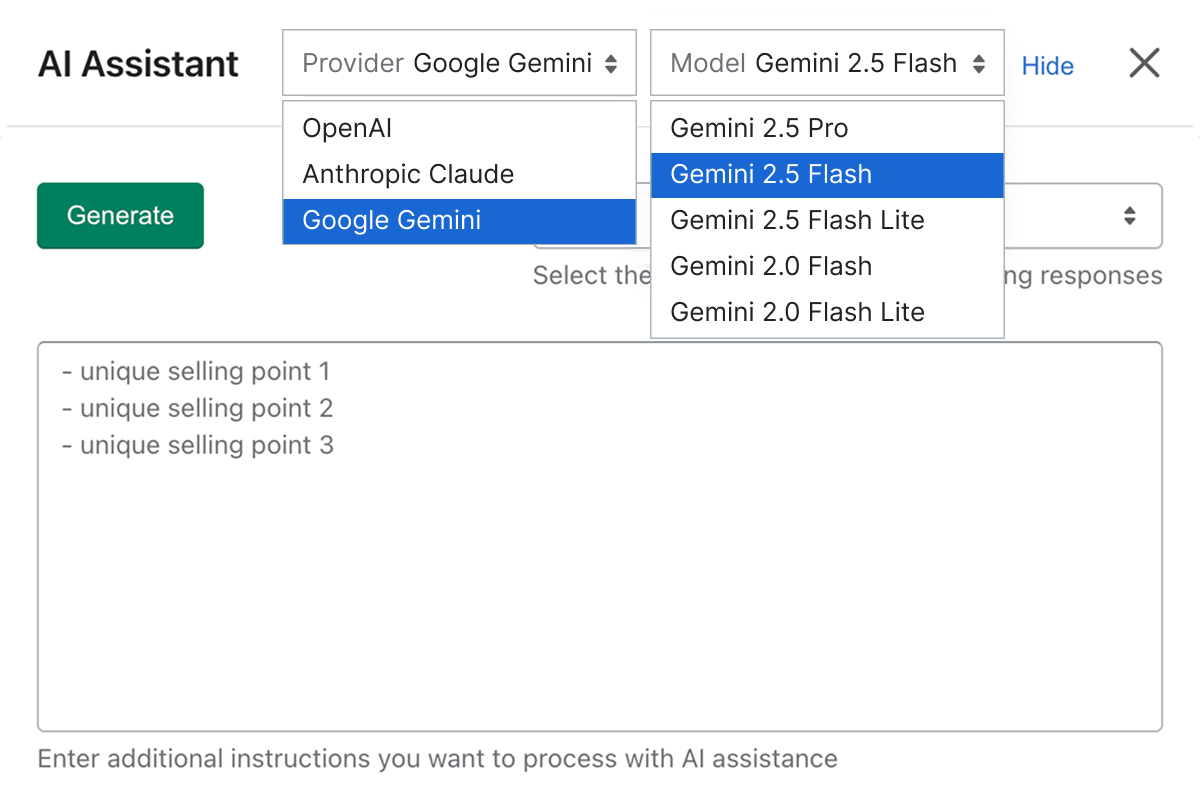
Every prompt can be duplicated, so you can branch a variant for a single category or store view without rebuilding it. Prompts and rules can also be managed over REST, which is how an agency runs this across several stores.
This module writes text. For product photography there is AI Image Editor, and for an AI agent that works across the whole admin rather than content fields, AI CoPilot. See the full Magento 2 AI extensions range.
It supports multiple AI platforms and can integrate AI functionality throughout the store instead of limiting it to one isolated content generator. We use the broader integration capabilities for areas such as products, blog content and Help Desk workflows, and bulk content generation is especially valuable when managing a large catalog. Multilingual functionality makes it even more useful.
Mirasvit has been ahead of most Magento developers in practical AI functionality—not simply adding AI as a marketing feature, but building tools that actually work within Magento workflows.
One limitation I would like changed is the ability to select between multiple configured AI models for the same function. For example, CMS content currently has to use the assigned provider/model. A selectable model option would make the system much more flexible.
I like that you can limit the information given to chatgpt by just telling it which attributes it is allowed to use.
I also like the way you can actually have multiple prompts for the same field. So If you already like the content rather than generate completely new conent you could have a second prompt that would simply refine/improve what you had before.
Save time by starting your support request online and we'll connect you to an expert.
Do I need my own OpenAI or Claude account to use this extension?
Yes. The extension connects to OpenAI, Anthropic Claude, Google Gemini, or Grok (xAI) with an API key you generate yourself, and the provider bills you directly for the tokens you use. We take no share of that spend. You can cap it: a bulk run can be limited to a set number of AI calls so a large rule spreads over several days, and a dry run lets you check a rule before it spends anything.
Can it update content that already exists, or only generate new text?
Both. An automation rule can pass the current value of the field into the prompt, so the model rewrites, shortens, or translates what is already there instead of starting from scratch. A regex condition narrows this further: the rule touches a field only when its existing value matches the pattern you set, which is how you fix a specific group of records and leave the rest alone.
How do I generate AI replies to customer support tickets?
Ticket scopes run on Mirasvit Help Desk MX. With it installed, the assistant drafts a reply from the ticket's history and built-in knowledge about your store, and an agent edits before sending. Product, category, CMS page, and newsletter generation works on a stock Magento install with no extra module.
Does my catalog data leave my server?
Yes, for the text being generated. The extension sends the prompt and the field values it needs to the AI provider you connected, so those requests go to OpenAI, Anthropic, Google, or xAI under your own account and their terms. It does not support self-hosted or local models, so if your policy requires that data never leaves your infrastructure, this is the constraint to weigh. Nothing is sent to Mirasvit, and attached files are passed to the provider without being stored on your server.
Can I control which admin users are allowed to generate content?
Yes, through standard Magento roles. The extension adds six separate permissions under System → Permissions → User Roles: using the assistant, plus prompts, system messages, automation rules, logs, and history. A role without the first permission simply never sees the AI generate buttons on any edit page.
Can the AI look at a product image or a PDF spec sheet?
Yes. Image variables let a prompt include the product, category, or blog post images, so the model describes what it can see rather than guessing from attributes. You can also attach files to a request in the assistant window: images, PDFs, and spreadsheets are supported, which is how you generate a description from a supplier spec sheet. Files are sent to the AI provider and are not stored on your server.
Can I use my own product attributes in a prompt?
Yes. Each prompt defines which attributes go into it, custom attributes included, and you write the prompt body as a template around those variables. You can also point a prompt at almost any field in the admin using a field selector, which is how the generate button appears next to fields the extension does not cover out of the box.
How do I stop the AI from ignoring my instructions?
Use a system message. It is sent alongside the prompt and carries the role, tone, and rules the model must follow, so instructions like a required language or a banned phrase are not buried in the prompt body. The built-in prompts also instruct the model to return only the value, without preambles, explanations, code fences, quotes, or field labels, so generated text can go straight into the field.
Does it translate my catalog, and into which languages?
Yes, as an automation rule rather than a separate import: it reads the content of your base store view and writes the translation into the target store view you select, keeping each view's own text. The model does the translating, so you are not limited to a fixed list of languages, and the system message that holds your brand voice applies to every language.
Can I preview a bulk change before it touches my catalog?
Yes. Run the rule in test mode and it reports what it would write without changing anything in the database. After a real run, the rule's Logs tab shows what happened, and history stores the previous value of every field the rule changed alongside the new one.
text/x-csv or image/x-png, which differ between systems)0 sends values whole, at the cost of more tokens per generation. Set it under Stores → Configuration → Mirasvit Extensions → AI Assistant → General settings; it applies to prompts that use the cleanup option, wherever they read product or category attributes, order data or ticket text.{{ product.url_key }} prompt variable - a product's URL key can now be referenced in prompts, for SEO self-checks and quality scores that need to know which page they are judging. It also appears in {{ product.attributes }}.Blog
 Oleksandr Drok
 Andriy Kovalenko
We are committed to being open and transparent with our customers. When you purchase our module, you automatically receive one year of free support service and free updates.
Why is this important?
- Seamless Installation and Configuration: We understand that setting up a new module can take time to configure according to your specific needs. That’s why we offer a full year of free support. Our experienced team is here to assist you with installation, configuration, and any questions you might have. We're eager to share our expertise to ensure you get the most out of your purchase.
- Stay Updated with Magento (Adobe Commerce) Releases: Magento releases new versions approximately every three months. These updates can sometimes introduce compatibility challenges. To keep your store running smoothly, we provide a year of free access to the latest versions of our modules, ensuring that you can upgrade Magento and our modules without encountering any obstacles.
- Subscription Included: Renewing your subscription ensures continued access to the latest updates and support from our team. This means you can be confident that any issues you encounter with the extension will be resolved quickly and efficiently. You can cancel your subscription at any time without any additional fees.
These are our primary. A major portion of our new clients come from referrals from our existing clients. Our professional team of developers, marketers and support staff have invested the best knowledge and experience in the field into our work, so you know you can come back to us again and again.
One year free and high quality support. We go to great lengths to provide maximum satisfaction with every module you have purchased in our store. By helping you with installation, configuration, answering your every question, we do all our best to eliminate any possible problems.
30-days money back guarantee. If you are not satisfied with our Magento 2 ChatGPT Extension performance for any reason, we provide a full refund.
We constantly add new features to all our modules, and are always interested in hearing your opinion and implementing your suggested features in our future developments.
We provide an expanded user guide for every aspect of our Bulk Content Automation, so you can find answers for all your burning questions.
You can customize Multi-Provider AI according to your needs and requirements.
The Module is easy to install and upgrade, just follow our step-by-step user guide. Additionally, the extension is ready to use with the Hyvä theme.
No core modifications. The Admin AI Assistant has been tested in a Magento Cloud environment and is fully compatible with it.