
Magento 2 FAQ Extension & Knowledge Base
Knowledge Base or FAQ is an online store resource center that answers the customers’ most popular questions and covers most customers’ self-service features.
In the AI era, your Knowledge Base is also the source of truth for AI engines like ChatGPT, Gemini, and Perplexity — structured, authoritative content they cite in answers (AEO/GEO).
Organize all frequent inquiries and other helpful content with our solution. Reduce your support load, save your customers time, and make your store visible to both search engines and AI engines!
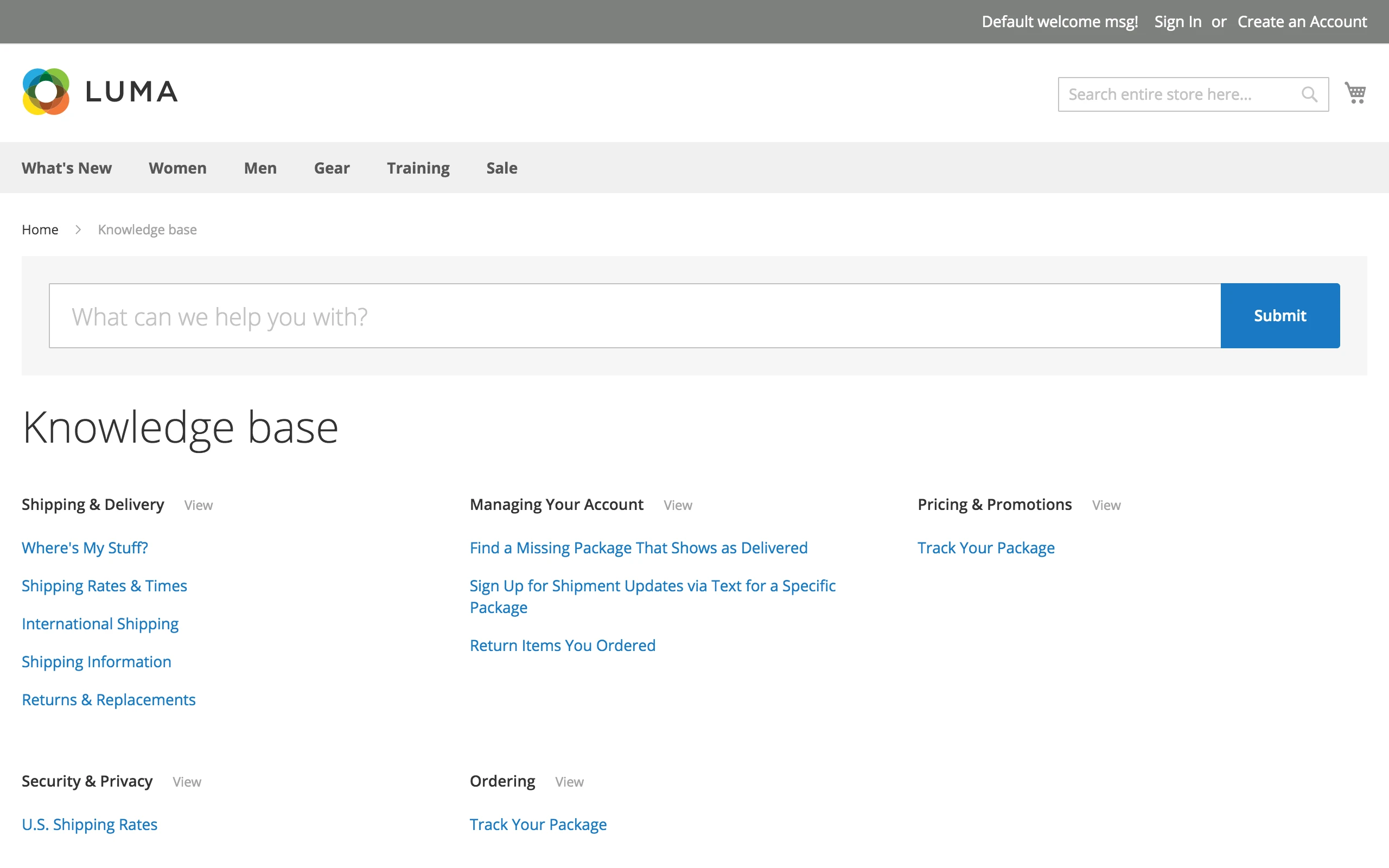
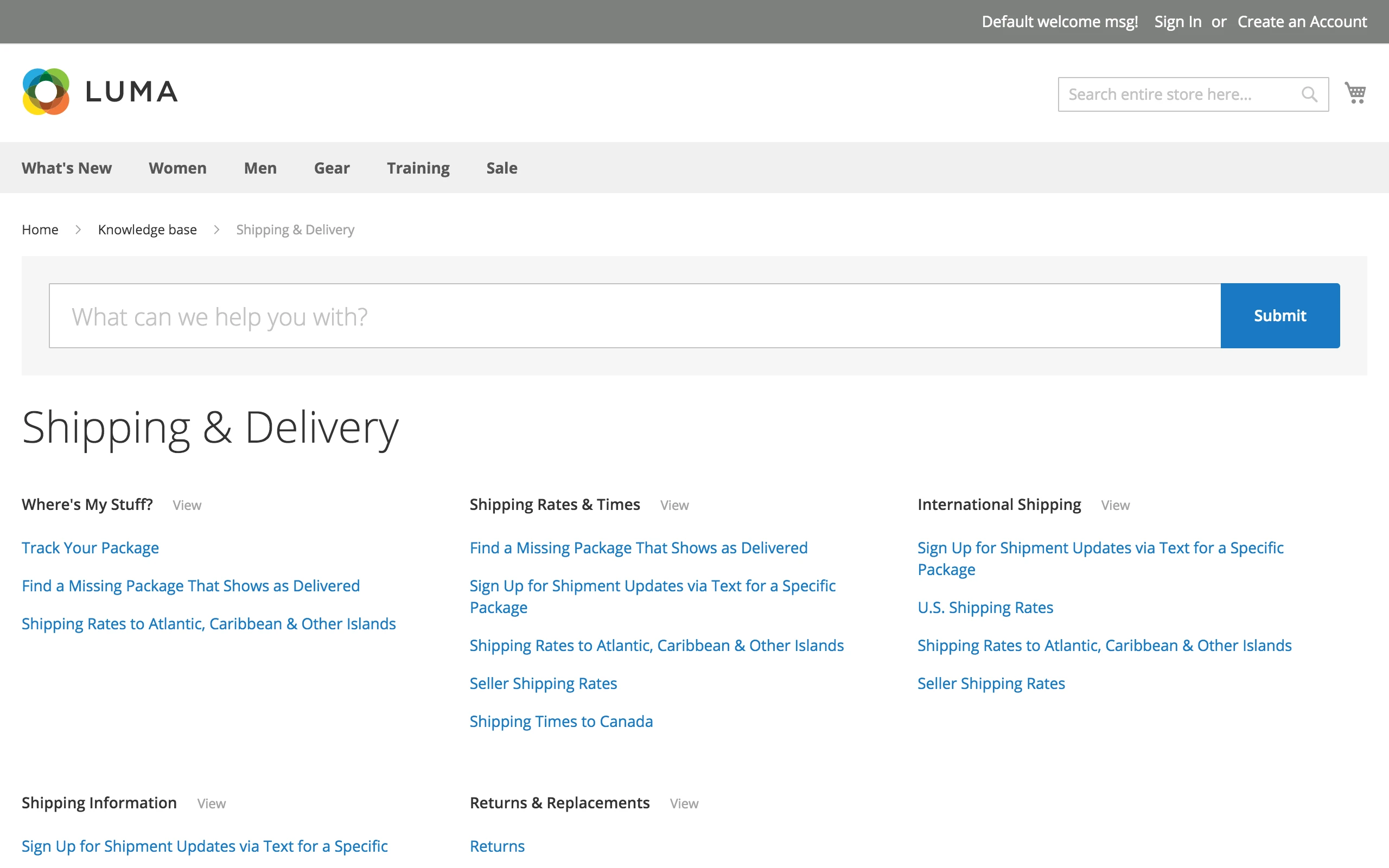
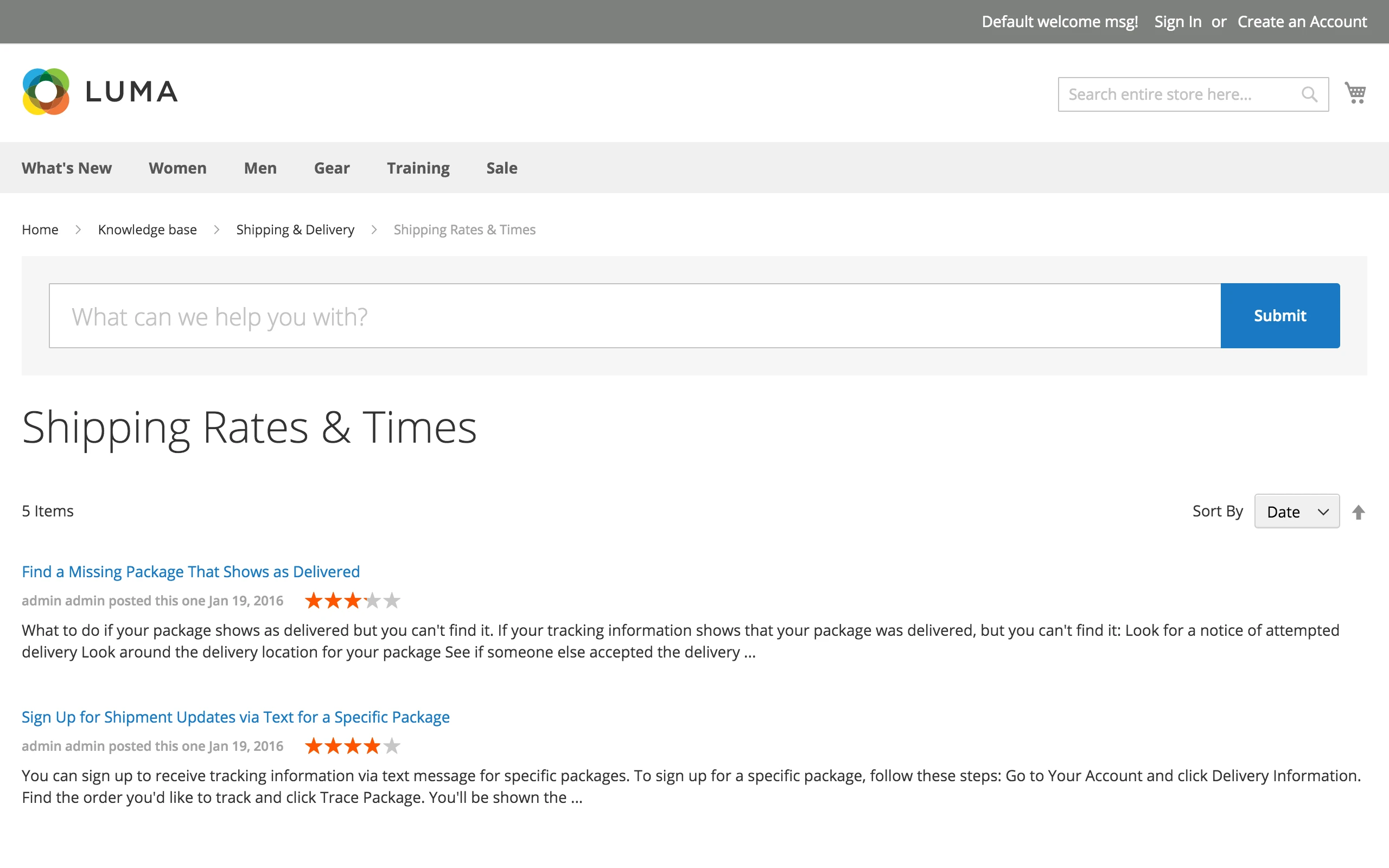
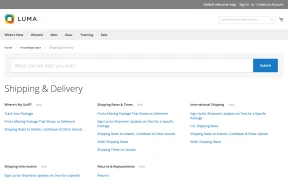
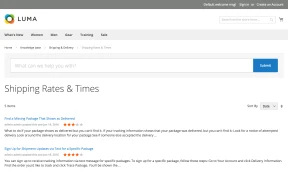
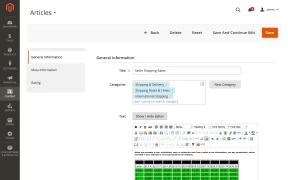
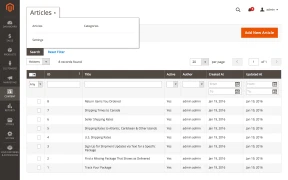
Introduce your online store customers to a powerful help resource. Create FAQ pages for them so you can save their time and make their life easier!
Knowledge Base is the extension that allows you to organize the most frequently asked questions or any other helpful information using articles sorted by defined categories.
Our solution makes your customers' self-service fast, easy, and convenient as it lets you:
- perform a search by a single word, word combinations, exact phrases, or tags
- get results from categories and articles
- surf through categories via breadcrumbs or the right menu
- get an answer from the FAQ pages within seconds
Your Knowledge Base Is the Source of Truth for AI Engines
In the AI era, customers don't just search Google — they ask ChatGPT, Gemini, Perplexity, and other AI engines. These engines pull answers from structured, authoritative content. Your Knowledge Base becomes the single source of truth that AI engines reference and cite.
This shift has a name: AEO (Answer Engine Optimization) and GEO (Generative Engine Optimization). Just as SEO drives organic traffic from search engines, AEO/GEO ensures your store's content is discovered and recommended by AI-powered answer engines.
A well-structured Knowledge Base with clear, factual articles gives you:
- Higher visibility in AI-generated answers and recommendations
- Authoritative content that AI engines prefer to cite over unstructured pages
- A new traffic channel — customers who find your store through AI conversations
- Consistent, accurate brand messaging across both search and AI platforms
10 advantages you get with Magento 2 Knowledge Base extension
- Conveniently structured Store Help Guide.
- Search by categories and article content.
- Search by word combination or exact phrases through the Magento 2 knowledge base.
- Save your customers time with Knowledge Base self-service.
- Give your customers an excellent user experience by returning answers to product questions in a split second!
- Customize every Magento 2 knowledge base article with WYSIWYG editor.
- Set an SEO-friendly URL, meta tags, and rich snippets for each FAQ page.
- Make your articles available in multiple categories.
- Manage article ratings and votes.
- AEO/GEO-ready: structured content that AI engines cite and recommend.
Create FAQ pages with Magento 2 questions and answers extension
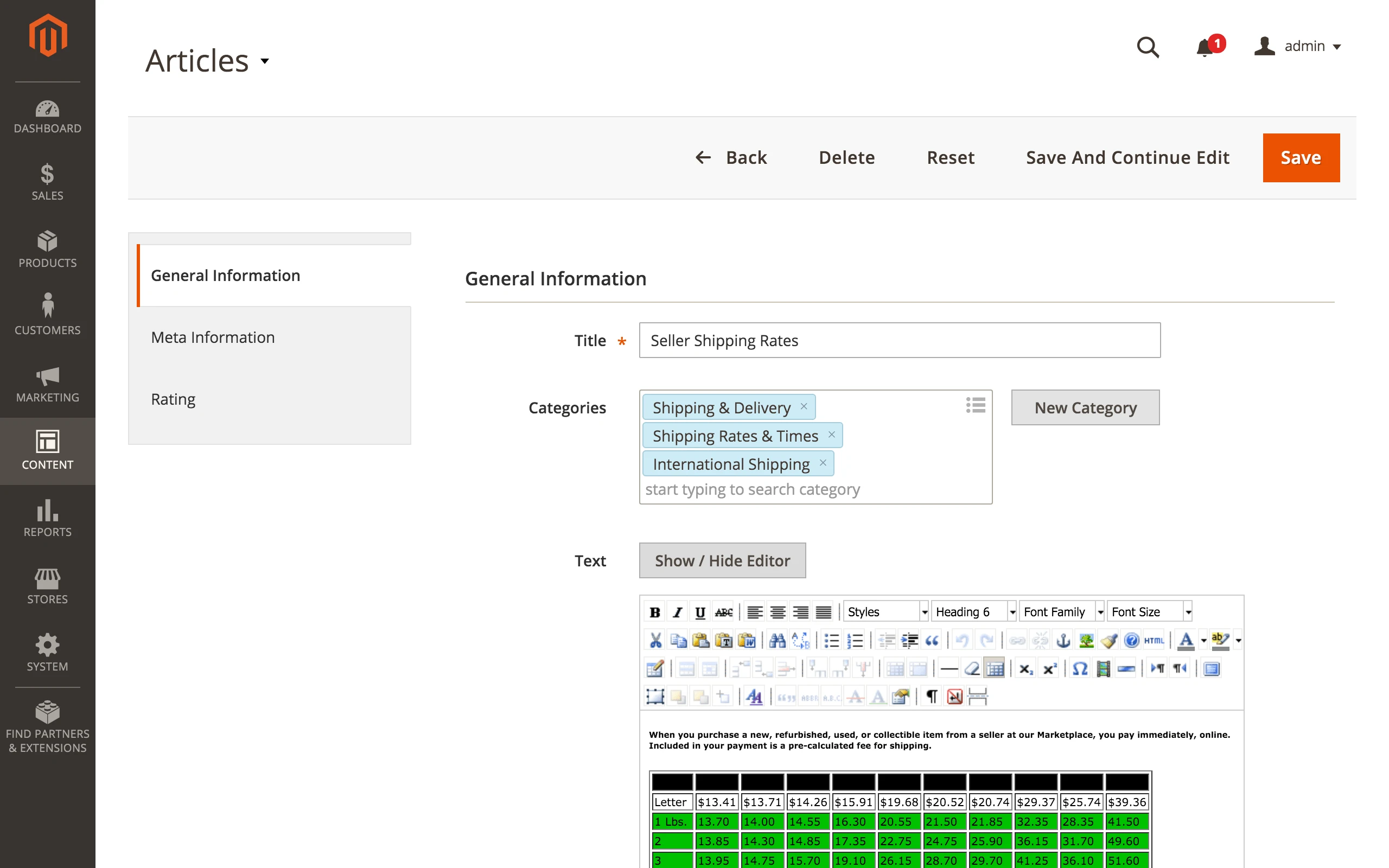
Create an FAQ for Magento 2 by filling the knowledge base with answers to the most prominent user questions. Our Magento 2 FAQ module is not only fully-featured but also fully customizable. You can make unique designs for each FAQ page using the built-in WYSIWYG editor or directly edit it with the HTML source code.
Also, the Knowledge Base administration interface allows you to:
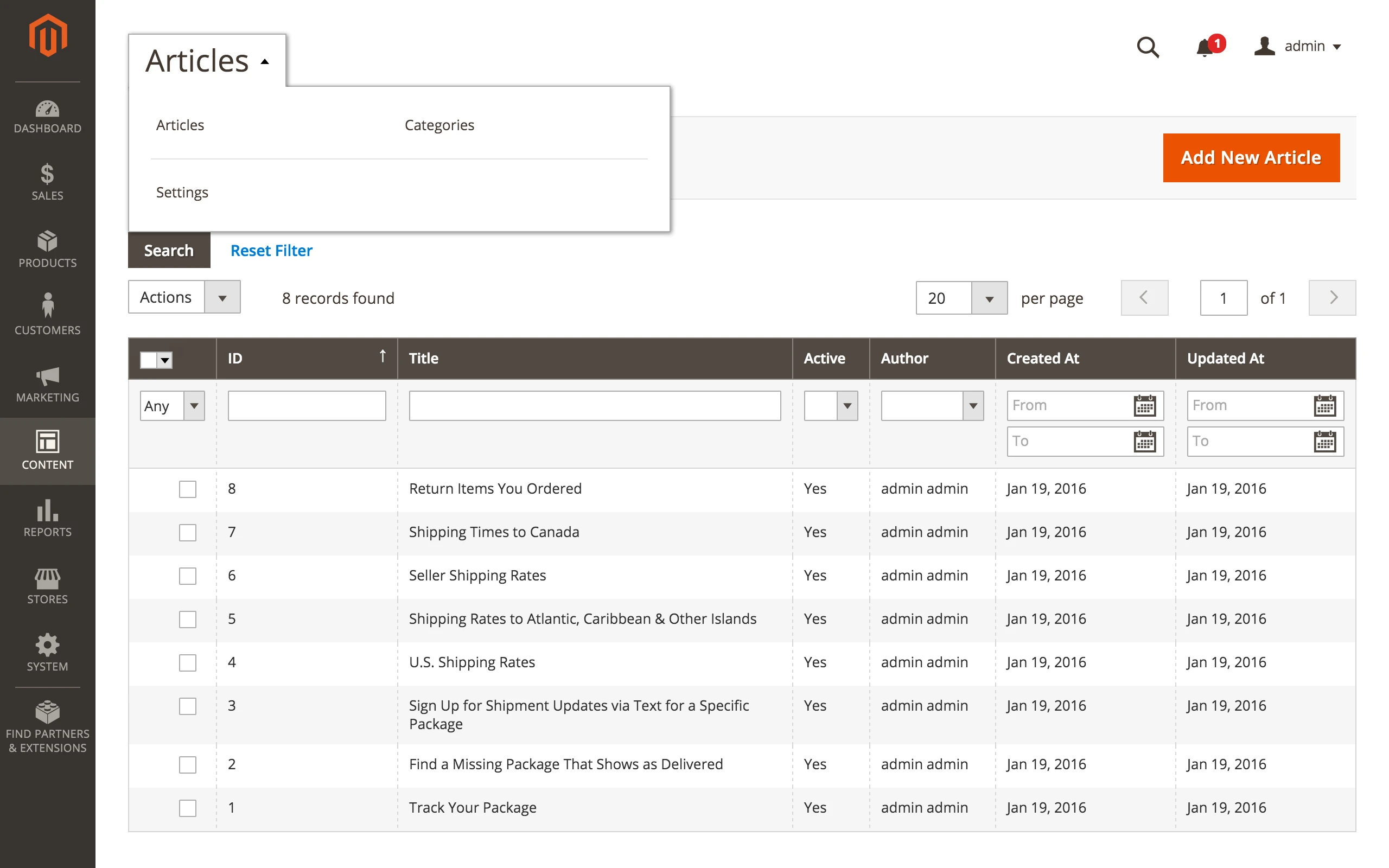
- set article status, sort order, SEO-friendly URL key, and author
- assign an FAQ page, multiple tags, and categories
Knowledge Base is also an SEO-friendly extension. You may set meta tags for your FAQ pages, so the snippets you've made by yourself will be visible on your search engines for relevant search queries.
Clear Customer Interface in Magento 2 FAQ and Knowledge Base

Knowledge Base interface is intuitive and clear for every customer.
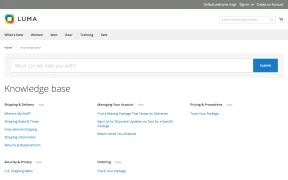
Our solution allows your store's clients to understand everything at a glance. All categories, questions, and search strings are available with a single click.
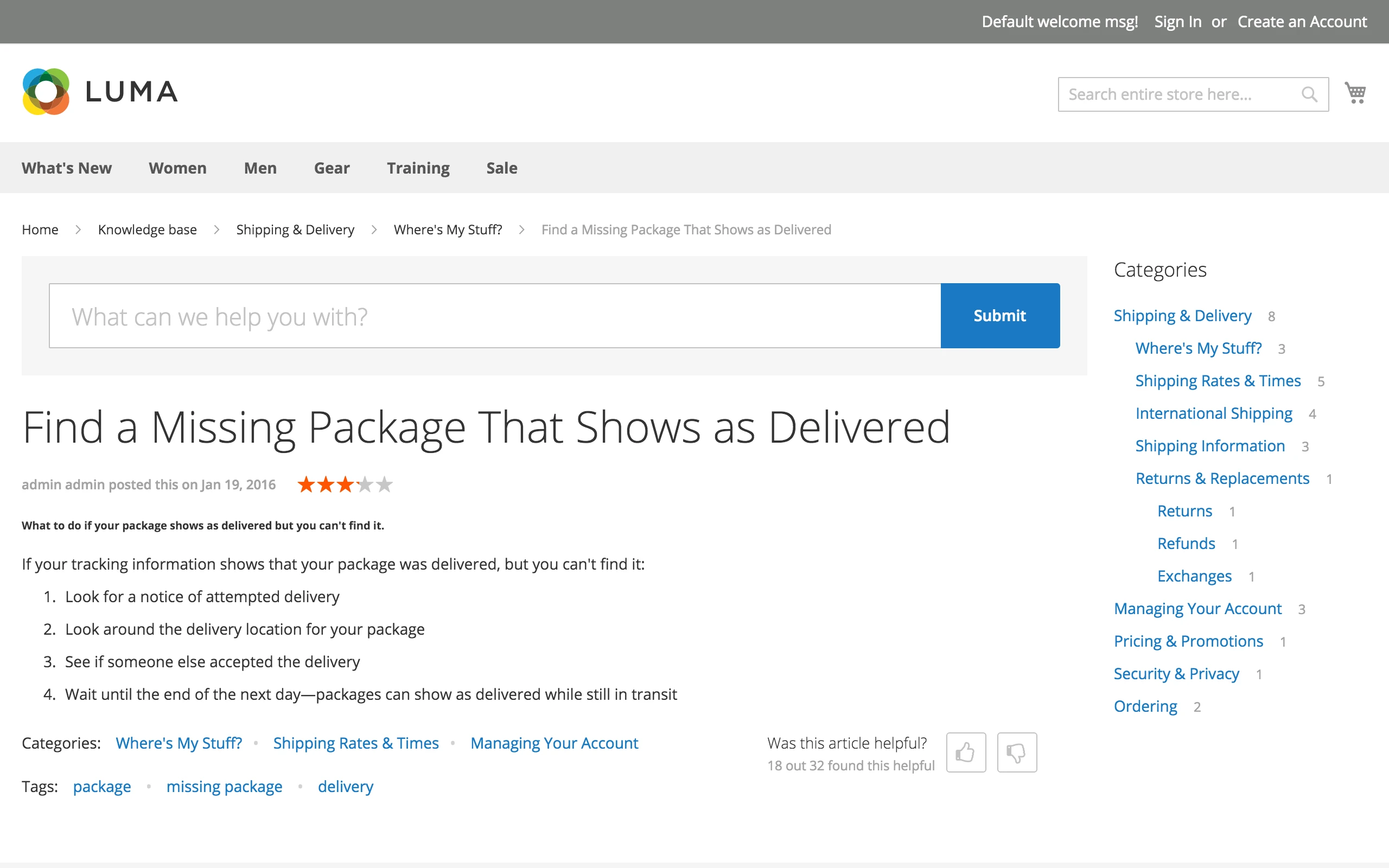
Convenient Article and FAQ Page

Knowledge Base Extension allows you to organize articles in a structured and clear form intuitively understandable by every customer.
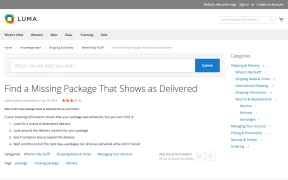
The article page has a very convenient interface, which gives your store users an option to surf through the categories in two different ways, which are, by:
- using breadcrumbs under the main menu (it allows them to return to any parent directory);
- using the menu 'Categories' (it is very easy to access any related or even non-related category).
Also, users can choose any of the tags assigned to the article and automatically get search results related to this tag.
Advanced Administrative Interface Magento 2 FAQ

Knowledge Base interface for administrators gives you the most advanced features to make your help center easy to use and unique.
Our solution allows you to:
- create articles with a custom design using WYSIWYG editor or by editing the HTML source code
- make every article more visible in your help center by adding some tags
- assign several categories to one article, if its contents are related to them
- set SEO-friendly URL for each article
- manage article status (active or not)
- set sort order for product questions page
- define an article by its author
Manage your support articles fast and easy with Knowledge Base!
Relevant Search Results From Magento 2 FAQ Extension

Knowledge Base allows your customers to perform a search in several modes:
- by exact phrase
- by a single word
- by word combinations
Whatever your customers' enter in the search string, our solution gives the most relevant result list in a split of second from:
- category names
- articles content
- tags
Your customer will see the most relevant articles at a glance!
Use Ratings to sort articles by quality and relevance
Knowledge Base Extension lets you organize all the articles by their quality, using ratings and vote numbers for each article.
For example, you added some information to the article 'Shipping Fees' and published it.
Customers rate this article over some time by voting if they considered 'Shipping Fees' useful. So, the more votes the article gets, the higher the ratings. Therefore, the high rating establishes a ground for assigning a good quality to the article. If the rating is low, you must edit the FAQ page and add more useful and clear information.
Use ratings and votes to evaluate your knowledge-base articles or FAQ pages and constantly improve them!
SEO + AEO/GEO: Optimized for Search Engines and AI Engines
The Magento 2 Knowledge Base extension makes your article URLs SEO-friendly. You can customize how pages appear in search results by adding custom meta titles, descriptions, and rich snippets.
But today, SEO alone is not enough. AI engines like ChatGPT, Gemini, and Perplexity are becoming a major traffic driver. They favor well-structured, authoritative content — exactly what a Knowledge Base provides. By maintaining clear, factual articles with proper headings and semantic markup, your content becomes a trusted source that AI engines reference in their answers.
With Knowledge Base, your store is optimized for both traditional search engines and the new generation of AI-powered answer engines.
Mirasvit Knowledge Base provides a full-featured system with categories, organization, tagging, SEO fields and extensive customization. Search integration is especially strong because relevance can be adjusted using different weights and factors rather than relying on a basic keyword match. Performance is quick and the frontend is responsive.
The integration with Contact Us and Help Desk is another excellent feature. Relevant articles can be presented before a customer submits a question, potentially resolving the issue without creating another support ticket.
I would like to see more ready-made layout templates included so stores have additional polished starting points for the frontend design.
The KB itself is nice as well. Layouts, articles, tags, and good seo structure. I would recommend.
Save time by starting your support request online and we'll connect you to an expert.
setup:di:compile sees them all. Nothing changes in how the article form behaves. ⚠️ The abstract admin controller Mirasvit\Kb\Controller\Adminhtml\Article takes one more constructor argument (Magento\Store\Model\StoreFactory, before Magento\Framework\Registry) - relevant only if a custom controller extends it and declares its own constructormirasvit/module-kb-hyva and mirasvit/module-kb-graph-ql, are gone: everything they contained is part of Knowledge Base itself. That is the Hyvä storefront — article and category pages, the collapsible category sidebar, the search form and results, the tag pages, the article list toolbar, the comment form and listing, the FAQ block on product, category and CMS pages, the vote and rating fragments and the footer link — and the knowledgeBaseArticles, knowledgeBaseCategories and knowledgeBaseComments queries used by headless and PWA storefronts. There is no longer an extra package to find and keep in step, and on a Luma store the Hyvä part simply stays dormant. If either package is installed on your store, remove it before you upgrade — the first item under Improvements has the two commands.MSP_ReCaptcha, a third-party module abandoned in 2018 that cannot be installed on any Magento this extension supports — so on a current store the switch protected nothing whatever it was set to. It is replaced by Magento's own reCAPTCHA, and the setting lives at a new configuration path: recaptcha_frontend/type_for/kb_comment instead of kb/comments/enable_recaptcha. Your old value is not migrated and the old path is no longer read, so pick the reCAPTCHA type you want after upgrading. Configuration set through config:set, a data patch or deployment config needs the new path. The MSP-specific classes went with it — Mirasvit\Kb\Model\Provider\Failure\RedirectUrl\LocalComments, the MspRedirectUrlProviderInterface method it implemented, and the three MSP\ReCaptcha virtual types in di.xmlHyva_MirasvitKb is gone, not renamed — The Hyvä module no longer exists in any form, and neither does its dependency on hyva-themes/magento2-compat-module-fallback. Which template a block uses is now decided in layout: the remaining Hyvä-only templates live beside their Luma counterparts inside Mirasvit_Kb, and a hyva_default.xml that only Magento merges on a Hyvä theme points each block at its Hyvä version. Nothing in the extension asks which theme is active. setup:upgrade removes the old module name from app/etc/config.php for you. You only need to act if you referenced Hyva_MirasvitKb yourself — in a custom di.xml, a layout file, or a deployment script that enables modules by name.Hyva_MirasvitKb::<path>.phtml to Mirasvit_Kb::<path>-hyva.phtml. Most then merged with their Luma counterpart, so there is now one template per block that both themes render, at the plain Luma path — Mirasvit_Kb::article/view.phtml, article/list.phtml, article/faq.phtml, article/comment/form.phtml, article/comment/listing.phtml, category/sidebar.phtml, category/view.phtml, category/view/mode/extended.phtml, article/metadata/*, search/form.phtml, search/result.phtml, tag/view.phtml and tag/list.phtml. Only five files stay Hyvä-only, because Luma has no counterpart for them: html/footer/links-hyva.phtml and the four product/list/toolbar*-hyva.phtml. An override sitting at a path that no longer exists is simply not read, and there is no error to say so — the stock template renders instead. Luma template paths did not change, and a Luma override of any of the merged files keeps workingknowledgeBaseArticles, knowledgeBaseCategories and knowledgeBaseComments existed only where that package had been installed. They now ship with the extension and apply everywhere, which is a change in behaviour on upgrade for anyone querying /graphql.Mirasvit_Kb/js/article/metadata has been deleted, and the article page's byline is now the same list markup the article list uses, so rules written against .kb-article__metadata .author and .rating should move to .kb-article__metadata-list > liMSP_ReCaptcha module installed — which is every current store, since that module cannot be installed on a supported Magento — switching the setting on brought down every knowledge base article with Class "MSP\ReCaptcha\Block\Frontend\ReCaptcha" does not exist in the log. Turning the setting off was the only way back. This affected the released 1.2.18 on Luma as well as Hyvä. The comment form now builds its reCAPTCHA only when a reCAPTCHA module is actually thereArticles by tag "…" in English whatever the store's language, and is now the same translated phrase Luma has always used, available in all 16 bundled languagescomposer.json (previously ^1.2)Mirasvit\Kb\Block\Tag\Cloud, Mirasvit\Kb\Block\Adminhtml\Helper\Form\Category and the admin controller Mirasvit\Kb\Controller\Adminhtml\Category\SuggestCategories (route kbase/category/suggestCategories). Mirasvit\Kb\Service\Sitemap also no longer takes Magento\Framework\App\ProductMetadataInterface in its constructor. If you have a customization referencing any of these, update it before upgradingvar/log/exception.log with errors every time the category page was opened. An empty description is now treated as empty textvar/log/exception.log with errors every time the article was viewed on the storefront. An empty body is now treated as empty textBlog

 Andriy Kovalenko
We are committed to being open and transparent with our customers. When you purchase our module, you automatically receive one year of free support service and free updates.
Why is this important?
- Seamless Installation and Configuration: We understand that setting up a new module can take time to configure according to your specific needs. That’s why we offer a full year of free support. Our experienced team is here to assist you with installation, configuration, and any questions you might have. We're eager to share our expertise to ensure you get the most out of your purchase.
- Stay Updated with Magento (Adobe Commerce) Releases: Magento releases new versions approximately every three months. These updates can sometimes introduce compatibility challenges. To keep your store running smoothly, we provide a year of free access to the latest versions of our modules, ensuring that you can upgrade Magento and our modules without encountering any obstacles.
- Subscription Included: Renewing your subscription ensures continued access to the latest updates and support from our team. This means you can be confident that any issues you encounter with the extension will be resolved quickly and efficiently. You can cancel your subscription at any time without any additional fees.
These are our primary. A major portion of our new clients come from referrals from our existing clients. Our professional team of developers, marketers and support staff have invested the best knowledge and experience in the field into our work, so you know you can come back to us again and again.
One year free and high quality support. We go to great lengths to provide maximum satisfaction with every module you have purchased in our store. By helping you with installation, configuration, answering your every question, we do all our best to eliminate any possible problems.
30-days money back guarantee. If you are not satisfied with our extension performance for any reason, we provide a full refund.
We constantly add new features to all our modules, and are always interested in hearing your opinion and implementing your suggested features in our future developments.
We provide an expanded user guide for every aspect of our extension, so you can find answers for all your burning questions.
You can customize extension according to your needs and requirements.
The Module is easy to install and upgrade, just follow our step-by-step user guide. Additionally, the extension is ready to use with the Hyvä theme.
No core modifications. The extension has been tested in a Magento Cloud environment and is fully compatible with it.