
Follow Up Email for Magento 2
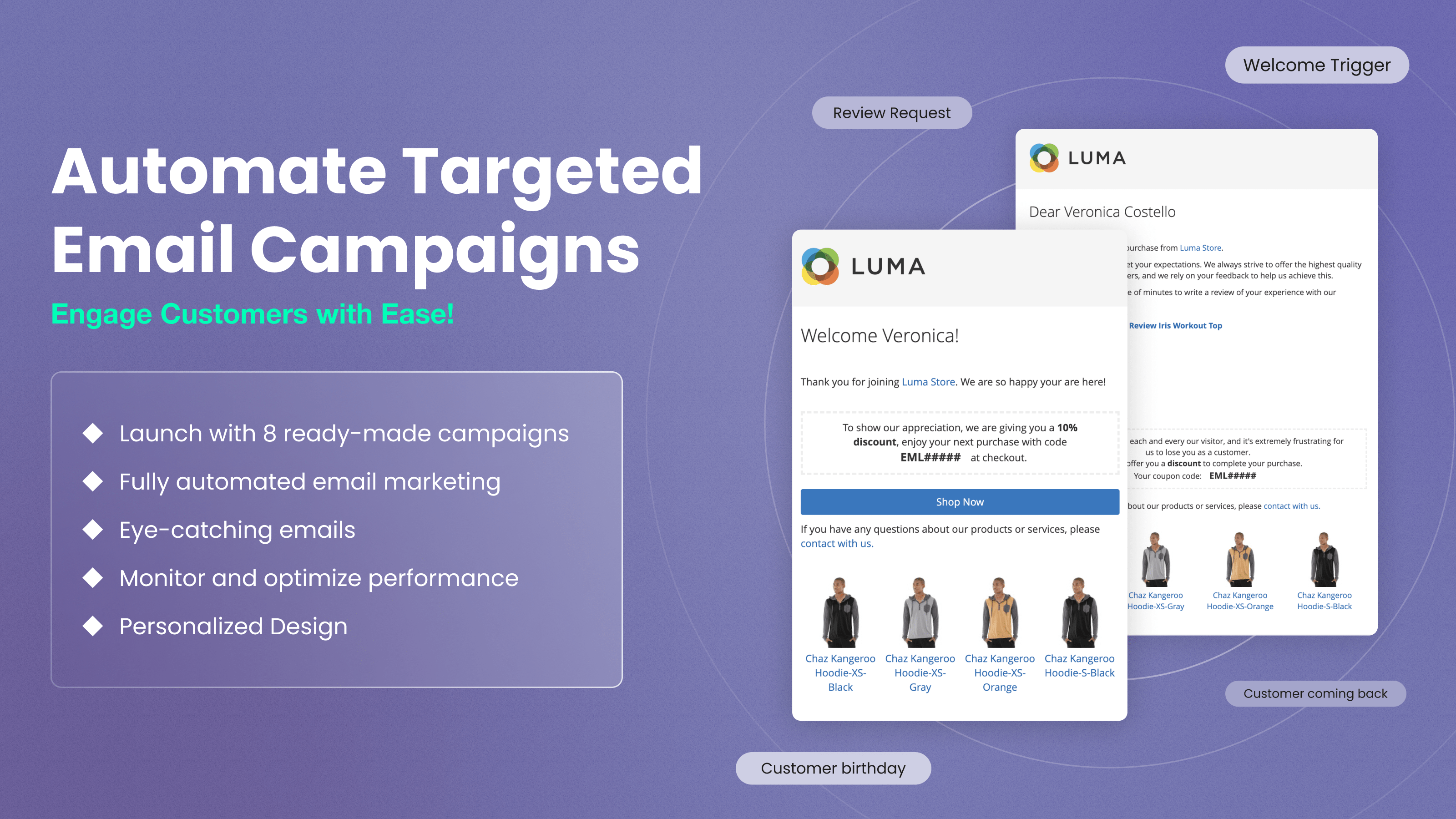
Turn store events into email: abandoned cart reminders, review requests, win-backs, birthday greetings and order follow-ups, each triggered automatically and each reported with the revenue it brought in.
- Get off to a fast start with five bundled email campaigns
- Trigger emails on any store event, from cart to wishlist
- Target campaigns by order history and cart value
- Personalize emails with Liquid variables and filters
- Track revenue per email, not just opens
Trigger emails are among the most reliable marketing tools you have. They reach a customer while the decision is still open, so they earn far better response and conversion rates than a broadcast newsletter.
You set up an email series once and choose the event that starts it, such as a customer abandoning their cart. From then on the extension sends the emails for you, and tailors what comes next to what the customer did earlier in your store.
Cart recovery, review requests, win-backs, birthday greetings and order follow-ups all run from one extension, not several separate purchases. It works with Magento Open Source and Adobe Commerce 2.3.x–2.4.9.
The Magento 2 Follow Up Email module ships with these pre-configured campaigns:
- Abandoned Cart Recovery Campaign
- Customer Engagement Campaign
- Customer Re-Engagement Campaign
- Sales Follow-Up Campaign
Recent versions add a ready-made Wishlist campaign to the bundled set as well. Activate the campaigns you want to use, then duplicate any bundled configuration and adapt it to fit your store. Prefer to build your own? The quick start guide walks through a campaign from scratch.
Abandoned Shopping Cart Reminder (including guest checkouts)
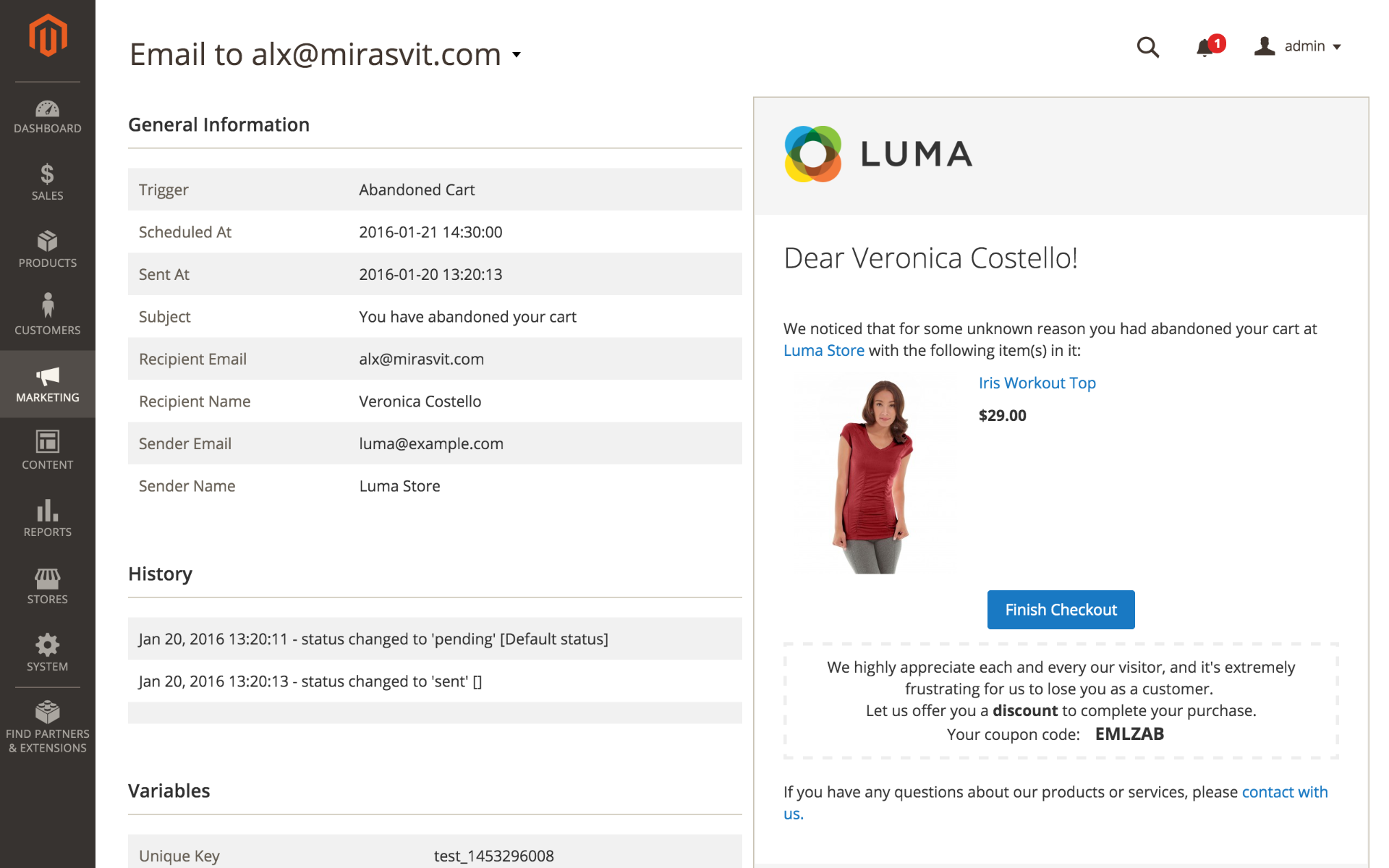
The average documented cart abandonment rate is 70.2%, averaged across 50 studies collected by the Baymard Institute. Most of those shoppers were interested enough to add something to a cart, which makes them the cheapest audience you can win back.
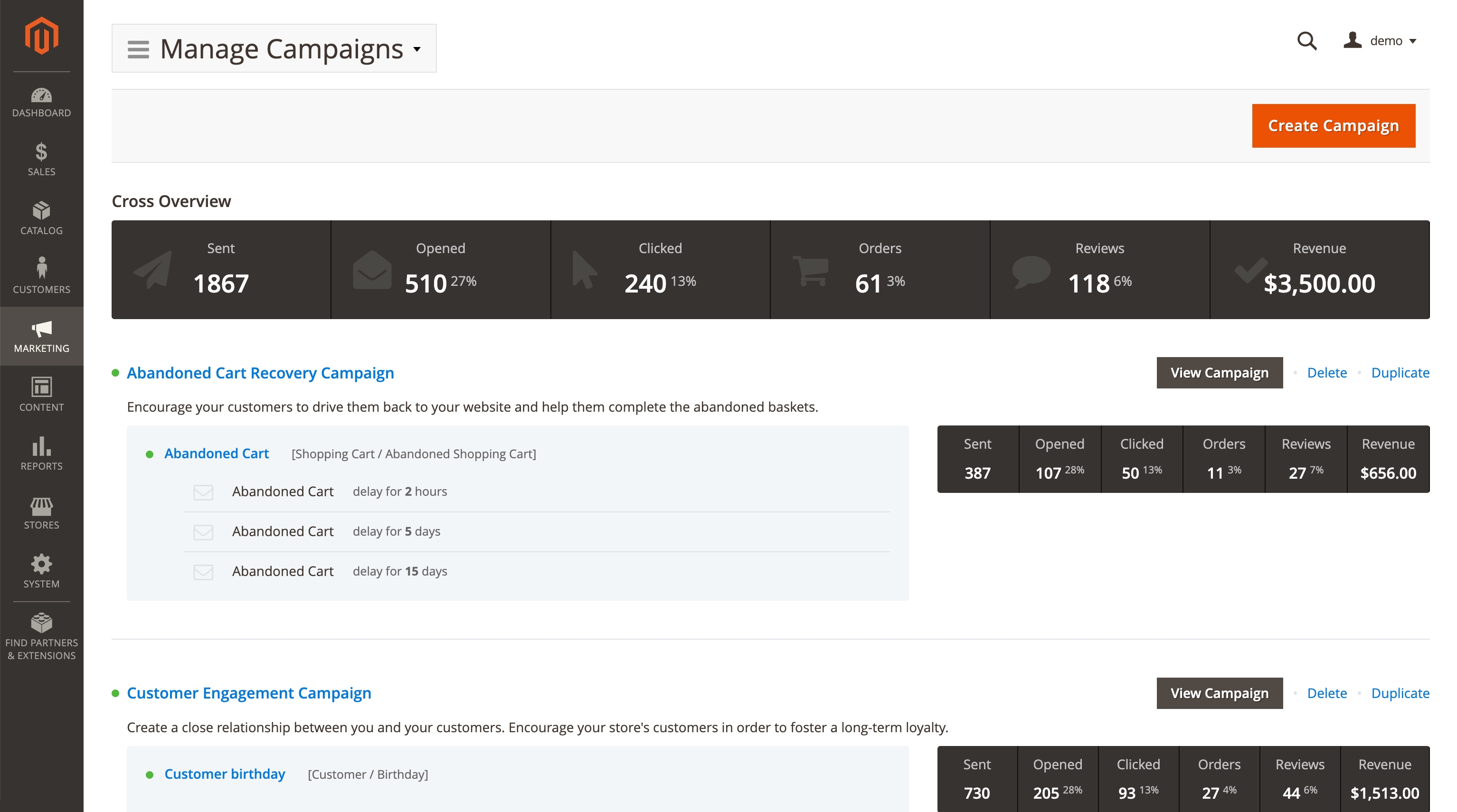
The bundled abandoned cart recovery campaign sends three reminders, after 2 hours, 5 days and 15 days, and stops as soon as the customer places an order. You decide how long a cart has to sit idle before it counts as abandoned.
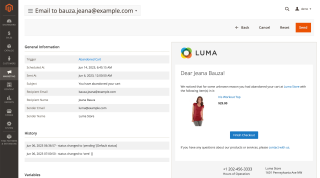
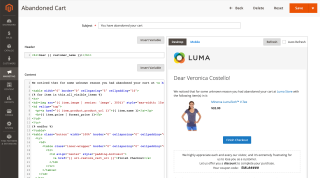
Each reminder can carry a one-click link that restores the cart, so the customer lands on a filled basket instead of an empty one. Emails also show the exact variant that was in the cart, including the selected size, color and custom options, so the reminder matches what the shopper actually chose.
Capture Guest Emails Before Checkout
A cart reminder only works if you know the address. Registered customers are easy; guests are the problem, because a guest who never reaches the checkout page never leaves you an email address.
The extension watches email, name and username fields across the storefront, including third-party newsletter popups and login forms. As soon as a guest types an address, it is stored against their session and current cart, so abandoned-cart triggers can still fire for shoppers who left long before checkout. Three modes are available: always on, off, or disabled for visitors from the EU. It works on both Luma and Hyvä themes.
Review Reminder Emails
Authentic reviews build customer trust, and they give your product pages the kind of content search engines index.
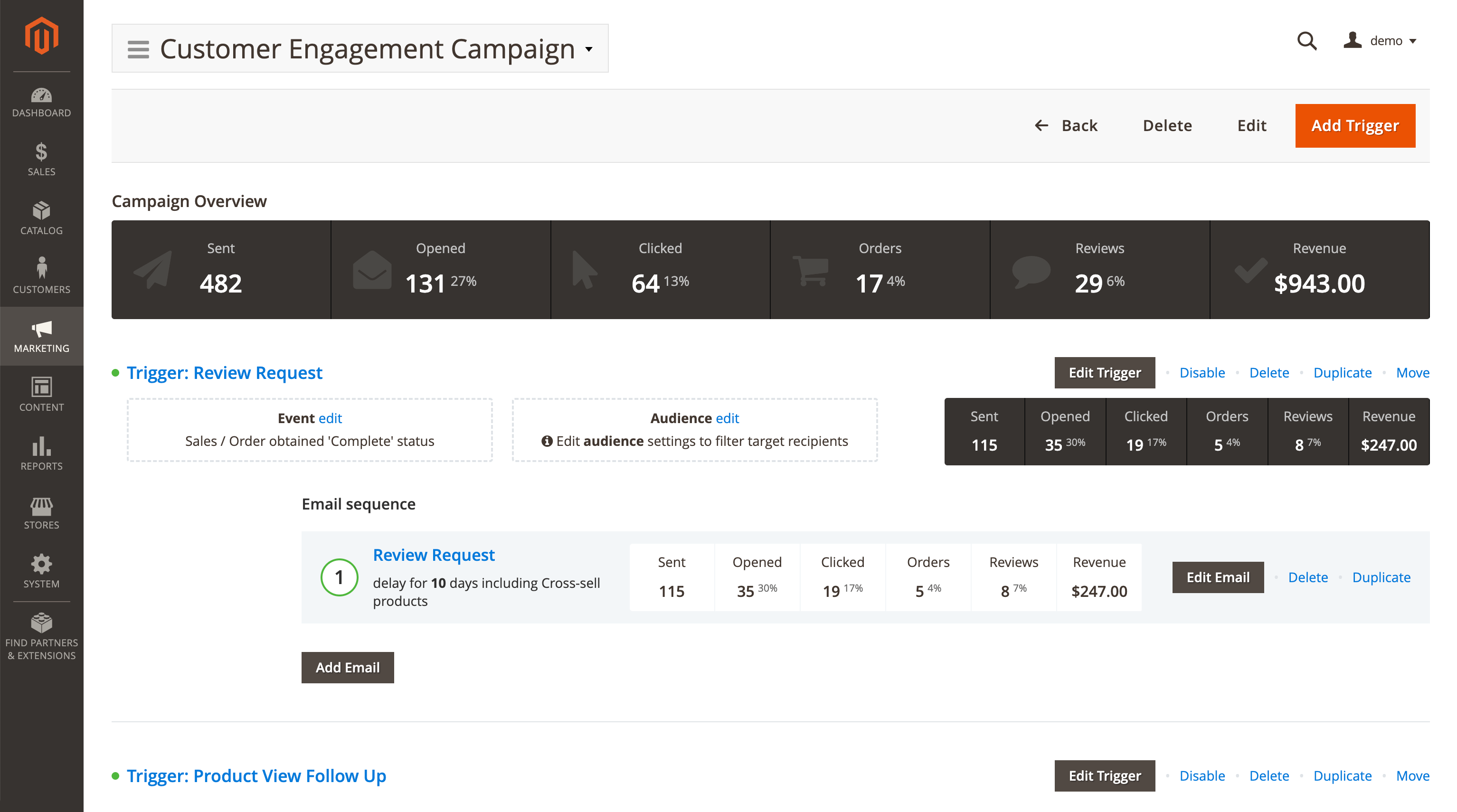
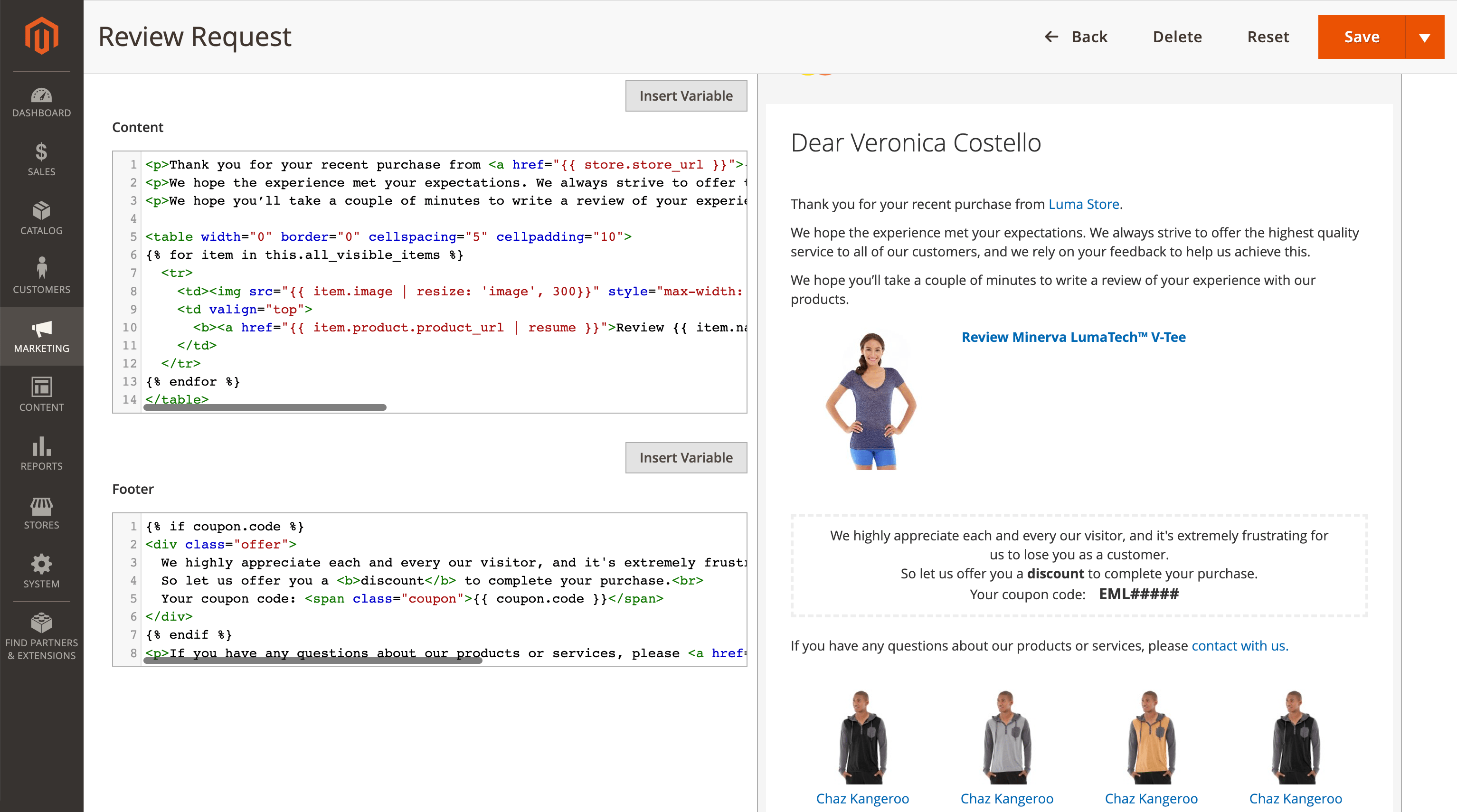
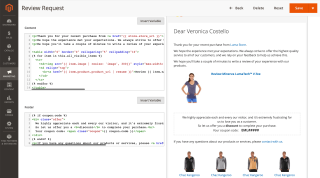
Encourage customers to leave reviews on your store. The extension automatically emails shoppers to ask for a review shortly after they buy, with a delay you set. One review reminder may not be enough, or the shopper may simply miss it, so you can queue a follow-up series. You can also keep them informed: confirm that their review arrived, and let them know once it is approved.
Win Back Inactive Customers
Every store has loyal customers who simply go quiet for months at a time. Win them back with something worth returning for, like a gift card or a coupon, sent automatically after a customer has been away for a period you set.
Build separate win-back campaigns for different types of shoppers, so a long-standing customer and a brand new one do not get the same message.
You can also trigger from browsing and purchase history. Send product recommendations based on what a customer bought, follow up on items they viewed recently, or simply welcome customers when they log in and show a list of cross-sell products.
Birthday and Anniversary Emails
A birthday message builds loyalty to your store, and it costs you nothing but a template. You can mark other dates too, like a customer's first year with you or the point where they move up a tier in your loyalty program.
Include a gift coupon in the email, and add cross-sell products to make the greeting worth acting on.
Order, Invoice and Shipment Updates
Keep the shopper informed about their order. Send emails on status changes, and add cross-sell products to orders that are being processed. For orders still pending, follow up with an offer of complementary products. Once an order is complete, send a replenishment email with upsell products.
Triggers also fire when an invoice, a shipment or a credit memo is created. Shipment emails can carry the carrier name and tracking number directly, so the customer gets the information they were about to email you for.
Wishlist Triggers
A wishlist is a list of things a customer already told you they want. Triggers fire when a wishlist product comes back in stock, drops in price, or runs low on inventory, and also when an item is added to a wishlist or the wishlist is shared.
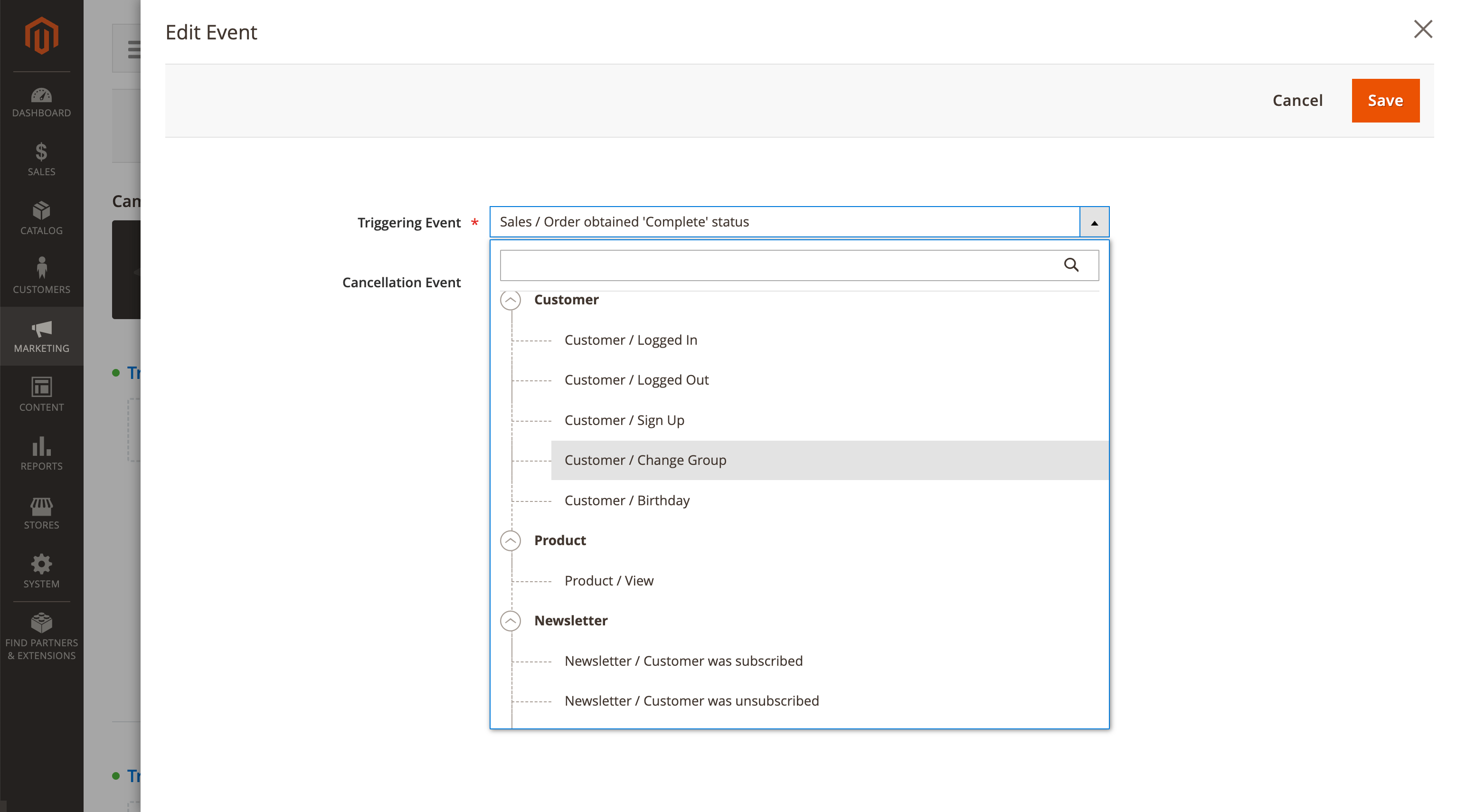
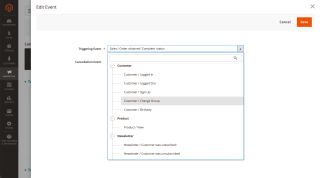
Trigger Emails on Any Store Event
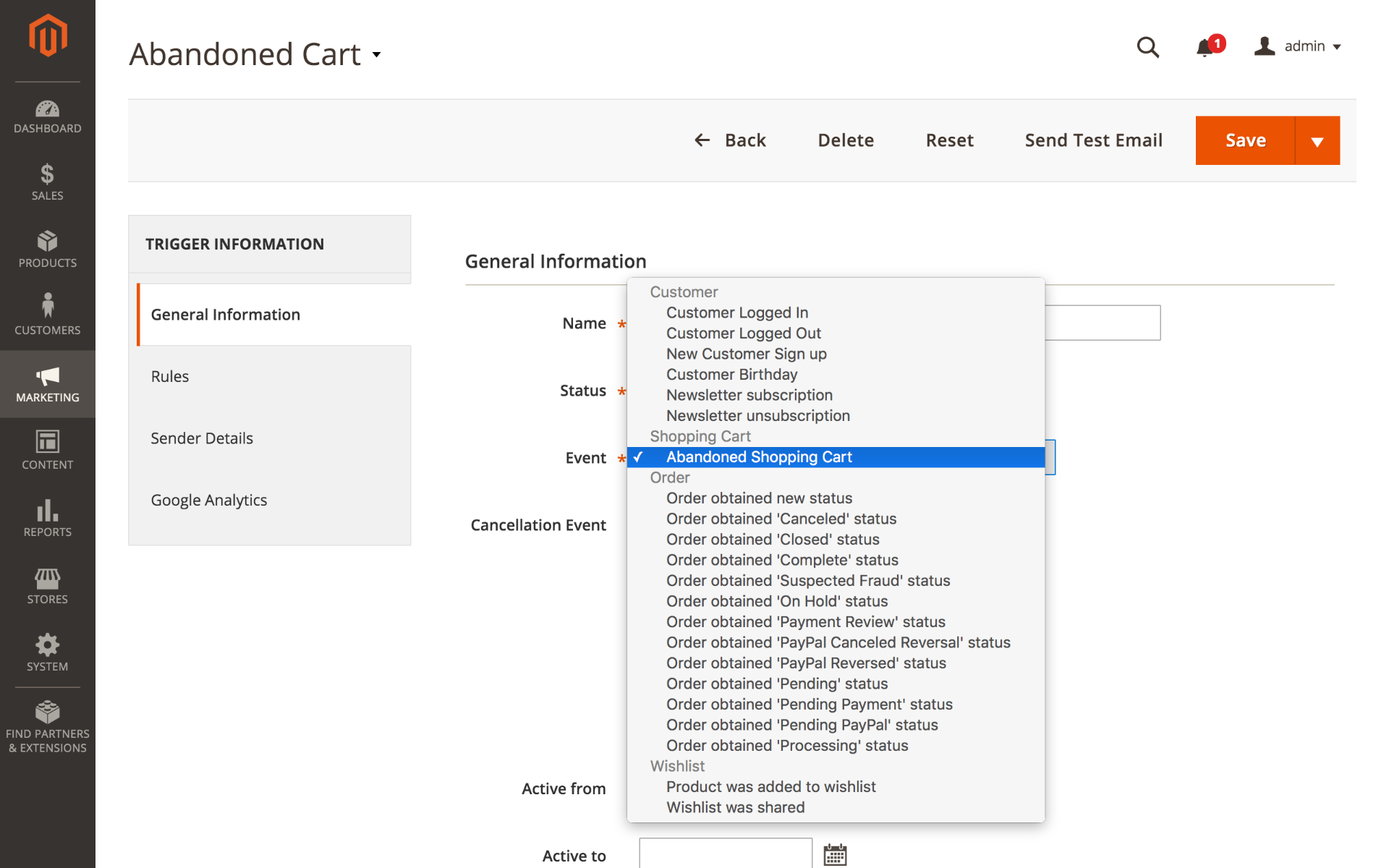
Unlike standard newsletter tools, this extension aims each campaign at a specific customer at a particular stage of their journey towards the next order. A campaign starts only when a specific event occurs.
Events are grouped into eight categories:
- Customer: logging in or out, signing up, changing group, birthday
- Product: viewing an item, adding it to the cart, ordering it
- Shopping cart: abandoned cart
- Sales: new orders, invoices, shipments, credit memos and every order status change
- Newsletter: subscribing, unsubscribing, changing subscription status
- Wishlist: adding, sharing, back in stock, price drop, low stock
- Review: a review is added or approved
- Customer segments: a customer enters a segment
Product-level events fire per item, so a follow-up can reference the exact product a customer added or bought, alongside the full order context. Each event type has its own settings, such as how long a cart stays idle before it counts as abandoned, so you can tune a trigger without touching global configuration. The full list of trigger events is in the manual.
Target the Right Audience
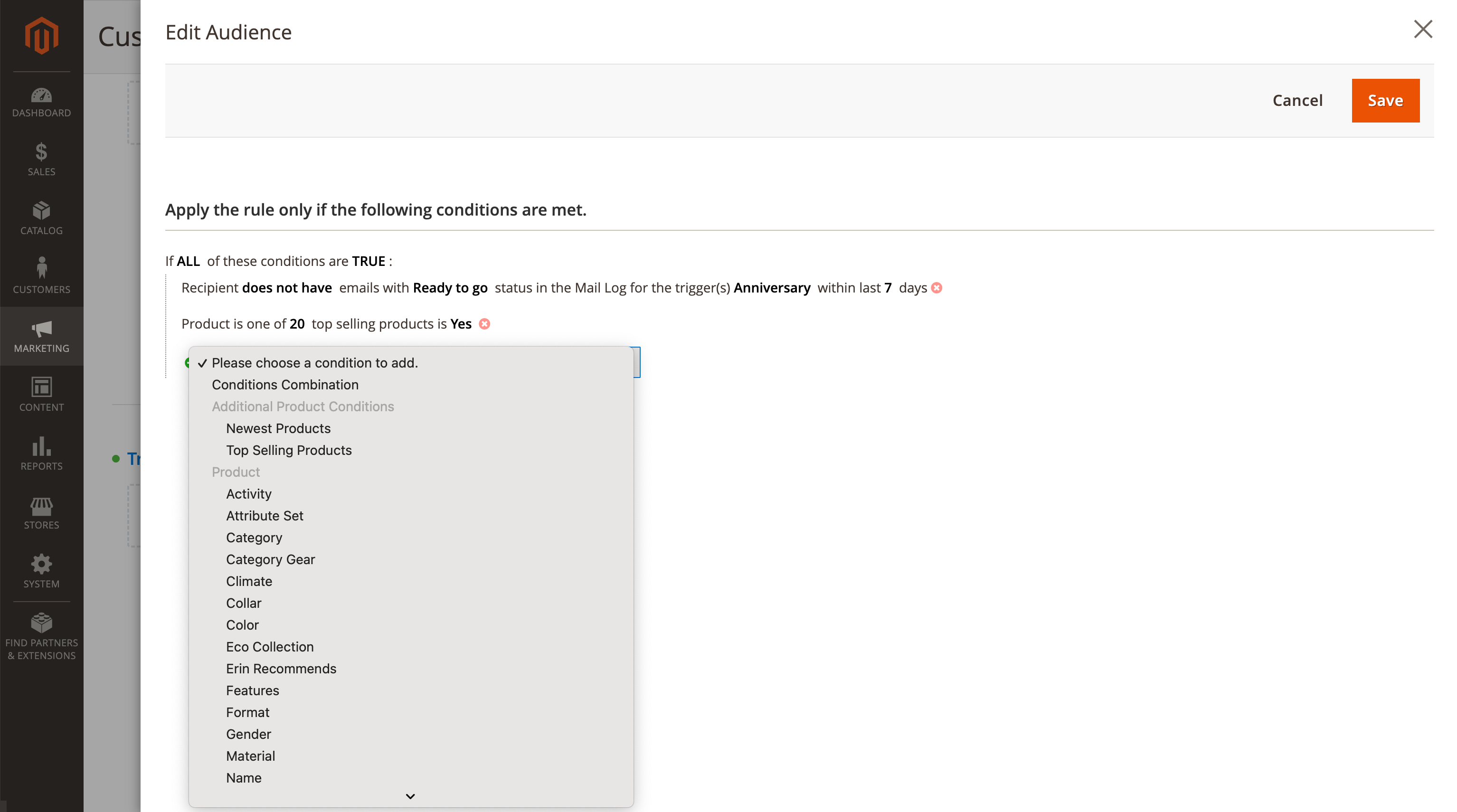
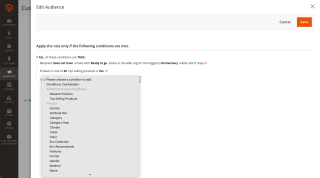
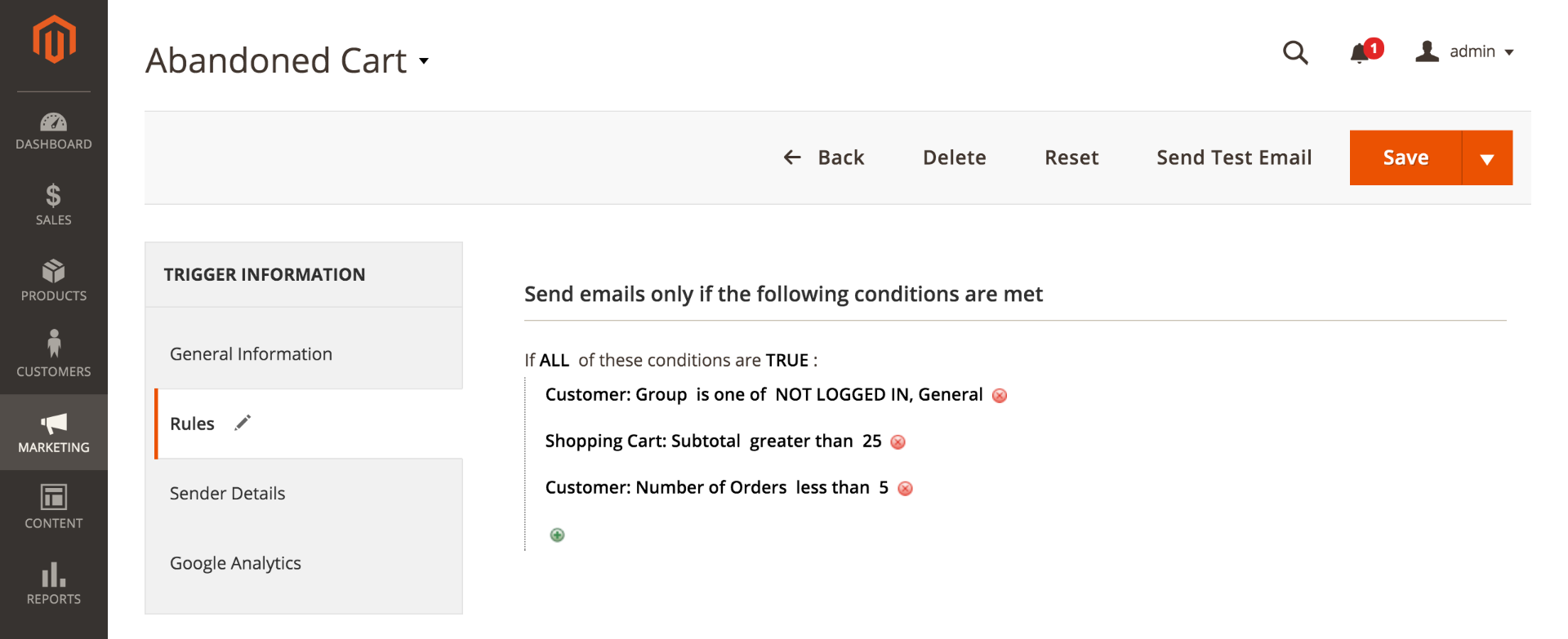
Filtering rules narrow a campaign to a defined segment, so each group gets only the emails that apply to it.
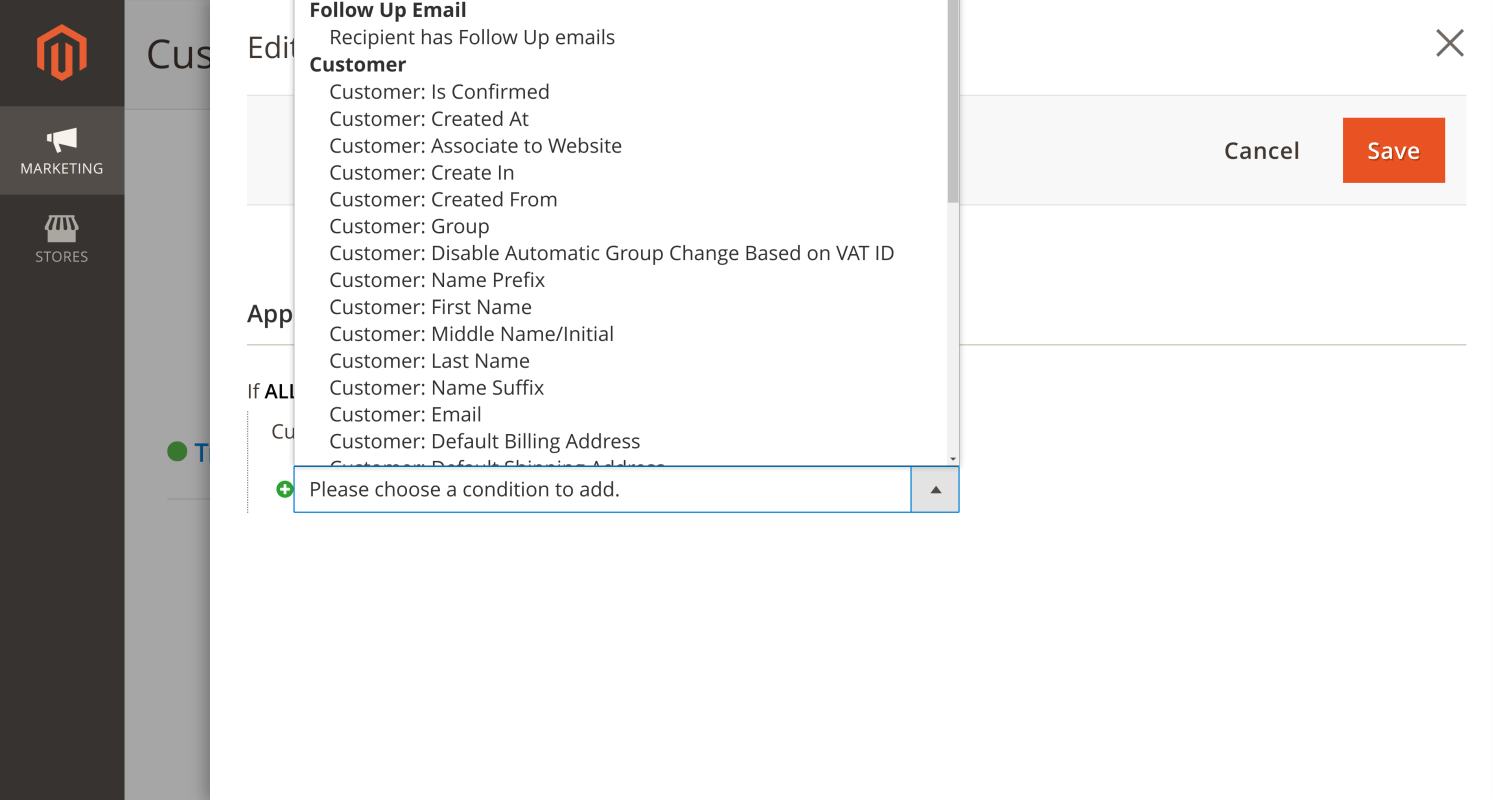
Build the audience from attributes like:
- Lifetime sales
- Number of orders
- Products in the cart or order
- Order grand total
- Shipping and payment methods
- Order status
- Total quantity of ordered products
- Total count of unique product titles in the order
- Personal information in the customer's profile
If you already maintain segments in Customer Segmentation Suite, campaigns can trigger on segment membership as well. Those events require that extension.
Stop a Campaign When the Goal Is Reached
Cancellation logic matters if you want to keep customers' trust instead of chasing them with offers they have outgrown. A campaign can stop as soon as its goal is met, or when a cancellation event occurs. An Abandoned Shopping Cart Recovery campaign, for example, stops the moment the customer places an order.
Send Discount Coupons
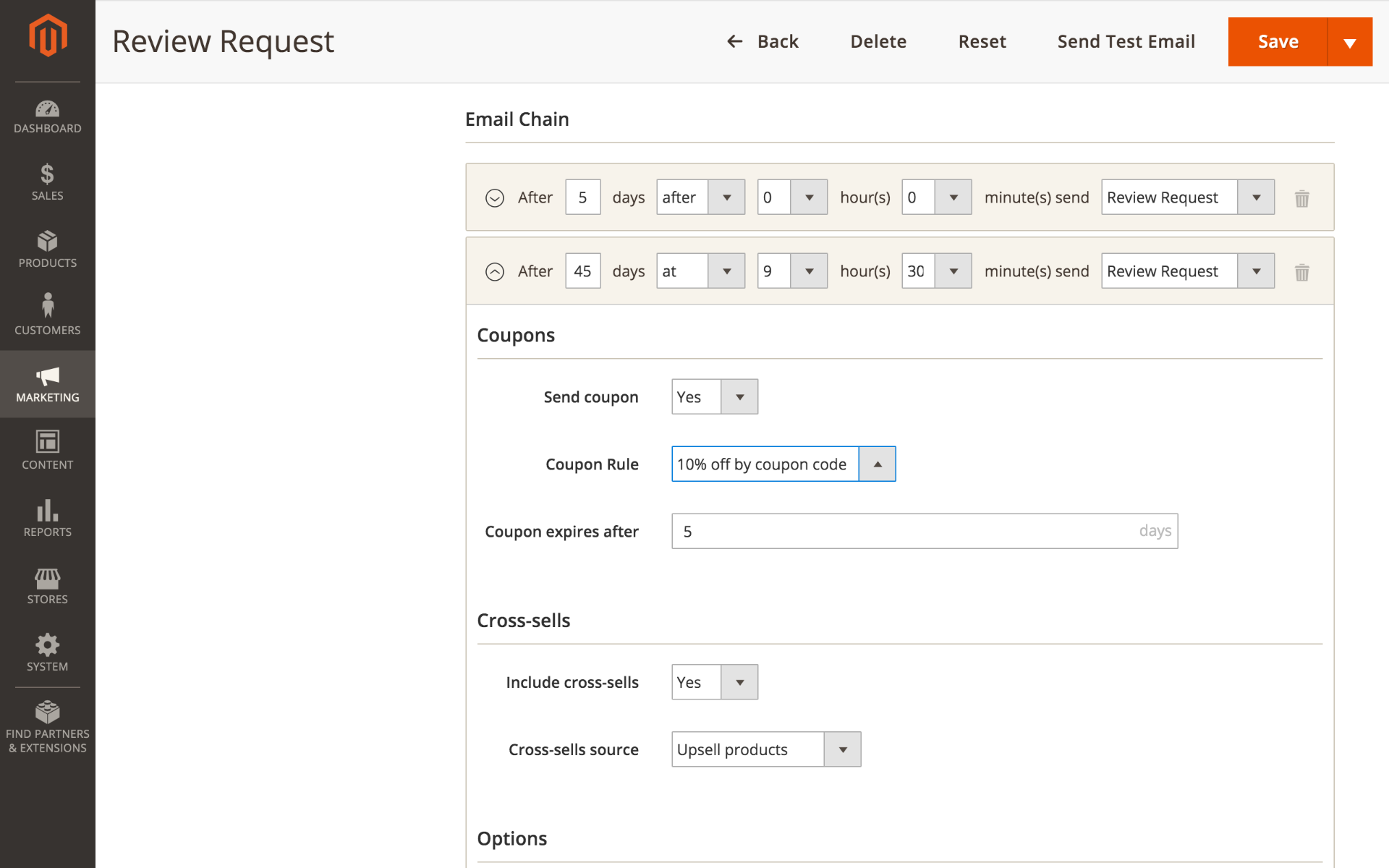
To give a hesitant customer a reason to act now, offer a personal and time-limited coupon.
The extension generates coupons with a set discount and expiry date, and adds them to your emails automatically.
Test Before You Send
Click the preview icon on any email in a campaign to see it fully rendered, subject and body, in a popup. Previews use randomized test data, so no real customer record is touched.
Sandbox Mode goes a step further: real customers get nothing, and every email the campaign produces goes to a test mailbox instead, which lets you rehearse a whole sequence before it reaches anyone.
Protect Your Deliverability
Sending more email is easy. Sending more email without landing in spam folders is the part that decides whether the channel keeps working, so the extension puts limits on itself.
Every email carries a one-click unsubscribe link, which meets the bulk-sender requirements Google and Yahoo introduced in 2024. Recipients opt out straight from Gmail or Outlook instead of reporting you as spam.
Customers who want to stay on your list but hear from you less often get a page where they can manage their subscriptions per trigger, rather than choosing between everything and nothing.
Frequency is capped at two levels: how many emails one address may receive in a period, and how many a single campaign may send. Each event type also has its own quiet window, so a customer who logs in five times in a day does not receive five emails.
For GDPR, you can filter the target audience, clear email history automatically, and turn off automatic guest data capture.
Set It Up Once
The extension gives Magento 2 a full email marketing automation platform, with no third-party service in the loop. You configure a campaign once and it runs without supervision. All you need to do is check performance now and then and adjust the settings.
Themes and Templates
Designing every email from scratch invites mistakes and wastes time. Create a theme once and build new templates on top of it, so shared design decisions stay in one place.
Manage every template from a single grid: duplicate one and adapt it for a new purpose. Templates and themes also work on remote storage, so stores running on AWS S3 or a similar provider need no special handling.
Write Emails That Speak to One Customer
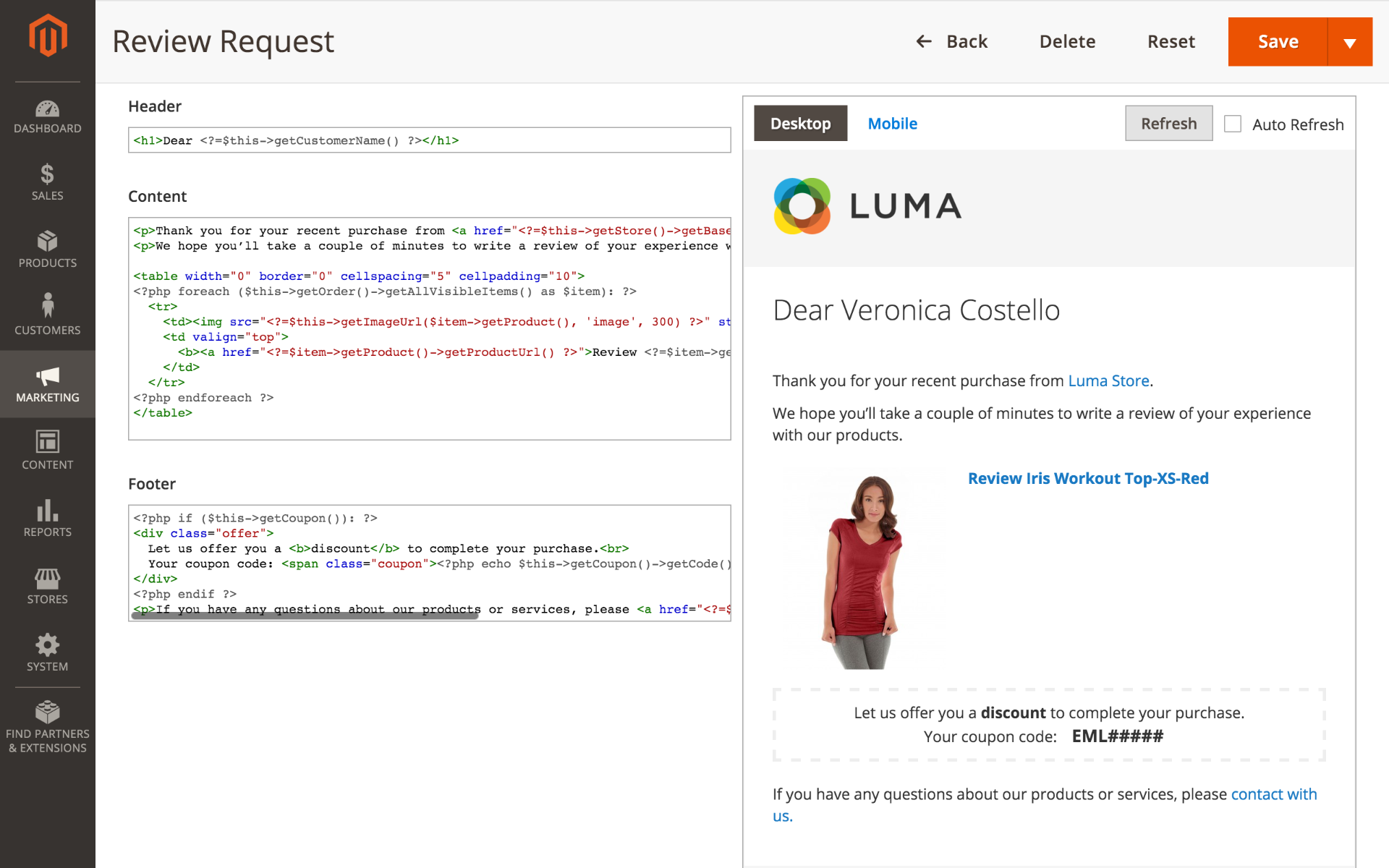
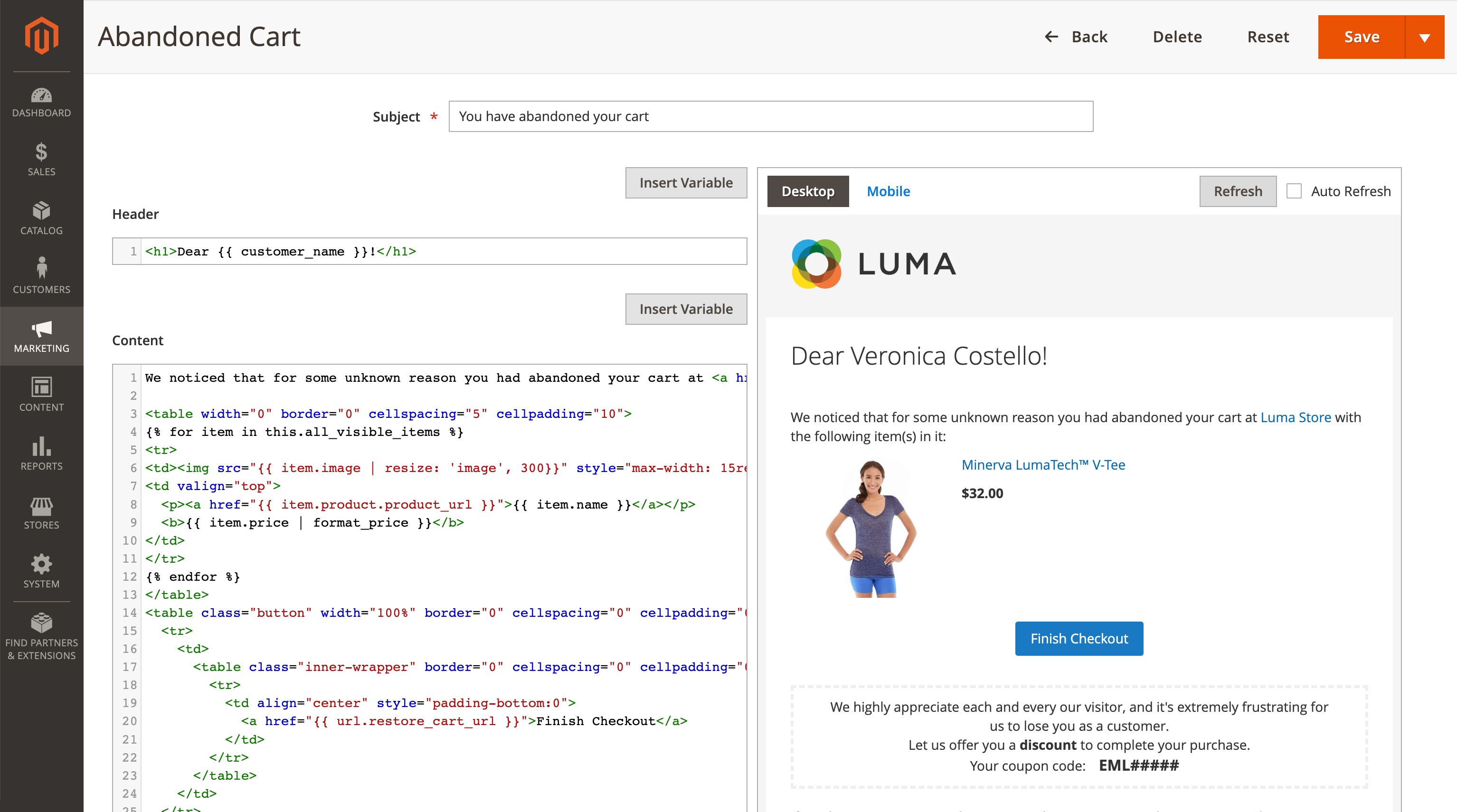
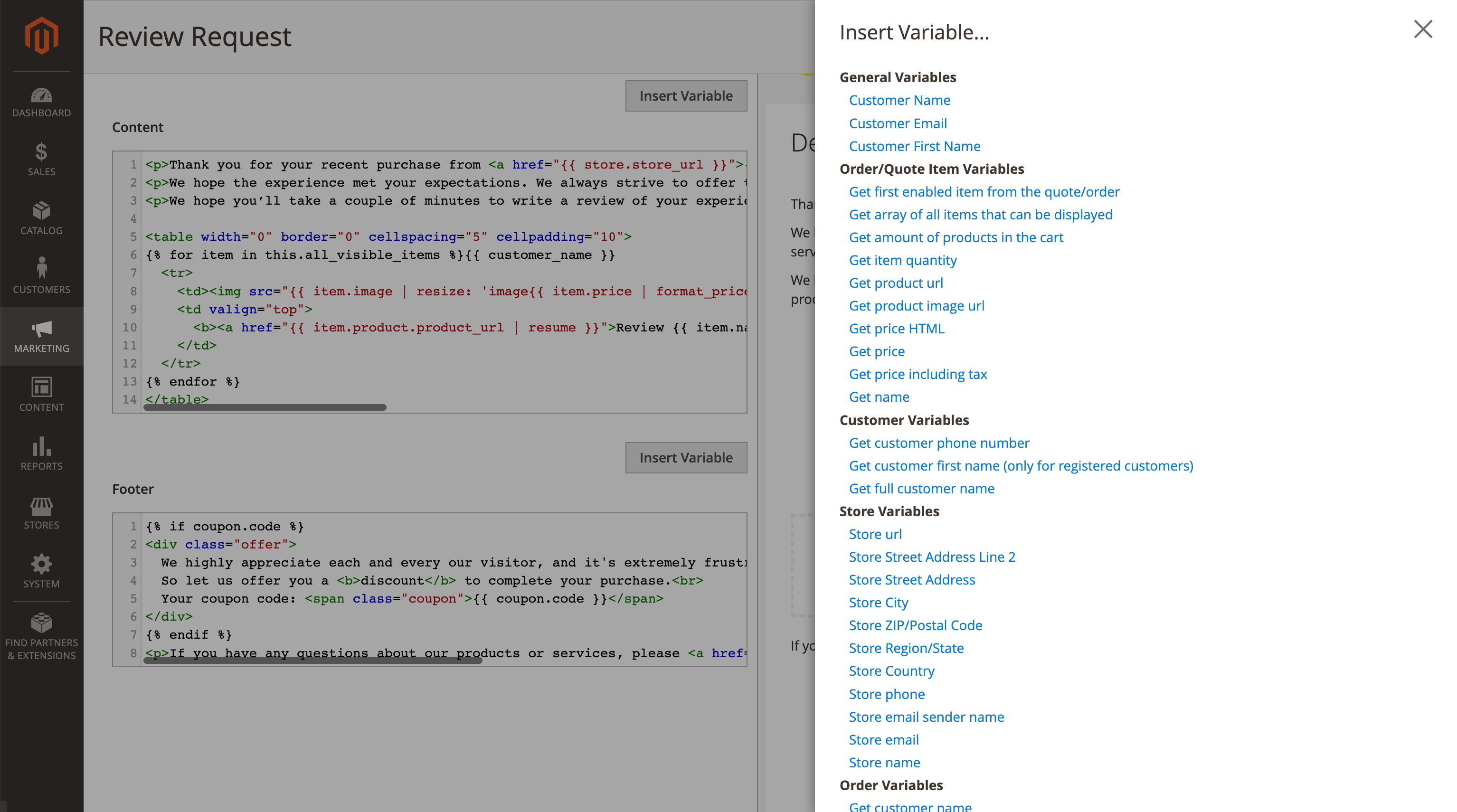
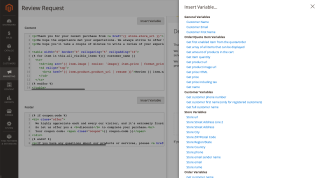
Over 30 variables let an email use what you already know: the customer's name and profile, the products in their cart or order with the exact variant they picked, their wishlist, the coupon you generated for them, your store details. Pick a variable from the editor and drop it anywhere, in the header, body or footer.
Templates run on Liquid, the same syntax marketers already know from other email tools, so formatting stays under your control without a developer: shorten a long product name, show a price in the customer's currency, resize an image, or set a fallback for a field that happens to be empty. The variables guide has the full reference.
The editor previews your email on desktop and mobile, and automatic refresh shows changes as you make them.
Multilingual Emails and Admin
Multilingual stores can translate their emails in two ways: create a separate trigger per language, or use the translation mechanism Magento already provides. The admin interface itself ships with translations for 44 locales, so the team configuring campaigns does not have to work in English.
Social Links
Add your X and Facebook URLs to the email footer to give recipients somewhere to follow you.
Cross-Sell Offerings
Emails can carry a list of cross-sell items related to what the customer already bought or viewed. Pull them from Magento's cross-sell, related or upsell products, or from a block you have already curated in Automatic Related Products.
If you run Reward Points, templates can also show a customer's balance, points earned and spent, their tier and their invitation link.
Performance Dashboard for Every Campaign, Trigger and Email
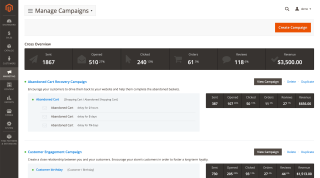
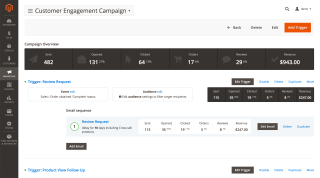
Open rates tell you an email was interesting. They do not tell you whether it paid for itself. The dashboard reports both, at every level: per campaign, per trigger and per individual email.
Each row shows how many emails were sent, how many were opened and clicked, and then the part that matters:
- Open rate and click-through rate (CTR)
- Number of referred orders and reviews
- Revenue amount
Filter the figures by date range to see how a campaign is trending, with sparkline charts alongside. On multi-store setups, a scope picker filters orders and revenue by storefront: pick one store and figures appear in that store's display currency, or view all stores together in the website's base currency so the numbers stay comparable.
If your team already lives in Google Analytics, set UTM parameters per campaign and read the same results there alongside the built-in reports.
Take the Data Out Over REST
Campaigns, triggers, emails and templates are all manageable over REST, and so is the reporting data behind them: opens, clicks, attributed orders and revenue.
That matters in two cases. On a headless storefront the admin is not where your team works, so campaigns need to be scriptable. And if email performance has to sit next to the rest of your numbers in your own BI dashboard, you can pull it instead of exporting it by hand.
Full History of Your Campaigns
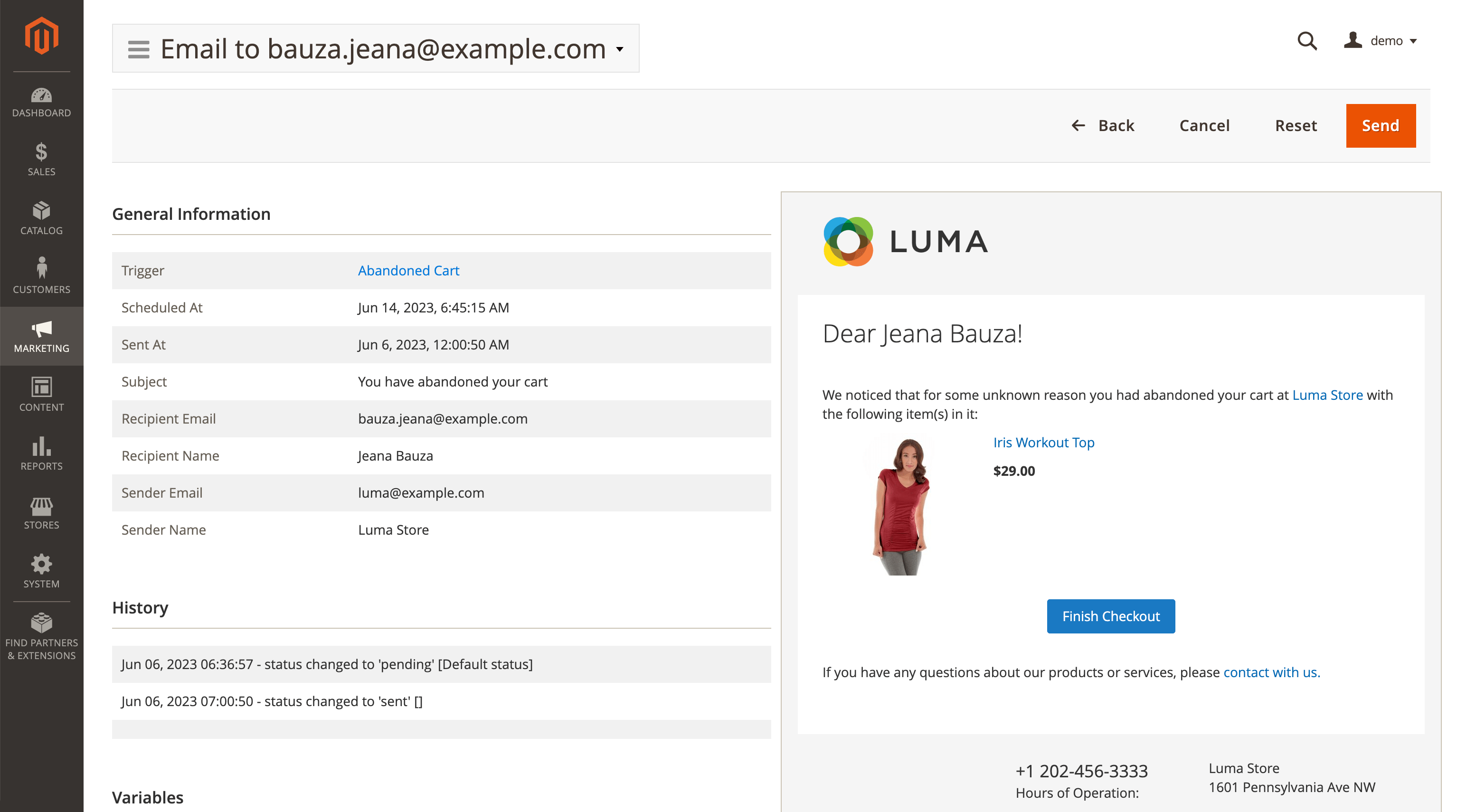
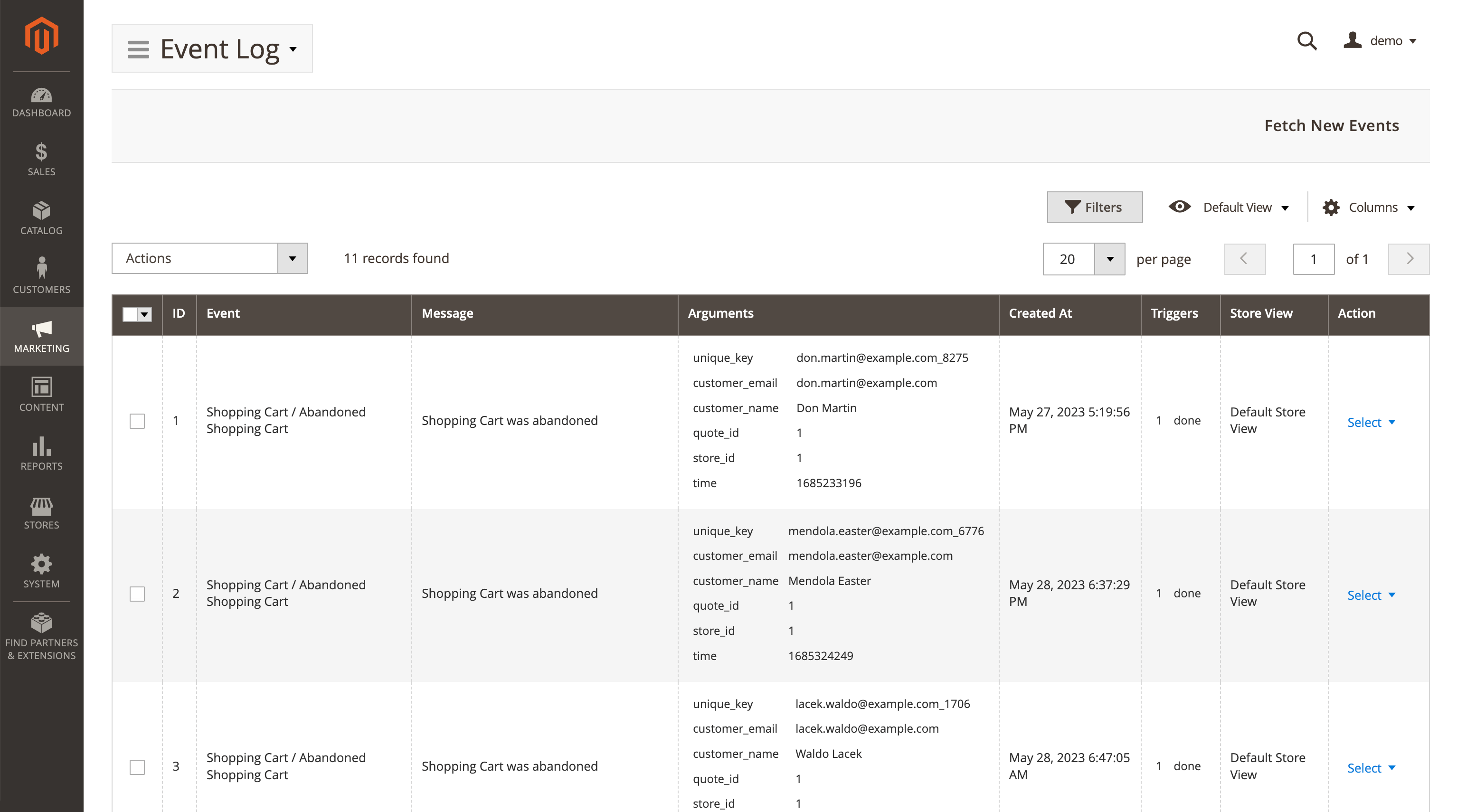
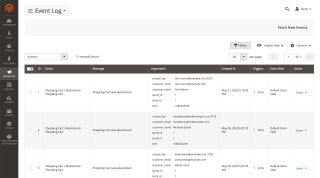
The Mail Queue and the Event Log record what happened. For every address you can see email status, the trigger that produced it, recipient name and email, and the date it was sent or is scheduled to go out. Filters help you pull out messages with similar attributes.
History does not pile up forever: set how many days of events and emails to keep, and cron deletes the rest automatically.
Still comparing abandoned cart and follow-up email extensions? Our comparison of the main Magento 2 abandoned cart and follow-up email extensions puts eight of them side by side with Klaviyo and Omnisend on price, cart-only or full lifecycle, revenue reporting and A/B testing, including where another one is the better fit.
Instead of limiting automated emails to a few predefined situations, campaigns can be built around the events and conditions relevant to your own business. Customers can also be targeted using specific criteria, which makes the extension useful for much more than basic abandoned-cart messages.
History and analytics provide visibility into what was sent and how the automation is performing.
It is another example of Mirasvit filling in functionality that Magento only partially addresses and giving store owners substantially more control over customer communication.
Compared to an outsourced solution, I like it because the emails sent land in the Inbox rather than in the Promotions folder.
If you aren't using this, you are losing sales.
Save time by starting your support request online and we'll connect you to an expert.
Does Magento 2 send abandoned cart emails out of the box?
No. Magento 2 can show you a report of abandoned carts, but it does not email the shoppers who left them, and it has no scheduling, no reminder sequences and no cancellation logic. Sending those emails needs an extension.
The same applies to review requests, win-back emails and birthday messages. The native newsletter sends one message to everyone at once, which is a different job from reacting to what an individual customer just did.
Does it send abandoned cart emails to guests?
Yes, with one condition worth knowing before you buy: the extension has to know the guest's email address.
That happens automatically if the guest has entered an address anywhere on the storefront. The extension watches email, name and username fields across the site, including third-party newsletter popups and login forms, and stores the address against the current cart. A guest who browsed and left without ever typing an address cannot be emailed, by us or by anyone else.
How soon after an abandoned cart is the first email sent?
You choose. A cart counts as abandoned once it has been idle for a number of minutes you set, and the minimum is 30 minutes.
The bundled Abandoned Cart Recovery campaign then sends three reminders, after 2 hours, 5 days and 15 days. You can change the delays, add or remove emails from the sequence, and the whole campaign stops automatically as soon as the customer places an order.
Is there a free Magento 2 follow up email extension?
This one is paid. You can try the full admin interface in our backend demo before deciding, or book a live demo if you would rather have someone walk you through a setup close to your own.
Free options in this category generally cover a single trigger, most often the abandoned cart, and stop there. If that is all you need, they may be enough. If you expect to run review requests, win-backs, order follow-ups and wishlist triggers from one place, and to see revenue attributed per email, that is where a paid extension earns its keep.
:, [ or ..Blog

 Andriy Kovalenko

We are committed to being open and transparent with our customers. When you purchase our module, you automatically receive one year of free support service and free updates.
Why is this important?
- Seamless Installation and Configuration: We understand that setting up a new module can take time to configure according to your specific needs. That’s why we offer a full year of free support. Our experienced team is here to assist you with installation, configuration, and any questions you might have. We're eager to share our expertise to ensure you get the most out of your purchase.
- Stay Updated with Magento (Adobe Commerce) Releases: Magento releases new versions approximately every three months. These updates can sometimes introduce compatibility challenges. To keep your store running smoothly, we provide a year of free access to the latest versions of our modules, ensuring that you can upgrade Magento and our modules without encountering any obstacles.
- Subscription Included: Renewing your subscription ensures continued access to the latest updates and support from our team. This means you can be confident that any issues you encounter with the extension will be resolved quickly and efficiently. You can cancel your subscription at any time without any additional fees.
These are our primary. A major portion of our new clients come from referrals from our existing clients. Our professional team of developers, marketers and support staff have invested the best knowledge and experience in the field into our work, so you know you can come back to us again and again.
One year free and high quality support. We go to great lengths to provide maximum satisfaction with every module you have purchased in our store. By helping you with installation, configuration, answering your every question, we do all our best to eliminate any possible problems.
30-days money back guarantee. If you are not satisfied with our Magento email marketing extension performance for any reason, we provide a full refund.
We constantly add new features to all our modules, and are always interested in hearing your opinion and implementing your suggested features in our future developments.
We provide an expanded user guide for every aspect of our Magento 2 email extension, so you can find answers for all your burning questions.
You can customize Magento follow up email according to your needs and requirements.
The Module is easy to install and upgrade, just follow our step-by-step user guide. Additionally, the extension is ready to use with the Hyvä theme.
No core modifications. The email marketing for Magento has been tested in a Magento Cloud environment and is fully compatible with it.