
Magento 2 Fraud Detection Extension
Every order in your Magento store gets a fraud risk score from 0 to 100 and lands in Accept, Review or Reject. Risky orders can go on hold automatically, and a known fraudster can be locked out of checkout.
Custom rules use order, customer, address and payment data, including the 3D Secure result. Everything runs inside Magento, with no external fraud service and no per-order fees.
- 0–100 fraud risk score on every order
- Accept, Review and Reject with your thresholds
- Automatic hold for risky orders
- Lock known fraudsters out of checkout
- 8 built-in checks with adjustable weight
- Custom rules, including 3D Secure data
What does Fraud Detector do?
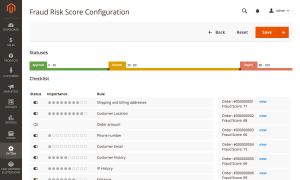
Fraud Detector checks every new order in your Magento store and gives it a fraud risk score from 0 to 100. A low score marks the order as Accept, a middle score sends it to Review, a high score marks it as Reject. Risky orders can go on hold automatically, so nobody ships them before a manager has looked.
The final call stays with your team. Each order shows why it got its score, check by check, and you decide whether to cancel it, release it or ask the customer for more details.
More than 400 Magento stores use it. On a typical store only about 1–2% of orders end up as Reject; most suspicious orders go to Review, where a person makes the decision.
Everything runs inside Magento. There is no external fraud service to sign up for and no fee per checked order.
What You Get with Fraud Detector
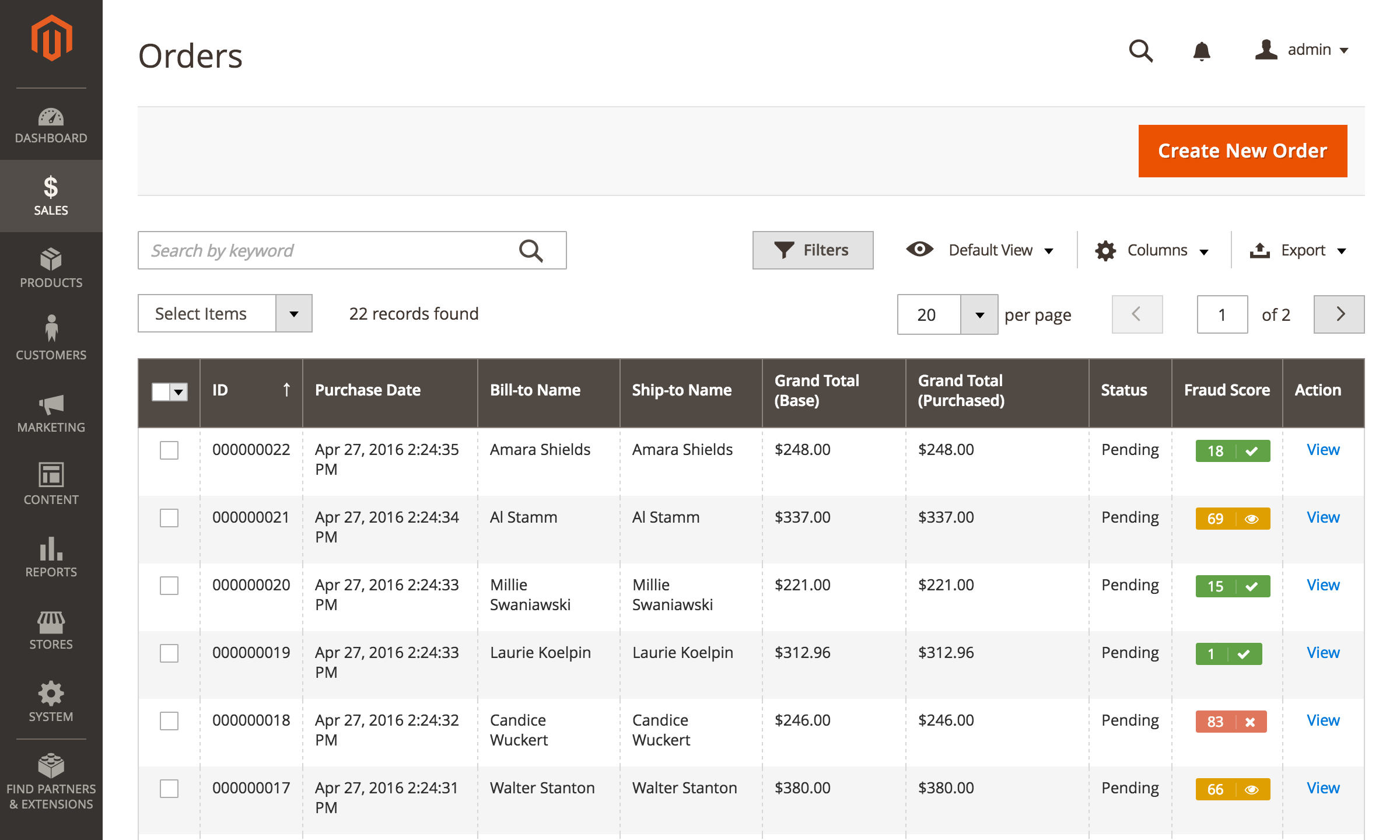
- A 0–100 risk score on every order, in the order grid and on the order page.
- Accept, Review and Reject statuses with thresholds you set.
- Orders in Review or Reject put on hold automatically, if you turn it on.
- Known fraudsters blocked at checkout before a new order is created.
- 8 built-in checks, each with its own weight in the final score.
- Custom rules on order, customer, address and payment data, including the 3D Secure result.
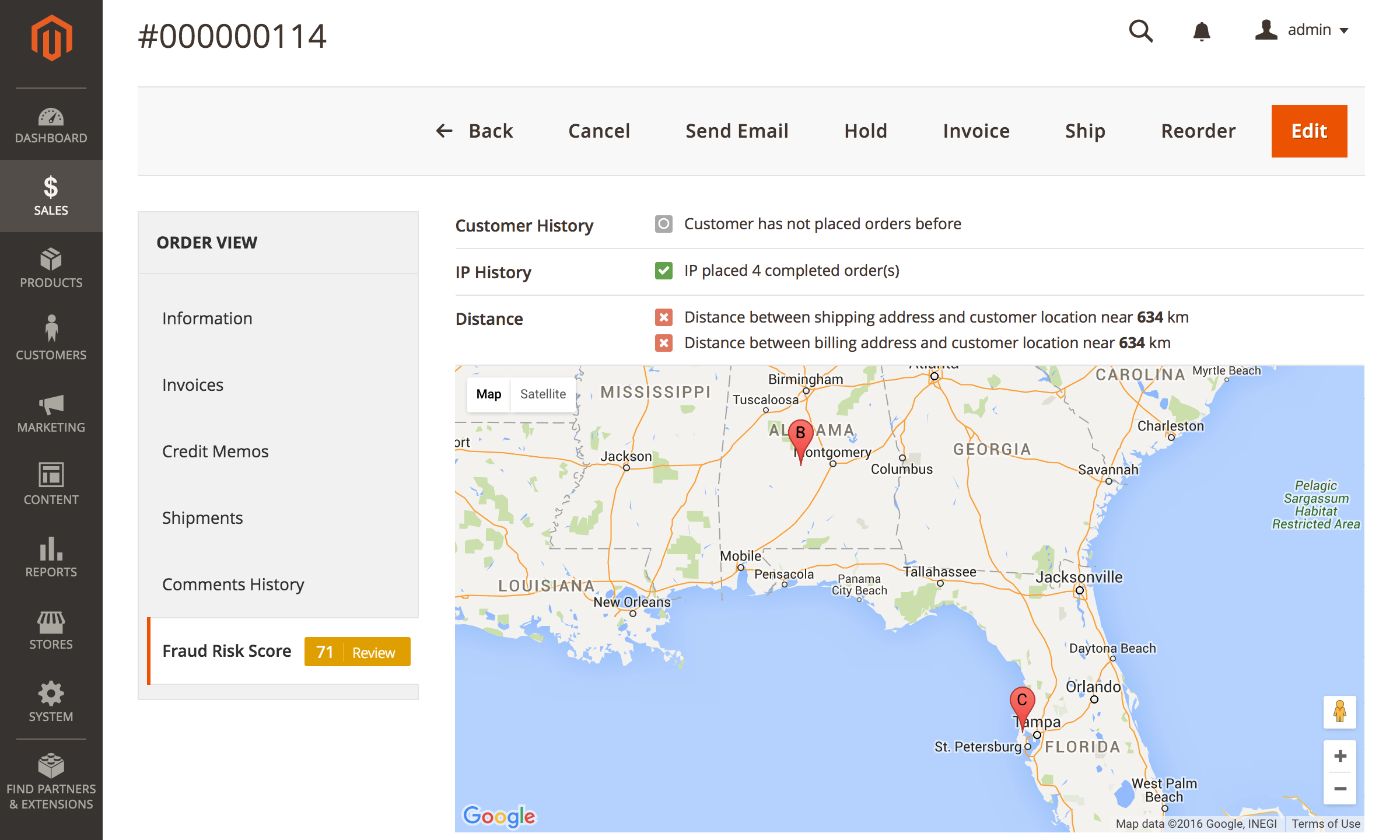
- A map of the shipping and billing addresses next to the customer's IP location.
- No external fraud service and no per-order fees.
Fraud Score at a Glance
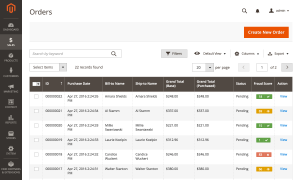
A Fraud Score column in the Sales > Orders grid shows each order's score in green, orange or red, so the orders that need attention stand out without opening them. Orders are scored in the background (by Magento cron) a few minutes after they are placed, and any order you open is scored on the spot.
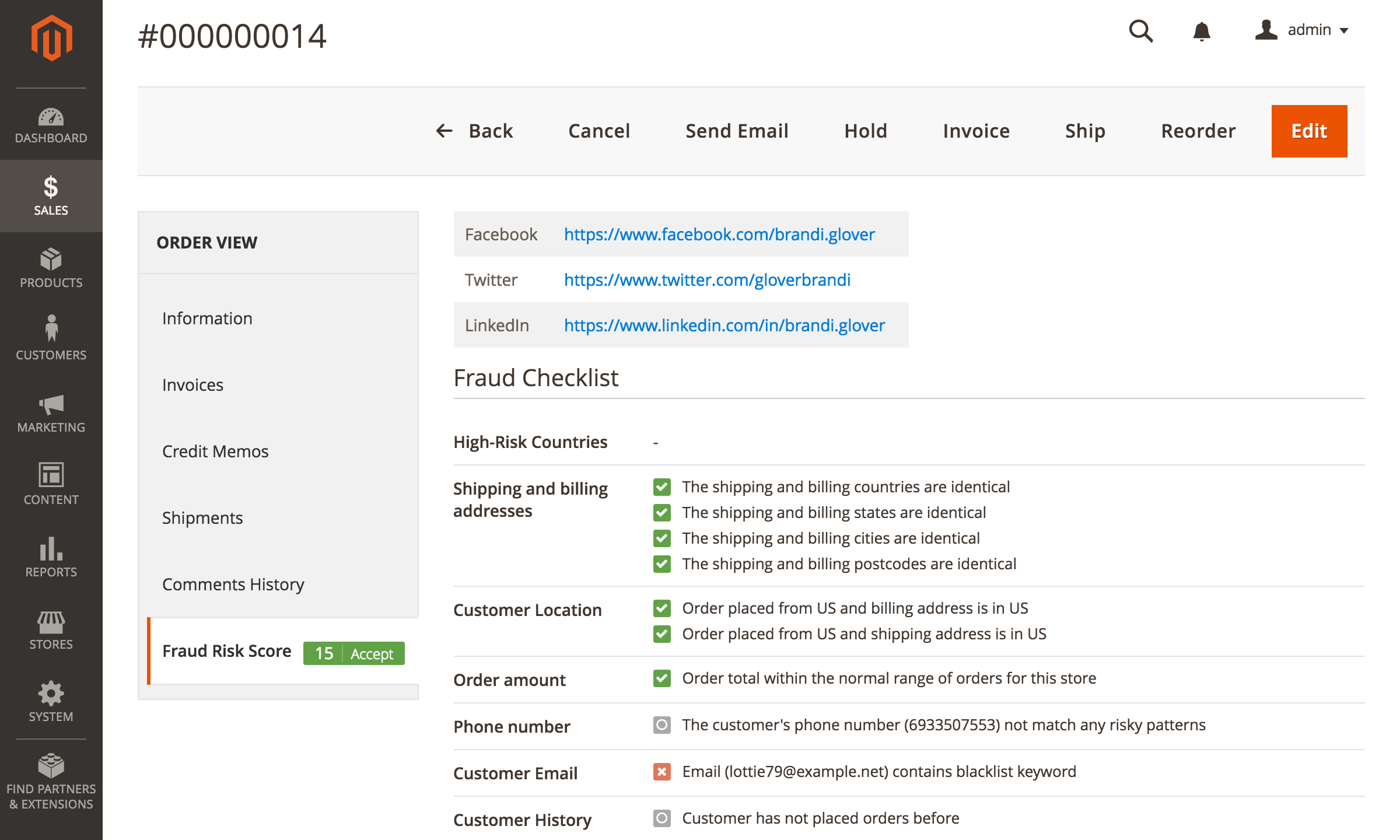
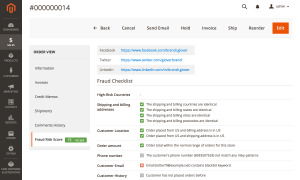
The Fraud Risk Score tab on the order page lists every check with its result, for example "Order placed from US, but shipping address is in Canada" or "Customer placed 2 refunded orders". From there you cancel the order, hold it or release it with the standard Magento buttons.
You can turn on Hold on Review status and Hold on Reject status. Then a risky order goes into Magento's real On Hold state, not just a label, and it cannot be invoiced or shipped until someone releases it.
Lock a Known Fraudster Out of Checkout
Flagging an order does not stop the same buyer from trying again tomorrow. Customer Lock does: a locked buyer is refused when they try to place an order, so no order, invoice or stock reservation is created.
- Every checkout path. The block works for logged-in customers, guests, and orders placed through the REST API or GraphQL (for example from a headless storefront or a mobile app).
- Lock from where you already work. Lock or release a buyer from the order's Fraud Risk Score tab, from the Fraud Check tab on the customer card, or for many orders at once with a mass action in the order grid. A Customer Lock column shows which orders came from a locked buyer.
- You choose what a lock matches. The customer account only, the account and email, or the account, email and IP address. IP matching is optional, because people on a shared connection could be blocked by mistake.
- Lock automatically. A custom rule can lock the buyer when an order matches it, alongside Accept, Review and Reject.
- A record of every lock. The Locked Customers page shows who placed each lock, when, why and from which order, plus a log of the order attempts that were refused. A separate admin permission controls who can lock buyers.
The buyer sees a neutral message that you write, at checkout and on their account dashboard. Customer Lock ships switched off, so nothing changes in your store until you enable it.
8 Built-in Checks and Their Weight
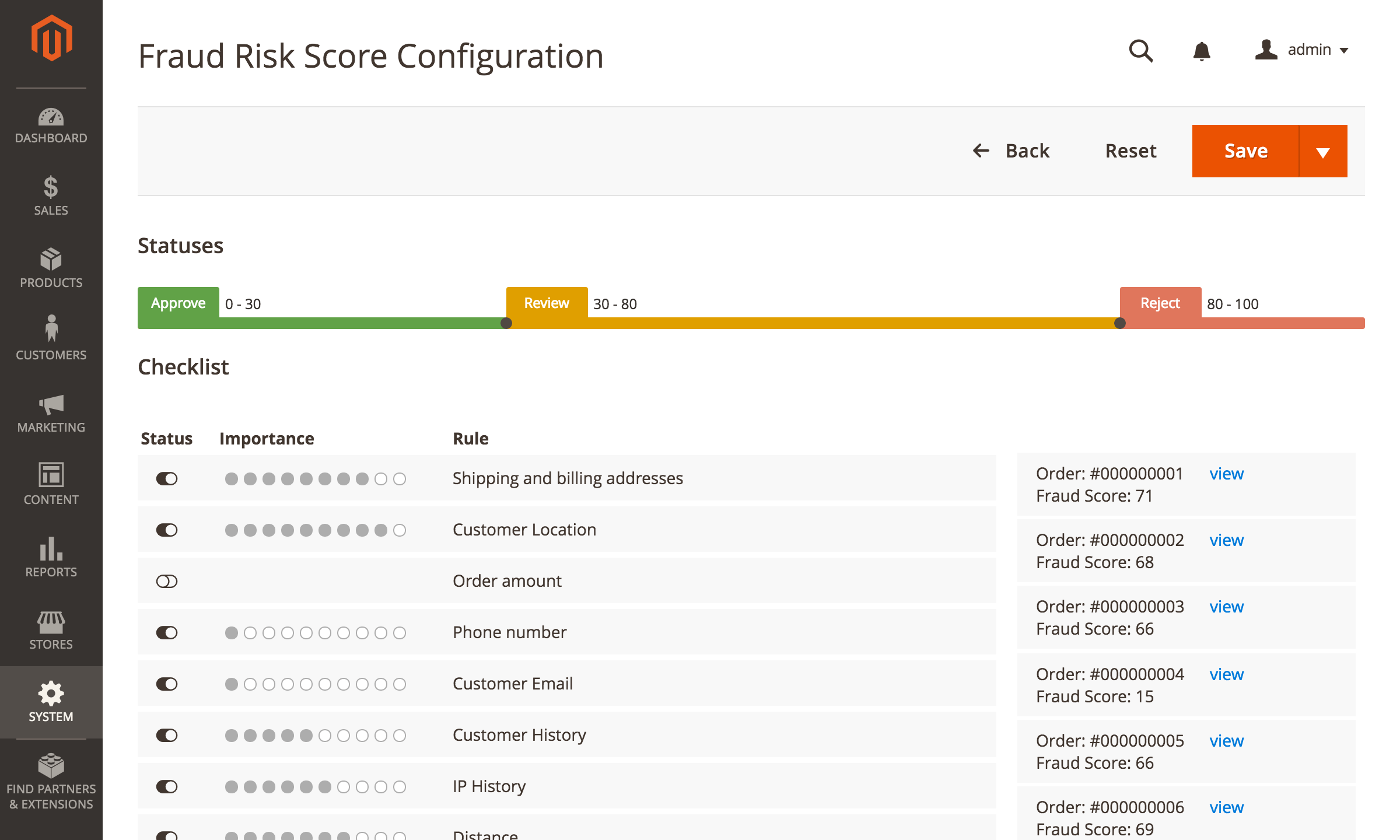
The score is a weighted result of eight checks. Each check can be switched off, and you set how much it counts towards the final score.
- Shipping and billing addresses: do the country, state, city, postcode and name match?
- Customer location: is the order placed from the same country as the billing and shipping addresses?
- Distance: how far are the shipping and billing addresses from the customer's IP location?
- Customer history: how many completed, refunded and canceled orders has this customer placed before?
- IP history: the same check for the IP address, over a period you set (365 days by default).
- Order amount: is the order total within the normal range for your store?
- Phone number: does it contain repeated digits or sequences typical of fake numbers?
- Customer email: does it contain the customer's name, or a keyword from your blacklist?
On the Fraud Risk Score settings page you also set the score ranges for Accept, Review and Reject, and preview the scores of recent orders before you save.
Custom Rules for Your Business
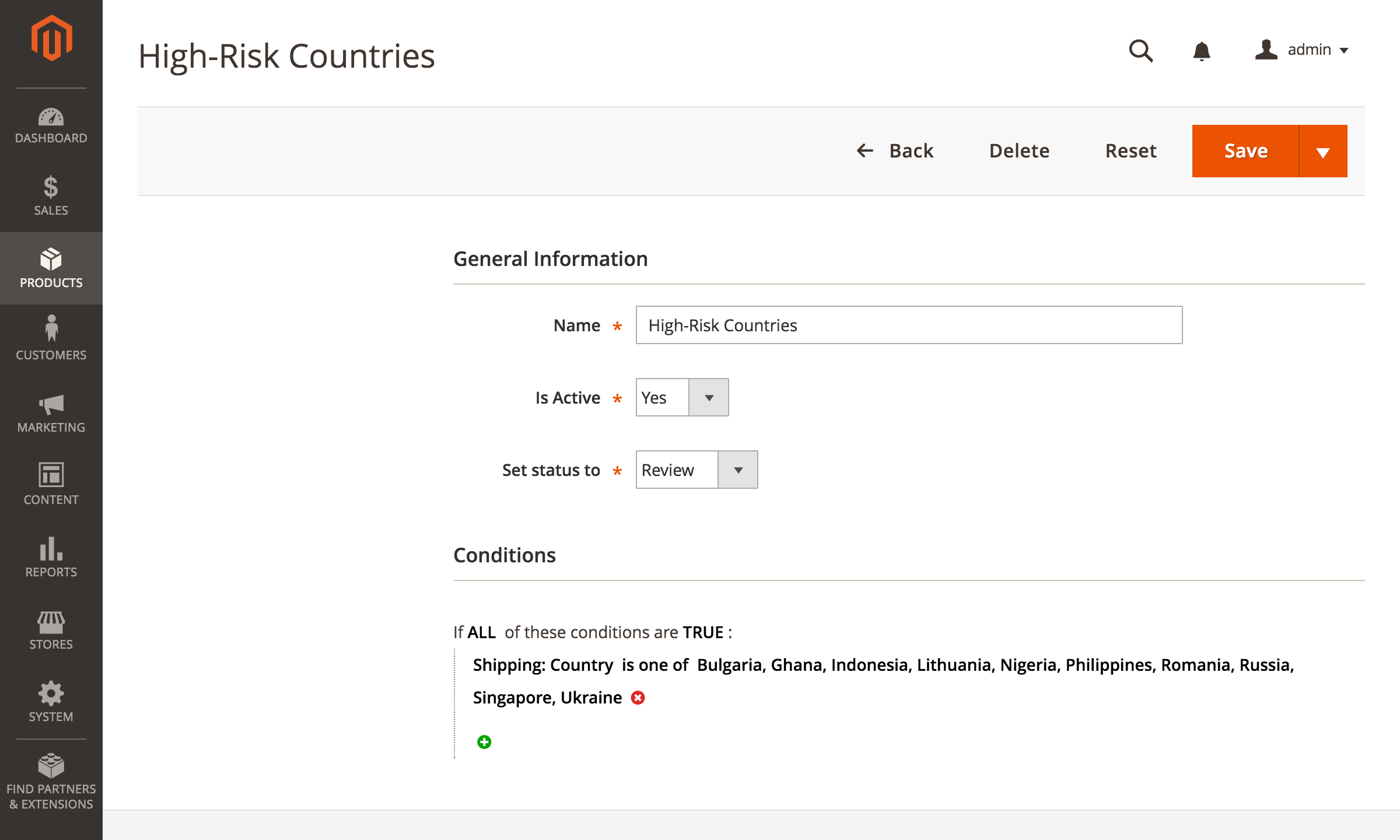
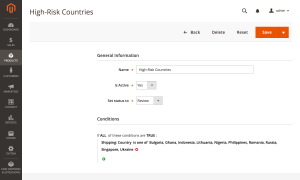
When a pattern matters to your store, write a rule for it. A rule checks order, customer, billing, shipping and payment data, including the shipping method, payment method, item count and whether the IP address is new, and sets the order to Accept, Review, Reject or locks the buyer. A Reject or Review rule wins over a lower score, and an Accept rule can clear an order the score sent to Review. For example, send every order shipped to a list of countries to Review.
Rules can also read the payment additional information that your payment module saves with the order. If your gateway stores the 3D Secure result there, a rule can accept orders where the liability has shifted to the card issuer, so they skip manual review. The user manual lists the available conditions with examples.
Orders that do not need checking can skip it: orders created in the admin panel, for example ones imported from a marketplace, and orders in statuses you select.
Fewer Chargebacks, Caught Before You Ship
A chargeback usually starts with an order that looked normal and was shipped. Fraud Detector catches risky orders before fulfillment: they get a high score, go on hold, and the buyer behind a confirmed fraud can be locked out of checkout.
It is not chargeback insurance: no one reimburses an order you decide to ship. It works alongside your payment gateway's own checks, such as address verification (AVS), the card security code (CVV) and 3D Secure, adding the signals that only your store has, such as the customer's order history and the distance to their IP location. Read more in our guide on how to prevent chargebacks in Magento.
Customer Location on the Map
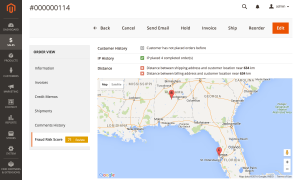
When you review an order, a Google map on the Fraud Risk Score tab shows the shipping and billing addresses next to the place the order came from, based on the customer's IP address. An order placed in one country and shipped to another is easy to spot. The map uses your Google Maps API key; the IP location comes from a database built into the extension.
Social Profiles of the Buyer
For a deeper look at a high-risk order, the Fraud Risk Score tab shows links to Facebook, Twitter and LinkedIn profiles that match the buyer's name. Open them to see whether a real person stands behind the order before you make the final decision.
The biggest strength is how many variables can be incorporated into fraud detection. You can build rules around order information, customer data, geographic information, and many other factors. The integrated geolocation has also been reliable for us and makes it possible to identify suspicious transactions immediately.
I would like a faster workflow for turning a known fraudulent order into a custom rule—for example, opening an order and checking boxes for its IP, email, domain, and address instead of manually building each condition.
On the older version we used, I also felt that customer history needed more weight in the overall risk score. A longtime repeat customer could still receive a high score because of order value, IP location, or different billing and shipping details. That may have improved in newer releases, which we will evaluate after installing it on our new store.
One of the features we appreciate most is the flexibility in rule configuration. For example, we’ve configured the system to automatically approve orders generated through the backend—such as those coming from Amazon—bypassing fraud validation checks for trusted sources. This allows us to streamline legitimate orders while keeping the defense strong against suspicious ones.
The latest update from the Mirasvit team, which introduced 3D Secure validation, is a major advancement. For those unfamiliar, 3D Secure is an additional layer of authentication provided by VISA and MasterCard, shifting liability away from merchants once the transaction is validated. With this integrated into the fraud detection logic, the extension has become even more powerful and liability-safe.
Combined with its intuitive UI, detailed risk scoring, and customizable filters, this tool has become a critical part of our Magento security stack. It’s robust, flexible, and very user-friendly—exactly what any serious eCommerce operation needs in today’s environment. A powerful fraud prevention system with top-tier features and dependable updates.
I wish it was a little more customizable as far as rules, but as a companion to our current risk system, it is great.
In fact, I removed this extension within 10 days of extension installation.
A lot of money was spent on the customer's claim and identifying the issue.
I will be happy if mirasvit has a refund policy
Thanks.
Save time by starting your support request online and we'll connect you to an expert.
How does the fraud risk score work?
Each new order runs through 8 built-in checks: address match, customer location, distance to the IP location, customer and IP history, order amount, phone number and email. Every check has a weight you set, and the weighted result is a score from 0 to 100. You decide which ranges mean Accept, Review and Reject, and custom rules can override the result. See the list of indicators in the user manual.
Can I stop a fraudulent customer from placing orders again?
Yes. Lock the buyer from the order, from the customer card or with a mass action in the order grid, or let a custom rule lock them automatically. A locked buyer is refused at checkout before an order is created, whether they are logged in, check out as a guest or order through the REST API or GraphQL. The lock can match the account, the email and, optionally, the IP address. Customer Lock is switched off by default.
Does it put risky orders on hold automatically?
Yes, if you enable Hold on Review status or Hold on Reject status in the settings. The order goes into Magento's On Hold state and cannot be invoiced or shipped until a manager releases it.
Does Fraud Detector guarantee protection from chargebacks?
No. It is not chargeback insurance and does not reimburse losses. It reduces chargebacks by catching risky orders before you ship them, holding them for review and keeping known fraudsters out of checkout. The decision to ship stays with you.
Can a rule use the 3D Secure result from my payment gateway?
Yes, if your payment module saves it in the order's payment additional information. A rule can check that a key exists or has a specific value, for example liabilityShifted:Yes, and accept, review or reject the order based on it. Which keys are available depends on your payment module; the rules guide shows examples.
Does it work alongside my payment gateway's fraud tools?
Yes. Fraud Detector does not replace the AVS, CVV or 3D Secure checks of your gateway. It adds the signals only your store has, such as the customer's order history and the distance between the addresses and the IP location, and it can read the gateway's results through custom rules.
Will a loyal repeat customer get a high score?
Completed orders in the customer's history lower the risk, and you can raise the weight of the Customer History check so it counts more. For trusted customers, a custom rule can accept their orders outright, and orders created in the admin panel can skip the check entirely.
Do I need an external fraud service or pay per order?
No. All checks run inside your Magento store. The IP location comes from a database built into the extension. The only external service is Google Maps, used to place the addresses on the map and measure distance; it needs your own Google API key.
Does it detect the real customer IP behind Cloudflare or a proxy?
Yes. The extension reads the visitor's real IP address from the Cloudflare header, and you can choose which order field is the primary source of the customer IP.
Will it slow down a store with a large order history?
No. Orders are scored by cron in the background, not during checkout. The history checks use the existing order indexes, and the IP History check looks back over a period you set, 365 days by default. The admin panel is available in 15 languages.
mirasvit/module-core 2.0.0 or newer. Composer installs the restructured core on upgrade.tu-chemmitz.de posing as tu-chemnitz.de) that can receive mail but have no website. The condition answers Yes, No or Inconclusive: any response from the domain's website counts as Yes, a domain with no web server counts as No, and a timeout or other network error gives Inconclusive, never No, so a slow website doesn't get a genuine buyer flagged. The website is checked only for rules that use this condition, and each domain's answer is cached, so repeat orders from the same domain don't trigger new requestssetup:upgrade, so you don't have to re-save themmst_fraud_check_customer_lock.order_id → sales_order.entity_id and mst_fraud_check_lock_attempt.customer_id → customer_entity.entity_id, both ON DELETE SET NULL. Run setup:upgrade after updatingMirasvit\FraudCheck\Controller\Adminhtml\Order\SocialProfiles (route fraud_check/order/socialProfiles) — an exact copy of the order Fraud tab loader that nothing called. The Fraud tab on the order page works as beforemst_fraud_check_customer_lock and mst_fraud_check_lock_attempt — so run setup:upgrade after updating. It also adds the configuration paths fraud_check/lock/enabled, fraud_check/lock/default_match_mode, fraud_check/lock/decline_message and fraud_check/lock/attempt_retention_daysBlog

 Andriy Kovalenko
We are committed to being open and transparent with our customers. When you purchase our module, you automatically receive one year of free support service and free updates.
Why is this important?
- Seamless Installation and Configuration: We understand that setting up a new module can take time to configure according to your specific needs. That’s why we offer a full year of free support. Our experienced team is here to assist you with installation, configuration, and any questions you might have. We're eager to share our expertise to ensure you get the most out of your purchase.
- Stay Updated with Magento (Adobe Commerce) Releases: Magento releases new versions approximately every three months. These updates can sometimes introduce compatibility challenges. To keep your store running smoothly, we provide a year of free access to the latest versions of our modules, ensuring that you can upgrade Magento and our modules without encountering any obstacles.
- Subscription Included: Renewing your subscription ensures continued access to the latest updates and support from our team. This means you can be confident that any issues you encounter with the extension will be resolved quickly and efficiently. You can cancel your subscription at any time without any additional fees.
These are our primary. A major portion of our new clients come from referrals from our existing clients. Our professional team of developers, marketers and support staff have invested the best knowledge and experience in the field into our work, so you know you can come back to us again and again.
One year free and high quality support. We go to great lengths to provide maximum satisfaction with every module you have purchased in our store. By helping you with installation, configuration, answering your every question, we do all our best to eliminate any possible problems.
30-days money back guarantee. If you are not satisfied with our extension performance for any reason, we provide a full refund.
We constantly add new features to all our modules, and are always interested in hearing your opinion and implementing your suggested features in our future developments.
We provide an expanded user guide for every aspect of our extension, so you can find answers for all your burning questions.
You can customize extension according to your needs and requirements.
The Module is easy to install and upgrade, just follow our step-by-step user guide. Additionally, the extension is ready to use with the Hyvä theme.
No core modifications. The extension has been tested in a Magento Cloud environment and is fully compatible with it.