
Magento 2 RMA & Returns Management Extension
Let customers request refunds, exchanges and store credit from their account, even as guests or for offline purchases. Your team handles every return in one admin grid, with workflow rules setting statuses, assigning managers and sending emails.
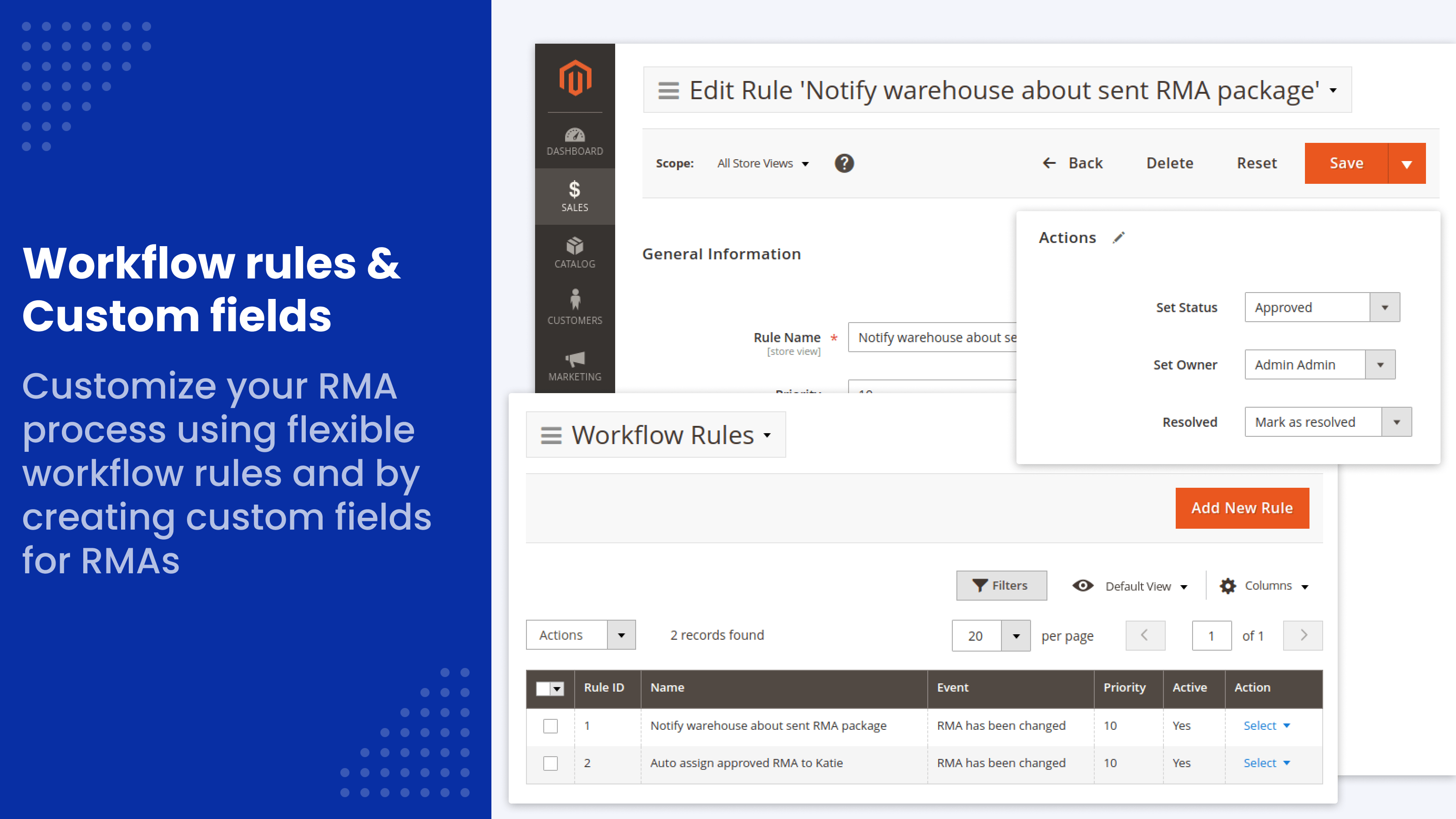
- One admin grid for all returns, exchanges and credit memos
- Workflow rules set status and manager automatically
- One-click replacement orders
- Guest returns and offline-order returns
- Custom statuses, reasons and resolutions
- REST and GraphQL API
Magento Open Source has no returns management. Return requests arrive by email, someone checks each order by hand, and refunds, exchanges and return labels are handled one message at a time. Customers can't see where their return stands, so they write again.
Customers request a refund, exchange or store credit from their account, even as guests or for purchases made offline. Your team handles every request in one admin grid, while workflow rules set the status, assign a manager and send the emails.
Is it worth it for your store?
What you get
Customers handle returns from their account, workflow rules move statuses and send emails. Used by 1,000+ stores.
What it takes
Minutes. Statuses, emails and reasons come pre-filled; you add your return address. Installation is free.
What you risk
Nothing in your orders changes: returns live in their own tables, refunds use standard Magento credit memos. 30-day money-back guarantee.
RMA for Magento 2 main features
- Refunds, exchanges, store credit and one-click replacement orders
- Returns from guests and for offline orders that aren't in your database
- Returns from several orders in one RMA
- Workflow rules that set statuses, assign managers and send emails
- Reports by reason, product and any product attribute, with CSV/Excel export
- REST and GraphQL API, Hyvä support, Magento Open Source and Adobe Commerce 2.3–2.4.9
Returns, exchanges and refunds in one place
Customers choose how to settle a return: refund, exchange or store credit, for a whole order or part of it. Our guide on simplifying Magento returns shows the full process step by step. The extension works with multistore setups: statuses, messages and quick responses can differ per store view.
Refunds, Exchanges, Store Credit
Customers send a refund request or ask for an exchange. Store credit is a ready-made resolution: the manager opens a credit memo from the RMA and refunds the amount to the customer's balance. This needs a store credit feature, such as Mirasvit Store Credit & Refund or the one built into Adobe Commerce.
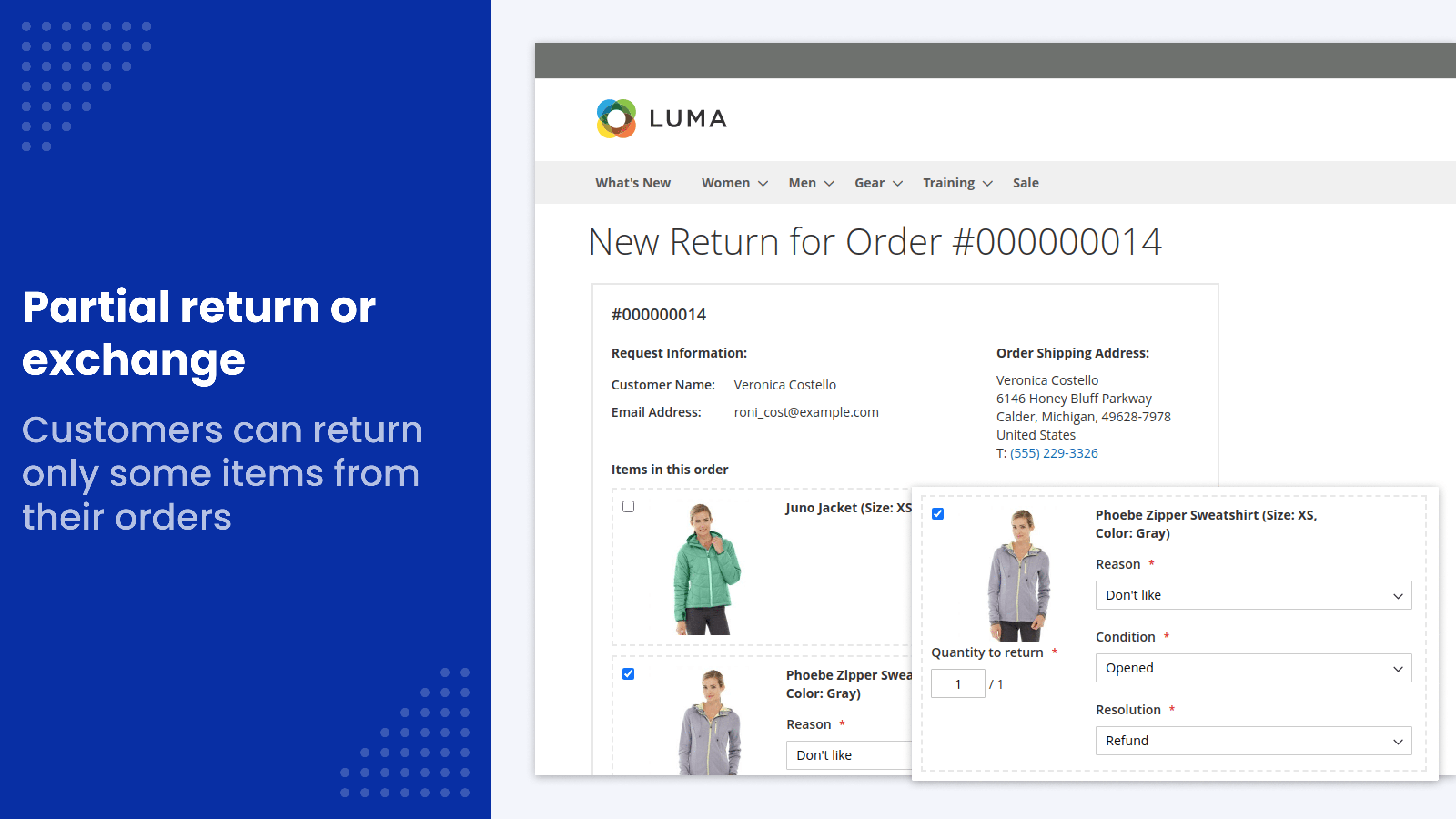
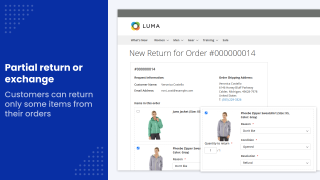
Partial Returns
For an order of several products, customers return only the items that don't suit them and set the quantity for each. There's no need to refund the entire order.
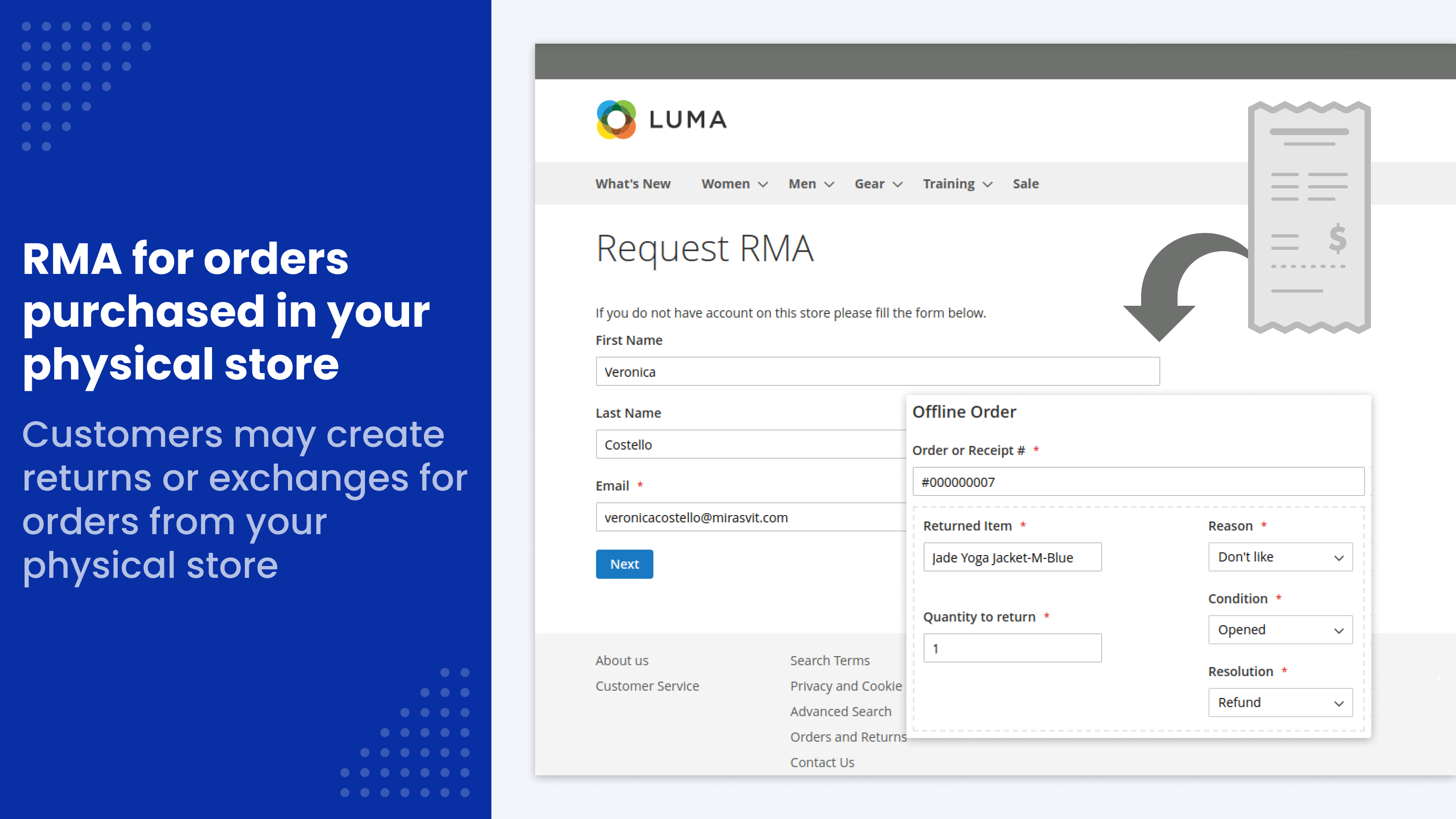
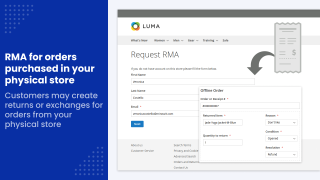
Product Returns for Offline Orders
Customers can open an RMA for goods bought by phone, in your physical store or on another site in your network, even when your store database has no record of the order. The option is off by default.
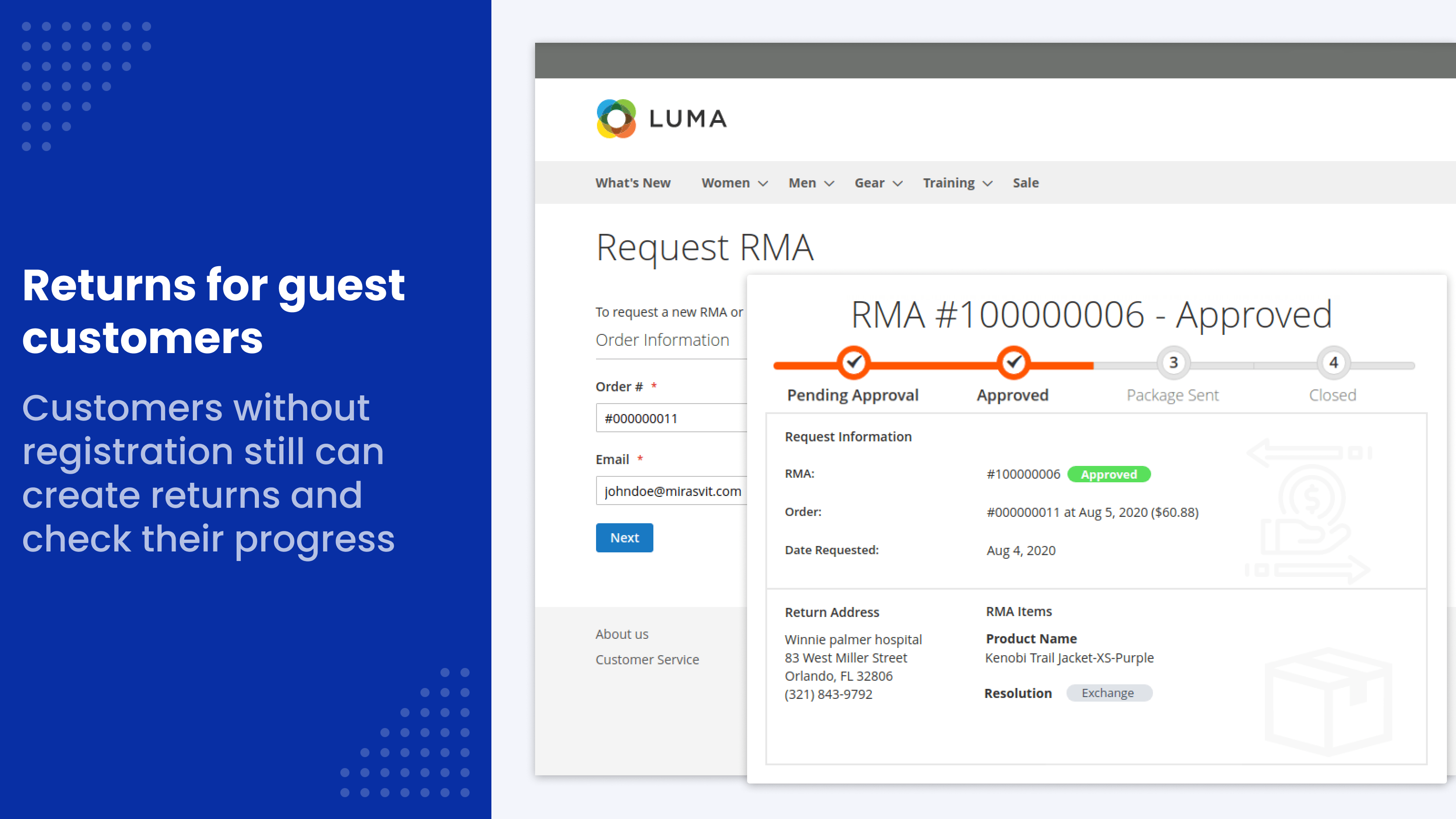
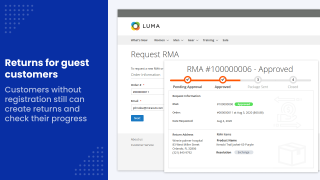
RMA for Guests
Customers who bought as guests open a return with their order number and email. No account is needed to return or exchange products.
One-click replacement orders
When an item needs replacing, the manager creates the replacement order from the RMA in one click: a zero-price order with free payment and free shipping, sent to the address from the original order and linked to the RMA.
Exchange orders and credit memos from the RMA
Exchange orders and credit memos open from the RMA in the standard Magento forms and stay linked to it, so their numbers show in the RMA grid and its export.
Set up the RMA workflow your way
Set up reasons, resolutions, statuses, fields and emails to match your own return policy.
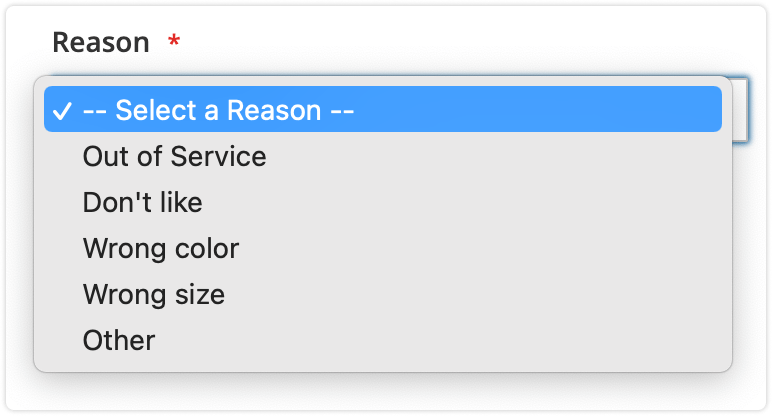
Return reasons
Customers pick the return reason from a list you define. Reasons can be grouped into parent and child reasons.
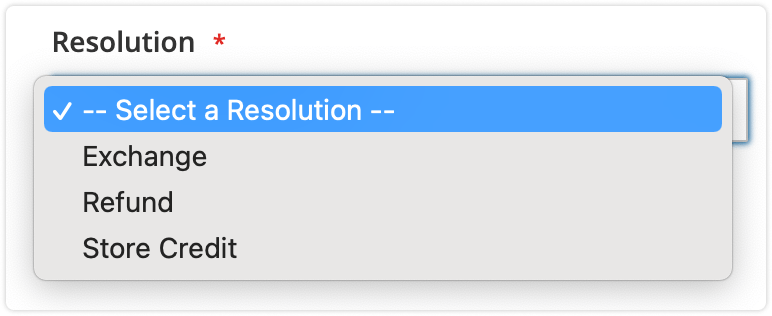
RMA resolutions
Exchange, refund and store credit come ready, and you can add your own resolutions, such as repair. Each resolution decides which buttons the manager gets on the RMA: exchange order, replacement order or credit memo.
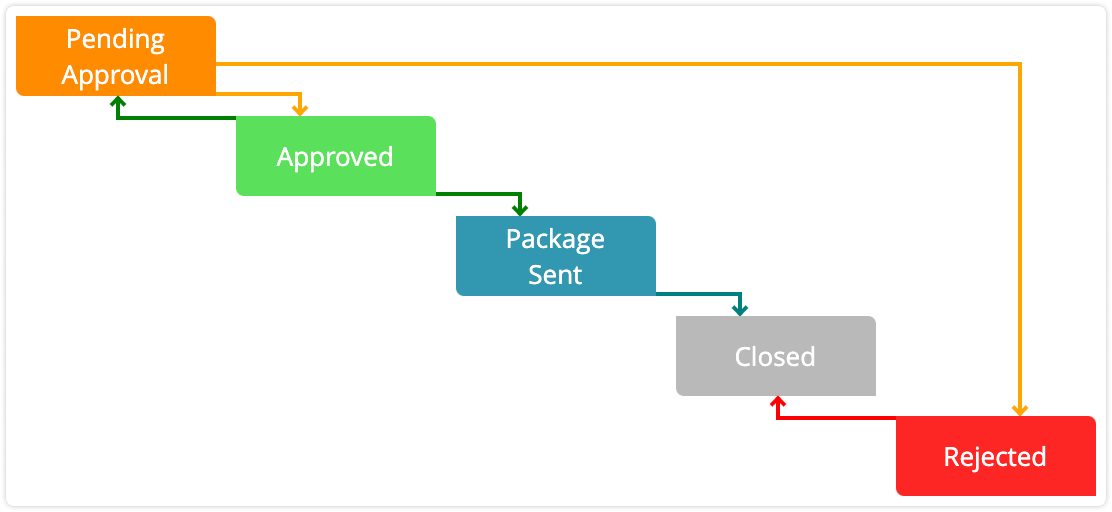
Custom RMA request statuses
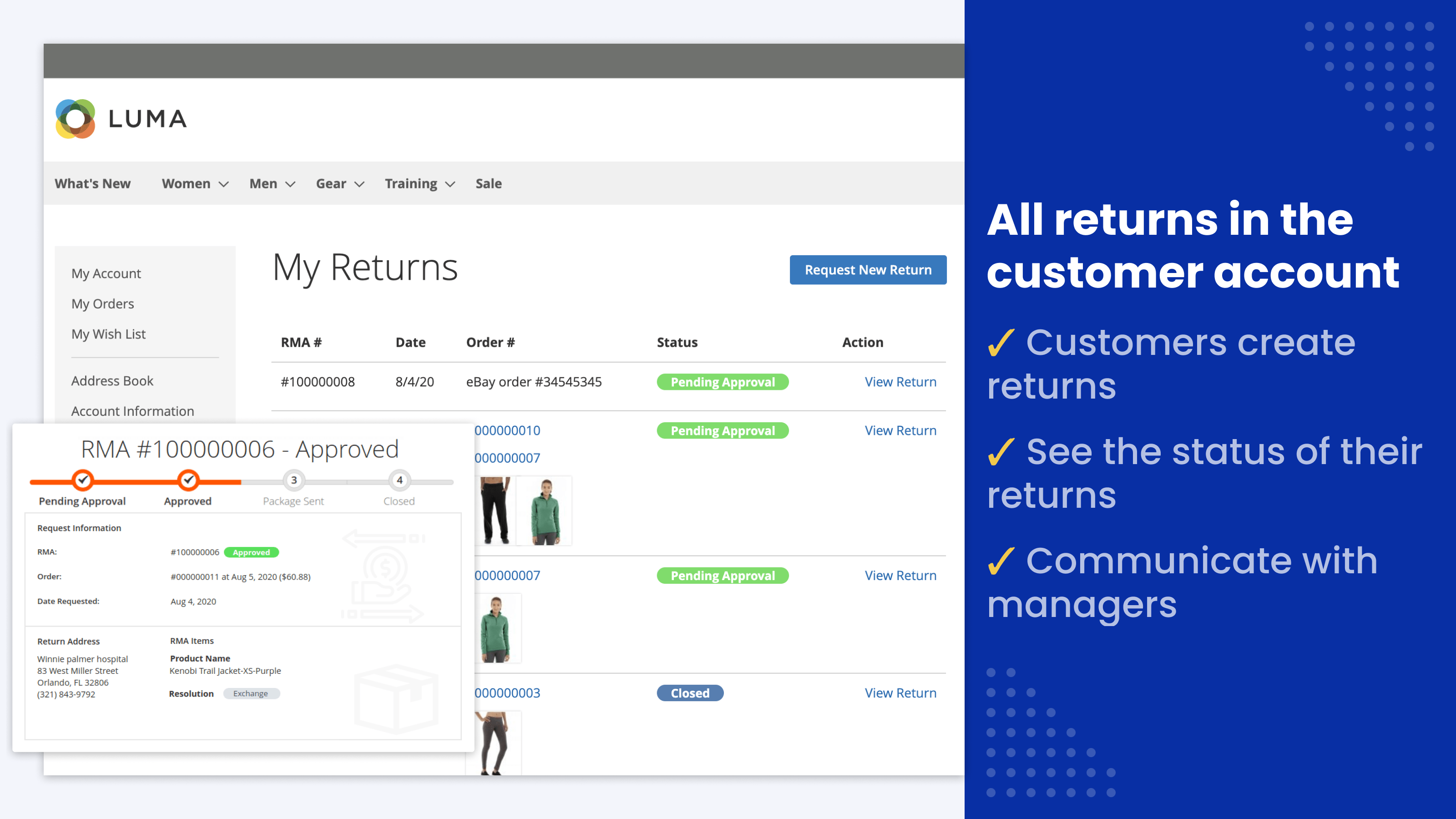
Show customers which stage their RMA is at. Each status has its own color and its own emails to the customer and the admin, sent when the RMA reaches it. Color coding helps customers and store admins distinguish statuses at a glance.
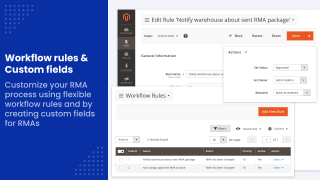
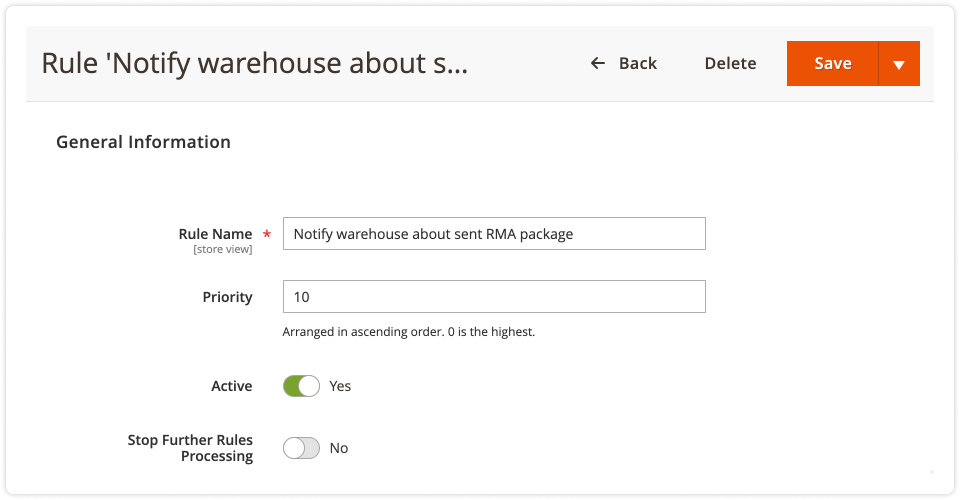
Workflow rules
A rule runs on an event: a new RMA, a change to an RMA, a new reply from the customer or from staff, or an hourly check. It tests conditions such as status and status before the change, owner, who replied last, hours since the last reply, whether a return label is attached, the reason or resolution, custom fields, and product attributes or categories. Then it sets the status or owner, marks the RMA resolved and sends emails to the owner, the customer or any address.
For example, a rule can:
- Approve a return automatically when the reason and item condition match your policy
- Close an RMA and email the customer after 72 hours without a reply
- Email the manager when an approved RMA still has no return label after 24 hours
See the workflow rules guide for all events, conditions and actions.
Store any RMA information in custom fields
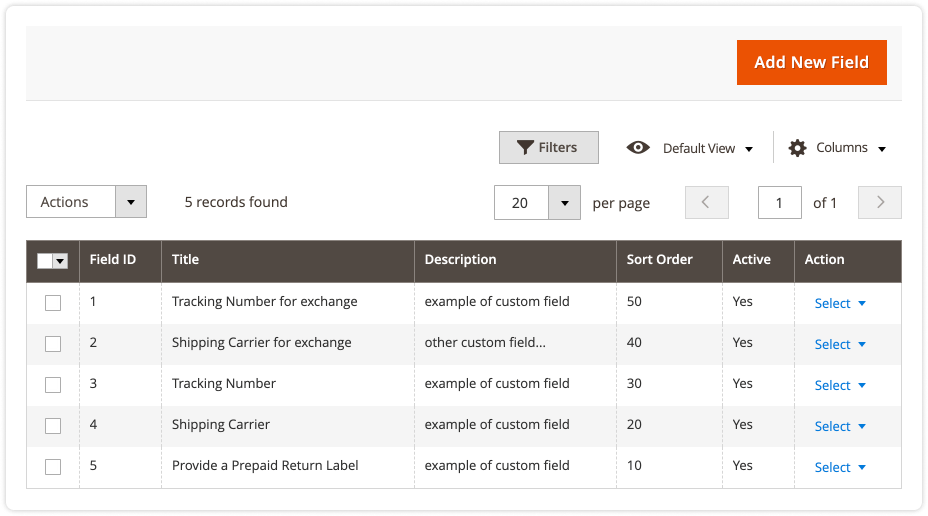
Store any additional information on an RMA in custom fields: text, date, checkbox or drop-down. Fields can be required, visible or editable for the customer, shown only at certain statuses, and set for each returned item, not only for the whole RMA.
For example, a field on the Confirm Shipping step lets the customer enter the carrier and tracking number of the parcel they sent back.
Custom email notifications
Emails go out automatically on the RMA events you choose, to customers and staff. Templates use Magento's standard variables plus the module's own, so each email can name the customer, the RMA and its status.
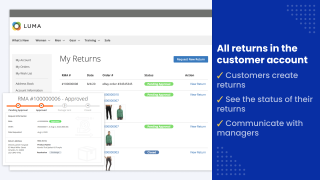
Full RMA transparency for customers
Customers open an RMA and follow every status change from their account. A message thread on each RMA keeps the full communication history in one place.
Intuitive RMA workflow
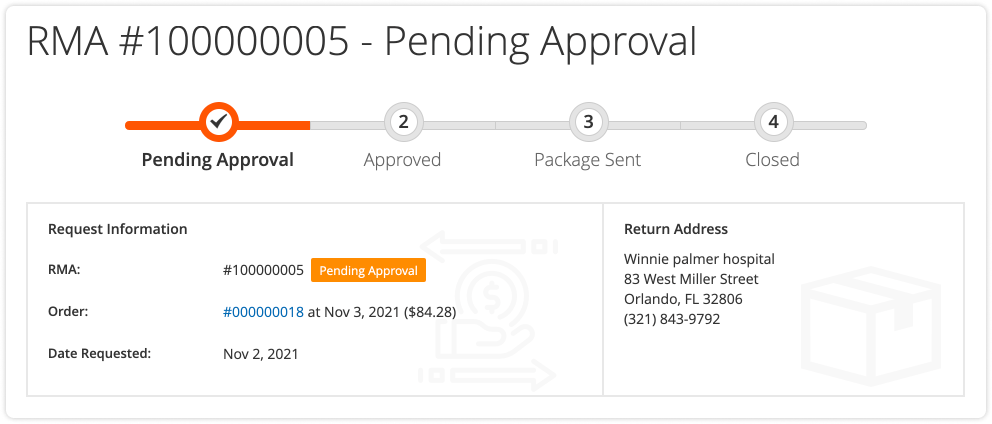
Customers start a return from the RMA section of their account or with the return button in their order history. A progress bar shows where the request stands.
The RMA page shows all information relevant to the request: product name and SKU, quantity returned, return reason and the resolution the customer wants.
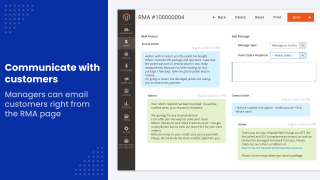
Convenient communication
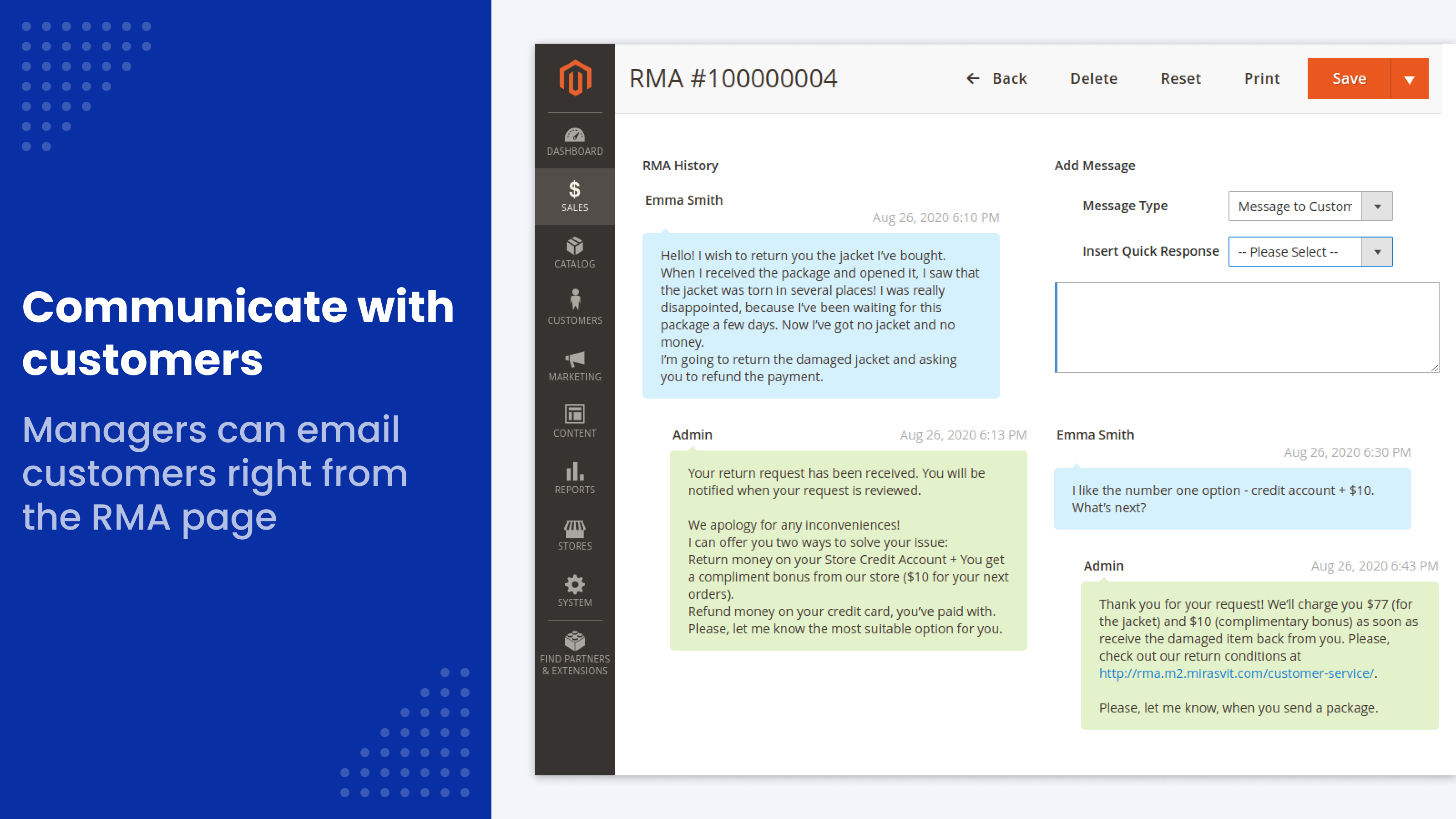
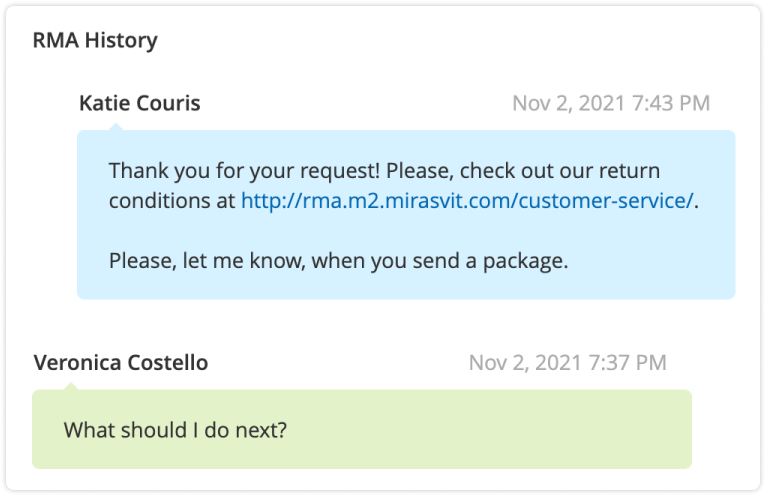
Shoppers discuss any issue with store managers in the message thread on the RMA. For example, a customer may ask for a prepaid return label. With Mirasvit Help Desk installed, customers can also reply by email and their answers land in the same thread.
Customers can review the communication history at any time.
Attach files to RMA requests
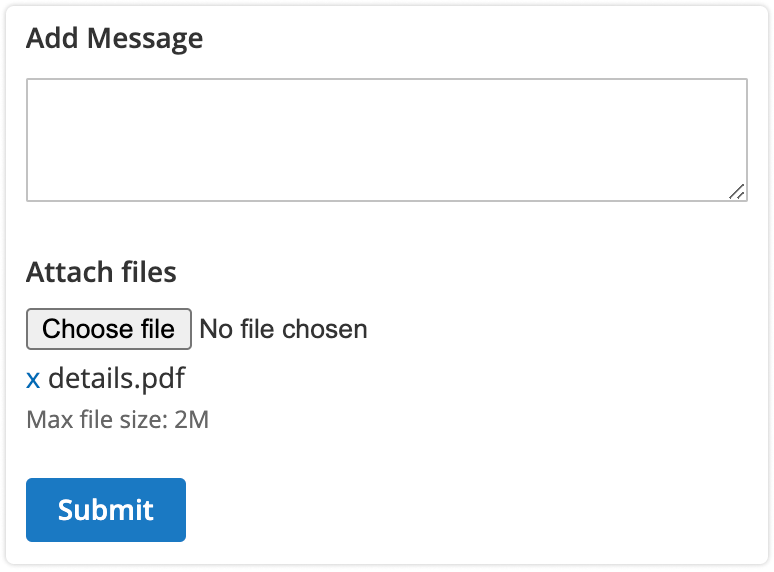
Customers add photos and documents to their RMA request, several files at once, and managers see the images right in the message history. Uploads are limited to the file types and size you allow, and each file is checked against its type.
Simplify RMA workload for store managers
Store managers get all the tools they need to handle returns fast, in a single section of the Magento admin panel.
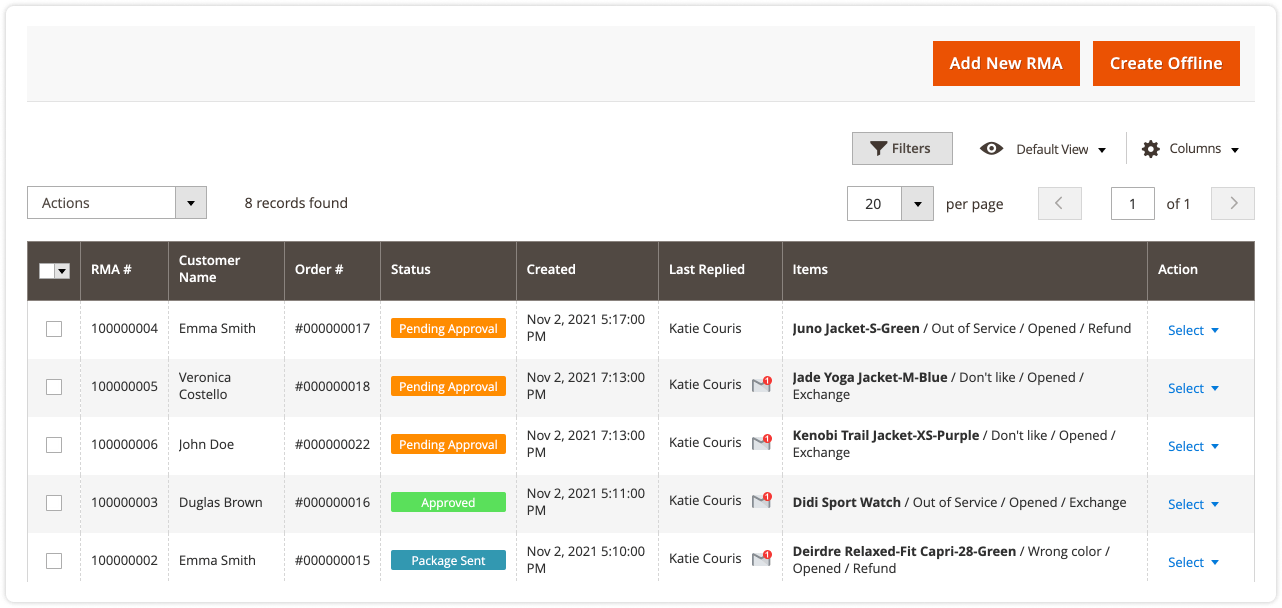
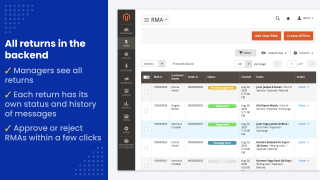
Magento 2 returns management in one grid
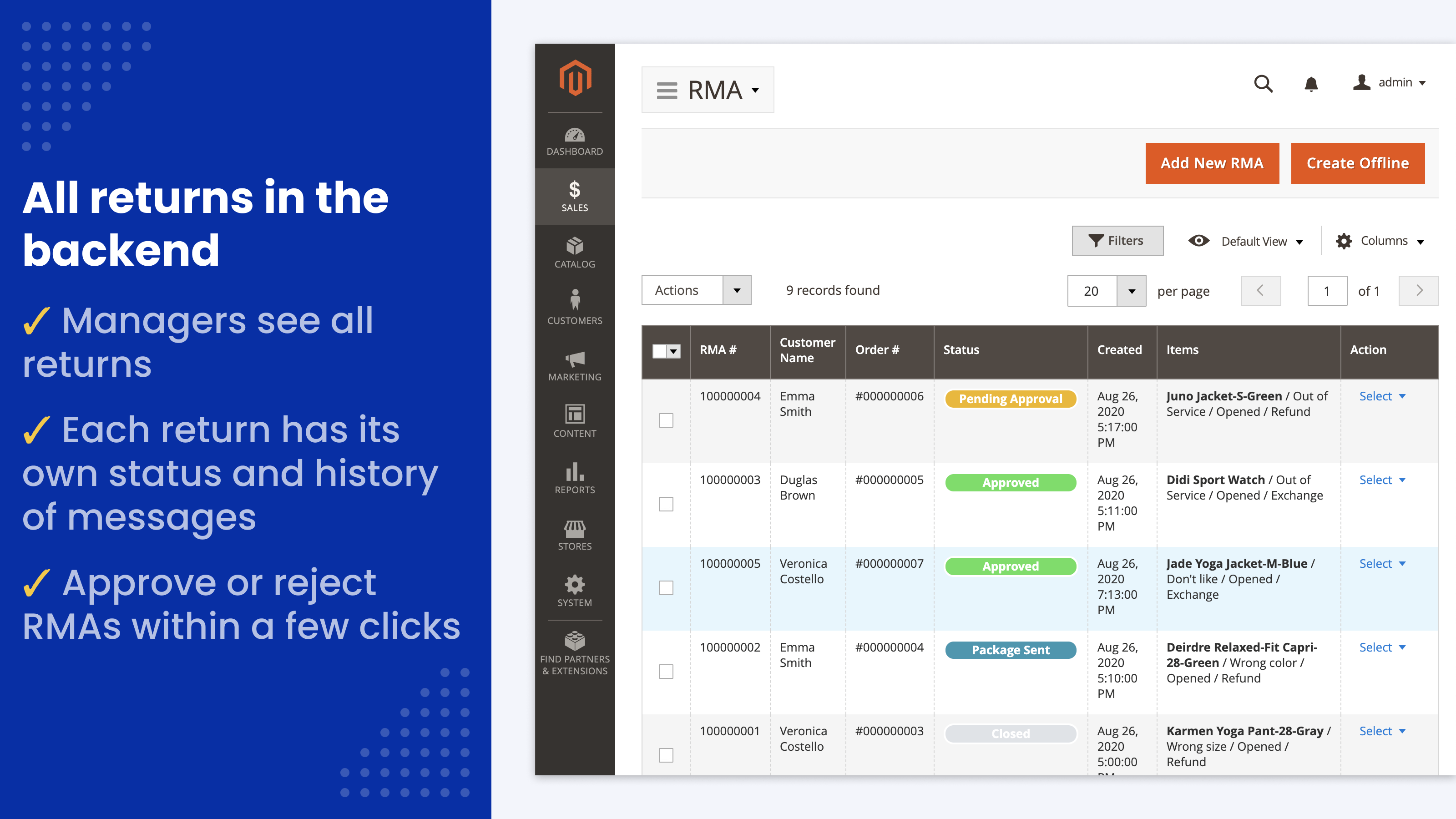
Store admins monitor all RMAs in one grid. Status color coding lets you tell statuses apart at a glance, and managers can filter the grid by status, company or customer email. Export the grid to CSV or Excel XML, with the linked exchange, replacement and credit memo numbers.
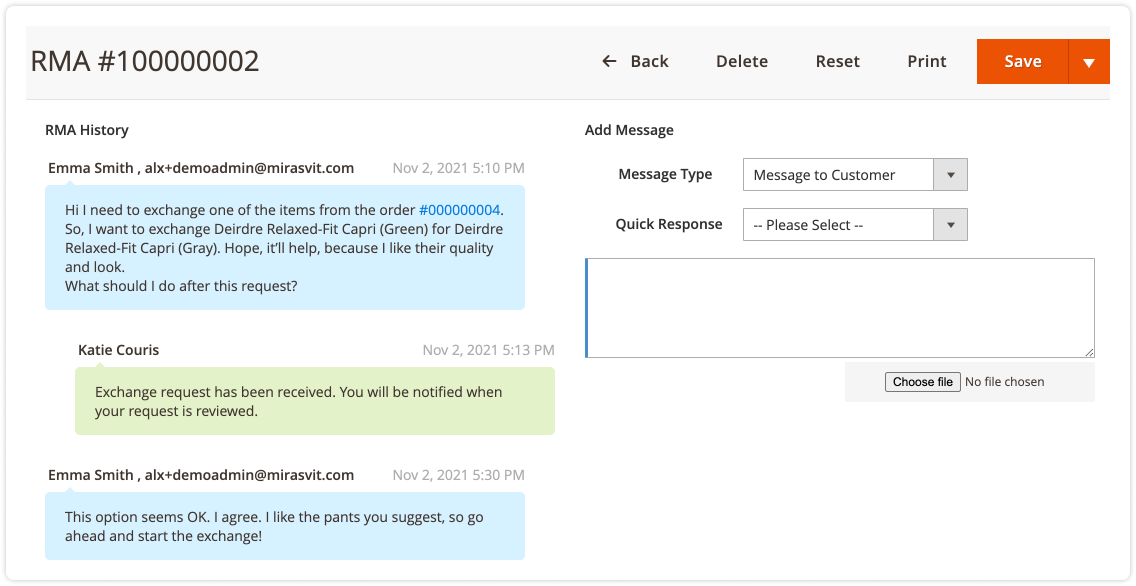
Full communication history on each RMA
Store managers can quickly refresh their memory on any RMA by checking its full history of messages, status changes and files. Internal notes stay visible to the store team only.
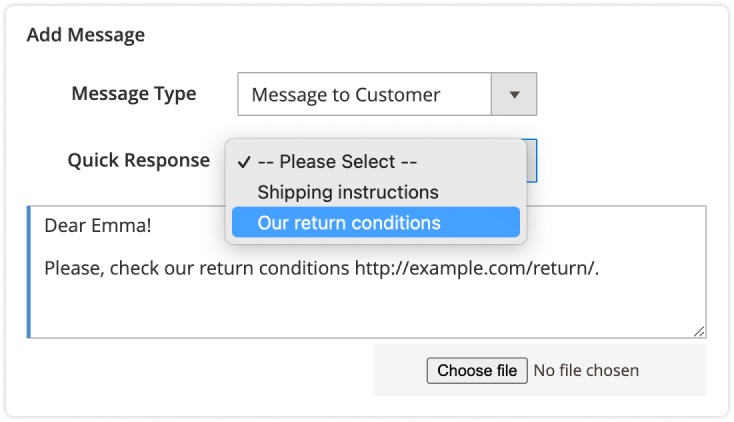
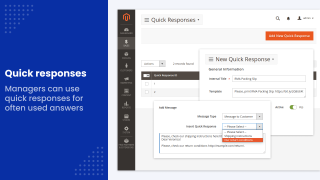
Quick responses
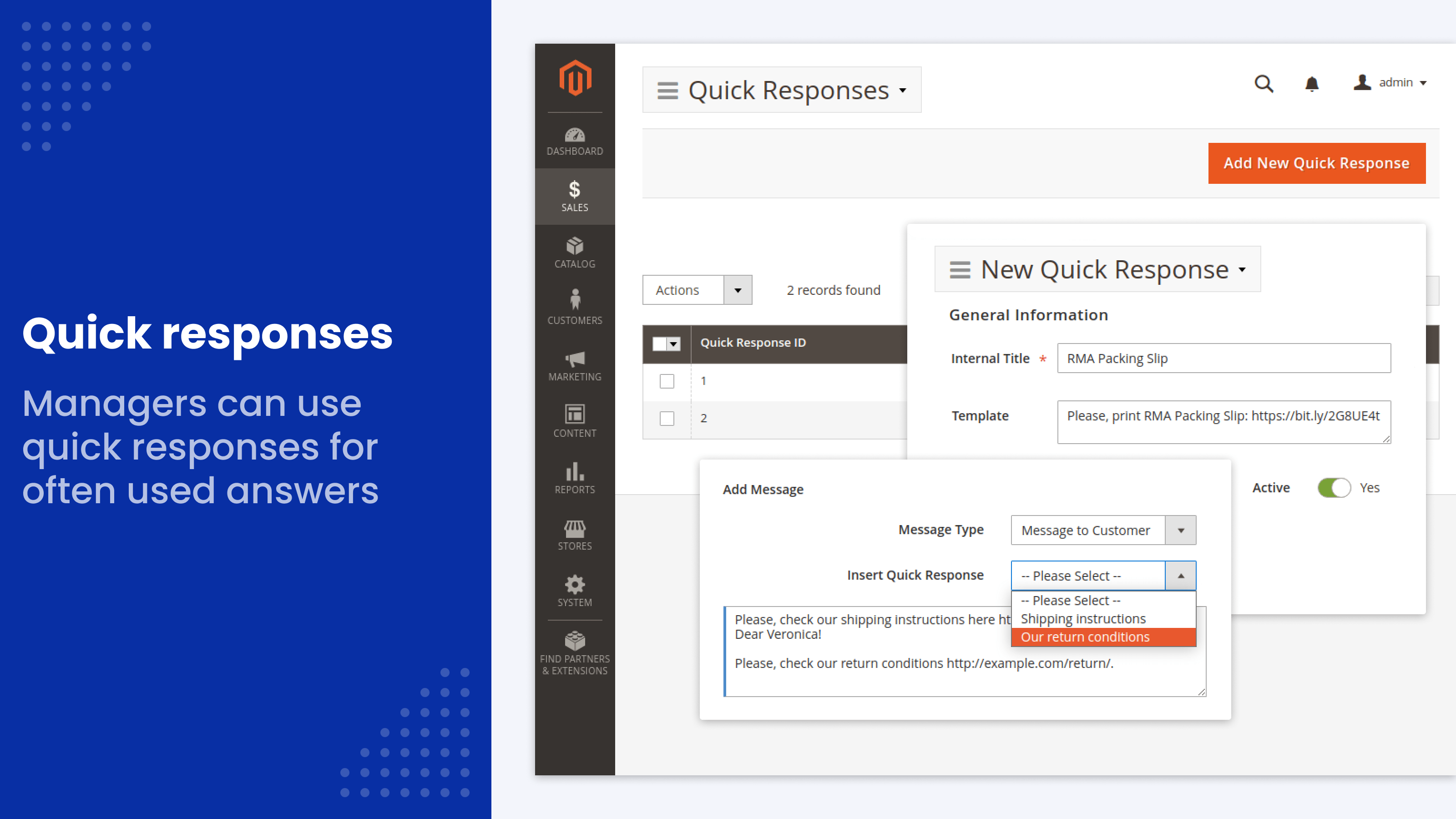
Predefine standard answers, for example, a link to print a return shipping label, and set them per store view. Store admins simply pick the answer from the list to send it in seconds.

Return labels and packing slips
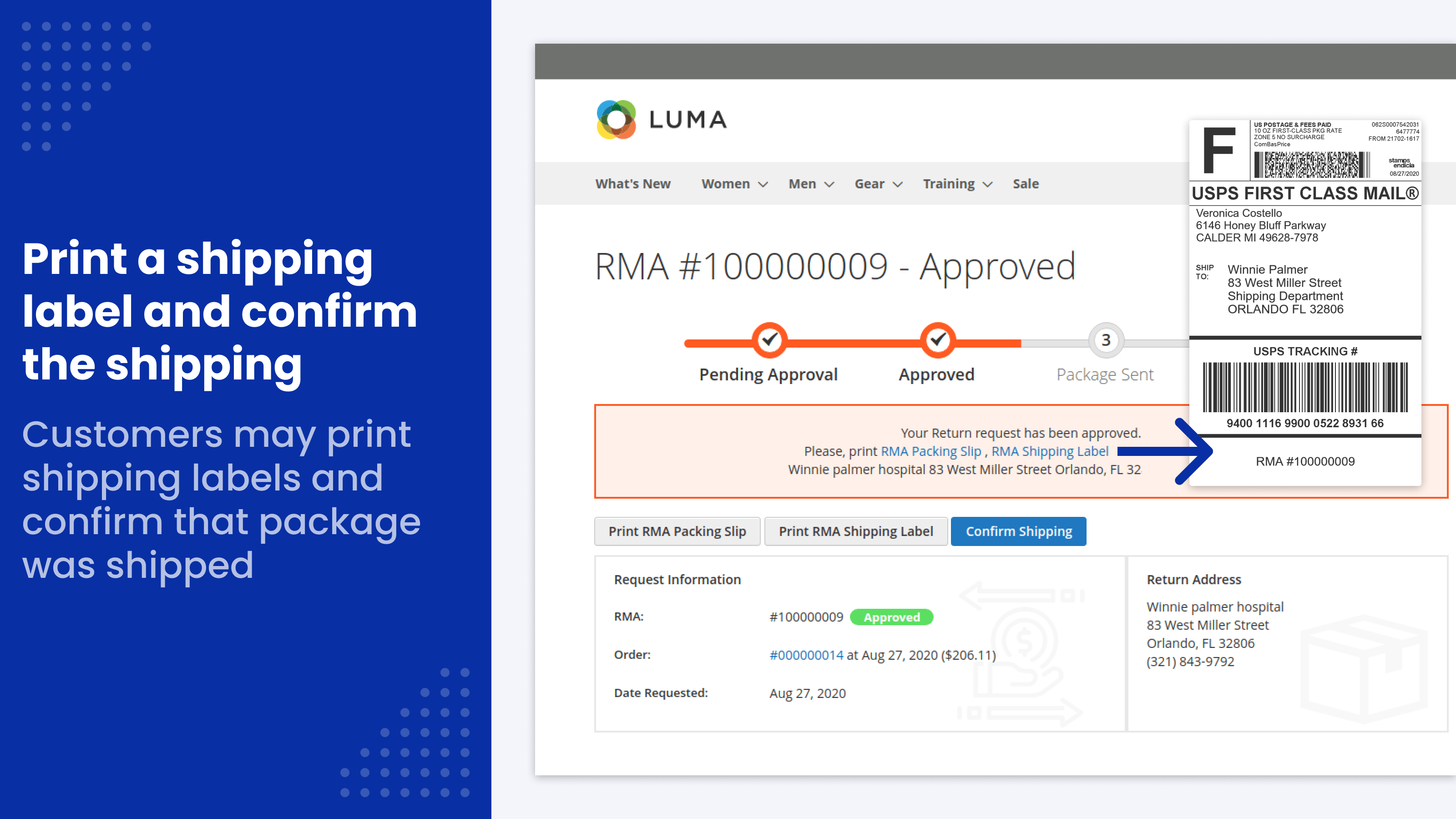
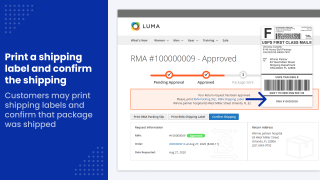
Store managers upload a prepaid return label from any carrier as an image or PDF. The customer prints it from their account and clicks Confirm Shipping, which moves the RMA to Package Sent. Each RMA also has a printable packing slip with your return address.
Help Desk integration support
Connect RMA with the Mirasvit Help Desk extension. Customer emails about a return land in the RMA thread, and managers can open an RMA from a ticket or a ticket from an RMA.
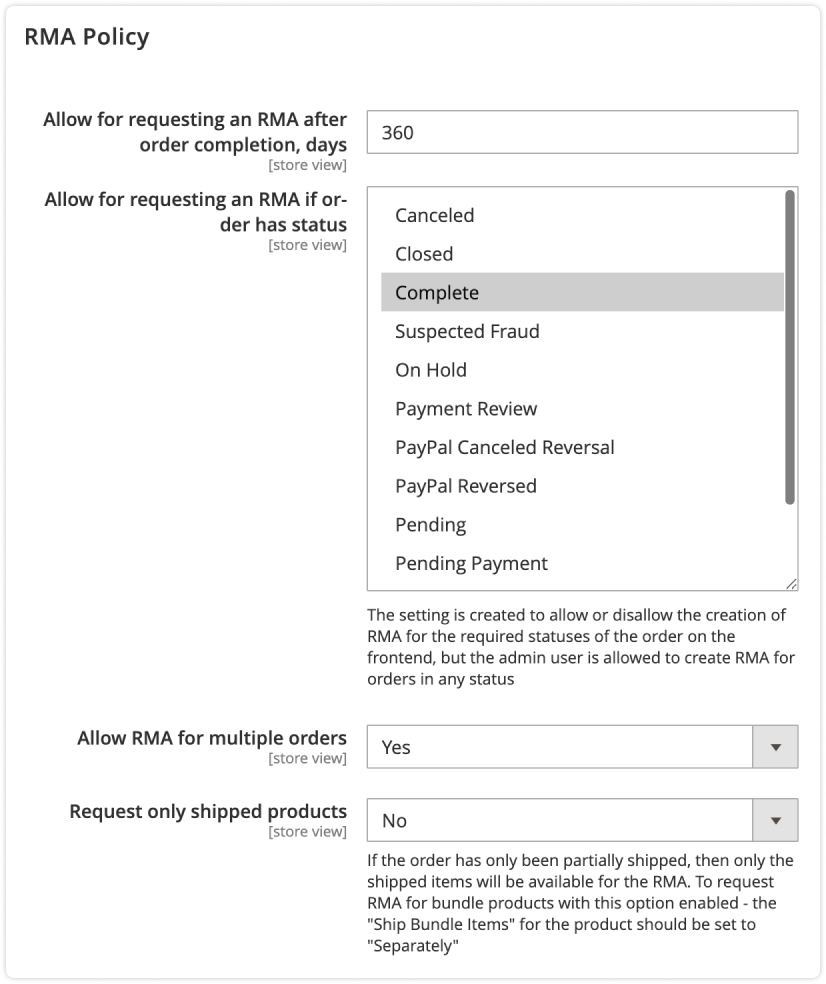
Craft your RMA Policy
Fit the RMA policy to your needs by configuring its main parameters:
- Number of days after order completion during which an RMA can be requested
- Allow RMA requests only for orders with specific statuses
- Combine returns from several orders in one RMA
- Request only shipped products
- Exclude specific products from returns
- Ask customers to confirm agreement with your return and exchange policy
- Show customers a block with the RMA policy agreement
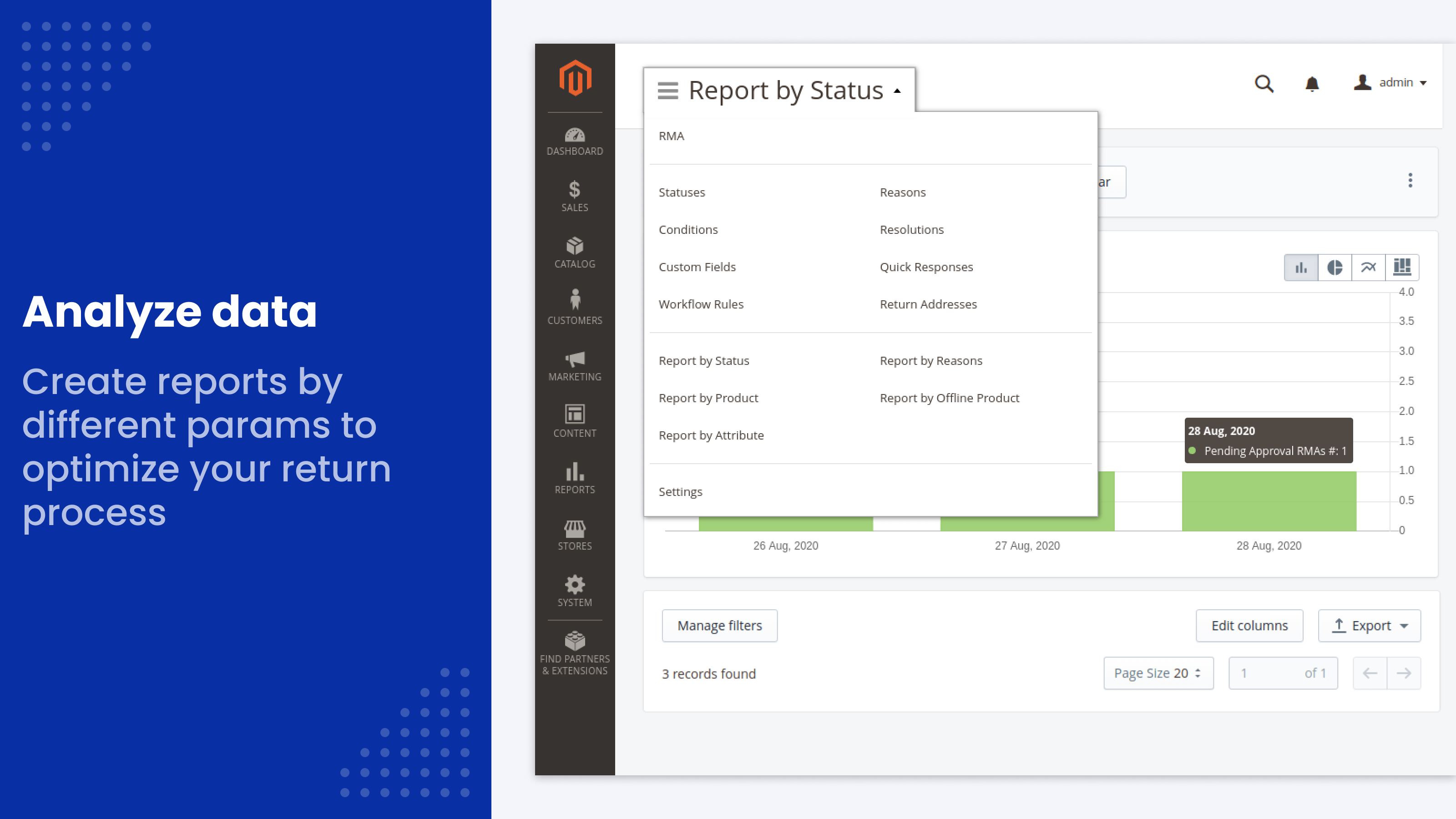
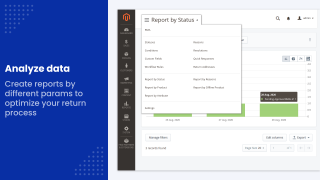
Built-in RMA reports
Analyze returns with reports:
- by status
- by reason
- by product
- by offline product
- by any product attribute, such as brand
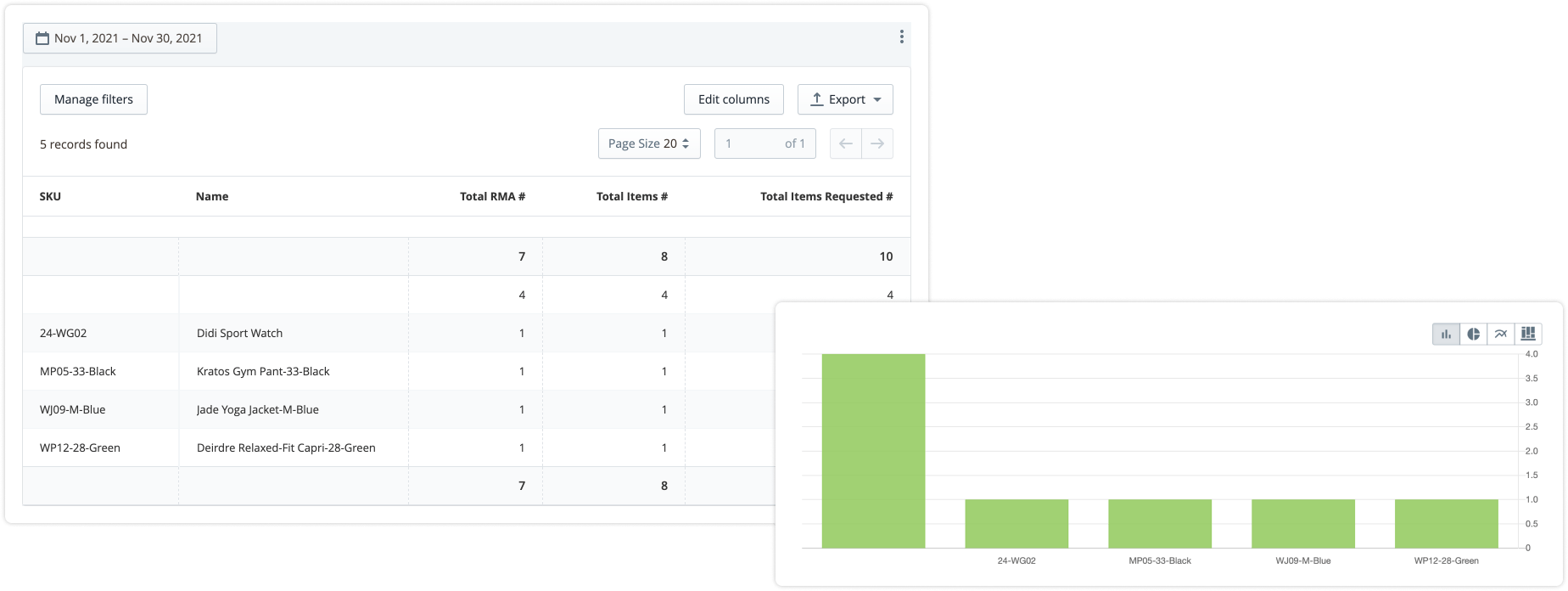
Reports show the number of RMAs per status, period and customer, and the total number of products returned. Export them to CSV or Excel XML for further analysis or archive storage.
REST and GraphQL API

Use the GraphQL API to build returns into a PWA or headless storefront: customers create RMAs, send messages with attachments, check the status and print the packing slip and label.
The REST API covers the back office: create, read, update and delete RMAs, items, messages, statuses, reasons, resolutions, custom fields, quick responses and workflow rules, change statuses in bulk, create replacement orders and confirm shipping. Customer and guest endpoints are included. See the REST API and GraphQL API guides.
Workflow rules, reports with export, both APIs and the Hyvä compatibility package are part of the extension, not separate tiers or add-ons. The extension works on Magento Open Source and Adobe Commerce 2.3–2.4.9 and Mage-OS, and meets WCAG 2.2 AA.
What the extension doesn't do
- It doesn't generate carrier labels or track parcels. You upload a label you got from your carrier, and the customer confirms the shipment.
- It doesn't refund money on its own. The manager confirms the amounts in the standard Magento credit memo.
- Refunds to store credit need a store credit feature: Mirasvit Store Credit & Refund or the one in Adobe Commerce.
It handles both online and offline returns and integrates directly with Magento orders, refunds and customer information. Statuses, communications, return terms and other parts of the process can be customized extensively. The included templates cover the normal stages of a return, while stores can also create their own.
Administration is straightforward and the extension has been reliable for us.
The biggest feature I would like added is a visual customer return-flow builder. It would be useful to define a step-by-step sequence—return reason, order selection, purchase date, additional information, eligibility checks, and then different available resolutions depending on the answers.
I would like to see a possible way to integrate exchanges that can be preauthorized for a "ship first and return later" exchange method, but other than that, this is the one to get.
Save time by starting your support request online and we'll connect you to an expert.
Does Magento 2 have a built-in RMA?
Magento Open Source has no returns module: return requests come by email and refunds are done by hand. Adobe Commerce includes a native Returns feature.
This extension works on both. On Adobe Commerce it runs alongside native Returns without changing it, and adds your own statuses with emails, workflow rules with timers, quick responses, returns for offline orders, several orders in one RMA, one-click replacement orders and RMA reports with export. Native Returns can generate carrier labels; this extension doesn't, you upload the label instead.
How does a return work with this extension?
- The customer opens an RMA from their account, the order history or the guest form, picks the items and quantities, and chooses a reason and resolution.
- The manager approves it, by hand or with a workflow rule. The approval email carries the packing slip, the return label if you uploaded one, and your return address.
- The customer ships the parcel and clicks Confirm Shipping.
- The manager settles the RMA with a credit memo, an exchange order or a one-click replacement order.
The administrator can also create an RMA on behalf of a customer from the order page in the backend. See how to process an RMA.
What do I need to set up after installation?
Very little, and it takes minutes. Customers can open returns right after installation: five statuses with colors and emails, return reasons, item conditions and three resolutions come pre-filled. You add your return address. Workflow rules, quick responses, offline returns and the Help Desk integration are optional. Installation is free.
Does the extension include store credit?
Store credit is one of the ready-made resolutions. The manager opens a credit memo from the RMA and refunds the amount to the customer's balance. The balance itself needs a store credit feature: Mirasvit Store Credit & Refund or the one built into Adobe Commerce. The RMA extension takes into account credit already refunded with Mirasvit Store Credit.
Can customers return only some items from an order?
Yes. Customers choose which items to return and the quantity of each. For example, a customer can return just one or two of the five items they bought. You can also let them combine items from several orders in one RMA, or allow returns only for shipped products.
How do guests open a return?
Guests open a return with their order number and email, without an account, and then follow the RMA and reply to the store from its page. A guest form doesn't accept an online order that belongs to a registered customer: that customer returns it from their account. You can hide the guest return link in the store footer.
Does the RMA extension support returns for offline orders?
Yes. Customers can open an RMA for products bought by phone, in your physical store or on another site connected to your store network, even when your store database has no record of the order. The customer enters the receipt number, and you can ask for a phone number.
Offline returns have their own custom fields and their own report. The option is off by default, so you decide whether to allow it.
What can RMA workflow rules do?
A rule runs on an event: a new RMA, a change to an RMA, a new reply from the customer or from staff, or an hourly check. It checks conditions such as status, owner, who replied last, hours since the last reply, whether a return label is attached, the reason or resolution, custom fields and product attributes. Then it sets the status or owner, marks the RMA resolved and sends emails to the owner, the customer or any address.
For example, a rule can approve a return automatically when the reason matches your policy, or close an RMA after 72 hours without a reply from the customer. See the workflow rules guide.
How do return shipping labels work?
The manager uploads a prepaid return label from any carrier as an image or PDF. The customer prints it from their account and clicks Confirm Shipping, which moves the RMA to Package Sent; a custom field on that step can collect the tracking number. Every RMA also has a printable packing slip with your return address.
Uploads are limited to the file types you allow, and the content of each label file is checked. The extension doesn't generate labels through carriers or track parcels.
Does the RMA extension keep the full communication history on each RMA?
Yes. Every message to the customer, every status change and every attached file stays on the RMA, and both the customer and the store team can see them. Staff can also add internal notes that only the store team sees. Managers can answer faster with quick responses, set per store view. With Mirasvit Help Desk, customers can also reply by email and their answers land in the RMA thread.
Can I set my own reasons, conditions, statuses and resolutions?
Yes. Create your own return reasons (grouped into parent and child reasons if you like), item conditions, statuses with their own names, colors and emails, and resolutions. Each resolution decides which buttons the manager gets on the RMA: exchange order, replacement order or credit memo.
For example, offer a refund to store credit to encourage the customer to buy from you again.
Is the Hyvä package included?
Yes. Hyvä support comes as a separate compatibility package, mirasvit/module-rma-hyva, included with the license. You install it with one Composer command, as described in the user guide.
Does the RMA extension support REST API and GraphQL?
Yes, both. GraphQL serves the storefront: PWA and headless stores can create RMAs, send messages with attachments and show the status. The REST API serves the back office: it manages RMAs, items, messages, statuses, reasons, resolutions, custom fields, quick responses and workflow rules, and can create replacement orders and confirm shipping. Customer and guest endpoints are included.
Learn more in the REST API and GraphQL API guides.
mirasvit/module-rma-hyva and mirasvit/module-rma-graph-ql, are retired: everything they contained is part of RMA itself. That is the Hyvä storefront for the whole returns flow - the request form, the guest and offline forms, the RMA list, the RMA view with its messages and attachments, the returns column in order history and the My Returns link in the account menu - and the customerRmas, guestCustomerRmas, rmaDictionary and orderRmas queries with the createRma and addRmaMessage mutations used by headless and PWA storefronts. Each storefront page now has one template and one plain-JavaScript script for both themes, so Luma and Hyvä behave the same way. There is no longer a second package to find and keep in step, and on a Luma store the Hyvä part simply stays dormant. Composer removes the companion packages by itself when you upgrade.mstRma GraphQl queries now answer on every store - Previously the schema arrived with an optional package, so customerRmas, rmaDictionary, orderRmas, guestCustomerRmas, createRma and addRmaMessage existed only where that package had been installed. They now ship with the extension and apply everywhere. That is the intended change, but it is a change in behaviour on upgrade for anyone querying /graphql: those fields appear in your schema whether or not you asked for them, and any tooling that introspects the schema will see them.Hyva_MirasvitRma no longer exists in any form. Everything it did now happens inside Mirasvit_Rma: each storefront page has one template for both themes, and hyva_-prefixed layout files set what only Hyvä needs. setup:upgrade removes the old name from app/etc/config.php for you. You only need to act if you referenced it yourself - in a custom di.xml, a layout file, or a deployment script that enables modules by name.bin/magento hyva:config:generate and rebuild your theme after upgrading - Retiring the companion package took RMA off the list of modules Hyvä's Tailwind build scans, and the extension now registers itself there. Until you regenerate that list and run npm run build in your theme, utility classes the RMA templates use are purged from the built stylesheet. The extension's own styling - status badges, the progress bar, the unread marker, the box treatment, the dialogs and the layout of every RMA page - ships as a plain stylesheet that needs no build and loads only on the RMA pages, so the pages are usable either way and the rest of your store is not affected, but the rebuild is what makes them complete.js/rma-new-form.js, js/rma-attachments.js) instead of Knockout on Luma and Alpine on Hyvä. A Hyvä override under Hyva_MirasvitRma/templates/… no longer applies; move it to Mirasvit_Rma/templates/… under the shared name. A Luma override of rma/new.phtml or the message form copied from an earlier version still asks for the removed Mirasvit_Rma/js/create-rma component or the removed jQuery MultiFile (jqueryMultiFile, js/multifile/); rebuild it from the new template.createRma or addRmaMessage mutation is now checked against Allow attachment upload with extensions and Limit of attachments size, Mb (RMA configuration, File Upload Settings), exactly as a file uploaded through the storefront form. Until now GraphQl stored any file. The extension list has a default (images, PDF, office documents, text/CSV and archives), so even if you never changed it, a mutation sending another type, such as .exe, now fails with "Uploaded file does not match requirements" instead of saving. The size limit has no default and applies only if you set one. Every attachment, including that it is valid base64, is checked before anything is saved, so a refused file leaves no return or message behind.magento/module-customer-graph-ql. They identify the signed-in customer themselves (token, account not locked or awaiting confirmation, account of the current website), so a store that strips Magento's GraphQl modules with a composer replace still compiles.createRma can no longer take over another customer's return. A custom field code in the input was written into the RMA as is, so rma_id, customer_id or status_id sent as custom fields loaded and reassigned an existing RMA. Only active fields a customer may fill in on the storefront form are accepted now; any other code is refused.createRma only accepts orders the caller owns. A signed-in customer can return only their own orders, a guest only a guest order placed with the e-mail they gave, and the order must belong to the current website.createRma now applies the return period and the RMA policy. An order last updated longer ago than Return Period is refused, as the storefront form refuses it, and when the RMA policy is active the request must send agree_box: true. Until now GraphQl accepted any order in an allowed status and ignored agree_box.guestCustomerRmas now checks the e-mail it asks for. The query declared customer_email as required but never read it, so an order id alone listed another guest's returns. The order and e-mail pair is now checked the way the guest storefront form checks it. A store with guest access off answers with an authorization error instead of a bare internal server error, an unknown order id answers "not found", and each return in the list now carries its rma_id, which was always null.createRma works for a return of offline orders only. It answered "Please select an order for the RMA." and left the offline order it had created behind, one more with every retry. If the return cannot be saved, the offline orders created for it are now removed. Offline items take their name from the new optional name field of RmaItemInput, or from product_sku when it is not sent.orders of customerRmas, guestCustomerRmas and createRma lists only its own items. An RMA of two orders listed the items of both under each, and an offline order listed the store order's items.createRma with attachments and no reply creates the return. It failed with "Please, enter a message". A GraphQl attachment can also carry its MIME type in the new optional type field of RmaMessageAttachmentInput; without it the file is stored as application/octet-stream, as before.Argument 'value' must be type of string, NULL given; it now shows the "I agree" box with no policy text.orderRmas now requires the signed-in customer who placed the order. It used to list the returns of any order id for anyone.createRma and addRmaMessage GraphQl mutations no longer fail for a signed-in customer. Both answered Internal server error for every logged-in customer: the resolver passed Magento's customer data object into a service that requires the customer model, so the request died before it reached the returns logic. Guest requests were unaffected. Both mutations now create the return, and the message is recorded against the right customer name."text" is required, although the form allows it. A message that fails now also returns the customer to the return with the reason, instead of adding "RMA does not exist" and leaving for the list.rmaDictionary query no longer breaks on a store with an empty vocabulary. If a store view had no return conditions, no reasons or no resolutions configured, the query answered with an undefined value in that part of the response instead of an empty list.createRma by a guest, the customer id written to the request came from a variable that was only ever set for signed-in customers.guestCustomerRmas now reports a missing order id properly. A query without order_id produced a PHP warning rather than the input error every other RMA query returns for the same mistake.rmafree - The old code rma_free_shipping contained the underscore Magento uses to join the carrier and the method into the rate code it stores, so a replacement order shipped with it read back as carrier rma, which does not exist. Anything that looks the carrier up from an order - Order::getShippingMethod(true), a shipping or ERP integration, a payment provider's callback - found none. setup:upgrade moves your saved settings from carriers/rma_free_shipping/* to carriers/rmafree/* in every scope and rewrites the rate code on existing orders and quotes from rma_free_shipping_rma_free_shipping to rmafree_rmafree. You only need to act if you refer to the old code or path yourself: in custom code, in settings locked in app/etc/config.php or env.php, or in reports that filter on the shipping method.[variable] / {variable} syntax work exactly as before.bin/magento setup:upgrade after updating, and back up the database first.setup:upgrade with a duplicate-key error, and never resets statuses you edited. It also no longer adds duplicate order status history, which inflated "time in status" report figures.uiform admin route, three admin actions that never worked (Exchange, Export CSV, Export XML), 17 unreferenced PHP classes and six templates nothing rendered have been deleted. Grid export from the RMA list is unaffected and still works. Customizations that extend or reference the removed classes and route need updating.Blog

 Andriy Kovalenko

We are committed to being open and transparent with our customers. When you purchase our module, you automatically receive one year of free support service and free updates.
Why is this important?
- Seamless Installation and Configuration: We understand that setting up a new module can take time to configure according to your specific needs. That’s why we offer a full year of free support. Our experienced team is here to assist you with installation, configuration, and any questions you might have. We're eager to share our expertise to ensure you get the most out of your purchase.
- Stay Updated with Magento (Adobe Commerce) Releases: Magento releases new versions approximately every three months. These updates can sometimes introduce compatibility challenges. To keep your store running smoothly, we provide a year of free access to the latest versions of our modules, ensuring that you can upgrade Magento and our modules without encountering any obstacles.
- Subscription Included: Renewing your subscription ensures continued access to the latest updates and support from our team. This means you can be confident that any issues you encounter with the extension will be resolved quickly and efficiently. You can cancel your subscription at any time without any additional fees.
These are our primary. A major portion of our new clients come from referrals from our existing clients. Our professional team of developers, marketers and support staff have invested the best knowledge and experience in the field into our work, so you know you can come back to us again and again.
One year free and high quality support. We go to great lengths to provide maximum satisfaction with every module you have purchased in our store. By helping you with installation, configuration, answering your every question, we do all our best to eliminate any possible problems.
30-days money back guarantee. If you are not satisfied with our extension performance for any reason, we provide a full refund.
We constantly add new features to all our modules, and are always interested in hearing your opinion and implementing your suggested features in our future developments.
We provide an expanded user guide for every aspect of our extension, so you can find answers for all your burning questions.
You can customize extension according to your needs and requirements.
The Module is easy to install and upgrade, just follow our step-by-step user guide. Additionally, the extension is ready to use with the Hyvä theme.
No core modifications. The extension has been tested in a Magento Cloud environment and is fully compatible with it.