
Customer Segmentation Suite for Magento 2
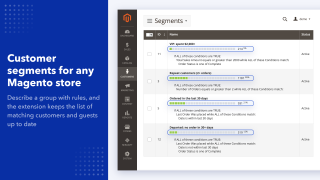
Add customer segments to Magento Open Source and Adobe Commerce: describe a group of customers with rules based on orders, carts, wishlists and viewed products, and the extension keeps the list of registered customers and guests who match.
Use a segment in cart price rules, newsletters, Follow Up Email and Reward Points, or move its customers to a customer group automatically.
- Segments for registered customers and guests
- Rules on orders, carts, wishlists and viewed products
- Automatic customer group assignment
- Segment condition in cart price rules
- Newsletter and Follow Up Email targeting
- Sales by segment report and CSV export
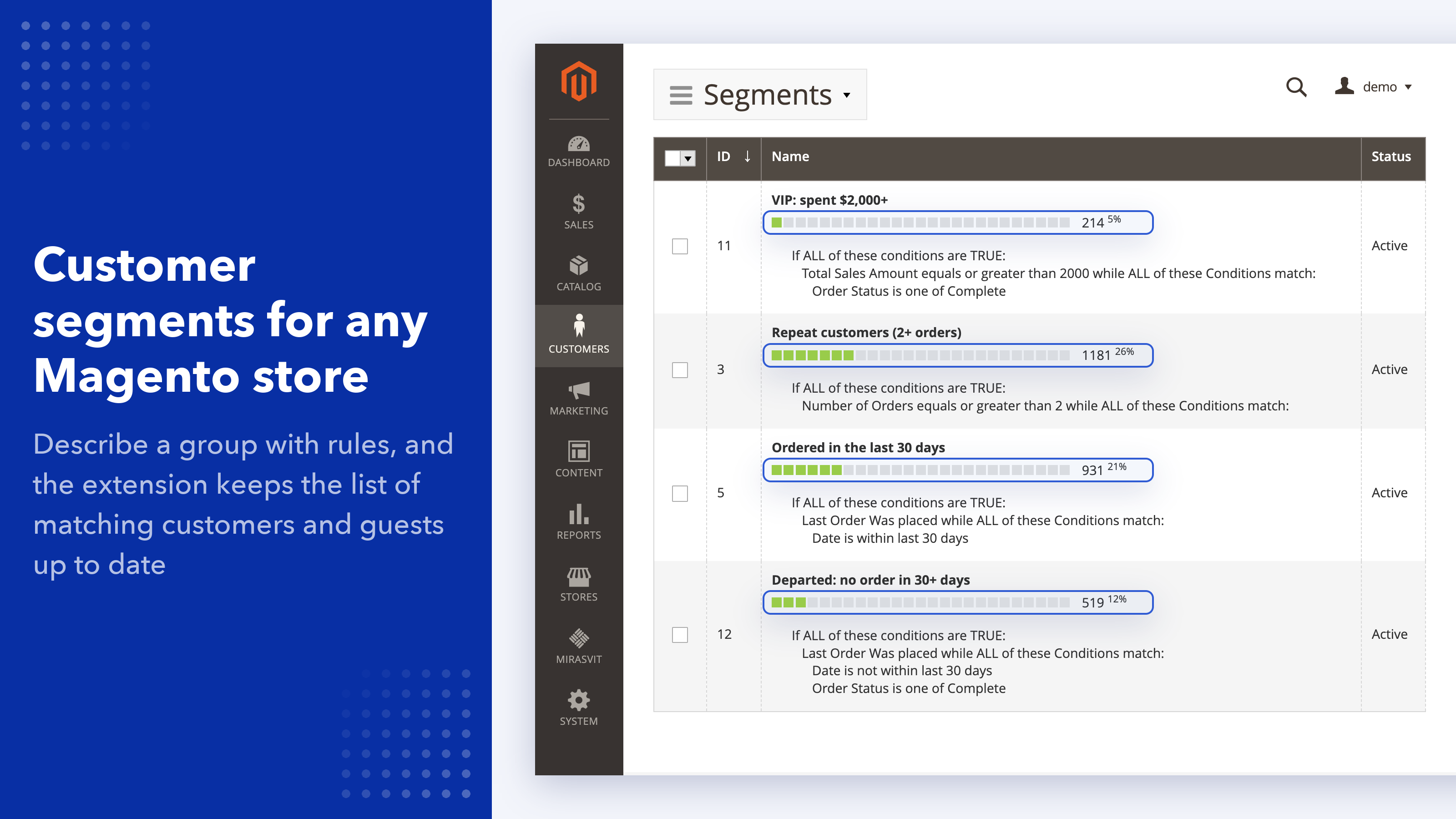
Customer segments for Magento Open Source and Adobe Commerce
Magento has customer groups, but you assign them by hand, and its built-in customer segments are only part of Adobe Commerce. Customer Segmentation Suite adds segments to any Magento 2 store: you describe a group of customers with rules, and the extension finds everyone who matches, both customers with an account and guests who ordered without one.
A rule can use what you already know about a customer: their orders and spend, what is in their cart or wishlist, which products they bought or viewed, when they were last active, and their address. Once a segment is built, you can:
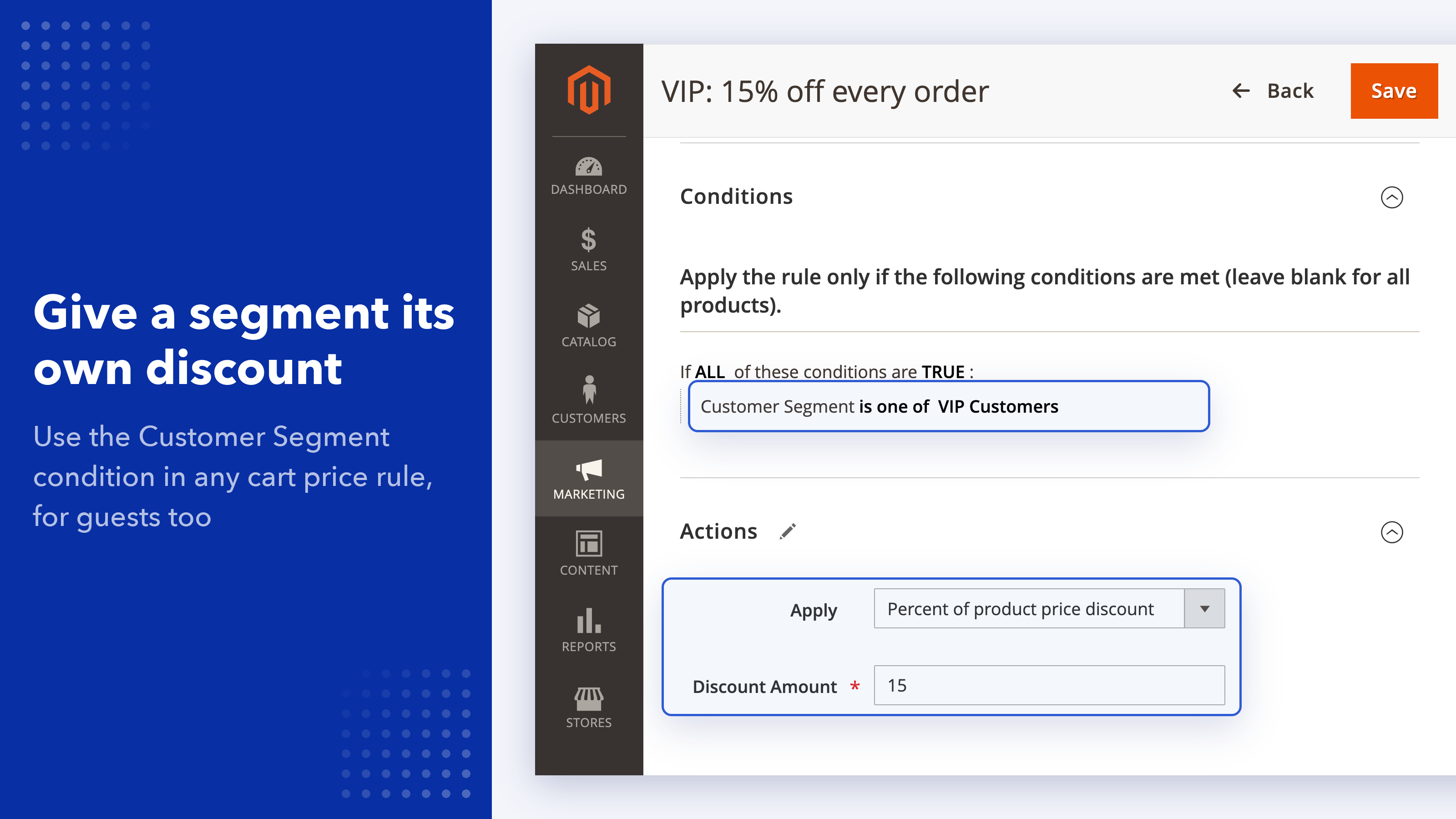
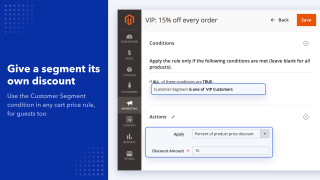
- give it a discount through a cart price rule (Magento's built-in discount rules)
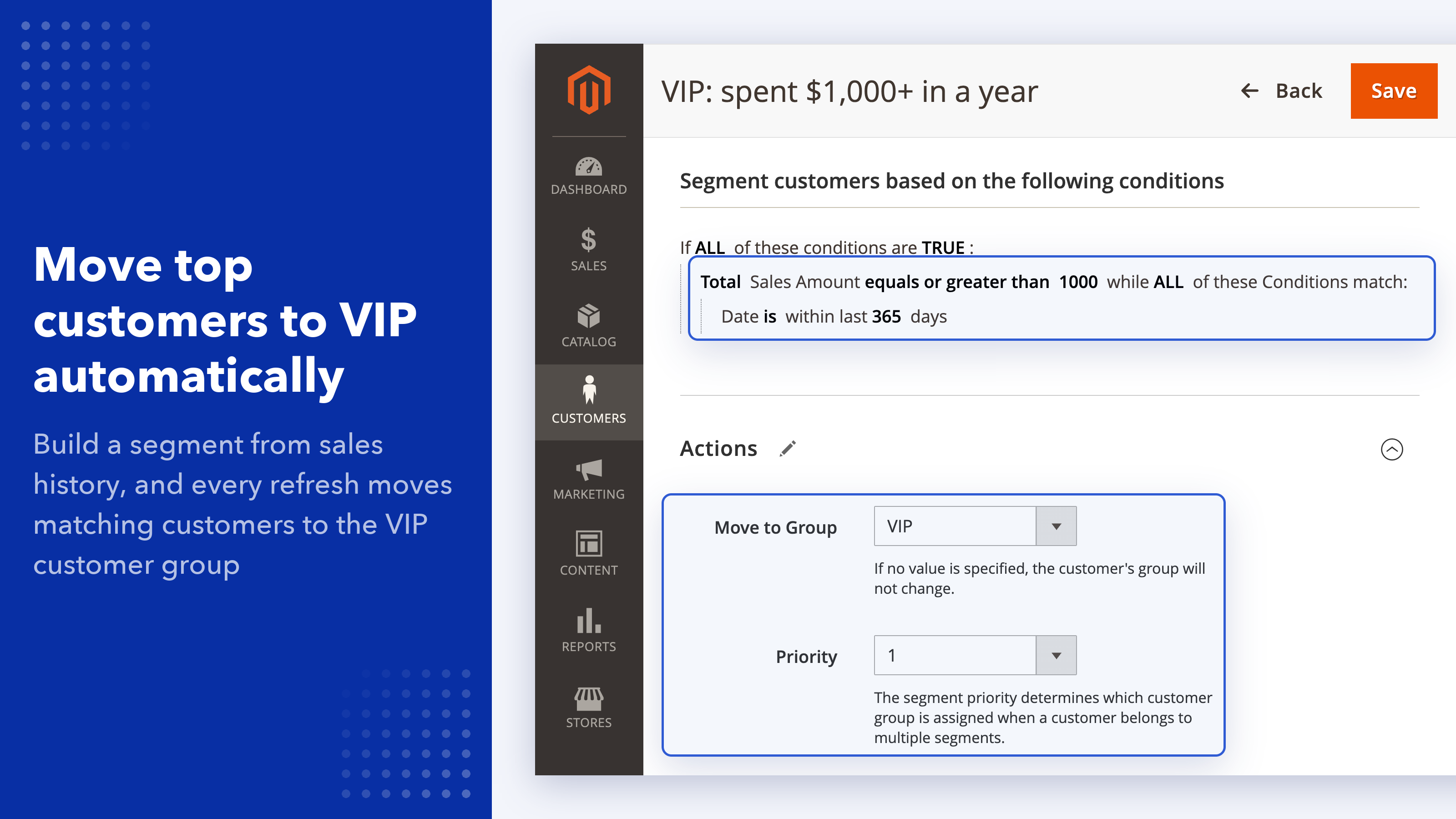
- move its customers to a customer group automatically
- send it a newsletter or a Follow Up Email campaign
- use it in Reward Points earning and spending rules
- see its sales in a report, or export it as a CSV file
A customer can belong to several segments at once, and the extension works with Hyvä because it runs entirely in the admin and doesn't change your storefront.
Build segments from orders, carts and browsing history
Each segment applies to registered customers, guests or both, and is built from conditions you combine with AND/OR, just like a cart price rule. Guests are matched by the email on their orders.
Customer and address
- Any customer attribute, such as gender or date of birth
- Billing or shipping address: country, region, city, postcode
- Newsletter subscription
- Last activity: days since the last login, visit, order or registration
Sales history
- Total or average sales amount
- Number of orders and purchased quantity
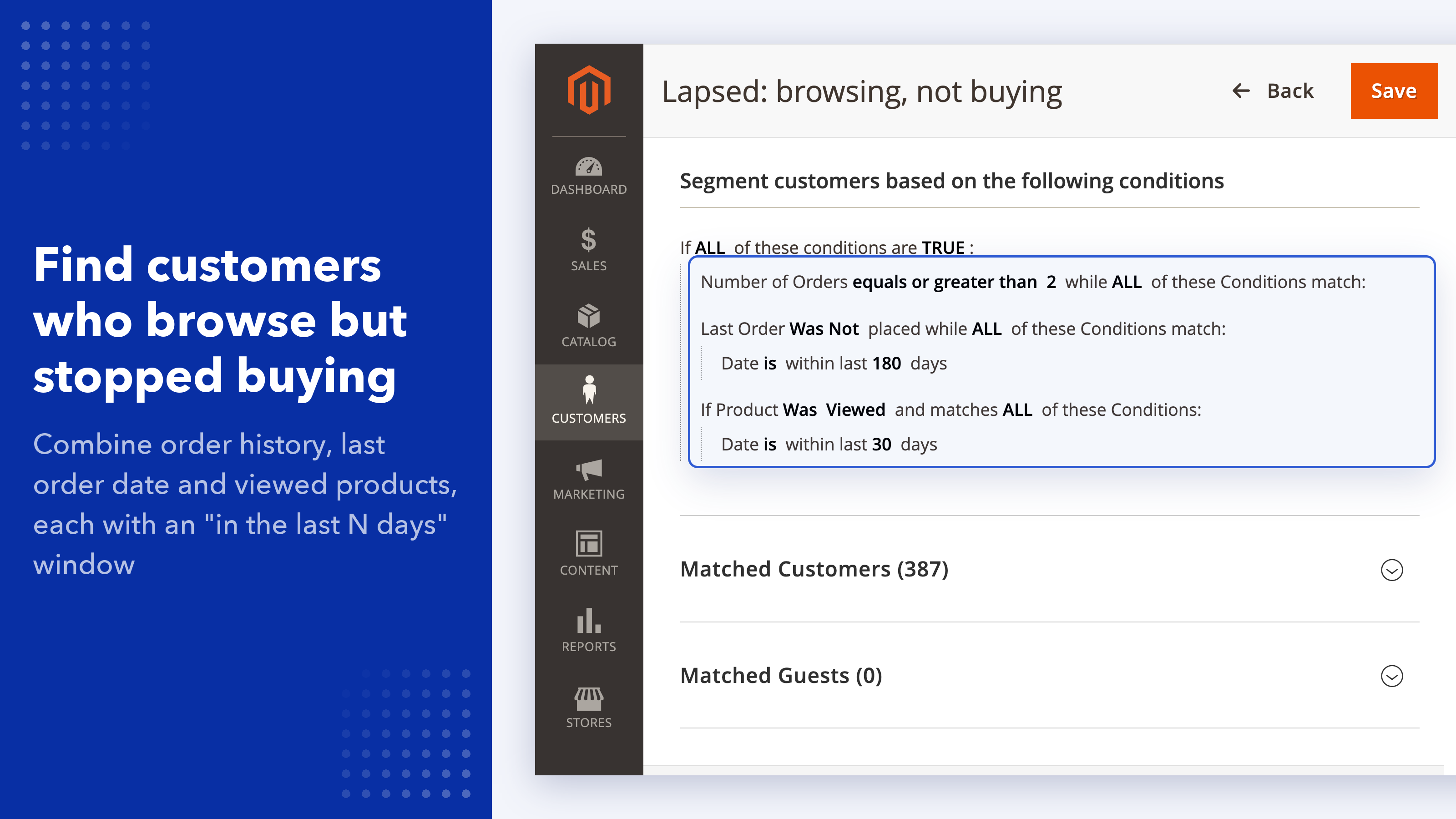
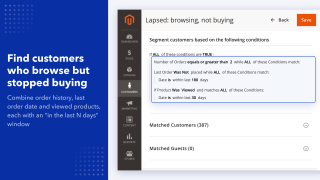
- Last order: its status, a date range or "in the last N days"
- Order address and last shipping date
Cart and wishlist
- Cart subtotal, grand total, tax or shipping amount
- Number of products or total quantity in the cart
- Products that are, or are not, in the cart or wishlist
Products
- Products the customer ordered or viewed, filtered by any product attribute
- Ordered items within a date range or in the last N days
Sales conditions can be narrowed by order status, a date range or a number of days ago, so "spent over $500 in the last 90 days" and "hasn't ordered for 180 days" are each one rule.
Segments you can build
A few examples of what the conditions above cover:
- Renewal reminders: customers who bought a yearly subscription product 11 to 12 months ago, combined with a Follow Up Email campaign.
- Past buyers of a product: everyone who ordered a specific product before you set up a review request or an accessory offer.
- Big spenders: customers whose total sales are above a threshold, moved to a VIP customer group.
- Lapsed customers: no order in the last 180 days, for a win-back discount.
- Undecided shoppers: customers who keep a product in their wishlist but never ordered it.
Assign customers to a customer group automatically
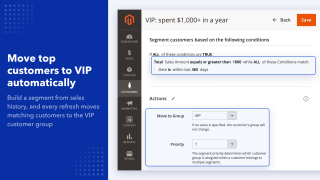
Pick a customer group in the segment's Move to Group field, and each time the segment is refreshed, its registered customers are moved to that group. Customers who no longer match drop out of the segment on the next refresh.
Because customer groups already control prices, catalog price rules, tax classes and what other extensions show, this is the simplest way to give a segment its own prices or content without manual work. When a customer is in several segments that move people to different groups, the segment's priority decides which group wins.
Use segments in discounts, emails and loyalty rules
Cart price rules
The Customer Segment condition appears in cart price rules, so a coupon or an automatic discount can apply to one or more segments only. It also works for guests once they enter their email at checkout.
Magento newsletter
When you queue a newsletter, choose Subscribers From Segments to send it only to subscribers in the selected segments.
Follow Up Email
With Follow Up Email, a campaign can target a segment, and segment rules can check whether a customer is subscribed to its emails.
Reward Points
With Reward Points, the same Customer Segment condition is available in earning and spending rules, for example extra points for your best customers.
Need another integration? Contact us.
Check, compare and export segments
Preview a customer
Enter a customer ID or email, including a guest's, and see whether they match the segment, condition by condition.
Compare segments
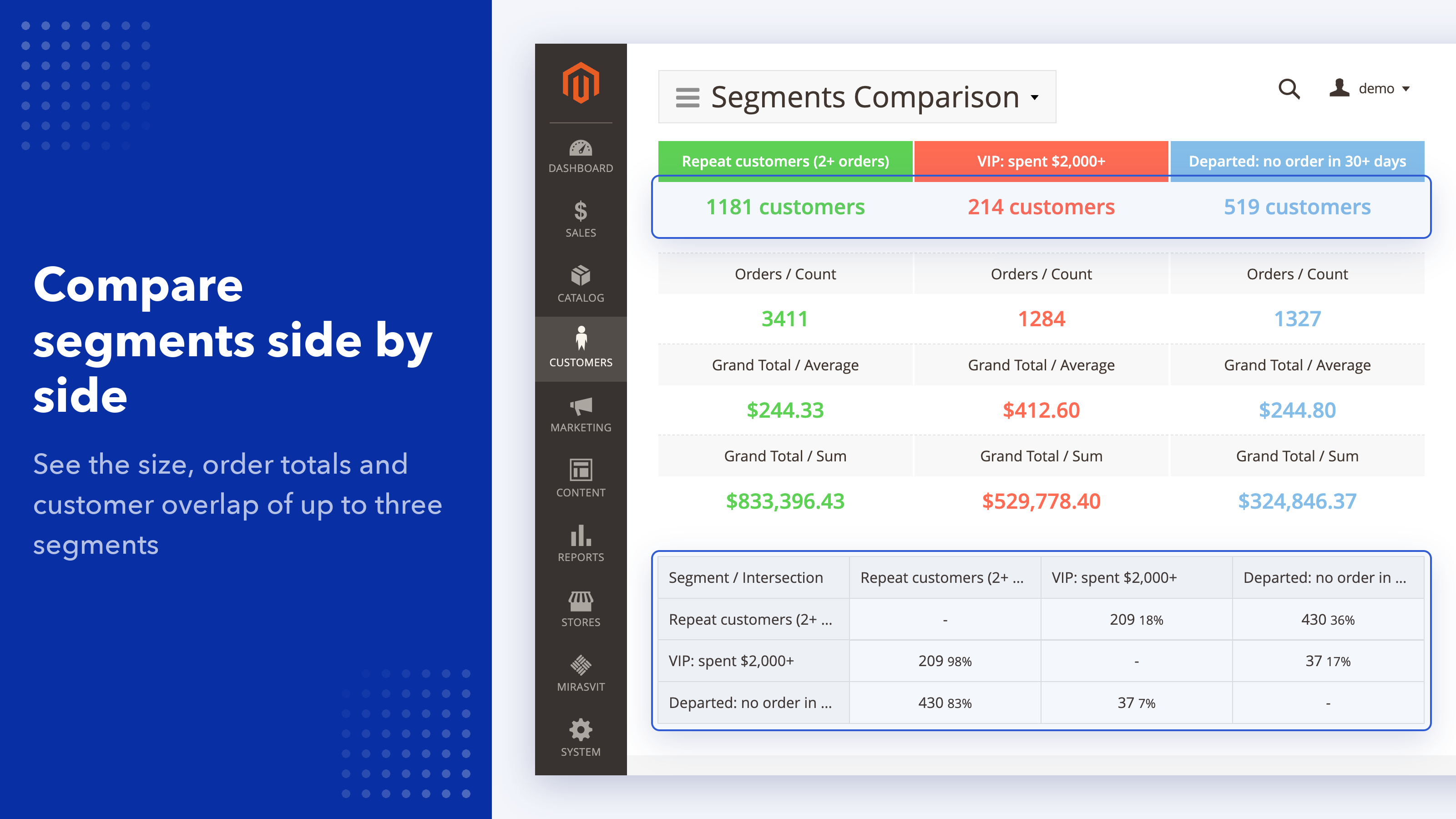
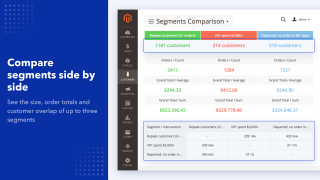
Select up to three segments to see their size, how many customers they share, and their order totals and averages side by side.
Sales by segment
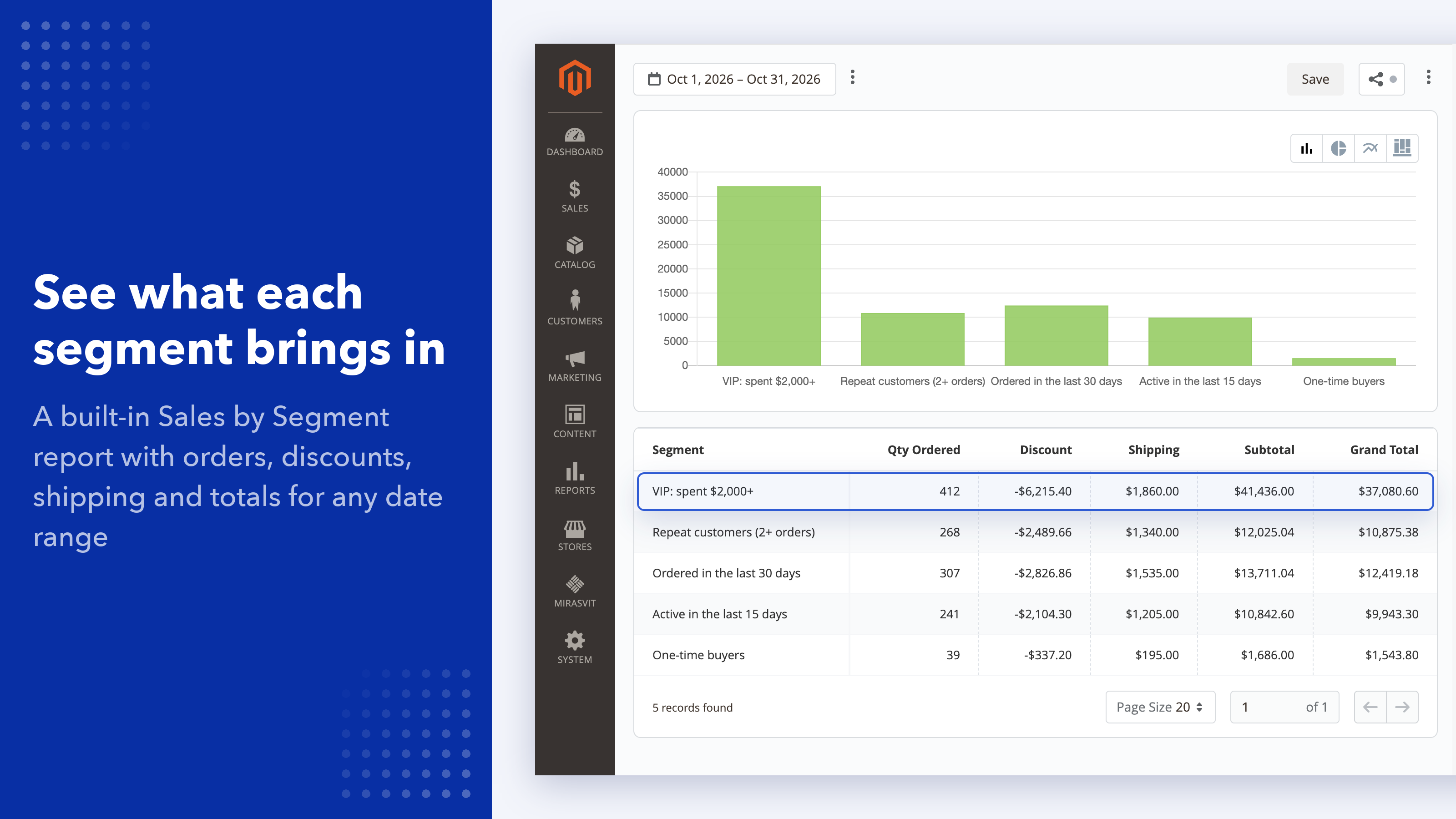
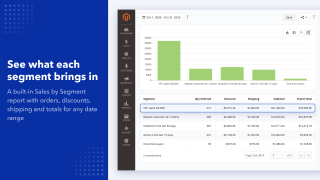
A built-in report shows each segment's quantity, subtotal, discounts, shipping, tax, refunds and grand total for any date range.
Export and history
Export registered customers and guests as CSV from the segment grid, or turn on automatic export after every refresh, for example to upload an audience to an ad platform. A log records who was added, removed or moved to another group on each refresh. Segments can also be duplicated to build a variation.
How segments stay up to date
Each segment has a Refresh Mode. Automatic segments are rebuilt every night by cron, Magento's task scheduler, in a separate cron group so the refresh doesn't hold up other tasks. You can also refresh a segment at any time from the admin, where a progress bar shows how far it has got. Segments aren't updated in real time when a customer logs in or places an order.
For developers: the same refresh is available from the command line with bin/magento mirasvit:customer-segment:refresh, so you can run it on your own schedule.
For large customer bases, the refresh runs in batches of 100 to 1,000 customers and adjusts the batch size to how fast your server responds, and the command-line refresh runs each batch as a separate process. See the user manual for setup details.
Save time by starting your support request online and we'll connect you to an expert.
What is the difference between a customer segment and a customer group?
You assign a customer group by hand or at registration, and it controls prices, tax and catalog rules. A segment is built by rules: the extension finds every customer who matches, for example "ordered 3+ times in the last year", and updates the list on each refresh. A segment can also move its customers to a customer group automatically, so you get the group's prices without assigning anyone manually.
Does it work on Magento Open Source?
Yes. Magento's built-in customer segments are only in Adobe Commerce; this extension adds segments to Magento Open Source and also works on Adobe Commerce and Adobe Commerce Cloud.
How often are segments updated?
Segments with the Automatic refresh mode are rebuilt every night by cron. You can also refresh a segment from the admin or with the bin/magento mirasvit:customer-segment:refresh command, for example from your own cron schedule. Segments are not updated in real time when a customer logs in or places an order.
Can a customer belong to more than one segment?
Yes, a customer can be in any number of segments. If several of them move customers to different customer groups, the segment's priority decides which group the customer gets.
Does it segment guest customers?
Yes. Guests who placed an order without an account are matched by their order email, address and order history. Each segment can include registered customers, guests or both. Conditions based on the wishlist, viewed products or last login, and the move to a customer group, apply to registered customers only. Visitors who never placed an order are not segmented.
Can I show different content or prices to a segment?
Not directly: the extension works in the admin and doesn't change your storefront. Use the Move to Group option, and the customer group then controls prices, catalog price rules and any content you show per group. For discounts, add the Customer Segment condition to a cart price rule.
Does it work with Hyvä?
Yes. The extension runs entirely in the admin and in cron, so it works with Hyvä and any other theme without extra modules.
Can I export a segment to use in ads or an email platform?
Yes. Export the matched customers or guests as a CSV file from the segment grid, or turn on automatic export in the settings to write a CSV file after every refresh. See the user manual for details.
2.5 was treated as 2), which could put the wrong customers into the segmentJson serializer.setup:upgrade. Stores already on JSON are unaffected.Blog
 Andriy Kovalenko
We are committed to being open and transparent with our customers. When you purchase our module, you automatically receive one year of free support service and free updates.
Why is this important?
- Seamless Installation and Configuration: We understand that setting up a new module can take time to configure according to your specific needs. That’s why we offer a full year of free support. Our experienced team is here to assist you with installation, configuration, and any questions you might have. We're eager to share our expertise to ensure you get the most out of your purchase.
- Stay Updated with Magento (Adobe Commerce) Releases: Magento releases new versions approximately every three months. These updates can sometimes introduce compatibility challenges. To keep your store running smoothly, we provide a year of free access to the latest versions of our modules, ensuring that you can upgrade Magento and our modules without encountering any obstacles.
- Subscription Included: Renewing your subscription ensures continued access to the latest updates and support from our team. This means you can be confident that any issues you encounter with the extension will be resolved quickly and efficiently. You can cancel your subscription at any time without any additional fees.
These are our primary. A major portion of our new clients come from referrals from our existing clients. Our professional team of developers, marketers and support staff have invested the best knowledge and experience in the field into our work, so you know you can come back to us again and again.
One year free and high quality support. We go to great lengths to provide maximum satisfaction with every module you have purchased in our store. By helping you with installation, configuration, answering your every question, we do all our best to eliminate any possible problems.
30-days money back guarantee. If you are not satisfied with our extension performance for any reason, we provide a full refund.
We constantly add new features to all our modules, and are always interested in hearing your opinion and implementing your suggested features in our future developments.
We provide an expanded user guide for every aspect of our extension, so you can find answers for all your burning questions.
You can customize extension according to your needs and requirements.
The Module is easy to install and upgrade, just follow our step-by-step user guide. Additionally, the extension is ready to use with the Hyvä theme.
No core modifications. The extension has been tested in a Magento Cloud environment and is fully compatible with it.