
Help Desk MX for Magento 2
A help desk built into your Magento admin. Customer emails and contact forms become tickets, routed to the right department and agent, with workflow rules, satisfaction surveys, reports and AI tools. Every ticket shows the customer's orders and earlier tickets.
- Turn emails into tickets from Gmail, Microsoft 365 and IMAP
- See the customer's orders on every ticket
- Automate routing and escalation with workflow rules
- Message third parties from a ticket
- Get desktop notifications about new tickets and replies
- Create custom fields
- Manage access permissions
- Evaluate customer satisfaction with surveys in reply emails
- Track agent performance with built-in reports
What does Help Desk MX do?
Help Desk MX is a help desk built into your Magento admin. Customer emails and contact forms become tickets, each ticket goes to the right department and agent, and workflow rules keep it moving until it's solved. Our own support team has handled 200,000+ tickets in Help Desk MX since 2014.
- Turn emails into tickets from several mailboxes: Gmail and Microsoft 365 connect with OAuth, any other mailbox over IMAP or POP.
- Route tickets to departments and agents, and set who can see and manage which tickets.
- Reply faster with quick responses, and keep internal notes your customer never sees.
- Write to a shipping company or supplier from the ticket, in private or public mode.
- Automate routing, status changes, escalation and auto-close with workflow rules.
- Ask for a rating in every reply email and see satisfaction per agent.
- Track first reply time, resolution time and solved tickets for each agent.
- Work tickets with AI: draft replies, summarize tickets and update statuses through AI Copilot or any assistant connected via our MCP server.
- Connect other systems with the REST API and GraphQL, and run the storefront on Hyvä.
Tickets that already know the order
Because the help desk lives inside Magento, every ticket is linked to the customer's account. Your agent sees who is writing, the order the question is about and every earlier ticket from the same customer, without switching to another tool.
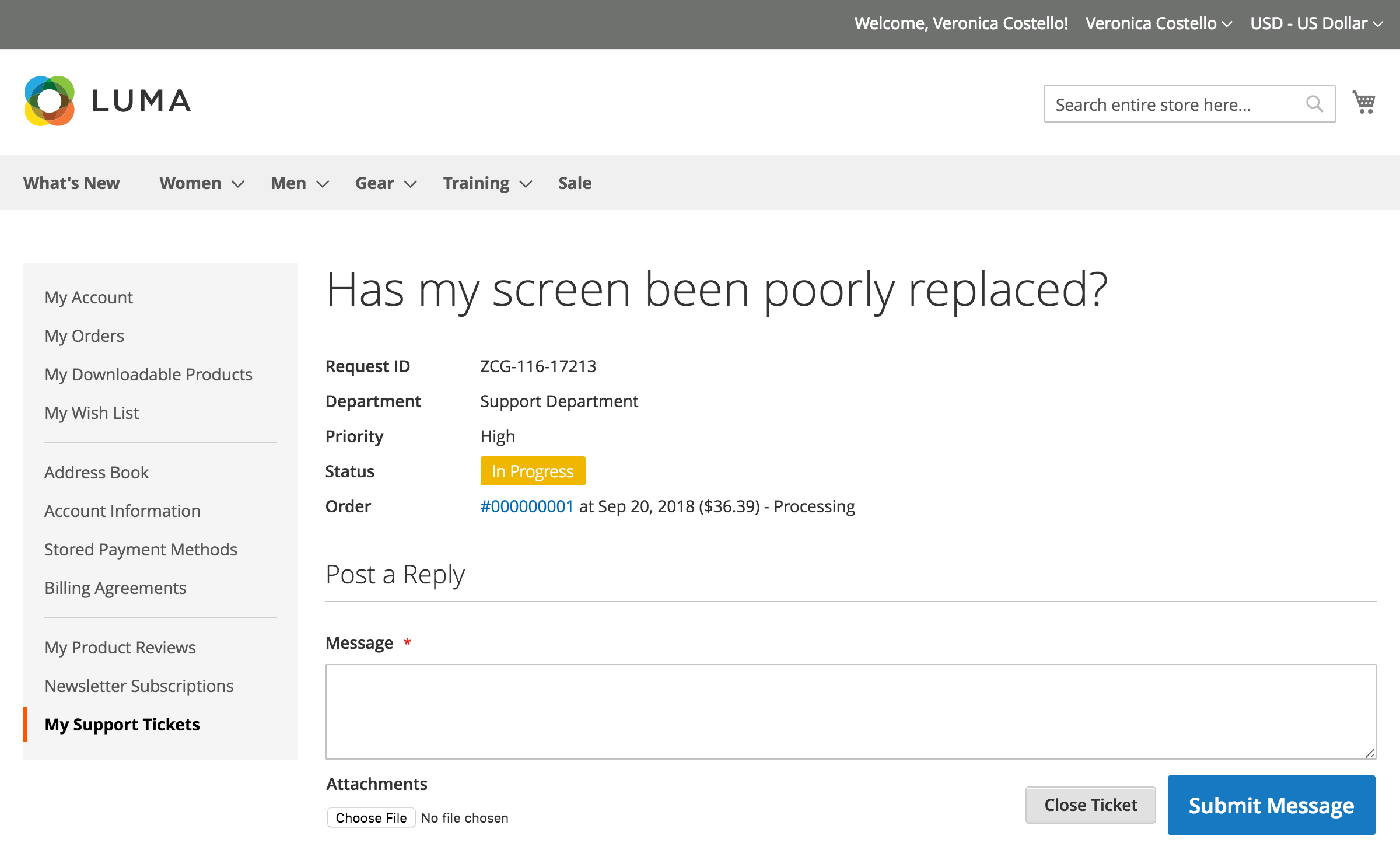
- Customers pick the order their question is about right in the ticket form.
- The Tickets tab on the admin order page and on the customer page lists every related ticket, and you can open a new ticket for an order from there.
- The Other Tickets tab on a ticket shows the customer's full history, whatever the status.
There is nothing to sync with an outside service and no monthly fee per agent: tickets, customers and orders stay in your own database.
Help Desk MX at a glance
What your team gets
Every customer conversation in one queue inside Magento, routed to the right person and moved along by rules. It's the help desk our own support team works in every day.
What it takes to start
Statuses, priorities and two departments are created on install, so on day one you connect a mailbox and add your agents. Tailoring routing and rules to your process takes longer, and free installation and configuration are part of the offer.
How you'll know it works
Built-in reports show first reply time, resolution time, solved tickets and satisfaction for each agent, so you can see the change week by week.
Support for Guest Users
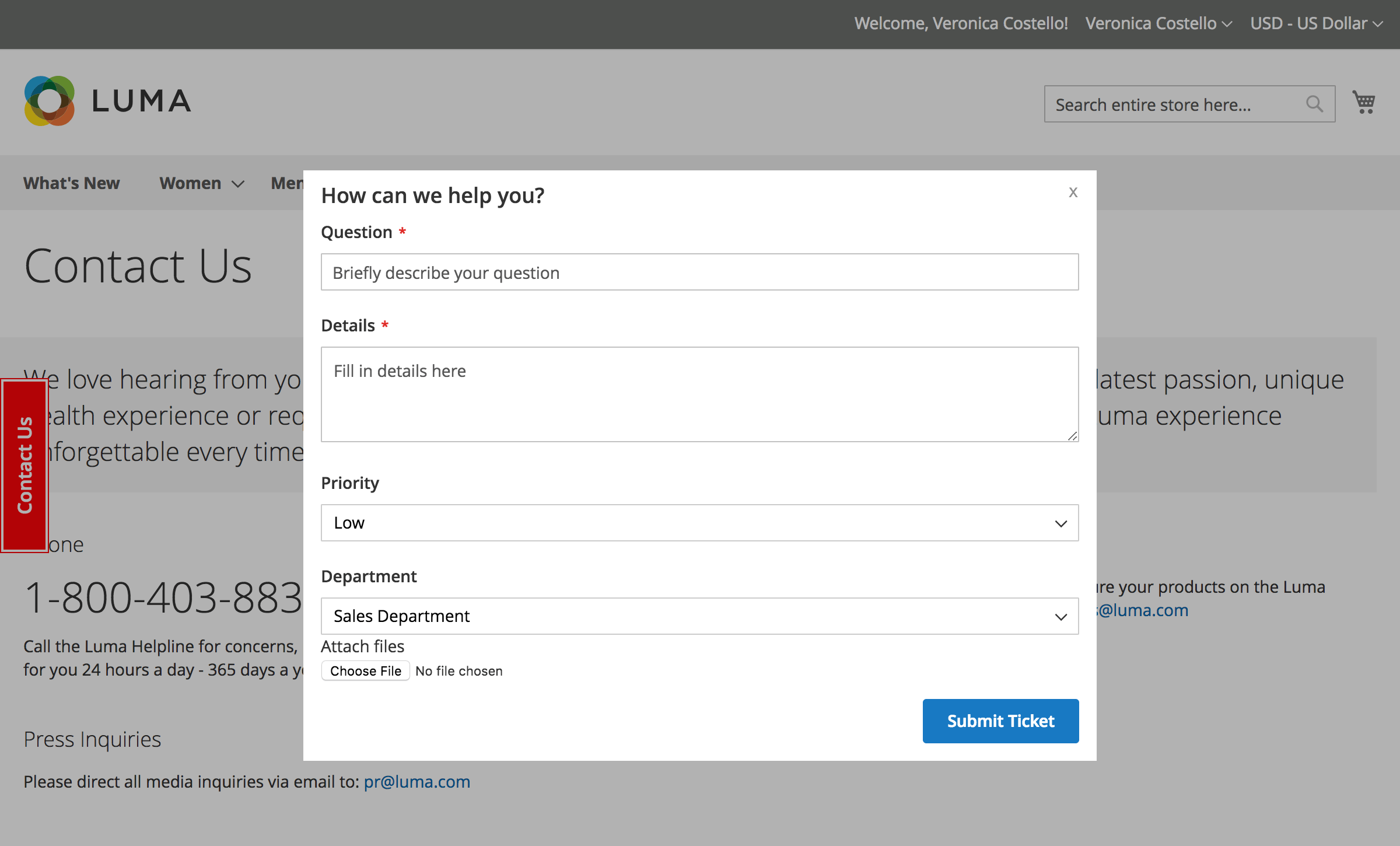
Any visitor can reach your support team, with or without a customer account. There are four ways to send a request:
- The Contact Us tab, shown on every page at the side you choose.
- The Contact Us page form.
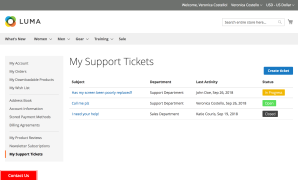
- The Help Desk section of the customer account.
- An email to your support address.
Forms built with Form Builder can open tickets too.
Set your working hours and holidays, and the contact form, popup and My Tickets page show customers whether your team is online right now.

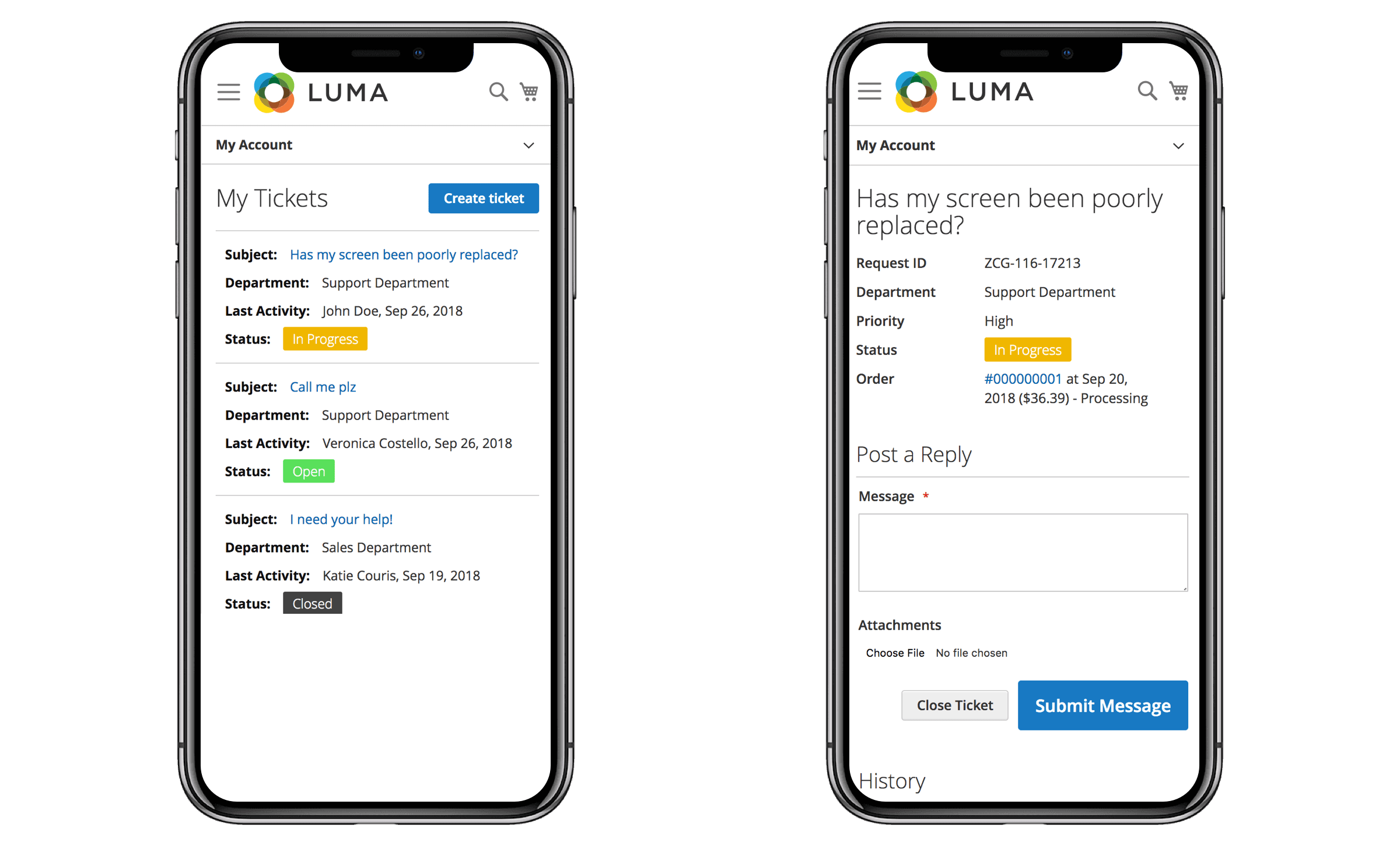
Easy-to-Use Customer Interface
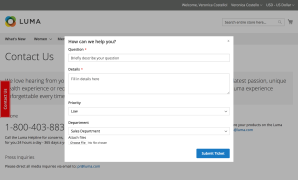
The ticket form asks only for the necessary fields, so a customer sends a request in a minute.
If you turn these options on, customers can choose a priority and a department for a new ticket.
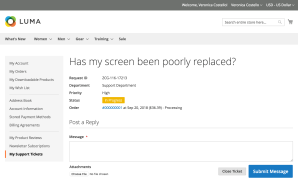
Customers can attach files to tickets, which helps when they want to show your team the problem in a screenshot.

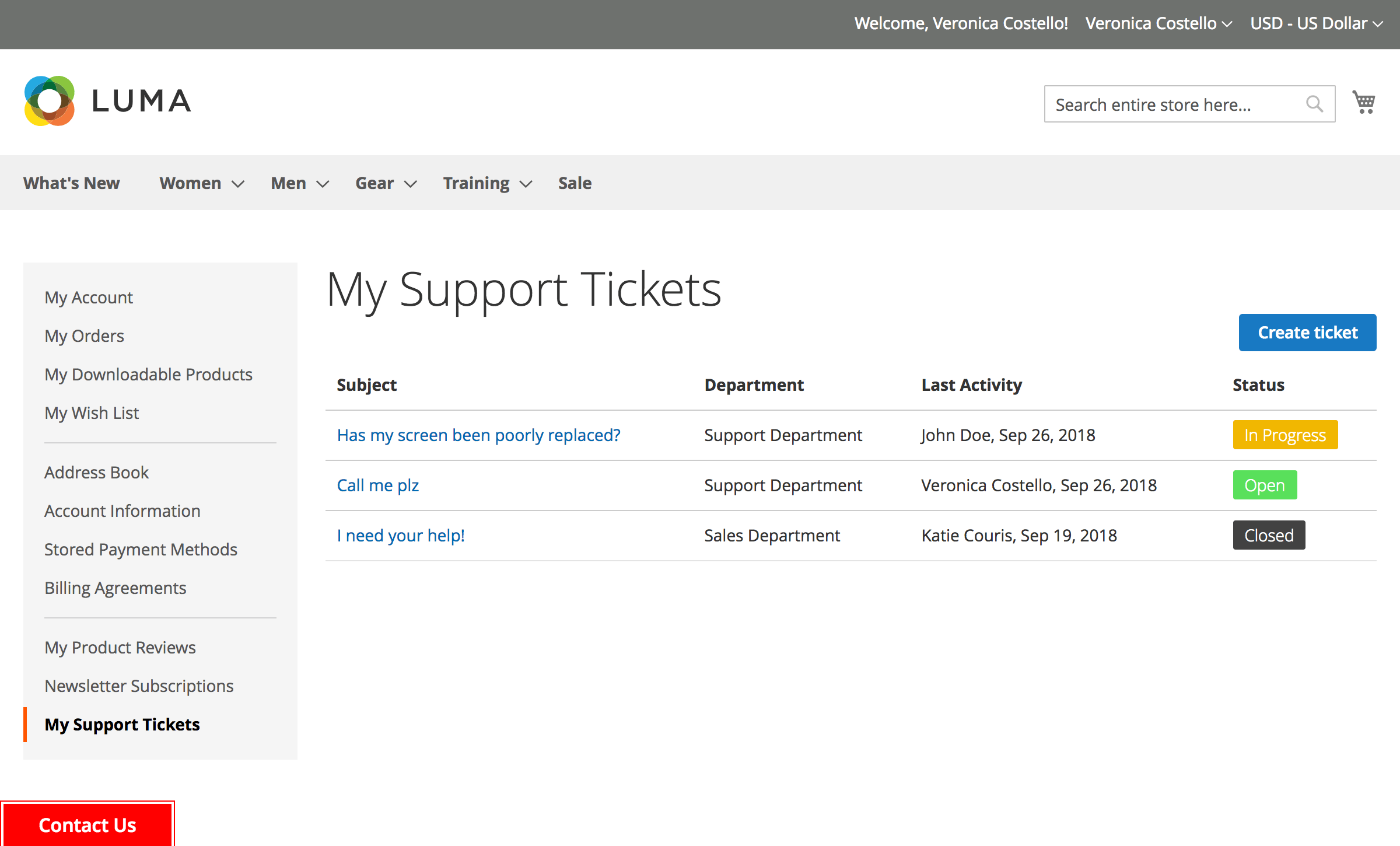
Simple Ticket Management for Customers
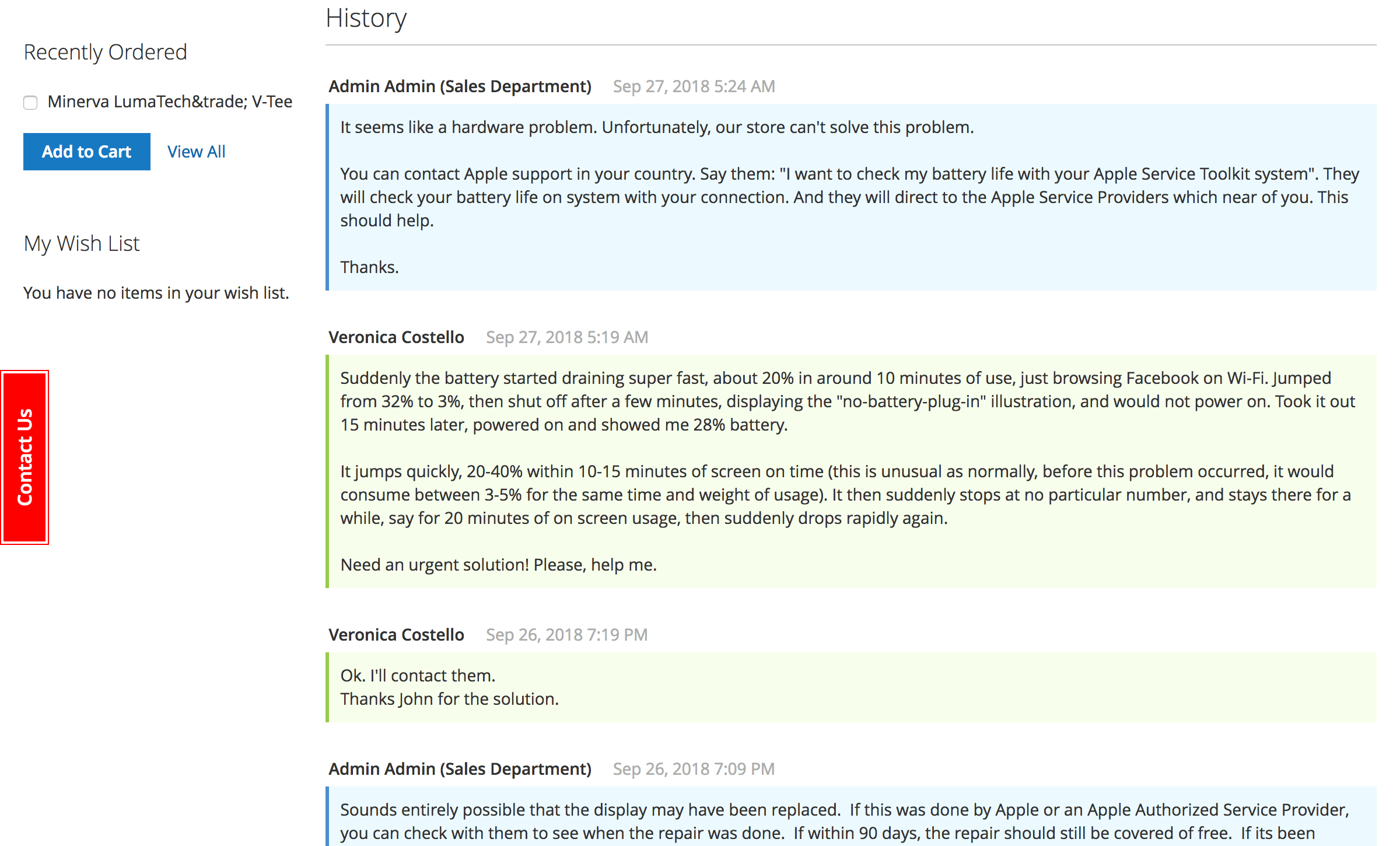
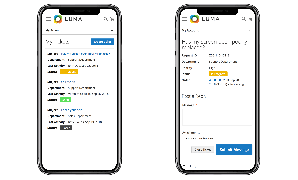
Customers see all their tickets in their account. Replying or closing a resolved ticket takes a second.
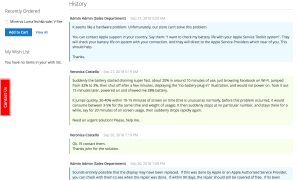
The full ticket history is on the same screen, so nobody has to scroll through old emails.

Connect your Mailboxes
Connect your support mailboxes, and Help Desk MX checks them on a schedule and turns new emails into tickets. Replies to a ticket email are added to the same ticket.
Gmail and Microsoft 365 (Exchange Online) connect with OAuth, with step-by-step setup instructions in the gateway form. Any other mailbox works over IMAP or POP.
For example, your store has Sales, Billing, Returns and Technical departments, each with its own email address. Connect each address to its department, and every email sent to it becomes a ticket in that department's queue.
Neither you nor your customer has to log in to the store to reply. Answer from your email client, and Help Desk MX adds the message to the right ticket.

Clear Backend Interface
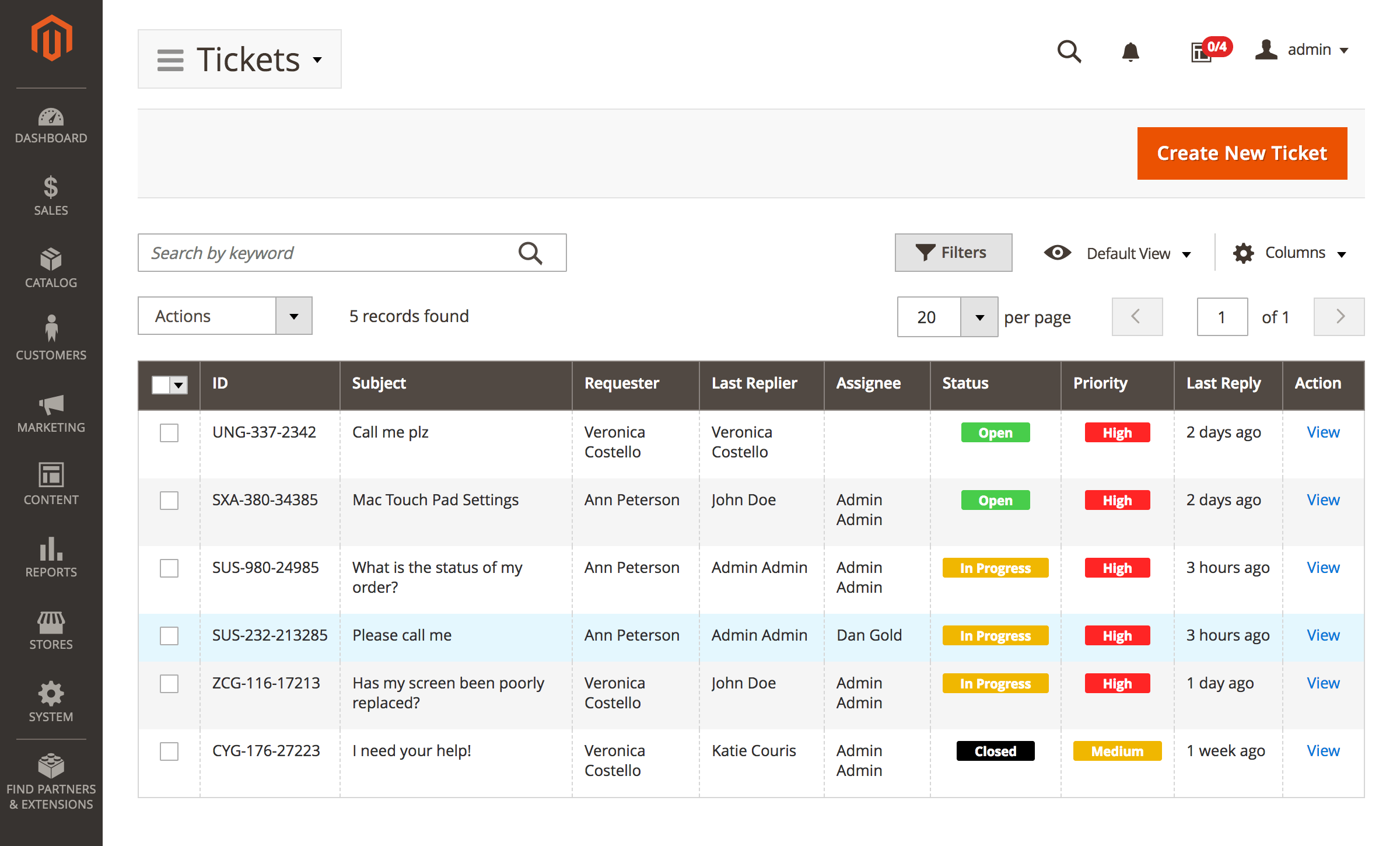
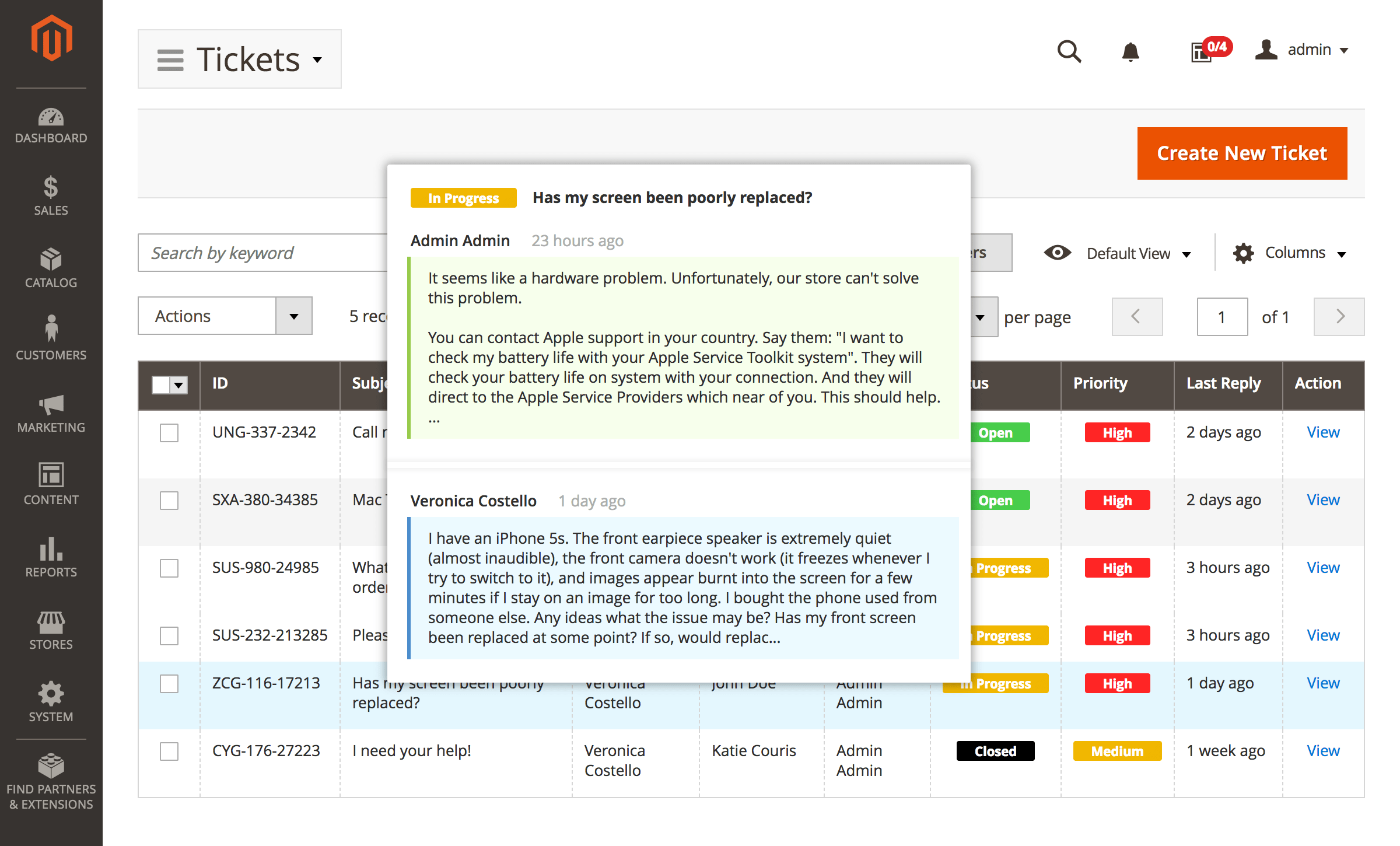
The ticket grid shows the most important details of every ticket at once.
Filter tickets by any field, such as creation date, status, priority, store view or agent, or find them by any keyword with the search field.
Merge duplicate tickets, change status, owner or department for many tickets at once, and move them to the archive or spam folder.

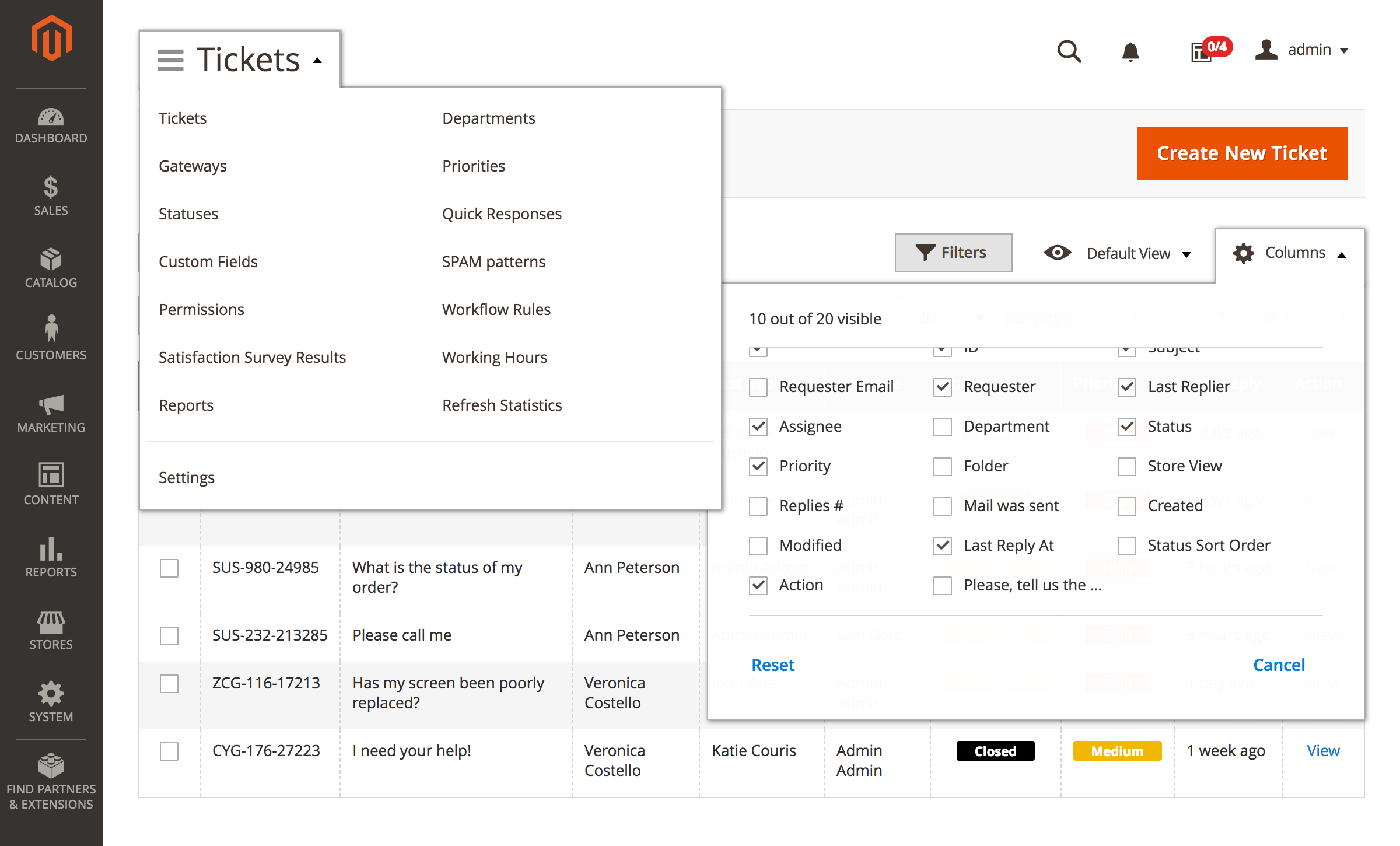
Choose which columns the grid shows, from the customer name, department and last replier to the number of replies and the order.
Desktop notifications tell agents about new tickets, new messages and assignments. When two agents open the same ticket, each sees who else is there and who is typing a reply, and unsent replies are saved as drafts.

Fully Featured Ticket Cards
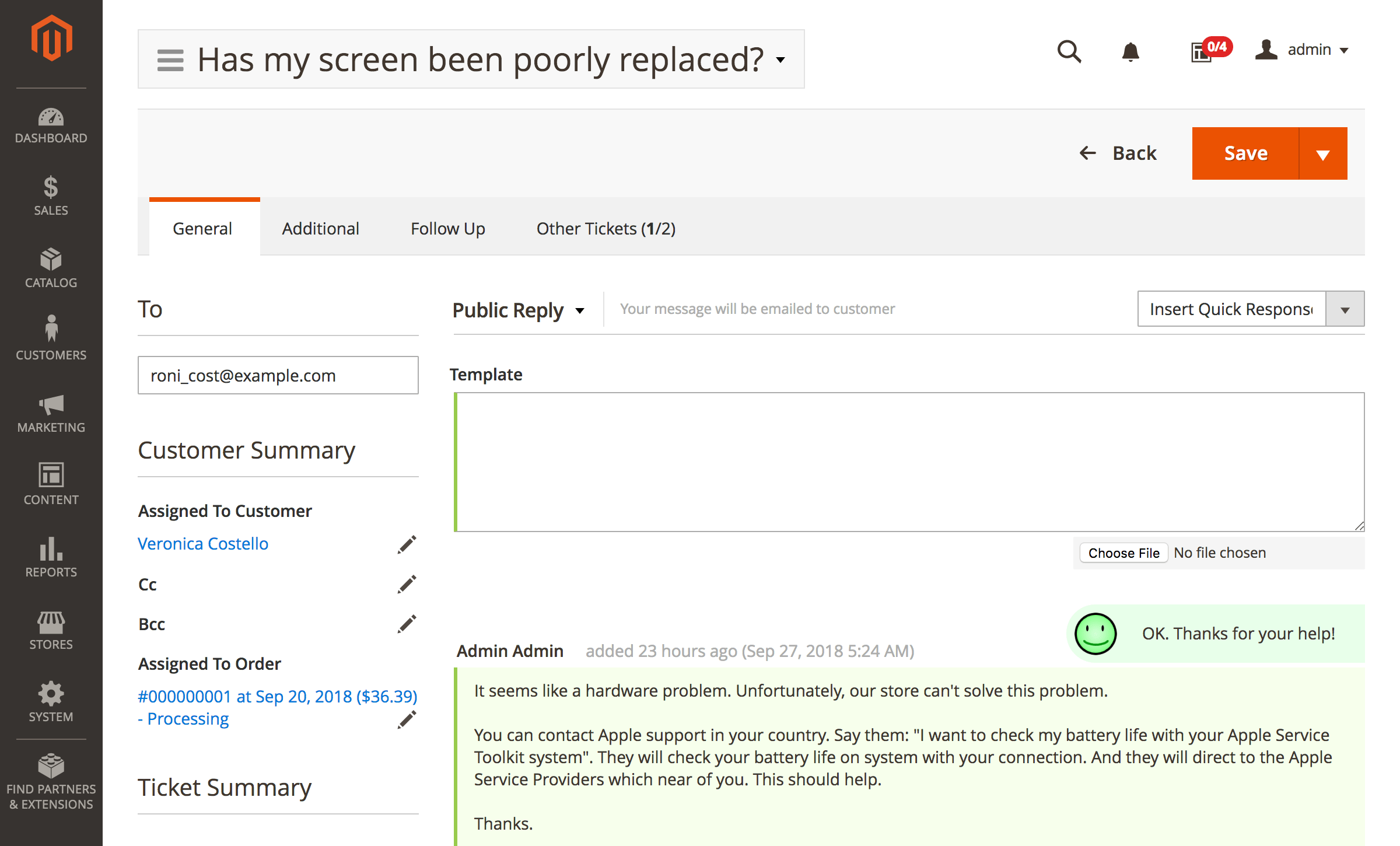
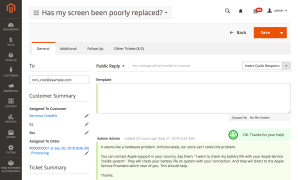
The General tab shows the key information on a ticket and lets the agent act at once:
- reply to the customer;
- set the ticket status and priority;
- assign the ticket to another department.
The customer is the default recipient, but the agent can send the message to a third party instead. For example, you need to check delivery options with a shipping company. Help Desk MX lets you exchange messages with any third party in private or public mode.
Another example: you need to ask a colleague about a technical detail. Choose Internal Message, and the customer won't see the note.
The Other Tickets tab lists every ticket this customer has created, whatever its status.

The Additional tab shows the ticket history and other details, such as the channel the ticket came from. This helps if you measure how customers contact you.
For example, you may be surprised to find out that most tickets in your shop come from the native contact form, though you had assumed customers use the Contact Us tab most often. That's a good reason to revise your store processes.
An agent can also change the ticket subject and add comma-separated tags to find the ticket quickly next time.

Customer Satisfaction Surveys
Help Desk MX adds a short satisfaction survey to the footer of reply emails, so customers rate the answer in one click.
Ratings are saved with each reply, and the reports show satisfaction for every agent.
Advanced Reports
Built-in reports show how your support team performs, by period and by agent:
- new and changed tickets;
- replies and solved tickets;
- first reply time, first resolution time and full resolution time;
- satisfaction ratings and response rate.
Custom Fields
Add your own fields to the ticket form to get the details you need up front. For example, add a date field or a list of reasons for contacting you.
Show each field on the contact form, in the customer account or only on the admin ticket, and make it required for customers, for staff or for both.
Workflow Rules
Workflow rules handle the routine work. Each rule starts on an event (a new ticket, a reply from the customer, staff or a third party, an assignment, a ticket update or an hourly check), checks conditions such as the channel, the tags, who replied last or how many hours have passed, and then acts: it changes the status, priority, department or owner, adds tags, archives the ticket or sends a notification.
Most of our own rules route tickets. New tickets from each mailbox go straight to the agent responsible for it, and when a customer replies, the ticket goes back to the agent who handles that product line.
Other useful rules:
- change the ticket status to In Progress when the support team sends the first reply;
- if a customer has waited 4 hours for an answer, raise the priority and notify the team lead;
- close a ticket automatically if the customer hasn't replied for 30 days;
- bring a ticket back from the archive when the customer writes again.
Access Permissions
Set which departments and tickets each admin role can see and manage, right in the admin.
This helps when your support divisions have separate roles. For example, your store has Sales, Billing and Technical departments, and each one should manage only its own tickets.
Spam Protection
Add as many spam patterns as you need and check each one against the email header, subject or body. Matching emails go to the spam folder instead of the ticket queue.
Auto-replies are filtered out so they don't loop back as new tickets, and Google reCAPTCHA protects the contact forms.
Follow-Ups
Schedule a follow-up on a ticket. At the time you set, it changes the status, priority, department or owner and sends a reminder to the address you choose, so a promised callback or a pending answer doesn't slip.
Integration with RMA
Help Desk MX converts tickets into RMA requests.
Say a customer emails [email protected]. Help Desk MX receives the email and turns it into a ticket.
The support manager converts the ticket into an RMA request by clicking Convert to RMA. From then on, emails about this request go to the RMA, and the conversation continues there.
Integration with Knowledge Base
Help Desk MX works with the Mirasvit Knowledge Base extension.
With this enabled, customers search your knowledge base right in the feedback popup before creating a ticket.
If no article answers the question, the same popup invites them to create a ticket.
With the integration disabled, customers open a ticket first instead of reading the FAQ.
Free Migration from Another Help Desk
Moving from another help desk? We migrate your tickets and message history for free, so you keep the full history.
We have ready-to-use migration scripts for Freshdesk, Zendesk and most Magento 2 help desk extensions.
Email can be incorporated into the ticket workflow, while administrators have access to templates, customer groups, priority levels, reminders and notification options. Both the store and customer retain a useful communication history, and third parties can be included when a ticket requires outside involvement.
The interface is easy enough for both customers and administrators while still providing a large amount of configuration.
Because we also use other Mirasvit customer-service extensions, the integration between them is a major advantage.
One improvement I would like is greater control over customer notifications, including the ability to disable certain ticket notifications rather than requiring them in every situation.
This way everything is tied to the customers' account. Orders, other tickets, returns, and previous communications. It also shows answered from the FAQ extension when submitting tickets.
I wish they would add some more control functionality over automated emails to prevent specific responses from notifying the customer automatically when we reply. Right now, every time you reply to a ticket, the customer is notified no matter what.
I also wish there was an edit function so if a mistake was made when replying, that you can go back and correct it.
Last feature request would be to include capture and include the customers IP from the device they send a message on.
There is so much more it can do and is an essential Magento extension.
Save time by starting your support request online and we'll connect you to an expert.
Does Help Desk MX include live chat?
No, Help Desk MX doesn't include a live chat window. It works with any live chat you already use: when the chat sends offline messages and transcripts by email to a mailbox connected to Help Desk MX, they become tickets and follow your routing rules. That's how our own support team handles chat messages.
Customers can also reach you through the Contact Us tab on every page, the contact form, their account or email, and agents get desktop notifications about new tickets.
Do I need a separate help desk service, or does Help Desk MX work inside Magento?
Help Desk MX works inside your Magento admin, so you don't need a separate service. Tickets are linked to customer accounts and orders, agents see the order and the customer's earlier tickets on the ticket page, and there's nothing to sync and no monthly fee per agent.
Which mailboxes can Help Desk MX fetch emails from?
Gmail and Microsoft 365 (Exchange Online) connect with OAuth, so they work even where basic authentication is turned off. Any other mailbox connects over IMAP or POP. You can connect several mailboxes and send each one to its own department.
Can other systems create tickets in Help Desk MX?
Yes. The REST API lets other systems, such as a chatbot, a CRM or an ERP, create and update tickets, add messages and attachments, and read custom fields. GraphQL covers customer tickets for headless and PWA storefronts.
Can I use AI with Help Desk MX?
Yes. With AI Copilot, or any AI assistant connected through our MCP server, you can draft and send replies, get an overview of open tickets and update statuses, priorities, departments and tags by asking in plain language.
Can I see if another agent is already working on a ticket?
Yes. When two agents open the same ticket, each sees who else has it open and who is typing a reply. Unsent replies are saved as drafts, so nothing is lost if the page is closed.
Can Help Desk MX escalate tickets that nobody has answered?
Yes, with workflow rules. For example, a rule can check every hour for tickets where the customer has waited longer than 4 hours, raise their priority, reassign them and notify the team lead.
Can I migrate tickets from my current help desk?
Yes, and we do it for free. We have ready-to-use migration scripts for Freshdesk, Zendesk and most Magento 2 help desk extensions, and our team moves your tickets and message history so you keep the full history.
Is there a free version or a trial?
Help Desk MX is a paid extension. You can try the frontend, backend and Hyvä demos on this page before buying, and every purchase comes with a 30-day money-back guarantee.
mirasvit/module-report package.mirasvit/module-report is no longer required. Composer stops installing it with Help Desk MX; if nothing else on the store uses it, it can be removed. The reports are a module of their own, Mirasvit_HelpdeskReport, shipped in the same package: run bin/magento setup:upgrade after the upgrade so that it is enabled.filename="Küchenrückwand.pdf", or Latin-1 from older mail clients), in RFC 2231 form (filename*=UTF-8''…, as Thunderbird and Apple Mail send it) or as an encoded-word mixed with plain text came in with no name; an attachment named only in RFC 2231 sections was not recognised as an attachment at all. All of them are now saved under their name. A name longer than 255 characters is shortened, keeping its extension, so the email is still saved.invite.ics, also when Outlook or Google send it inside the message body, and only once when Google also attaches it as a file.; or non-Latin letters sends the name in the standard encoded form, so every browser saves it under its full name and the name cannot alter the download response.mst_helpdesk_ticket_aggregated_hour, mst_helpdesk_ticket_aggregated_day and mst_helpdesk_ticket_aggregated_month are dropped.mst_helpdesk_status_log records ticket status changes and the admin who chose the status in the ticket form, a grid action or the REST API with an admin token (a change made by a rule or an incoming email is credited to nobody), for the Time in Status report and the agents' "Closed" figure; both cover only changes made after the upgrade.mst_helpdesk_ticket (created_at, store_id + created_at, first_solved_at), mst_helpdesk_message (ticket_id + created_at + triggered_by + type, triggered_by + created_at + user_id + ticket_id + type) and mst_helpdesk_satisfaction (created_at) keep the reports fast on large help desks.mst_helpdesk_ticket.first_reply_at is recomputed once from the messages, and first_solved_at is filled for tickets in a solved status that have none (see Fixed).mirasvit/module-ai-core package (0.0.4 or later) — Composer installs it during the upgrade. Run bin/magento setup:upgrade afterwards so that Mirasvit_AiCore is enabled.mst_helpdesk_rule table gets the columns ai_status, ai_priority, ai_department, ai_tag_ids, ai_instruction and ai_run_mode, and the new table mst_helpdesk_rule_ai_decision holds the AI decisions of workflow rules. Closed decisions older than 30 days are removed by the daily Help Desk cleanup; their outcome stays in the ticket history.mstHelpdeskAddMessage let a guest reply to a guest ticket with just its number and the email it was filed with, so the conversation could be posted into by walking ticket numbers. A guest must now pass the ticket's secret externalId (the one in the ticket link), and the reply is always written as the ticket's own guest — customer_name and customer_email in the input are ignored. Registered customers' tickets cannot be replied to as a guest. MstHelpdeskTicket gains an external_id field: mstHelpdeskCreateTicket returns it for a guest ticket, and the tickets query returns it to callers who already own or hold the ticket. Logged-in customers are not affected. Headless and PWA storefronts that send guest replies must be updated to send externalId.mstHelpdeskCloseTicket matched the caller's user id against the ticket's customer without checking that the caller is a customer, so a non-customer token could close the tickets of the customer with the same id. Only customer tokens are accepted now.mirasvit/module-report) — Composer updates it during the upgrade. It is the first version that applies the Help Desk report's access check described below.mstHelpdeskCreateTicket mutation exposed customer data to guests — Without a customer token, a caller could enter any email and get back the profile of the account registered under it, plus the order the ticket was linked to. Guests now get customer, order_id and order_label as null. Logged-in customers still get their own data.[[ticket_url__N]] in a customer reply showed other tickets' subjects — Only staff messages (merge notes, quick responses, agent replies) can now link another ticket. In any other message, the variable links the message's own ticket. The ticket subject in the link is now HTML-escaped.{{block}}, {{widget}}, {{customVar}} and {{config}} in a customer reply, contact form, GraphQl ticket or inbound email were run on the server. Directives are now run only in staff replies written in the admin or posted through the REST API. Anything else, including an email sent from a staff address, is shown as plain text.mirasvit/module-geo-location package — Composer installs both during the upgrade. Help Desk no longer uses the core text, variable-parsing, date and serializer helpers that Core 2.0 removed. Run bin/magento setup:upgrade after updating so that Mirasvit_GeoLocation is enabled.setup:upgrade. This covers ticket activity, channel data, drafts, the names of statuses, priorities, departments, custom fields and schedules, department notification emails, custom field values and working hours. It runs in batches, so stores with large ticket histories can upgrade without running out of memory.mirasvit/module-helpdesk-hyva is gone: the contact button and popup, the Contact Us form, the customer's tickets (list, ticket page, new ticket) and the satisfaction pages are now part of Help Desk MX itself. There is no second package to find and keep in step, and on a Luma store the Hyvä part simply stays dormant. Composer removes the companion package by itself when you upgrade.mirasvit/module-helpdesk-graph-ql is gone; the mstHelpdeskTickets, mstHelpdeskStatuses, mstHelpdeskPriorities, mstHelpdeskDepartments and mstHelpdeskCustomFields queries and the create-ticket, add-message and close-ticket mutations used by headless and PWA storefronts are part of Help Desk MX itself. The GraphQl module now also loads on PHP 7.4 (Magento 2.3.7), where the separate package failed with a syntax error.Hyva_MirasvitHelpdesk and Mirasvit_HelpdeskGraphQl — Hyva_MirasvitHelpdesk is gone, not renamed; Mirasvit_HelpdeskGraphQl keeps its name and now installs with Help Desk MX. You only need to act if you referenced them yourself: in a custom di.xml, a layout file, or a deployment script that enables modules by name.Hyva_MirasvitHelpdesk::*.phtml are now Mirasvit_Helpdesk::*.phtml, shared with Luma. The inline RequireJS code of the contact, ticket and satisfaction templates, Mirasvit_Helpdesk::js/view/validation.js and Mirasvit_Helpdesk::js/view/contacts/schedule/status.js were replaced by Mirasvit_Helpdesk::js/helpdesk-storefront.js. A theme override aimed at the old files is simply not read any more, with no error to say so.magento/module-graph-ql, which every standard Magento install already has. Its GraphQl module is installed with every Help Desk install, and the Help Desk GraphQl queries work only while Magento_GraphQl is enabled.bin/magento hyva:config:generate and rebuild your theme's Tailwind CSS.Blog

 Andriy Kovalenko


We are committed to being open and transparent with our customers. When you purchase our module, you automatically receive one year of free support service and free updates.
Why is this important?
- Seamless Installation and Configuration: We understand that setting up a new module can take time to configure according to your specific needs. That’s why we offer a full year of free support. Our experienced team is here to assist you with installation, configuration, and any questions you might have. We're eager to share our expertise to ensure you get the most out of your purchase.
- Stay Updated with Magento (Adobe Commerce) Releases: Magento releases new versions approximately every three months. These updates can sometimes introduce compatibility challenges. To keep your store running smoothly, we provide a year of free access to the latest versions of our modules, ensuring that you can upgrade Magento and our modules without encountering any obstacles.
- Subscription Included: Renewing your subscription ensures continued access to the latest updates and support from our team. This means you can be confident that any issues you encounter with the extension will be resolved quickly and efficiently. You can cancel your subscription at any time without any additional fees.
These are our primary. A major portion of our new clients come from referrals from our existing clients. Our professional team of developers, marketers and support staff have invested the best knowledge and experience in the field into our work, so you know you can come back to us again and again.
One year free and high quality support. We go to great lengths to provide maximum satisfaction with every module you have purchased in our store. By helping you with installation, configuration, answering your every question, we do all our best to eliminate any possible problems.
30-days money back guarantee. If you are not satisfied with our extension performance for any reason, we provide a full refund.
We constantly add new features to all our modules, and are always interested in hearing your opinion and implementing your suggested features in our future developments.
We provide an expanded user guide for every aspect of our extension, so you can find answers for all your burning questions.
You can customize extension according to your needs and requirements.
The Module is easy to install and upgrade, just follow our step-by-step user guide. Additionally, the extension is ready to use with the Hyvä theme.
No core modifications. The extension has been tested in a Magento Cloud environment and is fully compatible with it.