Magento 2 Web Analytics: Select the Right Tracking Stack
-
 Oleksandr Drok
- E-commerce Tips & Best Practices
- Updated: Oct 13, 2026
- 17 min read
Updated: corrected outdated GA4 limitations, added a real attribution finding and session-recording example from our own data, and a new section on why AI-assisted analysis depends on the data you've already collected.

A basic GTM + GA4 setup often fails to meet real business needs. GA4 shows aggregated traffic, conversions, and funnels, but nothing about what a specific visitor did on your product pages, and no raw event-level export to build your own analysis from. Magento 2 doesn't provide any of that out of the box.
If you want to see the full picture from the first visit to purchase and know exactly how to adjust your pages or funnel, you need a carefully planned set of tools for tracking and researching user behavior.
You'll learn what tracking and analysis types exist, how the main services compare, and how to combine them into a working stack, even if you're just starting out. All recommendations are based on our hands-on work with the platform and real client cases and reflect Magento 2 analytics best practices.
Table of Contents
- Going beyond Magento 2 GA4 integration: why you need more than GTM + GA4
- Choosing your stack: selecting the right tools for your store
- Using Mixpanel and Amplitude: enhanced e-commerce tracking for Magento 2
- Understanding on-page behavior: Hotjar, Clarity, and similar tools
- Combining your stack: Magento 2 tracking setup guide
- An AI analyst is only as good as the data you feed it
- Final thoughts
Going beyond Magento 2 GA4 integration: why you need more than GTM + GA4
One of the first tools people mention for tracking on-site events is Google Tag Manager (GTM). New to it? See our Google Tag Manager setup guide for Magento 2. On its own, however, it does not provide insights. It is essentially a bridge between Google Analytics and your site. Why isn’t that enough?
First, Google Analytics has changed in recent years and has become a more technical platform, which can be hard for a non-expert to navigate. (Setting it up for the first time? See our GA4 setup guide for Magento 2.)
Second, GA is built to track traffic in real time, showing traffic levels, where people come from, and what actions they take (product view, add to cart, purchase).
You can review a funnel or the conversion rate (how many users arrived, how many added to cart, and how many purchased), but that is often not sufficient for a deeper understanding.
If you need to slice those numbers by a custom cohort or by what a specific segment of customers did afterward, that's not available out of the box.
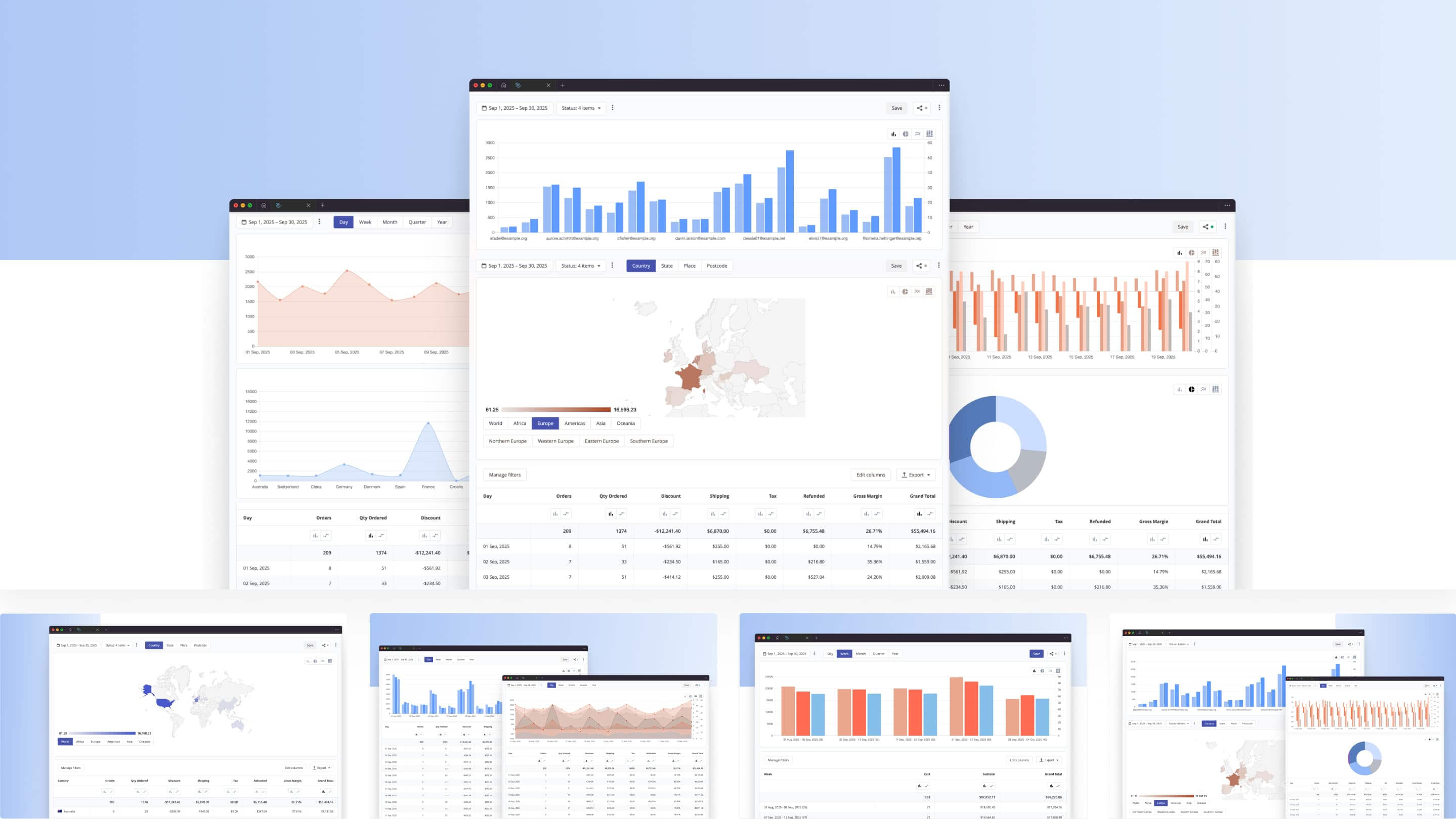
Google Analytics does have a basic retention report, but you can't segment it by custom cohort or product-level behavior the way Mixpanel or Amplitude let you. For stores that sell everyday consumer goods, that finer view of who returns and how often is critical.
Google Analytics 4 also gives you Calculated Metrics, but only 5 of them on a standard property (50 on a 360 property), and they can't be nested, so more complex, ad hoc ratios between events still often mean exporting to Excel or a dedicated tool.
Another aspect of GA4 is that it shows only aggregated metrics and events. You see headline numbers (users, sessions, traffic sources, conversions, e-commerce metrics) and the custom parameters you configured.
At the same time, the service intentionally hides personally identifiable information (PII), full IP addresses, precise individual paths, and suppresses data from small, low-volume samples. This means you do not have direct access to raw logs, and you get a segment-level view instead.
While other tools (for example, Mixpanel or Amplitude) also comply with privacy requirements and do not expose PII, they allow you to export events in a more granular format.
You can work with each recorded click or action and build your own reports or formulas, something GA4's aggregated view can't do.
One more option worth knowing about: server-side tracking, where events are sent from your server instead of the visitor's browser. It's more resistant to ad blockers and browser privacy restrictions, at the cost of more setup work. It's usually only worth it once client-side data loss becomes a real problem.
Choosing your stack: selecting the right tools for your store
There's no single best platform for tracking sales across every Magento store: everything depends on your stage of growth, traffic volume, and specific goals. If your focus is SEO, meaning driving visibility, Google Analytics is usually enough because it is built for that use case.
If you are starting to analyze the sales funnel or improve conversion rates, you need a different tool that is tailored to those tasks.
If you care about page-level UX and want to see how each user clicks and scrolls, you need heatmaps and session-recording apps that show how a visitor moves through the store.
How much you need depends on your stage
At the very beginning, most stores care mainly about traffic. Even with weak UX, two-to-three-percent swings in sales will not change the picture much, so investing in heavier analytics will not pay off yet.
For a mid-sized store, all directions become relevant. You work on SEO, customer behavior, and specific interface elements in parallel.
For larger e-commerce operations, you do not optimize the entire site at once. You focus on specific areas. A team might own two or three components, run experiments or tests, and use different tools to do this effectively.
Universal analytics platforms exist, but the more universal a tool is, the fewer options it offers for narrow, specific cases. Or it tries to do everything and becomes hard to use. It is more practical to pick different tools for different jobs.
The three core layers
In general, most stores need three core layers:
- Analytics.
- Customer behavior, that is, event-based product analytics.
- In-page analytics that show how a user behaves on a specific page.
The first is covered by GTM + GA, the second by Mixpanel or Amplitude and their alternatives, and the third by Hotjar, Clarity, and similar services. In practice, you'll run these in parallel, each covering a different layer.
There are dozens of alternatives, and you can try the ones you prefer. Even if you do not need a specific feature today, you do not have to turn it off. These tools can quietly collect data for a year or two, and when something happens, you can review history and compare changes.
Once you decide what you need, you can implement a specific tool.
A worked example
Example. You run a mid-sized business and set a goal: increase the conversion rate by 10 percent so that sales and average order value rise accordingly.
Where do you start? Sell more. How do you sell more? Encourage shoppers to explore similar products and add them to the cart. You already have a recommendations block, but it doesn’t seem to work. Are you sure? How can you verify it?
Use Mixpanel to see how many clicks that block receives from specific pages. Establish a baseline, then improve it step by step. Small changes can move the overall numbers.
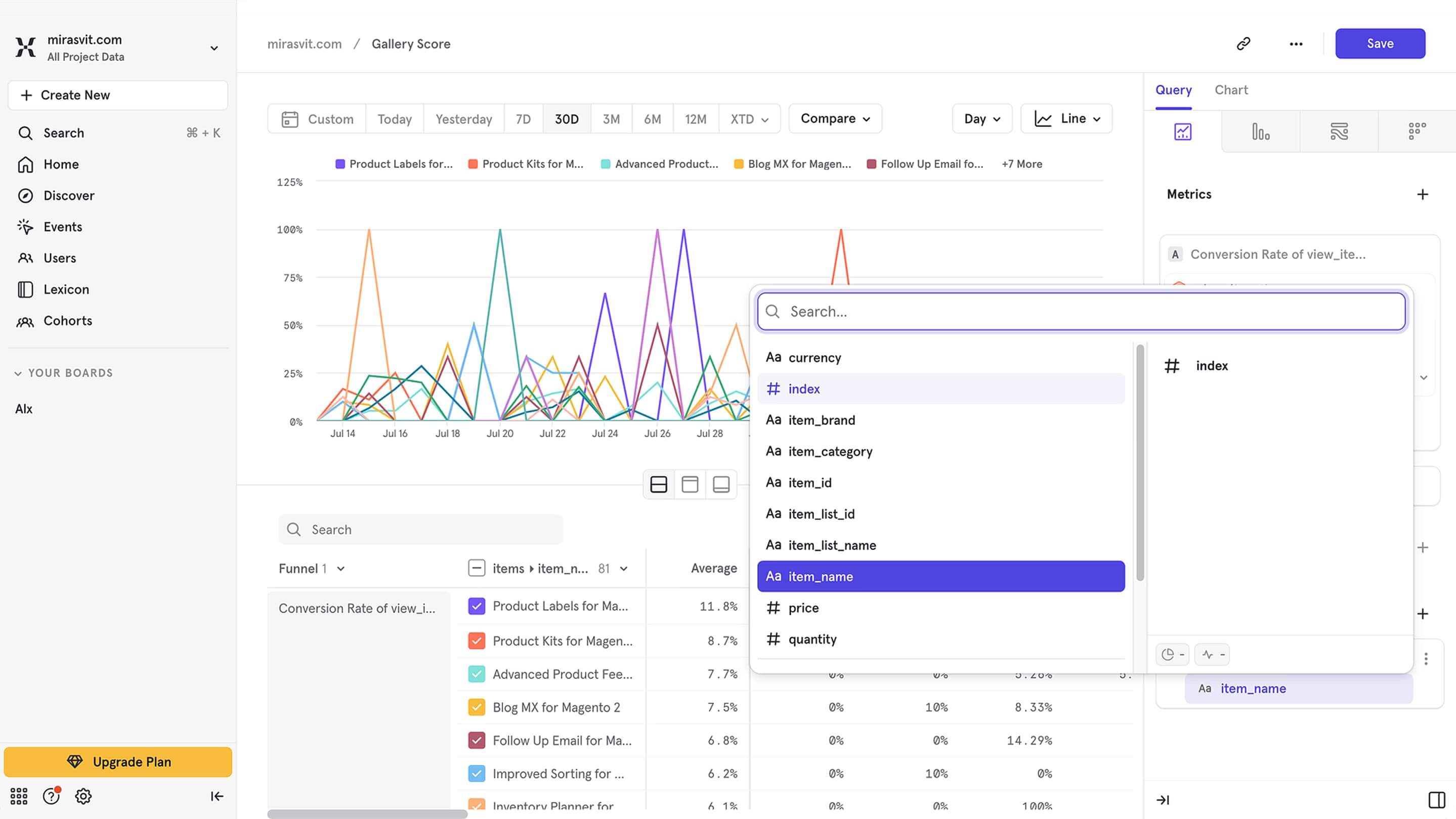
At this point, when you decide to solve problems through measurement, you usually need an analyst, or even a small team if there are many questions. It is hard for a generalist marketer to go deep enough.
One mistake we see often when merchants combine tools: an old GTM container left running after a new one is installed, so both fire in parallel and inflate your numbers. Past that, most setups just work.
You may also need a developer to set up a specific platform, though usually not full-time. In many cases, a few lines of code are enough to start tracking the right events.
By the way, with our GTM module you can simplify the setup. After a few small code changes, it will work with Mixpanel as well. And if you want to skip the code entirely, our Magento 2 Mixpanel extension streams store events into Mixpanel automatically after a one-time install. Still choosing a GTM extension? Our comparison of Magento 2 GA4 and GTM extensions covers the main options.
Next, we will look at these and other tools in more detail.
Using Mixpanel and Amplitude: enhanced e-commerce tracking for Magento 2
Mixpanel and Amplitude are event-based analytics tools. They let you go beyond simple event logging and build flexible, detailed reports from those events. They are commonly used for Magento 2 customer behavior analytics. To wire Mixpanel up to a Magento store without custom development, you can use our Mixpanel integration for Magento 2, which tracks ecommerce events and stitches them to logged-in customers out of the box.
For example, you can easily measure the time between a user’s first visit and the moment they place an order. With the right configuration, you can also see the average time by product, by category, and so on.
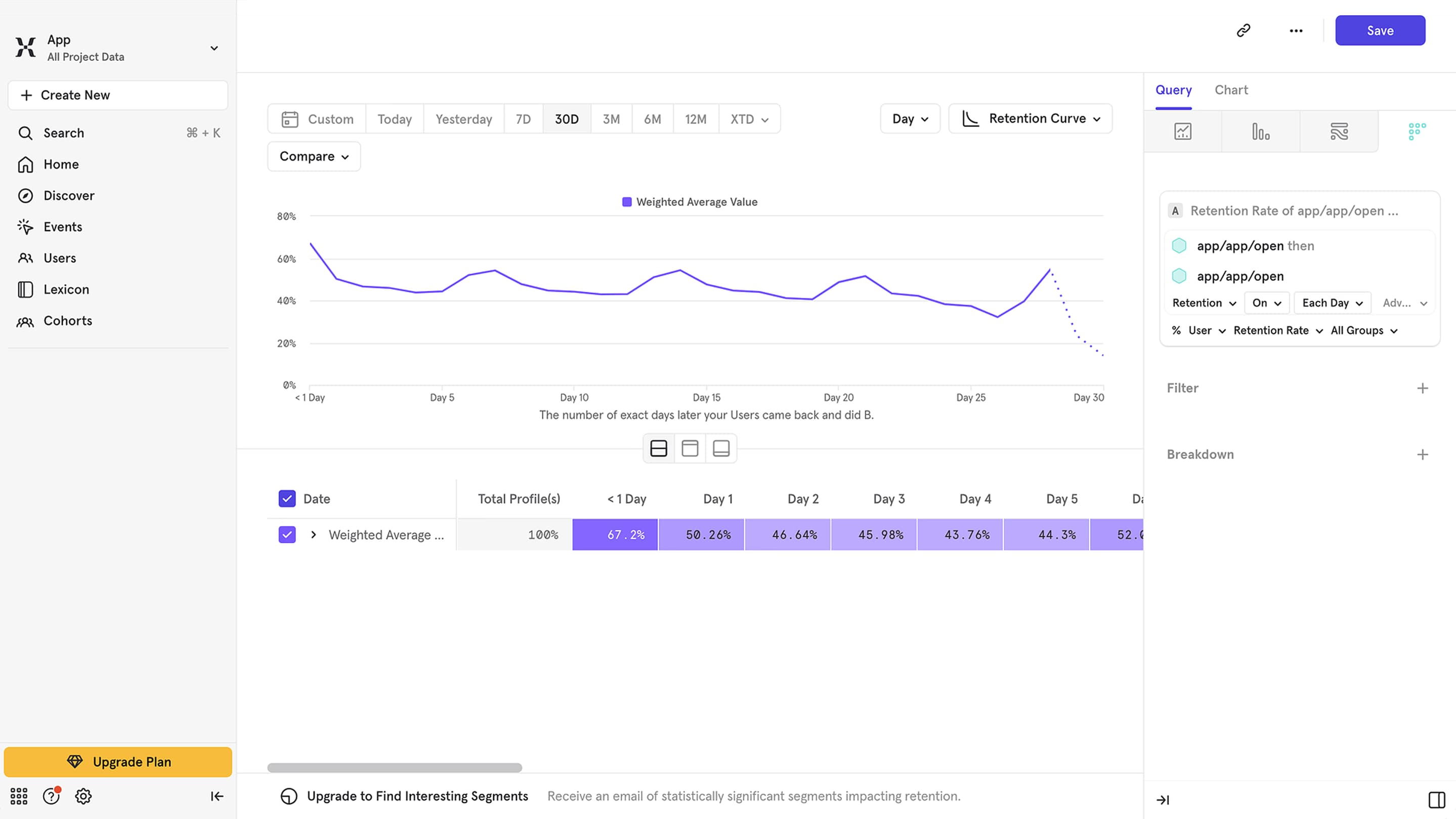
Unlike a GTM + GA setup, Mixpanel provides access to raw, event-level data, not only aggregated reports. You can export the full stream of events recorded on your site at any time and work with them directly.
For example, using this approach, we calculated the share of visitors who read our blog and eventually placed an order. The goal was not to look only at last-click traffic from the blog.
The analysis included any path where the blog appeared in the funnel: a user viewed a product, returned two days later to view another product, read a blog post three days after that, and completed a purchase three days later.
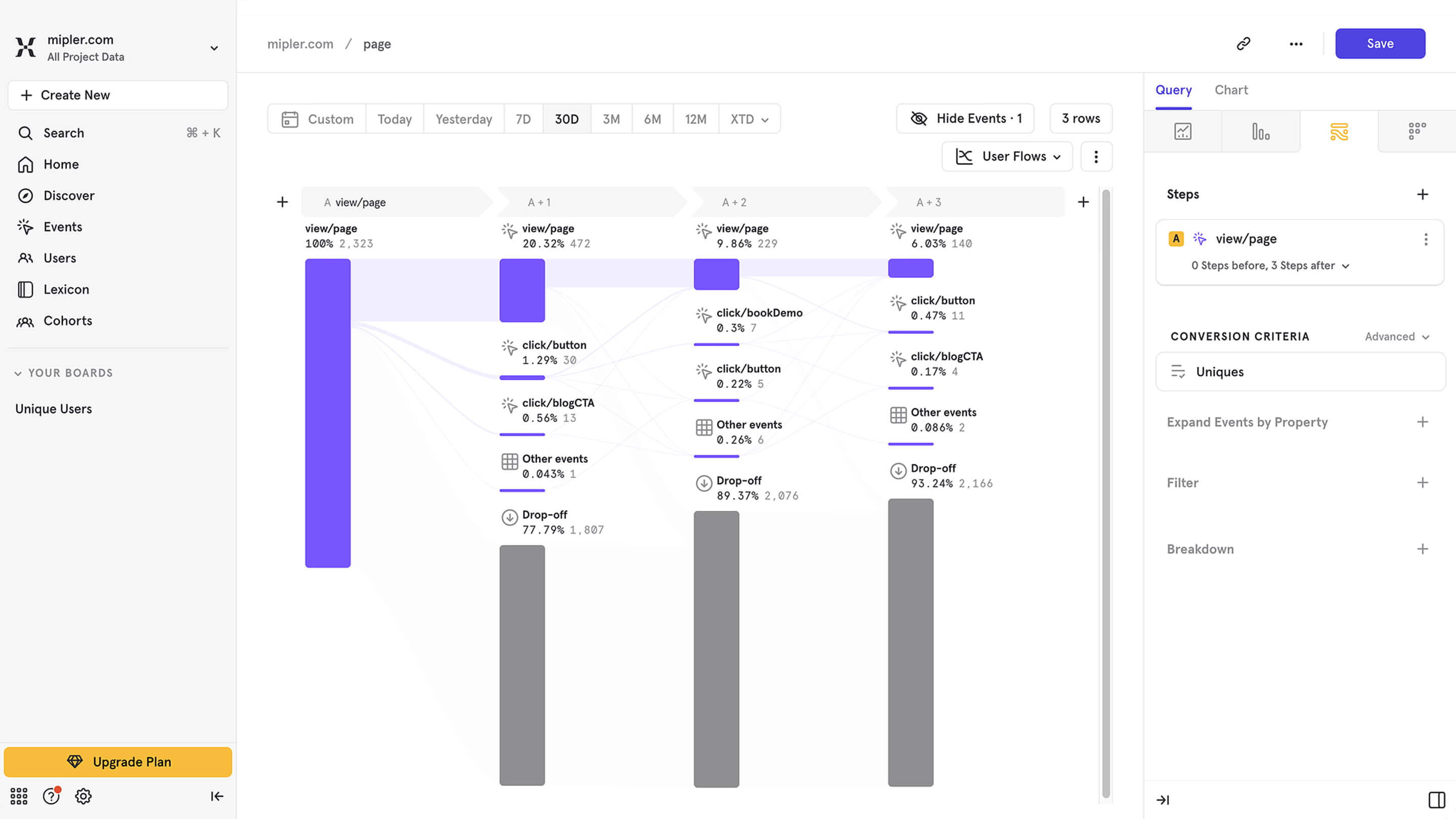
You cannot build that specific report in Mixpanel itself, but the tool lets us export all site events and compute the ratio we needed. In other words, we could see which specific posts were involved, which specific orders were placed, and in what sequence.
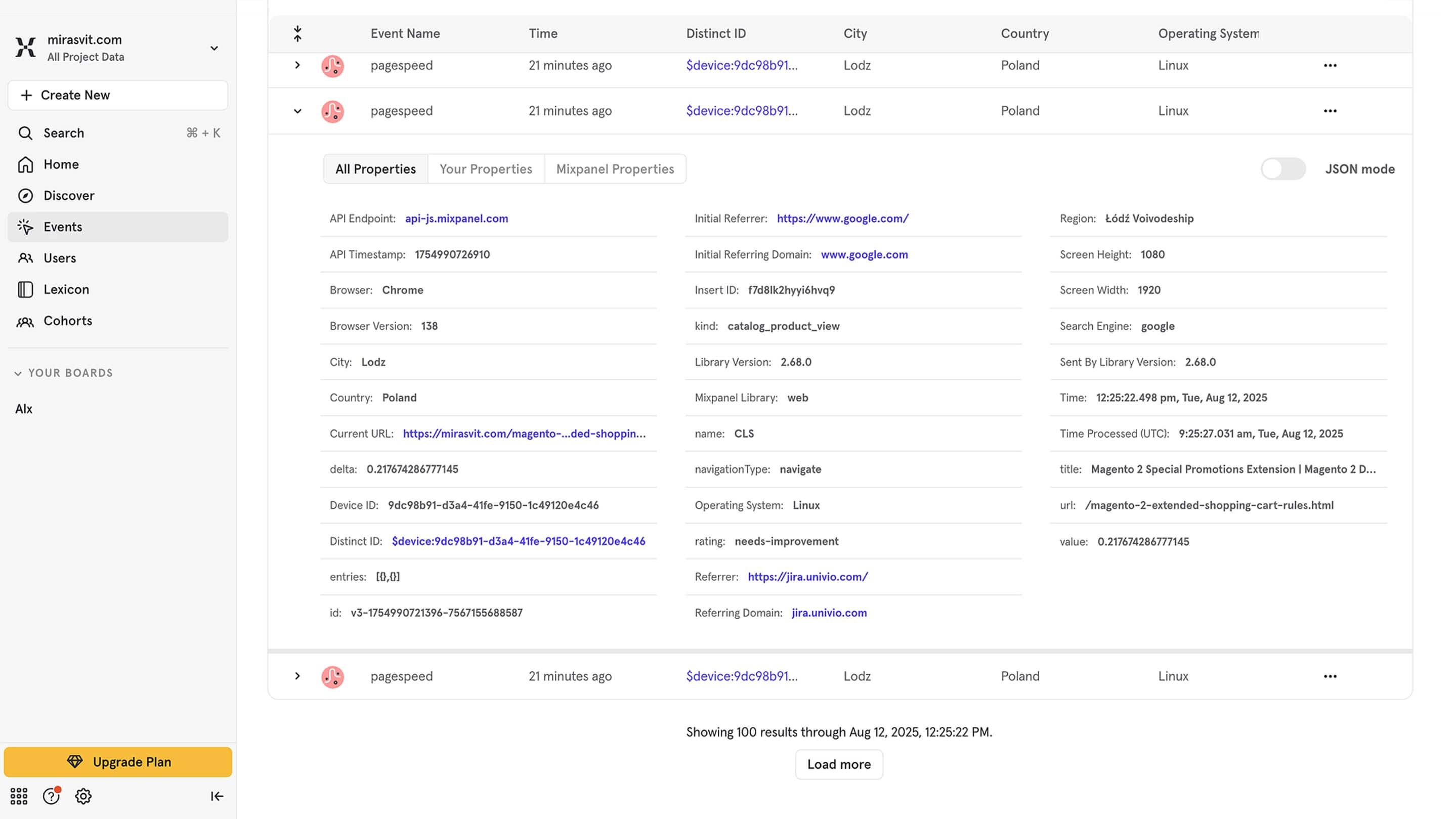
Here's what we actually found: single-touch attribution (crediting only the last blog post someone read before a purchase) is noise at our traffic volume, well within the margin of error. Count multiple touches instead (multi-touch attribution, not just first-touch or last-touch) across a 30+ day window, and blog-influenced purchases land at 3-5%. That's a number only raw Mixpanel event export could give us, not GA4's aggregated reports.
That's also the honest case for building the full stack even when you don't need an answer today: the value isn't the dashboard you check now, it's the history you'll have once you actually need to ask the question.
Google Analytics does not provide direct access to raw event logs because the data is aggregated. Let’s look at a few useful cases for Mixpanel/Amplitude.
The first, simplest one is measuring the impact of specific blocks or buttons on purchases. How many buyers clicked this button, how many read the Refund Policy, or how many viewed reviews? This helps you decide whether a block should be removed.
A second common scenario focuses on what happens before an order. Mixpanel lets you see how long it takes before a purchase and which pages were viewed. You can build segments by pages or by customer groups and, for example, see that partners place orders more often from certain categories on specific days.
To sum up, with Mixpanel/Amplitude, you can:
- Build funnels, for example, the path from viewing a product to placing an order.
- Analyze retention, that is, how often users return and how frequently.
- Compare behaviors, for example, how watching a video affects the likelihood of purchase.
- Segment users by actions, for example, who clicked a specific button but did not complete a purchase.
Understanding on-page behavior: Hotjar, Clarity, and similar tools
Tools like Hotjar and Microsoft Clarity show how users behave on a page: where they click, how far they scroll, and which elements distract them. Session recordings, heatmaps, and click maps show how people move between screens, where they pause, and what they ignore.
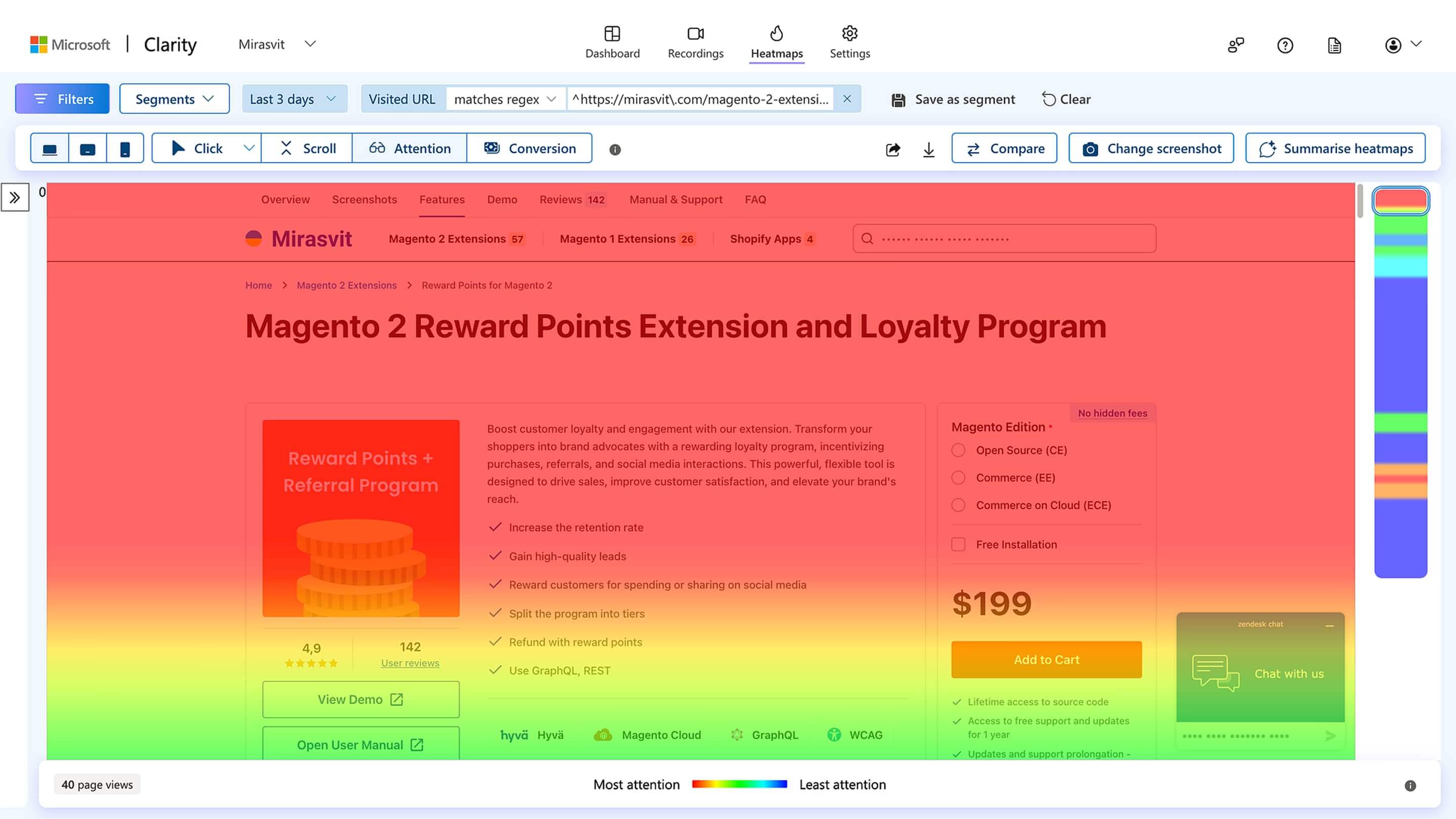
In essence, we are already talking about different levels of detail.
You have high-level analytics (you know how many visitors you had), a more detailed view (you know which actions those visitors took), and, finally, a granular level where you analyze each individual visitor.
You get session recordings that show how a user moved through your site, where they moved the cursor, where the mouse lingered, and so on. From this, you can learn a lot.
First, check whether the customer can easily find what they need in your store. If they start clicking randomly on various icons and buttons while searching for information, that is an early signal that something is off. If many visitors behave this way, there is clearly a problem.
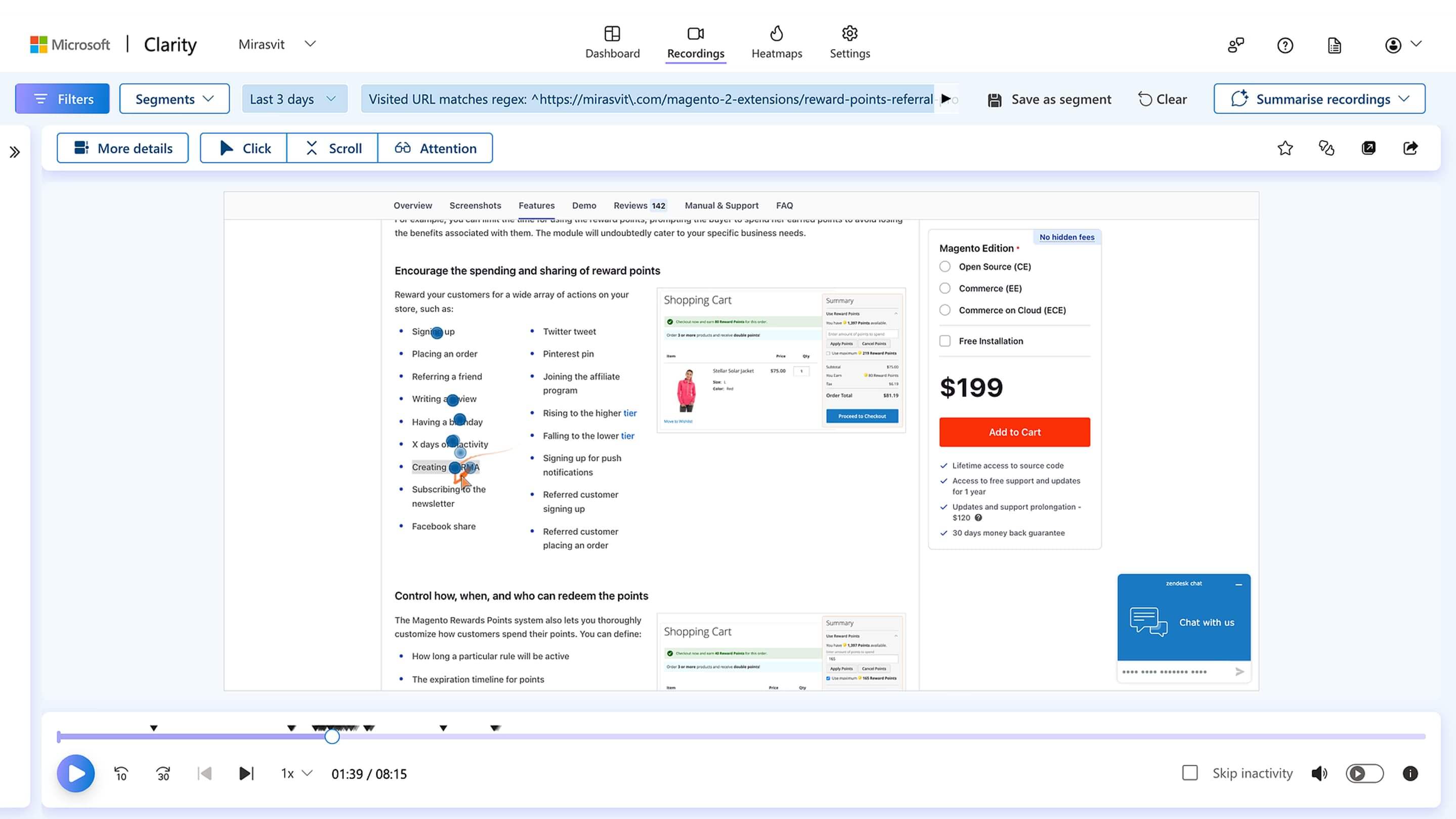
Second, you can track display issues. This is useful because customers use different screens, devices, and operating systems. When bugs appear, you can spot them quickly with tools like Hotjar or Microsoft Clarity.
We have done this kind of research ourselves, documenting how people use our site. One thing we caught this way: users clicking "Login" from the cart page were getting redirected to "My Account" instead of back to the cart, a small but real drop-off point session recordings made obvious in a way GA4 never could. We fixed it so login now returns you straight back to the cart.
Yes, it takes time, but if you have drilled down to this level, it usually means higher-level analytics did not give you the answers. You have already exhausted them.
In-page tools also let you focus on something specific. For example, you can see how users interact with a new block you added. You can configure events, filter only the recordings that contain that event, and jump to the exact segment where it starts.
A strong signal that you need in-page analytics is a high number of abandoned carts, or worse, abandoned orders. People reach that step, then something happens. What exactly?
This is where low-level user analysis helps. You may see someone enter their first and last name, then abandon the form at a specific field. What is wrong with it? You investigate and fix it.
You keep going deeper. Suppose Mixpanel gives you a very detailed view of your funnel: how many users viewed a product, how many added it to the cart, how many reached checkout, and how many purchased. You consider which stage you can improve, then bring in page-level analytics to understand what to change.
Even if your store is still small and you know sales should be higher, you may have tried everything and still cannot find the reason. In-page analysis can provide the answer.
If you have around 100 visitors per day, you can review all of them and spot a pattern or an anti-pattern. Maybe the issue is the description. People read it, and at a certain paragraph, most of them close the page or scroll back up. Any user action that deviates from the intended path is a signal that something is off and worth investigating.
To sum up, with Hotjar or Microsoft Clarity, you can:
- Observe on-page behavior: clicks, scrolling, and mouse movements.
- Analyze interactions with specific elements: buttons, blocks, and forms.
- Identify usability issues: confusion, erratic actions, and long searches for information.
- Catch display and technical issues across different devices and browsers.
- Find critical funnel points, such as fields or steps where users drop off.
Combining your stack: Magento 2 tracking setup guide
I recommend starting to collect data from the first day of your store. Define what you want to track, what matters to you, and set up the necessary tools.
While you are small, most of this will be free, and you will already have history for analysis. When the time comes, you will be able to compare how things were and how they changed.
In real projects, we rarely see only one tool in use. Most Magento 2 stores end up running multiple layers: GA4 for reporting and ad campaigns, Mixpanel for behavior analysis, and Hotjar for session replays.
Scenarios for using the Magento 2 web analytics stack:
- GA4 + Mixpanel: combines marketing reporting with deeper behavioral analytics.
- GA4 + Hotjar/Clarity: marketing data plus session replays for UX analysis.
- GA4 + Mixpanel + Hotjar: a complete stack that covers most store needs.
In some cases, you can add Amplitude if your team is used to it, or other products when you need to build complex reports that run on your database.
Compare analytics combinations by strengths and use cases:
| Combination | Description | Strengths | When to use |
|---|---|---|---|
| GA4 + Mixpanel | Combines marketing reporting with deep behavioral analytics. | Full view of traffic and channels; detailed event analytics; user segmentation. | When you need to analyze traffic sources and on-site behavior across funnels. |
| GA4 + Hotjar/Clarity | Marketing data plus session replays for UX analysis. | Clear view of how users interact with a page; identify UX issues without heavy integration. | For UX audits, testing design hypotheses, and quick qualitative insights. |
| GA4 + Mixpanel + Hotjar | Full-stack covering most online-store needs. | Combines marketing, product analytics, and UX research; a complete view from traffic source to on-page action. | When you need maximum control over funnels, user behavior, and interface usability. |
| GA4 + Amplitude | Marketing data combined with product analytics. | Strong cohort analysis and retention reports; handles large event volumes well. | When you need deep customer lifecycle analysis and long-term retention metrics. |
| GA4 + Clarity + Mixpanel | Marketing reporting + behavioral analytics + session recordings. | Blend of quantitative and qualitative data; full journey from traffic source to on-page interaction. | When you need numbers and context to optimize UX and marketing. |
General recommendations based on our experience that reflect Magento 2 analytics best practices:
- Start with questions, not tools. Decide exactly what you want to learn.
- Do not roll out everything at once. Start small with GA4 and GTM.
- If you are not sure you need Mixpanel, try the free plan (currently capped at 1 million events/month) or log a few key events manually.
- Analyze behavior before making changes. Heatmaps and session recordings often reveal more than numbers.
- Always test your hypotheses. Only then will analytics become a growth tool, not just numbers on a dashboard.
In our experience supporting many Mixpanel installs, event volume tracks with how deeply you track, not with store size: basic event tracking stays in the thousands per month, while full event-level tracking can run into the millions regardless of traffic. Check your expected tracking depth before assuming the free plan won't fit.
An AI analyst is only as good as the data you feed it
Analytics used to mean opening the right dashboard and knowing which metric to compare. With AI, you can start from a question instead: "Why can't shoppers find what they're looking for?", "Where exactly do they drop off during checkout?", or "Which payment method converts better?"
To answer any of those, an AI assistant needs two different kinds of data: behavioral data (what people view, search for, click, and where they abandon) and store data (what's in your catalog, what people actually buy, and the business result). Miss either side, and the answer is a guess.
Search: are shoppers finding what they need?
Compare search terms and result counts against your catalog and actual sales, and you'll see which queries lead nowhere. The fix is usually adding synonyms, setting up redirects, or reviewing the assortment.
Checkout: which option actually converts?
Compare shipping and payment method choices against completed orders, and the option quietly losing you sales stops being a guess. From there, the next step is clear: fix the friction, or make the better-converting option the default.
Banners, wishlists, and repeat customers
The same approach works for promo blocks and recommendations (do they lead to sales?), wishlisted products (do they ever get bought?), and how new customers behave differently from loyal ones.
None of this works without the data underneath it. That's exactly why we recommend collecting it from day one, even before you have a specific question. Our own Mixpanel integration for Magento 2 tracks exactly these behavioral events (product views, search queries and result counts, cart and checkout actions including payment method, banner and promo impressions and clicks) and ships them to Mixpanel with each shopper's profile attached, so a conversion funnel, weekly buyer retention, abandoned carts with cart value and purchase history, or revenue by customer group takes a couple of clicks to build.
Pair it with our Magento MCP Server, and an AI assistant can read both the behavioral side from Mixpanel and the business side from your Magento store in the same conversation. That's enough to answer something like "show me cart abandoners with lifetime spend over $500 and draft a win-back email."
Final thoughts
Magento 2 web analytics is not about the number of reports, but the quality of answers to your business questions. What was the user looking for on the page? Why did they not complete the purchase? How does behavior change after a redesign? To get these insights, you need more than a single tool; you need a full toolkit.
Think in terms of a stack: traffic analytics (GA4), event-based product analytics (Mixpanel/Amplitude), and in-page behavioral analysis (Hotjar/Clarity). Together, they provide the most complete picture, from where a visitor came to why they didn't buy.
Start collecting data from day one, even if you are not yet sure how you will use it. This will let you make informed decisions when they matter most.
FAQ
What analytics features does Magento offer?
Out of the box, Magento 2 relies on Google Analytics 4 (GA4) through Google Tag Manager: traffic levels, referral sources, and standard ecommerce events like product views, add-to-cart, and purchases. It doesn't include page-level behavior tracking (heatmaps, session recordings) or raw, event-level data export - for those, you need to add tools like Mixpanel/Amplitude and Hotjar/Clarity on top.
Head of Product at Mirasvit
Magento 2 Reports Extension gives you 20 ready-to-use reports, a custom report builder, and multiple dashboards - everything Magento's default reports leave out.
Install Magento 2 Advanced Reports and take your online store's analytics to the next level!
Add GA4 ecommerce tracking and Google Tag Manager to your Magento 2 store without editing theme code.
The extension sends 17 GA4 events, from product list views to refunds, comes with ready GTM containers for GA4 and Google Ads, and shows every event in a built-in debug toolbar.
Keep Learning