
Magento 2 SEO Extension
From meta tags to the sitemap, the Magento 2 SEO Extension gives you full control over every SEO-related feature in your store.
It automates the SEO work you'd otherwise do by hand - templated meta tags, rich snippets, redirects, sitemaps, cross-links and a built-in SEO audit - across every page type. That is why 2,435+ Magento stores rely on it.
- Boost your store's Google search rankings
- Get cited by AI search engines (GEO)
- Enhance the search results with rich snippets
- Make your URLs SEO- and human-friendly
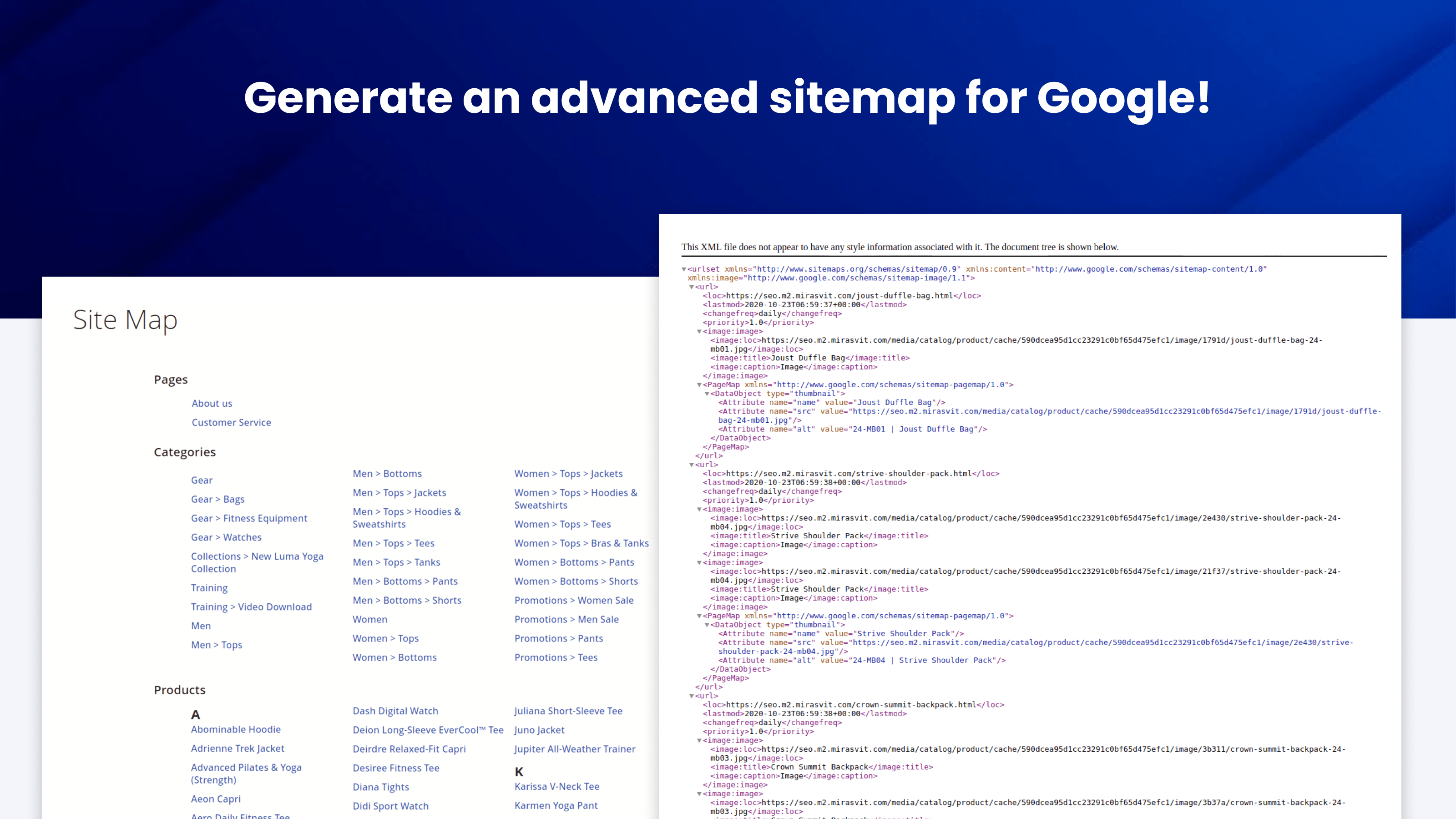
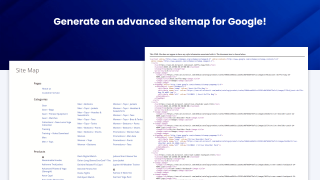
- Generate an advanced sitemap for Google
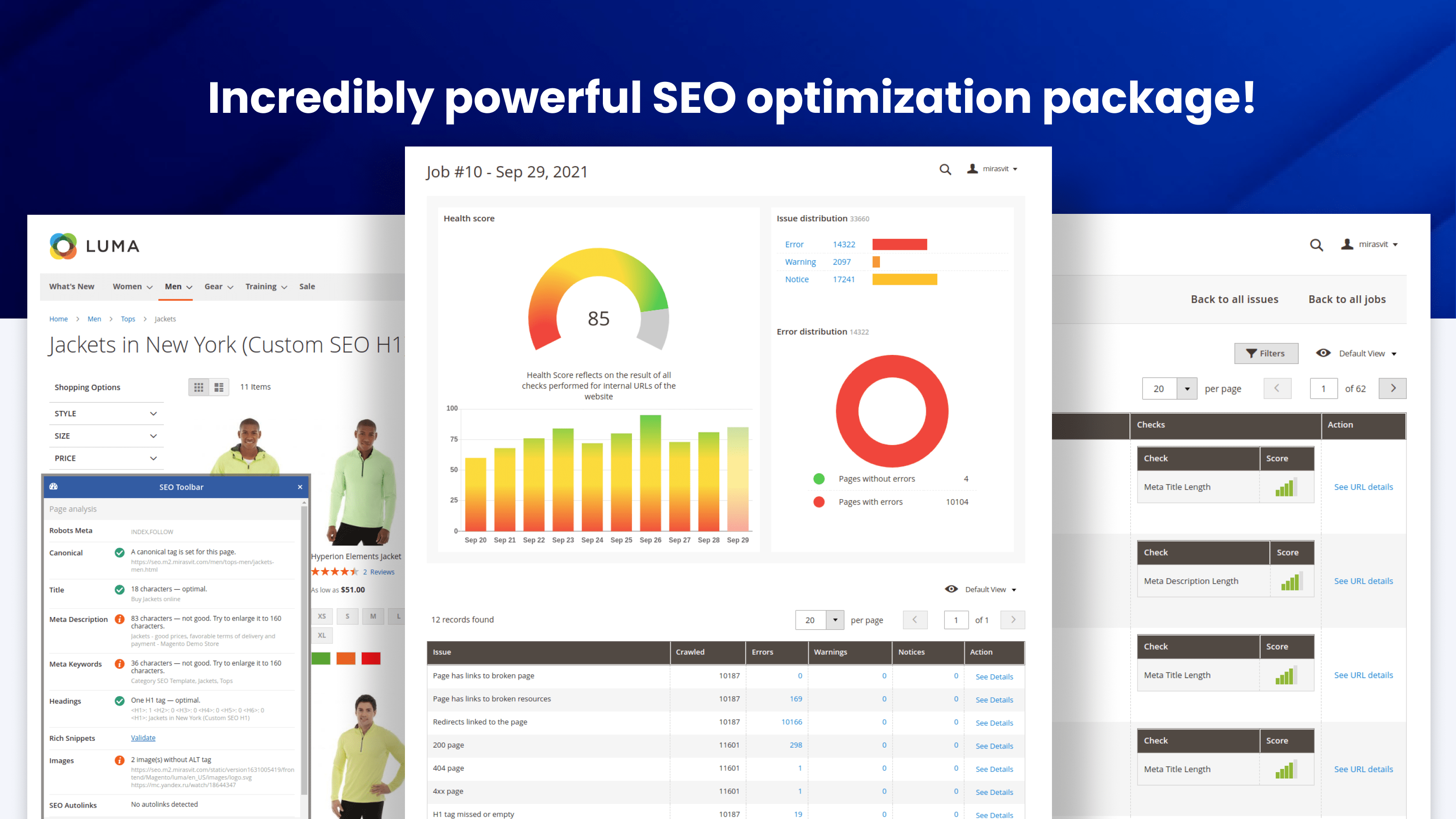
- Check any page's SEO health in real time
The extension includes integration with GPT, enabling automatic correction of common meta tag errors.
SEO is labor-intensive both in planning and execution. You can hire a SEO specialist for help, but that can become quite expensive.
The Advanced SEO Suite gives you full control over every SEO-related feature to elevate the search engine rankings of your store!
What benefits do you get for your store?
Key SEO Features
SEO Templates
Generate meta tags, descriptions, and H1s for any page with one SEO template rule - no manual work per product.
Per-URL Overrides
Overwrite meta tags, descriptions, and H1 tags for any specific store URL when the template isn't enough.
Rich Snippets
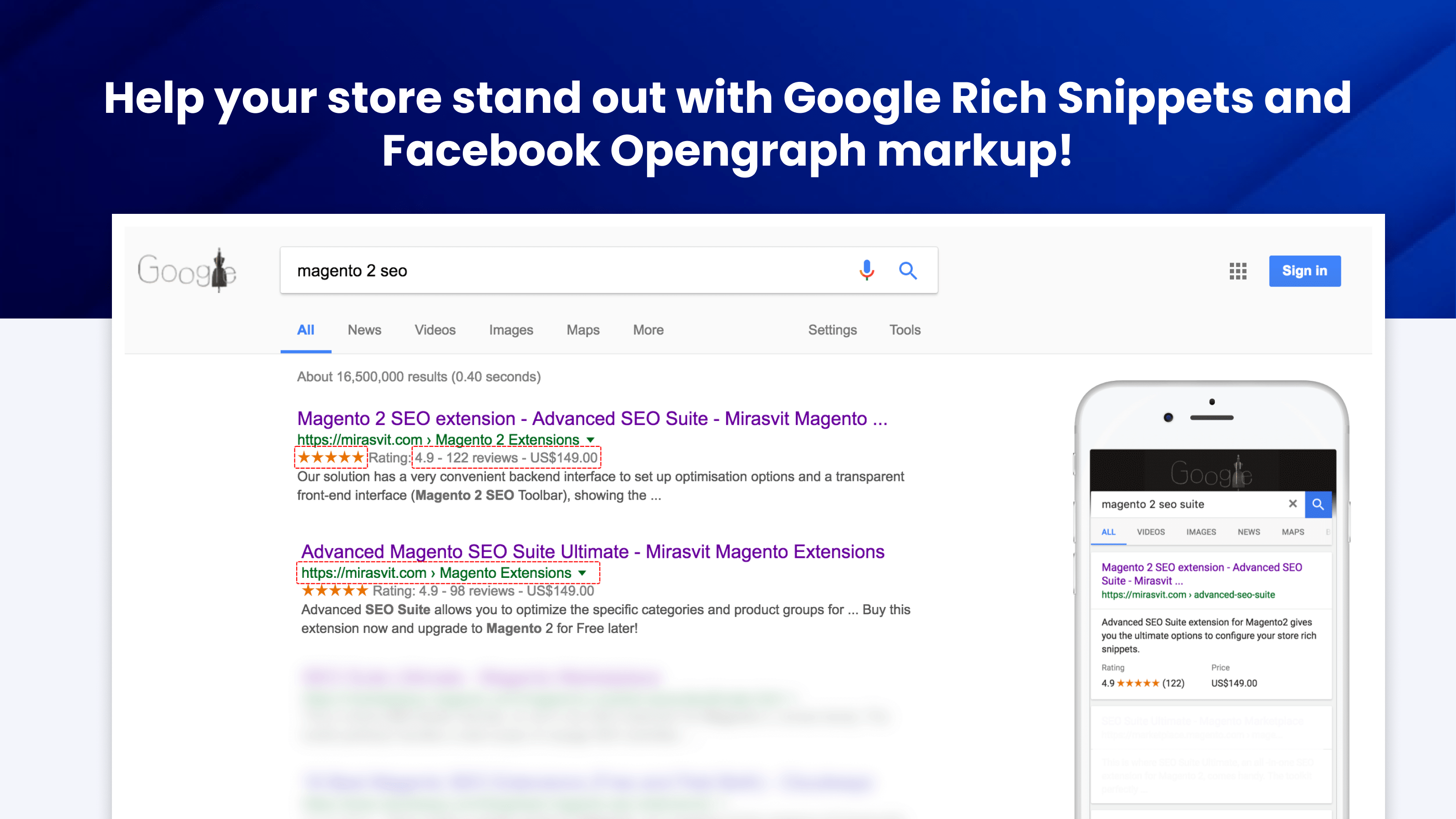
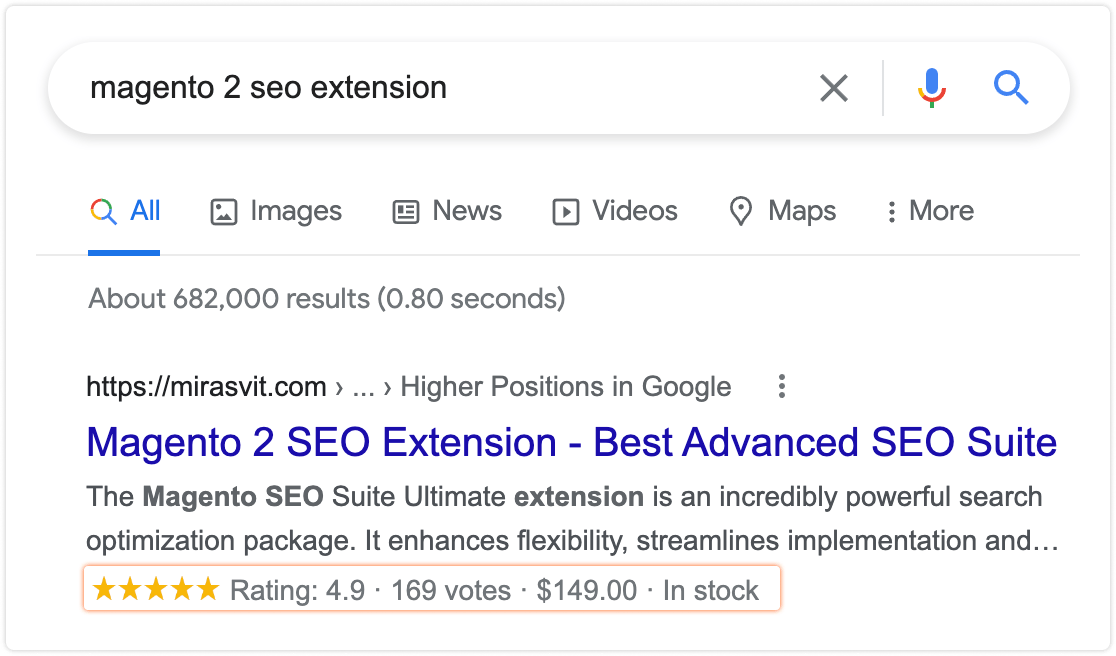
Show stars, prices, and stock in Google search results to stand out and win more clicks.
Social Previews
Format category and CMS pages for Facebook Opengraph and Twitter with rich, shareable previews.
Automatic Crosslinks
Add crosslinks to pages across your store to spread link equity and help Google crawl deeper pages.
Smart Redirects
Set up 301, 302, or 307 redirects for any site URL and preserve rankings after every URL change.
SEO-Friendly URLs
Make your product and image URLs clean and keyword-rich - no .html suffixes, no IDs, no duplicates.
Canonical & hreflang
Define canonical, language, and relationship tags for any page to kill duplicates and serve the right locale.
SEO Toolbar
Evaluate any page's SEO health in real time as you browse - meta tags, headings, images, structured data.
HTML & XML Sitemaps
Advanced frontend HTML sitemap for shoppers and XML sitemap for Google - faster indexation of new pages.
The Advanced SEO Suite extension offers a comprehensive set of components essential for achieving highly effective SEO.
It includes the following key components:
Works with Magento Open Source and Adobe Commerce 2.4.x, Hyvä, and MageOS, with Hyvä support built in rather than sold as a separate package. Includes GraphQL and a full REST API for headless storefronts, and an admin available in 15 languages.
The Magento 2 SEO Extension gives you control over every SEO-related feature on your site, with automation that turns days of manual work into minutes.
Higher Search Rankings
The more thoroughly your store meets the requirements of modern Magento 2 search engine optimization, the more authority it will have among Google and other search engines, and the higher your search rankings will be.
Improved Search CTR
Rich snippets and social previews make your listings stand out in search results, so more people click through to your site.
Saved Money
There's no need to hire an SEO specialist just to list their standard recommendations. The module's SEO features are a complete package for any online store, so you can treat them as a checklist.
Saved Time
We built it with automation in mind, so the manual work takes not days, but minutes.
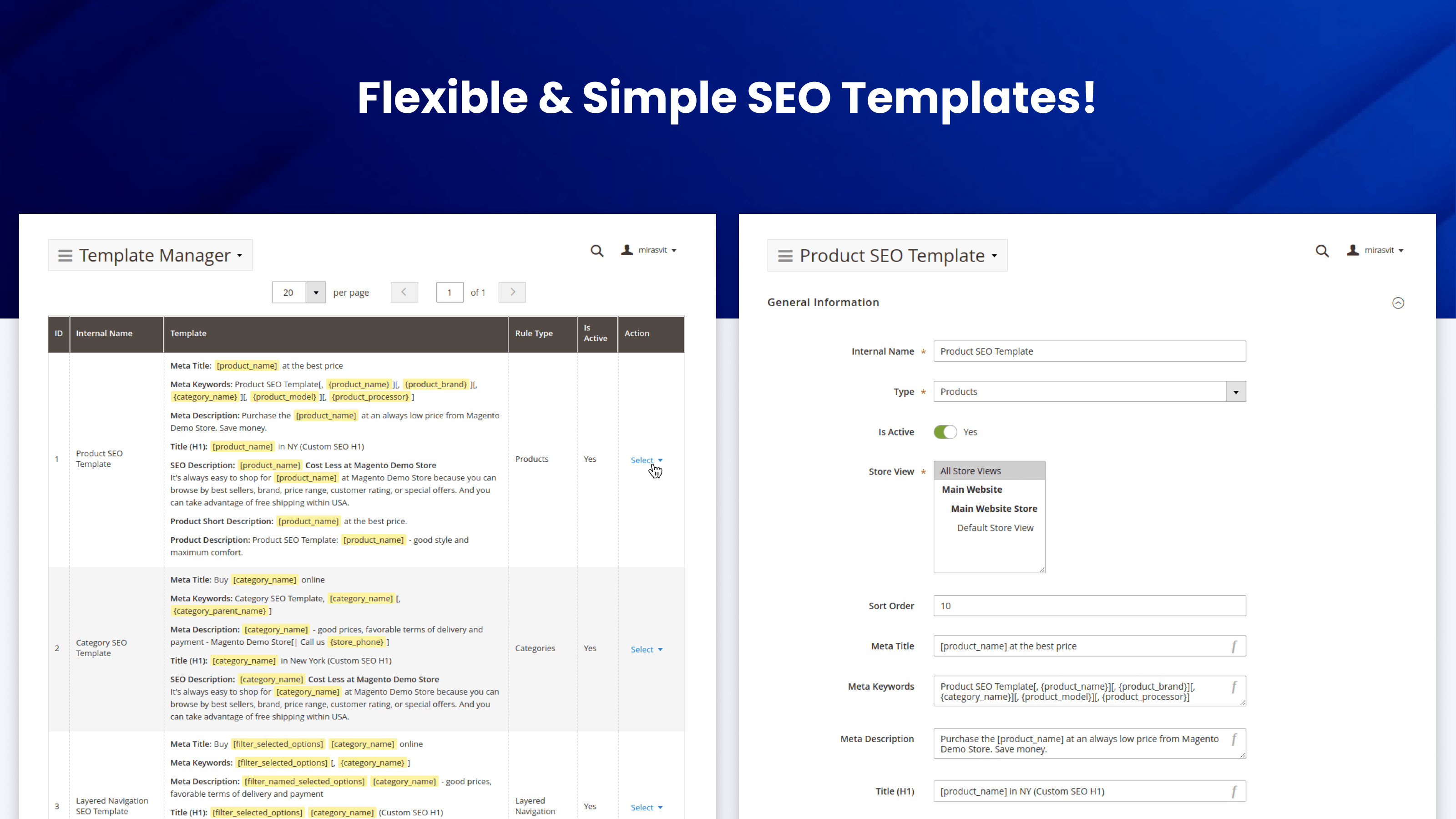
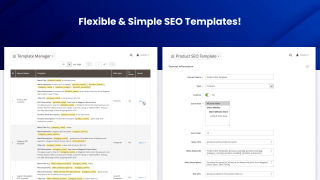
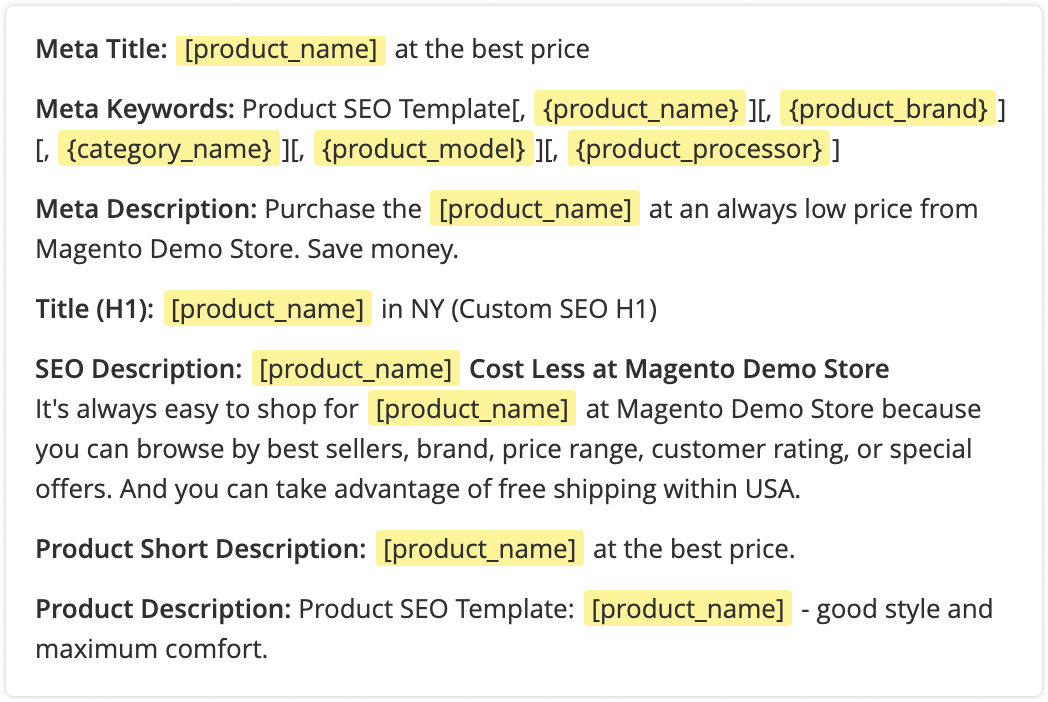
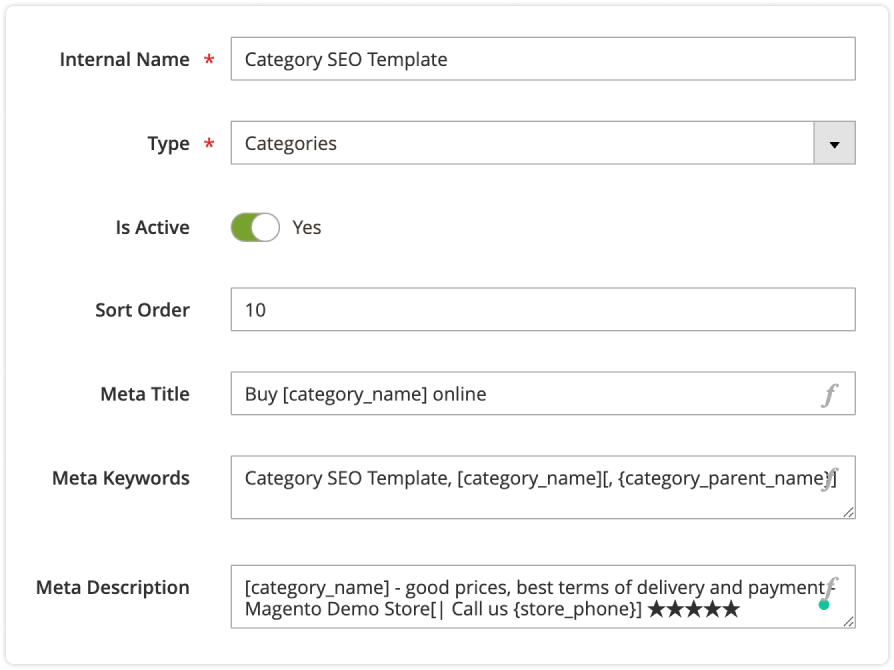
The module includes advanced SEO templates. This feature lets you specify content patterns for meta titles, descriptions, keywords, and H1 tags.
Unique metadata to any page automatically
The SEO extension for Magento 2 automatically populates the relevant pages with meta information if it's not there already.
You can use the templates to generate meta tags for:
- Product pages
- Category pages
- Search results pages
- CMS pages
- Layered navigation results
- Landing pages (with the Mirasvit Landing Page module)
Powerful Rules
You can add variables with store, product, and page data to the templates, for instance:
[filter_selected_options] | [category_name] ★★★★★ | great prices, favorable shipping and payment terms | [store_name] | Call us on [store_phone]!
Also, use conditions to fine-tune the pages to which the templates apply, and set the priority of each template. You can even halt other rules from processing so that our Magento 2 SEO plugin applies a template, even if there are other fitting rules with a higher priority.
Preview SEO Templates
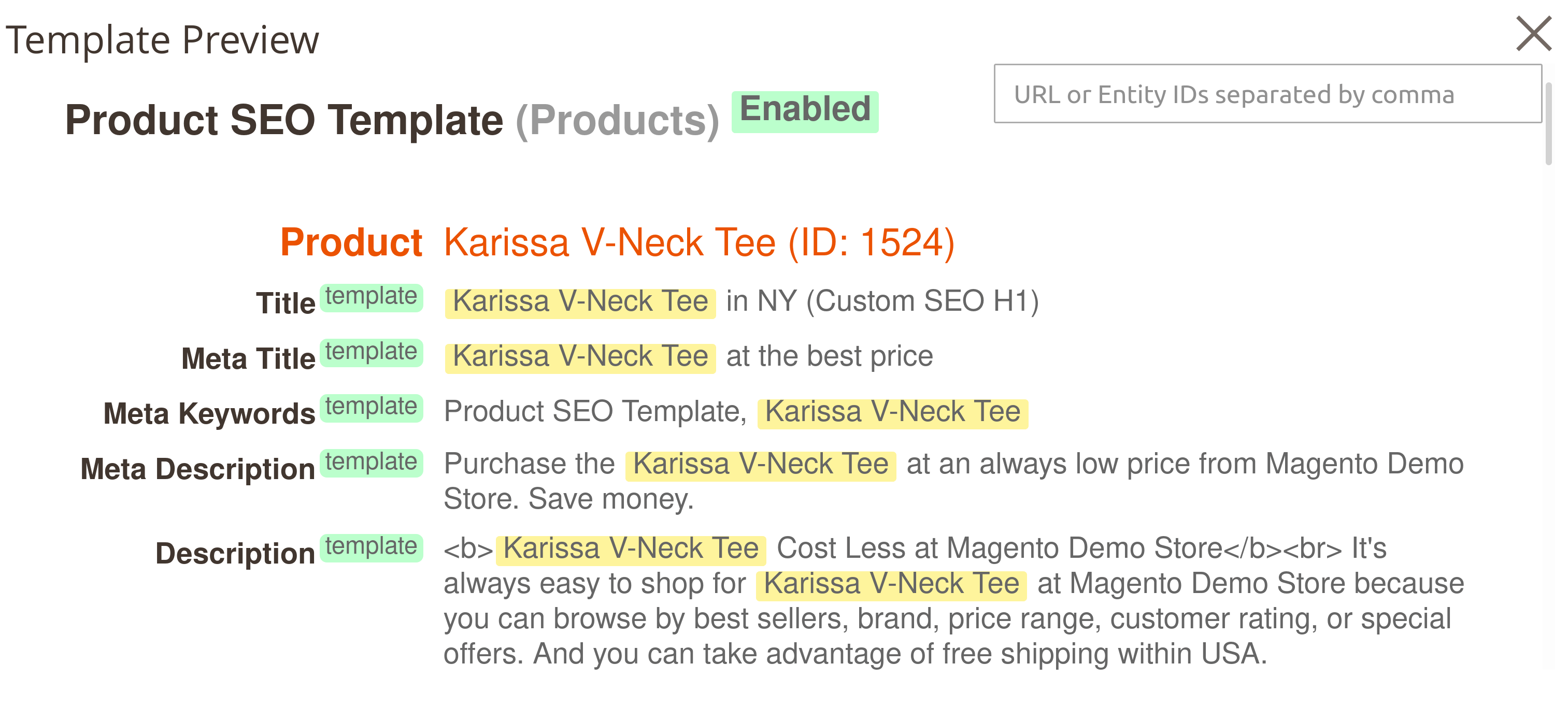
Save time when adjusting automated SEO elements so they turn out as planned. While still editing the template, you can see how the page will look once the SEO template is applied.
The Template Preview function shows what the stencil looks like on the five entities to which the template may be applied.
If you edit a product page SEO template, you will see five examples on product pages. The same is for categories and CMS pages.
The Preview option highlights variables so you can easily spot them when looking at the preview output of the SEO-optimized content in your store.
Simple Interface
Creating SEO templates has never been so simple. Just write a template for each field:
- Meta title
- Meta keywords (if necessary)
- Meta description
- H1 tag
- SEO description
- Short and full product descriptions (for product pages)
Then your templates will generate content for all necessary pages in your store
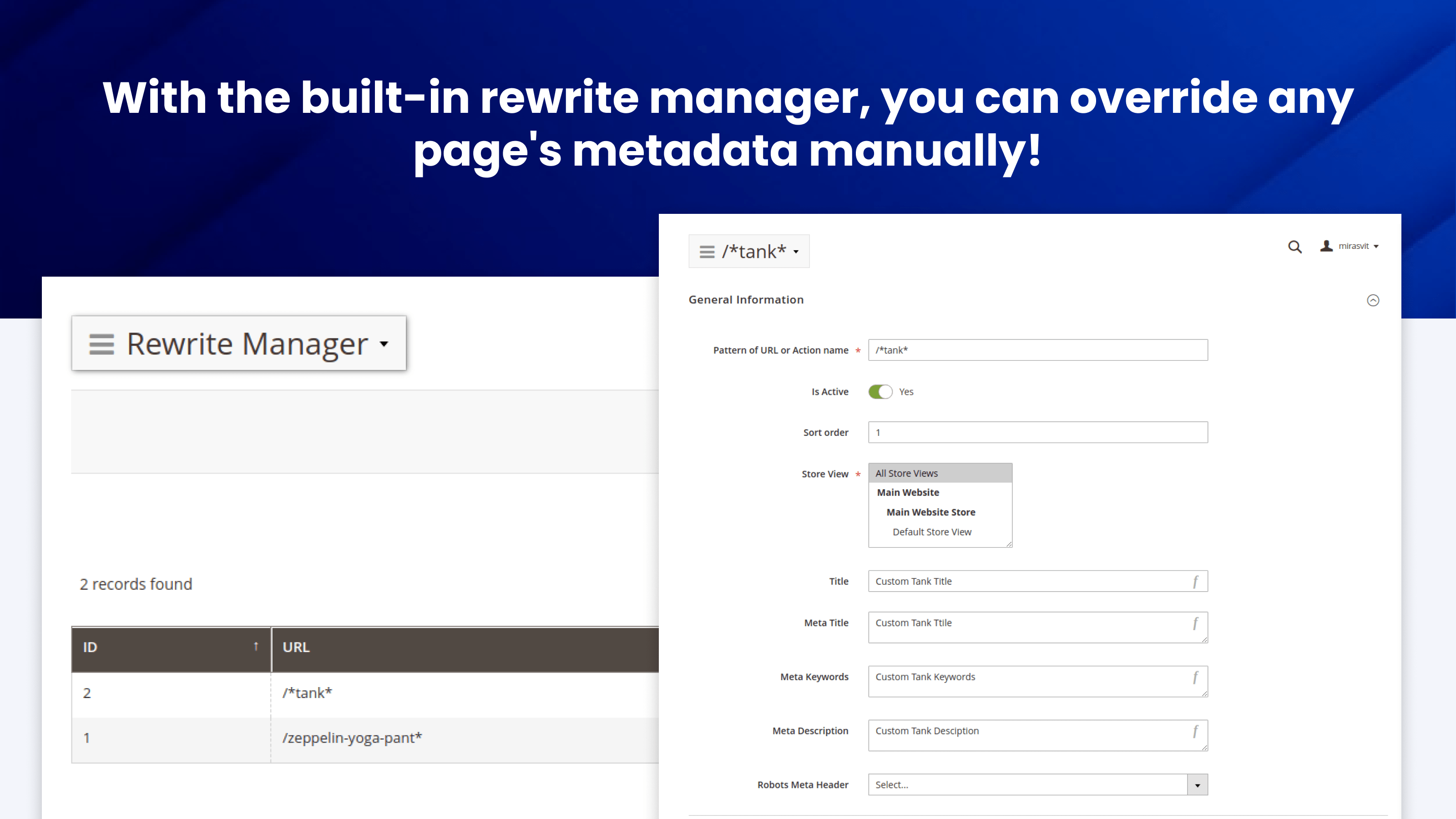
Manual Rewrites
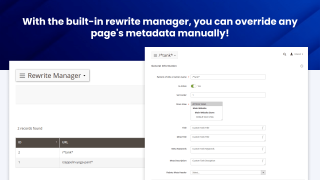
Some pages, like unique categories or your bestsellers, need a personal touch. With the built-in rewrite manager, you can override any page's metadata manually.
The extension will only apply the rewrites to the URLs you specify, and rewrites have a higher priority than the templates, so you won't need to reconfigure anything else!
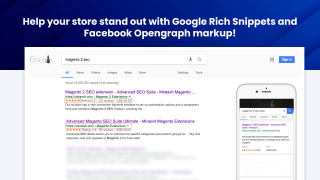
Help your store stand out with Google Rich Snippets and Facebook Opengraph markup
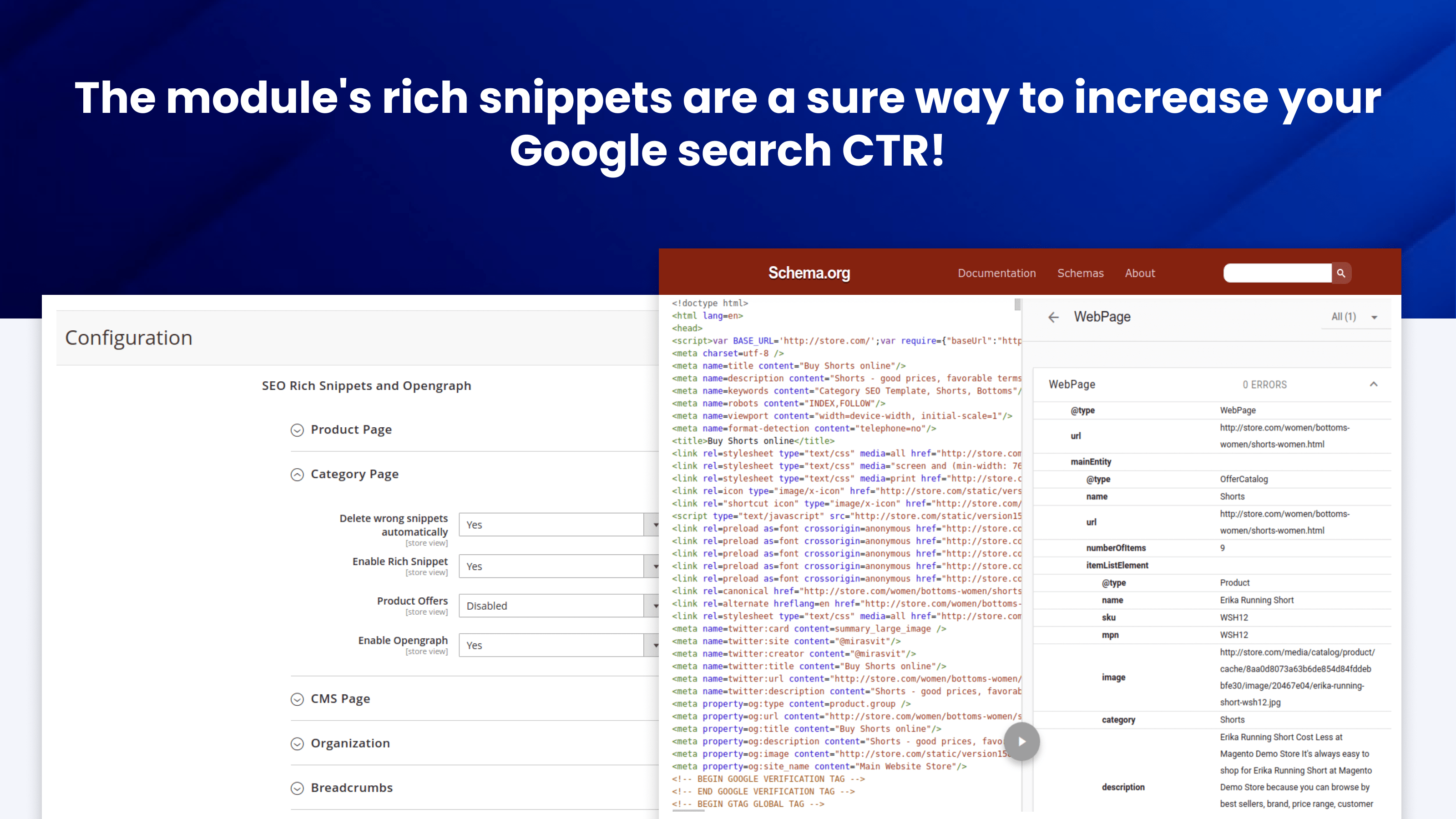
Rich Snippets
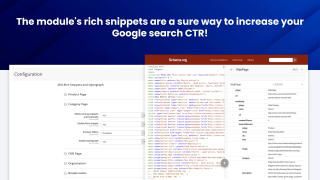
The module's rich snippets are a sure way to increase your Google search CTR. They add details like product images, payment methods, and shipping options directly to the search results.
The extension supports these snippet categories in particular:
- Organization
- WebPage
- OfferCatalog
- AggregateRating
- Review
- Offer
- AggregateOffer
- BreadcrumbList
- Product
The snippets use JSON-LD format that Google recommends, so you don't have to worry about compatibility.
You can also enable structured data for CMS pages with the WebPage, Article, or BlogPosting schema types.
Breadcrumb Rich Snippet
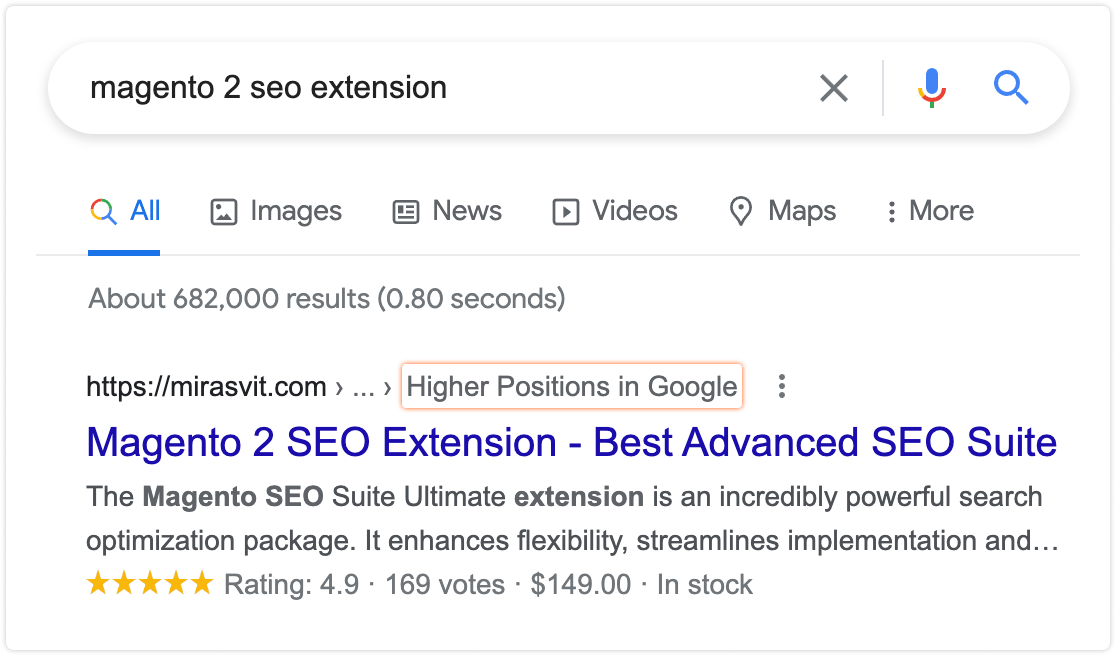
You can add breadcrumbs to Google search results pages!
Breadcrumbs snippets help search engines better understand your website's structure and display extra navigation for search results.
Company Rich Snippet
Business details in search results make your store much more trustworthy and attractive to shoppers.
The extension's SEO toolkit lets you add your store's contact information to search results in no time, helping you secure more leads and further improving your search CTR.
Opengraph
Our Magento 2 SEO plugin lets you set Opengraph tags for category and CMS pages. Facebook, Whatsapp, and other social networks and messengers use Opengraph to structure page previews.
With Opengraph, your category and CMS pages will always look attractive when shared!

Search is moving to AI answer engines. Advanced SEO Suite gives them the structured data they need to read, trust, and cite your store.
Shoppers increasingly ask ChatGPT, Perplexity, Google AI Overviews, and Gemini instead of scrolling a results page. Getting surfaced in those answers is Generative Engine Optimization (GEO), also called answer engine optimization (AEO).
GEO runs on the same schema.org structured data that already wins your Google rich results - so the work pays off twice.
The suite generates it for you: Product, Offer, ratings and reviews, breadcrumbs, Organization, and CMS Article markup - the machine-readable layer AI engines read to understand what you sell and quote back to buyers.
- Accurate stock and price. Complete Offer availability and price data means AI engines read your in-stock products correctly, instead of guessing "out of stock" and dropping you from the answer.
- Findable and unambiguous. Clean semantic URLs, canonical and hreflang tags, and XML and HTML sitemaps let AI crawlers discover your pages and attribute them to the right product.
- Kept valid over time. The scheduled SEO audit catches broken or missing structured data as your content changes, so your AI signals do not quietly rot.
Want AI shopping agents to browse and buy your catalog directly, through llms.txt, MCP, and the Universal Commerce Protocol? That is the job of our Magento 2 Agentic Commerce module.
Let Google easily understand the content you have in your store.
SEO-friendly URLs
Our extension's SEO Toolkit lets you make your URLs as appealing to both human visitors and search engines as possible. You can:
- remove the parent category path from category URLs to clean out the category structure.
- rewrite the product URLs with templates to make the links much more informative
- toggle the trailing slash at the end of the URLs.
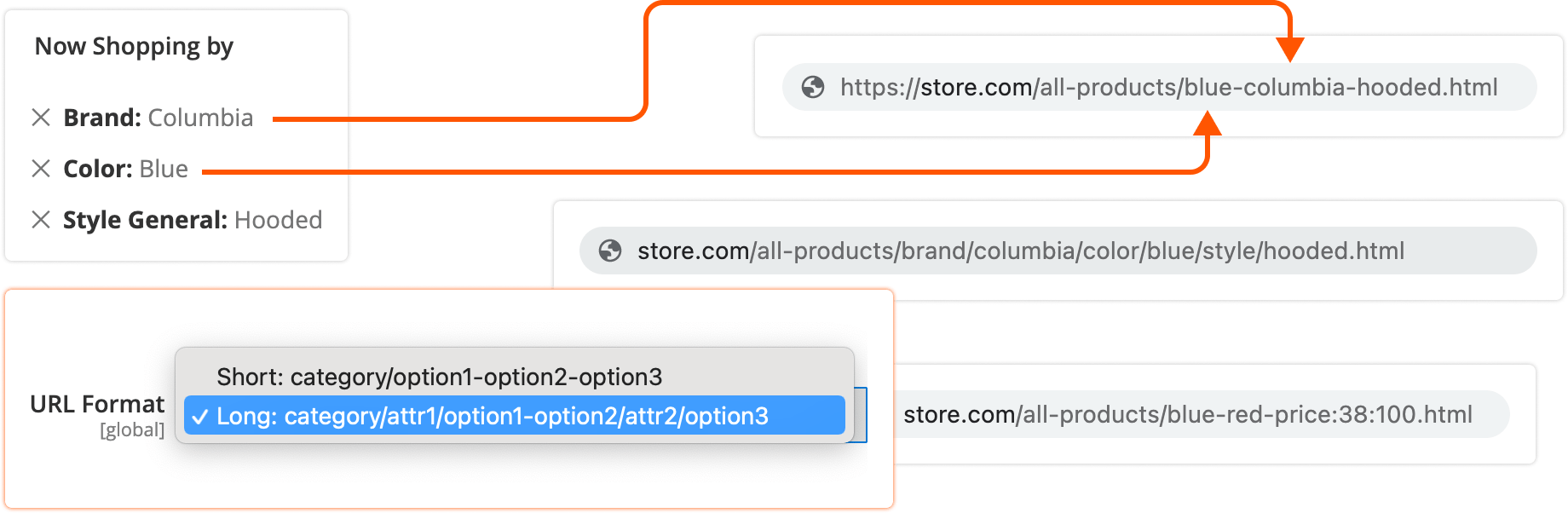
- make layered navigation URLs SEO-friendly and human-readable.
- make product image URLs more visibly pleasing as well. For instance,
www.site.com/media/product/6991f8e/6789af8e.jpgwill becomewww.site.com/media/product/argus-all-weather-tank.jpg
Canonical URLs
Prevent duplicate content issues.
If you have pages with very similar content, search engines may penalize all of them for duplicated content. With the Advanced SEO Suite, Magento can prevent that from happening by adding canonical tags.

This is particularly useful for:
- Configurable products
- Grouped products
- Bundled products
- Cross-domain content (great for store views with different domains)
- And many other page types
Relationship Tags
The module supports the relationship tags:
- alternate - directs to an alternative page version, for example a printed page
- hreflang - indicates to search engines that your website has a version in another language. Search engines will direct the customers to their preferred language version straight from the search results. Tags cover products, categories, CMS and blog pages, with x-default and per-store locale codes.
- next and prev - treat pages as a part of a series, consolidating their links and sending visitors to the first page. This is most valuable for pagination: search results won't display the individual URLs for each page, but group them as a sequence
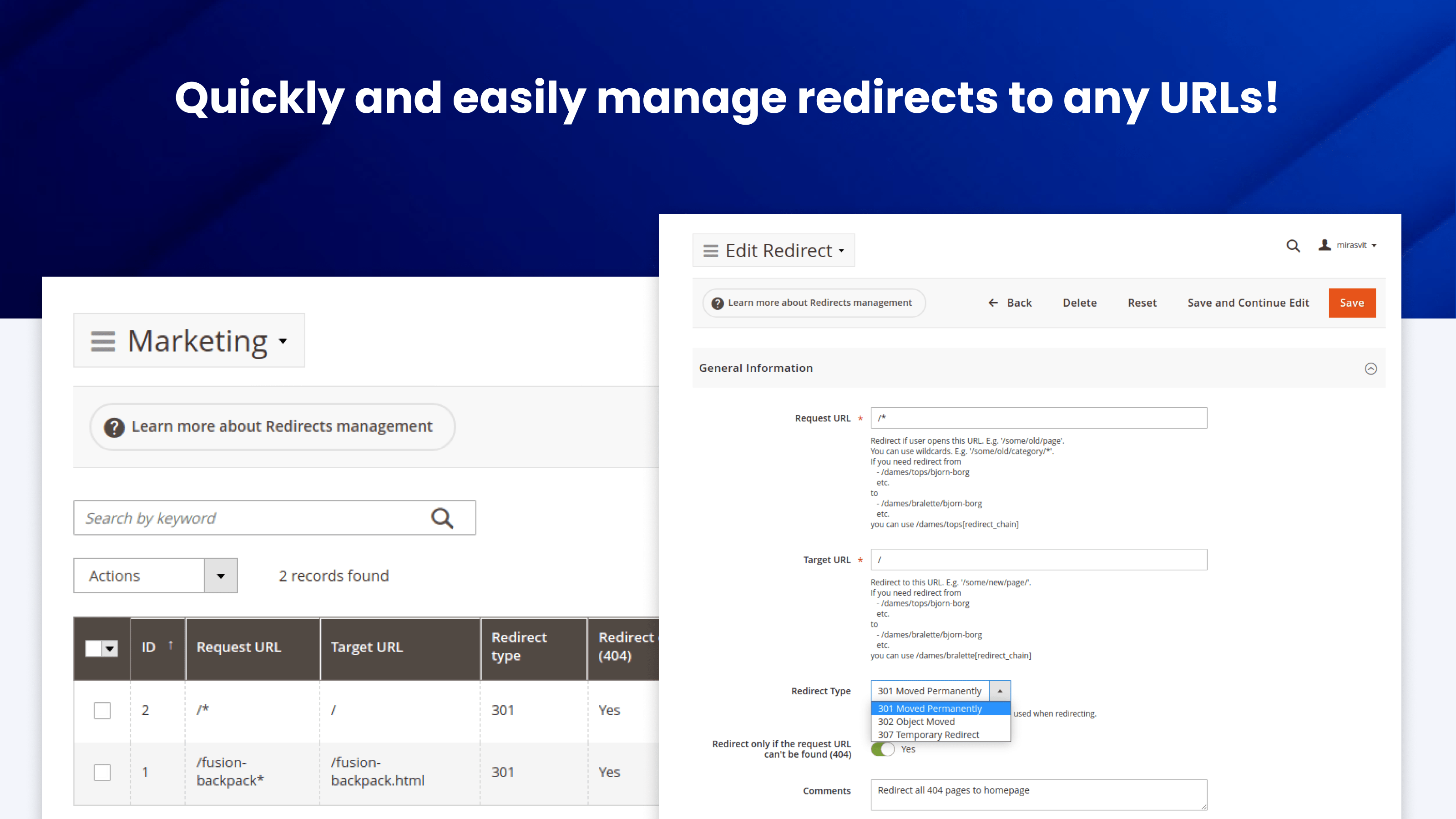
Automatic Redirects
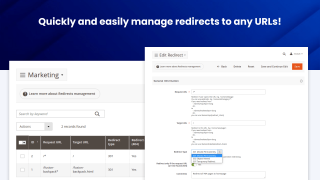
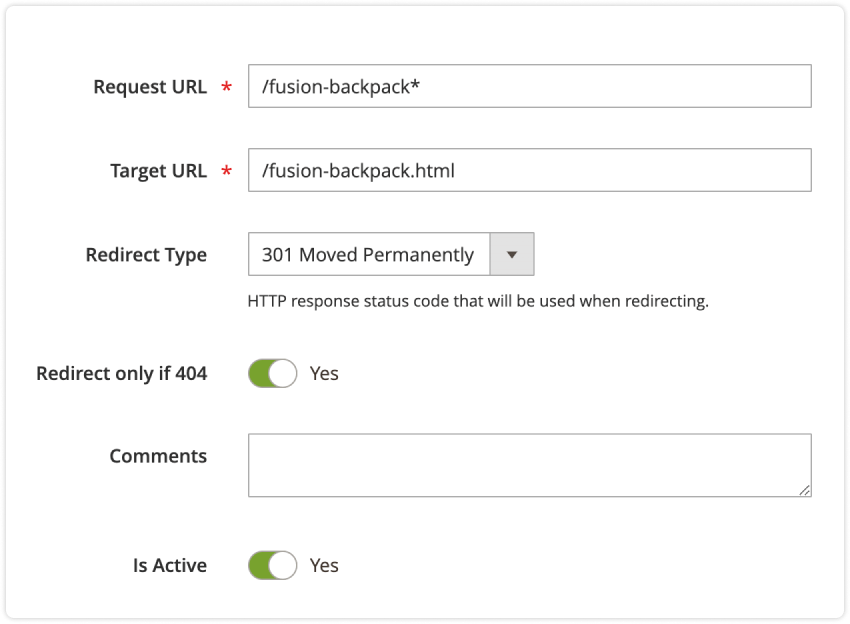
Mirasvit Advanced SEO Suite lets you quickly and easily manage redirects to any URLs.
Redirects are vital for SEO. If you change your URL structure, you have to tell the search engines to go to the new page URLs in order to preserve the search rankings you've already achieved.
Redirects are important for your customers. For example, if your visitors encounter too many 404 pages too often, they'll be more likely to leave your site. You can redirect all 404 pages to your homepage - or even your promotions page - to resolve this issue.
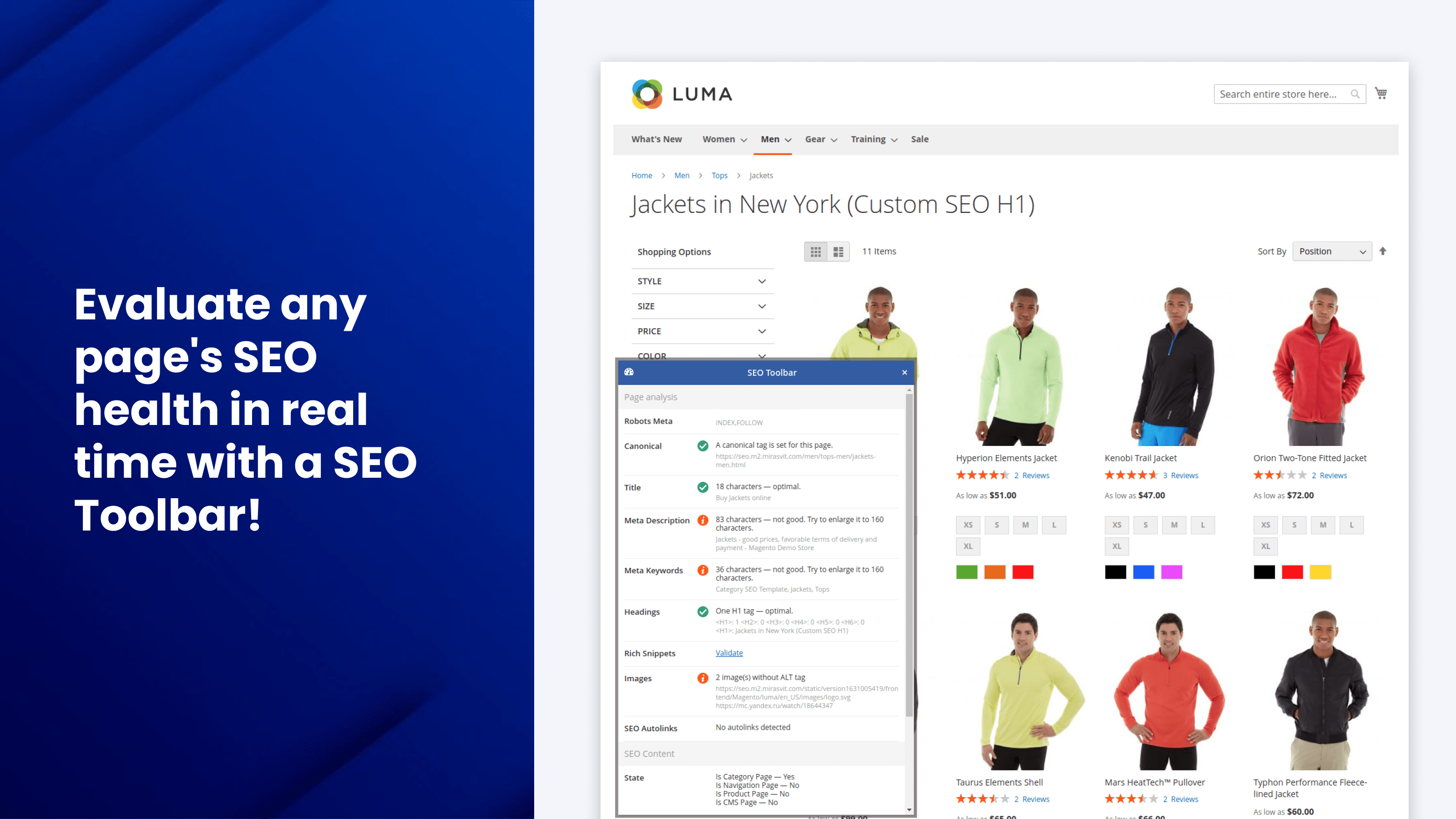
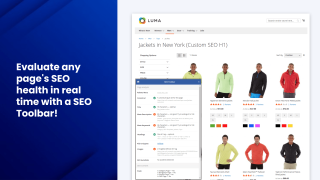
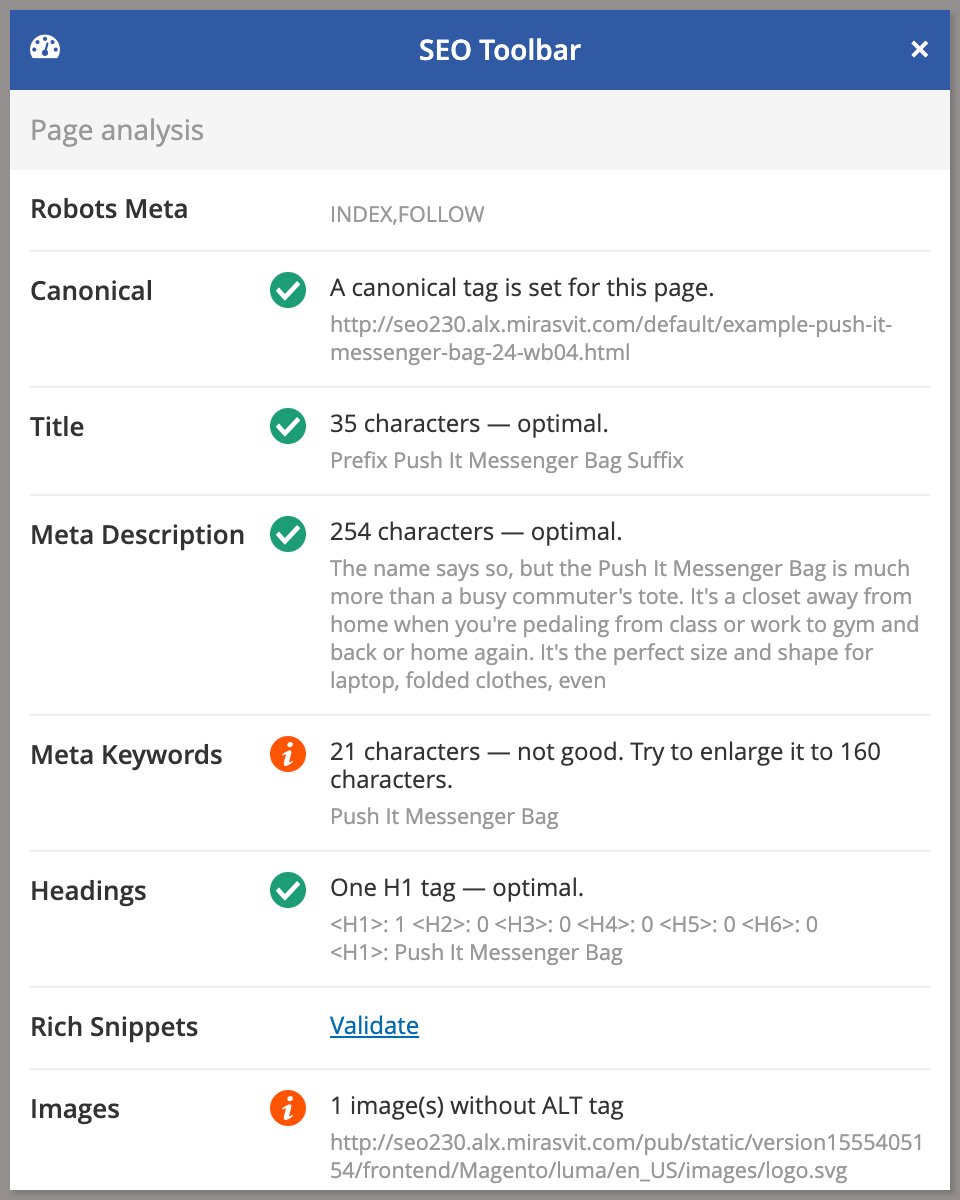
The Magento 2 SEO Extension includes a frontend interface (Magento 2 SEO Toolbar) that evaluates page optimization in real time, right on your live storefront.
This SEO toolkit is a unified spot for reviewing all the key variables, such as:
- Robots meta header
- Canonical tag
- The number of heading tags on the page
- Meta tags (title, description, keywords) length and density
- Rich snippets and Opengraph
- Any templates or rewrites you applied
Because it runs on the live page, you can see exactly which meta tags, templates, and rewrites are applied to any URL - and why - at a glance, without digging through the admin.
If you've configured the variable properly, you'll see a check mark. Should there be any issues, the toolbar will tell you how to fix them.
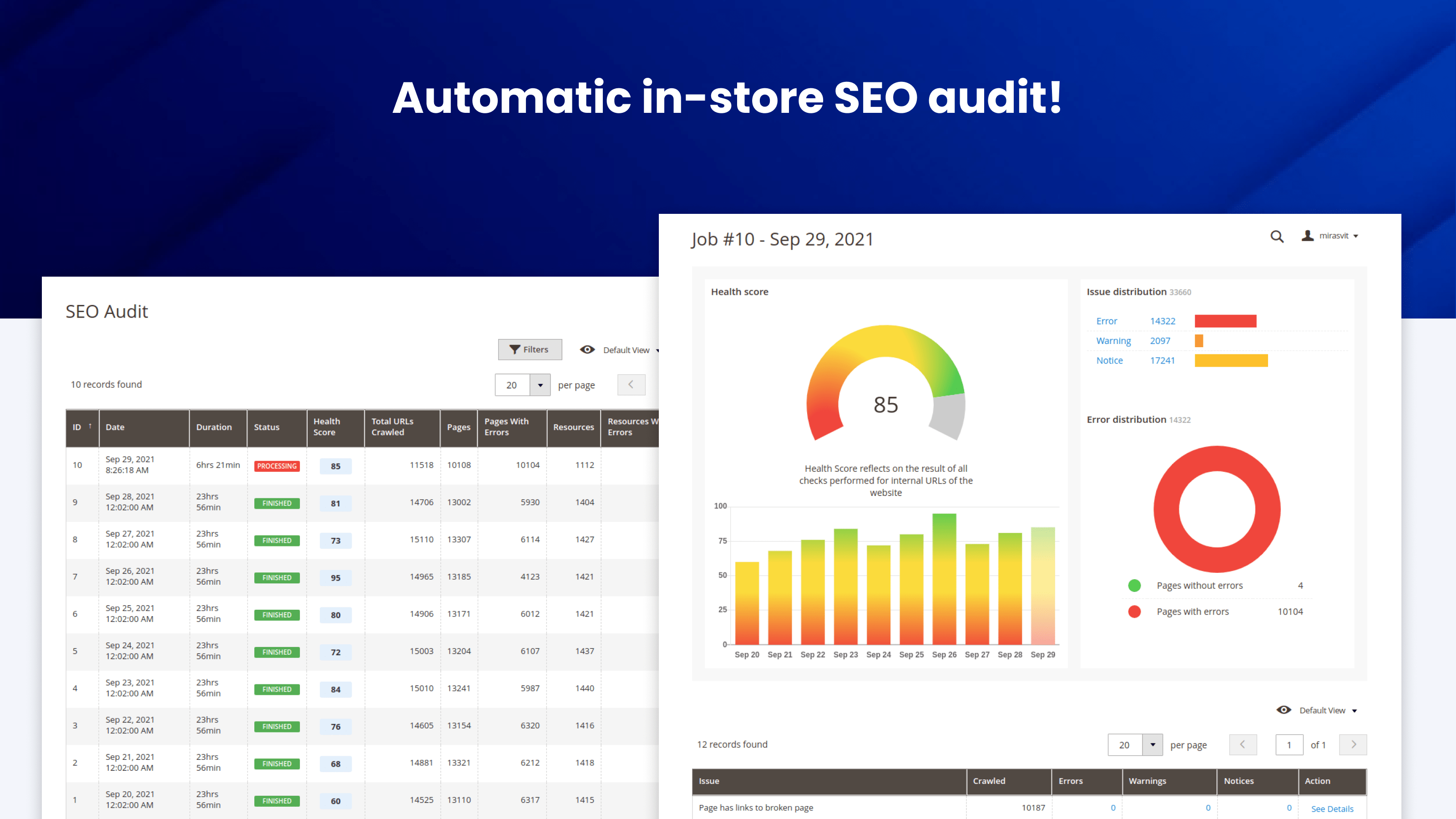
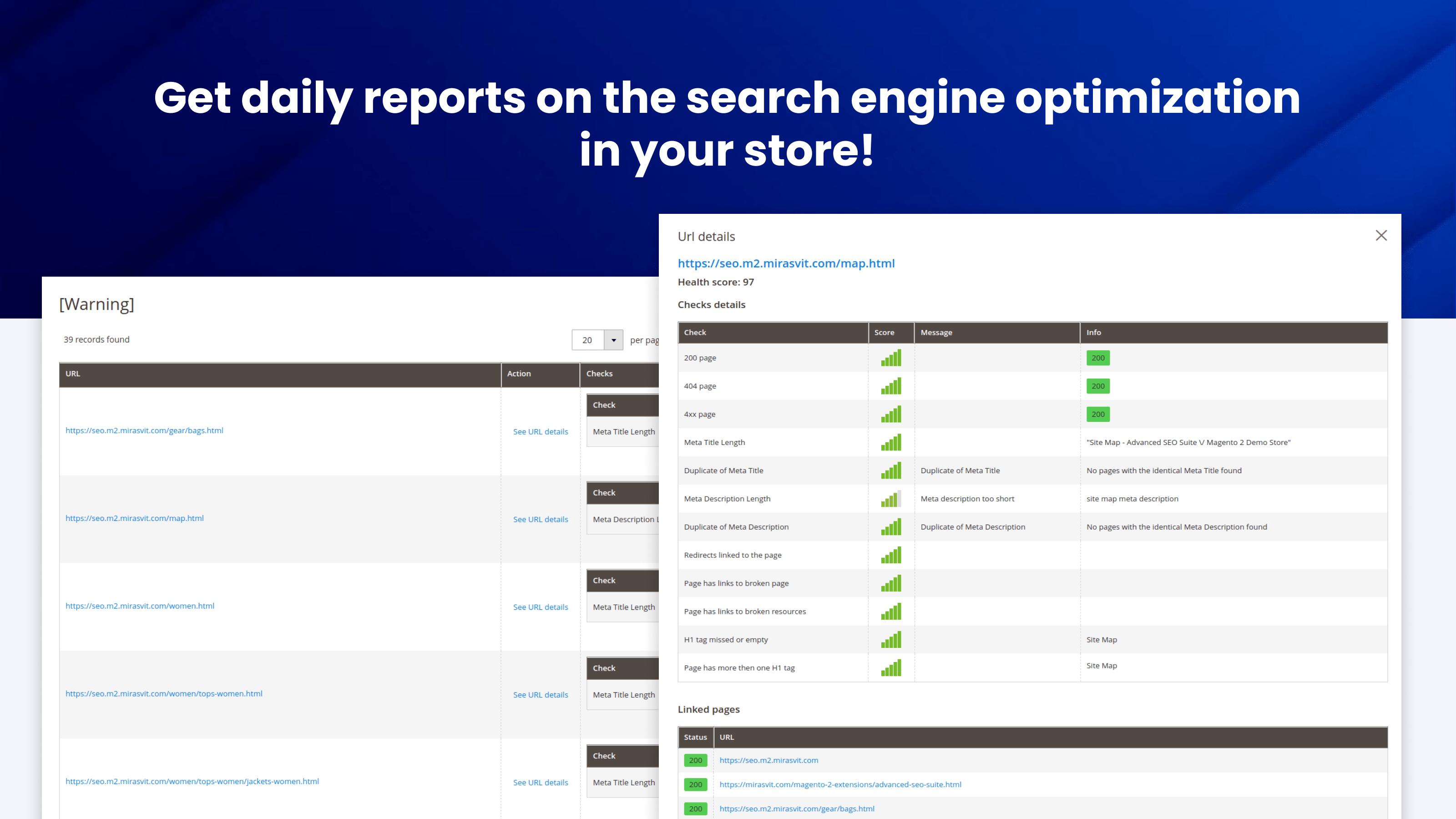
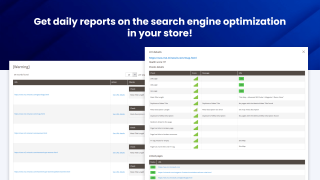
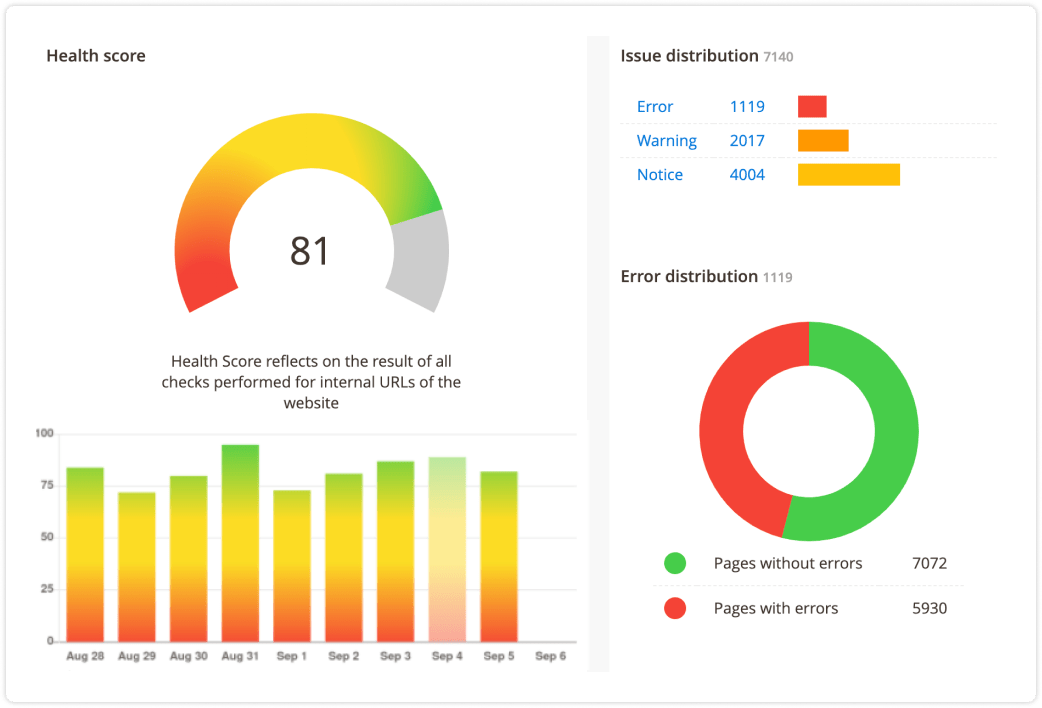
Get daily reports on the search engine optimization in your store
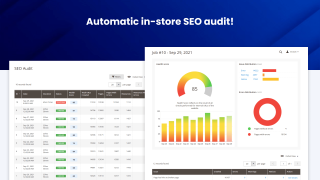
The module runs a built-in crawler that checks every page against SEO requirements, adapting the checks to each page type, then reports every problem it finds with an overall audit score.
Because it re-audits on a schedule, it catches SEO regressions as your content changes - so the optimizations you set up don't quietly break over time. On large catalogs the crawler works in batches on a schedule, so it won't overload your store.
A typical audit flags issues like:
- Missing or duplicate H1 tags
- Meta titles or descriptions that are too long or empty
- Broken links and 404s
- Missing image alt attributes
- Missing or conflicting canonical tags
- Incorrect robots meta directives
In addition to SEO audits, our SEO extension for Magento offers built-in AI meta-tag fixing with GPT, Anthropic Claude, and Google Gemini, enabling the manual or automatic correction of common meta tag errors such as duplicated meta titles and descriptions, filling empty meta tags, and adjusting their length.
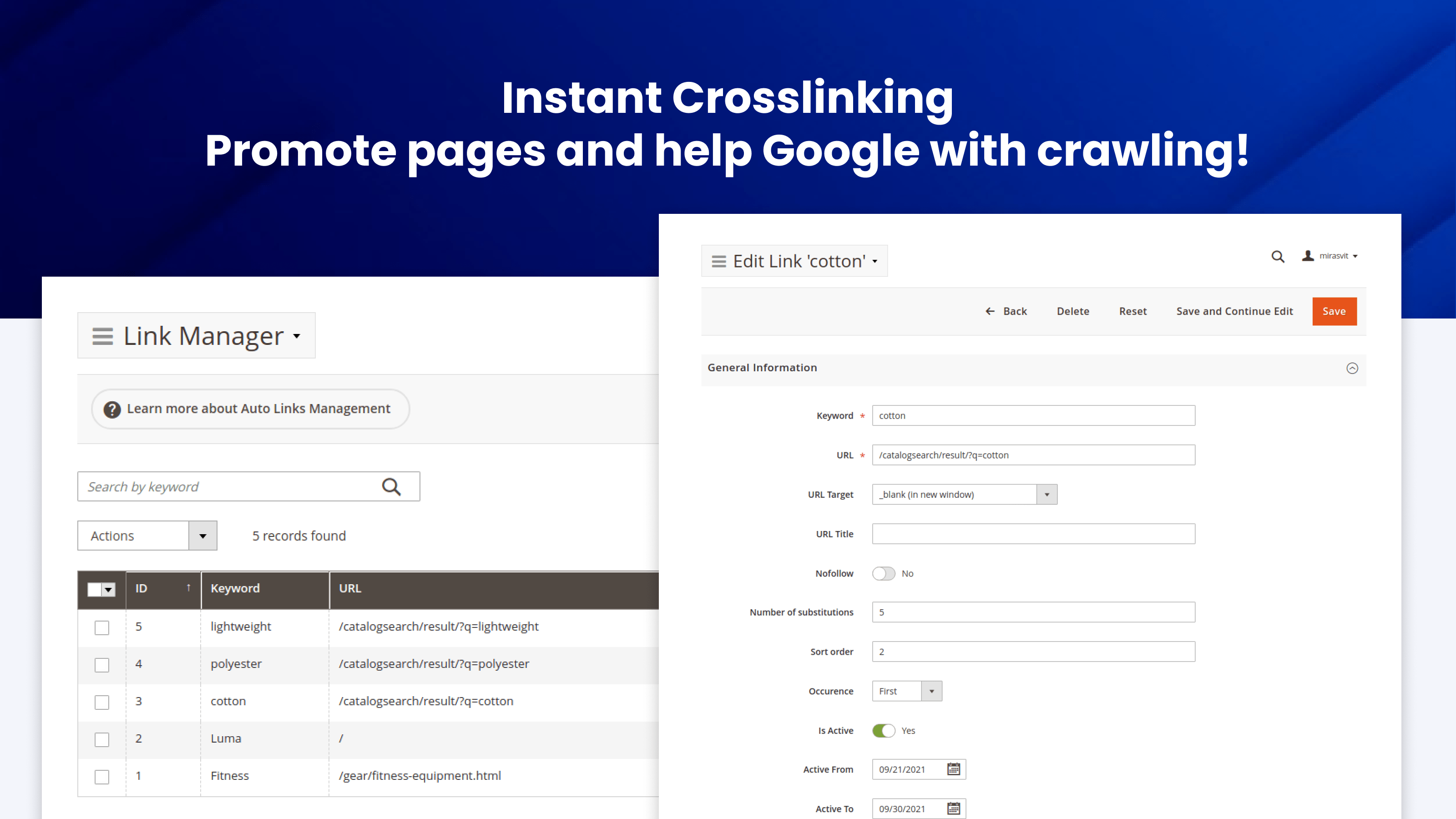
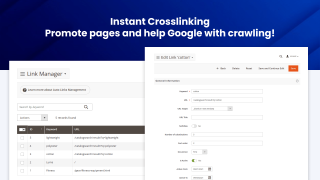
Promote pages and help Google with crawling
Cross-linking is crucial for search engine optimization: it lets you add more weight to certain pages, and it helps search engines understand your site's structure even better, improving their crawling efficiency.
You'll be able to handle cross-linking with ease. Just specify the pages you need to link, keywords, relevant URL, and our Magento 2 SEO plugin will do the rest on its own.
You can limit the number of auto-links per page to comply with the recommended frequency.
Cross-links can target a product or category by its ID, so the link keeps working even after the product or category URL changes.
Sitemaps are critical for a search engine to find all your pages
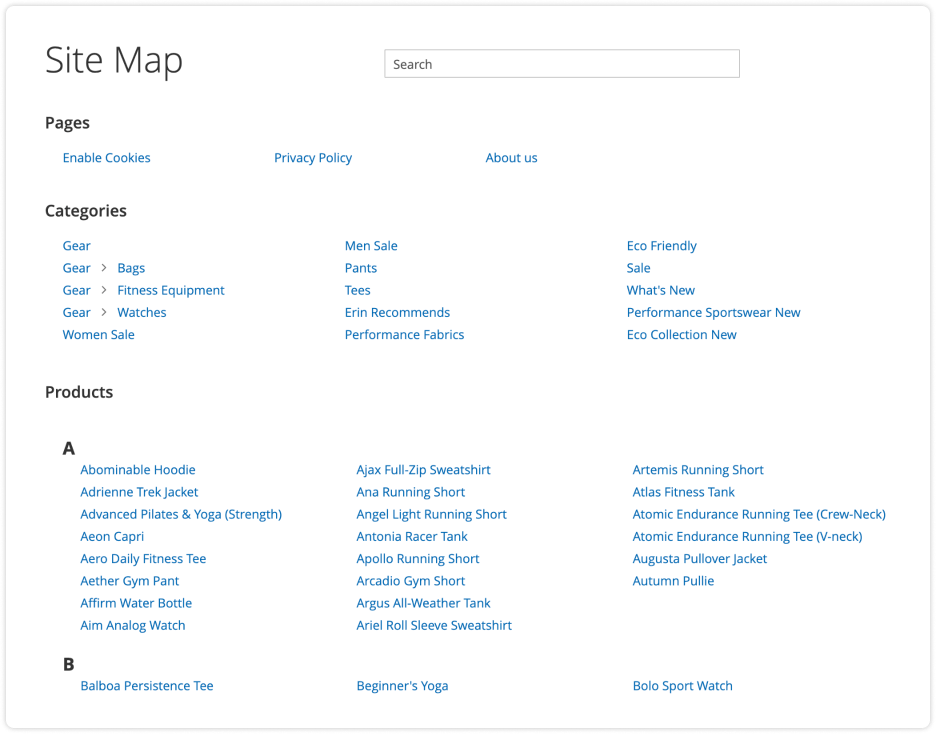
HTML Sitemap
Advanced SEO Suite adds an easily-configurable fronted sitemap.
For instance, you can specify which links to add to a sitemap or exclude.
XML Sitemap
The Advanced SEO Suite also lets you optimize the Google XML Sitemap automatically. Among other things, you can add title and caption tags to product images according to their templates, and add or remove specific links from the file.
For large catalogs, you can split the XML sitemap into a separate file per content type (products, categories, CMS pages, blog posts) with an index file, so search engines crawl it more easily and you can monitor indexing coverage per type in Google Search Console.
Still weighing this against other Magento 2 SEO extensions? Our comparison of the main SEO suites puts them side by side on price, AI capabilities and where each one is the better pick, including where it is not us.
What makes it particularly useful is the level of targeting available. Magento SEO often becomes difficult when you need rules that account for categories, products and large numbers of variables, and this suite gives you the tools to manage those situations systematically.
Mirasvit has also been very aggressive about adding AI-related functionality and keeping its extensions current with new Magento technology.
The downside of having so much capability is that properly configuring everything can require significant work. I strongly recommend pairing it with Mirasvit AI Assistant, which makes managing and optimizing large amounts of SEO content substantially easier.
What stood out most was the breadth of the module. It brings together many features that are often handled by separate extensions: meta tag templates, canonicals, hreflang for multi-store setups, HTML and XML sitemaps, rich snippets, redirects, layered navigation SEO and SEO-friendly URLs. Having these tools in one place makes maintenance easier and reduces the friction of integrating several overlapping modules.
The multi-store support is especially useful when managing several languages or markets from the same Magento instance. Hreflang and canonical settings help keep store views properly connected and reduce the risk of duplicate-content issues.
Meta tag templates are also very practical. They allow patterns to be defined using category or product data, which saves a lot of manual work on large catalogues and helps keep metadata consistent.
Redirect management is another strong point. It is useful to have redirects managed from one place rather than spread across different systems or extensions.
Overall, Advanced SEO Suite is a well-rounded SEO extension for serious Magento 2 projects, with broad coverage and a coherent admin experience.
One of the standout features is support for the latest Google Structured Data markups, including carousel (beta), which most other SEO extensions still don’t offer. Staying ahead with cutting-edge features like this gives us a real advantage in search appearance and CTR.
Just as impressive is Mirasvit’s dedication to ongoing improvement. They are constantly releasing updates, fixing bugs, and refining the extension. Their support team is incredibly responsive—every time we’ve opened a ticket, we received a detailed, helpful reply within hours. It’s clear they care about their customers and the quality of their product.
If you're serious about SEO on Magento 2, look no further. This extension is a must-have, and the team behind it is truly outstanding.
Save time by starting your support request online and we'll connect you to an expert.
How do canonical URLs help prevent duplicate content issues?
If you have pages with multiple versions, search engines may penalize all of them for duplicate content. With the Advanced SEO Suite, Magento can prevent that from happening by adding canonical tags to main page versions.
This is particularly useful for:
- Configurable products
- Grouped products
- Bundled products
- Cross-domain content (great for store views with different domains)
- And many other page types
You can also define exceptions with a different or completely omitted canonical tag manually.
What are the benefits of using Magento 2 SEO extension?
The Advanced SEO Suite gives you control over every SEO-related feature on your site - meta templates, rich snippets, redirects, sitemaps, cross-links, a live SEO toolbar and an automated SEO audit - in a single module trusted by 2,435+ Magento stores.
No expert assistance required: the module's extensive feature list doubles as a checklist. Just configure the extension, and Google will fall in love with your site! If you're not sure where to begin, you can use a built-in SEO toolbar to check your pages' SEO health.
No need to spend days tweaking the module, either: implementing most features is as easy as flipping a switch. If they require more input from you, you can utilize the intuitive patterns they come with that streamline their configuration.
That said, the module's simplicity doesn't affect its functionality in any way. If need be, you can fine-tune your SEO settings in detail.
How can built-in SEO Toolbar save you money?
The module includes a frontend interface (Magento 2 SEO Toolbar) that helps you treat standard SEO recommendations as a checklist. There's no need to hire an SEO specialist for the job.
The SEO toolbar shows you what still needs improving and evaluates page optimization in almost real time, right on the live page - so you can check things like your Magento alt tags at a glance.
What's the best SEO setup for a Magento 2 store?
Cover the fundamentals in one place: templated meta titles, descriptions and H1s so every page has unique metadata; rich snippets and Open Graph so your listings stand out in search and social; clean, keyword-rich URLs with correct canonical and hreflang tags; XML and HTML sitemaps; and 301 redirects for any URL change. The Advanced SEO Suite handles all of these, and its built-in SEO audit tells you what is still missing.
Does the extension support hreflang and multi-language SEO?
Yes. The extension adds hreflang tags to products, categories, CMS pages, landing and brand pages, and blog posts, so search engines send shoppers to the right language or regional version straight from the results. CMS pages assigned to All Store Views are included too.
You group store views that are translations of each other, set the x-default page automatically or by hand, and override the locale code for any store view or website when, for example, one English store serves the UK and another the US. The same hreflang alternates can go into the XML sitemap. The module also outputs alternate, next and prev relationship tags.
Can I run it alongside my current SEO extension?
It is best to run one SEO suite at a time. Two extensions writing meta tags, canonical tags or redirects for the same pages can conflict and produce duplicate or contradictory output. Disable the overlapping features of your current extension (or remove it) before enabling the Advanced SEO Suite.
Will the built-in SEO audit crawler slow down a large catalog?
No. The audit crawler processes pages in batches on a schedule rather than all at once, so it keeps site load under control even on large catalogs. It re-audits over time, which is how it catches SEO regressions as your content changes.
Does it generate correct rich snippets for configurable and grouped products, and on Hyvä?
Yes. The module outputs valid structured data for configurable, grouped and bundled products, and it works on Hyvä out of the box: since version 2.13.0, Hyvä and GraphQL support ship inside the extension, so there is no separate compatibility package to install or keep in step. On a Luma store the Hyvä part simply stays inactive.
What is GEO or AEO (answer engine optimization), and does this extension support it?
GEO, also called AEO (answer engine optimization), is optimizing your store to be read and cited by AI answer engines like ChatGPT, Perplexity, Google AI Overviews and Gemini, the same way SEO optimizes for classic search. It runs on structured data: the schema.org markup that describes your products, prices, availability and reviews. Advanced SEO Suite generates that markup (Product, Offer, ratings, breadcrumbs, Organization, CMS Article) automatically, which is exactly what AI engines parse to understand and quote your catalog.
Will AI search engines show my products as out of stock?
Not when the structured data is complete. The extension emits full Offer data, including availability and price, so AI engines read your in-stock products correctly. Many default Magento stores omit the availability field, which makes AI assistants guess "out of stock" and drop those products from their answers.
Can AI shopping agents buy from my store through this extension?
This extension makes your catalog discoverable and citable by AI search. Letting AI agents browse and transact directly, through llms.txt, MCP and the Universal Commerce Protocol, is handled by our separate Magento 2 Agentic Commerce module.
mirasvit/module-core 2.0.0 or newer and the new mirasvit/module-ai-core package, and mirasvit/module-seo-filter 1.3.67 or newer. Update these packages together with this release./ (ID: ) cell for deleted categories, and it printed category names without escaping them. The report also loads faster.primaryImageOfPage.getProductSeoCategory() and getCurrentSeoShortDescriptionForSearch() methods and three constructor arguments from Mirasvit\Seo\Helper\Data. Custom code that calls them or extends this helper's constructor needs updating.bin/magento mirasvit:seo-audit:job and the SEO Audit cron job no longer run at the same time. A refused command run exits with an error code.store_ids now apply to all store views.store_ids now apply to all store views instead of none.composer update. Composer now treats the old packages as provided by the extension and removes them on its own during the upgrade.? still match.< and > written as HTML entities no longer cut your og:description short. A description using < and > as symbols rather than markup — a size guide reading <40cm, a spec sheet with >, a comparison written with math signs — had everything from that character onwards dropped out of the Open Graph description shared to Facebook, LinkedIn and the rest. The symbols now survive as plain text, and real HTML is still stripped as before.[product_category_name]. The variable used in your meta title and description templates took the product's last assigned category without checking whether it was still enabled, so a retired or seasonal category kept naming itself in the meta tags of every product left in it — including when the category itself was active but its parent had been switched off, which is how a whole promotional branch is usually retired. The variable now uses the first category that is enabled, sits in the current store's category tree, and has no disabled parent above it; a category whose stored tree path is broken is skipped rather than used.Blog

 Andriy Kovalenko

We are committed to being open and transparent with our customers. When you purchase our module, you automatically receive one year of free support service and free updates.
Why is this important?
- Seamless Installation and Configuration: We understand that setting up a new module can take time to configure according to your specific needs. That’s why we offer a full year of free support. Our experienced team is here to assist you with installation, configuration, and any questions you might have. We're eager to share our expertise to ensure you get the most out of your purchase.
- Stay Updated with Magento (Adobe Commerce) Releases: Magento releases new versions approximately every three months. These updates can sometimes introduce compatibility challenges. To keep your store running smoothly, we provide a year of free access to the latest versions of our modules, ensuring that you can upgrade Magento and our modules without encountering any obstacles.
- Subscription Included: Renewing your subscription ensures continued access to the latest updates and support from our team. This means you can be confident that any issues you encounter with the extension will be resolved quickly and efficiently. You can cancel your subscription at any time without any additional fees.
These are our primary. A major portion of our new clients come from referrals from our existing clients. Our professional team of developers, marketers and support staff have invested the best knowledge and experience in the field into our work, so you know you can come back to us again and again.
One year free and high quality support. We go to great lengths to provide maximum satisfaction with every module you have purchased in our store. By helping you with installation, configuration, answering your every question, we do all our best to eliminate any possible problems.
30-days money back guarantee. If you are not satisfied with our extension performance for any reason, we provide a full refund.
We constantly add new features to all our modules, and are always interested in hearing your opinion and implementing your suggested features in our future developments.
We provide an expanded user guide for every aspect of our extension, so you can find answers for all your burning questions.
You can customize extension according to your needs and requirements.
The Module is easy to install and upgrade, just follow our step-by-step user guide. Additionally, the extension is ready to use with the Hyvä theme.
No core modifications. The extension has been tested in a Magento Cloud environment and is fully compatible with it.